
ZAP Alternatives
Top ZAP Alternatives
Fully managed WAAP with integrated DAST and WAF
AI-powered DAST with automated pentesting

Multi-Platform Easy-to-Use DAST

Former Internal Pentest Tool
- ZAP is free (Apache 2.0, 14,700+ stars) with full proxy and scanning, but lacks RBAC, centralized dashboards, and compliance reporting that enterprise teams need.
- Burp Suite Professional (~$475/year) has higher detection rates in independent benchmarks and 500+ BApp Store extensions for manual penetration testing.
- Caido is a modern intercepting proxy and a lighter alternative for manual testing, with a clean UI, a free Community tier, and project-based workflows favored by pentesters.
- Invicti’s proof-based scanning confirms vulnerabilities by safely exploiting them, reducing false positives to near zero across thousands of applications.
- StackHawk is built on ZAP’s engine with a developer-friendly YAML config, HawkAI source-based API discovery, and 20-minute signup-to-first-scan timeline.
Why Look for ZAP Alternatives?#
The best ZAP alternatives in 2026 are Burp Suite, Caido, Nuclei, Invicti, StackHawk, Bright Security, Dastardly, Nikto, and Qualys WAS.
ZAP is the most widely used free DAST tool in the world.
With 14,700+ GitHub stars, an Apache 2.0 license, and backing from Checkmarx since September 2024 , it offers intercepting proxy capabilities, automated scanning, API testing, and a YAML automation framework .
For a tool that costs nothing, the feature set is hard to argue with.
That said, ZAP has a steep learning curve. Getting a basic scan running is straightforward, but configuring authentication for modern applications with OAuth flows, MFA, or session tokens takes real effort.
The documentation covers these scenarios, but the setup involves writing custom scripts and tweaking context files that can be frustrating to debug.
Commercial tools like Invicti or StackHawk handle complex authentication through guided configuration instead of scripting.
Enterprise teams often run into gaps that ZAP was never designed to fill.
There is no role-based access control, no centralized management dashboard for tracking scan results across projects, and no built-in compliance reporting.
If your organization needs to prove PCI DSS or SOC 2 compliance with formatted reports, you are either writing your own reporting layer or switching to a commercial scanner. ZAP also lacks managed scanning infrastructure.
You host it, you maintain it, you troubleshoot it. For teams without dedicated security engineers, that operational overhead adds up.
And while ZAP’s detection rates are solid for a free tool, independent benchmarks consistently show commercial scanners like Burp Suite Professional and Invicti catching more vulnerability types, particularly business logic flaws and complex injection vectors.
Top ZAP Alternatives#
The best ZAP alternative depends on what you are replacing:
- Polished manual testing: Burp Suite or Caido
- Enterprise DAST with low false positives: Invicti or Qualys WAS
- Developer-first CI/CD scanning: StackHawk or Bright Security
- Fast template-based vulnerability checks: Nuclei
- Free zero-config CI/CD gate: Dastardly
Each option is detailed below, followed by a feature comparison table.
1. Burp Suite#
Burp Suite Professional is the industry standard for manual web application security testing.
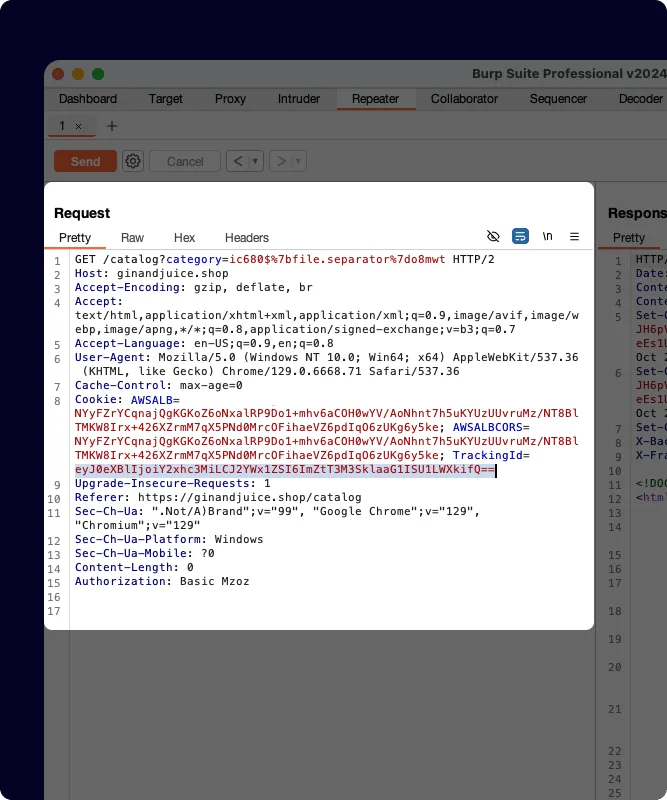
Its intercepting proxy, Repeater, Intruder , and Collaborator tools give pentesters precise control over every HTTP request. The BApp Store offers 500+ extensions covering everything from JWT testing to authorization bypass checks.
PortSwigger renamed the enterprise offering to Burp Suite DAST in April 2025 , separating the automated scanning product from the manual testing toolkit.
The automated scanner in Burp Suite Professional consistently ranks at the top in independent DAST benchmarks.
Burp Collaborator enables out-of-band vulnerability detection for blind SSRF, blind XSS, and similar issues that proxy-based scanners cannot catch through normal response analysis.
The DAST edition adds CI/CD integration, scan scheduling, and role-based access for teams.
Where ZAP and Burp Suite overlap most is the intercepting proxy workflow. Both let you intercept, inspect, and modify traffic.
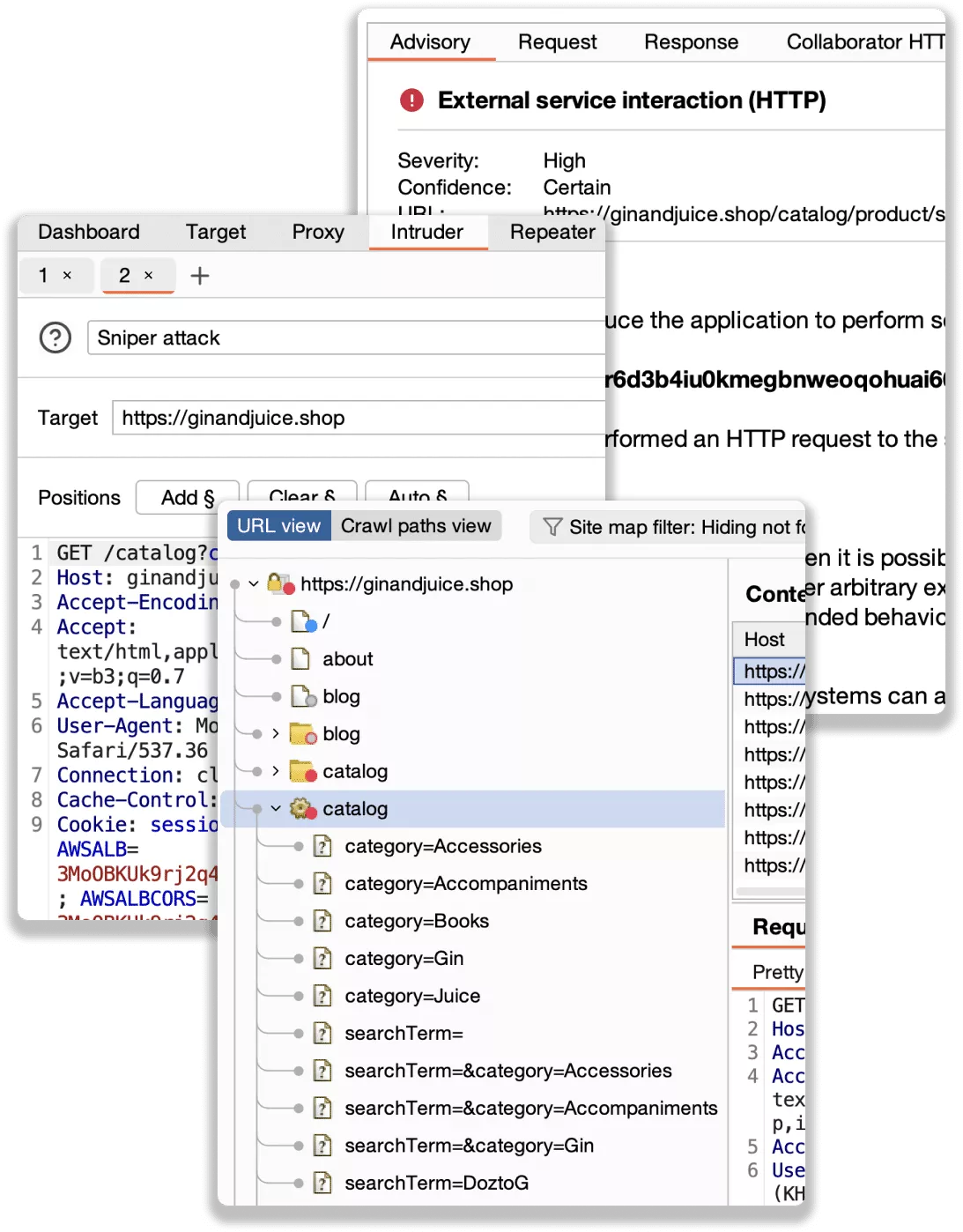
Burp Suite is more polished and catches more edge cases in head-to-head comparisons. The tradeoff is cost: ~$475/year per user for Professional, and enterprise pricing for the DAST edition.
Best for: Penetration testers and security professionals who need polished manual testing tools alongside automated scanning. License: Freemium (Community free, Pro ~$475/year, DAST edition for enterprise) Key difference: More refined manual testing experience and slightly higher detection rates. Commercial support available.
2. Nuclei#
Nuclei works nothing like ZAP. Instead of crawling an application and probing dynamically, it runs specific checks defined in YAML templates against your targets.
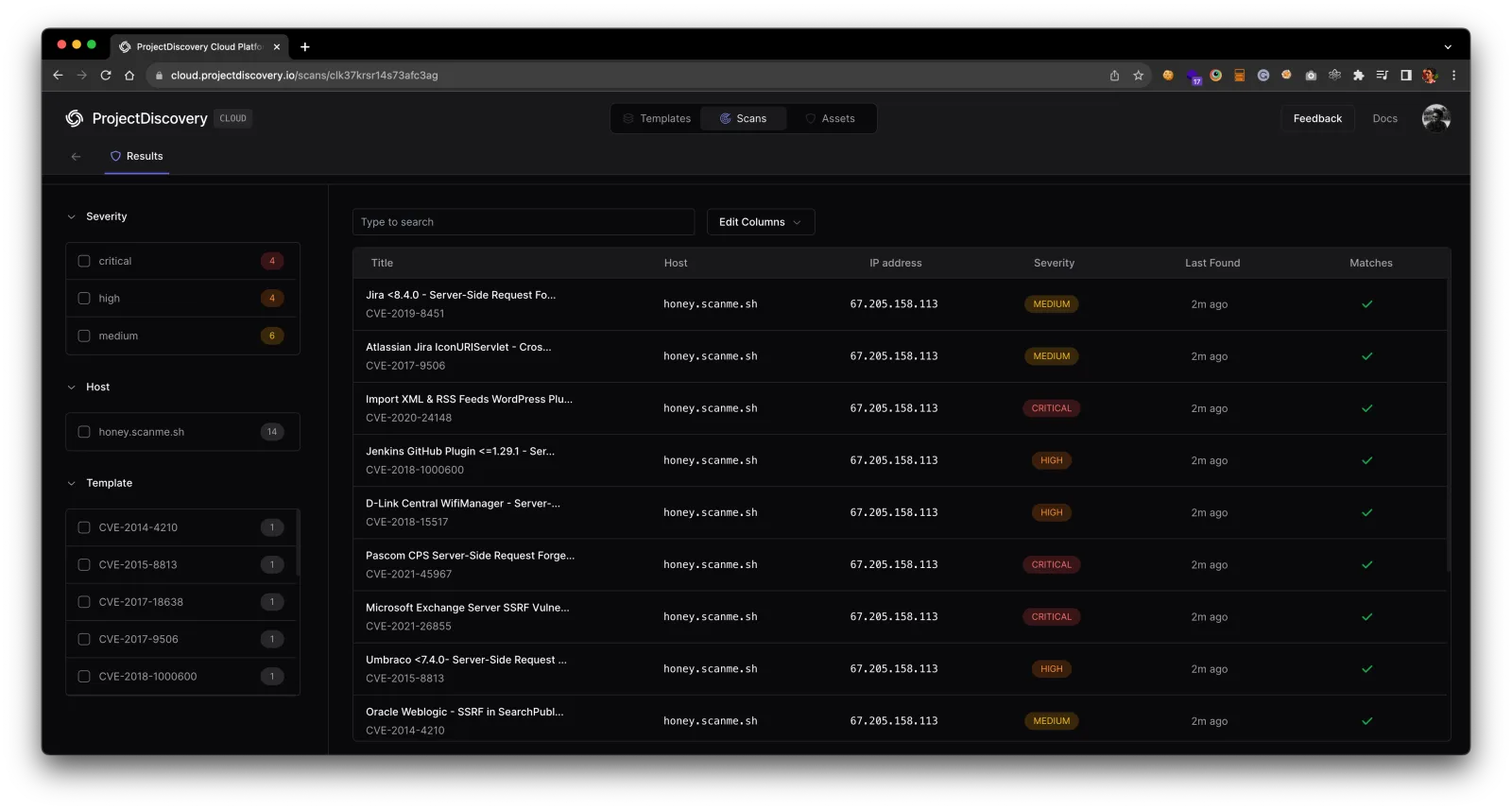
ProjectDiscovery maintains 11,000+ community-contributed templates covering CVEs, misconfigurations, exposed panels, default credentials, and more.
The scanner supports HTTP, DNS, TCP, SSL, WebSocket, and headless browser protocols. This multi-protocol capability goes well beyond what ZAP handles.
Nuclei is also fast. Running a thousand templates against a target takes minutes, not hours.
The YAML template format is simple enough that security engineers can write custom checks without deep programming knowledge.
Nuclei does not replace ZAP for application-level testing. It cannot crawl and discover pages, it has no intercepting proxy, and it does not perform the kind of dynamic fuzzing that finds novel injection vulnerabilities.
Think of it as complementary. ZAP explores the unknown; Nuclei validates the known. Many security teams run both.
Best for: Security teams that want fast, template-based vulnerability scanning across multiple protocols. License: Open-source (MIT) Key difference: Template-based approach with 11,000+ community templates. Multi-protocol scanning beyond just HTTP.
3. Invicti#
Invicti uses proof-based scanning instead of reporting theoretical findings. When it detects a potential SQL injection, for example, it attempts to confirm the vulnerability by extracting proof (such as database version strings) that the issue is actually exploitable.
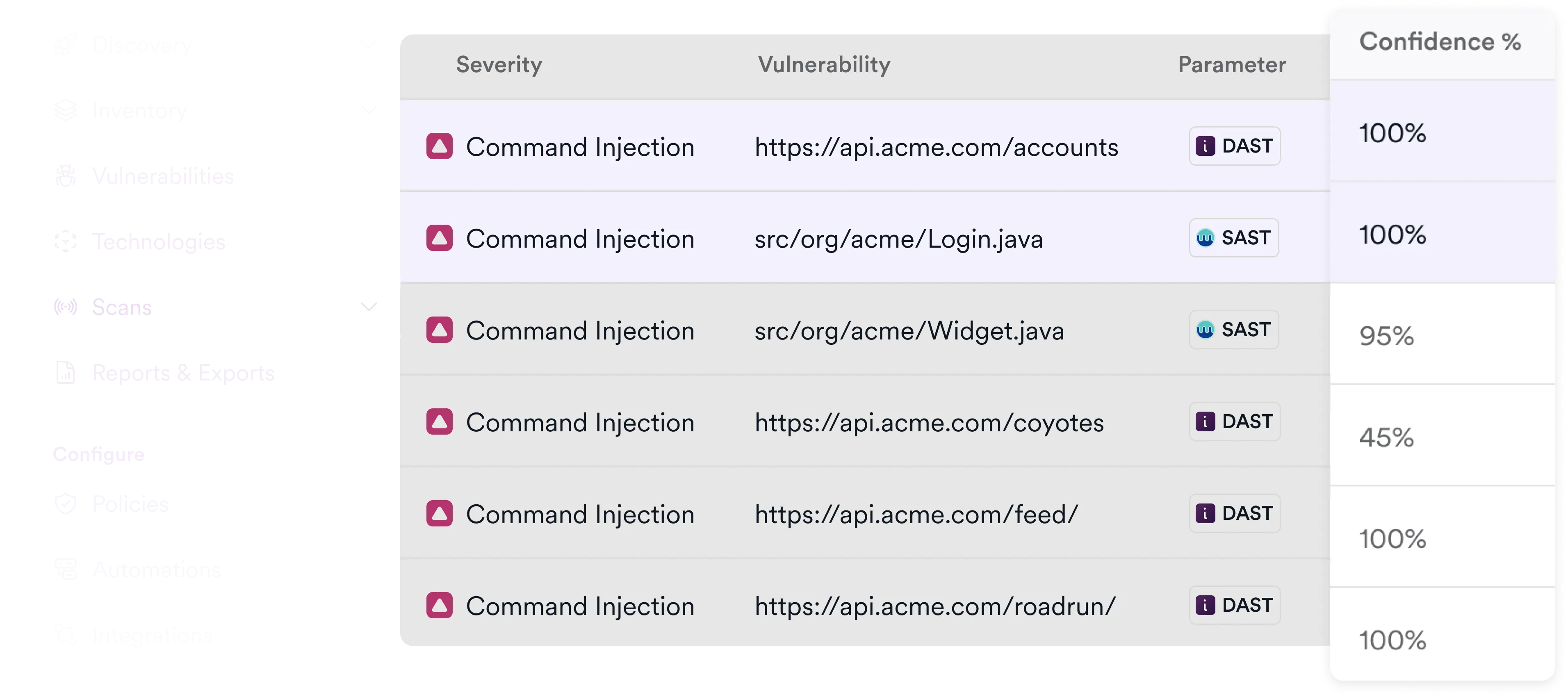
This reduces false positives to near zero and eliminates the triage burden that comes with tools that flag every possible issue.
The platform combines DAST, IAST, and SCA scanning in one product. It scales to scan thousands of applications with centralized management, scheduling, and compliance reporting.
Invicti formed from the merger of Acunetix and Netsparker, combining both products’ scanning engines.
For teams moving from ZAP to an enterprise DAST solution, Invicti addresses the biggest gaps: centralized dashboards, RBAC, automatic asset discovery, and formatted compliance reports.
The cost is significant compared to free ZAP, but the operational savings from reduced false positive triage and managed scanning infrastructure can justify it for organizations with large application portfolios.
Best for: Enterprise teams that need managed, scalable DAST with proof-based scanning and low false positives. License: Commercial Key difference: Proof-based scanning confirms vulnerabilities automatically. Scales to thousands of applications with centralized management.
4. StackHawk#
StackHawk is built on top of ZAP’s scanning engine, which makes it the most natural migration path for teams already familiar with ZAP.
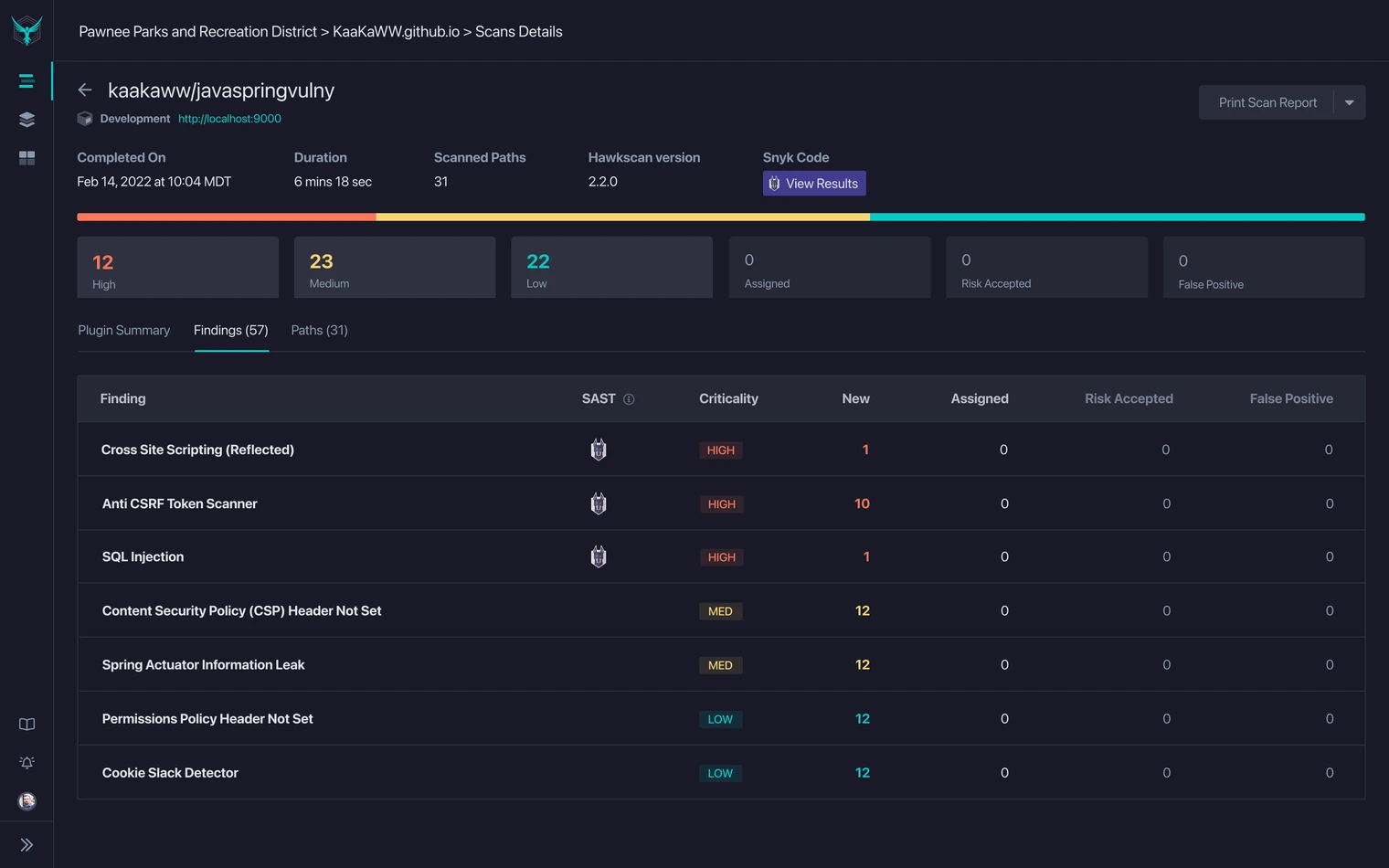
It wraps that engine in a developer-friendly interface with YAML configuration files, a web dashboard for viewing results, and native integrations with GitHub Actions, GitLab CI, Jenkins, and other CI/CD platforms.
The platform supports REST, GraphQL, SOAP, and gRPC API testing. HawkAI provides automated API discovery from OpenAPI specs .
StackHawk reports a 20-minute timeline from signup to first CI/CD scan, which is a fraction of the time required to configure ZAP’s automation framework from scratch.
A 14-day free trial is available to evaluate whether the developer experience justifies the cost for your team. StackHawk deliberately hides the complexity of ZAP’s underlying engine behind simpler configuration.
The downside is less flexibility. You cannot access ZAP’s full add-on marketplace or write custom scan scripts through StackHawk’s interface.
Best for: Development teams that want ZAP’s scanning engine with a developer-friendly wrapper and CI/CD-first design. License: Commercial (14-day free trial) Key difference: Built on ZAP but with simplified YAML configuration, a web dashboard, and native CI/CD integrations.
5. Nikto#
Nikto has been around since the early 2000s and remains a staple in penetration testing.
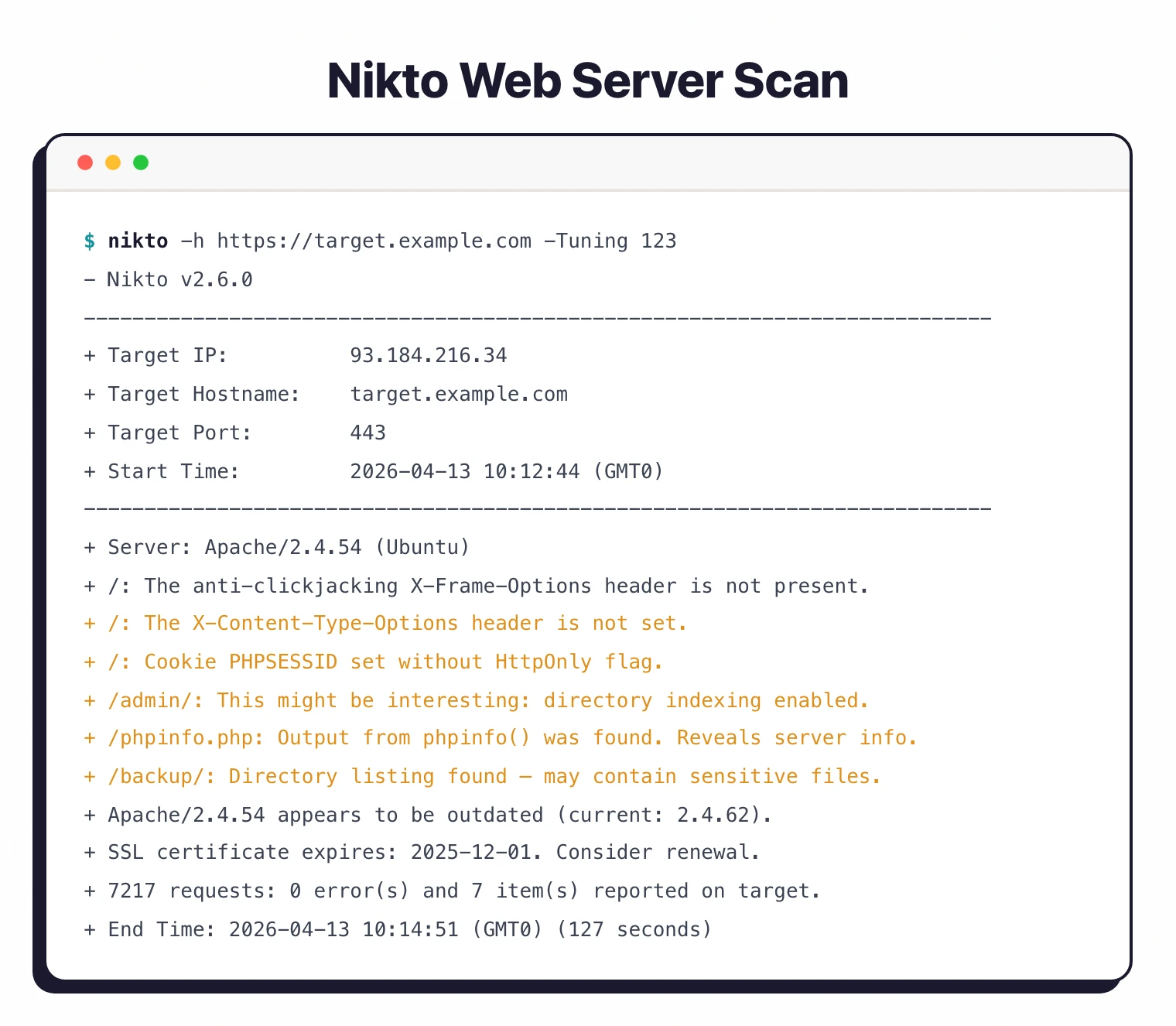
It performs 7,000+ checks against web servers, looking for outdated software versions, dangerous default files, insecure server configurations, and known vulnerable scripts.
It ships pre-installed in Kali Linux and runs from the command line with minimal setup.
The tool focuses on server-level issues rather than application-level vulnerabilities. Nikto will find an exposed phpinfo page, an outdated Apache version, or a misconfigured CORS header.
It will not find a stored XSS vulnerability in your application’s comment feature or a broken access control issue in your API. This makes Nikto faster but narrower than ZAP.
For penetration testers, Nikto is typically the first tool run against a target for quick reconnaissance before moving to ZAP or Burp Suite for deeper testing. It is not a ZAP replacement so much as a different tool for a different layer of the stack.
Best for: Quick server and configuration checks during penetration tests or security assessments. License: Open-source (GPL-2.0) Key difference: Focused on server misconfigurations and known vulnerabilities rather than application-level testing. Faster but less thorough.
6. Bright Security#
Bright Security (formerly NeuraLegion) is a developer-first DAST tool. It runs from a Docker container or CLI, imports HAR files and OpenAPI specs for API discovery, and uses AI-powered validation to keep false positives under 3%.
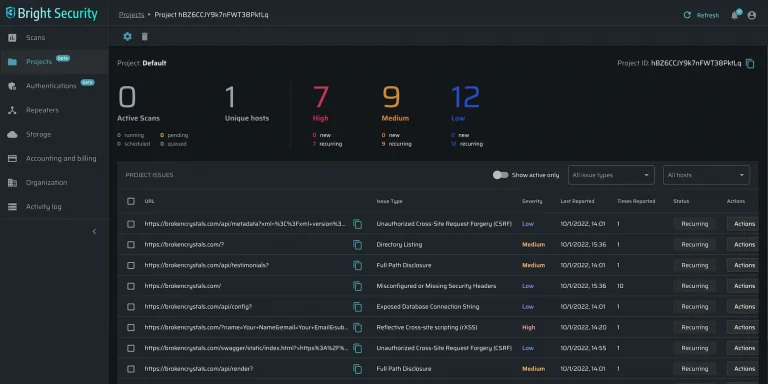
The platform covers the OWASP Top 10, API Security Top 10, and LLM Top 10 vulnerability categories.
The developer focus shows in the details: authentication setup uses a guided interface rather than custom scripts, and scan results include remediation guidance with code-level context. For teams where developers fix their own security findings, actionable output matters more than raw vulnerability counts.
Compared to ZAP, Bright Security trades flexibility for simplicity. You cannot use it as an intercepting proxy for manual testing.
You cannot extend it with custom add-ons. What you get is a scanner that runs in CI/CD, returns results developers can act on, and does not need a security engineer to configure and maintain.
Best for: Developer teams that want automated DAST with minimal false positives and no security expertise required. License: Freemium Key difference: Developer-first approach with less than 3% false positive rate. Covers OWASP Top 10, API Top 10, and LLM Top 10.
7. Dastardly#
Dastardly is PortSwigger’s free CI/CD scanner. It ships as a Docker container, requires nothing beyond a target URL, scans for a maximum of 10 minutes, and outputs JUnit XML that integrates with any CI/CD platform.
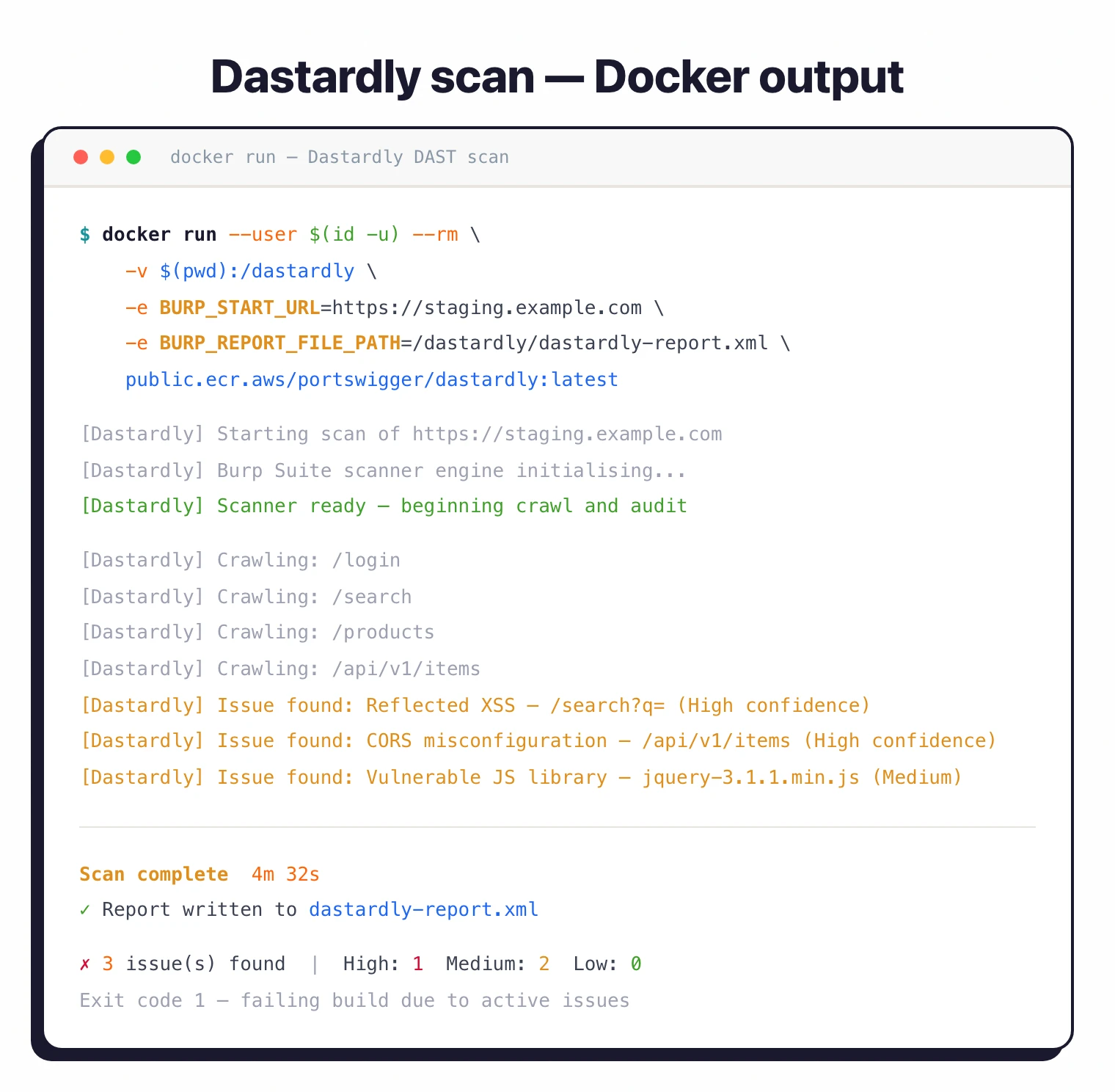
The simplicity is both its strength and limitation. Dastardly performs passive checks and light active scanning.
It will catch reflected XSS, missing security headers, and some injection issues. It will not find vulnerabilities that require authenticated scanning, complex crawling, or out-of-band detection.
Think of it as a fast sanity check, not a comprehensive DAST solution.
For teams that currently run ZAP in CI/CD with basic configurations and find the setup burdensome, Dastardly removes that burden entirely.
No YAML configuration, no Docker volume mounts for scripts, no authentication context files. Point it at a URL and let it run.
Best for: Teams that want a free, zero-configuration CI/CD security check powered by Burp’s scanning engine. License: Free Key difference: Completes in under 10 minutes with zero configuration. Uses Burp Scanner’s engine but limited to passive and light active checks.
8. Qualys WAS#
Qualys Web Application Scanning is an enterprise cloud DAST platform that has, according to Qualys, scanned over 370,000 web applications and APIs.
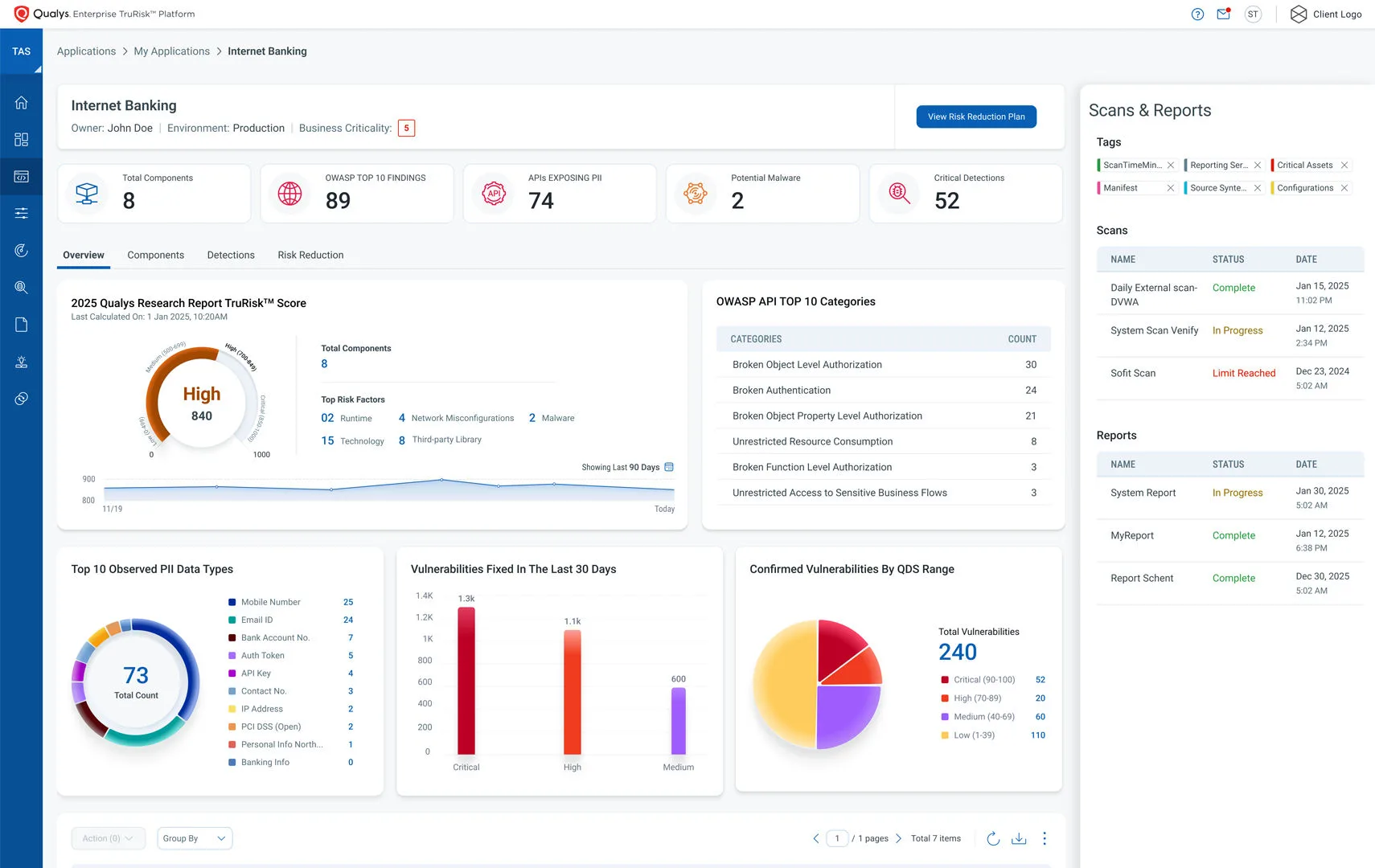
It runs entirely from the Qualys Cloud Platform, so there is no infrastructure to manage. Qualys reports that AI optimization delivers 96% detection rates while reducing scan times by 80%.
The platform integrates with the broader Qualys suite, sharing a TruRisk scoring model that aggregates risk across web applications, APIs, infrastructure, and endpoints.
PII exposure alerts flag when scans find sensitive data like social security numbers or credit card numbers in application responses.
Compliance reporting covers PCI DSS, OWASP, and other frameworks without additional configuration.
For organizations already using Qualys for vulnerability management or compliance, WAS is a natural addition. The shared risk model and unified dashboard provide context that standalone DAST tools cannot.
For smaller teams without existing Qualys infrastructure, the enterprise pricing and sales process is probably overkill.
Best for: Enterprise security teams managing large application portfolios with centralized risk scoring. License: Commercial Key difference: Part of the Qualys Cloud Platform with TruRisk scoring across web apps, APIs, and infrastructure.
9. Caido#
Caido is a modern intercepting proxy that has become the fastest-rising manual-testing alternative to ZAP and Burp Suite. It pairs a clean web-based UI with a project-based workflow built for speed.

For ZAP users who keep the tool mainly for its proxy and manual testing rather than automated scanning, Caido covers that workflow with a lighter, more modern interface.
It offers a free Community tier, paid plans, and a growing plugin system. It is not a full automated scanner, so it complements rather than replaces ZAP’s crawl-and-scan engine.
Best for: Pentesters and bug bounty hunters who want a fast, modern manual proxy rather than a full automated DAST scanner. License: Freemium (free Community tier) Key difference: A manual-testing proxy with a modern UI, not an automated crawler. Smaller ecosystem than ZAP or Burp.
Free vs paid ZAP alternatives#
Most teams searching for a ZAP alternative split into two camps. Either I want a more capable free tool, or I am willing to pay if the developer experience and detection accuracy justify the cost.
Free alternatives keep your spend at zero but trade engineering time for license fees:
- Nuclei — template-based, fast, multi-protocol. Great for known-vulnerability checks; not a crawl-and-fuzz replacement.
- Wapiti — Python-based black-box scanner with a smaller surface than ZAP but a gentler config curve.
- Dastardly — Burp engine, zero-config CI scanner, capped at 10 minutes per scan.
Paid alternatives charge a license fee but reduce time spent fighting the tool:
- Burp Suite Professional — ~$475/year per user. The reference manual-testing toolkit with stronger detection on edge cases.
- StackHawk — wraps ZAP’s engine in a dev-friendly YAML interface; commercial pricing on request.
- Invicti — enterprise DAST with proof-based scanning; sales-led pricing for large application portfolios.
The honest tradeoff: free tools cost engineering time to operate, paid tools cost money. ZAP itself is rarely the cheapest option once you account for the hours spent configuring authentication, maintaining scan policies, and triaging findings without commercial support.
Feature Comparison#
| Feature | ZAP | Burp Suite | Caido | Nuclei | Invicti | StackHawk | Nikto | Dastardly | Qualys WAS |
|---|---|---|---|---|---|---|---|---|---|
| License | Free (Apache 2.0) | Freemium | Freemium | Free (MIT) | Commercial | Freemium | Free (GPL-2.0) | Free | Commercial |
| Intercepting proxy | Yes | Yes | Yes | No | No | No | No | No | No |
| Automated scanning | Yes | Yes | Limited | Yes | Yes | Yes | Yes | Yes | Yes |
| API testing | REST, GraphQL, SOAP | REST, GraphQL, SOAP | Limited | HTTP, multi-protocol | REST, GraphQL, SOAP | REST, GraphQL, SOAP, gRPC | No | Limited | REST, GraphQL, SOAP |
| CI/CD integration | Good (Docker, Actions) | Enterprise only | No | Excellent (CLI) | Yes | Excellent (native) | Basic | Excellent | Yes |
| Manual testing | Full proxy + tools | Best in class | Yes | No | Limited | No | No | No | No |
| Custom checks | Add-ons + scripts | BApp Store + scripts | Plugin system | YAML templates | Limited | No | Plugins | No | No |
| Auth scanning | Yes (complex setup) | Yes (polished) | Yes | Basic | Yes | Yes (YAML config) | Basic | No | Yes |
| Self-hosted | Yes | Yes | Yes | Yes | Yes | No | Yes | Yes (Docker) | No |
| Centralized dashboard | No | Enterprise only | No | Cloud (paid) | Yes | Yes | No | No | Yes |
When to Stay with ZAP#
ZAP still makes sense in several scenarios:
- Budget is zero. ZAP is completely free with no feature restrictions. No other DAST tool offers this combination of capability and zero cost. Burp Suite Community throttles scanning and disables project saves. Dastardly is free but limited to 10-minute passive scans. ZAP gives you everything.
- You need an intercepting proxy. For manual security testing, ZAP’s proxy is a full-featured alternative to Burp Suite. Nuclei, StackHawk, and Dastardly do not offer proxy functionality. If your workflow involves intercepting and modifying traffic, your options are ZAP or Burp Suite.
- You want scan configuration as code. ZAP’s YAML automation framework lets you version-control your entire scan configuration, including context, authentication, scan policies, and reporting. This level of control exceeds what most commercial tools offer through their UI-based configuration.
- Open-source matters. ZAP is Apache 2.0 licensed with no proprietary components. Organizations that require fully open-source tooling for security, compliance, or philosophical reasons have few alternatives at this capability level. Nuclei is MIT-licensed but serves a different purpose.
- You already invested in ZAP customization. Custom scan policies, authentication scripts, active scan rules, and add-on configurations represent real engineering effort. Switching means rebuilding this from scratch with a different tool’s configuration model.
For detailed reviews of each tool mentioned here, see AppSec Santa’s DAST tools page.
Frequently Asked Questions
What is the best paid alternative to ZAP?
Is Nuclei better than ZAP?
Can I use ZAP in enterprise environments?
What is the easiest DAST tool to set up in CI/CD?
Is ZAP still maintained after the Checkmarx partnership?

Written & maintained by
Suphi CankurtEight years on the vendor side of application-security sales — thousands of evaluations and demos. I started AppSec Santa in 2022 to put that insider view to work for buyers. Independent of any vendor, paid by none, and honest about what fits whom.