
- StackHawk is built on ZAP's scanning engine — same vulnerability detection, different developer experience with YAML config and managed CI/CD integrations.
- ZAP is completely free (Apache 2.0) with no restrictions; StackHawk offers a 14-day trial then per-contributor pricing ($42/month Pro, $59/month Enterprise).
- ZAP provides full intercepting proxy and manual testing tools (fuzzer, request editor, breakpoints); StackHawk is automated scanning only with no manual testing capability.
- StackHawk's HawkAI discovers API endpoints from source code in Express, Spring, Django, and Rails; ZAP has no equivalent source-based API discovery.
- StackHawk supports REST, GraphQL, SOAP, and gRPC API testing; ZAP covers REST, GraphQL, and SOAP but not gRPC natively.
Which Is Better: StackHawk or ZAP?
StackHawk and ZAP share the same scanning engine — StackHawk is built on ZAP. The difference is in packaging.
StackHawk wraps ZAP in a developer-first experience: YAML configuration in your repo, optimized CI/CD performance, API discovery from source code, and findings written for engineers.
ZAP gives you the raw scanning engine with full control, a desktop application for manual testing, and zero cost. If your team wants managed DAST that plugs into CI/CD with minimal setup, StackHawk reduces friction.
If your team wants maximum flexibility, manual testing capabilities, and no licensing cost, ZAP delivers the same scanning power for free.
What Are the Key Differences?
| Feature | StackHawk | ZAP |
|---|---|---|
| License | Commercial (14-day free trial) | Free (Apache 2.0, no limits) |
| Pricing | 14-day trial; paid plans per contributor | Free, no restrictions |
| Scanning Engine | OWASP ZAP | OWASP ZAP |
| Open Source | No | Yes (14,700+ GitHub stars) |
| Configuration | YAML (stackhawk.yml) | YAML automation framework, GUI, API |
| Desktop Application | No | Yes (Windows, macOS, Linux) |
| Intercepting Proxy | No | Yes |
| Manual Testing | No | Yes (proxy, fuzzer, request editor) |
| API Scanning | REST, GraphQL, SOAP, gRPC | REST, GraphQL, SOAP |
| API Discovery | HawkAI (source code analysis) | No |
| LLM Security Testing | Yes | No |
| Sensitive Data Detection | PII, PCI, PHI | No built-in |
| CI/CD Integrations | GitHub Actions, GitLab CI, Jenkins, CircleCI, Azure, AWS, Bitbucket, 5+ more | GitHub Actions, GitLab CI, Jenkins, Azure DevOps |
| SARIF Output | Via GitHub code scanning | Yes |
| Output Formats | Web dashboard, GitHub code scanning | HTML, JSON, XML, Markdown, SARIF |
| Auth Methods | Form, HTTP, OAuth2, cookie, token, external command | Form, HTTP Basic, script-based, session management |
| Findings Format | Developer-focused with remediation examples | Security-focused with technical detail |
| Deployment | SaaS (Docker-based scanner) | Self-hosted (Desktop, Docker, CLI) |
| Maintained By | StackHawk Inc. | Community, funded by Checkmarx |
StackHawk vs ZAP: How Do They Compare?
Scanning Engine
This is the part that’s identical. StackHawk uses the OWASP ZAP scanning engine for vulnerability detection.
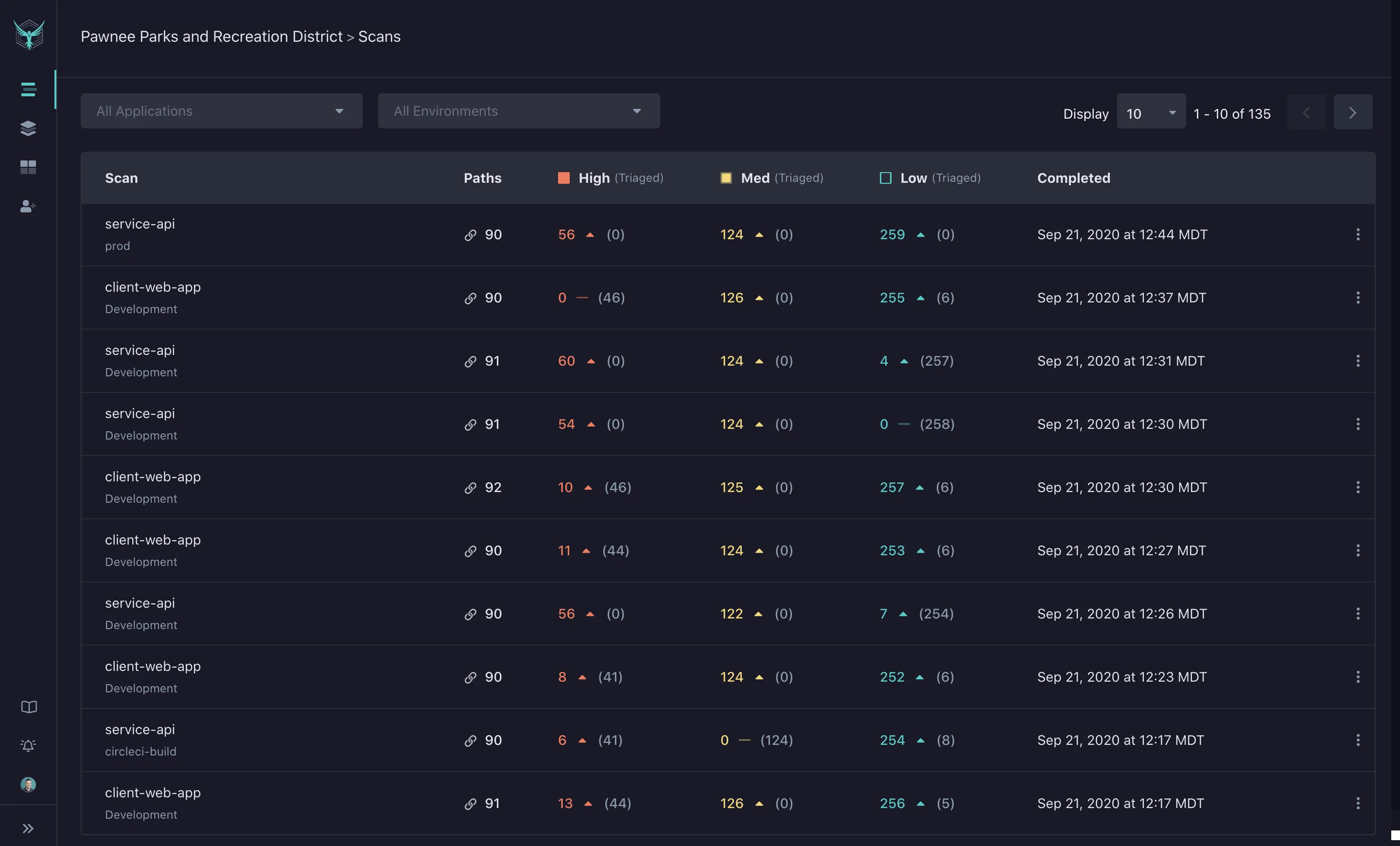
The active scanner, passive scanner, and spider that power ZAP are the same components running inside StackHawk. The vulnerability types detected, the attack payloads used, and the core scanning logic are shared.
StackHawk has optimized ZAP’s performance for CI/CD environments. Scans are tuned to complete within pipeline time limits.
The company has invested engineering effort in making sure scans run reliably and consistently in automated environments — something that can require manual tuning when running raw ZAP in Docker.
The bottom line: if your concern is “which tool finds more vulnerabilities,” the answer is that they use the same detection engine. The differences lie in everything around the engine.
CI/CD Integration
Both tools integrate with CI/CD pipelines, but the setup experience differs substantially.
StackHawk gives you a single stackhawk.yml file that defines your target, authentication, scan scope, and active scan types.
Drop this file in your repo, add the StackHawk GitHub Action (or GitLab CI image, or Docker run command), set your API key, and you have DAST in your pipeline. The configuration is declarative and lives in version control.
StackHawk supports GitHub Actions, GitLab CI, Jenkins, CircleCI, Azure Pipelines, AWS CodePipeline, Bitbucket Pipelines, Bamboo, Harness, Spinnaker, Buildkite, and Travis CI.
ZAP’s CI/CD setup is more flexible but requires more work. The YAML automation framework defines entire scan workflows — contexts, authentication, spidering, scanning, and reporting — as code.
Official GitHub Actions (zaproxy/action-baseline, zaproxy/action-full-scan, zaproxy/action-api-scan) and Docker images (zap-stable, zap-weekly) handle the most common scenarios. For anything beyond the defaults, you’re writing automation framework YAML that configures ZAP’s many scan policies and parameters.
Teams with a dedicated security engineer who wants fine-grained control will appreciate ZAP’s flexibility. Teams that want pipeline DAST running in an afternoon will get there faster with StackHawk.
API Testing
StackHawk treats API testing as a primary use case. REST APIs via OpenAPI specs, GraphQL via introspection, SOAP, and gRPC are all supported as first-class scan targets.
Point StackHawk at your OpenAPI spec or enable GraphQL introspection, and it tests every endpoint for injection vulnerabilities, authentication flaws, and authorization issues.
HawkAI, StackHawk’s API discovery feature, analyzes your source code to find endpoints that your OpenAPI spec might have missed. It understands route definitions in Express, Spring, Django, Rails, and other frameworks.
This catches undocumented endpoints and spec drift — routes that exist in code but aren’t in the spec.
ZAP handles REST, GraphQL, and SOAP API scanning through its zap-api-scan.py script and OpenAPI import. It imports OpenAPI specs, processes GraphQL introspection, and tests endpoints.
The API scanning works well, but ZAP doesn’t have an equivalent to HawkAI’s source code analysis for discovering undocumented endpoints. ZAP also doesn’t support gRPC natively.
For API-first applications, StackHawk’s dedicated API features and source-based discovery give you better coverage out of the box.
Manual Testing
This is where ZAP pulls ahead because StackHawk simply doesn’t offer manual testing tools.
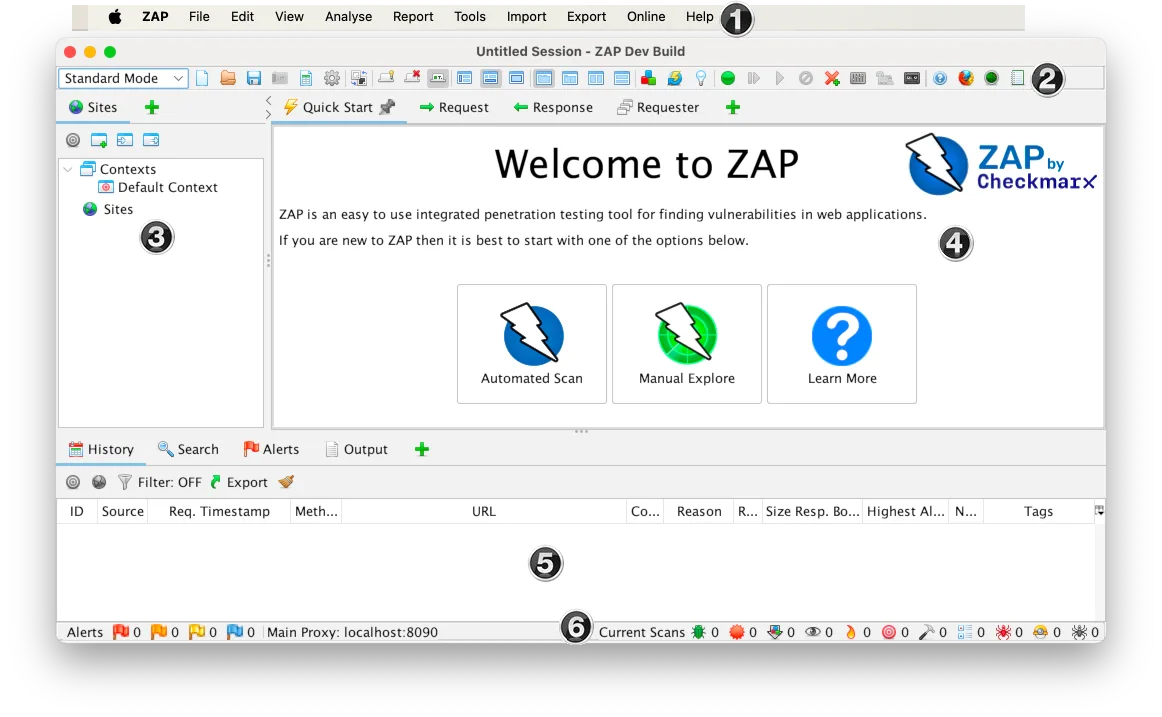
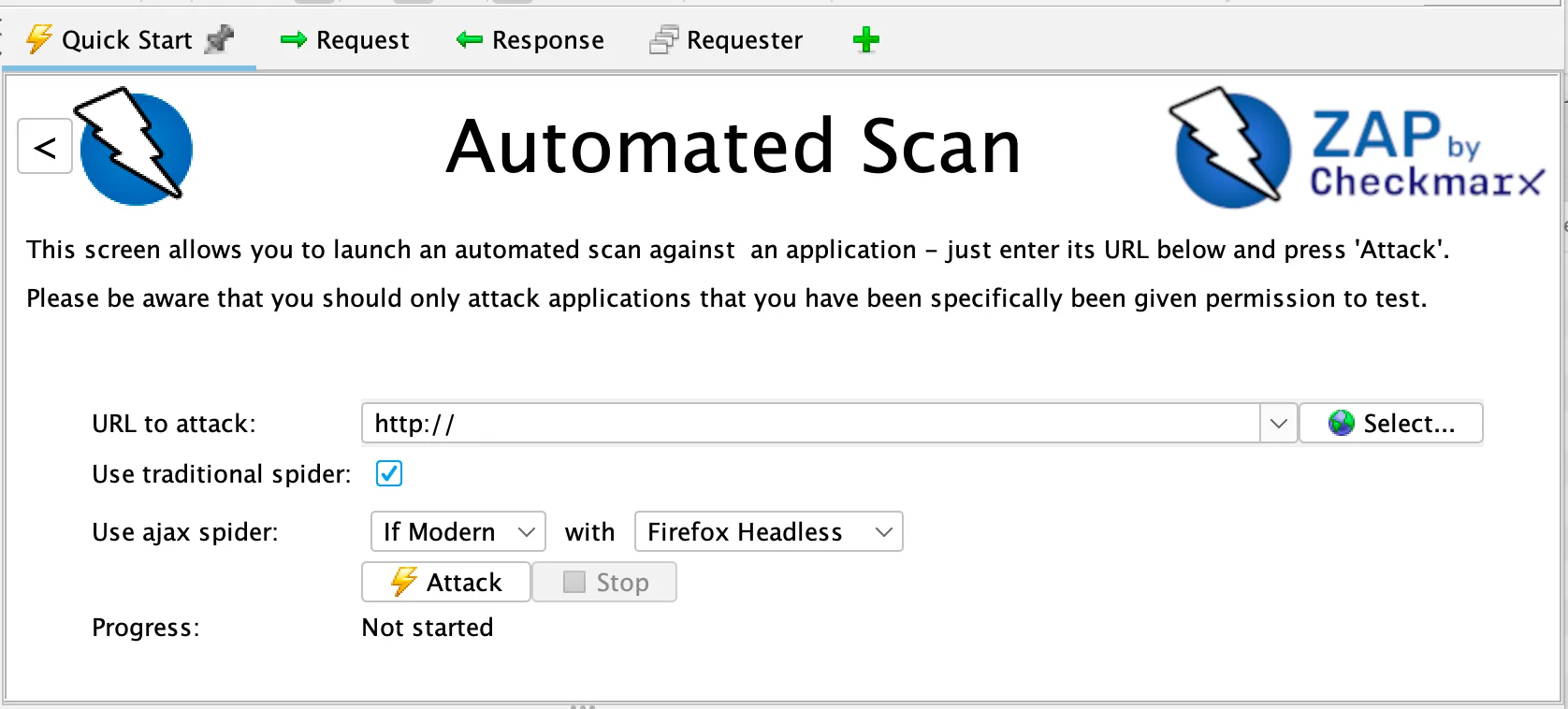
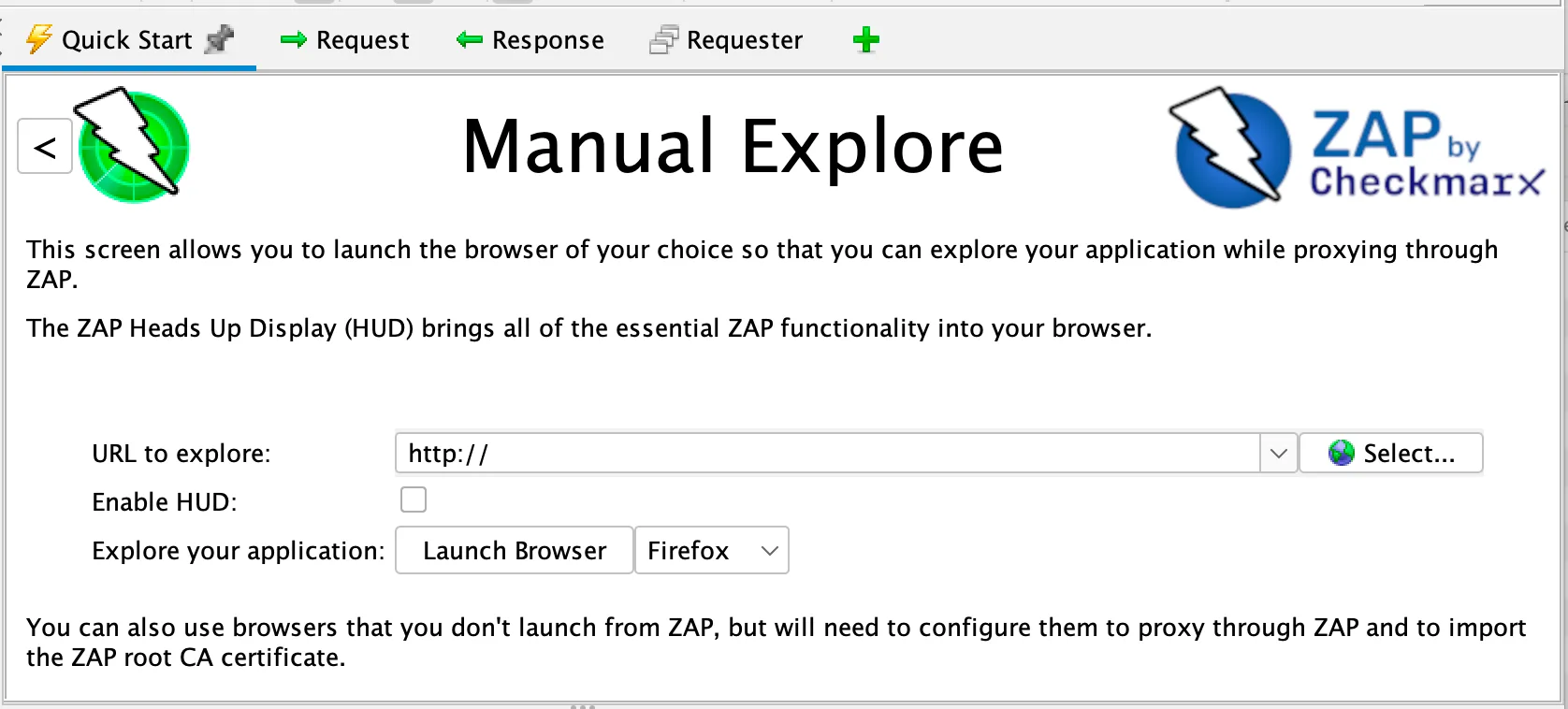
ZAP is a full intercepting proxy. Route your browser traffic through ZAP, and you can inspect, modify, and replay every HTTP request. The traditional spider and AJAX spider (headless browser) crawl applications to discover endpoints.
The manual request editor lets you craft and send arbitrary requests. The fuzzer tests parameters with custom wordlists.
Breakpoints pause traffic so you can modify requests before they reach the server.
For penetration testers who need to manipulate traffic, test session management, probe for logic flaws, and explore application behavior hands-on, ZAP provides a complete manual testing toolkit. StackHawk is automated scanning only — there’s no desktop application, no intercepting proxy, and no manual testing workflow.
If your security testing includes manual penetration testing alongside automated scanning, ZAP covers both. StackHawk covers automated scanning only.
Developer Experience
StackHawk was built to make DAST findings actionable for developers, not just security analysts.
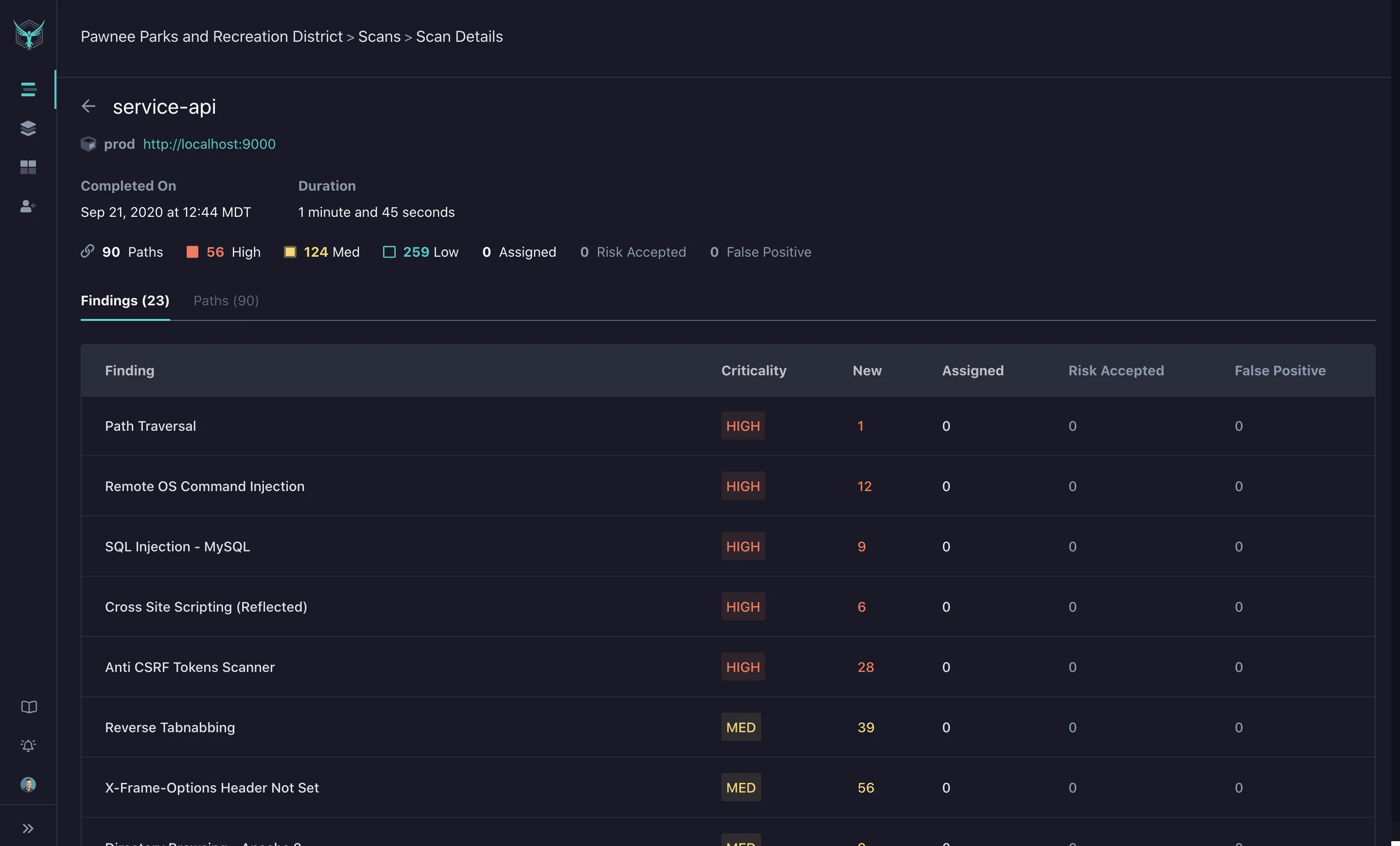
When a vulnerability is found, the report includes code examples showing how to fix the issue, links to relevant documentation, and severity based on exploitability.
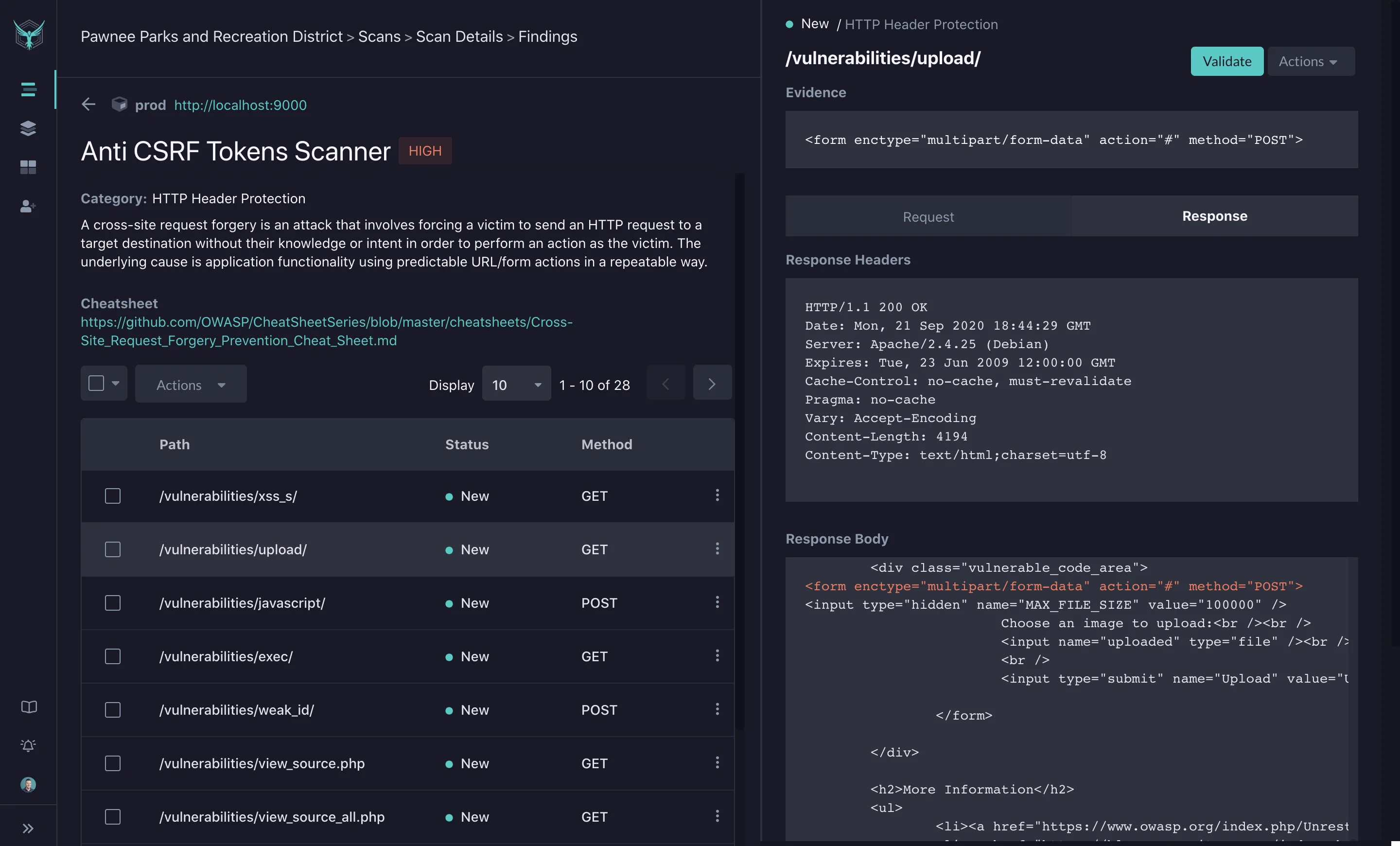
The web dashboard lets developers triage findings, mark false positives, and track remediation progress.
ZAP’s findings are technically detailed — alert descriptions, evidence, solution suggestions, and CWE references. They’re written for security professionals who understand vulnerability types.
A developer unfamiliar with security terminology may need to research what “insufficient anti-CSRF tokens” means and how to fix it in their specific framework.
The difference matters when developers own remediation. If findings go to a security team first and get translated into tickets, ZAP’s output works fine.
If findings go directly to the developers who wrote the code, StackHawk’s format gets them to a fix faster.
Pricing
ZAP is free. No tiers, no limits, no restrictions. Apache 2.0 license. Checkmarx funds development but charges nothing for the tool.
StackHawk offers a 14-day free trial of the enterprise plan for evaluation. After that, paid plans use per-contributor pricing ($42/month Pro, $59/month Enterprise).
For a team running DAST across multiple applications, StackHawk’s paid plans represent an ongoing cost that ZAP avoids entirely.
For organizations adding DAST across many applications, ZAP’s zero cost matters a lot. For teams that value the managed experience and are willing to pay for it, StackHawk’s pricing is reasonable compared to traditional enterprise DAST tools.
When Should You Choose StackHawk?
Choose StackHawk if:
- You want pipeline DAST running quickly with minimal configuration
- API-first applications (REST, GraphQL, gRPC, SOAP) are your primary scan targets
- API discovery from source code (HawkAI) would catch undocumented endpoints in your codebase
- Developer-focused findings with code-level remediation examples reduce friction on your team
- LLM security testing or sensitive data detection (PII, PCI, PHI) are requirements
- You’re comfortable with SaaS deployment and a paid plan for team features
When Should You Choose ZAP?
Choose ZAP if:
- Free DAST with no feature restrictions or usage limits is a requirement
- You need both manual testing (intercepting proxy, fuzzer, request editor) and automated scanning
- Maximum configuration flexibility over scan policies, authentication, and automation workflows matters more than setup speed
- SARIF output for GitHub or GitLab code scanning integration is needed
- You want an open-source tool you can inspect, modify, and extend without restrictions
- Your security team has the expertise to configure and tune ZAP for your environment
Since StackHawk runs ZAP’s engine underneath, the tools are not mutually exclusive. Some teams use StackHawk for automated CI/CD scanning and ZAP Desktop for manual penetration testing.
The scanning engine is the same; the workflow around it differs.
For more options, browse AppSec Santa’s full DAST tools category comparison.
Frequently Asked Questions
Does StackHawk use ZAP?
Is StackHawk free?
Is ZAP really free?
Which tool is better for CI/CD?
Can ZAP do everything StackHawk does?

+7 Years in AppSec
10+ years in application security. Reviews and compares 208 AppSec tools across 11 categories to help teams pick the right solution. More about me →