


StackHawk is a DAST tool
built on the OWASP ZAP scanning engine, packaged for CI/CD pipelines. Security tests are configured in a stackhawk.yml file that lives in your repository alongside your code.
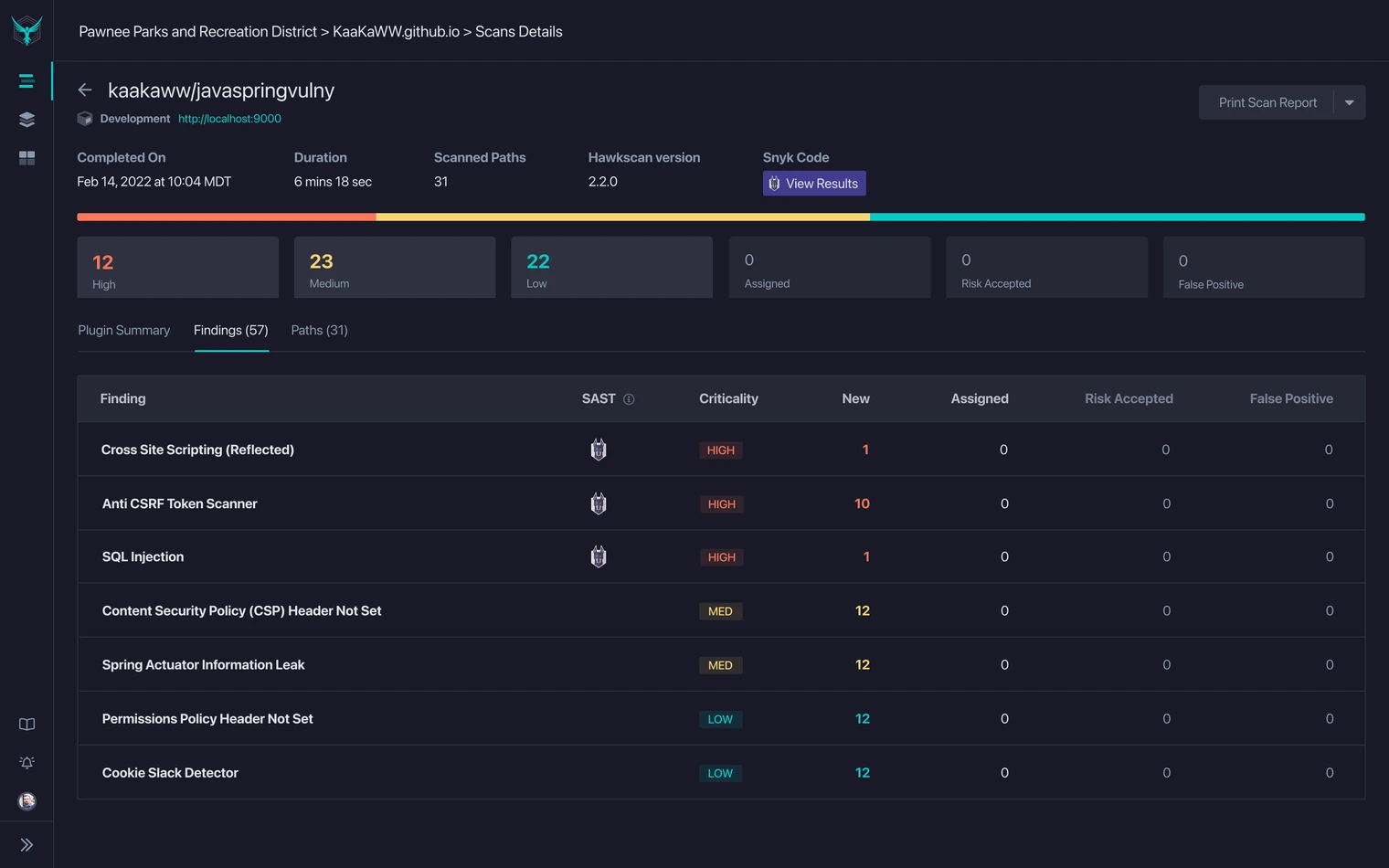
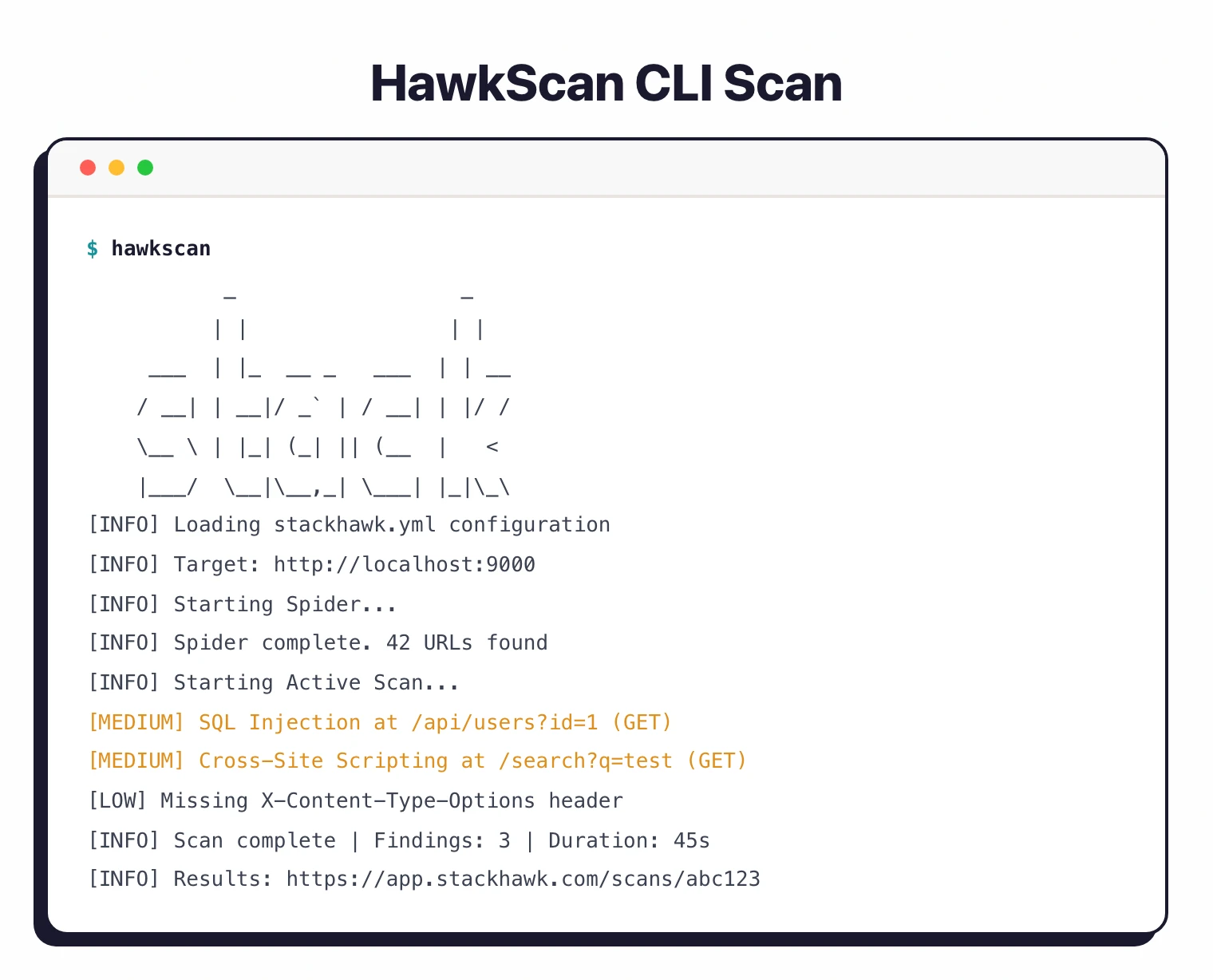
Scans run in your pipeline, findings go to developers with remediation guidance.
The tool focuses on APIs and modern application architectures. REST, GraphQL, SOAP, and gRPC are all first-class scan targets, not afterthoughts bolted onto a browser-based scanner.
| Feature | Details |
|---|---|
| Engine | OWASP ZAP |
| Configuration | YAML (stackhawk.yml in repo) |
| API protocols | REST, GraphQL, SOAP, gRPC |
| API discovery | HawkAI (source code analysis) |
| Auth methods | Form, HTTP, OAuth2, cookie, token, external command |
| CI/CD | GitHub Actions, GitLab CI, Jenkins, CircleCI, Azure, AWS, 6+ more |
| Trial | 14-day free trial (enterprise features) |
| LLM testing | LLM security risk detection |
| Data detection | PII, PCI, PHI sensitive data |
| Deployment | SaaS (Docker-based scanner) |
What is StackHawk?
StackHawk takes the ZAP scanning engine and wraps it in a workflow that fits how developers already work. Configuration lives in version control.
Scans trigger in CI/CD. Findings include code examples showing how to fix the issue.
The philosophy: security testing belongs in the development process, not bolted on at the end.
If you can configure your tests in YAML, version-control them, and run them in a pipeline, security testing gets treated like any other quality check.
The OWASP Testing Guide recommends integrating dynamic analysis into CI/CD workflows to catch vulnerabilities before they reach production.
HawkAI, the API discovery feature, scans your source code to find endpoints that may not appear in your OpenAPI spec. It looks at route definitions in frameworks like Express, Spring, Django, and Rails, and flags undocumented or internal APIs that your spec missed.
StackHawk uses OWASP ZAP for vulnerability detection. You get ZAP’s proven scanning capabilities without having to configure ZAP directly.
StackHawk adds the developer experience layer: YAML config, CI/CD integrations, and findings written for engineers rather than security specialists.
What are StackHawk’s key features?
| Capability | Details |
|---|---|
| YAML Configuration | Security tests defined in stackhawk.yml in your repo. Lives in version control and gets reviewed in PRs like any other config. Specify targets, auth, scan duration, and active scan types. |
| API-First Testing | REST via OpenAPI specs, GraphQL via introspection, SOAP, and gRPC. StackHawk tests mutations, queries, and endpoints for injection vulnerabilities and authorization flaws. |
| HawkAI Discovery | Analyzes source code to find API endpoints not in your spec. Supports Express, Spring, Django, Rails, and other frameworks. Catches undocumented endpoints and spec drift. |
| CI/CD Native | GitHub Actions with code scanning integration, GitLab CI with vulnerability reporting, Jenkins, CircleCI, Azure Pipelines, AWS CodePipeline, Bitbucket, Bamboo, Harness, Buildkite, Travis CI. |
| LLM Security Testing | Tests LLM-powered application features for prompt injection, data leakage, and other AI-specific security risks. A newer addition to the StackHawk scanning capabilities. |
| Developer Findings | Vulnerability reports include code-level remediation examples, links to documentation, and severity based on exploitability. Written for developers, not security analysts. |
Installation
# macOS with Homebrew
brew tap stackhawk/cli
brew install hawk

# Docker
docker pull stackhawk/hawkscan

# Initialize with your API key
hawk init --api-key=YOUR_API_KEY

# Verify
hawk --version
Configuration
Create stackhawk.yml in your project root:
app:
  applicationId: ${STACKHAWK_APP_ID}
  env: ${STACKHAWK_ENV}
  host: ${STACKHAWK_HOST}

hawk:
  spider:
    maxDurationMinutes: 5
  scan:
    maxDurationMinutes: 10
API scanning
# REST via OpenAPI
app:
  openApiConf:
    filePath: openapi/spec.yaml

# GraphQL via introspection
app:
  graphqlConf:
    schemaPath: /graphql
    operation: ALL
Authentication
# Bearer token via external auth
app:
  authentication:
    external:
      type: TOKEN
      value: ${ACCESS_TOKEN}
    tokenAuthorization:
      type: HEADER
      value: Authorization
      tokenType: Bearer

# Cookie-based via external auth
app:
  authentication:
    external:
      type: COOKIE
      name: session
      value: ${SESSION_COOKIE}
Point HawkAI at your source directories to catch API endpoints your OpenAPI spec missed. Add sourceHawk.enabled: true and specify your source paths.
It identifies routes in Express, Spring, Django, and Rails automatically.
What does StackHawk integrate with?
 GitHub Actions
 GitLab CI
 Jenkins
 CircleCI
 Azure Pipelines
 AWS CodePipeline
 Bitbucket
 Jira
Jira Slack
Slack Semgrep
 Snyk
Snyk Endor Labs
How much does StackHawk cost?
StackHawk publishes plan pricing on stackhawk.com/pricing . The model is per-developer with unlimited applications and scans, which makes it predictable as a team grows but harder to compare against per-scan or per-app DAST vendors.
A 14-day free trial of the enterprise plan is the only no-cost path; StackHawk does not offer a permanent free tier. Pro and Enterprise tiers cover the bulk of buying motions. Enterprise unlocks SSO, advanced API discovery, sensitive-data scanning, and contract terms that larger security organizations need.
I recommend pulling current numbers directly from the pricing page before procurement — list pricing has shifted as the platform expanded into AppSec Intelligence and AI / LLM testing. Source: stackhawk.com/pricing (verified April 2026).
How do I get started with StackHawk?
- Install the CLI — Use Homebrew (
brew tap stackhawk/cli && brew install hawk) or Docker. Initialize withhawk init --api-key=YOUR_KEY. - Create stackhawk.yml — Define your application ID, host, and scan configuration. Point to your OpenAPI spec or enable GraphQL introspection.
- Run locally first —
hawk scan --host http://localhost:8080tests your running application. Fix issues before they hit the pipeline. - Add to CI/CD — Use the official GitHub Action (
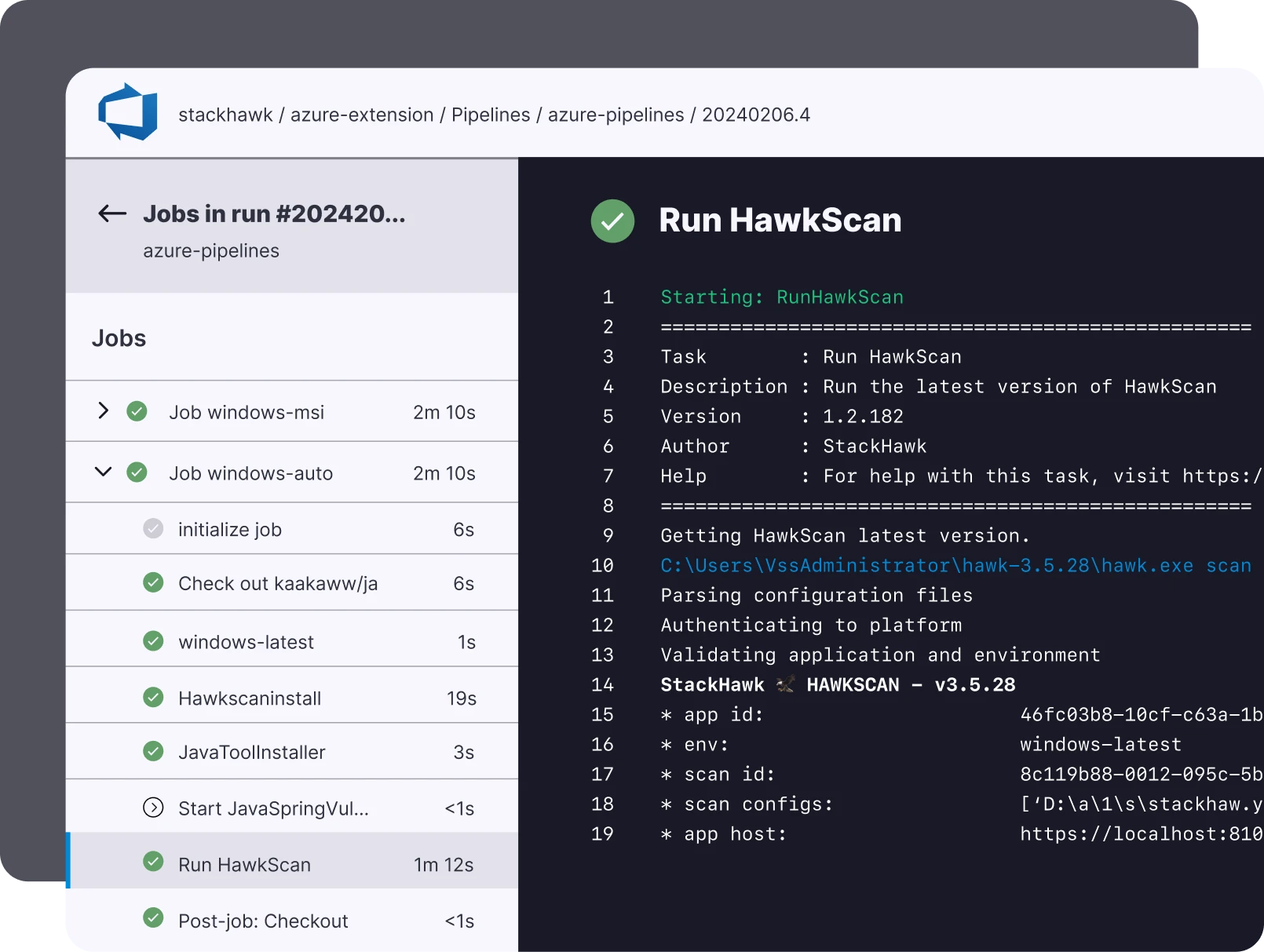
stackhawk/hawkscan-action@v2), GitLab image, or Docker in any pipeline. SetcodeScanningAlerts: truefor GitHub Security tab integration.
GitHub Actions example
name: Security Scan
on:
  push:
    branches: [main]
  pull_request:

jobs:
  stackhawk:
    runs-on: ubuntu-latest
    steps:
      - uses: actions/checkout@v4
      - name: Start application
        run: docker-compose up -d
      - name: Run StackHawk scan
        uses: stackhawk/hawkscan-action@v2
        with:
          apiKey: ${{ secrets.STACKHAWK_API_KEY }}
          configurationFiles: stackhawk.yml
          codeScanningAlerts: true
          githubToken: ${{ github.token }}
When to use StackHawk
StackHawk is a natural fit for teams that build API-first applications and practice DevSecOps. If you want security config in version control, scans in CI/CD, and findings that developers can act on, StackHawk delivers that workflow.
The YAML-based configuration means security tests work the same way every time and get reviewed in PRs. The ZAP engine handles vulnerability detection; StackHawk handles the developer experience on top.
It is less suited for teams that need to scan without application source access, organizations heavily invested in traditional browser-rendered apps rather than APIs, or teams requiring fully on-premises deployment. StackHawk is SaaS only.
For on-premises or standalone DAST, consider Burp Suite or Nuclei . For a comparison of testing approaches, see SAST vs DAST vs IAST .
A 14-day free trial of the enterprise plan is available, making it practical to evaluate before committing to a paid subscription.
What are alternatives to StackHawk?
If StackHawk’s per-developer pricing or SaaS-only deployment is a blocker, several DAST tools cover the same buyer profile.
OWASP ZAP is the closest peer because StackHawk is built on the ZAP engine. ZAP is free, self-hosted, and gives you the same vulnerability detection — but you operate the scanner yourself, write your own CI wiring, and sort findings without StackHawk’s developer-friendly reports. See my full StackHawk vs ZAP breakdown for the tradeoff.
Burp Suite Professional is the manual-tester counterpart. Burp dominates pentesting workflows; StackHawk dominates CI/CD scanning. Teams with dedicated pentesters often run both.
Invicti targets enterprise AppSec programs with proof-based scanning, broad authenticated coverage, and on-prem deployment options that StackHawk does not match.
Probely (acquired by Snyk and rebranded as Snyk DAST) is the closest DevOps-peer alternative, bundled into a wider SAST + SCA + container platform if you already standardize on Snyk.
For a wider list of options, see the full DAST tools hub.