


SonarLint (now branded as SonarQube for IDE) is a free IDE plugin that brings security and code quality analysis directly into your development environment. With support for VS Code, Visual Studio, Eclipse, and JetBrains IDEs, it provides real-time feedback as you write code.
As a SAST tool integrated into the developer workflow, SonarLint catches security issues and code smells before they reach version control.
What is SonarLint?
SonarLint analyzes code in real-time as you type, highlighting security vulnerabilities, bugs, and code quality issues directly in your editor. Unlike CI-based scanners that run after you commit, SonarLint provides instant feedback—often within seconds of writing problematic code.
The plugin explains each finding with detailed descriptions of why the issue is harmful and how to fix it. For many issues, SonarLint offers quick fixes that automatically generate corrected code.
In 2025, SonarSource added AI-powered quick fix generation, which adapts fixes to your specific code context rather than using generic templates.
SonarLint works across 20+ programming languages including Java, JavaScript, TypeScript, Python, C#, C++, PHP, and Go. Additional languages like COBOL, Apex, and PL/SQL are supported when using Connected Mode with commercial SonarQube editions.
Three capabilities define the plugin:
- Real-time analysis — instant feedback on security issues and code quality problems as you type, with detailed explanations and remediation guidance.
- AI quick fixes — context-aware code fixes generated for many issues, adapted to your specific code patterns and style.
- Connected Mode — syncs with SonarQube Server or Cloud to enforce team quality gates, share rules, and receive smart notifications.
What are SonarLint’s key features?
| Feature | Details |
|---|---|
| Supported IDEs | VS Code, Visual Studio, Eclipse, JetBrains (IntelliJ, PyCharm, WebStorm), Cursor, Windsurf, Trae |
| Languages | 20+ including Java, JavaScript, TypeScript, Python, C#, C++, PHP, Go, Kotlin, Ruby, Scala, Swift |
| Additional languages (Connected Mode) | COBOL, Apex, ABAP, PL/SQL, VB.NET |
| Analysis mode | Real-time (as you type), offline by default |
| Issue types detected | 7,000+ across reliability, security, maintainability, and testing |
| Connected Mode | Syncs rules and quality gates with SonarQube Server or SonarCloud |
| AI quick fixes | Context-aware code generation for detected issues |
| License | Free (LGPL-3.0), advanced features with commercial SonarQube editions |
IDE platform support
SonarLint runs in Visual Studio Code, Visual Studio, Eclipse, and all JetBrains IDEs (IntelliJ IDEA, PyCharm, WebStorm, etc.). Recent versions also support AI-native editors built on VS Code architecture, including Cursor, Windsurf, and Trae.
Install from your IDE’s marketplace or plugin repository. The plugin activates automatically when you open supported project types.
Connected Mode integration
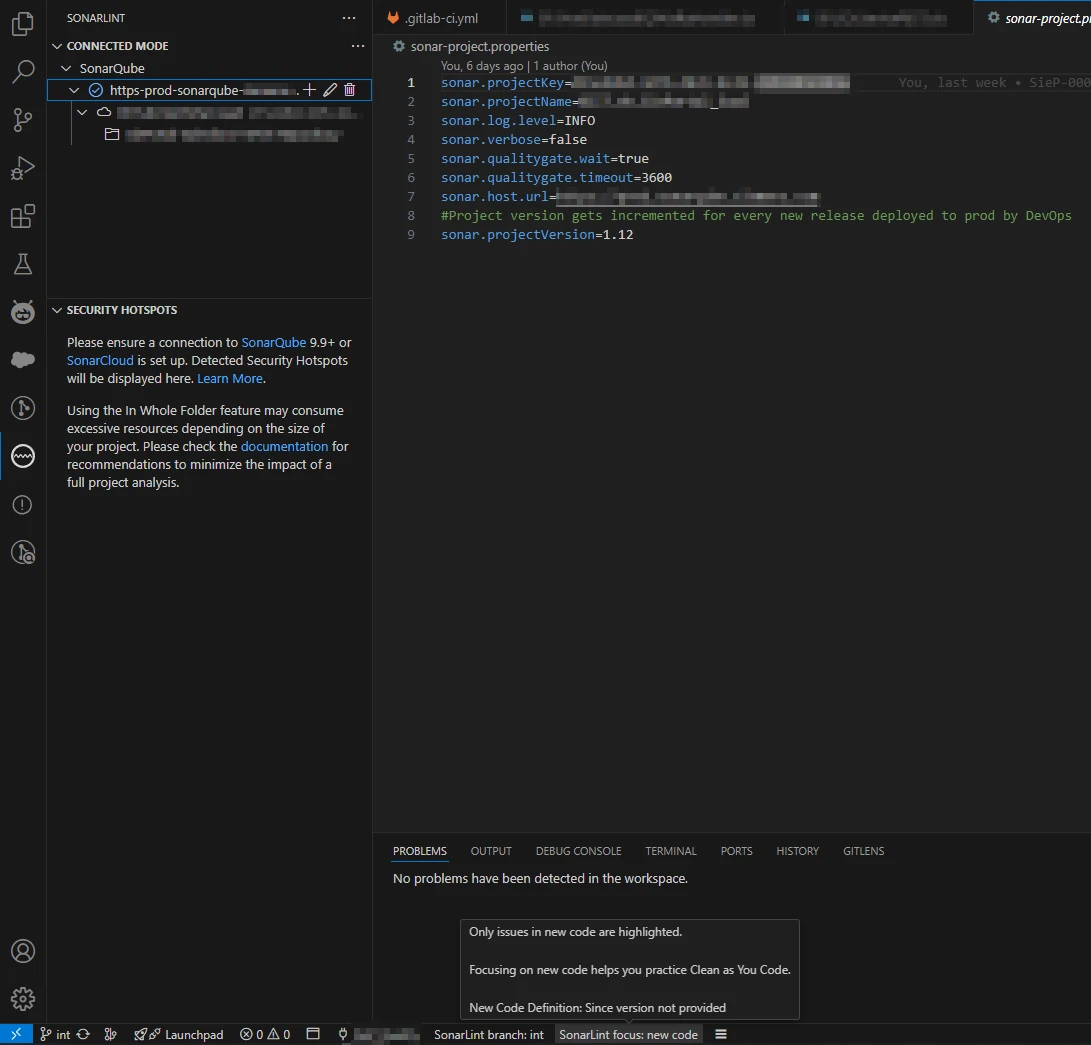
Connect SonarLint to SonarQube Server or SonarCloud to enforce your team’s quality standards. Connected Mode syncs rule configurations, quality gates, and custom rule parameters.
When your team modifies quality gate settings in SonarQube, all developers’ IDEs receive the updates automatically.
Smart notifications alert you when new issues are introduced in your code or when Quality Gate status changes.
AI-assisted remediation
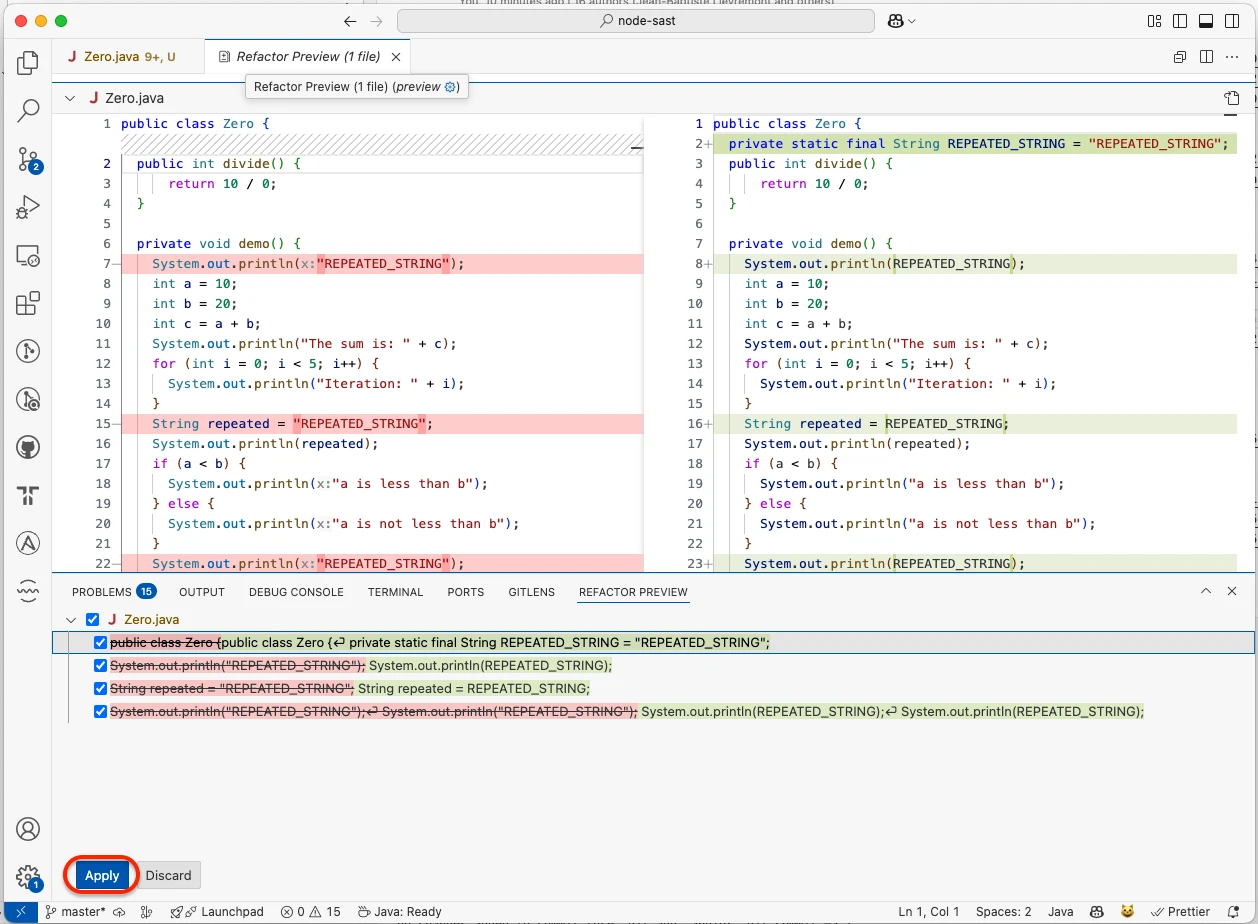
SonarLint generates AI-powered quick fixes for detected issues. Click a suggestion and the plugin writes corrected code that preserves your logic while removing the vulnerability or code smell.
These fixes adapt to your code style and context. An injection vulnerability fix in a Java Spring application generates different code than the same issue in a plain Java application, because SonarLint understands framework-specific patterns.
Offline operation
SonarLint performs all analysis locally with no cloud services required (unless you enable Connected Mode). Your code never leaves your machine.
This works for air-gapped environments and projects with strict data residency requirements.
Support for AI-generated code
SonarLint analyzes AI-generated suggestions from tools like GitHub Copilot for security issues and code quality problems. This catches vulnerabilities that AI coding assistants might introduce.
How do I get started with SonarLint?
Search for “SonarLint” or “SonarQube for IDE” in your IDE’s marketplace (VS Code, IntelliJ, Eclipse, or Visual Studio) and install it. The plugin activates automatically and analyzes your code in real time as you type, surfacing vulnerabilities, bugs, and code smells as inline annotations.
To enforce your team’s standards, open the SonarLint settings, add a SonarQube Server or SonarCloud connection, and bind your project — rules and quality gates then sync automatically. Click any finding to see why it is problematic; for many issues an AI quick fix generates corrected code in one click.
When to use SonarLint
SonarLint catches security and quality issues while you’re still writing code, not after you’ve pushed a commit and waited for CI. For teams already using SonarQube , Connected Mode syncs your server rules into every developer’s IDE automatically.
The free plugin covers 20+ languages out of the box. Connected Mode with commercial SonarQube editions adds enterprise languages (COBOL, Apex, ABAP) and custom rule creation.
For CI/CD-level scanning and project-wide reporting, pair SonarLint with SonarQube on the server side.
SonarLint vs SonarQube vs SonarCloud
The Sonar product family covers three places where analysis runs:
- SonarLint / SonarQube for IDE — the local IDE plugin discussed on this page. Free for individual use, runs entirely on your machine, gives instant feedback while you type. Connected Mode optionally binds it to a server.
- SonarQube Server — the self-hosted analysis engine that scans repositories at the project level. Community edition is free; Developer and Enterprise editions add taint analysis, branch analysis, and PR decoration. This is the tool that fails CI builds when quality gates trip.
- SonarCloud — the SaaS-hosted variant of SonarQube Server. Same engine, same rule packs, no server to operate. Free for open-source projects; per-line-of-code pricing for private repos.
A typical full-stack setup pairs SonarLint in the IDE with SonarQube Server (or SonarCloud) in CI. The IDE catches issues before commit; the server enforces the same rules across the whole repository and on pull requests. For deeper Sonar comparisons, see the SAST tools hub .
SonarLint is now SonarQube for IDE
In late 2024 SonarSource rebranded SonarLint to SonarQube for IDE to align the IDE plugin with the SonarQube parent product. If you searched for SonarLint and landed here, you are in the right place: the engine, the rules, and the marketplace listings are unchanged. The plugin still installs from VS Code, Visual Studio, Eclipse, and the JetBrains marketplace under both names, and existing Connected Mode bindings continue to sync against SonarQube Server and SonarCloud without reconfiguration.
The “SonarLint” name remains in heavy active use across documentation, marketplace search results, and developer conversation, which is why this page keeps the legacy slug. Treat SonarQube for IDE as the official current name and SonarLint as the recognized alias — both refer to the same product.