Snyk Open Source is a developer-first SCA platform used by over 2 million developers.
With the Synopsys 2024 OSSRA report finding that 96% of commercial codebases contain open-source components, SCA tools have become a baseline security requirement.
It scans your project’s dependencies against a proprietary vulnerability database that, according to Snyk, is 3x larger than the next largest public database, with 92% of JavaScript vulnerabilities disclosed before they appear in the NVD.
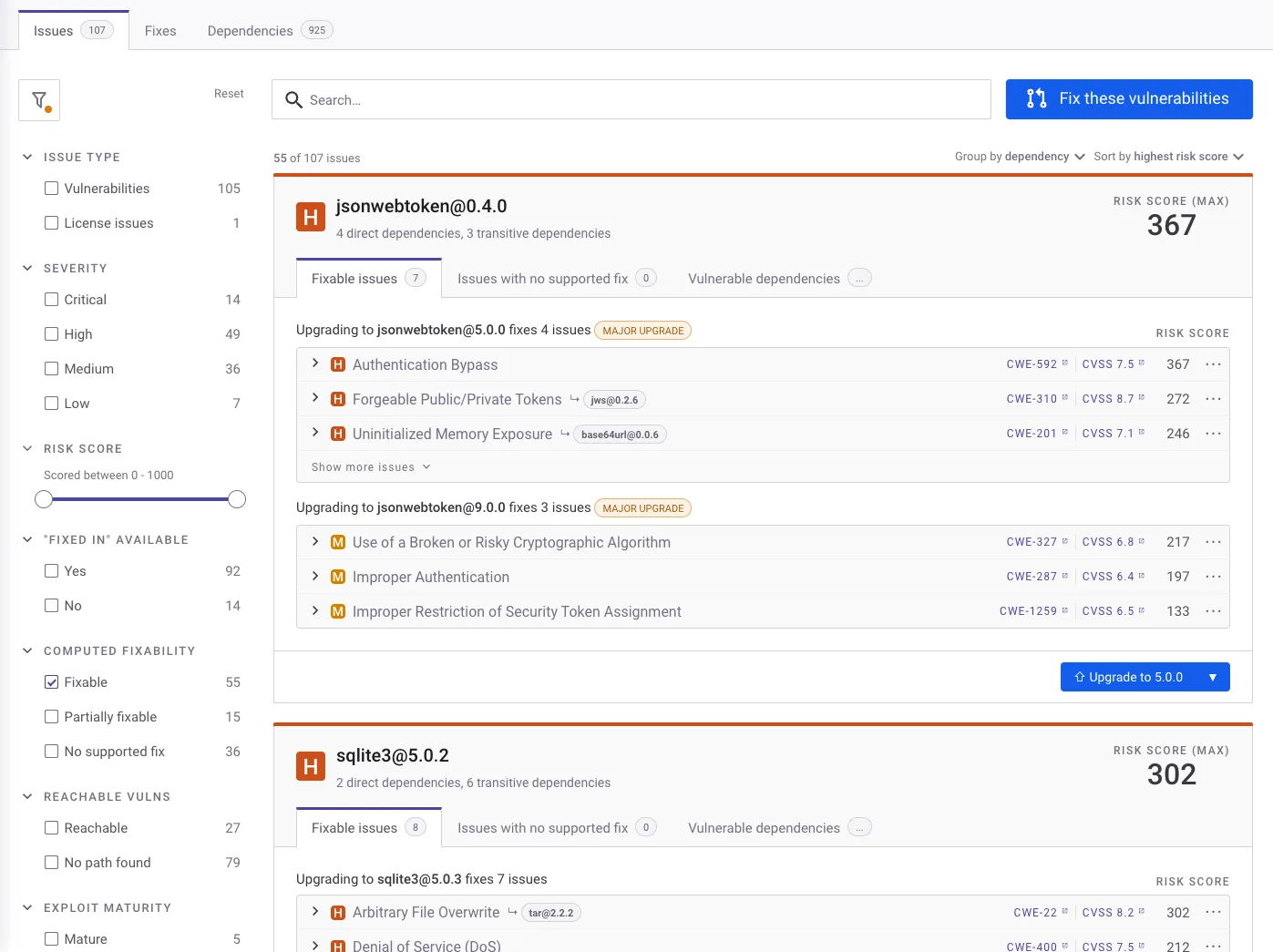
The platform doesn’t just find vulnerabilities.
It opens fix pull requests automatically, maps your full dependency tree including transitive dependencies, and runs reachability analysis to tell you whether your code actually calls the vulnerable function.
Snyk’s security research team has disclosed over 3,400 vulnerabilities themselves.
Snyk is headquartered in Boston and backed by Accel, GIC, and Tiger Global. The CLI has 5,400+ GitHub stars and the VS Code extension has 377,000+ installs.
What is Snyk Open Source?
Snyk Open Source scans dependency manifests and lock files to identify known vulnerabilities in the packages your application depends on.
It goes beyond basic version matching by analyzing dependency graphs, scoring risk using 12+ contextual factors, and automating remediation through fix PRs.
The platform covers 13 languages and 20+ package managers with native integrations into GitHub, GitLab, Bitbucket, Azure DevOps, and all major CI/CD systems.
Key features
Automated fix pull requests
This is the feature that set Snyk apart from other SCA tools.
When the platform identifies a vulnerable dependency with a patched version available, it creates a PR that upgrades to the minimum safe version. The PRs include:
- Vulnerability details and severity
- The specific upgrade path
- Changelog and release notes
- Compatibility score (based on CI pass rates from public repos that applied the same update)
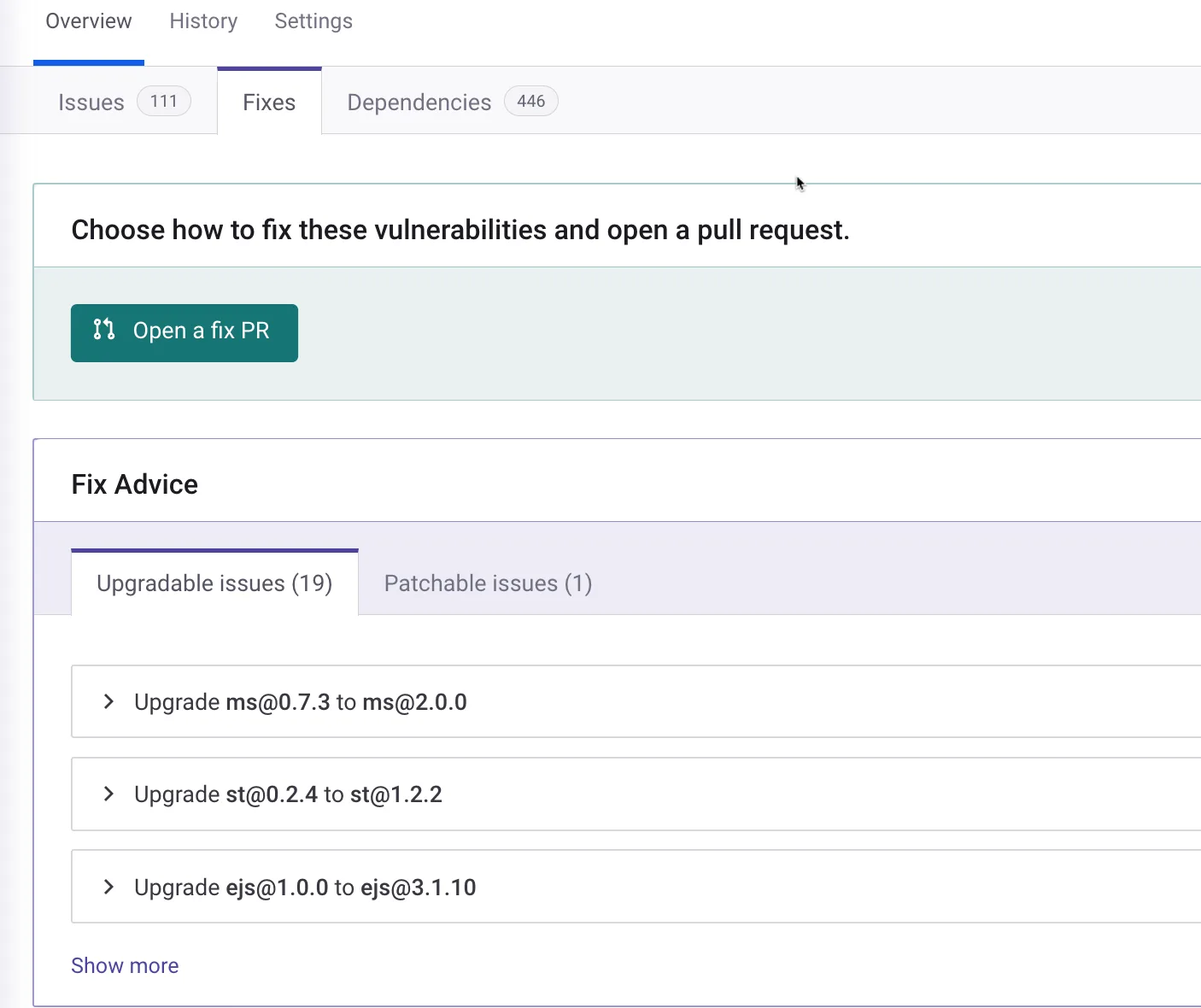
For cases where no upgrade is available, Snyk maintains its own patches. These are targeted code changes that fix the vulnerability without bumping the package version, useful when an upgrade would break your application.
Proprietary vulnerability database
Snyk’s security research team actively discovers and documents vulnerabilities.
Their database draws from four sources: external databases (NVD, etc.), GitHub activity monitoring, automated research across popular packages, and manual audits.
Snyk reports detecting vulnerabilities an average of 47 days faster than competing databases.
Note: According to Snyk, their vulnerability database covers 3x more entries than the next largest public database. For JavaScript specifically, Snyk reports disclosing 92% of vulnerabilities before the NVD lists them. The research team has personally disclosed over 3,400 vulnerabilities across the open-source ecosystem.
Reachability analysis
Not every vulnerability in your dependency tree is equally urgent.
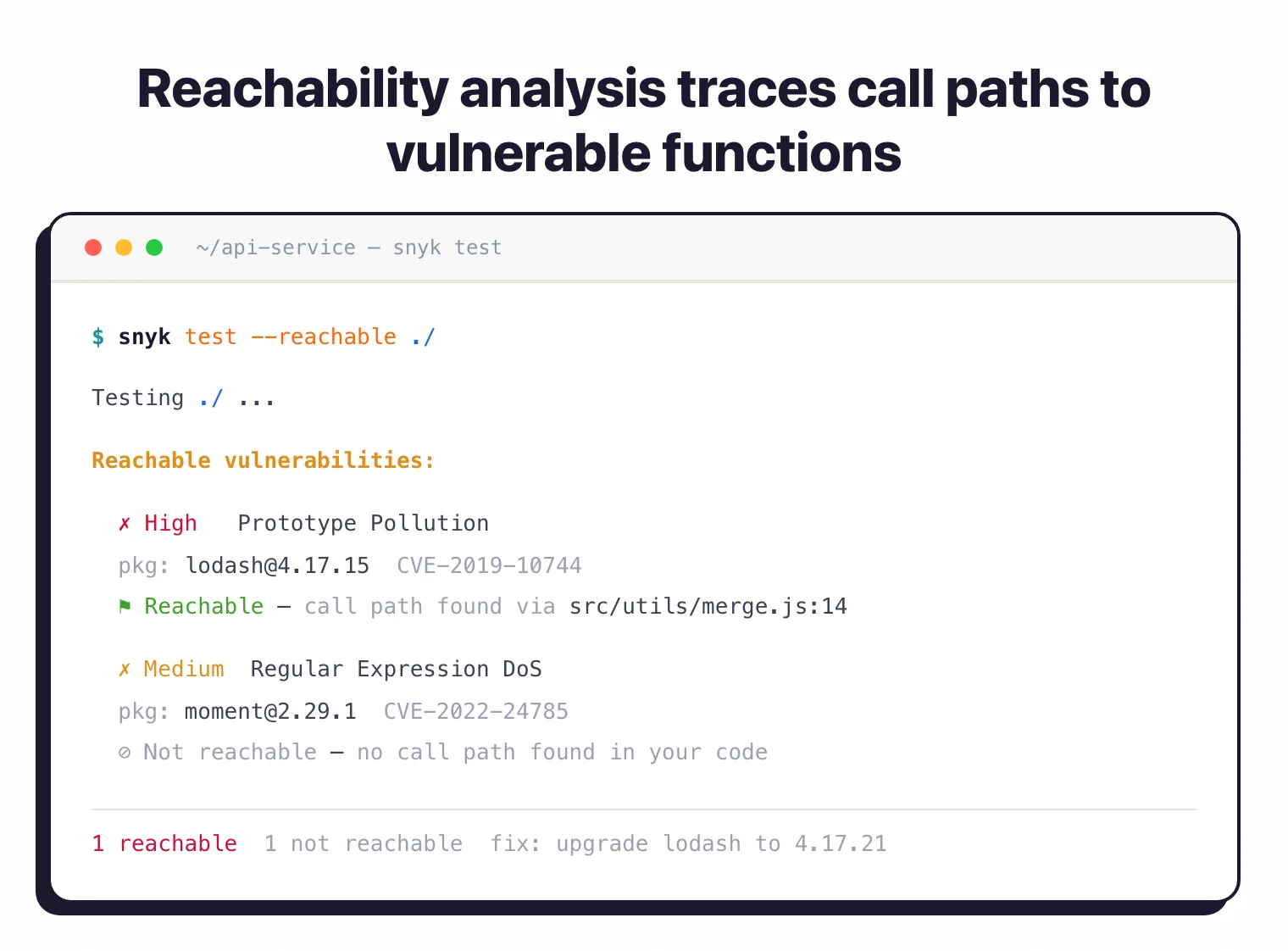
Snyk’s reachability analysis traces call paths from your application code to the vulnerable function in the dependency.
If your code never reaches the affected function, the finding gets deprioritized. This is available for Java and JavaScript, with more languages in development.
Transitive dependency scanning
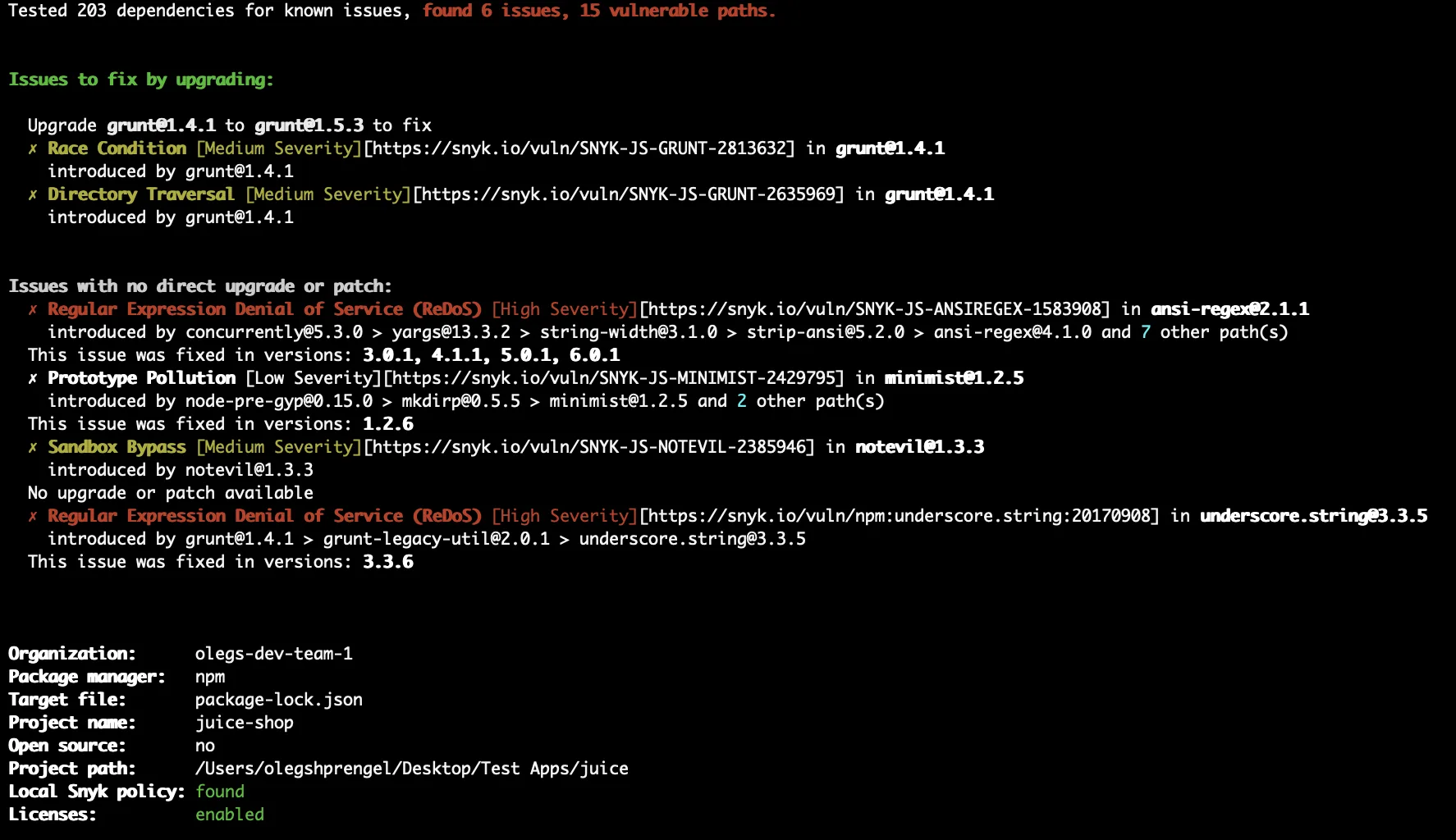
Your direct dependencies pull in their own dependencies, which pull in more. A typical Node.js project can have hundreds of transitive packages.
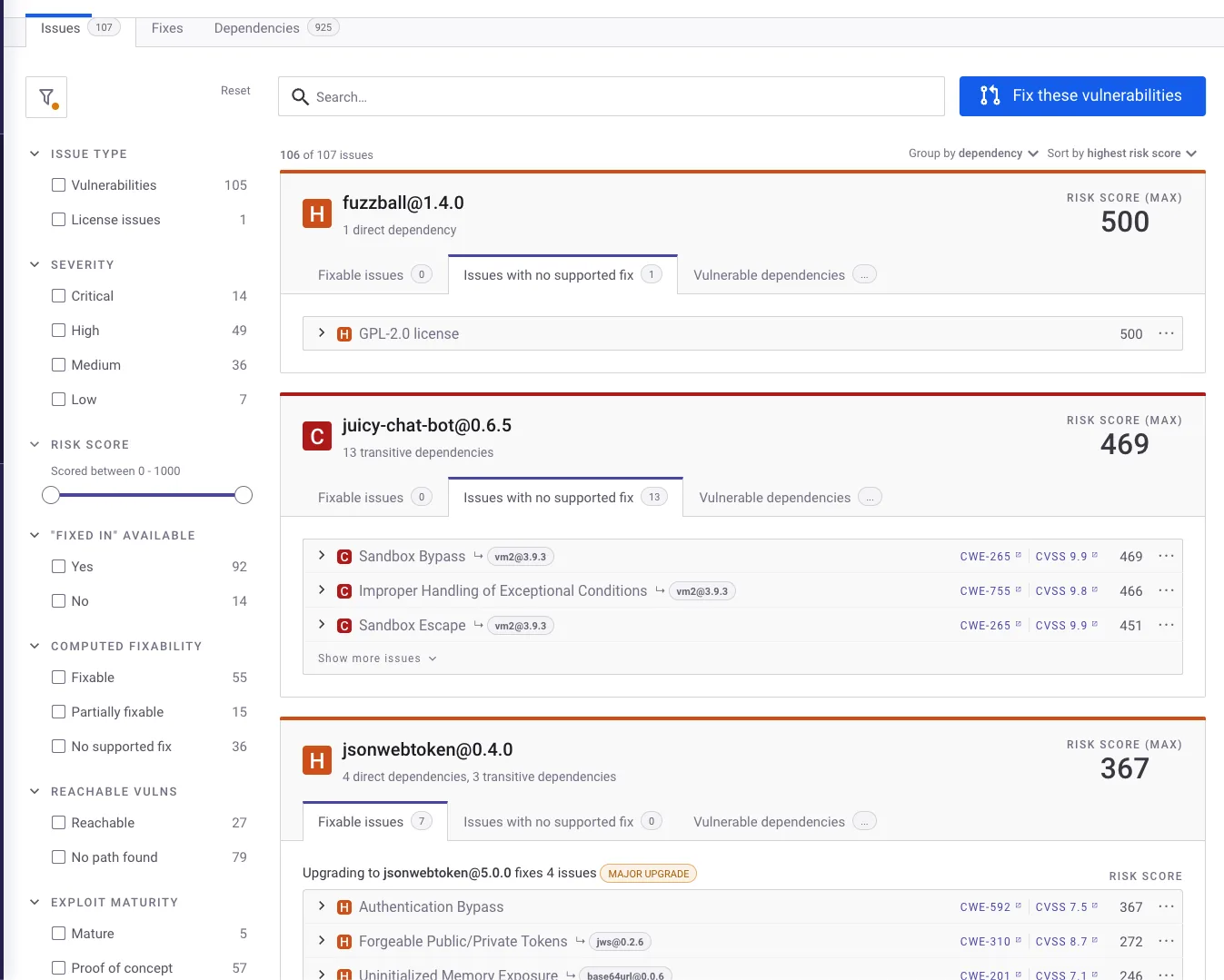
Snyk maps the complete dependency graph and shows exactly how each vulnerable package enters your tree, so you know which direct dependency to upgrade.
License compliance
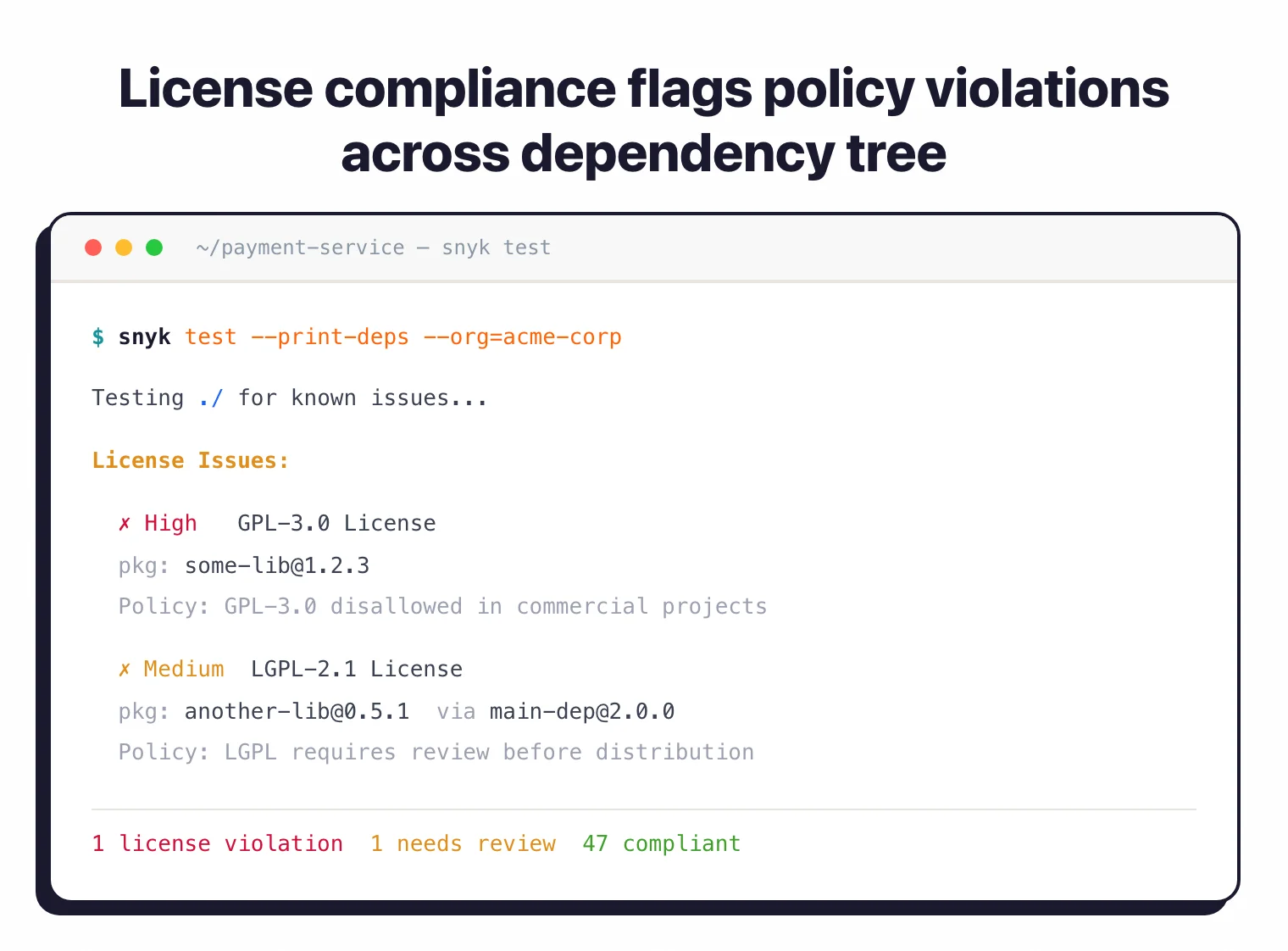
Snyk tracks licenses across all dependencies and enforces organizational policies.
You can flag specific license types (GPL in proprietary code, for example) and get alerts when a new dependency introduces a license conflict. Available on Team and Enterprise plans.
Continuous monitoring
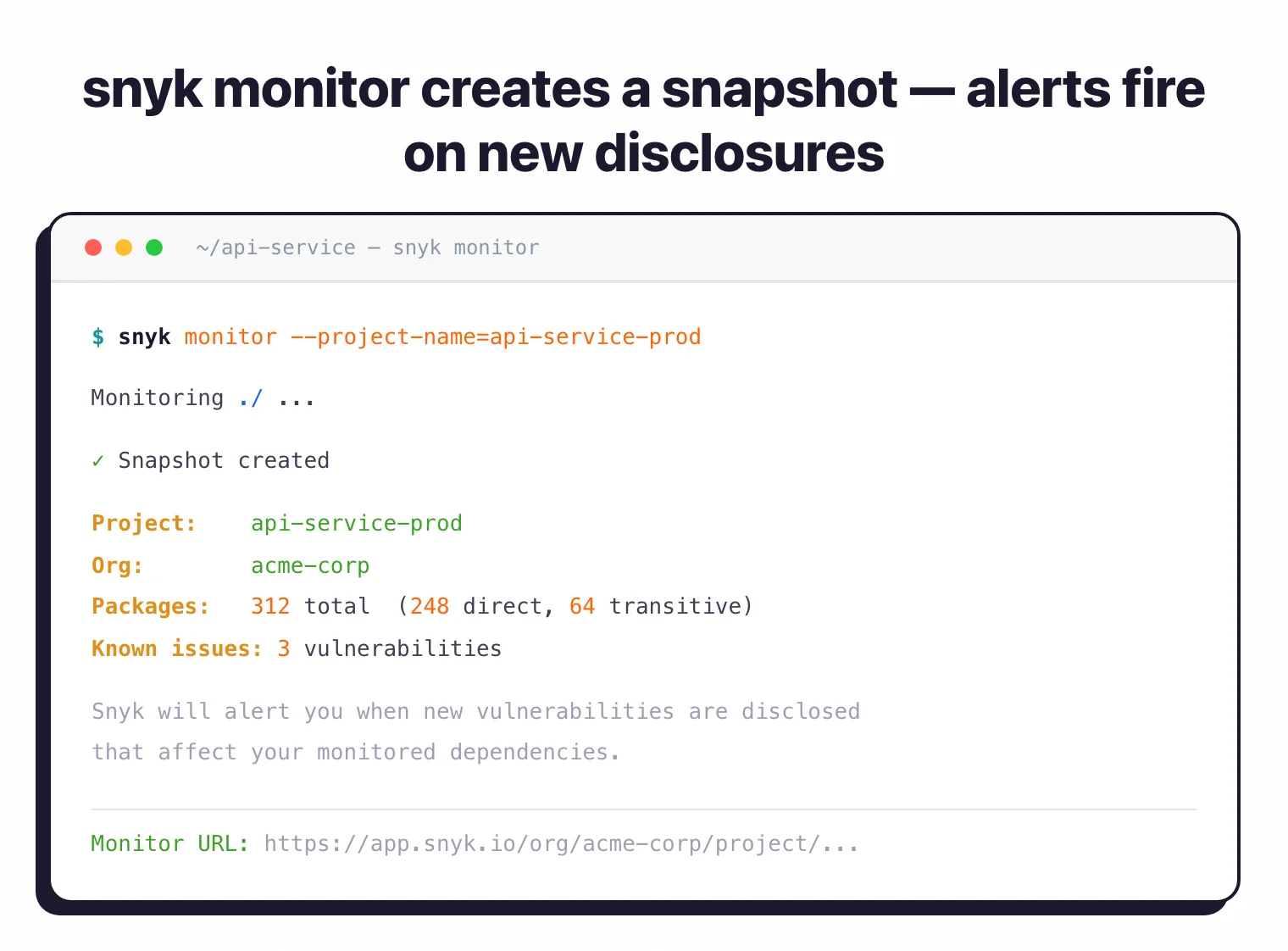
Running snyk monitor creates a snapshot of your project’s dependencies. Snyk checks that snapshot against new vulnerability disclosures and alerts you when something changes.
This catches vulnerabilities disclosed after your last scan without requiring a new build.
Installation and usage
npm install -g snyksnyk auth to open a browser and link your account. Free tier gives 200 tests per month.snyk test in any directory with a supported manifest file. Results show vulnerabilities sorted by severity.snyk monitor to create a snapshot. Snyk alerts you when new vulnerabilities affect your dependencies.# Install via npm
npm install -g snyk
# Install via Homebrew (macOS)
brew tap snyk/tap && brew install snyk
# Install via Scoop (Windows)
scoop bucket add snyk https://github.com/snyk/scoop-snyk
scoop install snyk
# Authenticate
snyk auth
# Test for vulnerabilities
snyk test
# Test with severity threshold
snyk test --severity-threshold=high
# Monitor project for new vulns
snyk monitor
# Generate SBOM
snyk sbom --format=cyclonedx1.4+json > sbom.json
# Output SARIF for GitHub Security
snyk test --sarif > snyk-results.sarif
CI/CD integration
GitHub Actions
name: Snyk Open Source Security
on:
  push:
    branches: [main]
  pull_request:
    branches: [main]

jobs:
  snyk-scan:
    runs-on: ubuntu-latest
    steps:
      - uses: actions/checkout@v4

      - name: Run Snyk to check for vulnerabilities
        uses: snyk/actions/node@master
        continue-on-error: true
        env:
          SNYK_TOKEN: ${{ secrets.SNYK_TOKEN }}
        with:
          args: --severity-threshold=high --sarif-file-output=snyk.sarif

      - name: Upload SARIF file
        uses: github/codeql-action/upload-sarif@v3
        if: always()
        with:
          sarif_file: snyk.sarif
GitLab CI
snyk-sca:
  stage: security
  image: snyk/snyk:node
  variables:
    SNYK_TOKEN: $SNYK_TOKEN
  before_script:
    - npm install
  script:
    - snyk test --json > gl-dependency-scanning-report.json || true
    - snyk monitor
  artifacts:
    reports:
      dependency_scanning: gl-dependency-scanning-report.json
  rules:
    - if: $CI_PIPELINE_SOURCE == "merge_request_event"
    - if: $CI_COMMIT_BRANCH == $CI_DEFAULT_BRANCH
Azure DevOps Pipeline
trigger:
  - main

pool:
  vmImage: 'ubuntu-latest'

steps:
  - task: NodeTool@0
    inputs:
      versionSpec: '18.x'

  - script: npm install -g snyk
    displayName: 'Install Snyk CLI'

  - script: snyk auth $(SNYK_TOKEN)
    displayName: 'Authenticate Snyk'

  - script: |
      npm install
      snyk test --severity-threshold=high
    displayName: 'Run Snyk Security Scan'

  - script: snyk monitor
    displayName: 'Monitor for new vulnerabilities'
IDE integration
Snyk has plugins for all major IDEs. They scan dependencies as you work and show vulnerabilities inline.
 VS Code
 IntelliJ IDEA
PyCharm
WebStorm
GoLand
IntelliJ IDEA
PyCharm
WebStorm
GoLand Eclipse
 Cursor
The VS Code and Cursor extensions work through Snyk’s Language Server Protocol (LSP) implementation.
JetBrains plugins (IntelliJ, PyCharm, WebStorm, GoLand, PhpStorm, RubyMine, Rider, Android Studio) require JetBrains 2024.2 or later.
Supported package managers
| Language | Package Managers |
|---|---|
| JavaScript/TypeScript | npm, yarn, pnpm |
| Python | pip, pipenv, poetry, setup.py |
| Java/Kotlin | Maven, Gradle |
| .NET | NuGet, Paket |
| Go | Go modules, dep |
| Ruby | Bundler, RubyGems |
| PHP | Composer |
| Scala | sbt |
| Swift/Objective-C | CocoaPods, Swift Package Manager |
| Rust | Cargo |
| Elixir | Hex |
| Dart/Flutter | Pub |
| C/C++ | Unmanaged (fingerprint-based) |
When to use Snyk Open Source
Snyk Open Source works best for teams that want SCA integrated directly into their development workflow rather than run as a separate security process.
Strengths:
- Automated fix PRs save time and reduce manual triage
- Vulnerability database catches issues an average of 47 days faster than competing sources
- Reachability analysis cuts noise by identifying actually-invoked vulnerable code paths
- Risk Score with 12+ contextual factors beyond raw CVSS
- Broad language support: 13 languages, 20+ package managers
Limitations:
- Primarily cloud-based; self-hosted options require enterprise agreements
- Free tier is limited to 200 tests per month
- Reachability analysis currently covers Java and JavaScript only
- License compliance requires a paid plan
How it compares:
| vs. | Key difference |
|---|---|
| Dependabot | Free and GitHub-native but limited to GitHub. Snyk works across GitHub, GitLab, Bitbucket, and Azure with a deeper vulnerability database. |
| Black Duck | Enterprise license compliance focus. Snyk is more developer-friendly with faster setup and automated fix PRs. |
| FOSSA | FOSSA excels at license compliance. Snyk is stronger on vulnerability detection and automated remediation. |
| Grype | Free CLI-only scanner for containers. Snyk adds a web dashboard, fix PRs, and continuous monitoring. |
Platform integration
Snyk Open Source is part of the Snyk Developer Security Platform alongside:
- Snyk Code – SAST for source code vulnerabilities
- Snyk Container – Container image vulnerability scanning
- Snyk IaC – Infrastructure as Code security
- Snyk Cloud – Cloud security posture management
Using multiple Snyk products gives you a single dashboard across all application security domains.
For more on how SCA fits into your development pipeline, see the guides on What is SCA?, SCA in CI/CD pipelines, and What is an SBOM?.