Snyk IaC is a security scanner that catches misconfigurations in infrastructure-as-code files before they hit production. It’s one piece of the Snyk platform, which also handles SCA, container security, and code analysis.
Supported formats: Terraform (HCL), CloudFormation (YAML/JSON), Kubernetes manifests, Helm charts, ARM templates, and Azure Blueprints. You can run it through IDE plugins, the Snyk CLI, SCM integrations, or CI/CD pipelines.
What is Snyk IaC?
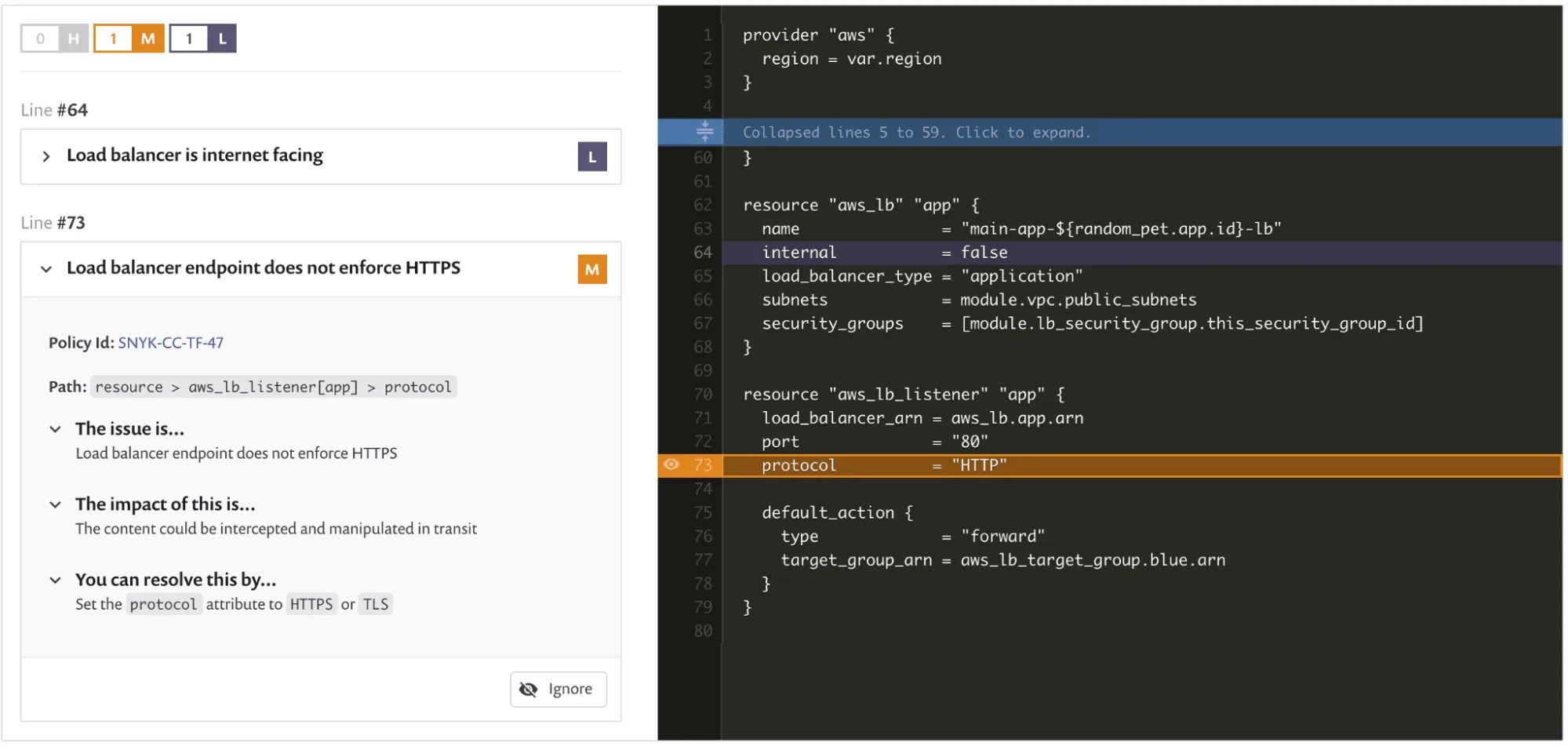
The rule set is based on CIS benchmarks and threat-modeling work from Snyk’s security team. When it flags a misconfiguration, you get the issue, the impact, and a fix suggestion, all inline in your IDE or pull request.
Each finding includes the specific code change needed. An unencrypted S3 bucket gets the exact Terraform block to enable encryption.
Fixes show up in your IDE and in PR comments.
Key features
| Feature | Details |
|---|---|
| Supported formats | Terraform (HCL), CloudFormation (YAML/JSON), Kubernetes, Helm, ARM templates, Azure Blueprints |
| Terraform plan scanning | Scans terraform plan output in JSON format, catching issues after variable interpolation and module resolution |
| Rule set | Built-in rules based on CIS benchmarks and Snyk security research; severity levels: critical, high, medium, low |
| Custom rules | OPA/Rego-based custom policies (Enterprise plan) |
| Cloud scanning | Live environment scanning for AWS, Azure, Google Cloud with drift detection |
| IDE plugins | VS Code, IntelliJ with inline fix suggestions |
| CI/CD | GitHub Actions, GitLab CI, Jenkins, plus Terraform Cloud integration |
| Local scanning | CLI runs scans locally; only auth metadata sent to Snyk servers |
| Pricing | Free tier available; Team and Enterprise plans add cloud scanning, custom rules, compliance |
How scanning works
Scans run locally on the CLI. Your Terraform files and Kubernetes manifests don’t leave your machine.
Only auth metadata goes back to Snyk. The free plan includes IaC scanning.
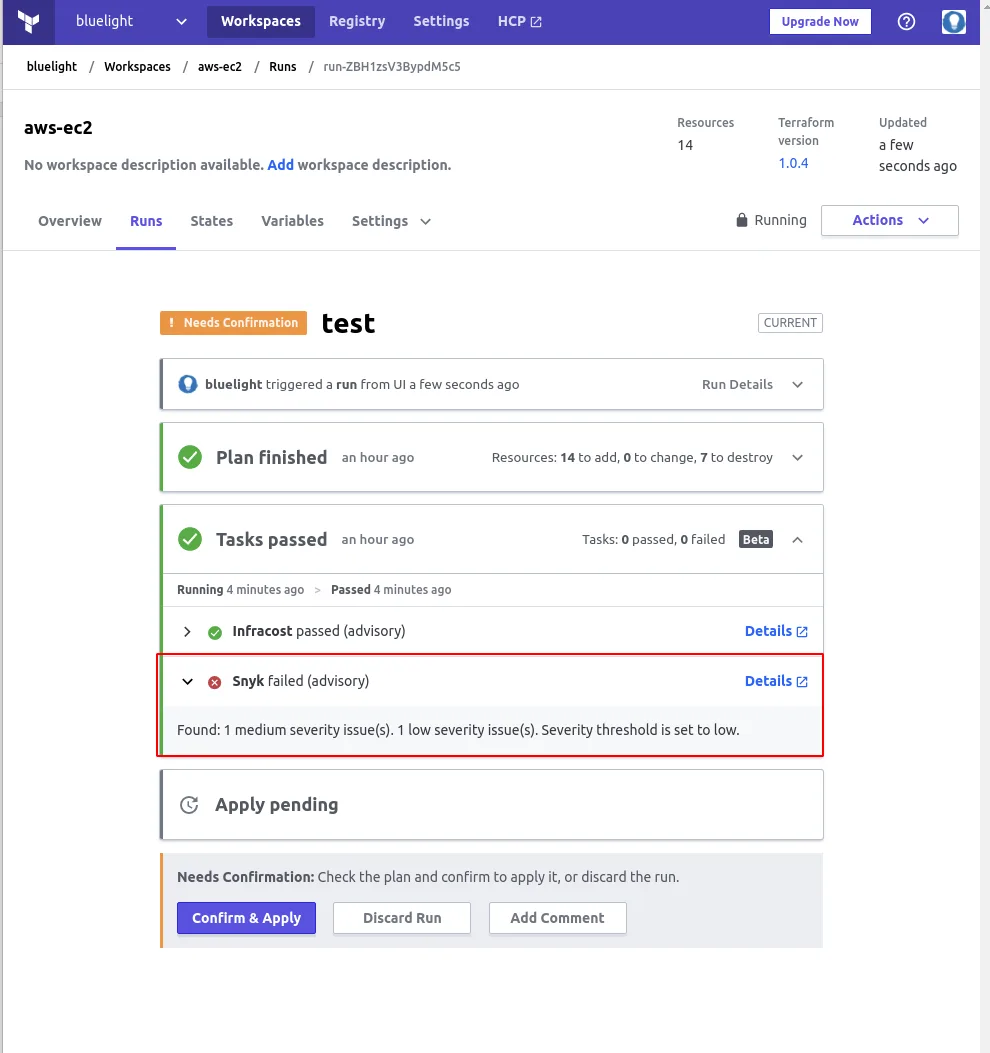
Snyk IaC can also scan Terraform plan files in JSON format, which catches problems that only surface after variable interpolation and module resolution. Snyk reports a 20x speed improvement on large directories with hundreds of files.
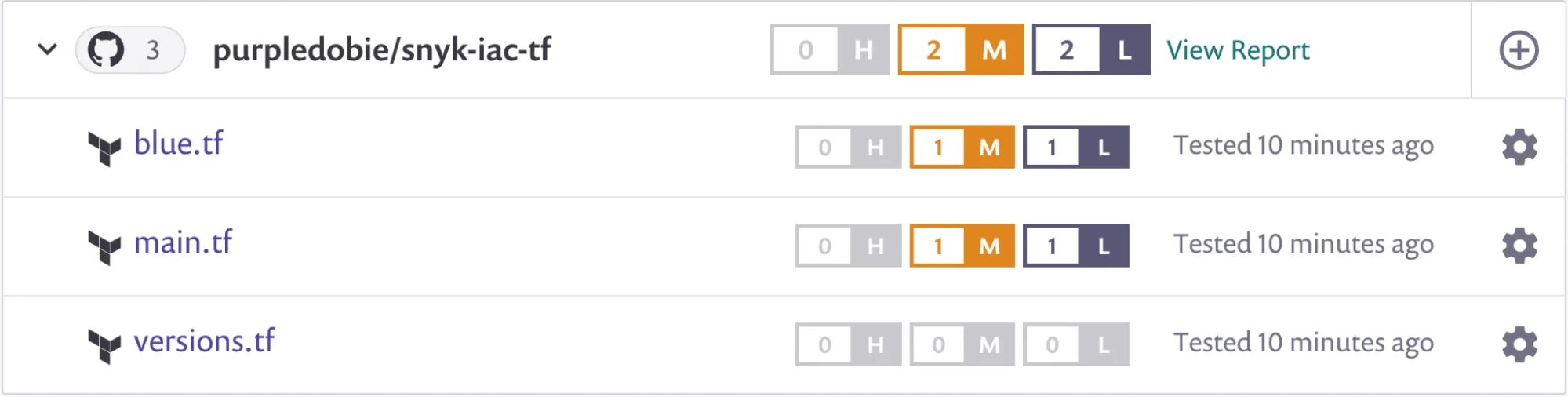
Each issue gets a severity level (critical, high, medium, low), a rule ID like SNYK-CC-TF-99, a code snippet pointing to the problem, and remediation advice.
The Snyk CLI runs IaC scans locally. Your infrastructure code stays on your machine.
Only authentication and CLI metadata are sent to Snyk’s servers, not your Terraform files or Kubernetes manifests.
Cloud environment scanning
Snyk IaC connects to live AWS, Azure, and Google Cloud environments. Drift detection compares your IaC templates against actual deployed infrastructure: manually created resources, changed settings, anything that doesn’t match what’s in code.
This is available on paid plans and requires connecting your cloud provider accounts through the Snyk dashboard.
Integrations
 GitHub Actions
 GitLab CI
 Jenkins
 Terraform Cloud
 VS Code
 IntelliJ
 AWS
AWS Azure
Azure Google Cloud
Getting started
npm install -g snyk or use Homebrew with brew tap snyk/tap && brew install snyk. Then run snyk auth to authenticate.snyk iac test in any directory with Terraform, CloudFormation, or Kubernetes files. Use snyk iac test main.tf to scan a specific file.--json for machine-readable output or --severity-threshold=high to filter noise.snyk/actions/iac@master for GitHub Actions, or run the CLI directly in GitLab CI and Jenkins pipelines.When to use Snyk IaC
Snyk IaC makes the most sense if you already use Snyk for SCA or container scanning. One platform, one dashboard, one set of IDE plugins for code, dependencies, containers, and infrastructure.
Pick it when you want inline fix suggestions and don’t want developers context-switching to a separate security tool. The Terraform plan scanning is useful for teams that rely heavily on modules and variables.
For a broader view of IaC security strategy, see the cloud infrastructure security guide.
If you don’t need the rest of the Snyk platform, open-source tools like Checkov or Terrascan cover similar ground in IaC security.
For Kubernetes-specific scanning with runtime detection, Kubescape goes deeper at the cluster level.