
- Checkmarx has refined its SAST engine for 20+ years with deep data-flow and control-flow analysis across 35+ languages; Snyk Code uses the DeepCode AI engine for near-real-time scans in seconds.
- Snyk offers a free tier and Team plans from $25/dev/month; Checkmarx uses custom enterprise pricing with no free tier and is positioned at the higher end of the market.
- Snyk’s SCA catches CVEs 47 days faster than NVD with automated fix PRs and proprietary patches; Checkmarx SCA correlates first-party code with third-party dependency risks.
- Checkmarx supports on-premises deployment for air-gapped environments; Snyk is cloud-first with Snyk Broker for hybrid setups.
- Checkmarx leads on governance and compliance reporting (SOC 2, PCI DSS, HIPAA, ISO 27001); Snyk leads on developer adoption and time-to-value with 2.5M+ developers using the platform.
Which Is Better: Checkmarx or Snyk?#
Scope of this comparison: the full AppSec platforms — every Checkmarx One module (SAST, SCA, DAST, API, IaC, Container, ASPM) against every Snyk product. Pricing, on-prem options, developer UX, and buyer-profile fit. If you’re only evaluating the SAST engines, the Checkmarx vs Snyk engine comparison goes deeper on CWE detection and false-positive rates.
Checkmarx is a deep enterprise AppSec platform with centralized governance across 35+ languages. Snyk is a developer-first security platform with the fastest SCA vulnerability detection in the market.
Checkmarx and Snyk are both major Application Security Testing platforms, but they serve different buyer profiles.
Checkmarx is the platform that CISOs and enterprise security teams choose when they need deep code analysis, centralized governance over hundreds of applications, and full-framework compliance reporting.
Snyk is the platform that development teams adopt when they want security tooling that feels native to their workflow, with fast feedback loops and minimal friction.
Checkmarx One brings SAST, SCA, DAST, API security, IaC scanning, and container security into a single platform designed for top-down enterprise rollouts.
Snyk covers a similar scope Snyk Code (SAST), Snyk Open Source (SCA), Snyk Container, Snyk IaC, Snyk API & Web (DAST, from the October 2024 Probely acquisition), and Snyk AppRisk (ASPM)
But grows from the developer up, with IDE plugins, CLI tools, and Git integration that developers adopt voluntarily.
The decision often comes down to organizational culture. Security-driven organizations that need governance and auditability lean toward Checkmarx.
Engineering-driven organizations that need developer adoption and speed lean toward Snyk.
Compared products#
This page compares the full product suites head to head. Each row is a capability area — the Checkmarx One module on the left, the Snyk product on the right.
| Capability | Checkmarx One module | Snyk product |
|---|---|---|
| SAST | Checkmarx SAST | Snyk Code |
| SCA | Checkmarx SCA | Snyk Open Source |
| DAST | Checkmarx DAST | Snyk API & Web (Probely) |
| Container Security | Checkmarx Container Security | Snyk Container |
| IaC Security | Checkmarx IaC Security (KICS) | Snyk IaC |
| API Security | Checkmarx API Security | Snyk API & Web (Probely) |
| ASPM | Checkmarx One (built-in) | Snyk AppRisk |
| Secrets Detection | Checkmarx Secret Detection | Snyk Code (secrets rules) |
| AI Security | Checkmarx AI Security | Snyk AI security features |
| Developer Training | Codebashing | Snyk Learn |
What Are the Key Differences?#
| Feature | Checkmarx | Snyk |
|---|---|---|
| License | Commercial | Freemium |
| Pricing | Custom enterprise quotes | Free tier; Team from $25/dev/month; Enterprise custom |
| SAST | Checkmarx SAST (20+ years maturity) | Snyk Code (DeepCode AI engine) |
| SCA | Checkmarx SCA | Snyk Open Source |
| DAST | Checkmarx DAST | Snyk API & Web (from Probely acquisition, Oct 2024) |
| Container Security | Yes | Snyk Container |
| IaC Security | Yes | Snyk IaC |
| API Security | Yes | Snyk API & Web (Probely) |
| ASPM | Checkmarx One dashboard | Snyk AppRisk |
| AI Security Scanning | Checkmarx AI Security | Snyk AI security features |
| IDE Integration | VS Code, Cursor, Windsurf (Checkmarx One Assist) | VS Code, IntelliJ, Eclipse, and others |
| CI/CD Integration | Jenkins, GitHub Actions, GitLab CI, Azure DevOps | Jenkins, GitHub Actions, GitLab CI, Azure DevOps, CircleCI |
| Languages Supported | 35+ programming languages | 20+ programming languages |
| Fix Suggestions | AI-powered remediation (Checkmarx One Assist) | DeepCode AI Fix (automated fix PRs) |
| Scan Speed (SAST) | Thorough (minutes to hours for large codebases) | Near real-time (seconds to minutes) |
| False Positive Rate | Low (mature engine, tunable) | Low (AI-based, context-aware) |
| Compliance Reporting | Extensive (SOC 2, PCI DSS, HIPAA, ISO 27001) | Available (SOC 2, PCI DSS) |
| Developer Training | Codebashing (integrated secure coding training) | Snyk Learn (free educational platform) |
| On-Premise Deployment | Yes (Checkmarx One also cloud) | Cloud only (Snyk Broker for hybrid) |
| Free Tier | No | Yes (limited scans) |
Checkmarx vs Snyk: How Do They Compare?#
SAST Capabilities#
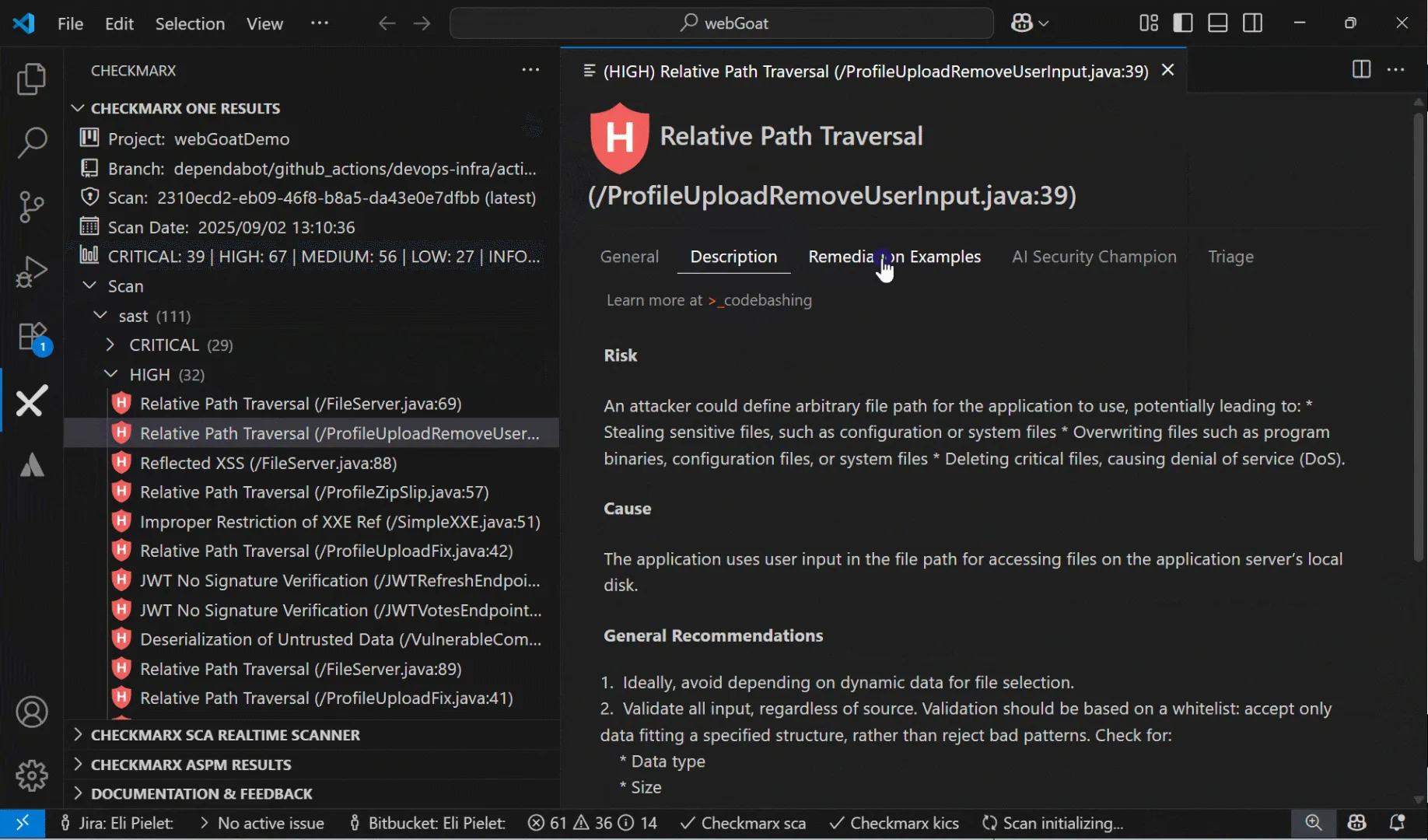
Checkmarx has refined its SAST engine for over 20 years. The scanner performs deep data-flow and control-flow analysis, tracking tainted data through complex call chains across files and even between microservices.
It supports 35+ languages and catches subtle vulnerabilities that simpler tools miss — second-order SQL injection, complex deserialization chains, and cross-boundary data flows.
Snyk Code takes a different approach, using the DeepCode AI engine (acquired 2020) to identify vulnerability patterns semantically through machine learning rather than traditional data-flow analysis. Scan times are dramatically faster — seconds rather than minutes — with respectable accuracy for common vulnerability patterns.
The trade-off: Checkmarx provides deeper analysis at the cost of longer scan times. Snyk Code provides faster results suitable for most developer workflows but may miss complex inter-procedural vulnerabilities.
High-security industries often prefer Checkmarx’s thoroughness. Developer-led teams lean toward Snyk Code’s speed.
For a deep dive on just the SAST engines — CWE coverage, language matrix, false positive rates, IDE plugin features — see Checkmarx vs Snyk .
SCA and Open-Source Security#
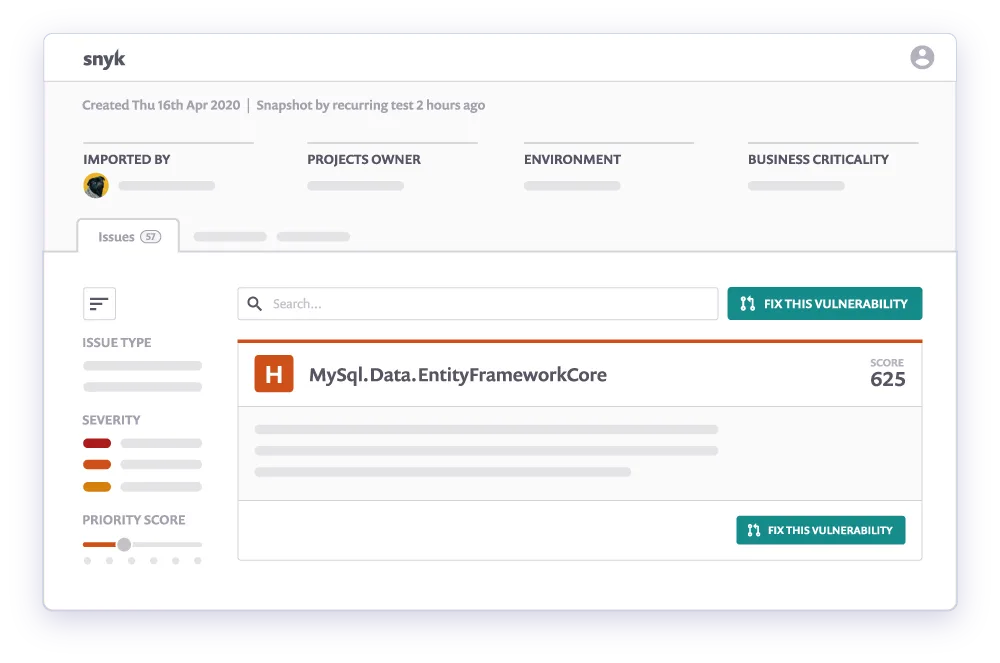
Snyk was born as an SCA tool and it shows. Snyk Open Source has one of the largest proprietary vulnerability databases, covering npm, PyPI, Maven, NuGet, Go modules, and more.
It generates automatic fix pull requests with the minimal upgrade path that resolves vulnerabilities without breaking compatibility, and tracks vulnerabilities before they appear in the NVD.
Checkmarx SCA has matured significantly on the Checkmarx One platform. Its standout feature is correlation between first-party code and third-party dependency risks — showing whether your code actually calls the vulnerable function in a dependency, which meaningfully reduces noise.
For pure SCA breadth and remediation automation, Snyk leads. For integrated code-to-dependency analysis, Checkmarx adds depth.
Developer Experience#
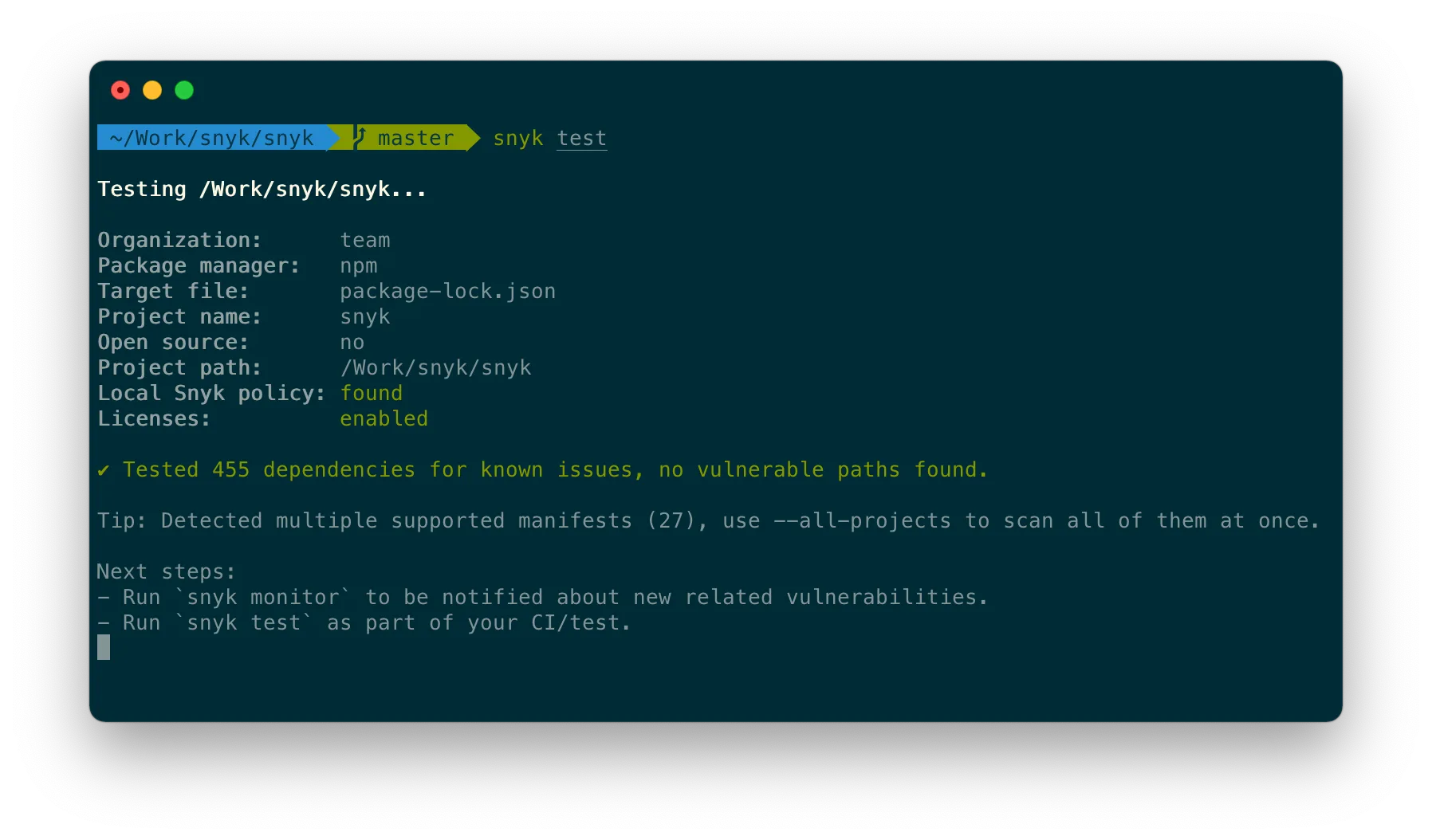
Snyk was designed for developer adoption from day one. Fast CLI, IDE plugins for VS Code, IntelliJ, and Eclipse, one-click PR checks for GitHub, GitLab, and Bitbucket, and free security education through Snyk Learn.
It feels like a developer tool that happens to do security.
Checkmarx has invested in developer experience with Checkmarx One Assist, bringing vulnerability detection and AI-powered fix suggestions into VS Code, Cursor, and Windsurf.
This is a major improvement, though onboarding still requires more configuration than Snyk’s self-service model. For grassroots adoption, Snyk wins.
For top-down rollouts with governance controls, Checkmarx provides what security teams need.
Enterprise Features, Governance, and AI#
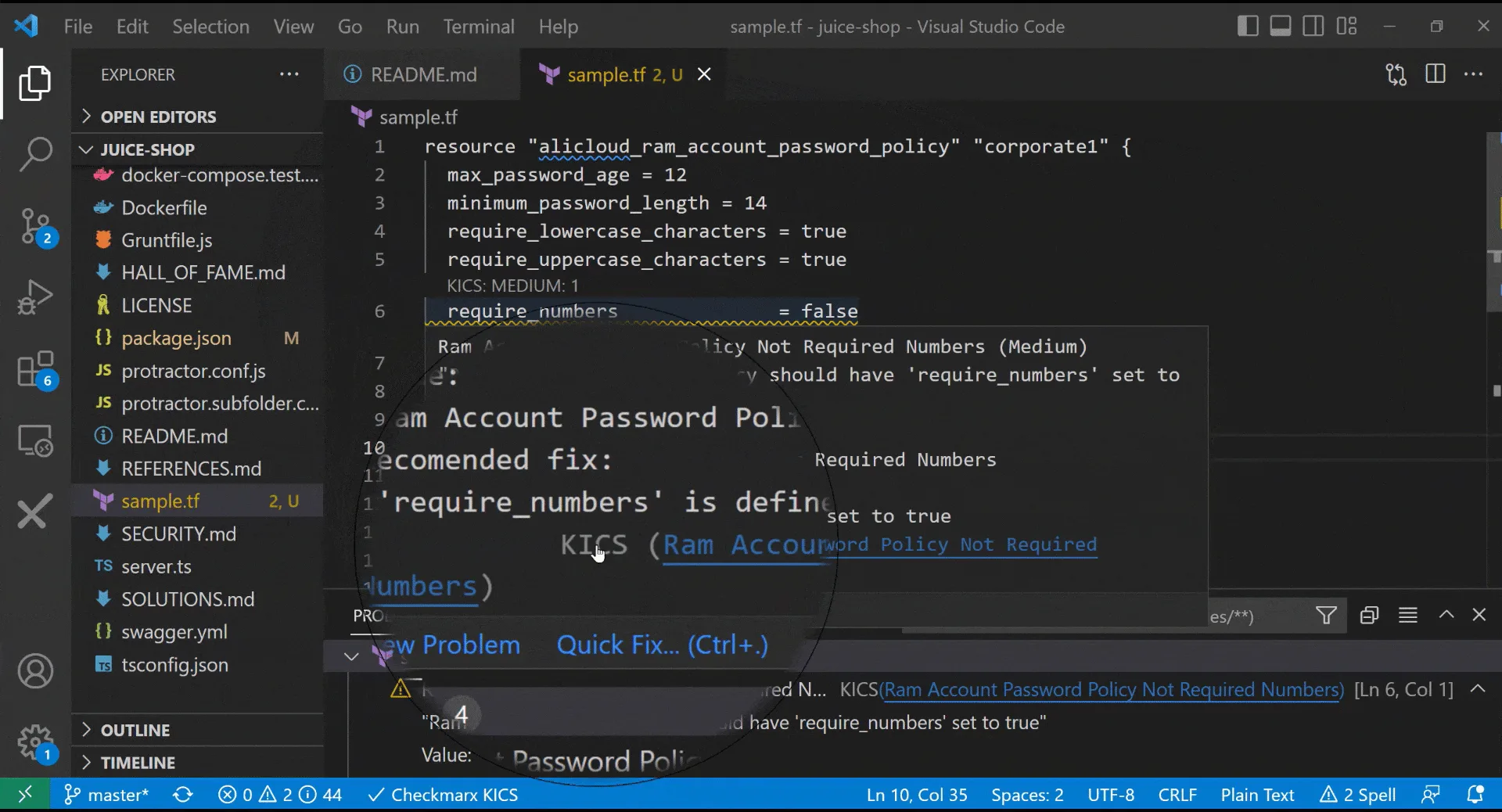
Checkmarx One provides mature enterprise governance: role-based access control, organizational hierarchy management, policy engines, audit trails, and extensive compliance reporting (SOC 2, PCI DSS, HIPAA, ISO 27001). The platform manages thousands of projects with centralized visibility, and on-premise deployment is available for organizations that cannot use cloud services.
Snyk offers Snyk AppRisk for ASPM, group-level management, SSO/SAML, and custom policies.
However, Snyk is cloud-first — on-premise deployment is not available, though Snyk Broker provides a hybrid model where code stays on-premise while analysis runs in Snyk’s cloud.
Large enterprises with strict data residency or air-gapped requirements will find Checkmarx more accommodating.
Both platforms have invested heavily in AI. Checkmarx One Assist acts as an agentic AI assistant in VS Code, Cursor, and Windsurf, detecting vulnerabilities and suggesting safe code replacements.
Snyk’s DeepCode AI Fix generates context-aware code fixes that developers apply with a single click. Both are effective and evolving rapidly.
Pricing#
Snyk offers a free tier for individuals, a Team plan starting at $25/month per developer, and custom Enterprise pricing. Small teams can start at zero cost and scale up.
Checkmarx uses custom enterprise pricing based on developer count and selected modules, with no free tier.
Checkmarx is positioned at the higher end of the market, but it provides breadth and depth that justify the investment for large organizations.
Pricing comparison#
Both vendors gate enterprise pricing behind sales calls, but the shape of each ladder is very different — and that difference reflects who each tool is built for.
Checkmarx One uses contact-sales licensing only — there is no free tier and no public per-developer rate card.
Pricing scales with developer count, the scanner mix you enable (SAST, SCA, DAST, IaC, container, API, secrets, ASPM), and deployment model (SaaS or self-hosted). Procurement involves a sales conversation; a free trial is available through checkmarx.com for evaluation.
Snyk publishes a self-serve pricing page. The free tier covers individual developers and small teams with limited scans. The Team plan starts at $25/developer/month with public list pricing.
The Enterprise plan is contact-sales for teams that need SSO/SAML, custom policies, on-prem brokers, and group governance. Seat-count and scanner-mix drive Enterprise quotes.
The practical implication: small teams can start with Snyk at zero cost and scale up through self-serve. Larger organizations evaluating Checkmarx should expect a multi-month procurement cycle with a meaningful upfront commitment in exchange for the full enterprise governance stack.
When Should You Choose Checkmarx vs Snyk?#
Choose Checkmarx if:
- Deep SAST scanning of proprietary code is your highest priority
- You need centralized governance, role-based access, and organizational hierarchy management
- Compliance reporting for SOC 2, PCI DSS, HIPAA, or ISO 27001 is required
- On-premise or air-gapped deployment is a hard requirement
- Your security team drives tool selection and manages the platform centrally
- You have a large application portfolio (hundreds of projects) requiring consolidated oversight
- Integrated secure coding training (Codebashing) adds value to your security program
Choose Snyk if:
- Open-source dependency management (SCA) is your primary concern
- Developer adoption and minimal friction are critical success factors
- You want a free tier to get started before committing budget
- Fast, near-real-time scan results matter more than exhaustive deep analysis
- Container security and IaC scanning are important alongside SAST and SCA
- Your organization is cloud-native and does not need on-premise deployment
- Engineering teams are empowered to choose their own security tools
- Automated fix pull requests for dependencies would save your team significant time
For more comparisons, browse the AppSec Santa SAST tools category.
Related Comparisons#
- Checkmarx vs Fortify — enterprise SAST head-to-head between two longtime incumbents.
- Checkmarx vs Veracode — if both enterprise SAST vendors are on your RFP.
- Checkmarx Alternatives — the full alternatives list if Checkmarx isn’t the right fit.
- Snyk vs Veracode — developer-first Snyk against the enterprise AppSec incumbent.
- SAST Tools — every SAST scanner I’ve reviewed, filterable by licensing and language coverage.
Sources#
- Checkmarx One platform — official product capabilities and language matrix.
- Checkmarx glossary — vendor-published terminology and frameworks reference.
- Snyk platform — SCA, Code (SAST), Container, IaC product surfaces.
- Snyk customer page — public customer logos and developer-count claims.
- Snyk DeepCode AI — vendor benchmark including the 2.4× false-positive reduction figure.
- Gartner Peer Insights — SAST — independent buyer reviews for both vendors.
Frequently Asked Questions
Is Checkmarx better than Snyk?
How much does Checkmarx cost compared to Snyk?
Can I use both Checkmarx and Snyk?
Which tool has better SAST capabilities?
Which tool is better for open-source security (SCA)?

Written & maintained by
Suphi CankurtEight years on the vendor side of application-security sales — thousands of evaluations and demos. I started AppSec Santa in 2022 to put that insider view to work for buyers. Independent of any vendor, paid by none, and honest about what fits whom.