
- Semgrep Community Edition (CE) is free with no limits; the AppSec Platform is free for up to 10 contributors, with the Teams plan at $35/month per contributor. Snyk Code starts at $25/dev/month with a free tier for limited scans.
- Semgrep Assistant achieves 96% alignment with human triage decisions; Snyk Code's DeepCode AI generates auto-fix suggestions directly in IDEs and PRs.
- Semgrep's YAML-based rules with 3,000+ community registry entries offer superior custom rule flexibility; Snyk Code uses a proprietary AI engine with less inspectable detection logic.
- Snyk Code provides real-time scanning in VS Code, JetBrains, Eclipse, and Cursor; Semgrep's IDE support via LSP is improving but less polished for auto-fix workflows.
- Snyk covers SAST, SCA, Container, and IaC under one platform; Semgrep covers SAST, SCA, and Secrets but lacks container and IaC scanning.
Which Is Better: Semgrep or Snyk Code?
Semgrep and Snyk Code represent two different philosophies in static analysis. Semgrep gives security engineers a transparent, customizable rule engine where every detection is a readable YAML pattern.
Snyk Code offers a refined developer experience with real-time IDE scanning, AI-powered auto-fixes, and a unified platform that extends into SCA, containers, and IaC.
If your security team writes custom rules, wants full visibility into detection logic, and values speed in CI pipelines, Semgrep is the natural fit. If your priority is fast deployment with strong out-of-the-box coverage, developer-friendly fix suggestions, and a single vendor for application security, Snyk Code delivers that.
Both tools have improved significantly. Semgrep Code added interfile dataflow analysis and its AI Assistant now triages findings with what Semgrep reports as 96% alignment to human decisions.
Snyk Code has refined its hybrid AI engine to reduce false positives and generate auto-fix suggestions in supported languages. The gap between them has narrowed, but the philosophical differences remain.
What Are the Key Differences?
| Feature | Semgrep | Snyk Code |
|---|---|---|
| License | CE (LGPL-2.1) + commercial Platform | Freemium (free tier + paid plans) |
| Pricing | Free CE; Platform free (10 contributors), Teams from $35/contributor/month | Free tier; Team from $25/dev/month |
| Rule Engine | YAML-based pattern matching | Proprietary hybrid AI engine |
| Custom Rules | Yes (YAML syntax, well-documented) | Yes (limited, via platform) |
| Rule Registry | 3,000+ community + pro rules | Proprietary curated ruleset |
| Interfile Analysis | Yes (Semgrep Code) | Yes |
| Taint Tracking | Yes (intrafile CE + interfile Semgrep Code) | Yes |
| Language Support | 30+ languages (Semgrep Code) | 30+ languages and frameworks |
| AI-Powered Triage | Semgrep Assistant (96% human alignment) | DeepCode AI (auto-fix suggestions) |
| Auto-Fix Suggestions | Yes (via AI Assistant) | Yes (AI-powered in IDE and PR) |
| IDE Integration | VS Code, IntelliJ (via LSP) | VS Code, JetBrains, Eclipse, Cursor |
| Real-Time IDE Scanning | Yes | Yes |
| CI/CD Speed | Median 10 seconds in CI | Sub-minute for most repos |
| Platform Scope | SAST, SCA, Secrets | SAST (+ SCA, Container, IaC via Snyk) |
| Secrets Detection | Yes (built-in) | Via Snyk platform |
| SCM Integrations | GitHub, GitLab, Bitbucket, Azure DevOps | GitHub, GitLab, Bitbucket, Azure DevOps |
| Self-Hosted Option | Yes (CLI runs anywhere) | Enterprise agreements |
| OWASP Top 10 Coverage | Yes | Yes |
| Compliance Reporting | Yes (Team/Enterprise) | Yes (paid plans) |
Semgrep vs Snyk Code: How Do They Compare?
Rule Engine and Customization
This is where the tools diverge most sharply. Semgrep’s rule engine uses a YAML-based syntax where patterns closely resemble the source code you are trying to match.
Writing a rule to detect SQL injection in Python looks almost like writing the vulnerable code itself, with metavariables replacing the specific values.
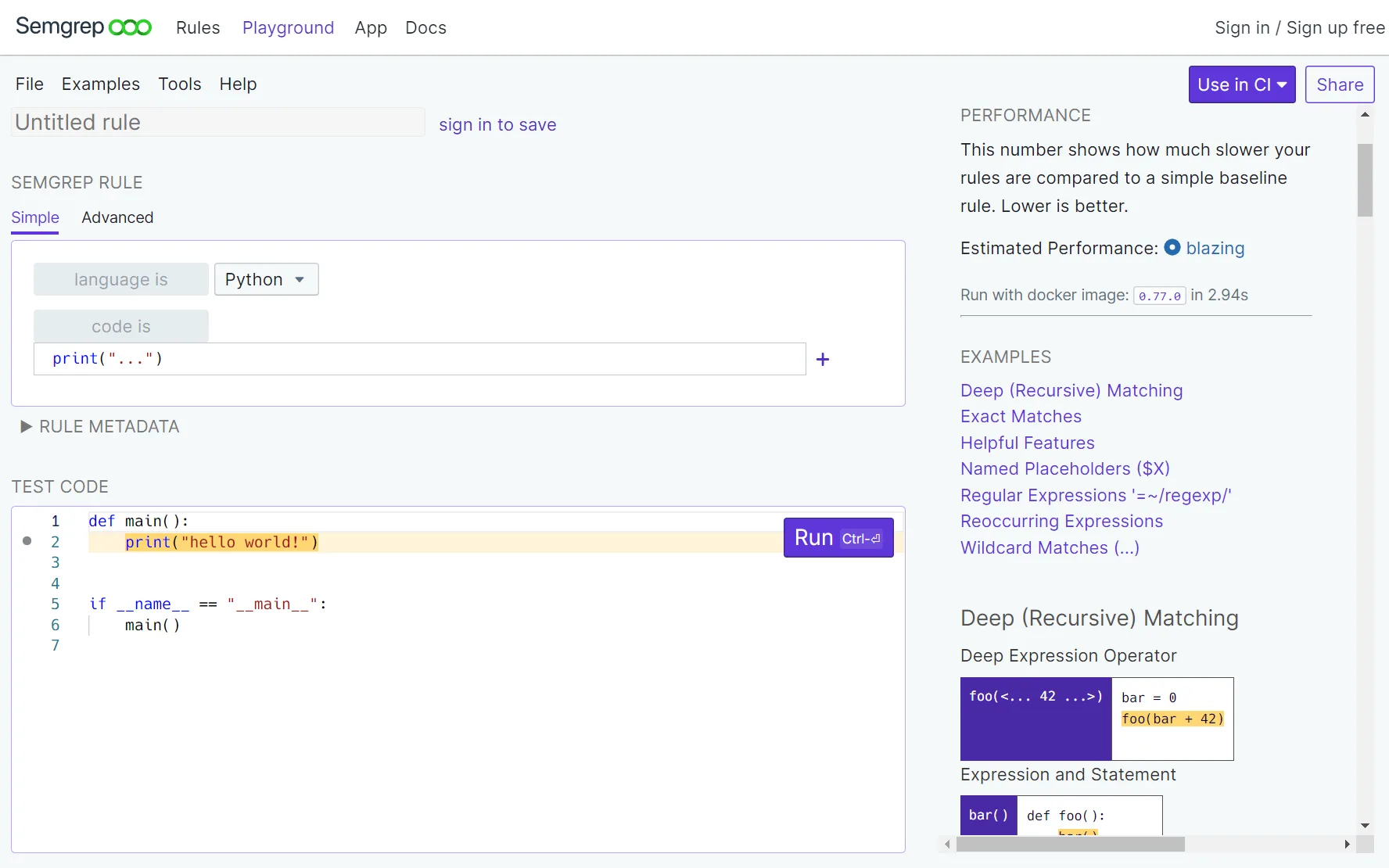
The Semgrep Registry hosts over 3,000 community and professional rules, and any rule can be forked, modified, or used as a template for custom detections.
Snyk Code uses a proprietary hybrid AI engine trained on millions of code examples. It combines symbolic analysis with machine learning to detect vulnerabilities.
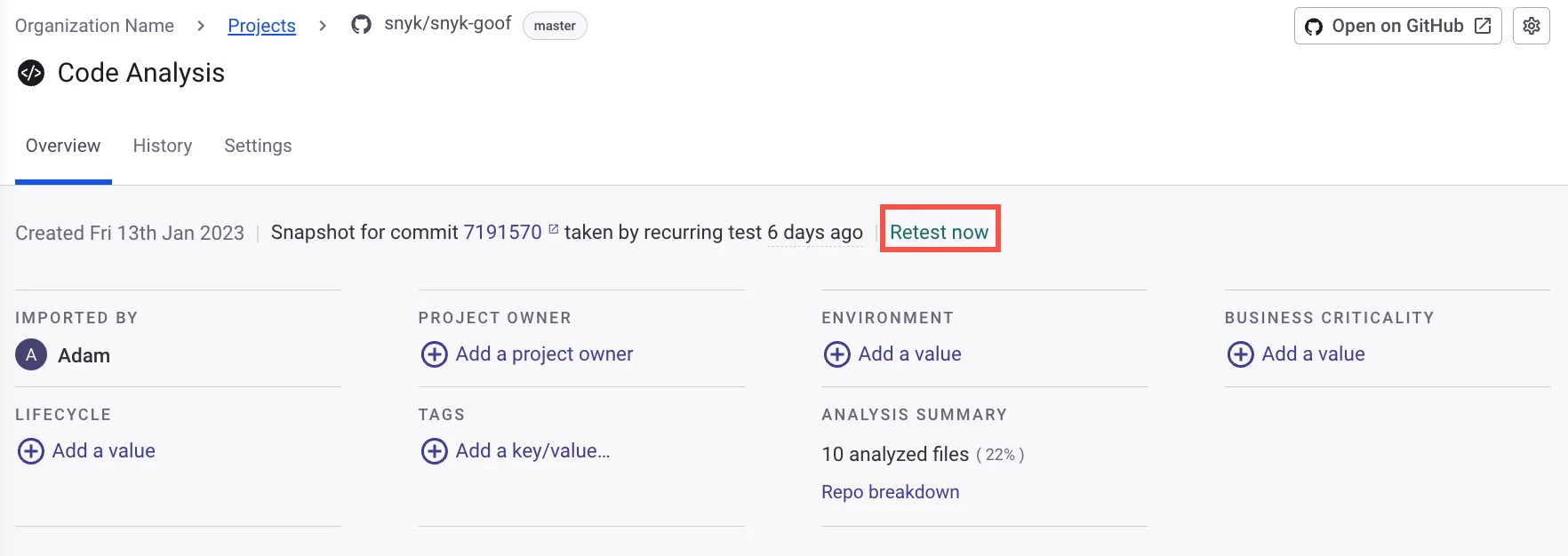
The benefit is strong out-of-the-box coverage without needing to write or maintain rules.
The tradeoff is less transparency — when Snyk Code flags something, the reasoning behind the detection is not as inspectable as a Semgrep YAML rule.
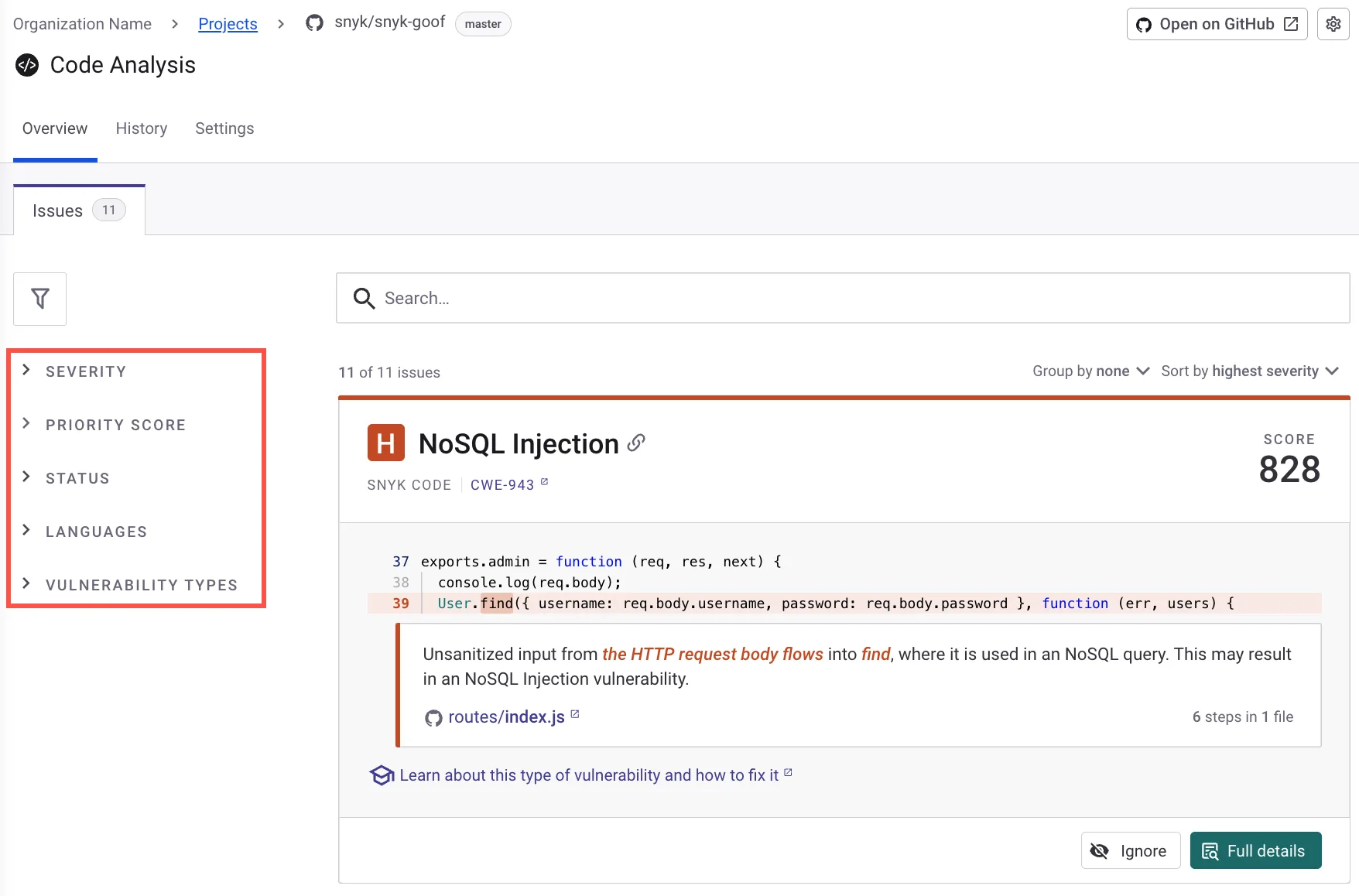
For security teams that maintain internal coding standards, enforce organization-specific security patterns, or need to detect vulnerabilities in proprietary frameworks, Semgrep’s custom rule flexibility is a significant advantage. For teams that want solid coverage without investing in rule engineering, Snyk Code’s approach requires less upfront effort.
AI Features and False Positive Management
Both tools have invested heavily in AI to reduce noise and improve developer experience.
Semgrep Assistant uses AI to triage findings based on context, achieving what Semgrep reports as 96% alignment with human triage decisions.
Its “Memories” feature learns from past triage actions — if your team consistently marks certain patterns as false positives, the AI adapts.
Auto-fix suggestions are generated for supported findings, and the triage recommendations appear directly in pull request comments.
Snyk Code’s DeepCode AI engine powers both detection and remediation. It generates auto-fix suggestions that developers can apply directly from their IDE or pull request review.
The AI is trained on a large corpus of open-source code and vulnerability patterns.
Snyk reports low false positive rates compared to traditional SAST tools, and the fix suggestions include explanations of why the change resolves the vulnerability.
Semgrep’s approach gives more control over the triage process, which appeals to security teams that want to fine-tune how findings are handled. Snyk Code’s approach is more turnkey — the AI handles more of the work out of the box, which appeals to teams that want developers to resolve findings quickly without deep security expertise.
Performance and CI/CD Integration
Semgrep is built for speed in CI pipelines. Scans complete in a median of 10 seconds during CI runs, which makes it practical to run on every pull request without slowing down development.
The CLI is lightweight, installs via pip or Docker, and produces SARIF output that integrates with GitHub Advanced Security, GitLab SAST, and other SARIF consumers.
Snyk Code also scans quickly — sub-minute for most repositories. It integrates with GitHub, GitLab, Bitbucket, and Azure DevOps through native SCM integrations.
PR checks include inline annotations with fix suggestions. The Snyk CLI supports snyk code test for local and CI scanning.
Both tools are fast enough to run on every pull request without meaningful developer friction. Semgrep’s 10-second median is notable for large repositories where scan time compounds.
Snyk Code’s native SCM integrations are slightly more mature for teams that prefer configuration through a web UI rather than YAML files in the repository.
IDE Experience
Snyk Code has an edge in IDE integration. Its plugins for VS Code, the full JetBrains suite, Eclipse, and Cursor provide real-time scanning as developers write code, with inline vulnerability highlights and AI-generated fix suggestions.
The feedback loop is tight — developers see issues before they commit.
Semgrep offers VS Code and IntelliJ extensions via the Language Server Protocol.
The IDE experience has improved over time and provides inline findings, but the fix suggestion experience is less polished than Snyk Code’s in-editor auto-fix workflow.
Semgrep’s strength in the IDE is running custom rules locally, which is valuable for teams that maintain organization-specific detections.
For developer-facing workflows where security feedback needs to be immediate and actionable, Snyk Code’s IDE experience is smoother. For security engineers who want to test and iterate on custom rules during development, Semgrep’s IDE integration serves a different but equally valid purpose.
Platform Breadth
Snyk Code is one product in the broader Snyk platform, which also includes Snyk Open Source (SCA), Snyk Container, and Snyk IaC. This means organizations can use a single vendor for SAST, SCA, container scanning, and infrastructure-as-code security, with unified dashboards and reporting.
Semgrep has expanded beyond pure SAST to include software composition analysis (SCA) and secrets detection. The Semgrep AppSec Platform provides a unified view across these capabilities.
However, it does not cover container scanning or IaC security natively.
If consolidating application security under one vendor is important, Snyk offers broader platform coverage. If your primary need is SAST with SCA and secrets detection, Semgrep covers that ground without the added cost of capabilities you may not use.
Pricing
Semgrep CE is completely free with no usage limits — you can run it on any codebase, write unlimited custom rules, and integrate it into CI without paying anything. The Semgrep AppSec Platform is free for up to 10 contributors.
The Teams plan starts at $35 per contributor per month, adding managed rules, the AI Assistant, dashboards, and enterprise integrations.
Snyk Code is part of the Snyk platform. The free tier includes limited SAST scans.
The Team plan starts at $25 per developer per month. Enterprise pricing is custom and scales with developer count and the number of Snyk products selected.
For budget-conscious teams, Semgrep CE is unmatched as a free option. For teams that want a fully managed platform, Semgrep’s Teams plan is comparable to Snyk’s Team plan, and includes Semgrep’s unique custom rule capabilities.
When Should You Choose Semgrep vs Snyk Code?
Choose Semgrep if:
- Custom rule authoring is a core requirement — your team writes and maintains security rules for internal patterns
- Transparency in detection logic matters — you want to inspect, modify, and version-control every rule
- CI pipeline speed is critical — Semgrep’s 10-second median scan time keeps PR checks fast
- Semgrep CE is free and open-source; the Platform is free for up to 10 contributors
- Your security team has the expertise to tune rules and triage findings actively
Choose Snyk Code if:
- You want strong out-of-the-box SAST coverage without investing in rule engineering
- AI-powered auto-fix suggestions in IDEs and pull requests are important for developer productivity
- A unified platform covering SAST, SCA, containers, and IaC under one vendor reduces tool sprawl
- Real-time IDE scanning with inline fix suggestions fits your developer workflow
- Your team prefers managed security tooling with less hands-on configuration
AppSec Santa maintains detailed reviews of all tools mentioned here. For more options, see our full SAST tools category comparison.
Frequently Asked Questions
Is Semgrep better than Snyk Code?
How does Semgrep pricing compare to Snyk Code?
Can I use both Semgrep and Snyk Code?
Which tool has better custom rule support?
Which tool supports more programming languages?

+7 Years in AppSec
10+ years in application security. Reviews and compares 208 AppSec tools across 11 categories to help teams pick the right solution. More about me →