
- Semgrep scans in ~10 seconds median using ~150MB memory; CodeQL takes minutes to 30+ minutes and uses ~450MB due to database construction from source code.
- In community-reported benchmarks, CodeQL tends to achieve higher accuracy with lower false positive rates than Semgrep CE, though exact figures vary by codebase and configuration.
- Semgrep supports 30+ languages including Terraform, Dockerfile, Bash, and Solidity; CodeQL covers 12 languages with deeper semantic analysis per language.
- Semgrep custom rules use YAML patterns writable in minutes; CodeQL queries use a SQL-like QL language requiring days of study to write effectively.
- Many teams run both: Semgrep in CI for fast PR-level gates and CodeQL in nightly builds for deeper dataflow and taint tracking analysis.
Which Is Better: Semgrep or CodeQL?
Semgrep is the faster tool with the lower barrier to entry. Its pattern-matching rules look like the source code you’re scanning, custom rules take minutes to write, and CI scans finish in about 10 seconds.
It’s the practical choice for teams that want to ship custom security checks quickly. CodeQL is the deeper analyzer. It compiles code into a queryable database that enables genuine data flow and taint tracking across your entire codebase.
For catching injection vulnerabilities, authentication bypasses, and security logic flaws that span multiple files and functions, CodeQL’s semantic analysis is harder to beat.
The trade-off is longer scan times and a steeper learning curve for custom queries.
What Are the Key Differences?
| Feature | Semgrep | CodeQL |
|---|---|---|
| License | LGPL-2.1 (CE) / Commercial (Platform) | Free for open-source, GHAS license for private repos |
| GitHub Stars | 14,100+ | N/A (GitHub-maintained) |
| Languages | 30+ | 12 (C, C++, C#, Go, Java, Kotlin, JS, TS, Python, Ruby, Swift, Rust) |
| Analysis Approach | Pattern matching + semantic analysis | Database-backed semantic analysis |
| Custom Rules | YAML (code-like syntax) | QL query language (SQL-like) |
| Rule Authoring Time | Minutes | Hours |
| CI Scan Speed | ~10 seconds median | Minutes to 30+ minutes |
| Memory Usage | ~150MB | ~450MB |
| Cross-File Analysis | Semgrep Code (Platform) | Yes (built into database) |
| Taint Tracking | Semgrep Code (Platform) | Yes (all editions) |
| Community Rules | 3,000+ CE community, 20,000+ Platform pro | Standard + security-extended query packs |
| SCA | Semgrep Supply Chain (commercial) | No |
| Secrets Detection | Semgrep Secrets (commercial) | No |
| AI Features | Semgrep Assistant (triage and fixes) | Copilot Autofix (GitHub-native) |
| CI/CD Integration | GitHub Actions, GitLab CI, Jenkins, Buildkite, CircleCI | GitHub Actions (primary), CLI for others |
| SARIF Output | Yes | Yes |
| IDE Support | VS Code, IntelliJ | VS Code (CodeQL extension) |
| Platform Lock-in | None (works anywhere) | Strong GitHub preference |
Semgrep vs CodeQL: How Do They Compare?
Analysis Depth
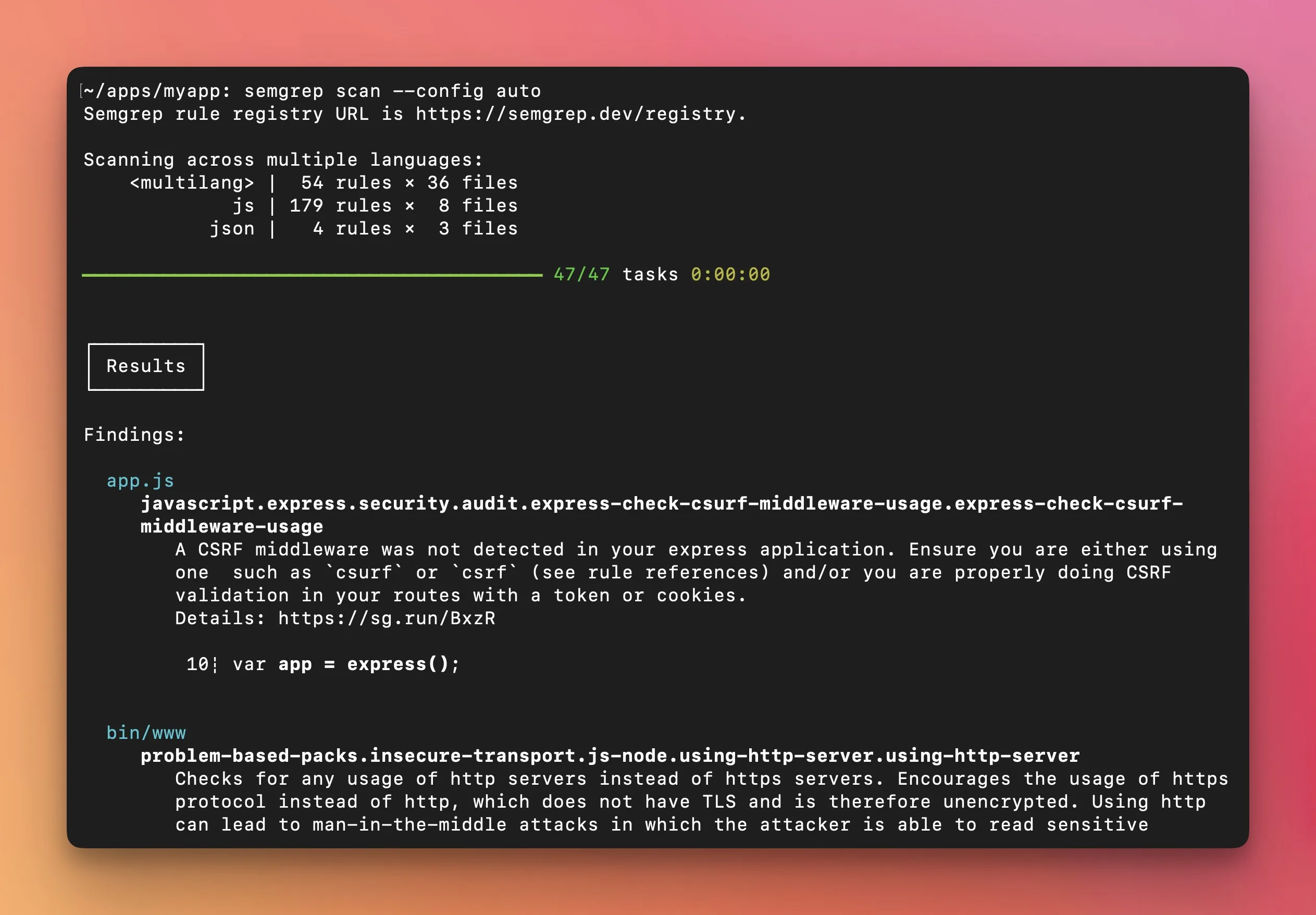
The core difference between these two tools is how they understand code.
Semgrep Community Edition (CE) does single-file pattern matching. You write a rule that looks like yaml.load(...) and Semgrep finds every call to yaml.load in your codebase.
It understands code structure (not just text), so it knows the difference between a function call and a variable name.
Semgrep Code adds cross-file and cross-function dataflow analysis, which cuts false positives. Semgrep claims up to 98% reduction in high/critical false positives with Semgrep Code.
But even Semgrep Code’s analysis is lighter-weight than CodeQL’s approach.
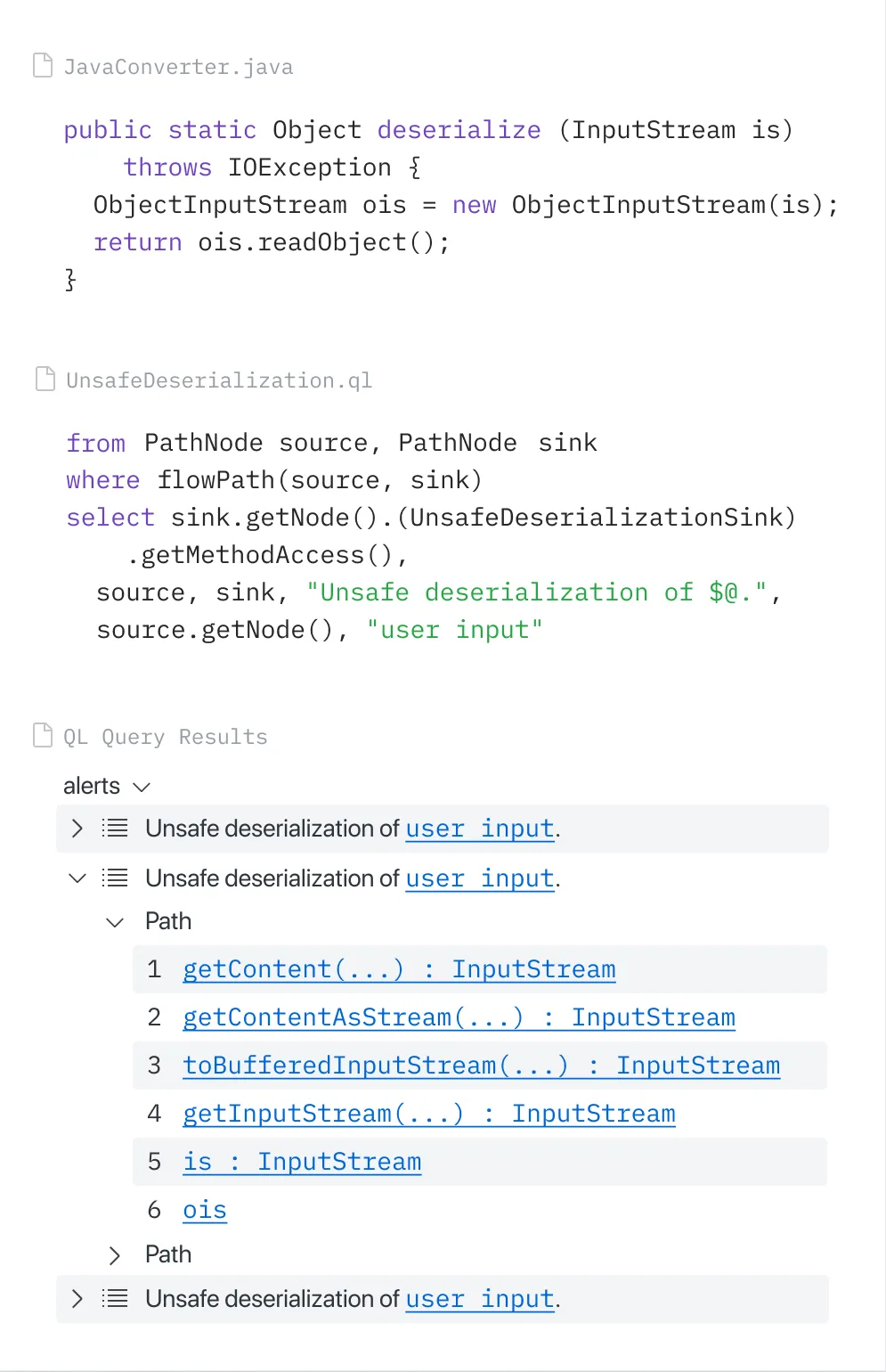
CodeQL compiles your source code into a relational database that captures the full semantic structure: abstract syntax trees, control flow graphs, data flow graphs, type hierarchies, and call graphs.
Queries written in the QL language can traverse this database to find complex vulnerability patterns.
A CodeQL query can trace user input from an HTTP request parameter through multiple transformation functions, across file boundaries, through database reads and writes, all the way to a SQL query — and flag it as a potential injection vulnerability only if no sanitization occurs along the path.
In community-reported benchmarks, CodeQL tends to achieve higher accuracy with lower false positive rates than Semgrep CE. The gap narrows when comparing Semgrep Code to CodeQL, but CodeQL’s database-backed approach enables deeper analysis than pattern matching can achieve.
Rule Authoring
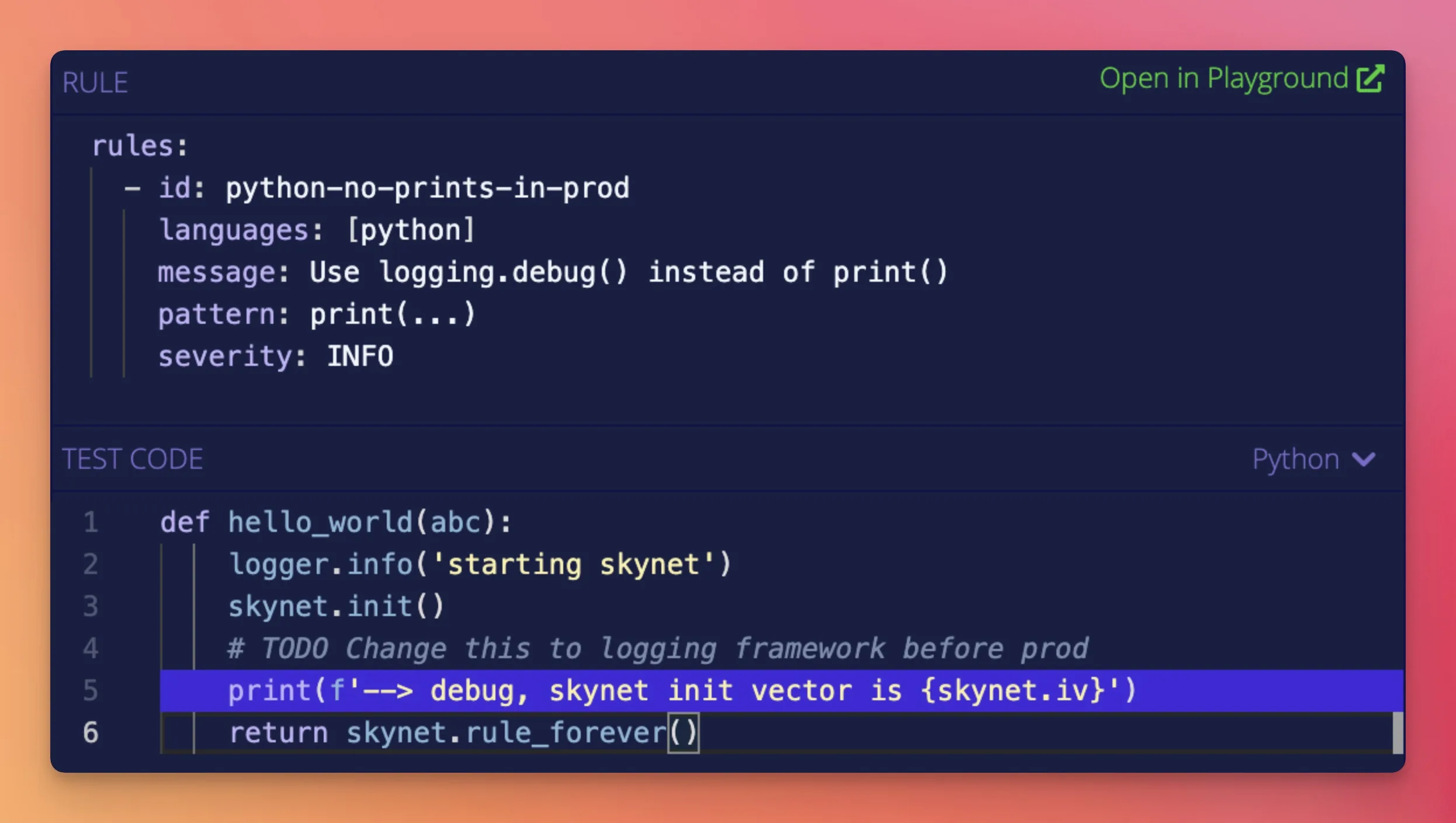
This is where Semgrep has its clearest advantage.
A Semgrep rule looks like the code you want to find. To detect insecure deserialization in Python, you write a pattern that resembles the actual Python code.
The rule syntax supports metavariables ($X), ellipsis operators (...) for matching arbitrary code between points, and typed metavariables.
A developer who has never written a security rule before can learn the syntax in 30 minutes and write their first custom rule in an afternoon.
The Semgrep playground at semgrep.dev/editor lets you test rules interactively against sample code.
CodeQL queries use a purpose-built language called QL, which looks like SQL with object-oriented extensions.
To write a CodeQL query, you need to understand the database schema for your target language, the QL type system, predicates, and how to compose taint tracking configurations.
The learning curve is real — a security engineer comfortable with programming will need a few days to a week of focused study before writing useful custom queries.
The VS Code CodeQL extension helps with autocompletion and documentation, but QL is still a specialized language.
The result: organizations that need custom security rules quickly — internal coding standards, banned API usage, org-specific vulnerability patterns — will get them written and deployed faster with Semgrep.
Organizations that need to express complex vulnerability patterns with precise data flow tracking will find CodeQL’s query language more powerful, once they invest in learning it.
Speed and Resource Usage
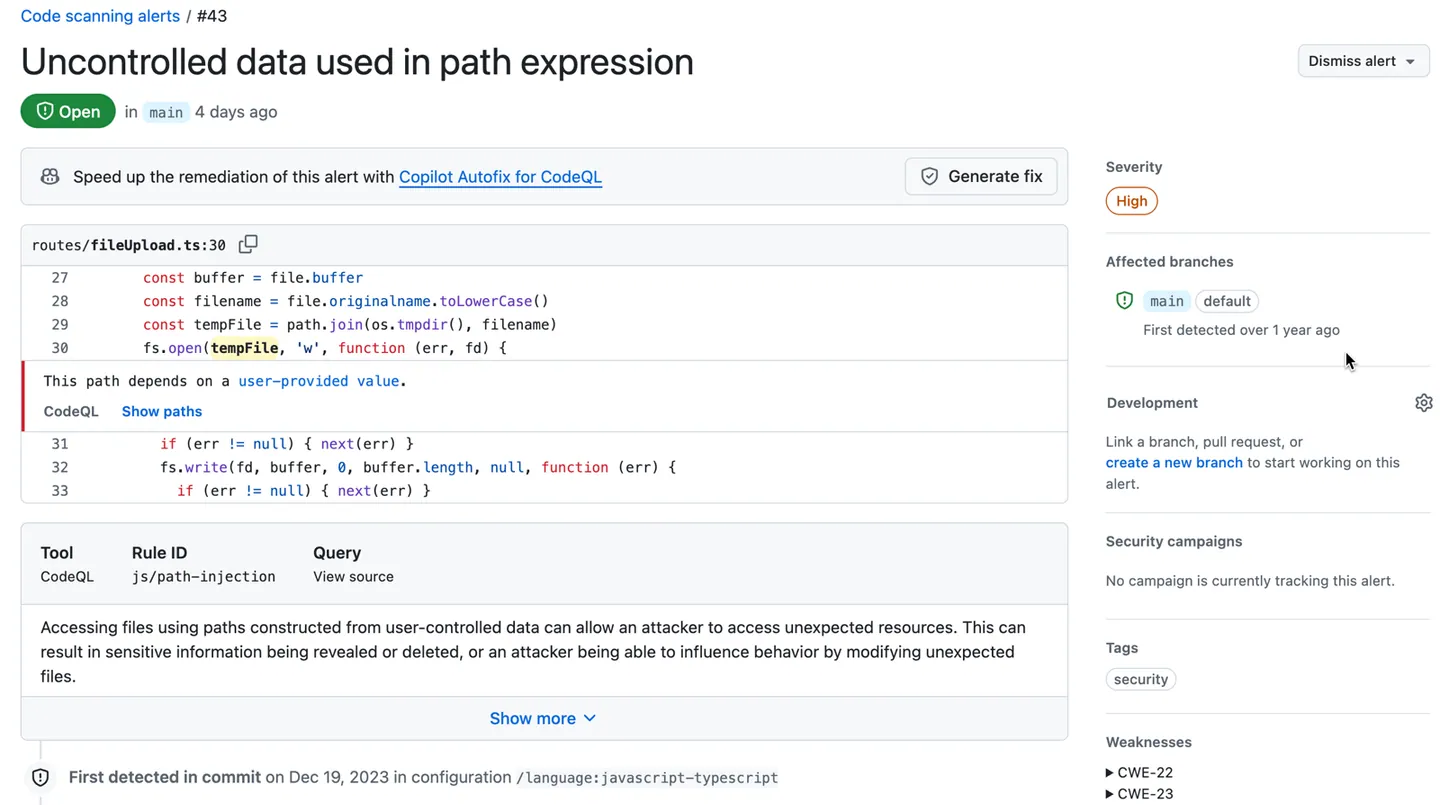
Semgrep is designed for speed. The median CI scan time is 10 seconds.
It runs locally by default, code never leaves the machine, and it doesn’t require compilation or database creation. Memory usage sits around 150MB.
This makes Semgrep practical as a PR-level gate that runs on every commit without meaningfully slowing down development workflows.
CodeQL has to build a database before it can run any queries. For compiled languages (Java, C++, C#), this means actually compiling the code.
For interpreted languages (Python, JavaScript), the extraction is faster but still takes time. Database creation ranges from a few minutes for small projects to 30+ minutes for large codebases.
Memory usage is around 450MB. Query execution time adds on top of database creation.
Many teams address this by running CodeQL on a different schedule than Semgrep. Semgrep gates every PR.
CodeQL runs nightly or weekly, or on merges to the main branch. This gives you fast feedback from Semgrep and deep analysis from CodeQL without one blocking the other.
Language Support
Semgrep covers 30+ languages, including some that CodeQL doesn’t support: Bash, Dart, Elixir, Lua, OCaml, PHP, Rust, Scala, Solidity, Terraform, Dockerfile, and YAML. It also has a generic mode for languages without first-class support, which handles templating languages and configuration formats.
CodeQL supports 12 languages: C, C++, C#, Go, Java, Kotlin, JavaScript, TypeScript, Python, Ruby, Swift, and Rust. Each language has a dedicated extractor that builds the semantic database.
The language coverage is narrower but the analysis within supported languages goes deeper.
For polyglot codebases using mainstream languages, both tools cover the bases. For teams working with Terraform, Dockerfile, Bash scripts, or less common languages like Elixir or Solidity, Semgrep has an advantage that CodeQL cannot currently match.
Platform and Integration
Semgrep works everywhere. GitHub, GitLab, Bitbucket — the CLI runs in any CI/CD environment.
Official configurations exist for GitHub Actions, GitLab CI, Jenkins, Buildkite, and CircleCI. The Semgrep AppSec Platform provides a web dashboard for managing rules, reviewing findings, and configuring policies across multiple repositories.
CodeQL’s primary home is GitHub. It runs through GitHub Actions, and results integrate natively into GitHub’s Security tab and pull request annotations.
The CodeQL CLI can run outside GitHub, but the workflow is optimized for GitHub.
Teams on GitLab or Bitbucket can use the CLI but lose the native pull request integration and security overview dashboards.
For GitHub-native teams, CodeQL fits naturally. For multi-platform teams, Semgrep avoids the lock-in.
When Should You Choose Semgrep?
Choose Semgrep if:
- Fast CI scans (~10 seconds) are important for PR-level gates
- You want to write custom security rules in minutes, not hours
- Your codebase includes languages CodeQL doesn’t support (PHP, Terraform, Dockerfile, Bash, Elixir, Scala, Solidity)
- You need a tool that works across GitHub, GitLab, Bitbucket, and other platforms
- Built-in SCA (Supply Chain) and secrets detection from the same vendor are valuable
- The development team will be writing and maintaining security rules, not just security specialists
When Should You Choose CodeQL?
Choose CodeQL if:
- Deep semantic analysis with data flow and taint tracking is a priority
- Your codebase is primarily in CodeQL’s 12 supported languages
- Your repositories are on GitHub and you want native pull request integration
- Detection accuracy and low false positive rates matter more than scan speed
- You have (or will invest in) security engineers who can write QL queries
- Free SAST for open-source repositories is a factor (CodeQL is free for public repos)
The two tools complement each other well. Semgrep in CI for fast feedback on every PR, CodeQL in scheduled builds for deep analysis.
Both output SARIF, so findings from both tools appear in the same code scanning interface.
AppSec Santa maintains detailed reviews of all tools mentioned here. For more SAST tools , see the full category comparison.
Frequently Asked Questions
Is Semgrep faster than CodeQL?
Is CodeQL more accurate than Semgrep?
Is Semgrep free?
Is CodeQL free?
Can I use Semgrep and CodeQL together?

Founder, AppSec Santa
Years in application security. Reviews and compares 201 AppSec tools across 12 categories to help teams pick the right solution. More about me →