
- Semgrep’s open-source CLI (LGPL-2.1, 14,000+ GitHub stars) delivers a 10-second median CI scan time per Semgrep’s benchmarks; Checkmarx One processes 800 billion+ lines of code monthly across its enterprise customer base.
- Semgrep rules mirror source code syntax — 2,000+ community rules plus 20,000+ proprietary rules in the commercial platform; Checkmarx uses proprietary queries spanning 150+ technologies.
- Checkmarx One bundles 9 scanning capabilities (SAST, SCA, DAST, IaC, container, API, secrets, malicious package, repo health) under ASPM; Semgrep focuses on SAST, SCA, and secrets detection.
- Checkmarx serves 40% of the Fortune 100 including Walmart, Siemens, and Salesforce; Semgrep is adopted by Dropbox, Figma, and Snowflake.
- Semgrep Code claims up to 98% false positive reduction via cross-file dataflow analysis; Checkmarx ASPM reports over 80% noise reduction by correlating findings across all 9 scanning capabilities.
Which Is Better: Semgrep or Checkmarx?#
Semgrep is an open-source static analysis tool with a free Community Edition (CE) that lets developers write security rules in pattern-matching syntax resembling the source code itself, with a 10-second median CI scan time according to Semgrep’s published benchmarks.
Checkmarx is an enterprise application security platform that bundles 9 scanning capabilities — SAST, SCA, DAST, IaC, container, API, secrets, malicious package detection, and repository health — under a unified ASPM layer, used by 40% of the Fortune 100.
Pick Semgrep for fast, developer-friendly static analysis with an open-source foundation; pick Checkmarx for maximum coverage and enterprise-grade vulnerability management across regulated industries.
What Are the Key Differences?#
| Feature | Semgrep | Checkmarx |
|---|---|---|
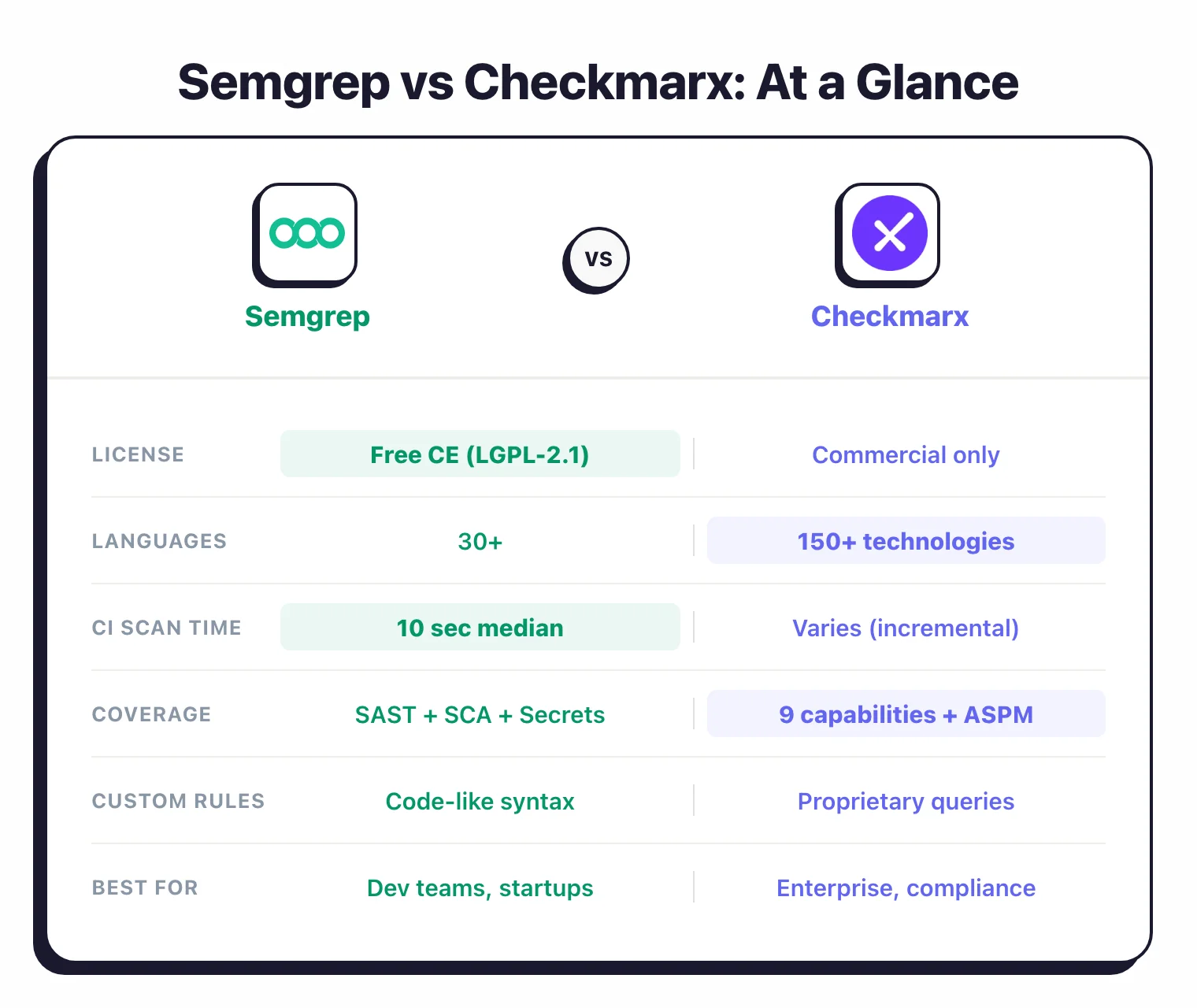
| License | Free CE CLI (LGPL-2.1); commercial Platform | Commercial (enterprise pricing, no free tier) |
| GitHub Stars | 14,000+ | N/A (closed source) |
| Maintained By | Semgrep (formerly Return to Corp) | Checkmarx |
| Languages | 30+ | 150+ technologies |
| SAST | Yes (CE single-file + Semgrep Code cross-file dataflow) | Yes (incremental scanning, data flow analysis, custom queries) |
| SCA | Semgrep Supply Chain (reachability analysis) | Checkmarx SCA (SBOM generation, license compliance) |
| DAST | No | Yes |
| IaC Scanning | No (scans Terraform/Dockerfile syntax via SAST rules) | Yes (Terraform, CloudFormation, Kubernetes) |
| Container Security | No | Yes |
| API Security | No | Yes |
| Secrets Detection | Semgrep Secrets (semantic analysis) | Yes |
| ASPM | No | Yes (cross-scanner correlation and prioritization) |
| Rule System | Pattern-matching rules that mirror source code; 2,000+ community + 20,000+ pro rules | Proprietary query engine with custom queries |
| Median CI Scan Time | 10 seconds | Varies by codebase; incremental scanning available |
| Cross-File Dataflow | Semgrep Code (Platform) | Yes (included) |
| AI Features | Semgrep Assistant (AI triage and fix suggestions) | Checkmarx One Assist family: Developer Assist (real-time prevention and remediation in IDE), Policy Assist, Insights Assist |
| IDE Plugins | VS Code, IntelliJ | VS Code, IntelliJ, Eclipse, Visual Studio, Cursor, Windsurf |
| CI/CD Integration | GitHub Actions, GitLab CI, Jenkins, Buildkite, CircleCI | Jenkins, GitHub Actions, GitLab CI, Azure DevOps, TeamCity, CircleCI, Bamboo, AWS CodeBuild |
| Notable Customers | Dropbox, Figma, Snowflake, Lyft, HashiCorp | Walmart, Siemens, Airbus, Salesforce, Stellantis, Adidas |
Semgrep vs Checkmarx: How Do They Compare?#
How do Semgrep and Checkmarx rules work?#
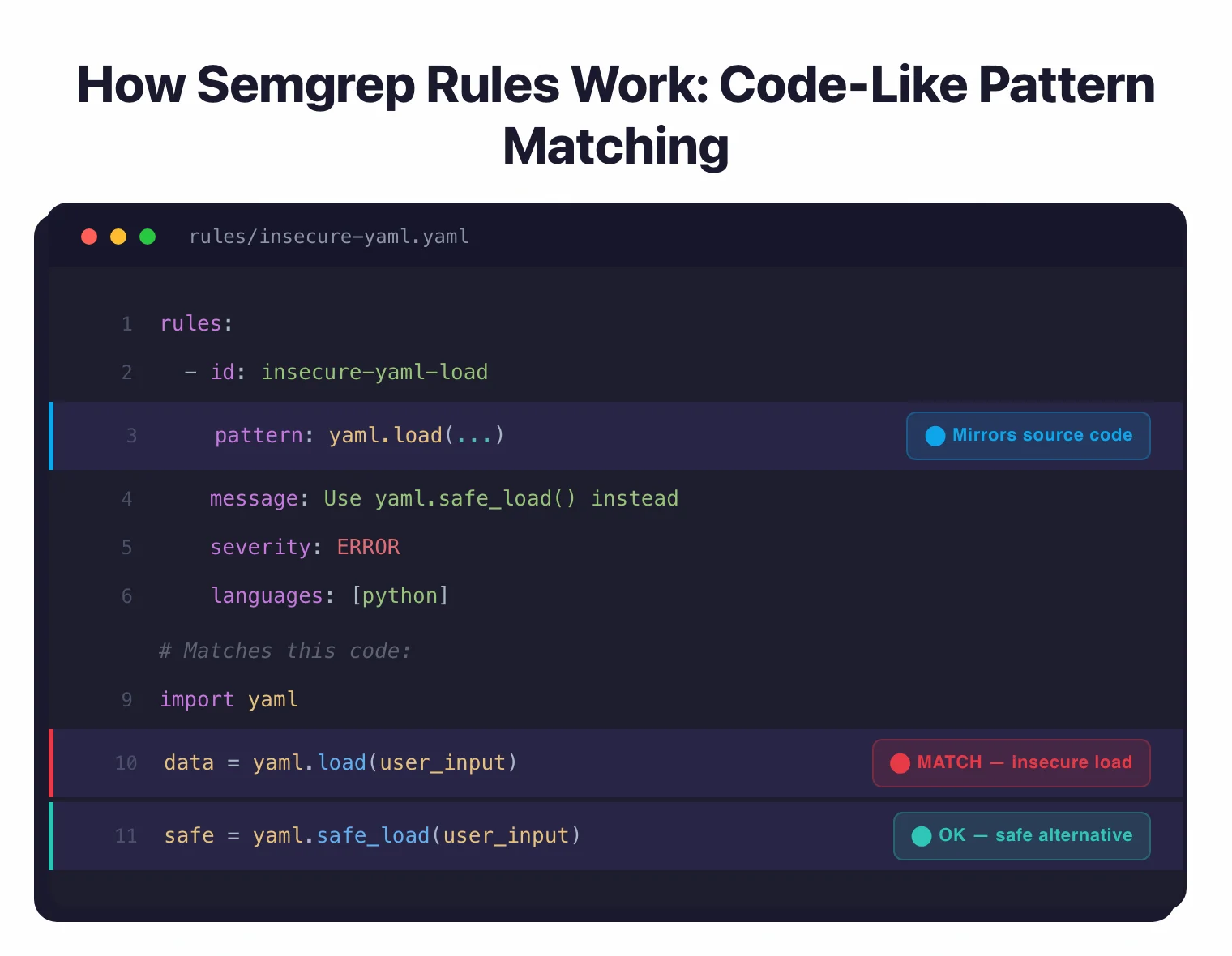
Semgrep and Checkmarx take fundamentally different approaches to security rule authoring. Semgrep rules use a pattern-matching syntax that mirrors the source code you want to detect — for example, to find insecure YAML loading in Python, you write a rule resembling yaml.load(...) rather than abstract regex or a proprietary query language.
The Semgrep community registry contains 2,000+ open rules, and the commercial platform adds over 20,000 proprietary rules according to Semgrep’s documentation.
Checkmarx uses a proprietary query engine that traces data flow through function calls and file boundaries, offering deeper customization but requiring teams to learn its query language.
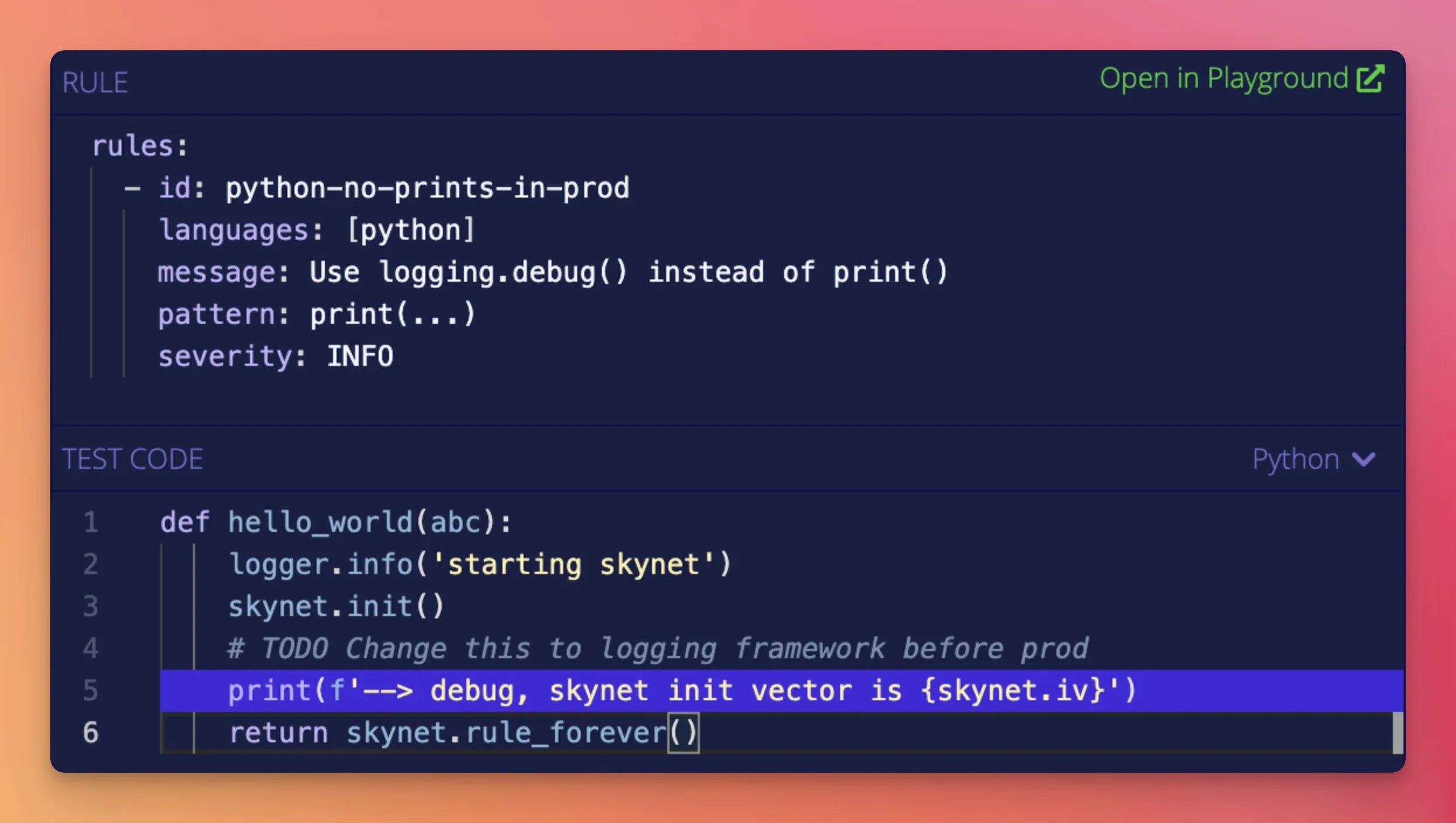
Developers can write and review Semgrep rules without learning a separate language, which lowers the adoption barrier significantly.
Checkmarx custom queries are powerful for dedicated security teams that manage a centralized rule set across large organizations. The proprietary query language has a steeper learning curve than Semgrep’s pattern syntax, but it gives security engineers fine-grained control over detection logic tailored to their application architecture.
If developers write and own security rules on your team, Semgrep’s approach is faster to adopt. If dedicated security engineers manage a centralized rule set, Checkmarx’s query system gives them deeper customization.
Which tool is faster in CI/CD pipelines?#
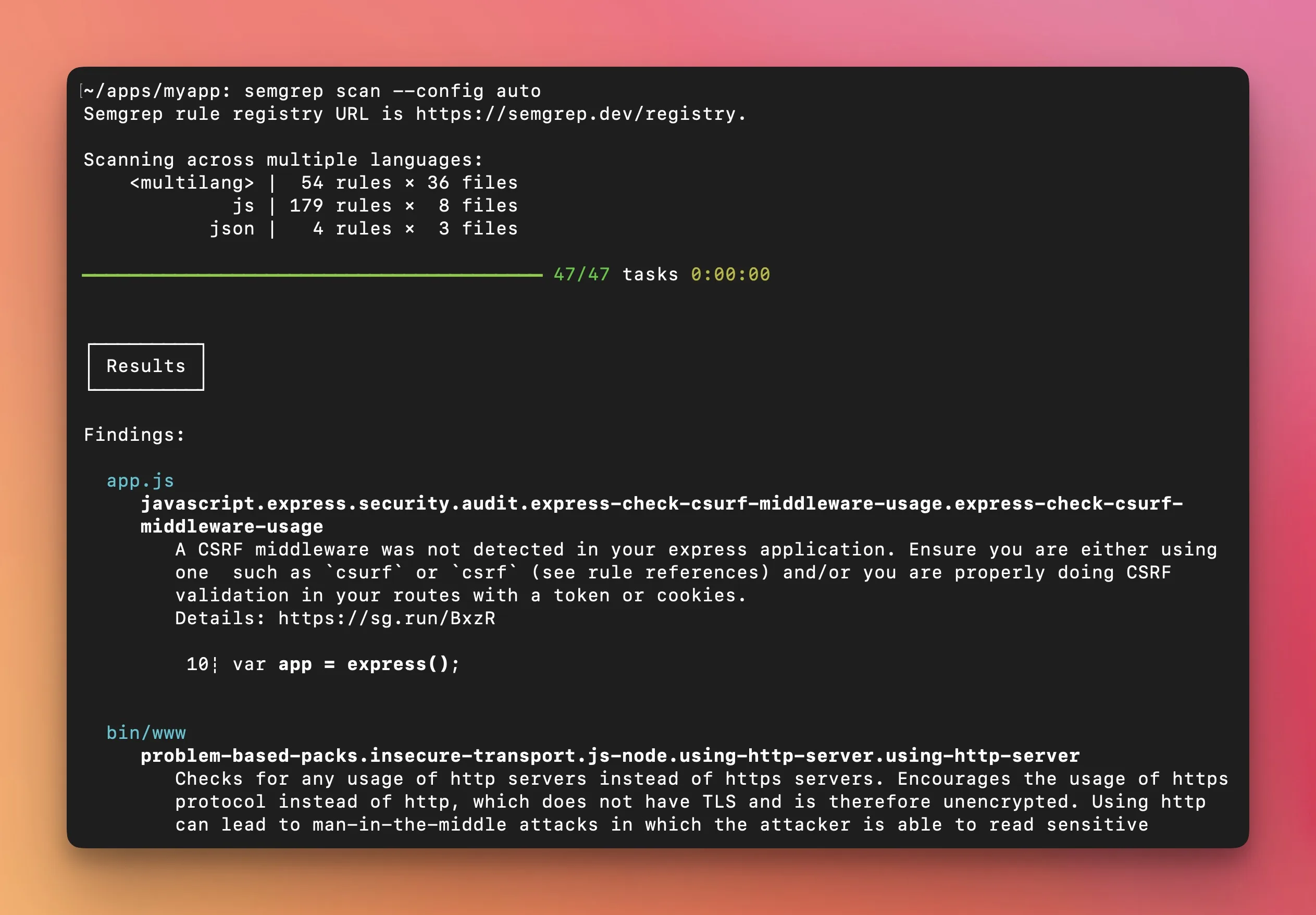
Semgrep delivers a 10-second median CI scan time according to its published performance data, running locally by default so code never leaves your machine unless you opt into the cloud platform.
No compilation or build step is required, which lets teams run scans on every commit or pull request without slowing down development.
Checkmarx scan times vary based on codebase size and scan configuration, but its incremental scanning feature analyzes only new or changed code on subsequent runs, cutting time significantly on large codebases.
For developer experience, Checkmarx offers IDE plugins across VS Code, IntelliJ, Eclipse, Visual Studio, Cursor, and Windsurf, plus its Developer Assist AI agent that catches issues before code is committed.
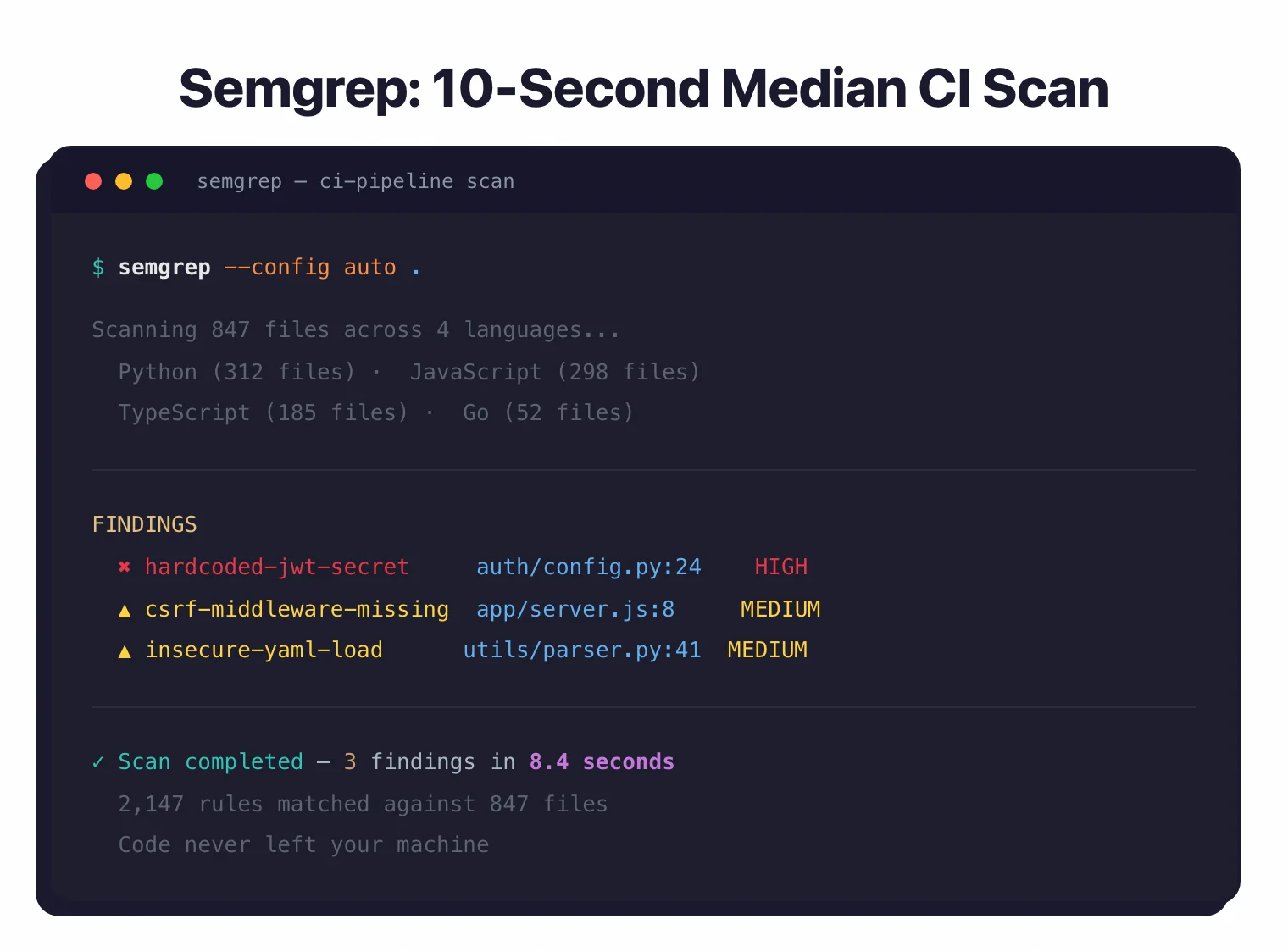
Semgrep’s speed advantage shows most in CI/CD pipelines where fast feedback on every pull request matters. Checkmarx compensates with incremental scanning and broader IDE integrations that shift security feedback earlier into the coding workflow.
How does platform coverage compare?#
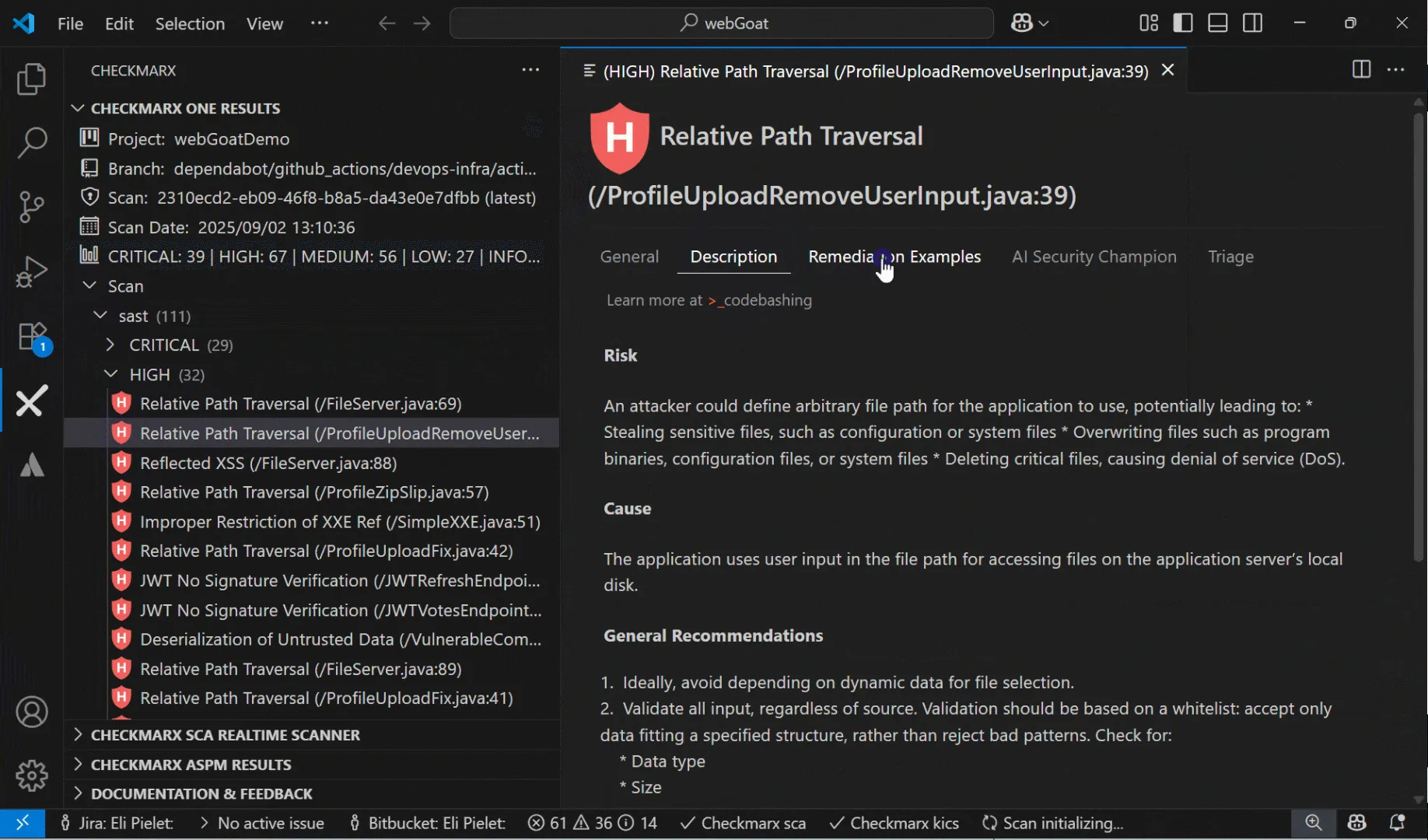
Checkmarx One bundles 9 scanning capabilities under a single platform: SAST, SCA, DAST, IaC security, container security, API security, secrets detection, malicious package protection, and repository health.
Its ASPM layer sits on top, correlating findings across all scanners and prioritizing by application context — Checkmarx reports over 80% noise reduction through this cross-scanner correlation on its website, and states that customers reduce vulnerabilities per project by more than 50% within the first year.
Semgrep covers three areas: Semgrep Code (SAST), Semgrep Supply Chain (SCA with reachability analysis), and Semgrep Secrets. There is no DAST, no container scanning, no API security, and no ASPM built into Semgrep.
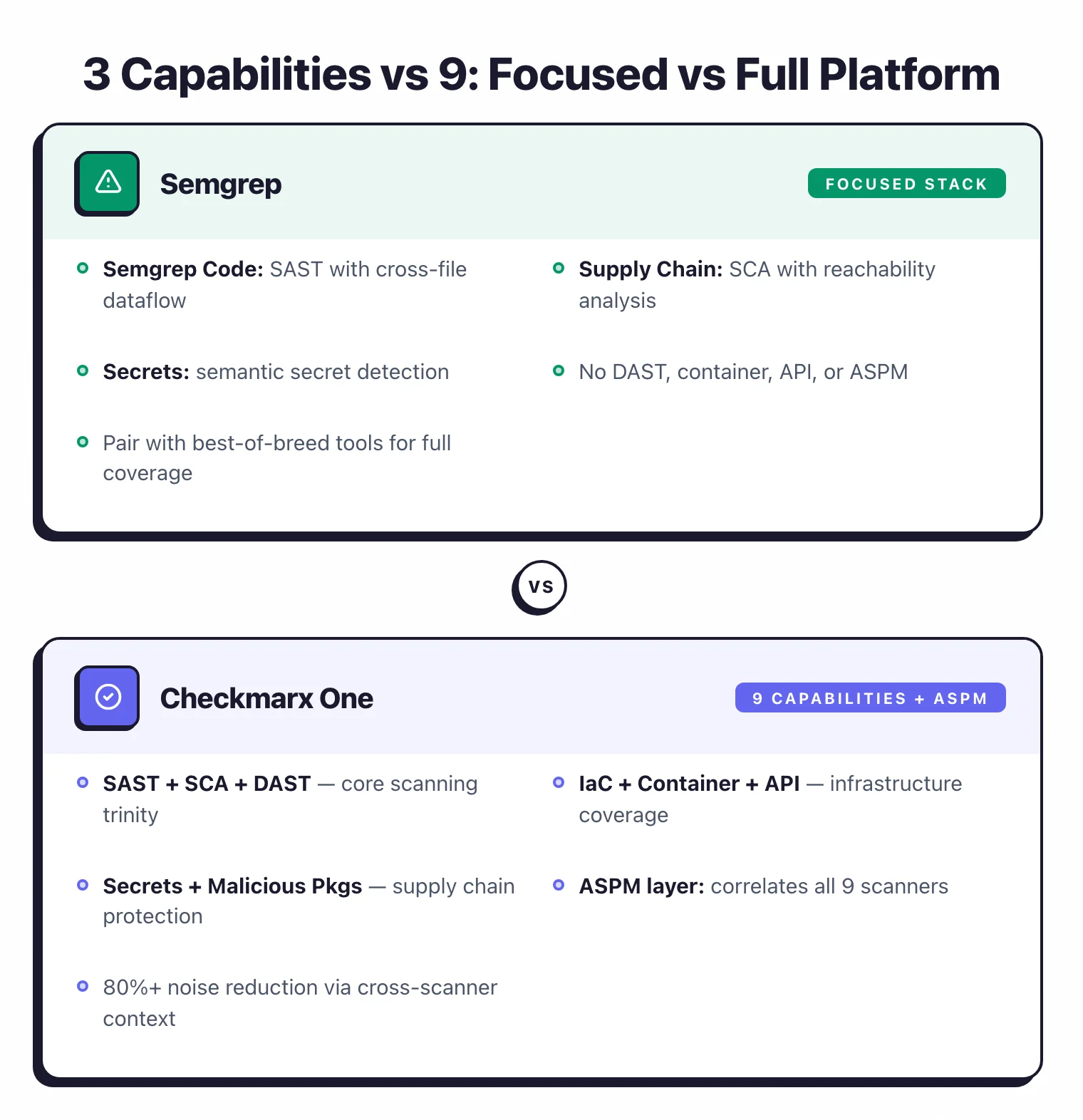
If you want a single platform to cover every testing type and reduce tool sprawl, Checkmarx is the more complete option. If you want fast SAST feedback and are willing to assemble your security stack from best-of-breed tools, Semgrep fills the SAST role well alongside other specialized solutions.
How does each tool reduce false positives?#
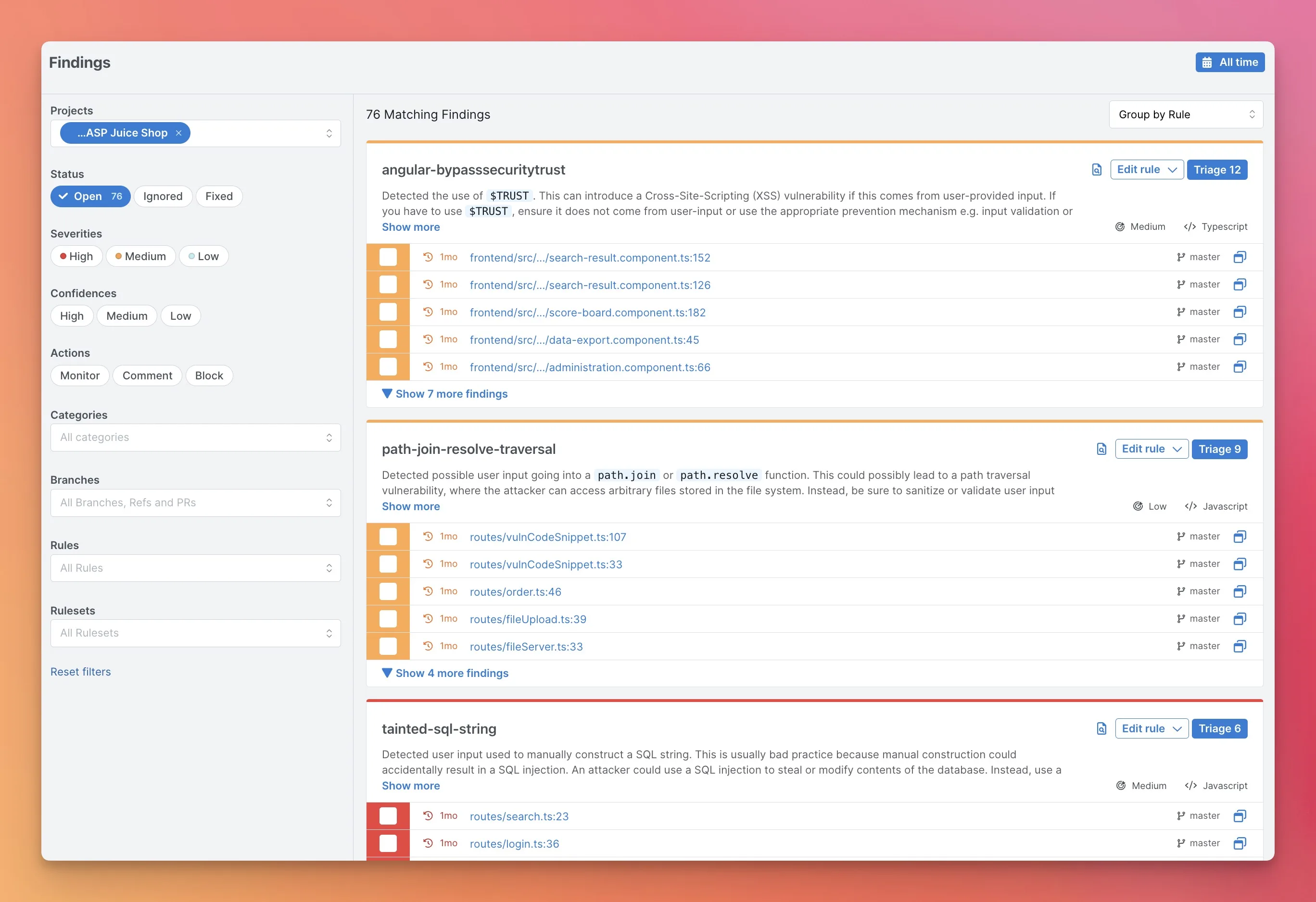
Semgrep and Checkmarx tackle false positives from different angles. Semgrep Code adds cross-file and cross-function dataflow analysis on top of CE’s pattern matching — according to Semgrep’s published benchmarks, this reduces false positives in high/critical findings by up to 98%.
Semgrep Supply Chain further filters noise through reachability analysis, eliminating CVEs in dependencies that are imported but never actually invoked in your code.
Checkmarx approaches the problem at the prioritization level: its ASPM correlates findings across all 9 scanning capabilities using application context, so a critical issue in a customer-facing payment service gets prioritized above the same issue in an internal admin tool.
In short, Semgrep reduces false positives at the detection level through better pattern matching and dataflow analysis. Checkmarx reduces them at the prioritization level through smarter ranking that scores findings by business impact, not just technical severity.
When Should You Choose Semgrep vs Checkmarx?#
Choose Semgrep if…#
- Fast CI/CD feedback (10-second median scan time) without slowing down development is a priority
- Developer-written custom rules using code-like pattern syntax fit your team’s workflow
- Semgrep CE is free and open-source; the Platform is free for up to 10 contributors
- SAST with SCA (reachability analysis) and secrets detection covers your needs
- Code stays local by default — no uploading to a third-party cloud
- Teams like Dropbox, Figma, and Snowflake using it in production gives you confidence
Choose Checkmarx if…#
- A unified platform covering SAST, SCA, DAST, IaC, container, API, secrets, and more reduces tool sprawl
- ASPM for cross-scanner correlation and application-context prioritization is required
- A long track record with Fortune 100 enterprises matters for procurement and compliance
- 150+ technology coverage including legacy languages is needed
- AI remediation agents (Developer Assist for real-time prevention and remediation, Policy Assist for compliance, Insights Assist for strategic visibility) speed up fixes
- Your organization is in a regulated industry — 40% of the Fortune 100 use Checkmarx
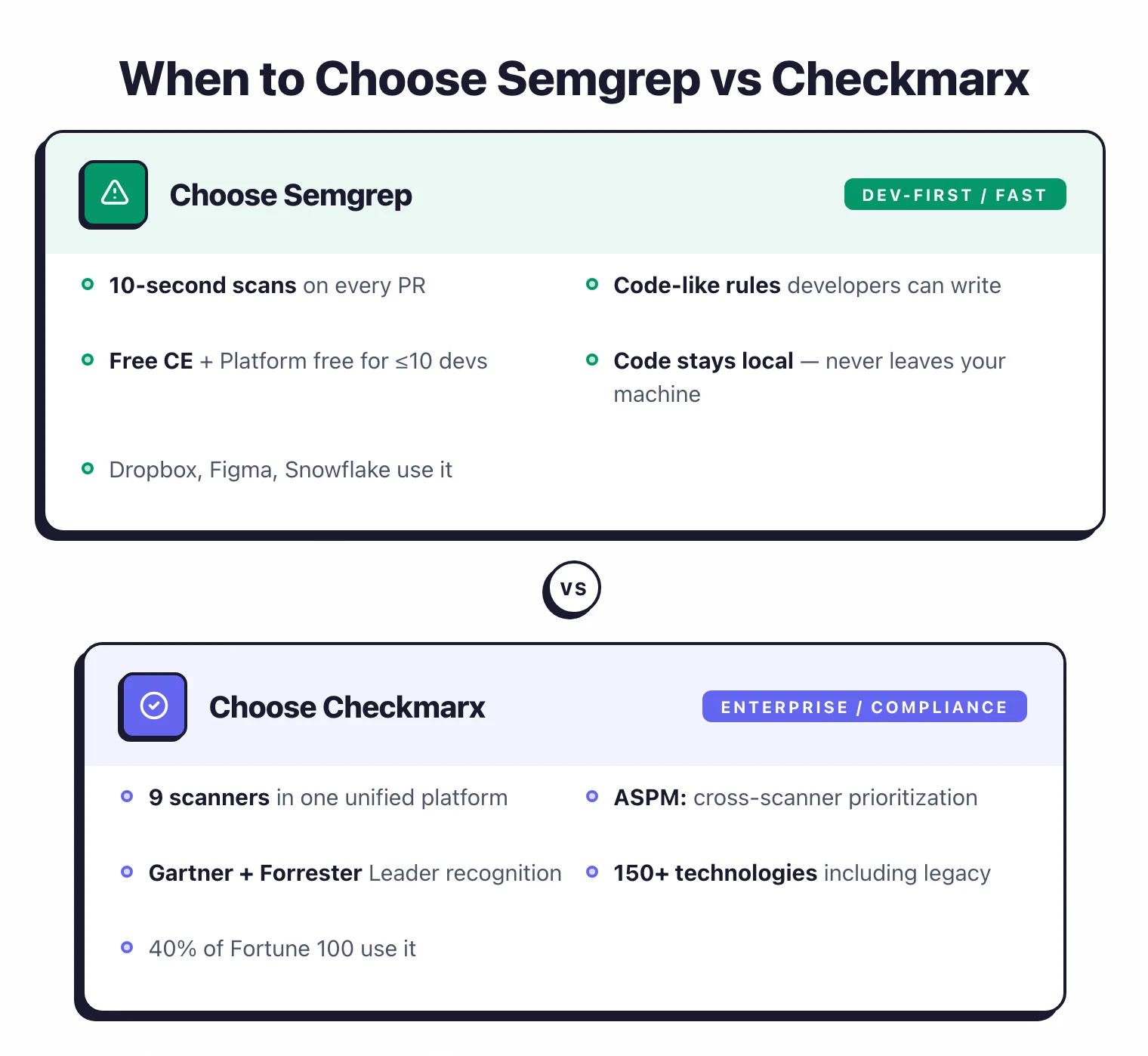
Both tools handle SAST well but serve different audiences. Semgrep is the developer-friendly choice, built on speed, simplicity, and open source.
Checkmarx is the enterprise choice with maximum coverage, compliance recognition, and centralized vulnerability management. Some teams run both — Semgrep for fast PR-level checks and Checkmarx for full scans and compliance reporting.
For more options, browse AppSec Santa’s SAST tools category.
Frequently Asked Questions
Is Semgrep better than Checkmarx?
Is Semgrep free?
How fast is Semgrep compared to Checkmarx?
What languages does each tool support?
Can I use Semgrep and Checkmarx together?

Written & maintained by
Suphi CankurtEight years on the vendor side of application-security sales — thousands of evaluations and demos. I started AppSec Santa in 2022 to put that insider view to work for buyers. Independent of any vendor, paid by none, and honest about what fits whom.