

Semgrep is a SAST tool that finds bugs and security vulnerabilities using pattern-matching rules that look like the code you’re scanning.
It comes in two forms: Semgrep Community Edition (CE), the free, open-source CLI under LGPL-2.1, and the Semgrep AppSec Platform, which adds cross-file analysis, SCA, secrets detection, and team management on top.
The project has 15,555 GitHub stars, and the company (formerly Return to Corp) lists Dropbox, Figma, and Snowflake among its users.
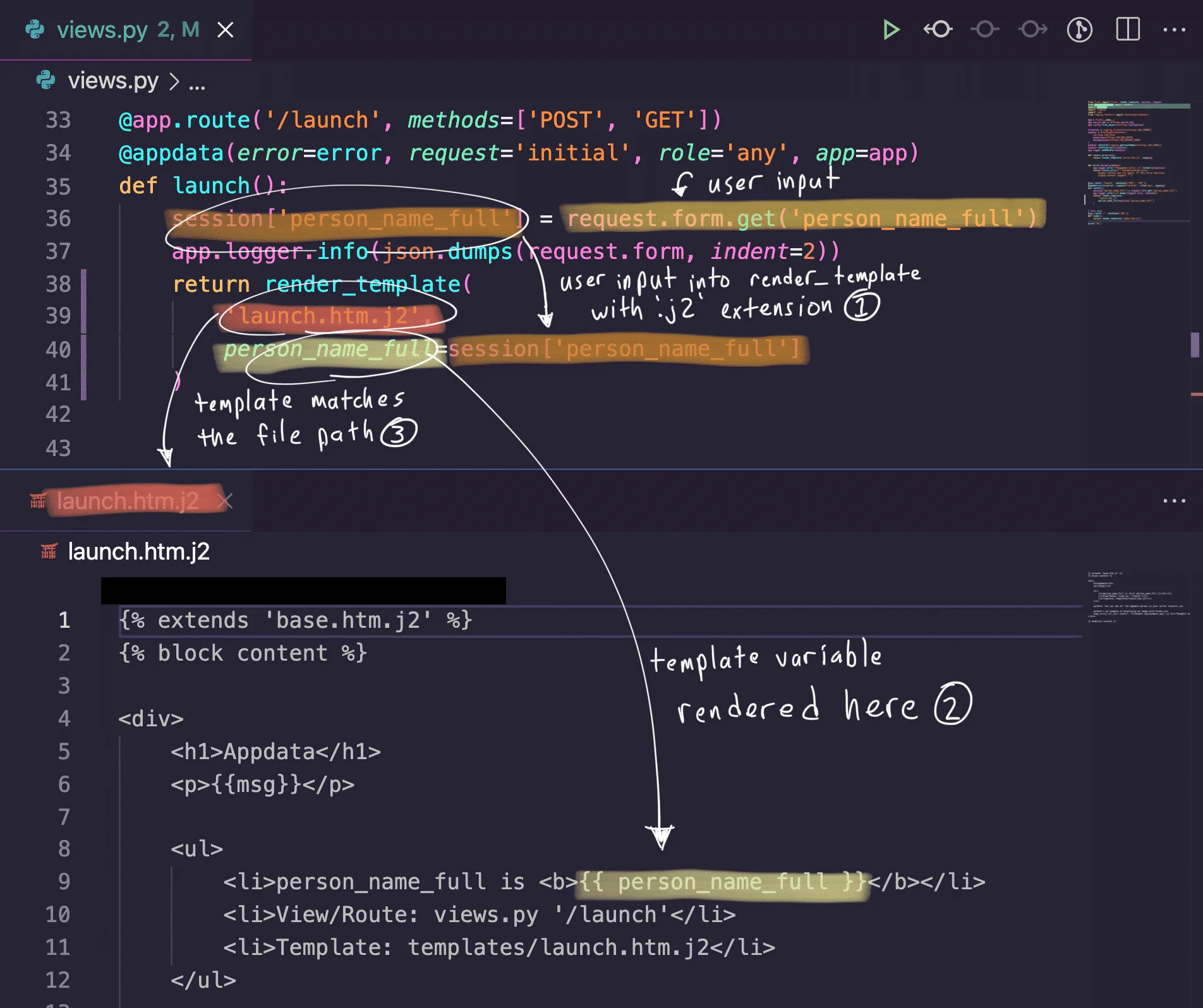
The rule syntax is the main differentiator. Instead of writing abstract regex or custom DSLs, you write rules that resemble the source code you want to match.
Custom rule creation takes minutes, not hours. Semgrep’s registry lists 3,000+ community rules, and the company says the Platform adds 20,000+ proprietary ones.
Semgrep is a common pick for PR-time scanning. The rule language reads like the code it matches, so writing a custom rule for a repo-specific bug pattern takes minutes instead of hours.
The open-source CLI covers the free tier; the paid Semgrep Cloud Platform adds dataflow and a managed rules registry. PR-level scanning is the common deployment because the scan time stays under what developers will tolerate.
v1.160.0 (April 16, 2026): Scala parsing moved to tree-sitter with a pfff fallback — the last major language that was still pfff-only. Scala 3 syntax support should stop being flaky. Pro-engine taint now tracks through variadic functions, cutting missed sinks in Python and Go code that routes user input through
log.Printf-style helpers. Follows v1.158 / v1.159 from last week, which redesigned Pro inter-file taint analysis with a claimed 20–40% speedup.
What is Semgrep?
Semgrep Community Edition (CE) is a free, open-source static analysis tool (LGPL-2.1) that scans 30+ programming languages using pattern-matching rules.
CE performs single-file analysis — it matches patterns within individual files but does not trace data flow across file boundaries.
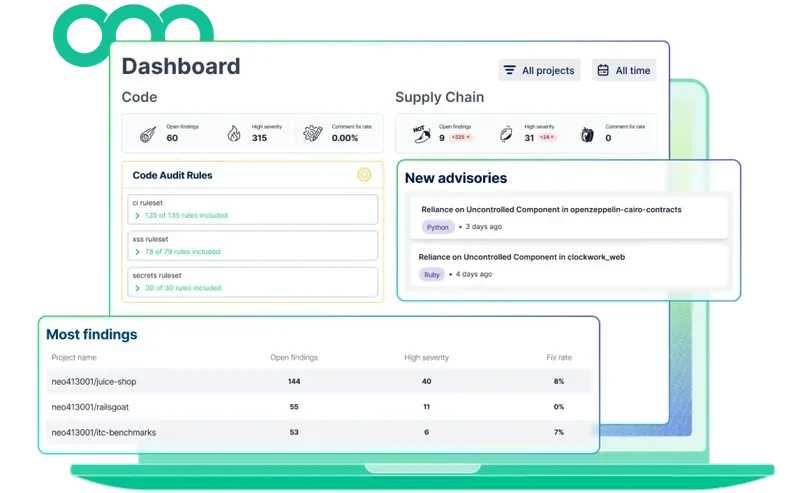
The Semgrep AppSec Platform extends CE with cross-file dataflow analysis (Semgrep Code), software composition analysis (Semgrep Supply Chain), secrets detection (Semgrep Secrets), and AI-powered triage (Semgrep Assistant).
| Capability | Details |
|---|---|
| 30+ Languages | Covers Apex, Bash, C, C++, C#, Go, Java, JavaScript, TypeScript, Python, Ruby, Rust, Kotlin, PHP, Swift, Scala, Terraform, Dockerfile, and more. A generic mode handles unsupported formats. |
| Code-Like Rules | Rules resemble the source code they match. No regex or custom DSLs to learn. Semgrep’s registry lists 3,000+ community rules; the company says the Platform adds 20,000+ proprietary ones. |
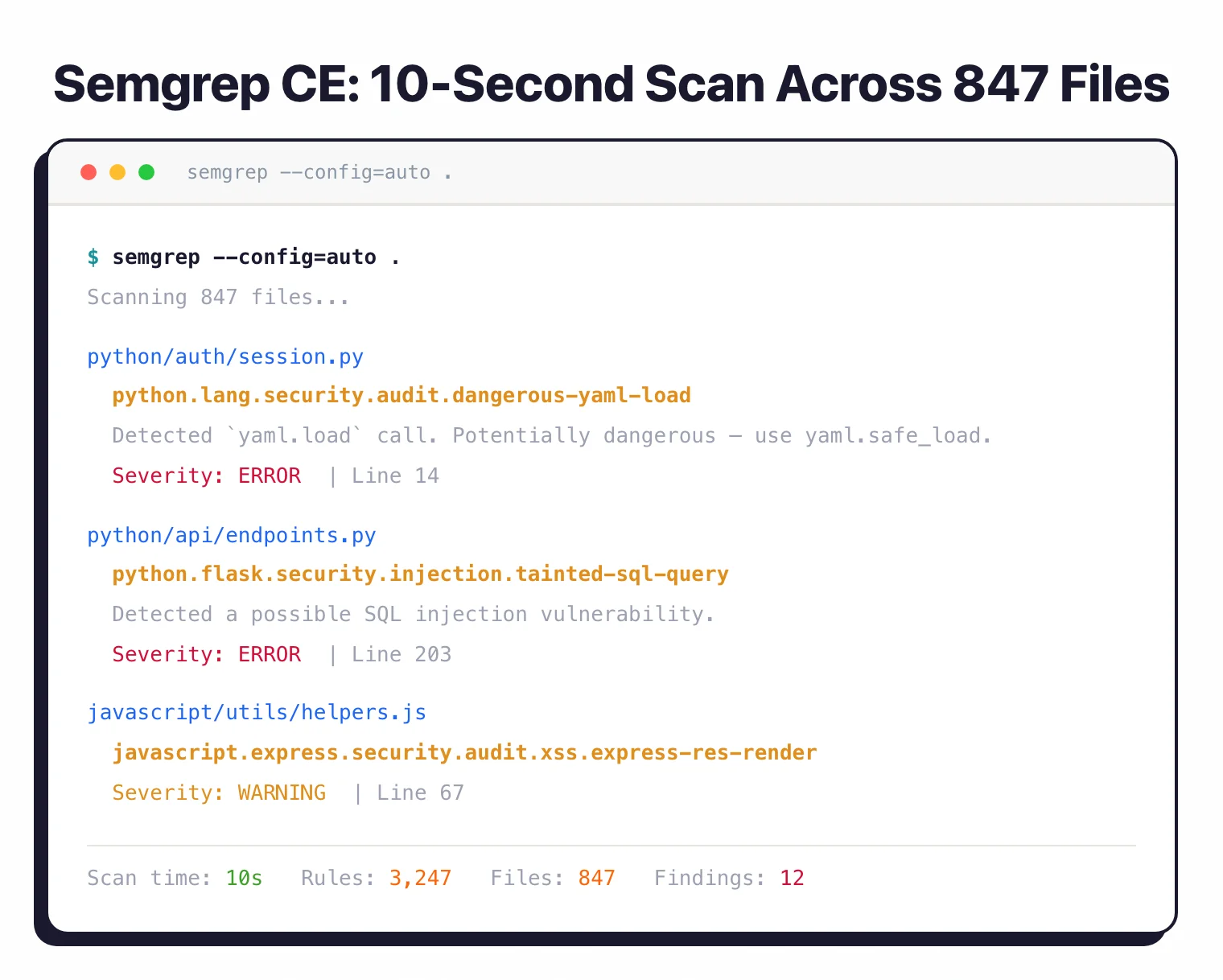
| 10-Second Scans | Semgrep reports a 10-second median CI scan time. Runs locally by default. Code never leaves your machine unless you opt into the cloud platform. |
Pick your next step
See alternatives
Compare Semgrep against the other SAST engines I've tested, with strengths and gaps for each.
→Semgrep vs CodeQL
Head-to-head on rule syntax, dataflow depth, language coverage, and pricing for the two big pattern-based scanners.
→OpenGrep fork
Community fork that restored cross-function taint analysis and other features moved behind Semgrep's paid tier.
→
Semgrep Community Edition (Free & Open Source)
Semgrep CE is the open-source CLI licensed under LGPL-2.1. It performs single-file, single-function static analysis across 30+ languages.
CE is what made Semgrep popular: fast, simple to install, and good at catching security patterns within individual files.
What CE includes:
- Single-file pattern matching and taint analysis (intrafile only)
- 3,000+ community rules from the Semgrep Registry
- Support for 30+ languages
- CLI-only operation — no dashboard, no cloud upload
- SARIF, JSON, and human-readable output formats
- Custom rule authoring in YAML
What CE does not include:
- Cross-file dataflow analysis (data tracing across file boundaries)
- Pro rules (20,000+ by Semgrep’s count, curated by its research team)
- SCA, secrets detection, or AI triage
- Team dashboards or centralized policy management
CE is a strong fit for individual developers, penetration testers, and small teams that want fast, free SAST they can extend with custom rules. For ad-hoc security scans and enforcing coding standards within single files, CE is genuinely useful on its own.
# Install CE
brew install semgrep

# Run with auto config (uses recommended rules)
semgrep --config=auto .

# Run with a specific rule from the registry
semgrep --config=p/ci .
yaml.load(...) rather than a regex. Developers can write and review security rules without learning a separate language.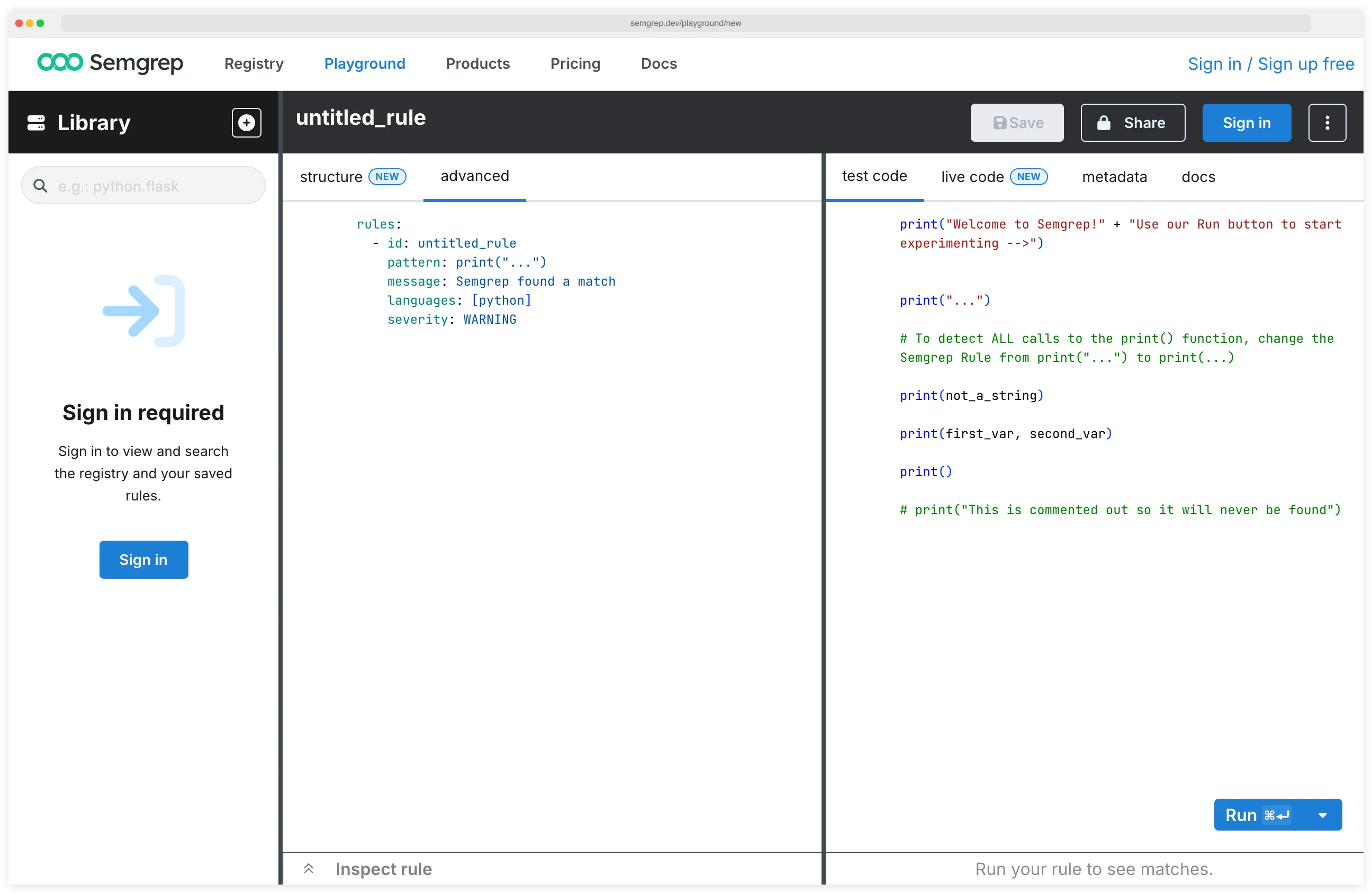
Semgrep AppSec Platform
The Semgrep AppSec Platform is the commercial product built on top of CE. It adds cross-file analysis, SCA, secrets detection, AI triage, and team management. The Platform is free for up to 10 contributors.
Semgrep Code (SAST with cross-file analysis)
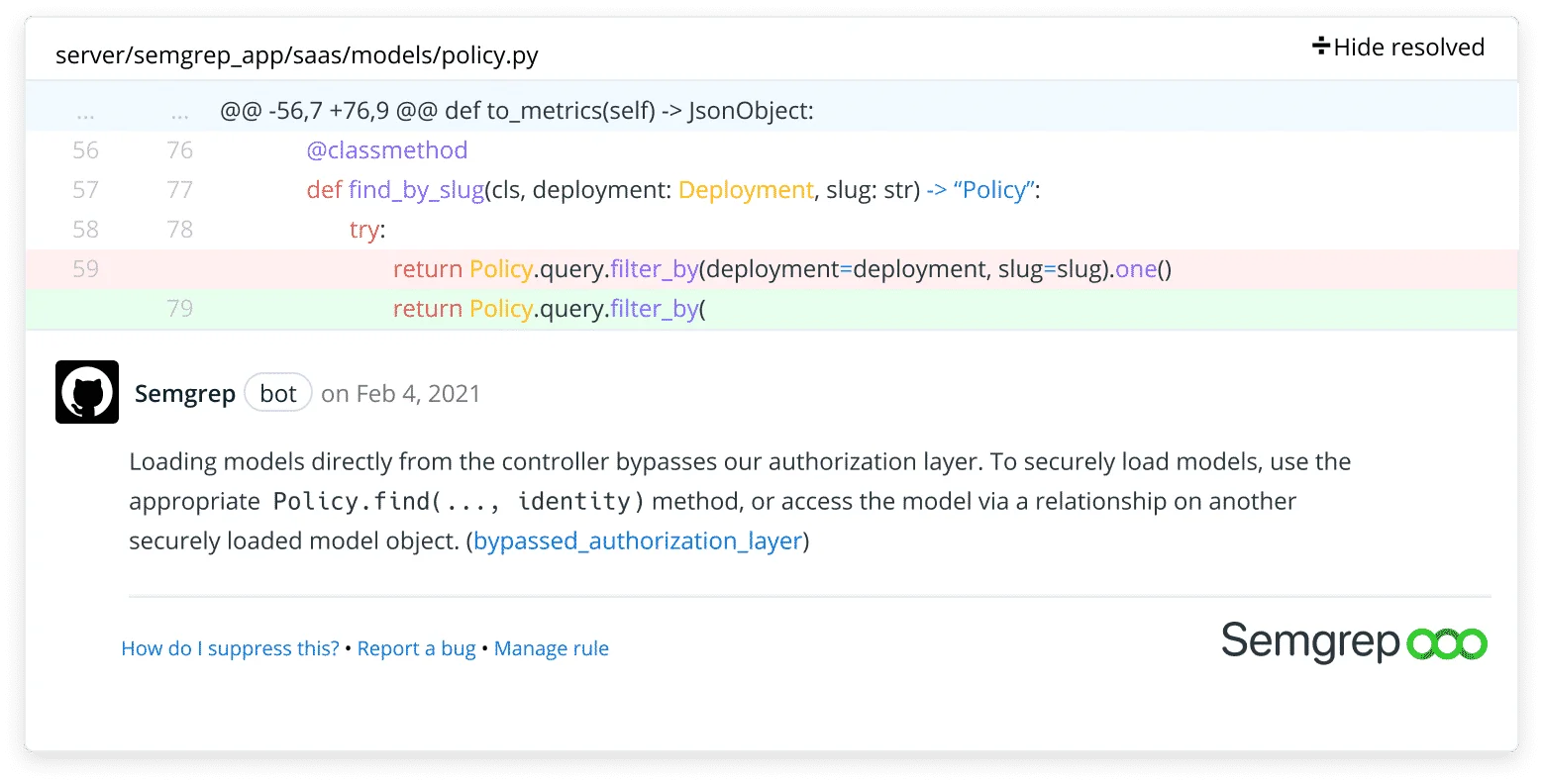
Semgrep Code adds cross-file and cross-function dataflow analysis on top of CE’s pattern matching.
This means it can trace user-controlled input from an HTTP parameter in one file, through a service layer in another, to a SQL query in a third — and flag the injection vulnerability only if no sanitization exists along the path.
In a benchmark Semgrep commissioned from Doyensec, Semgrep Code detected 72% of WebGoat vulnerabilities versus 48% for CE, and 75% vs 44% on Juice Shop. Doyensec kept editorial control, but these are vendor-funded results on two deliberately vulnerable training apps — not an independent test across competing scanners.
Semgrep Supply Chain (SCA)
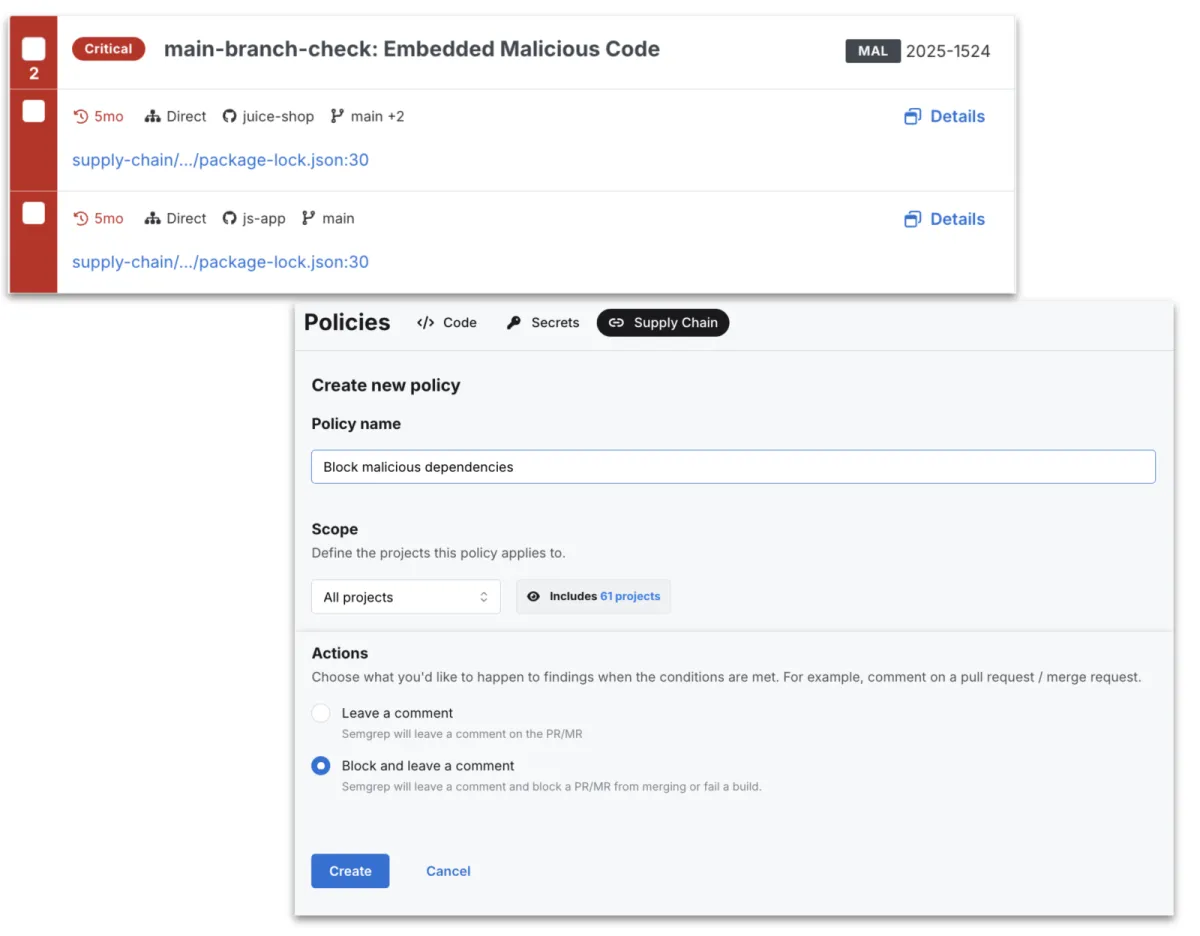
Checks open-source dependencies for known vulnerabilities, then uses reachability analysis to determine whether your code actually calls the vulnerable function. CVEs in dependencies you import but never invoke get filtered out.
Semgrep Secrets
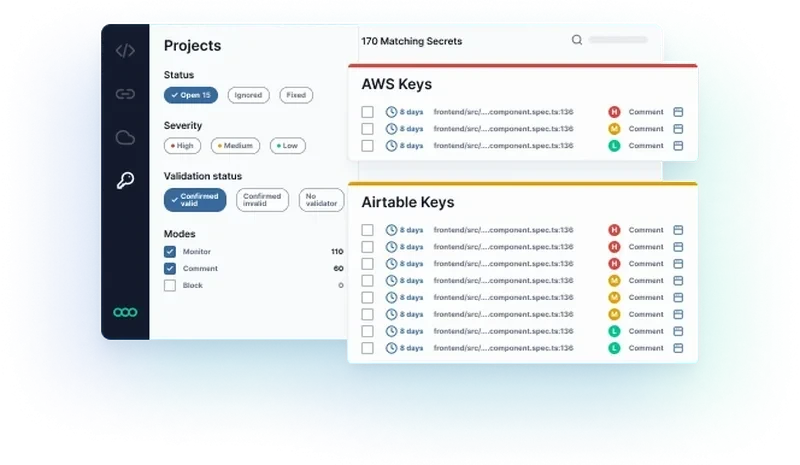
Scans source code for hardcoded credentials, API keys, and tokens. Goes beyond regex pattern matching by using semantic analysis to reduce false positives from test fixtures and example strings.
Semgrep Assistant
An AI layer that triages findings and suggests fixes. It adds context to each finding, explaining what the vulnerability is and how to remediate it, so developers don’t have to research every rule ID themselves.
Semgrep reports that its own security researchers agree with Assistant’s triage calls about 96% of the time — a vendor-reported agreement rate on customer findings, not an independent accuracy benchmark.
Platform pricing
| Tier | Price | Contributors | Repositories | Includes |
|---|---|---|---|---|
| Free | $0 | Up to 10 | 10 private + unlimited public | Code + Supply Chain + Secrets |
| Teams | $30/month per contributor | Unlimited | Up to 500 | SSO, REST API, dedicated support |
| Enterprise | Custom | Unlimited | Unlimited | Dedicated infra, custom onboarding |
CE vs Platform: feature comparison
| Feature | Semgrep CE (Free) | Semgrep AppSec Platform |
|---|---|---|
| License | LGPL-2.1 (open source) | Commercial (free tier available) |
| Analysis scope | Single-file only | Cross-file and cross-function dataflow |
| Detection rate (WebGoat) | ~48% | ~72% |
| Detection rate (Juice Shop) | ~44% | ~75% |
| Languages | 30+ | 30+ |
| Rules | 3,000+ community | 3,000+ community + 20,000+ pro |
| SCA | No | Yes (reachability analysis) |
| Secrets detection | No | Yes (semantic analysis) |
| AI triage | No | Yes (Semgrep Assistant) |
| Dashboard | No (CLI only) | Yes (web dashboard) |
| PR comments | No | Yes |
| Team management | No | Yes |
| Price | Free | Free (10 contributors, 10 private repos) / $30/mo / Custom |
Detection rates come from a Semgrep-commissioned Doyensec benchmark on WebGoat and Juice Shop — vendor-funded and app-specific, so read them as directional rather than a universal cross-scanner score.
When to choose CE vs the Platform
Choose Semgrep CE if:
- You’re an individual developer or penetration tester running ad-hoc scans
- Single-file pattern matching covers your use case
- Budget is zero and you want a solid, extensible SAST engine
- You maintain open-source projects and want free security scanning
- Custom rule authoring for single-file patterns is your main need
Choose the Semgrep AppSec Platform if:
- You need to trace data flow across file boundaries (injection vulnerabilities, auth bypasses)
- Your team has more than a handful of developers and needs dashboards and policy management
- SCA with reachability analysis and secrets detection round out your security stack
- You want the 20,000+ Pro rules Semgrep says it maintains through its security research team
- The free tier (10 contributors, 10 private repos) covers your team size
Installation
| Method | Command |
|---|---|
| Homebrew | brew install semgrep |
| pip | python3 -m pip install semgrep |
| Docker | docker run --rm -v "${PWD}:/src" semgrep/semgrep semgrep --config=auto |
How do I get started with Semgrep?
- Install Semgrep CE — Use
brew install semgrep,pip install semgrep, or Docker. The CLI is a single binary with no dependencies. - Run your first scan — Run
semgrep --config=auto .in your project directory. This pulls the recommended ruleset and finishes in seconds. - Write a custom rule — Create a YAML file with a pattern that looks like the code you want to find. Test it interactively at semgrep.dev/editor.
- Add to CI — Run
semgrep ciin your pipeline. Official configs exist for GitHub Actions, GitLab CI, Jenkins, Buildkite, and CircleCI.
Who uses Semgrep
Used by Lyft, Dropbox, Snowflake, HashiCorp, Trail of Bits, GitLab, and Figma. For a detailed comparison with other tools, see the guides on Semgrep alternatives and Semgrep vs CodeQL . OpenGrep is a community-governed fork created in January 2025 that restores cross-function taint analysis and other features Semgrep moved behind its commercial platform. For language-specific static analysis, see Infer (Meta’s analyzer for Java/C/C++/Objective-C) and PHPStan (PHP type analysis).
What are alternatives to Semgrep?
For teams comparing rule-driven SAST options to Semgrep, the closest substitutes are:
- GitHub CodeQL — query-based SAST with deeper interprocedural analysis; preferred when codebases already live on GitHub and teams accept the QL learning curve in exchange for richer taint analysis on proprietary code.
- Snyk Code — developer-first SAST with AI-powered triage; chosen when Snyk’s SCA, container, and IaC products are already in use.
- Checkmarx One — enterprise SAST with strong compliance and governance features; usually picked when policy reporting and SLAs matter more than rule expressiveness.
- SonarQube — multi-language quality and security platform; chosen when quality gates and pull-request workflows matter more than security depth.
- Opengrep — community fork of Semgrep’s open-source CE engine following the 2024 license change; a fit when teams want the original Semgrep CE rules under a permissive license without the AppSec Platform tie.
For a feature-by-feature view, the Semgrep vs CodeQL guide and the SAST tools hub cover the full landscape.