
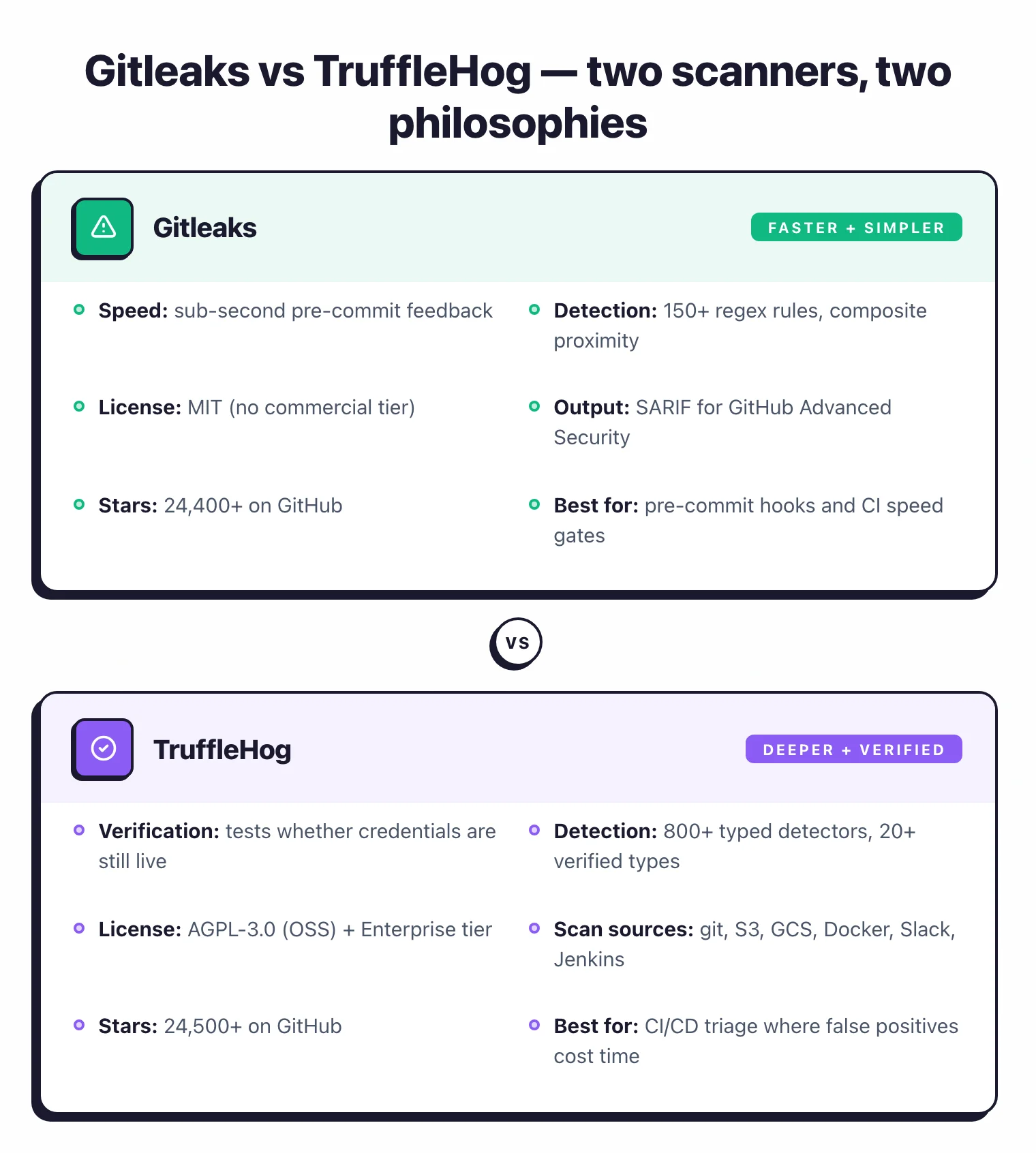
- Gitleaks is faster and simpler — ideal as a pre-commit hook that blocks secrets before they enter git history.
- TruffleHog’s killer feature is credential verification — it tests whether detected secrets are still active, reducing false positive triage.
- For most teams, running Gitleaks pre-commit and TruffleHog in CI/CD gives the best coverage: speed at commit time, depth in the pipeline.
Gitleaks and TruffleHog are the two most popular open-source secret scanning tools, with a combined 51,000+ GitHub stars.
Secret scanning is the practice of inspecting source code, git history, and related systems for exposed credentials like API keys, tokens, and passwords before they reach production or get indexed on the public internet.
Gitleaks is faster and simpler. It scans git repositories using regex patterns and works best as a pre-commit hook that blocks secrets in milliseconds.
TruffleHog goes deeper by verifying whether detected credentials are still active and scanning beyond git into S3 buckets, Docker images, and Slack workspaces.
Most security teams I’ve seen run both: Gitleaks pre-commit for speed, TruffleHog in CI/CD for depth.
Direct answer: Use Gitleaks if you need a fast pre-commit hook that blocks secrets in under a second with MIT-licensed simplicity; use TruffleHog if you need credential verification (confirming leaked secrets are still live) or scanning beyond git into S3, Docker, and Slack. Most teams run both — Gitleaks pre-commit, TruffleHog in CI.
Which Is Better: Gitleaks or TruffleHog?#
Gitleaks is the fast, lightweight option. It scans git repositories for secrets using regex patterns, runs in milliseconds as a pre-commit hook, and produces output in SARIF format for GitHub Advanced Security integration.
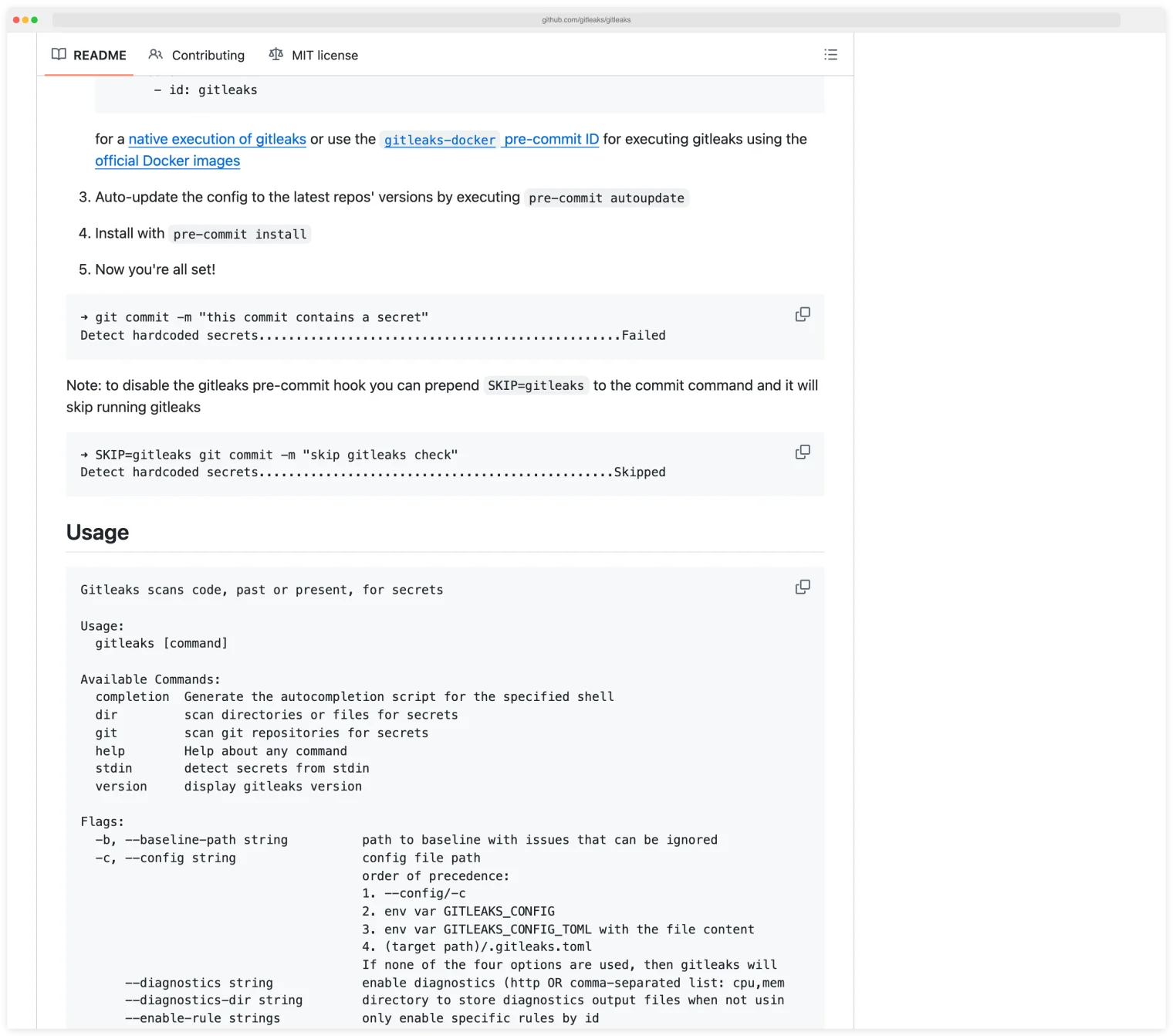
A pre-commit hook is a script git runs automatically before every commit, which gives developers instant local feedback if a secret is about to land in history.
Install Gitleaks, configure a .gitleaks.toml, and pre-commit blocking is ready in five minutes.
TruffleHog goes deeper. It detects 800+ secret types across git repositories, S3 buckets, Docker images, Slack, Jenkins, and other sources.
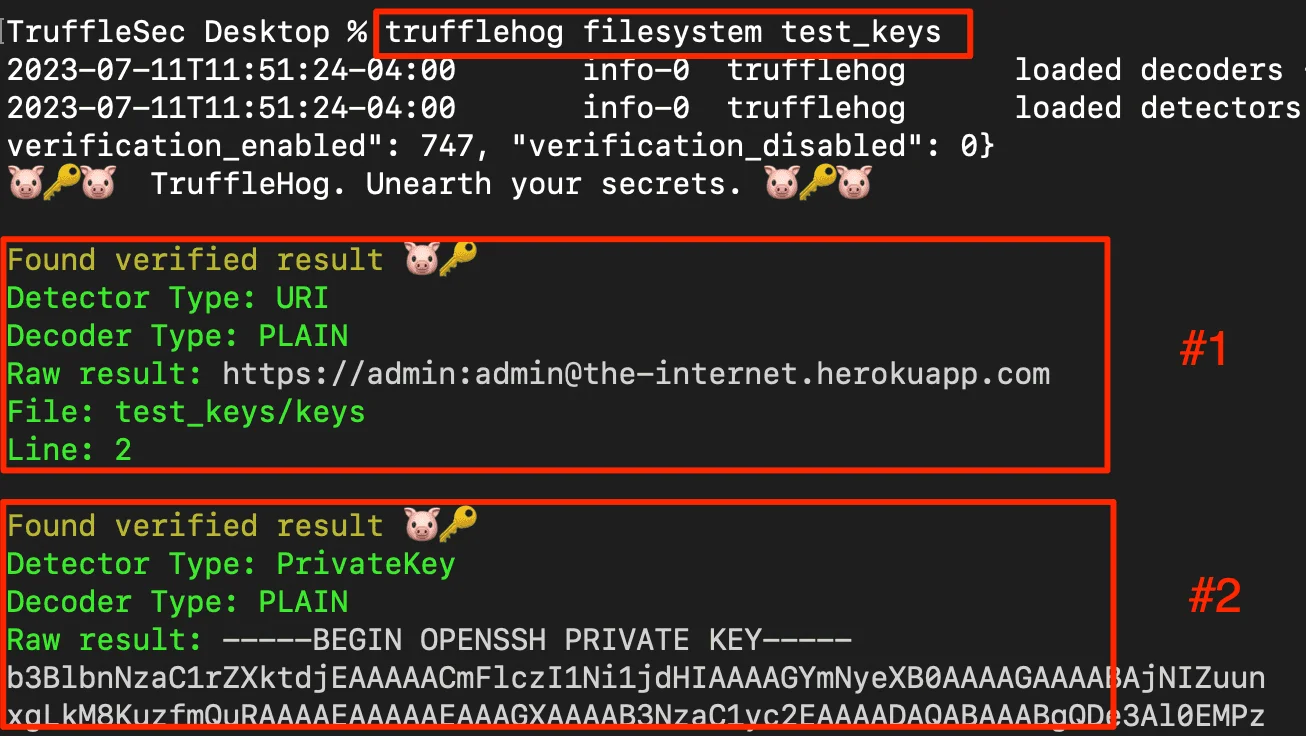
Credential verification is its defining feature: TruffleHog tests whether a detected secret is still active by attempting authentication against the service. That removes the class of false positives where a credential matches a pattern but has already been revoked.
Verification matters more than it sounds. More than 64% of credentials confirmed valid in 2022 were still valid four years later, per the data in my Secrets Sprawl Statistics .
Key Insight
The short answer: Use Gitleaks as your pre-commit hook for speed. Use TruffleHog in your CI/CD pipeline for depth and verification. Most security teams run both.
Pick your next step
Compare with GitGuardian
Managed-platform alternatives to Gitleaks and TruffleHog — GitGuardian, Wiz Code, and the rest with dashboards and incident workflows.
→All secret-scanning tools
The full secret-scanning landscape: open-source CLIs, GitHub-native scanners, and managed platforms ranked on coverage and verification.
→OSS SAST overview
Free SAST scanners beyond secrets — Semgrep, Bandit, CodeQL, and the rest of the open-source static analysis stack.
→What Are the Key Differences?#
| Feature | Gitleaks | TruffleHog |
|---|---|---|
| License | MIT (fully free) | AGPL-3.0 (free) / Commercial (Enterprise) |
| GitHub Stars | 26,000+ | 25,700+ |
| Maintained By | Zach Rice + community | Truffle Security |
| Secret Patterns | 150+ regex rules | 800+ typed detectors |
| Credential Verification | No | Yes (tests if secrets are live) |
| Scan Sources | Git repos, directories, files, stdin | Git, GitHub orgs, S3, GCS, Docker, Slack, Jenkins, CircleCI, Travis CI, Elasticsearch, Postman |
| Pre-Commit Hook | Yes (official) | Yes |
| Git History Scan | Yes | Yes |
| Identity Mapping | No | Yes (maps secrets to accounts/permissions) |
| Output Formats | JSON, CSV, JUnit, SARIF, custom templates | JSON, text |
| GitHub Action | gitleaks/gitleaks-action@v2 | trufflesecurity/trufflehog@main |
| Custom Rules | TOML config (.gitleaks.toml) | Regex + keyword detectors |
| Composite Rules | Yes (v8.28.0+, proximity constraints) | No |
| Baseline Support | Yes (skip known findings) | No |
| Installation | Homebrew, Docker, binary | Homebrew, Docker, binary |
| Written In | Go | Go |
Gitleaks vs TruffleHog: How Do They Compare?#
Detection approach#
Gitleaks uses regex patterns to match known secret formats. Each rule in the .gitleaks.toml configuration file defines a pattern (for example, the format of an AWS access key) and optional keywords that must appear nearby.
When a string matches, Gitleaks reports it. The default ruleset covers 150+ patterns including AWS keys, GitHub tokens, Slack webhooks, database connection strings, and private keys.
TruffleHog takes a detector-based approach. Each of its 800+ detectors is purpose-built for a specific credential type.
A detector knows the pattern of an AWS key and also how to validate it against the AWS API. So TruffleHog classifies each finding by type and can determine whether the credential is active, inactive, or indeterminate.
Key Insight
Gitleaks tells you "this string matches the pattern of an AWS access key." TruffleHog tells you "this is an active AWS access key with permissions to read S3 buckets in us-east-1." The second is far more actionable.
Speed and performance#
Gitleaks is faster. It compiles regex patterns and scans text against them with no network calls, no API verification, and no multi-source enumeration. For pre-commit hooks, this speed matters.
A developer runs git commit and gets feedback in under a second on typical repositories. There is no perceptible delay in the workflow.
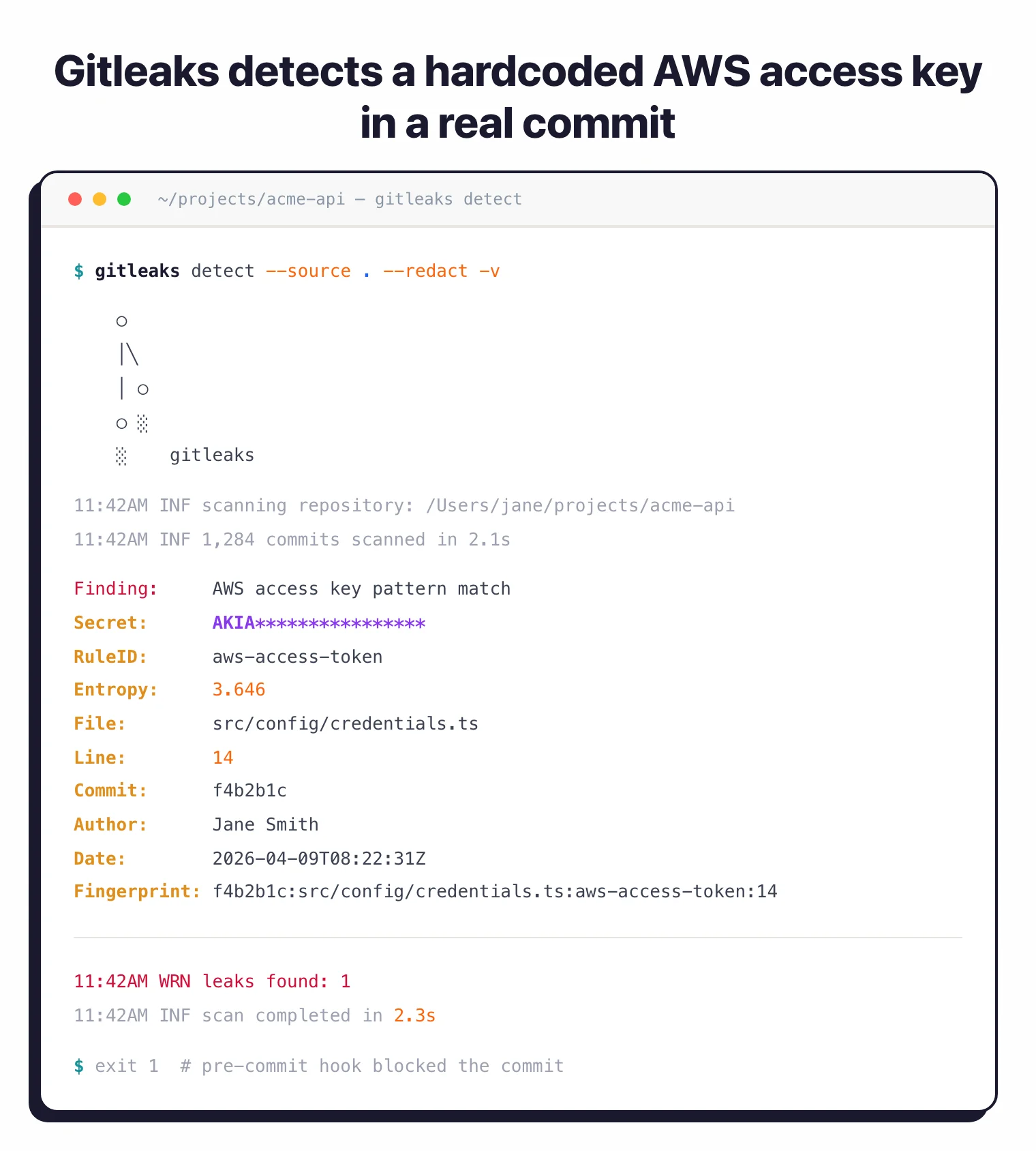
TruffleHog is slower because it does more. Credential verification requires network requests to external services, and scanning non-git sources (S3 buckets, Docker images, Slack) adds time.
A full organization scan with TruffleHog can take minutes or hours depending on the number of repositories and sources.
For CI/CD pipelines, that speed is acceptable. Pull request scans can be limited to the diff with --since-commit, and verification can be disabled with --no-verification when speed matters more than confirmation.
For pre-commit hooks where sub-second response is expected, Gitleaks is the better fit.
Credential verification#
Credential verification is the process of testing whether a detected secret still authenticates against its origin service, which turns a pattern match into a confirmed live leak. It is TruffleHog’s defining feature.
When TruffleHog finds what looks like an AWS access key, it makes an API call to AWS to check if the key is valid. For GitHub tokens, it hits the GitHub API. For Slack webhooks, it tests the webhook URL.
This verification runs against 20+ common credential types with deep permission analysis that maps the secret to its owning account and scopes.
The --results=verified flag filters output to only confirmed active credentials, which changes how triage works.
Instead of reviewing 200 findings to figure out which ones matter, the security team sees only the 15 credentials that are actually working and need immediate rotation.
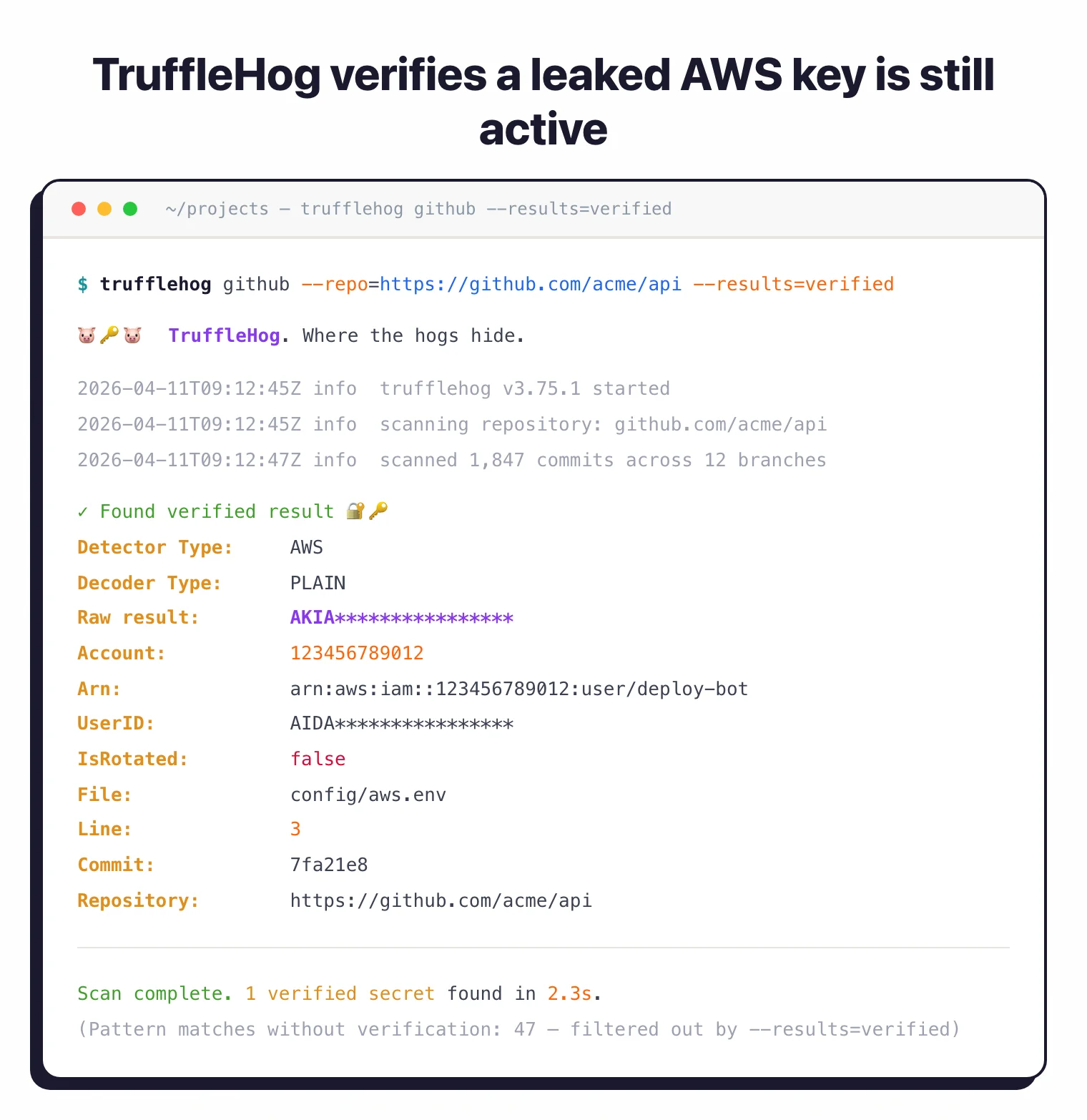
Gitleaks does not verify credentials. It reports pattern matches.
Note: Gitleaks pattern-matches; it does not confirm the secret is live. Treat every Gitleaks finding as "looks like a credential", not "is an active credential" — and budget triage time accordingly.
Some matches are real secrets, some are test strings, some are already-revoked credentials. Teams manage this through allowlists in .gitleaks.toml and baseline reports that exclude known findings.
It works, but it requires ongoing tuning.
Scan sources#
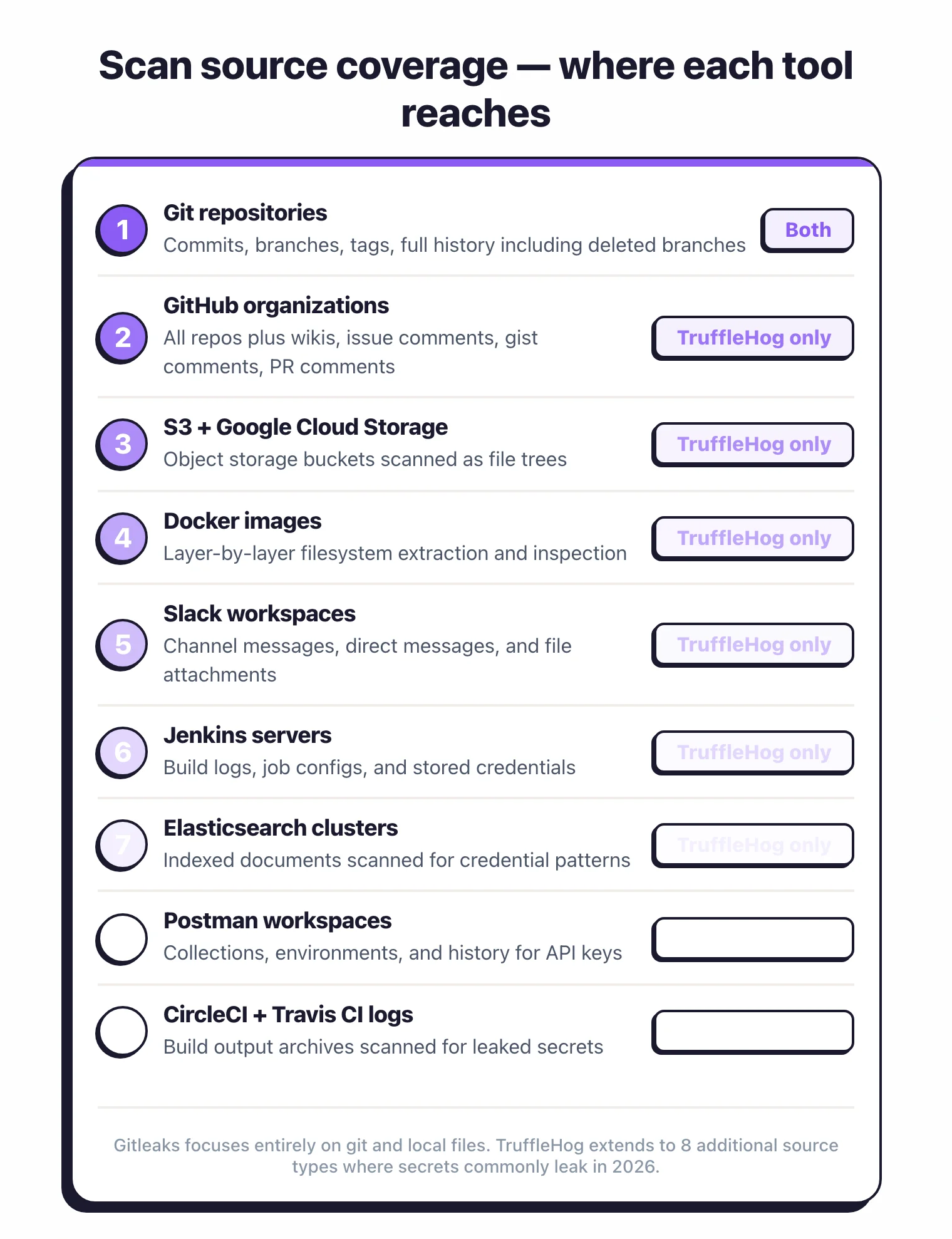
Gitleaks scans three things: git repositories (including full history), directories, and files/stdin. It is focused entirely on code and configuration files.
If a secret exists in a git commit, a config file, or a directory structure, Gitleaks finds it.
TruffleHog scans a much broader surface. Beyond git repositories, it covers:
- GitHub organizations including wikis, issue comments, gist comments, and PR comments
- S3 buckets and Google Cloud Storage
- Docker images (extracts layers and scans filesystem contents)
- Slack workspaces
- Jenkins servers
- Elasticsearch clusters
- Postman workspaces
- CircleCI and Travis CI build logs
For teams where secrets might leak through Slack messages, Docker images, or CI/CD logs, TruffleHog is the only open-source option that covers those surfaces. Gitleaks cannot scan any of these sources.
Configuration and custom rules#
Gitleaks uses a TOML configuration file (.gitleaks.toml). Each rule has a regex pattern, optional keywords, and allowlist entries.
Recent Gitleaks versions support composite rules that combine a primary rule with auxiliary rules that must match within a specified proximity (by line or column count). Allowlists work at both rule-specific and global levels, and the configuration is straightforward and well-documented.
TruffleHog supports custom regex detectors with keyword anchoring. You define a detector with a name, keywords that must appear near the match, and one or more regex patterns.
The custom detector system is functional but less mature than the Gitleaks TOML-based configuration. Most teams rely on TruffleHog’s 800+ built-in detectors rather than writing custom ones.
Output and integration#
Gitleaks outputs in JSON, CSV, JUnit, SARIF, and custom Go templates. SARIF (Static Analysis Results Interchange Format) is a JSON-based standard that GitHub Advanced Security , Azure DevOps, and most IDE plugins understand natively.
Upload SARIF output to GitHub Advanced Security and findings appear in the Security tab alongside CodeQL and Dependabot results. That gives security teams a unified view without switching tools.
TruffleHog outputs in JSON and human-readable text. There is no SARIF support.
For GitHub integration, you parse the JSON output and create annotations or comments through separate tooling.
The --fail flag exits with code 183 on findings, which is enough for CI/CD gating but less integrated than the Gitleaks SARIF workflow.
Community and maintenance#
Both tools have strong community adoption and active maintenance. Gitleaks has 26,000+ GitHub stars and is maintained by Zach Rice and the open-source community.
It ships under the MIT license with no commercial tier for the CLI tool.
TruffleHog has 25,700+ GitHub stars and is maintained by Truffle Security, a venture-backed company. The open-source version is AGPL-3.0 .
Truffle Security also offers TruffleHog Enterprise with centralized dashboards, team management, and priority support. The commercial backing means the TruffleHog detector library grows quickly, with new credential types added regularly.
Pricing comparison#
Gitleaks and TruffleHog both ship as free open-source CLIs, so the pricing question splits into two parts: the OSS scanner versus the commercial cloud offering each project has spawned.
Gitleaks is MIT-licensed under the gitleaks GitHub organization. The CLI is free for any use — local scans, CI, monorepos. There is no Gitleaks-branded commercial cloud product; teams that want hosted secret scanning typically pair Gitleaks with GitHub Secret Scanning or pay for GitGuardian on top.
TruffleHog the OSS scanner is also free under the AGPL-3.0 license. The commercial counterpart is Trufflehog Enterprise by Truffle Security, which adds verified-secret detection at scale, posture management, and the ability to scan beyond Git (S3, Slack, Jira). Trufflehog Enterprise is sold through contact-sales on trufflesecurity.com ; there is no public price list. Both OSS scanners cost zero to run; the cost decision shows up only when a team needs centralized triage, reachability, or workflow integration on top.
When Should You Choose Gitleaks?#
Choose Gitleaks if:
- You need a fast pre-commit hook that blocks secrets in under a second
- Your scanning scope is git repositories and directories only
- SARIF output for GitHub Advanced Security integration is important
- You want a simple, single-binary tool with minimal configuration
- MIT licensing matters (AGPL-3.0 may be a concern in some environments)
- You prefer managing false positives through allowlists and baseline reports
When Should You Choose TruffleHog?#
Choose TruffleHog if:
- Credential verification is a priority — you want to know which secrets are still active
- You need to scan beyond git: S3 buckets, Docker images, Slack, Jenkins, or CI/CD logs
- Identity mapping (knowing which account owns a credential and what permissions it has) helps your triage process
- Scanning entire GitHub organizations (including wikis, issues, and gists) is a use case
- Fewer false positives through verification is worth the slower scan time
When to Use Both#
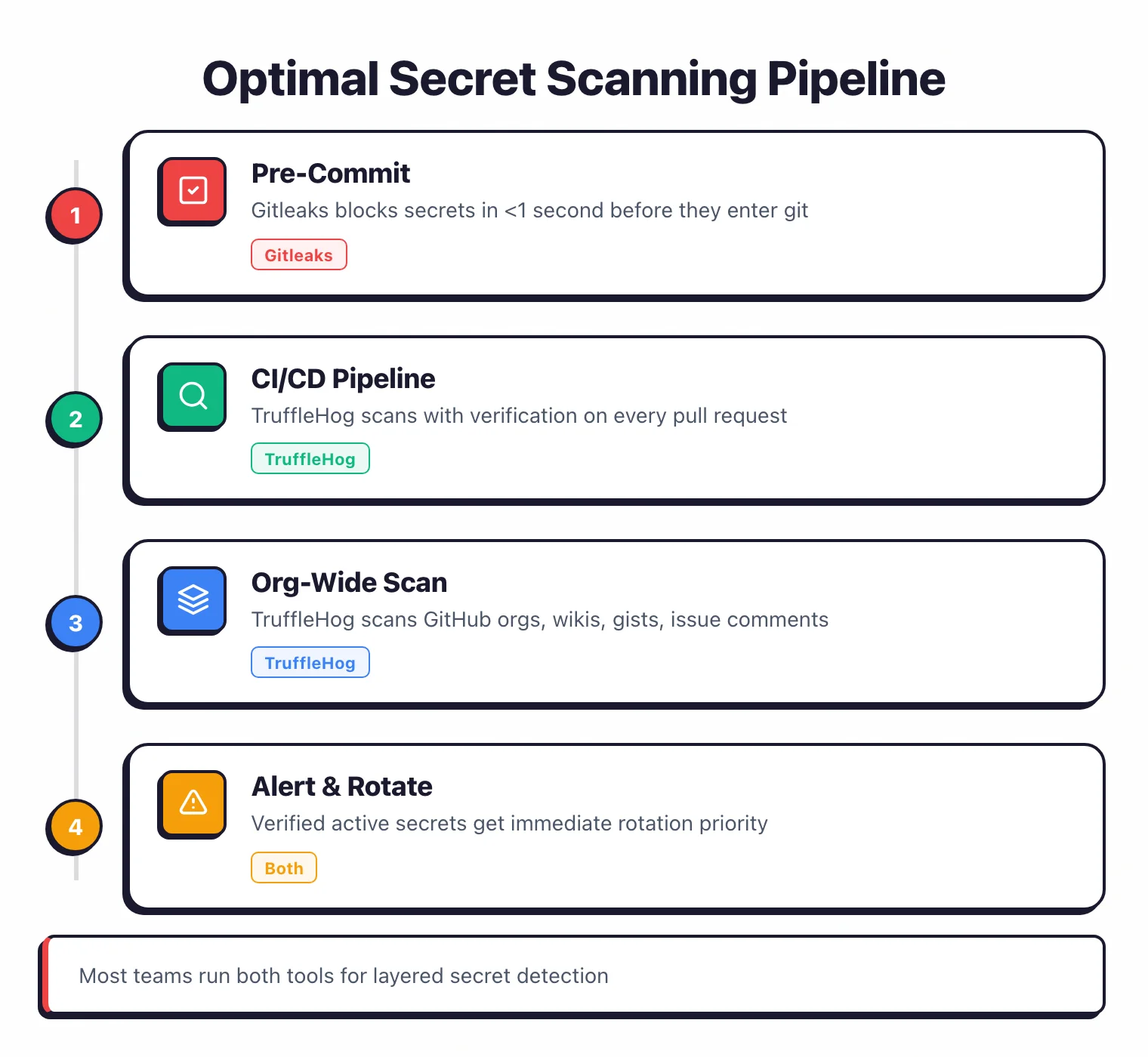
The most common production pattern I’ve seen is running both tools:
- Gitleaks pre-commit catches secrets before they reach the repository. Fast, local, zero network calls.
- TruffleHog in CI/CD scans with verification on every pull request. Confirms which findings are active threats.
This layered approach gives you speed at commit time and depth in the pipeline. Developers get instant feedback from Gitleaks, and the security team gets verified, triaged findings from TruffleHog.
Pro tip: Install Gitleaks via pre-commit install and add TruffleHog as a GitHub Action in .github/workflows/secrets.yml with --results=verified. Sub-second local feedback, verified-only CI findings, zero tuning on either tool.
For teams that want a managed platform instead of CLI tools, GitGuardian offers dashboards, incident workflows, and collaboration tool scanning. See GitGuardian Alternatives for the full list.
For a broader overview of all secret scanning options, read Secret Scanning Tools or the best open-source secret scanning tools comparison which ranks 7 free scanners on verification, baseline support, and CI/CD fit.
Browse more comparisons in the SAST tools category.
Visit either project#
- Gitleaks on GitHub — MIT-licensed, single-binary CLI
- TruffleHog on GitHub · TruffleHog Enterprise — verification engine + dashboards from Truffle Security
For a managed secret-scanning platform with incident workflows, GitGuardian is the most-used commercial option in the category.
Frequently Asked Questions
Should I use Gitleaks or TruffleHog?
Which tool has fewer false positives?
Can I use both Gitleaks and TruffleHog together?
Are Gitleaks and TruffleHog free?
Which tool is better for scanning Docker images?
Which is faster for pre-commit hooks?
Which is better for CI/CD pipelines?

Written & maintained by
Suphi CankurtEight years on the vendor side of application-security sales — thousands of evaluations and demos. I started AppSec Santa in 2022 to put that insider view to work for buyers. Independent of any vendor, paid by none, and honest about what fits whom.