
Best Open-Source Secret Scanning Tools
Top Alternatives
Git hook secret prevention

Native GitHub secret detection

Developer-first code security

Pre-commit and pre-push hook
- TruffleHog and Gitleaks are the two leaders in open-source secret scanning: TruffleHog’s standout feature is live verification against provider APIs (confirms a detected AWS key is actually valid), while Gitleaks leads on CLI speed and pre-commit hook ergonomics.
- detect-secrets (Yelp-maintained, Apache 2.0) powers many enterprise deployments because it generates a baseline file that lets teams mark known-safe strings and re-scan incrementally, ideal for legacy repositories with existing secrets.
- Trivy’s built-in secret scanner runs alongside its IaC, container, and SCA engines, so teams already using Trivy get secret detection without adding another tool.
- GitHub’s native secret scanning plus push protection is the strongest solution for GitHub-hosted code, but it’s part of GHAS pricing; open-source tools fill the gap for GitLab, Bitbucket, Azure DevOps, and self-hosted deployments.
- Every tool listed here detects 200+ credential patterns out of the box; the meaningful differentiators are verification (is the secret valid right now?), history-scanning speed, false-positive rate tuning, and baseline-file support.
The best open-source secret scanning tools in 2026 are TruffleHog, Gitleaks, detect-secrets, Trivy’s secrets module, and GitGuardian’s ggshield. Each catches exposed credentials in git history, CI logs, and filesystems. Verification, baseline support, and CI/CD fit are what separate them.
Why Choose Open-Source Secret Scanners?#
Leaked credentials are the most common path into production incidents. A hardcoded AWS key
in a forgotten config file, an API token checked into a personal fork, a .env uploaded to a public gist.
The cost of missing one is typically a breach notification; the cost of adopting a scanner is a CI minute per build.
Open-source secret scanners win on three dimensions. The first is platform neutrality. GitHub has excellent native secret scanning , but if your code lives on GitLab, Bitbucket, Azure DevOps, or any self-hosted Git host, you need a tool that runs anywhere.
Every option in this list runs as a single binary in any CI pipeline.
The second is verification . TruffleHog’s killer feature is checking whether a detected credential is currently valid against the provider’s live API.
A regex match for an AWS access key ID is a guess; a successful sts:GetCallerIdentity
call is proof. That collapses the false-positive triage problem that kills adoption of traditional scanners.
The third is customization. Regex-based detection is a commodity, so the real cost is tuning it to your environment: which patterns you care about, which known-safe strings to ignore, and how strict the pre-commit gate should be.
Open-source tools let you read and modify the rules. Commercial tools often lock the detection rules behind a paywall and expose only knobs.
The main trade-off is scope. Commercial secret scanners (GitGuardian, Spectral by Check Point, Trellix Enterprise) add SaaS dashboards, SIEM integration, historical scanning of all branches and forks, and developer remediation workflows.
Open-source tools give you the detection, not the operational scaffolding. For small-to-midsize engineering orgs running CI-gated deploys, the detection is usually enough.
Top Open-Source Secret Scanning Tools#
TruffleHog #
The most widely-adopted open-source secret scanner, now maintained by Truffle Security Co . AGPL-3.0 license, 26,000+ GitHub stars.
TruffleHog’s differentiator is verification. It ships detection patterns for 700+ credential types, and for a large subset it performs a live API call to confirm the credential is currently valid.
A detected AWS key triggers sts:GetCallerIdentity; a Slack webhook URL is posted with a benign test payload; a Stripe key queries the API version endpoint. Verified findings are labeled distinctly from pattern-only matches, so triage starts with the high-confidence set.
Scans git history, filesystems, S3 buckets, Docker images, Postman collections, GitHub organizations, Jira issues, and more. Output formats include JSON, SARIF, and a scrollable CLI view. The pre-commit hook works but is less polished than Gitleaks, TruffleHog is built around CI-side scanning more than IDE flow.
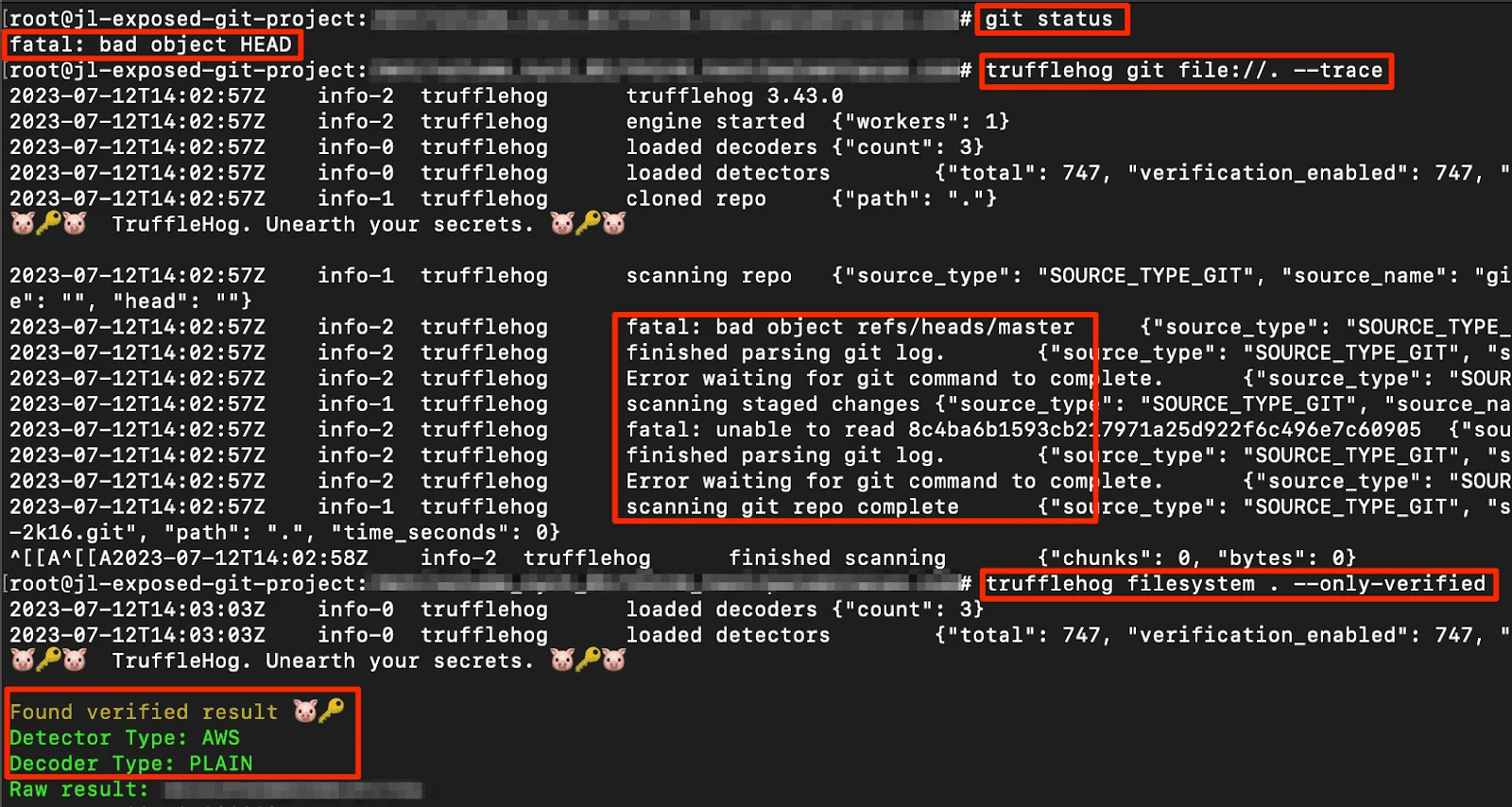
sts:GetCallerIdentity with it, then labels the finding as verified or unverified. Triage starts with the high-confidence set; regex-only guesses drop to the bottom. That collapses the false-positive problem that kills adoption of traditional scanners.Use TruffleHog when verification matters, when you scan across multiple sources (not just git), or when your CI can spend the extra seconds per scan that verification requires.
Gitleaks #
The CLI-first secret scanner, MIT licensed , 27,000+ GitHub stars. Built by Zach Rice, actively maintained.
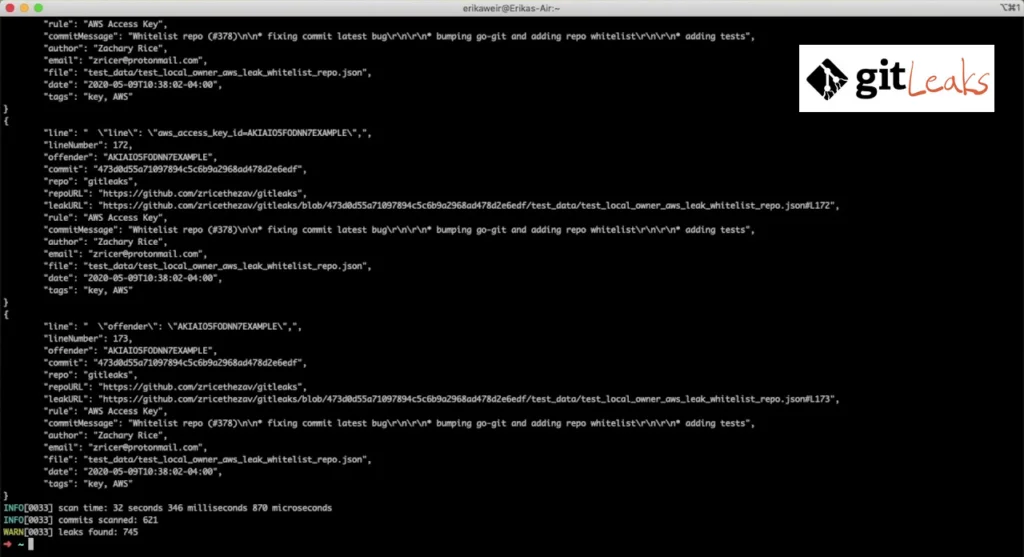
Gitleaks is the fastest to adopt. Install the binary, drop a .gitleaks.toml
(or use the default ruleset), and run. The --pre-commit
flag integrates with pre-commit framework in one line of config. Rules are TOML-based regex plus entropy checks, easy to read and fork.
There’s no verification against live APIs, so every finding is a regex match, false-positive tuning is the cost. Custom rules are trivial to add, which is where Gitleaks shines in mature orgs: engineers extend the ruleset for internal token formats without friction.
Use Gitleaks when you want the fastest path from zero to pre-commit secret scanning, when your org has internal credential patterns to detect, or when CLI-first beats web-console workflows.
detect-secrets #
Yelp’s secret scanner, Apache 2.0, 4,200+ GitHub stars. Enterprise-heavy adoption despite smaller star count.
The differentiator is the baseline-file approach
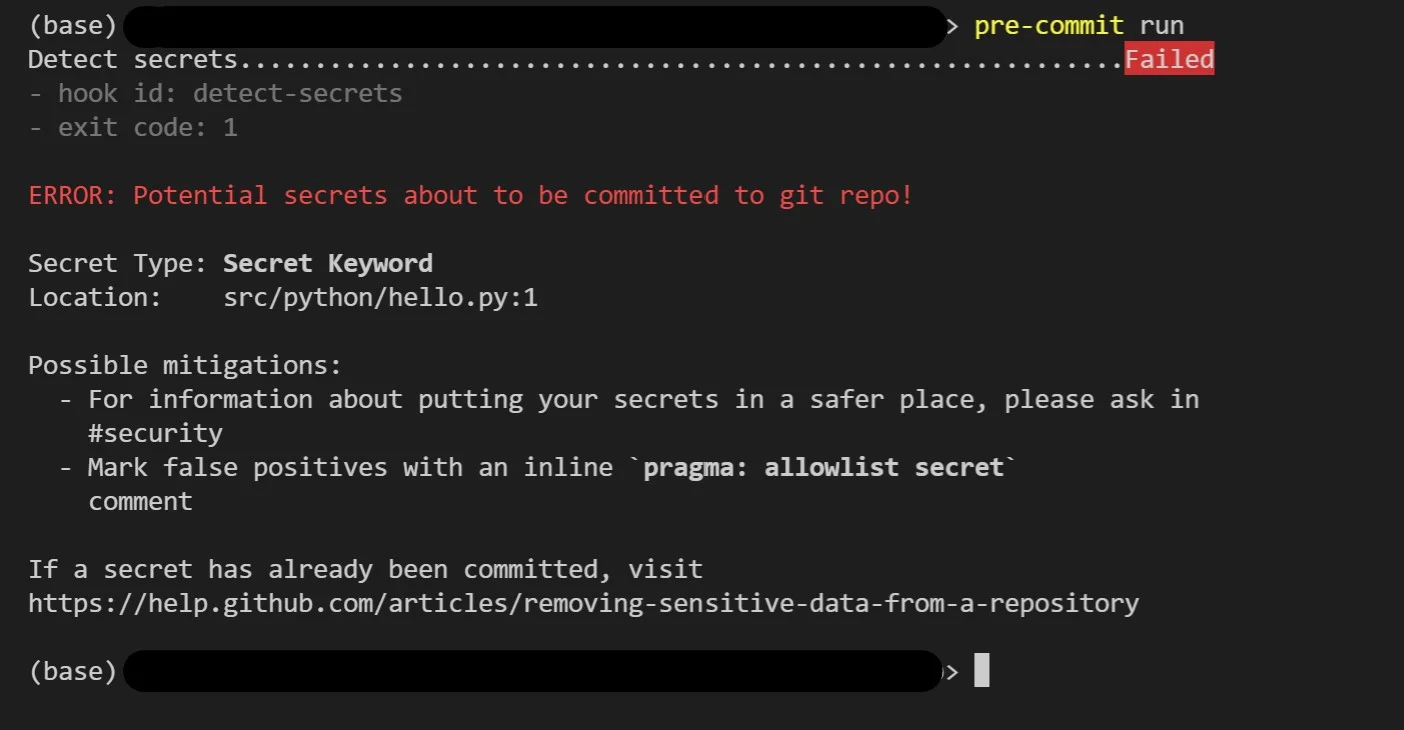
. You run detect-secrets scan once against a repository with existing secrets, review the output, and mark legitimate-looking strings as known-safe in .secrets.baseline. All future scans ignore baseline entries while still catching new credentials. This makes detect-secrets the default choice for legacy repositories that can’t be rewritten to remove historical secrets but still need a credible pre-commit gate for new ones.
Detection covers 20 common credential types out of the box with plugin-based extensibility. Entropy checks catch high-randomness strings that don’t match specific patterns. It runs cleanly as a pre-commit hook (via the pre-commit framework) and in any CI system.
Use detect-secrets when you’re adopting secret scanning on a repo with existing secrets you can’t immediately remediate, when baseline-file workflows fit your governance model, or when Python-based integration is preferred.
Trivy secrets scanner #
Aqua Security’s Trivy (Apache 2.0, 36,000+ GitHub stars) includes secret scanning alongside its IaC, container, dependency, and SBOM engines. The same binary you run for container image vulnerabilities runs secret detection on filesystems and git repositories.
Detection covers common credential types with regex and entropy. No live verification. The advantage is tool consolidation: if Trivy already lives in your pipeline for container scanning, enabling trivy fs --scanners secret or trivy config --scanners secret adds secret detection without another binary, another config file, or another CI step.
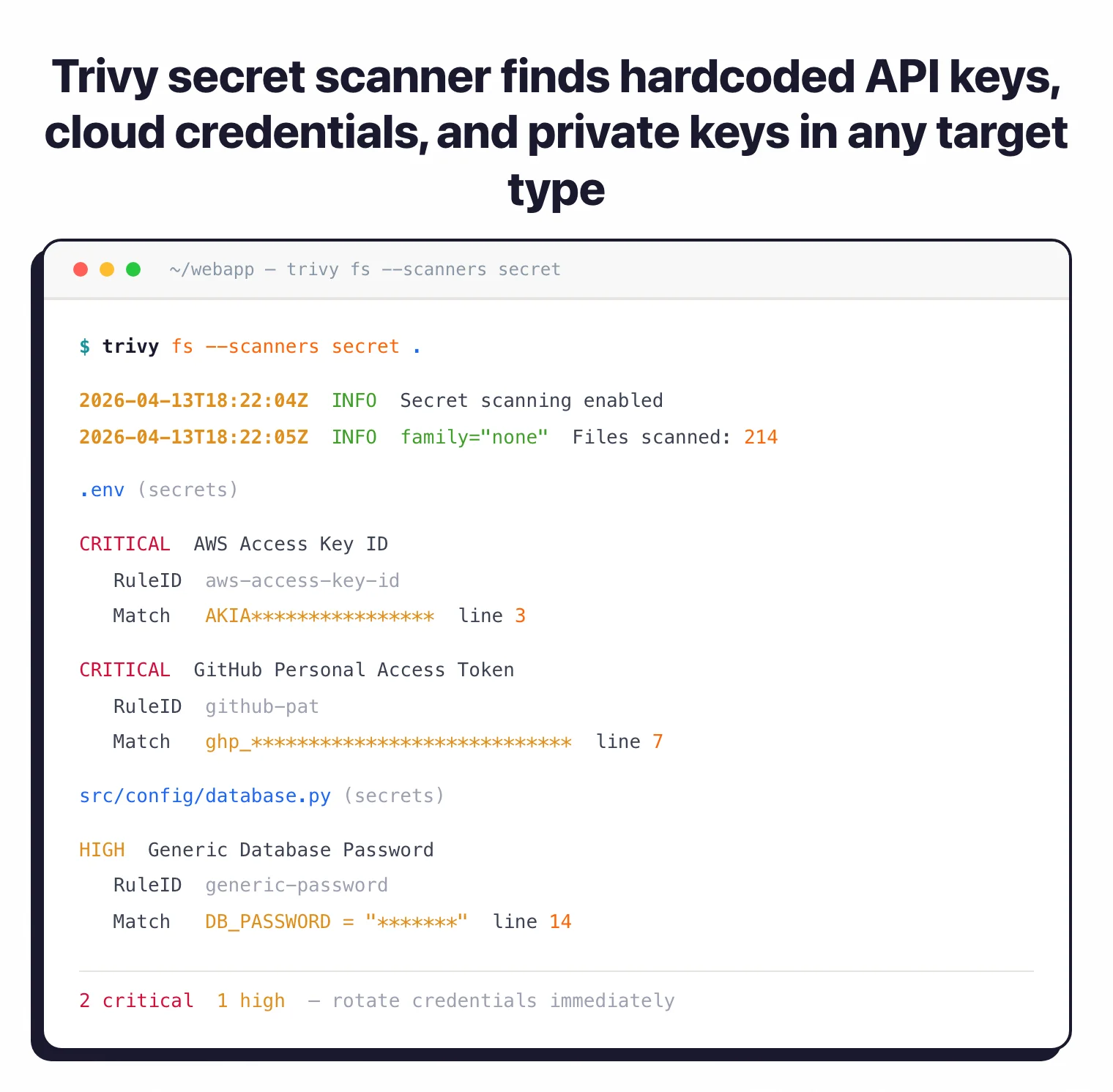
Use Trivy secrets when Trivy is already in your pipeline and you want one-tool scanning across secrets, dependencies, and containers.
ggshield (GitGuardian CLI) #
The open-source CLI from GitGuardian (commercial platform). MIT licensed, actively maintained.
ggshield runs locally or in CI and reports to a free GitGuardian account tier (or paid commercial tier for organizations). The detection engine is GitGuardian’s proprietary rule set, which is larger and more tuned than most open-source rulesets, but the tradeoff is that full results require a GitGuardian account (free for individuals, paid for teams).
Pre-commit hook support is strong. Developer-friendly output. If you’re open to adopting GitGuardian’s platform (even on the free tier), ggshield is a well-engineered starting point. For fully disconnected open-source-only workflows, TruffleHog or Gitleaks are better fits because they don’t require an external account.
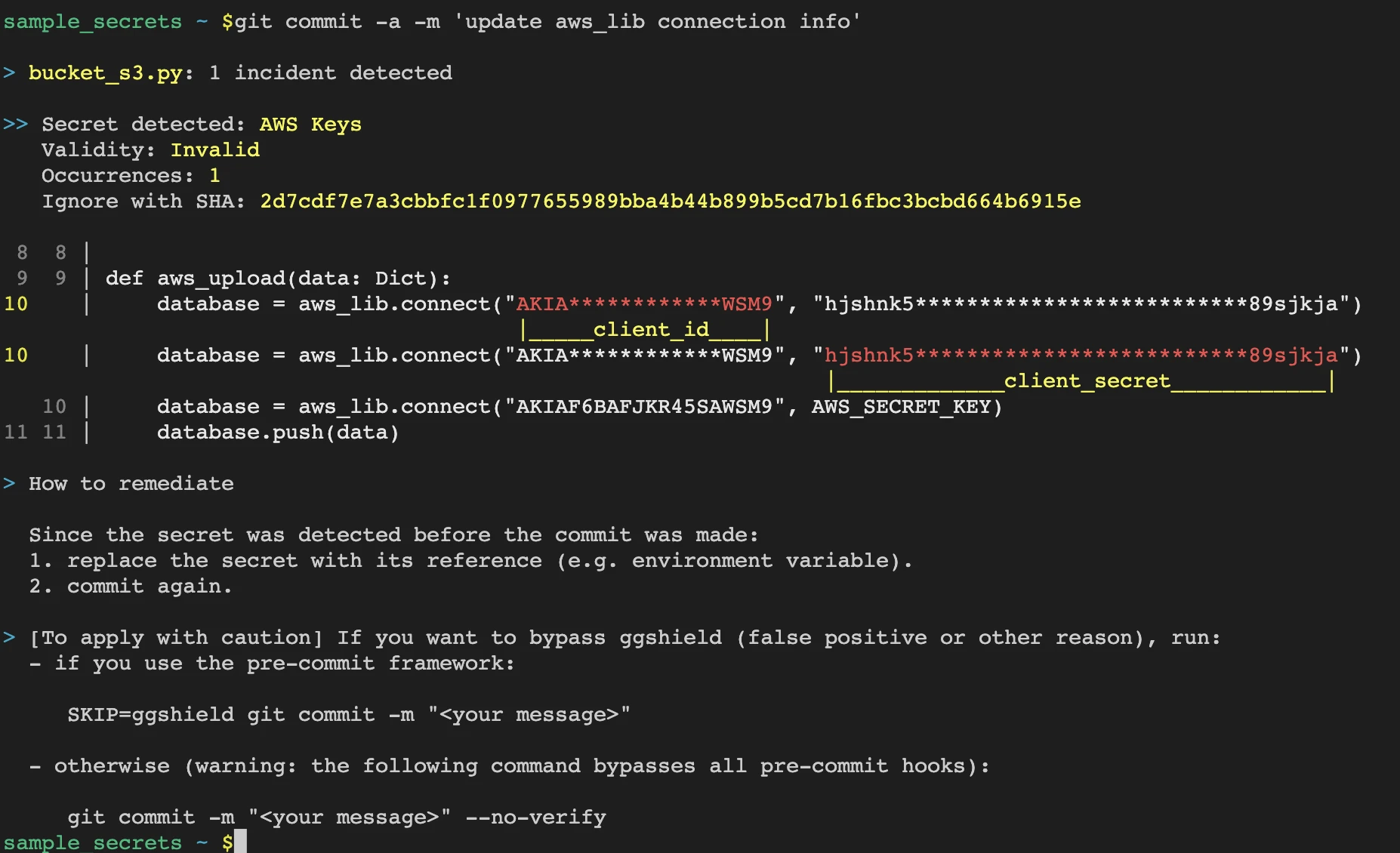
Use ggshield when you’re evaluating GitGuardian’s commercial platform and want to start with a hybrid open-source CLI plus their account.
Noseyparker#
Praetorian’s Noseyparker , Apache 2.0, rewritten in Rust for speed. Differentiated on history-scanning performance , can scan massive git histories (terabytes) faster than Python-based tools.
Note: the praetorian-inc/noseyparker repository was archived on April 24, 2026 and is now read-only. Smaller ruleset than TruffleHog or Gitleaks out of the box. No verification. Fits organizations with very large monorepo histories where scan time is a gate on adoption.
ripsecrets#
A minimal Rust-based scanner , MIT. Focused on pre-commit speed over breadth. Small ruleset, no verification, no baseline support. Worth mentioning as the fastest minimal option; not a replacement for the bigger tools above unless simplicity is the priority.
Feature Comparison#
| Tool | License | Verification | Baseline file | Sources | Best For |
|---|---|---|---|---|---|
| TruffleHog | AGPL-3.0 | Yes (700+ types) | No | Git, FS, S3, Docker, GitHub, Jira | Verified findings, cross-source scans |
| Gitleaks | MIT | No | Partial (allowlist) | Git, FS | Fast CLI + pre-commit |
| detect-secrets | Apache 2.0 | No | Yes (first-class) | Git, FS | Legacy repos with existing secrets |
| Trivy | Apache 2.0 | No | No | Git, FS, containers, IaC | Tool consolidation |
| ggshield | MIT (CLI) | Partial | No | Git, FS | Hybrid with GitGuardian platform |
| Noseyparker | Apache 2.0 | No | No | Git | Huge history scans |
| ripsecrets | MIT | No | No | FS, Git | Minimal pre-commit |
When Should You Use a Commercial Tool Instead?#
Commercial secret scanners make sense when:
- You need a SaaS dashboard aggregating findings across every repo and developer
- Historical scanning of all branches and forks at scale is a requirement
- SIEM integration, SSO, and role-based access control matter for governance
- Automatic remediation workflows (revoke the key, notify the owner, open a ticket) are needed
- You need 24/7 incident response on leaked credentials with SLAs
For those needs, GitGuardian, Spectral, and the native GitHub Advanced Security secret scanning (for GitHub-hosted code) are the main options. The open-source tools handle detection; commercial tools handle operations.
For related comparisons, see Gitleaks vs TruffleHog , TruffleHog alternatives , and GitGuardian alternatives . For the full SCA category, see SCA tools .
Frequently Asked Questions
What's the best open-source secret scanner?
sts:GetCallerIdentity with the key to confirm it’s currently valid. That collapses the false-positive triage problem. If you want faster CLI scans with simpler pre-commit integration, Gitleaks is the pick instead.Do I need a commercial secret scanner if I use GitHub?
What is detect-secrets and why is it so widely used?
.secrets.baseline, and all future scans ignore those while still catching new credentials. This makes it the best fit for legacy repositories with existing hardcoded secrets you can’t easily remove.Can I run multiple secret scanners together?
Which scanner has the lowest false-positive rate?

Written & maintained by
Suphi CankurtEight years on the vendor side of application-security sales — thousands of evaluations and demos. I started AppSec Santa in 2022 to put that insider view to work for buyers. Independent of any vendor, paid by none, and honest about what fits whom.