
- Snyk Code is security-focused with real-time IDE scanning and DeepCode AI fix suggestions; SonarQube tracks bugs, code smells, duplication, coverage, and tech debt alongside security.
- SonarQube Community Edition is free (LGPL-3.0) covering 19 languages; Snyk Code has a limited free tier with paid plans for teams.
- SonarQube supports 35+ languages in commercial tiers with quality gates that enforce coverage, duplication, and reliability thresholds in CI/CD.
- Snyk Code is part of the broader Snyk platform (SCA, Container, IaC, Cloud); SonarQube is a standalone platform without built-in SCA or container scanning.
- SonarQube's Community Edition lacks taint analysis; Snyk Code performs semantic data flow tracking across files using its ML-based engine.
Which Is Better: Snyk Code or SonarQube?
Snyk Code and SonarQube overlap in static analysis but differ in focus. This page compares the two SAST tools head-to-head. If you’re comparing Snyk Open Source (the SCA product) to SonarQube instead, see my Snyk vs SonarQube guide.
Snyk Code is a security-first tool that scans code in real time inside your IDE and uses AI to suggest fixes.
SonarQube is a code health platform that measures security, reliability, maintainability, and test coverage under one roof, with quality gates that can block deployments.
Pick Snyk Code when security scanning with fast developer feedback is the priority. Pick SonarQube when you want a single platform that enforces both code quality and security standards.
What Are the Key Differences?
| Feature | Snyk Code | SonarQube |
|---|---|---|
| License | Commercial (free tier) | LGPL-3.0 Community + commercial tiers |
| Primary focus | Security vulnerabilities | Code quality + security |
| Languages | 19+ | 35+ (19 in Community) |
| Analysis type | Semantic + data flow | Pattern matching + taint analysis (paid) |
| AI fix suggestions | DeepCode AI | AI CodeFix (paid tiers) |
| IDE integration | Real-time scanning (VS Code, IntelliJ, PyCharm, Eclipse) | SonarLint (VS Code, IntelliJ, Eclipse, Visual Studio) |
| Quality gates | No (security focus only) | Yes (coverage, duplication, reliability, security) |
| PR decoration | Via Snyk dashboard | Native (GitHub, GitLab, Bitbucket, Azure DevOps) |
| Code quality metrics | No | Bugs, smells, duplication, coverage, tech debt |
| SARIF output | Yes | No (own format) |
| Custom rules | Limited | Yes (paid tiers) |
| Self-hosted | Enterprise option | Yes (all editions) |
| SaaS | Yes (Snyk platform) | SonarCloud |
| Platform breadth | Part of Snyk (SCA, Container, IaC, Cloud) | SonarQube Server only (SonarCloud for SaaS) |
| GitHub stars | N/A (closed source) | 10,200+ |
Snyk Code vs SonarQube: How Do They Compare?
Analysis Approach
Snyk Code uses DeepCode AI, a machine learning engine trained on millions of open-source projects and real-world code fixes. It builds a semantic model of your codebase, tracing how data flows through functions and files.
This approach catches complex vulnerability patterns like second-order SQL injection where data passes through multiple functions before reaching a dangerous sink.
SonarQube uses rule-based static analysis with over 6,000 built-in rules. In paid tiers, it adds taint analysis that traces user input through the application to identify injection points.
The Community Edition relies on pattern matching without taint analysis, which limits its ability to find data-flow-dependent vulnerabilities.
Both approaches have tradeoffs. Snyk Code’s ML engine can identify patterns that rigid rules miss but may occasionally flag unusual code constructs.
SonarQube’s rule-based engine is more predictable and transparent in how it detects issues.
Developer Experience
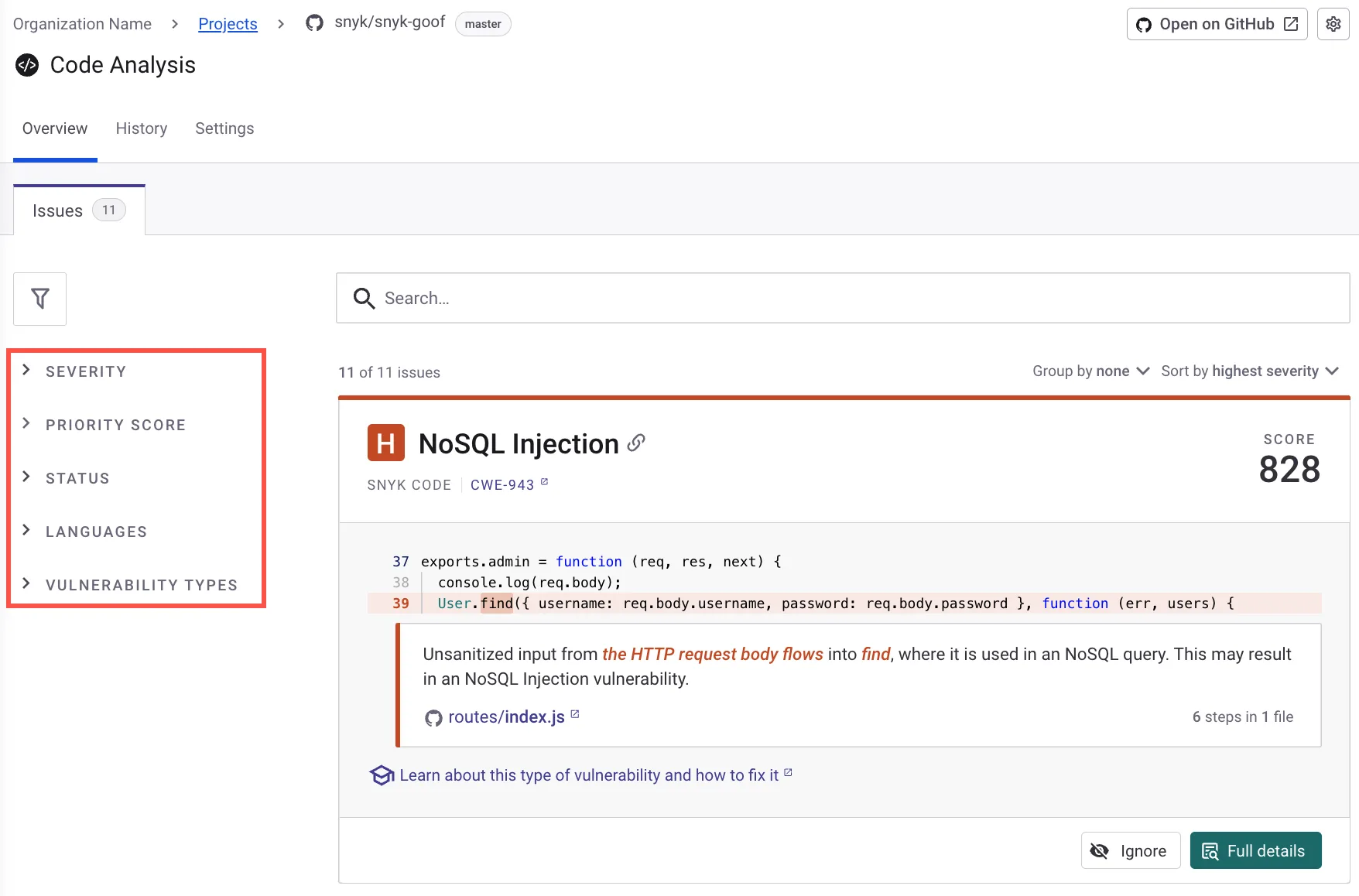
Snyk Code scans code in real time inside the IDE. Open a file in VS Code or IntelliJ and findings appear inline as you type, with no compilation required.
Each finding includes an explanation, data flow visualization, and an AI-generated fix suggestion specific to your code context.
SonarQube’s IDE experience comes through SonarLint, a plugin that runs local analysis against SonarQube rules.
SonarLint works well for catching issues before pushing, but it functions more like a linter than a real-time security scanner.
The deeper analysis happens on the SonarQube server after code is pushed.
For developers who want immediate security feedback while writing code, Snyk Code provides a tighter feedback loop.
Code Quality vs. Security
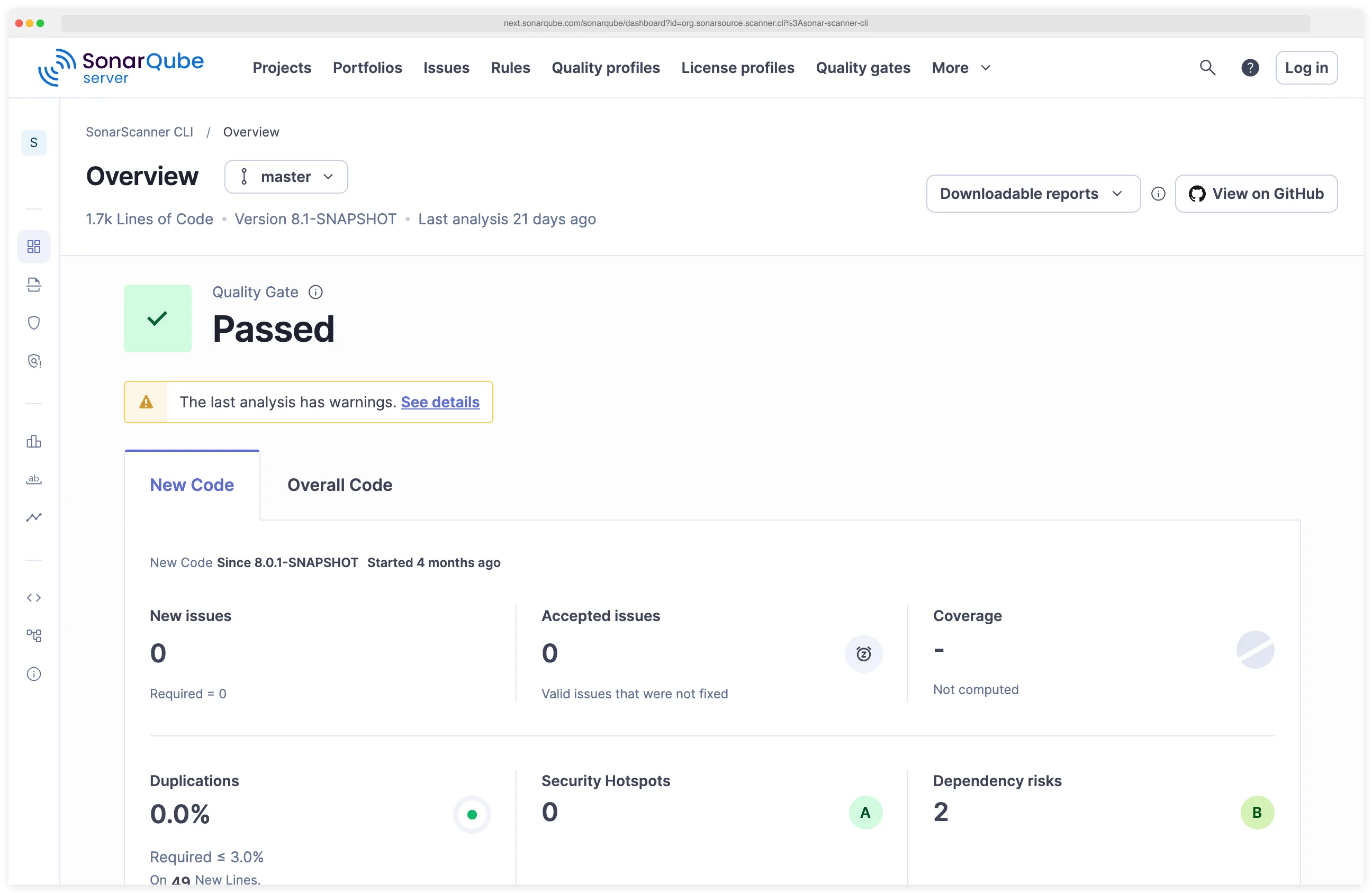
This is the fundamental difference between the two tools. SonarQube tracks five dimensions: reliability (bugs), security (vulnerabilities and hotspots), maintainability (code smells), duplication, and test coverage.
Its quality gates can block deployments when any of these metrics fall below configured thresholds.
Snyk Code focuses on security vulnerabilities. It does not track code smells, duplication, test coverage, or maintainability.
If your team needs both code quality enforcement and security scanning, SonarQube covers more ground.
If you already have code quality tooling and need a dedicated security scanner, Snyk Code goes deeper on that specific problem.
CI/CD Integration
Both tools integrate with standard CI/CD platforms. Snyk Code uses the Snyk CLI (snyk code test) and offers GitHub Actions, Jenkins, and CircleCI integrations. Output supports SARIF format for GitHub code scanning.
SonarQube uses SonarScanner with native integrations for Jenkins, GitHub Actions, GitLab CI, Azure DevOps, and Bitbucket Pipelines. Quality gates provide pass/fail decisions.
PR decoration shows new findings directly on pull requests across GitHub, GitLab, Bitbucket, and Azure DevOps.
SonarQube’s quality gate system is more mature. It can enforce thresholds across coverage, duplication, and reliability alongside security, making it a stronger gatekeeper for overall code health.
Platform and Ecosystem
Snyk Code is one piece of the Snyk Developer Security Platform. Snyk Open Source handles SCA, Snyk Container scans container images, Snyk IaC covers infrastructure as code, and Snyk Cloud handles cloud posture.
All share a unified dashboard. If you already use Snyk for SCA or containers, adding Code gives you security coverage across the stack.
SonarQube is a standalone platform. SonarSource offers SonarCloud as a SaaS option and SonarLint for IDEs, but there is no broader security platform bundling SCA, container, or IaC scanning.
Teams that need those capabilities would pair SonarQube with other tools.
Pricing
SonarQube Community Edition is free for self-hosted, single-branch analysis in 19 languages.
The Developer Edition starts at $150/year for 100K lines of code and adds branch analysis, PR decoration, and more languages. Enterprise and Data Center tiers scale up from there.
Snyk Code has a free tier for individual developers with limited scans per month. Team and Enterprise plans remove limits and add features like custom rules, reporting, and priority support. Pricing is not published.
When Should You Choose Snyk Code?
Choose Snyk Code if:
- Security scanning is your primary goal, not code quality measurement
- You want real-time IDE scanning with AI fix suggestions as you type
- Your team already uses Snyk for SCA, containers, or IaC
- You prefer a SaaS-first approach with minimal infrastructure
- Fast scan times (seconds, not minutes) matter for your workflow
- You need SARIF output for GitHub code scanning
When Should You Choose SonarQube?
Choose SonarQube if:
- You need a single tool covering both code quality and security
- Quality gates that enforce coverage, duplication, and reliability thresholds are important
- You want PR decoration across GitHub, GitLab, Bitbucket, and Azure DevOps
- You need 35+ language coverage including legacy languages
- Self-hosted deployment is a requirement
- Your team values the free Community Edition for getting started
Many teams run both tools. SonarQube enforces code quality gates while Snyk Code provides deeper security scanning with developer-friendly fix suggestions.
The combination covers both quality and security without either tool needing to stretch beyond its core strength.
AppSec Santa maintains detailed reviews of all tools mentioned here. Both are SAST tools.
For more options, see the full category overview. If you are exploring alternatives to either tool, see the SonarQube alternatives guide.
Frequently Asked Questions
Is Snyk Code or SonarQube better for security?
Can I use Snyk Code and SonarQube together?
Which tool is free?
Which tool has better IDE integration?
Which tool supports more languages?

Founder, AppSec Santa
Years in application security. Reviews and compares 215 AppSec tools across 12 categories to help teams pick the right solution. More about me →