C# and . NET run a huge share of enterprise code, internal business apps, ASP. NET web services, Azure workloads, Unity games.
The language is statically typed and Roslyn-backed , which makes SAST both easier and harder than Python or JavaScript.
This guide compares 8 SAST tools with real C# and . NET support: SonarQube , Checkmarx , Fortify , Snyk Code , Semgrep , CodeQL , Security Code Scan, and Microsoft DevSkim.
Why C# SAST is different#
C# looks superficially similar to Java, but the SAST problem is not the same. You are dealing with two runtimes that coexist in real codebases, the legacy .
NET Framework 4.x world and modern . NET (Core, 5, 6, 7, 8, 9). Each has different sinks, different auth models, and different serialization traps.
The C# ecosystem leans heavily on frameworks: ASP.NET MVC, Razor Pages, Blazor, Entity Framework, ADO.NET, WCF, SignalR. A useful C# SAST tool needs to understand model binding, controller action attributes, Razor encoding rules, Entity Framework query composition, and the many serializers (BinaryFormatter, XmlSerializer, DataContractSerializer, Newtonsoft.Json, System.Text.Json).
The common C#-specific vulnerability patterns SAST tools target include insecure deserialization (BinaryFormatter and unsafe JSON. NET TypeNameHandling settings), SQL injection in raw ADO. NET and string-concatenated EF queries, XSS in Razor views that use `@Html.
Raw`, path traversal in file upload and download endpoints, weak cryptography (MD5, SHA1, DES, ECB mode, hardcoded keys), missing or broken authorization attributes, and JWT validation flaws.
C# .NET also pairs naturally with SCA tools for NuGet dependency coverage, SAST handles your code, SCA handles the packages you pull in.
Top SAST tools for C##
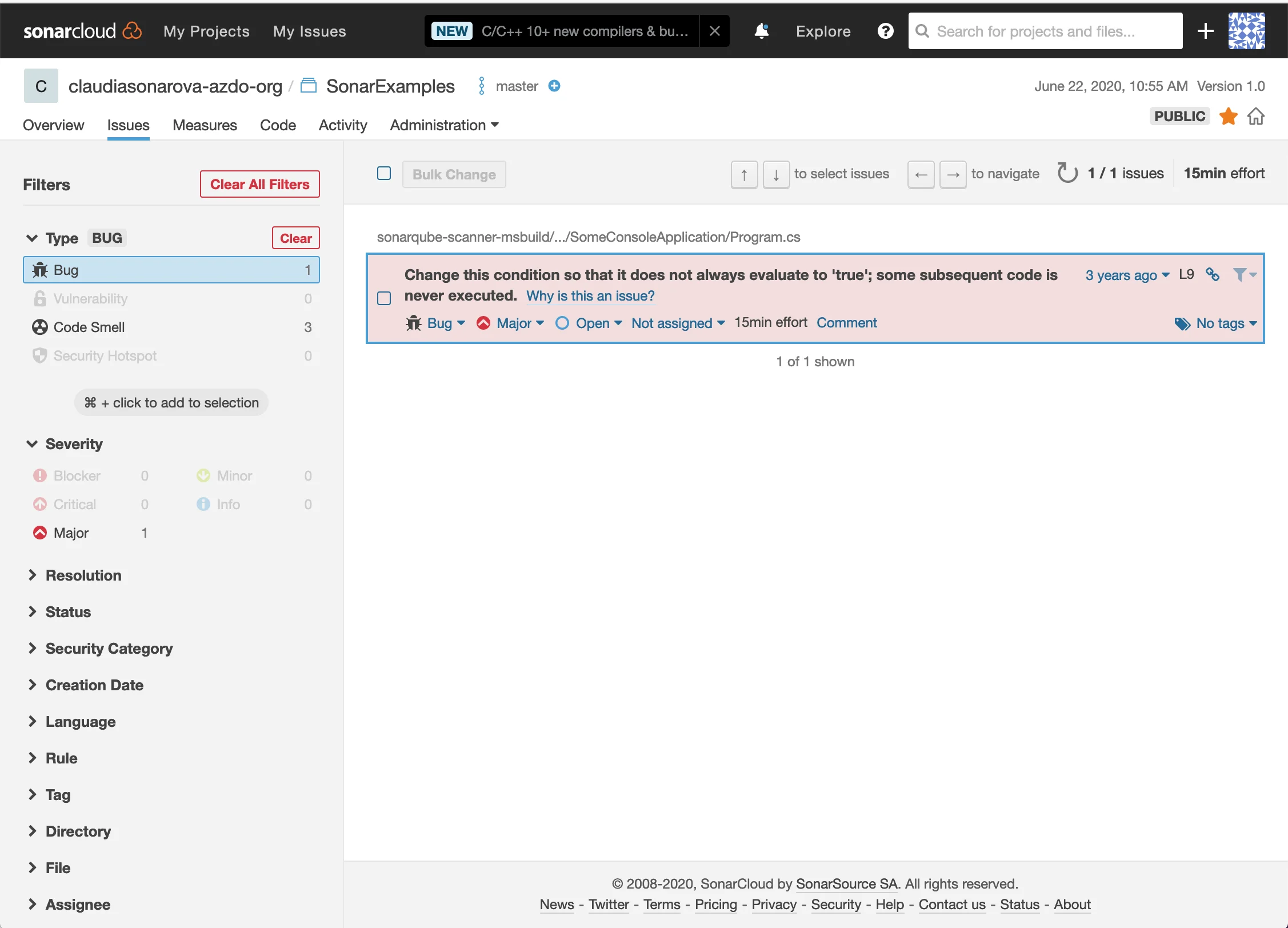
1. SonarQube#
SonarQube is the tool most .NET teams reach for first. Its C# analyzer is built on Roslyn , so it understands the language natively and integrates cleanly into Visual Studio, Rider, and every major CI system.
What SonarQube does well: Deep C# rule coverage, hundreds of rules across security, reliability, and maintainability. Quality gates block pull requests that introduce new issues. The Community Edition is free and covers a broad set of security rules including injection patterns, weak crypto, insecure deserialization, and unsafe cookie configuration.
Where SonarQube falls short: Cross-procedural taint analysis for C# is Developer Edition and above, which is a paid tier. Community Edition catches pattern-based security issues, but complex data flow across controllers, services, and repositories needs the commercial license.
Best fit: Any .NET team that wants one scanner for both security and code quality, with a strong Visual Studio and Azure DevOps integration story.
2. Checkmarx#
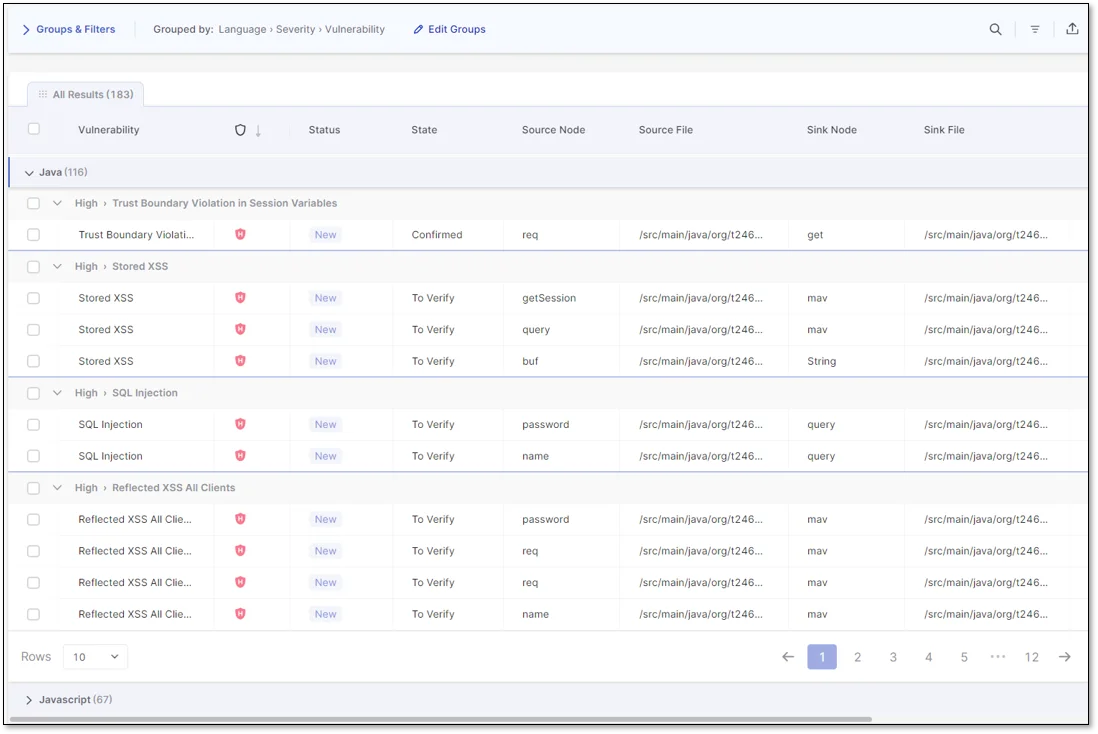
Checkmarx has been a mainstay in enterprise .NET shops for over a decade. Its C# SAST engine is strong on taint analysis and covers both .NET Framework and modern .NET.
What Checkmarx does well: Deep inter-procedural data flow analysis across very large C# codebases, including legacy .NET Framework monoliths where other tools struggle. Good coverage of ASP.NET MVC, Web API, and WCF patterns. Rich compliance reporting for PCI, HIPAA, ISO 27001, and industry-specific audits.
Where Checkmarx falls short: Scans are slow compared to Roslyn-based analyzers, full scans of big solutions can take hours. The developer experience has improved over the years but still lags the inline feedback of Snyk Code or SonarLint. Pricing is enterprise-oriented and not publicly listed.
Best fit: Regulated enterprises with large .NET estates, government contractors, and teams that need formal compliance reports.
3. Fortify Static Code Analyzer#
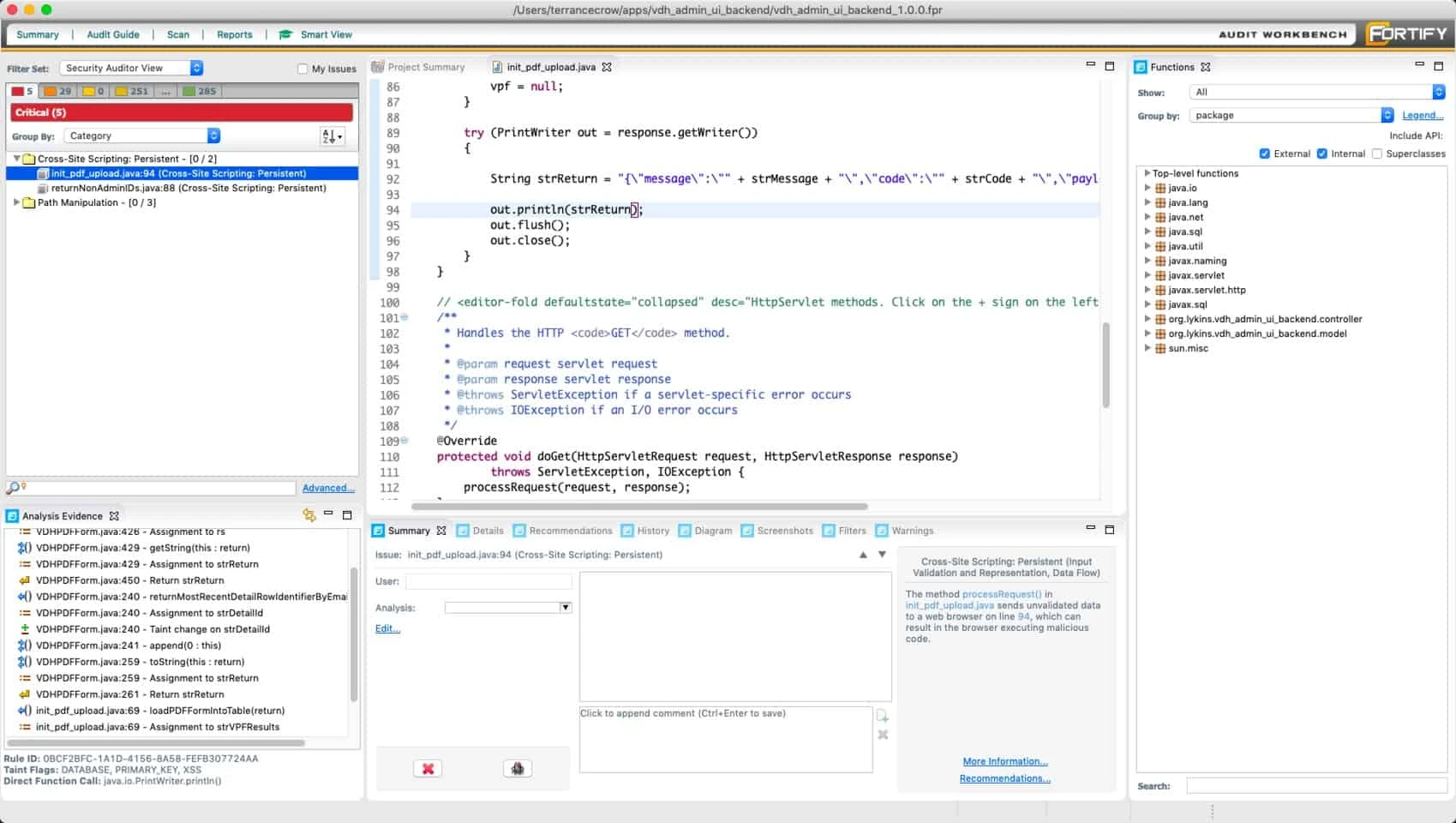
Fortify Static Code Analyzer (now OpenText Fortify) is one of the longest-running commercial SAST platforms, with particularly strong legacy support. For organizations still running .NET Framework 4.x alongside modern .NET, Fortify tends to have coverage that newer tools skip.
What Fortify does well: Very broad C# rule coverage and a deep taint engine. Historically strong on old .NET patterns, WebForms, classic ASP.NET, WCF, which some modern scanners treat as second-class. Enterprise-grade Software Security Center (SSC) for tracking findings across large programs.
Where Fortify falls short: Scan time and resource usage are high. The UI and developer experience feel dated compared to newer SAST vendors. Like Checkmarx, pricing is not published and is oriented toward enterprise buyers.
Best fit: Large organizations with mixed .NET Framework and modern .NET portfolios, regulated industries, and teams with formal AppSec programs that already use Fortify elsewhere.
4. Snyk Code#
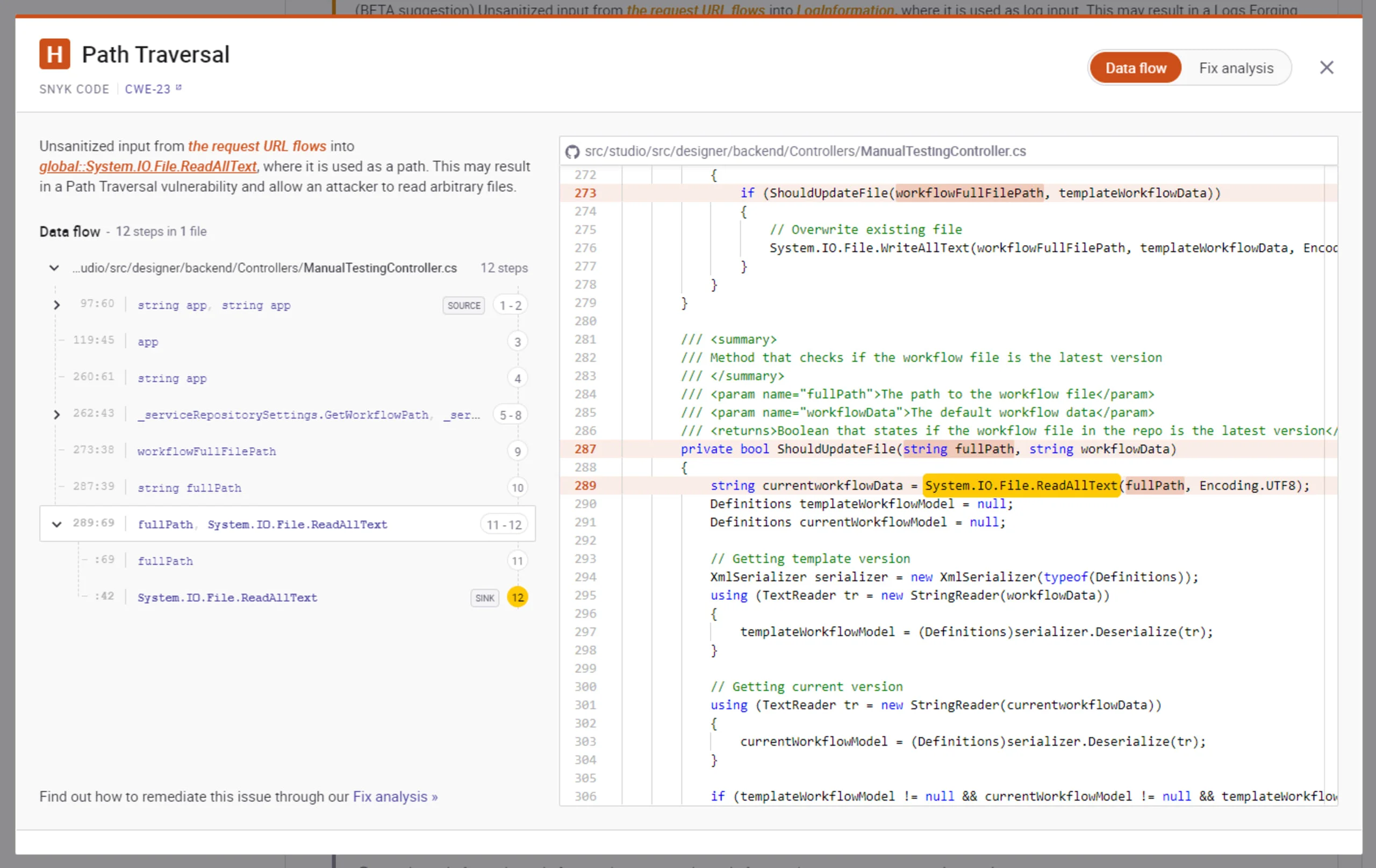
Snyk Code brings DeepCode-derived analysis to C# with a developer-first workflow. Its C# engine performs cross-file taint analysis and runs fast enough for in-IDE feedback.
What Snyk Code does well: Fast scans with cross-file data flow tracking across C# projects, including ASP.NET Core controllers, services, and repositories. Solid IDE support in Visual Studio, Rider, and VS Code. Fix suggestions are concrete and contextual, which reduces the back-and-forth when triaging results.
Where Snyk Code falls short: The free tier is IDE-focused. Full CI/CD usage with taint analysis requires a paid plan. It is SaaS by default, source code is sent to Snyk’s infrastructure, which is a non-starter for air-gapped and classified environments.
Best fit: Development teams that want modern taint analysis for C# with first-class IDE ergonomics and fast feedback, without the heaviness of Fortify or Checkmarx.
5. Semgrep#
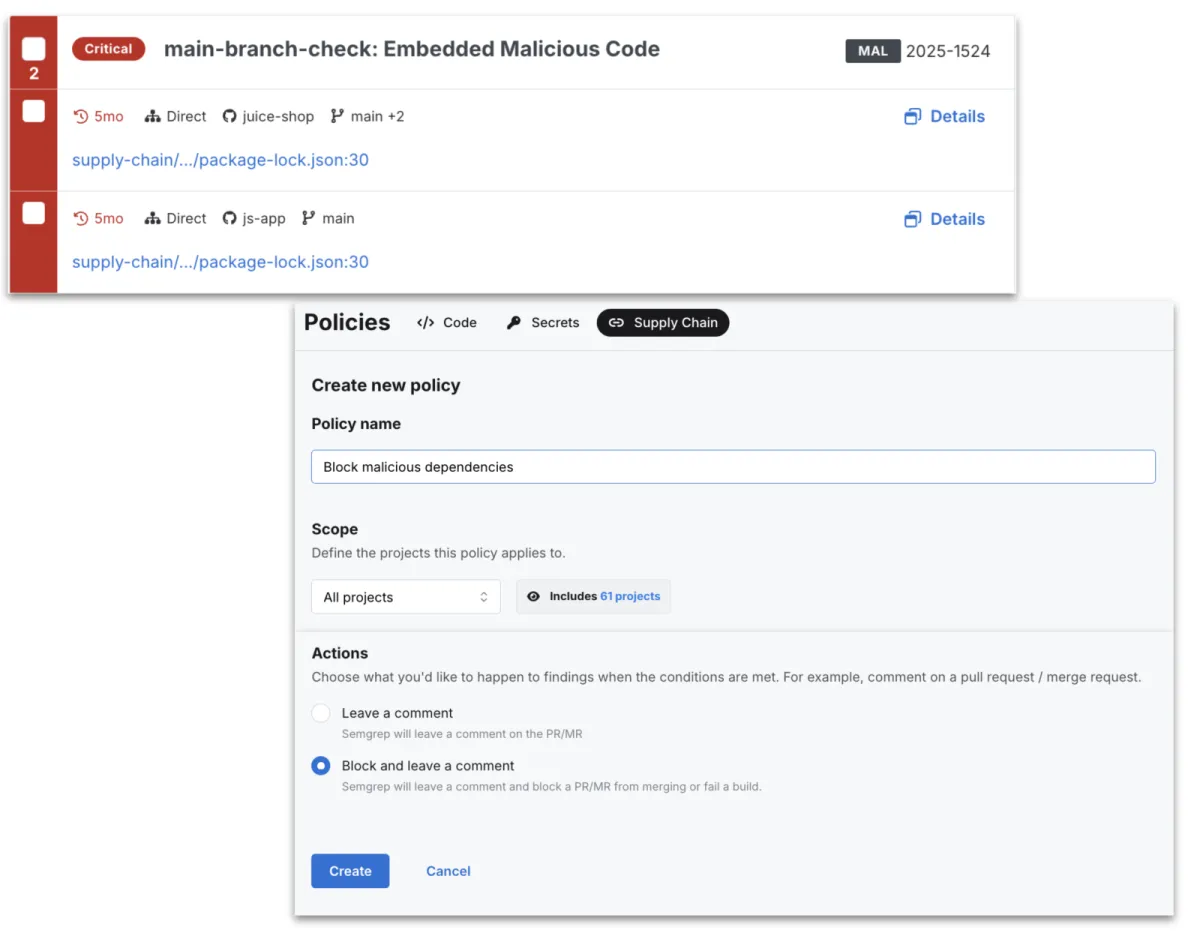
Semgrep treats C# as a first-class language in its pattern engine. The Semgrep Registry ships community rules for common .NET security issues, and teams can write custom YAML rules that match real AST patterns instead of regex.
What Semgrep does well: Custom rule authoring is the killer feature. If you have a proprietary .NET framework, internal APIs, or a recurring pattern you keep finding in reviews, you can codify it in minutes. The community registry covers OWASP-style C# rules, and Semgrep handles multi-language repositories in one scanner.
Where Semgrep falls short: Community Edition taint analysis for C# is more limited than Snyk Code or SonarQube Developer Edition. Deep cross-file data flow is a paid feature. On pure .NET-specific depth, SonarQube is still stronger out of the box.
Best fit: Teams that want to author their own .NET rules, or a shop with mixed languages (C# plus Go, Python, JavaScript) that wants a single scanner across the stack.
6. CodeQL#
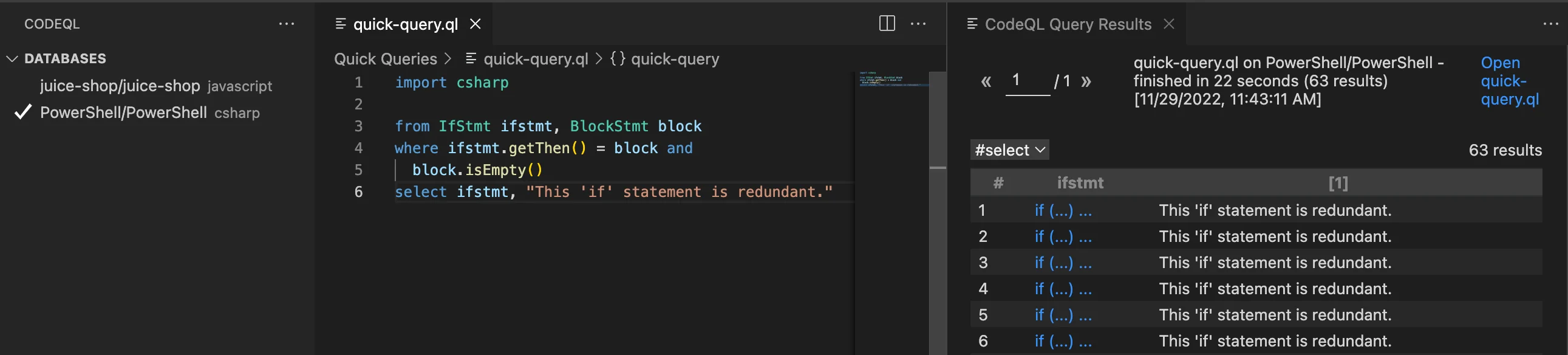
CodeQL is GitHub’s deep data flow engine. It models C# code as a queryable database and ships mature query packs for SQL injection, XSS, deserialization, SSRF, path traversal, and many more .NET-specific patterns.
What CodeQL does well: The deepest free C# taint analysis I know of. It understands ADO.NET, Entity Framework, ASP.NET MVC controllers, Razor templates, and serializers, and it traces tainted input across projects and files. On public GitHub repos it is free via GitHub Advanced Security; the github/codeql repo
ships hundreds of production-grade C# queries.
Where CodeQL falls short: Scans are slow, expect 10 to 30 minutes on medium .NET solutions, longer on big ones. Private repos need GitHub Advanced Security, which is a per-seat commercial license. Writing custom QL queries has a steeper learning curve than Semgrep rules.
Best fit: .NET web apps and API services where deep injection analysis matters, especially teams already on GitHub and using Actions for CI.
Key Insight
For .NET, the depth that matters is framework-aware taint. Any scanner can flag SqlCommand with string concatenation. Only the scanners that know an ASP.NET MVC [FromBody] parameter is a tainted source, a Razor view with @Html.Raw is a sink, and a BinaryFormatter call crosses a trust boundary will find the bugs that matter in real ASP.NET code.
7. Security Code Scan#
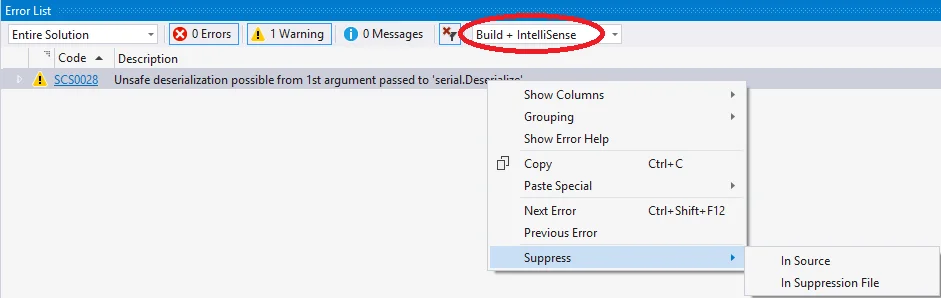
Security Code Scan is an open-source Roslyn analyzer for .NET. Because it runs inside MSBuild, it produces warnings directly in the build output with zero extra infrastructure.
What Security Code Scan does well: Covers a useful baseline of C# security patterns, SQL injection, XSS, CSRF misconfigurations, weak cryptography, insecure cookie settings, hardcoded passwords, and XXE. It integrates with every .NET CI pipeline because it is just another analyzer package.
Where Security Code Scan falls short: Development activity has slowed in recent years, so coverage of newer ASP.NET Core patterns is uneven. There is no cross-file taint analysis. It is a good first line, not a substitute for SonarQube, CodeQL, or a commercial scanner.
Best fit: Any .NET project that wants free, in-compiler security warnings. Pair it with SonarQube or CodeQL rather than relying on it alone.
8. Microsoft DevSkim#
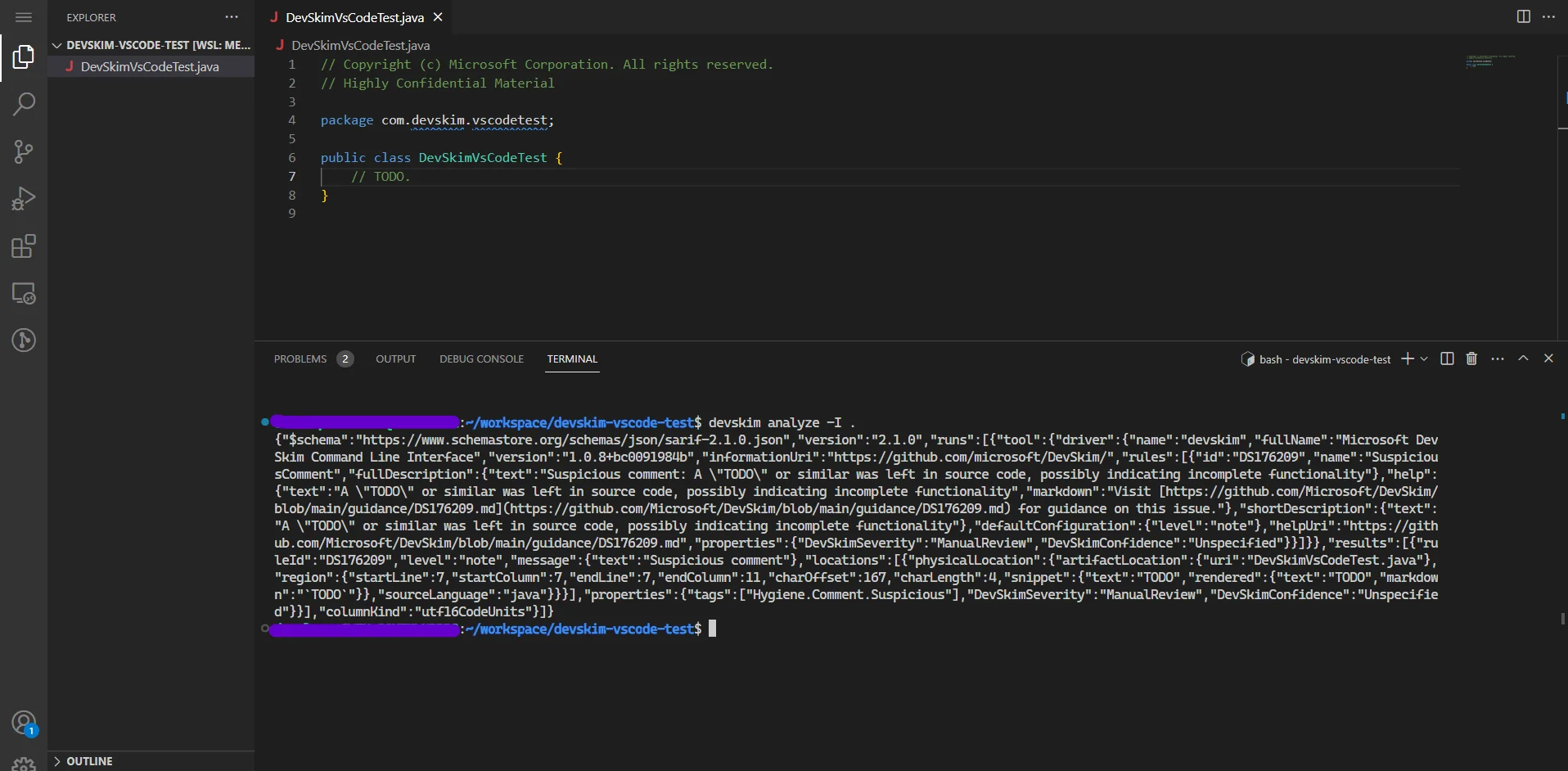
Microsoft DevSkim is a free IDE extension and CLI from Microsoft focused on surfacing risky patterns as you type. It is rule-driven and multi-language, with solid C# coverage for obvious footguns.
What DevSkim does well: Lightweight, instant feedback in Visual Studio, VS Code, and on the CLI. Catches weak crypto (MD5, SHA1, DES), hardcoded credentials, insecure randomness, dangerous APIs, and a long list of risky patterns. Rules are open source and easy to extend in JSON.
Where DevSkim falls short: It is a regex and pattern matcher, not a data flow engine. It will not trace tainted input across functions. Coverage is broad but shallow by design.
Best fit: Developer IDE workflow companion, pair DevSkim with a deeper scanner like SonarQube or CodeQL. It catches the easy things early, before they even hit a CI pipeline.
Comparison table#
| Tool | Type | C# Depth | Taint Analysis | License | Best For |
|---|---|---|---|---|---|
| SonarQube | SAST + quality | Deep Roslyn | Paid tiers | Open source / Commercial | Quality + security combined |
| Checkmarx | SAST (enterprise) | Very deep | Cross-project | Commercial | Regulated .NET enterprises |
| Fortify | SAST (enterprise) | Very deep | Cross-project | Commercial | Mixed legacy + modern .NET |
| Snyk Code | SAST (commercial) | Deep, modern | Cross-file | Commercial (free IDE) | Developer-first taint |
| Semgrep | SAST (multi-language) | Strong patterns | Limited (paid for full) | Open source / Commercial | Custom rules, polyglot |
| CodeQL | SAST (deep analysis) | Very deep | Cross-project | Free (public) / Commercial | Deep injection analysis |
| Security Code Scan | Roslyn analyzer | Baseline | None | Open source | Free in-build warnings |
| Microsoft DevSkim | Pattern scanner | Shallow, broad | None | Open source | IDE-time quick wins |
How to choose for your use case#
Small team on a budget: Start with SonarQube Community Edition in CI, Security Code Scan in MSBuild, and DevSkim in Visual Studio. That is three zero-cost tools catching most common C# issues. Add CodeQL on the main branch if you are on GitHub.
Growing .NET product team: SonarQube CE plus CodeQL in GitHub Actions is a strong free baseline. When you outgrow it, Snyk Code or SonarQube Developer Edition adds cross-file taint analysis without the weight of an enterprise SAST vendor.
Regulated enterprise with large .NET estate: This is still Checkmarx and Fortify territory. They lead on deep analysis of legacy .NET Framework monoliths and on compliance reporting that auditors expect. Expect a pilot, long deployment, and a commercial contract. See the enterprise SAST tools guide for the broader landscape.
Azure-heavy shop on GitHub: SonarQube Community plus CodeQL in GitHub Actions covers the majority of what you need. Add Snyk Code for developer-loop taint or go straight to SonarQube Developer Edition if you want everything in one dashboard.
Polyglot monorepo (C# plus Go, Python, JavaScript): Semgrep is the natural anchor. Layer SonarQube for .NET-specific depth and CodeQL for the heavy taint queries on main.
main. Security Code Scan in MSBuild and DevSkim in Visual Studio cover the IDE layer. Spend the pilot evaluation on Snyk Code vs SonarQube Developer Edition — two very different approaches to cross-file C# taint — instead of defaulting to Checkmarx or Fortify before you have concrete taint gaps in hand.Open source vs commercial#
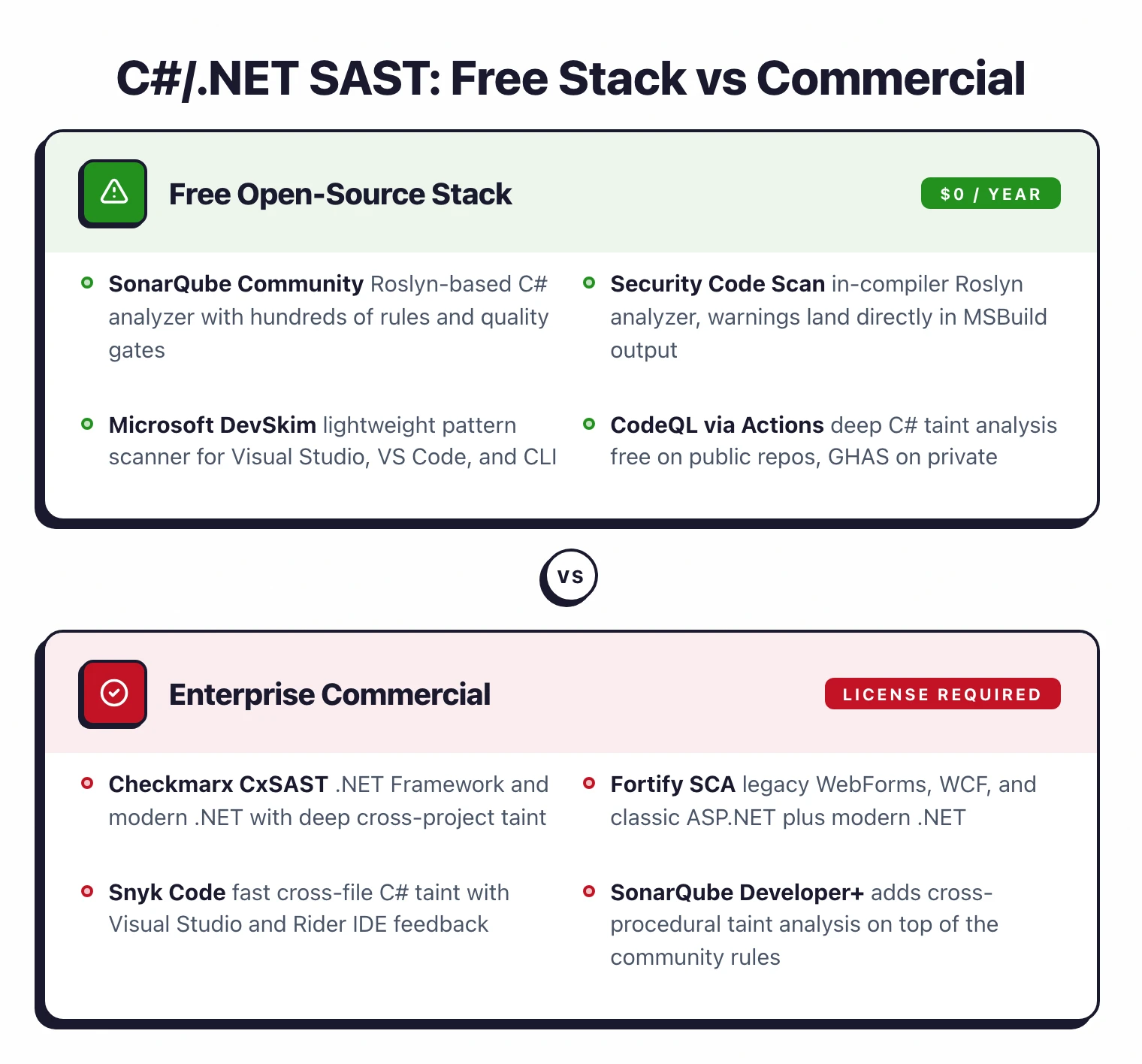
The free stack for C#, SonarQube CE, Security Code Scan, DevSkim, and CodeQL on public repos, covers pattern-based rules very well. The gap versus commercial tools is in cross-procedural taint analysis and in framework-specific depth for large, messy .NET Framework codebases.
Snyk Code and SonarQube Developer Edition both add inter-procedural taint that follows input from controllers through services to sinks. For ASP.NET MVC and Web API apps processing untrusted input, this matters: a tainted request parameter that passes through a binder and three helper methods before hitting a raw ADO.NET query will be missed by pattern matchers but caught by either of these.
Checkmarx and Fortify remain dominant in regulated enterprises. The reasons are usually non-technical, compliance reports auditors expect, long-standing procurement contracts, and ecosystems of SSO, RBAC, and ticket integrations. On pure detection depth for modern .NET web apps, CodeQL often matches or exceeds them in my experience. For legacy .NET Framework work, the commercial two still have an edge.
CodeQL bridges the gap if you do not need a commercial vendor relationship. Free on public repos, and for private repos it is part of GitHub Advanced Security.
For a more detailed look at free options, see the open source SAST tools guide . For buying considerations, see SAST vs SCA: which do you need first .
If your team works across multiple languages, the dedicated SAST picks for Java , Python , JavaScript and TypeScript , Go , and PHP each cover the tool-specific nuances that generic SAST lists miss.