
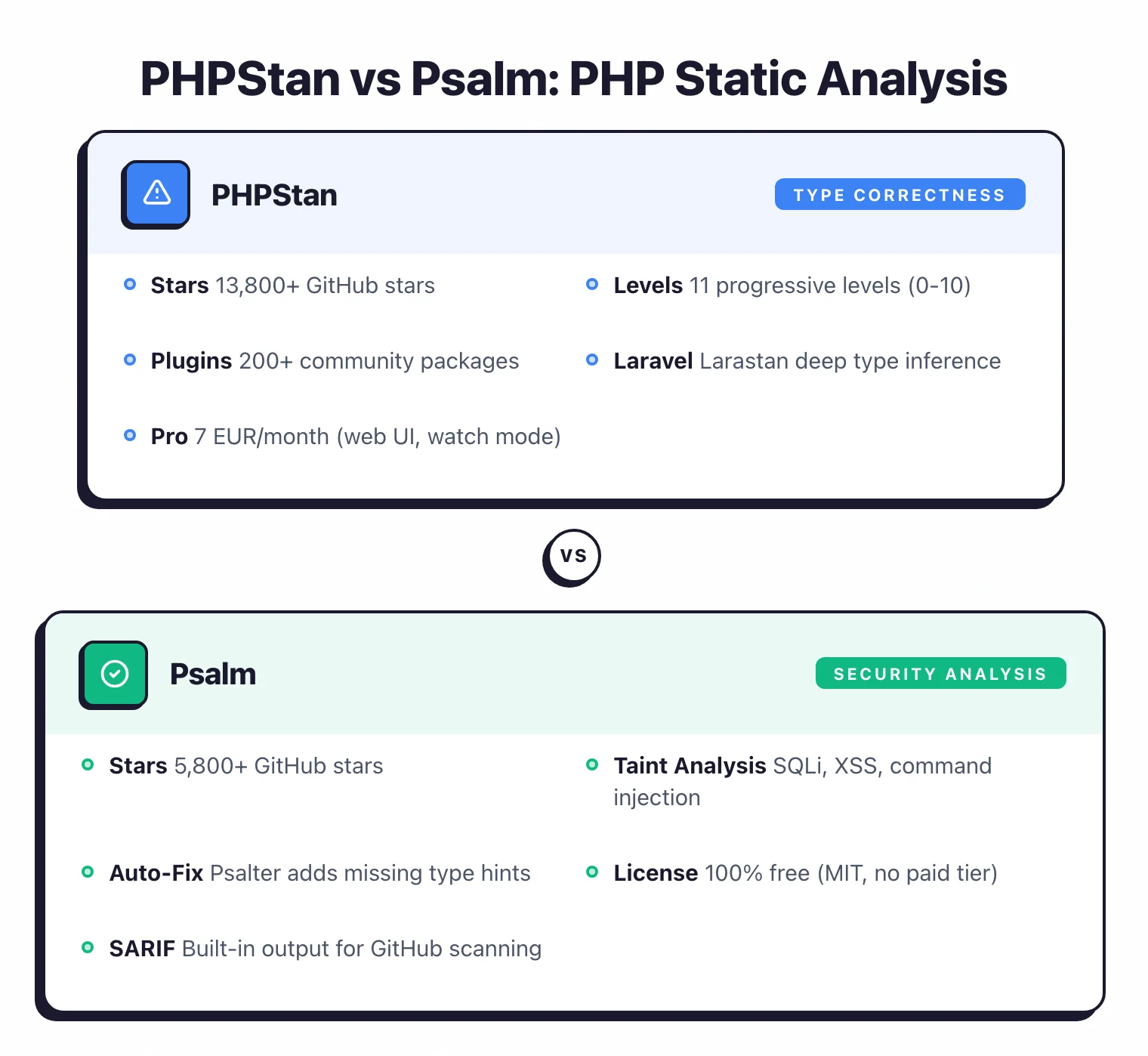
- PHPStan focuses on type correctness with 11 progressive levels (0-10) and a 200+ plugin ecosystem; Psalm adds built-in taint analysis for detecting SQL injection, XSS, and command injection.
- PHPStan has 13,900+ GitHub stars and broader community adoption; Psalm has 5,800+ stars but offers security analysis that PHPStan lacks entirely.
- PHPStan Pro (7 EUR/month) adds a web UI and watch mode; Psalm is 100% free with no commercial tier.
- Both support generics, union types, and conditional return types. Psalm’s type inference is slightly more conservative, catching edge cases PHPStan may allow.
- Many PHP teams run both tools in CI since they catch different issues — PHPStan for framework-aware type checking, Psalm for security vulnerability detection.
Which Is Better: PHPStan or Psalm?#
The main difference between PHPStan and Psalm is their focus: PHPStan prioritizes type correctness with the broadest plugin ecosystem in PHP, while Psalm adds built-in taint analysis for detecting security vulnerabilities like SQL injection and XSS.
PHPStan is the more widely adopted PHP static analysis tool with 13,900+ GitHub stars, 200+ community plugins, and official extensions for Laravel, Symfony, and Doctrine.
Its 11 progressive analysis levels (0-10) make gradual adoption practical for any existing codebase. PHPStan Pro adds a web UI and continuous watch mode for teams willing to pay.
Psalm
is the security-conscious alternative. Originally built by Matt Brown at Vimeo and now maintained by Daniil Gentili, Psalm’s standout feature is built-in taint analysis that tracks user input from sources like $_GET and $_POST through your application to dangerous sinks like database queries and HTML output.
Psalm detects SQL injection, XSS, and command injection through static data flow analysis — a capability PHPStan does not offer at all.
My recommendation: PHPStan is better for general code quality and framework-aware type checking. Psalm is better for security vulnerability detection.
If I had to pick one, I would start with PHPStan, then add Psalm specifically for its taint analysis. If your project handles user input (which is most PHP applications), Psalm’s security layer is worth the additional CI time.
What Are the Key Differences?#
| Feature | PHPStan | Psalm |
|---|---|---|
| License | MIT (core) / Commercial (Pro) | MIT |
| GitHub Stars | 13,900+ | 5,800+ |
| Creator | Ondrej Mirtes | Matt Brown (Vimeo) |
| Current Maintainer | Ondrej Mirtes + community | Daniil Gentili |
| Analysis Levels | 11 (0-10, 0 = lenient) | 8 (1-8, 1 = strictest) |
| Security Taint Analysis | No | Yes (SQL injection, XSS, command injection) |
| Framework Extensions | Laravel (Larastan), Symfony, Doctrine, PHPUnit, Nette | Laravel, Symfony, PHPUnit (smaller ecosystem) |
| Plugin Ecosystem | 200+ community packages | Smaller, fewer third-party plugins |
| Automatic Code Fixes | No (manual fixes only) | Yes (Psalter auto-fixer) |
| Generics Support | Yes (@phpstan-template) | Yes (@psalm-template) |
| Configuration Format | NEON (phpstan.neon) | XML (psalm.xml) |
| Baseline File | Yes | Yes |
| Commercial Tier | PHPStan Pro (7 EUR/month individual) | None (100% free) |
| Web UI | PHPStan Pro only | No |
| Watch Mode | PHPStan Pro only | No |
| SARIF Output | Via extension | Built-in |
| CI Integration | GitHub Actions, GitLab CI, others | GitHub Actions, GitLab CI, others |
PHPStan vs Psalm: How Do They Compare?#
Analysis Approach and Type Inference#
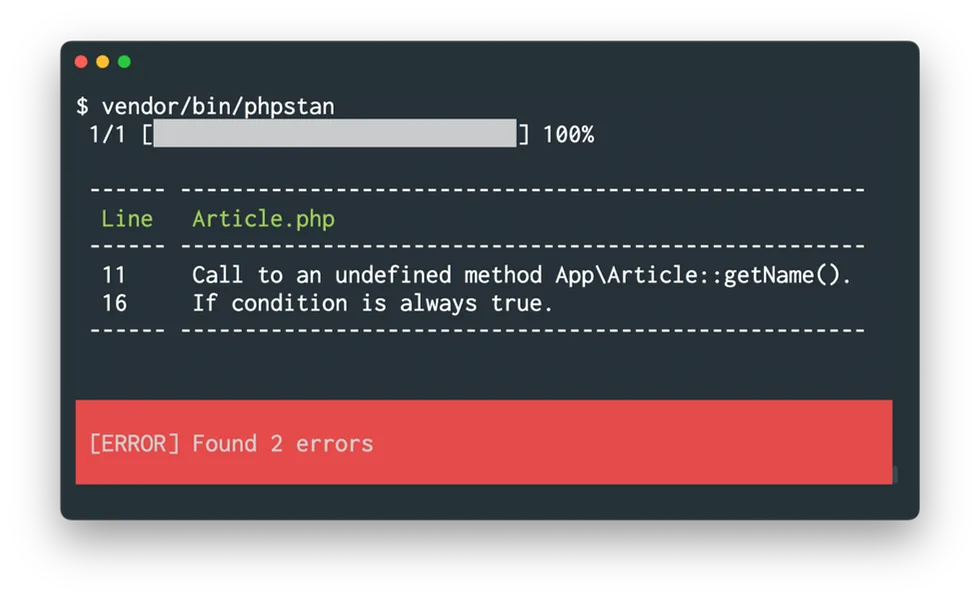
Both tools perform static type analysis on PHP code without executing it. They read source files and PHPDoc annotations, build a type model, and report inconsistencies. The key difference in type inference is their tolerance for ambiguity.
PHPStan’s type inference is slightly more permissive — when it cannot determine a type, it tends to allow the code rather than flag it. This approach reduces false positives but can miss genuine issues in edge cases.
Psalm’s type inference is more conservative — when it encounters code it cannot fully verify, it is more likely to flag it. This catches certain categories of bugs that PHPStan allows through, particularly around mixed types and complex generics, but also means more false positives in loosely typed legacy codebases.
Both tools handle modern PHP type features well: generics with @template, union and intersection types, conditional return types, literal types, and callable types. PHPStan introduced dedicated list type support in version 2.0, and Psalm has had strong array shape inference for longer.
Analysis Levels and Gradual Adoption#
PHPStan’s level system is one of its strongest features. Eleven levels (0 through 10) let you start with basic checks and increase strictness incrementally.
Level 0 catches unknown classes and wrong argument counts. Level 5 checks argument types. Level 6 reports missing typehints.
Level 10 — introduced in PHPStan 2.0 — catches implicitly typed mixed values.
Psalm uses 8 levels numbered in the opposite direction: Level 1 is the strictest and Level 8 is the most lenient. The default is Level 2.
This inverted numbering can be confusing, especially when switching between the two tools. Starting at Level 5 or 6 and decreasing the number (increasing strictness) is the standard recommendation for existing projects.
Both tools support baseline files that record all current errors and only report new ones going forward. This is essential for adopting either tool in an existing codebase without fixing every legacy issue upfront.
Security Analysis: Psalm’s Differentiator#
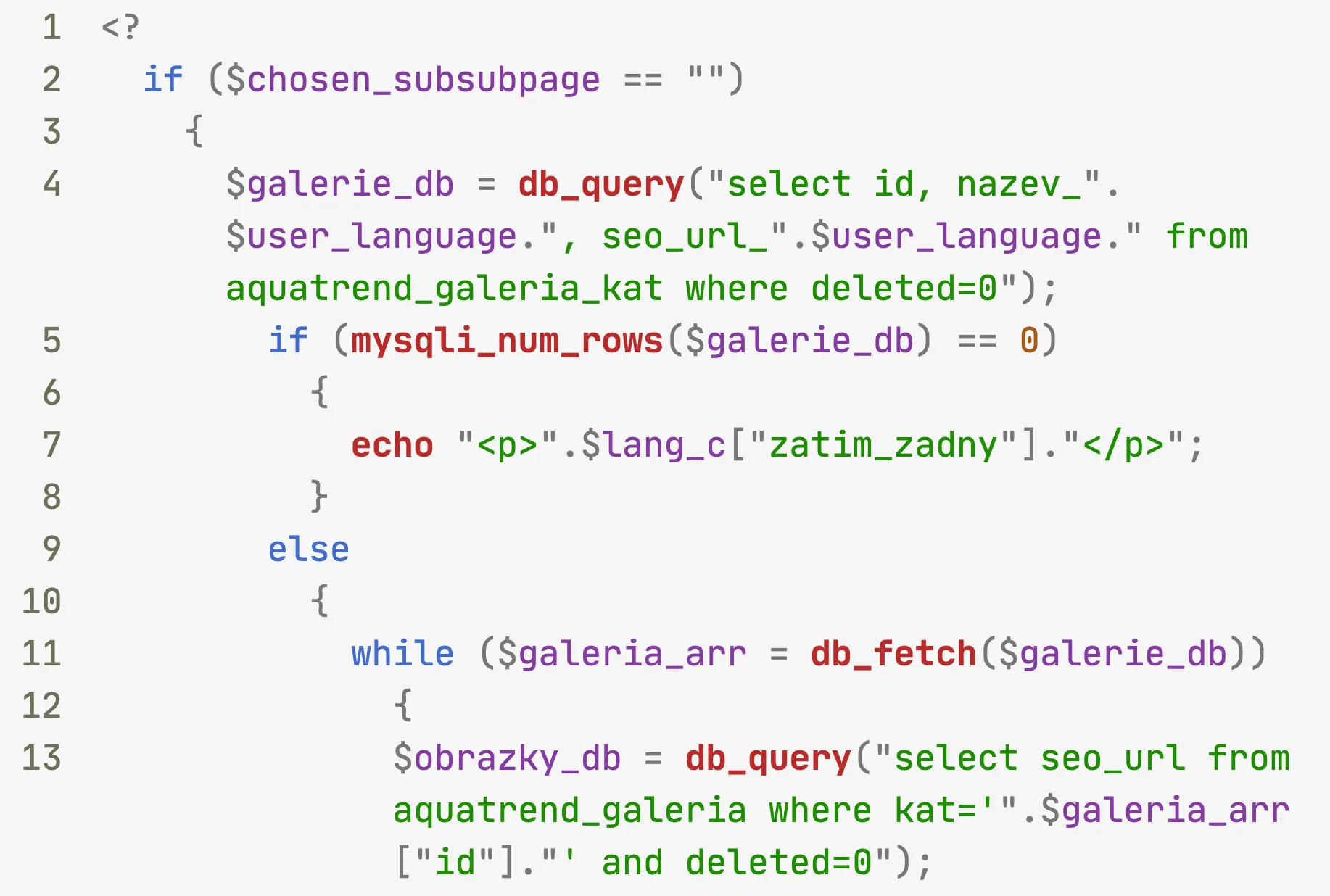
This is where the two tools diverge sharply. Psalm has built-in taint analysis that PHPStan does not offer.
Psalm’s taint tracking works by defining sources of untrusted data ($_GET, $_POST, $_COOKIE), sinks where that data becomes dangerous (SQL queries, echo, shell_exec), and sanitizers that make the data safe (parameterized queries, htmlspecialchars). If tainted data reaches a sink without passing through a sanitizer, Psalm flags it.
The taint types are granular: TaintedSql for SQL injection, TaintedHtml for XSS, TaintedShell for command injection, TaintedSSRF for server-side request forgery, and more. You can define custom sources, sinks, and sanitizers for your application’s specific patterns.
PHPStan has no equivalent feature. For security vulnerability detection, you need to pair PHPStan with a separate tool — either Psalm for its taint analysis, or a dedicated security scanner.
Framework Support and Plugin Ecosystem#
PHPStan wins on ecosystem breadth. The official Larastan extension provides deep type inference for Laravel (Eloquent models, relationships, facades, route helpers, service container bindings, query builders). Official extensions also exist for Symfony, Doctrine, PHPUnit, and Nette.
On top of those, PHPStan has 200+ community packages covering WordPress type stubs, architectural rules, and more. The phpstan/phpstan-strict-rules and phpstan/phpstan-deprecation-rules packages are widely used.
Psalm has plugins for Laravel, Symfony, and PHPUnit, but the ecosystem is smaller. The Laravel plugin (psalm/plugin-laravel) covers basic patterns but doesn’t match Larastan’s depth. For teams heavily invested in a specific framework, PHPStan’s extension coverage is a practical advantage.
Automatic Fixes and Developer Experience#
Psalm includes Psalter, a built-in code transformation tool that can automatically add missing type annotations:
vendor/bin/psalter --issues=MissingReturnType,MissingParamType
For improving type coverage in legacy codebases, this saves significant manual effort. PHPStan does not have an equivalent auto-fixer in its open-source core.
PHPStan Pro compensates with its web UI, which lets you browse errors with file navigation and click-to-open-in-editor functionality. The continuous watch mode re-analyzes changed files in the background. These features cost 7 EUR/month for individuals or 70 EUR/month for teams.
Psalm is entirely free with no commercial tier. If budget is a constraint, Psalm delivers everything it offers without any paywalls.
Configuration and Setup#
PHPStan uses NEON format (phpstan.neon), which is a superset of INI and feels lightweight. Psalm uses XML (psalm.xml), which is more verbose but also more explicit. A minor difference, but most PHP developers find NEON more readable.
Both tools install via Composer and work with standard CI/CD pipelines. Setup is straightforward either way: install, create config, run analysis, generate baseline.
Performance#
PHPStan 2.0 brought significant memory improvements: 50-70% less memory consumption on large projects with thousands of files. In early 2026, PHPStan 2.1.34 added 25-40% faster analysis through caching of reflection objects and raw performance optimizations to the analyzer code.
Psalm’s performance is generally adequate for CI pipelines, but taint analysis adds overhead since it builds a full data flow graph. For large codebases, taint analysis runs can be significantly slower than standard type checking. Some teams run taint analysis on a separate schedule (nightly rather than per-PR) to manage this.
For standard type analysis without taint tracking, both tools are fast enough for PR-level CI gates.
When Should You Choose PHPStan?#
Choose PHPStan if:
- You need the broadest plugin ecosystem with official extensions for Laravel, Symfony, and Doctrine
- Progressive analysis levels (0-10) for gradual adoption matter to your team
- Your project is heavily invested in Laravel and needs Larastan’s deep type inference
- You want a commercial Pro tier with web UI and watch mode for team productivity
- Community size and third-party resources (tutorials, blog posts, Stack Overflow answers) are important
- You prefer NEON configuration over XML
When Should You Choose Psalm?#
Choose Psalm if:
- Security vulnerability detection is a priority — taint analysis for SQL injection, XSS, and command injection
- You want automatic code fixes via Psalter to improve type coverage in legacy code
- Budget constraints mean the tool must be 100% free with no commercial tier
- You prefer more conservative type inference that catches edge cases other tools miss
- SARIF output for GitHub code scanning integration is needed out of the box
- You need custom taint sources, sinks, and sanitizers for your application’s specific data flows
If your team cares about both code quality and security, running PHPStan and Psalm together in CI is a common practice among PHP teams. PHPStan handles framework-aware type checking with its extension ecosystem. Psalm adds taint analysis for the security side.
The additional CI time is modest, and the findings overlap less than you might expect.
For more PHP static analysis tools and broader SAST options , check the full category comparison on AppSec Santa.
Frequently Asked Questions
Should I use PHPStan or Psalm for PHP static analysis?
Can I run PHPStan and Psalm together?
Does PHPStan detect security vulnerabilities?
Is Psalm still maintained in 2026?
Which tool has better Laravel support?

Written & maintained by
Suphi CankurtEight years on the vendor side of application-security sales — thousands of evaluations and demos. I started AppSec Santa in 2022 to put that insider view to work for buyers. Independent of the vendors I review, paid by none of them, and honest about what fits whom.