
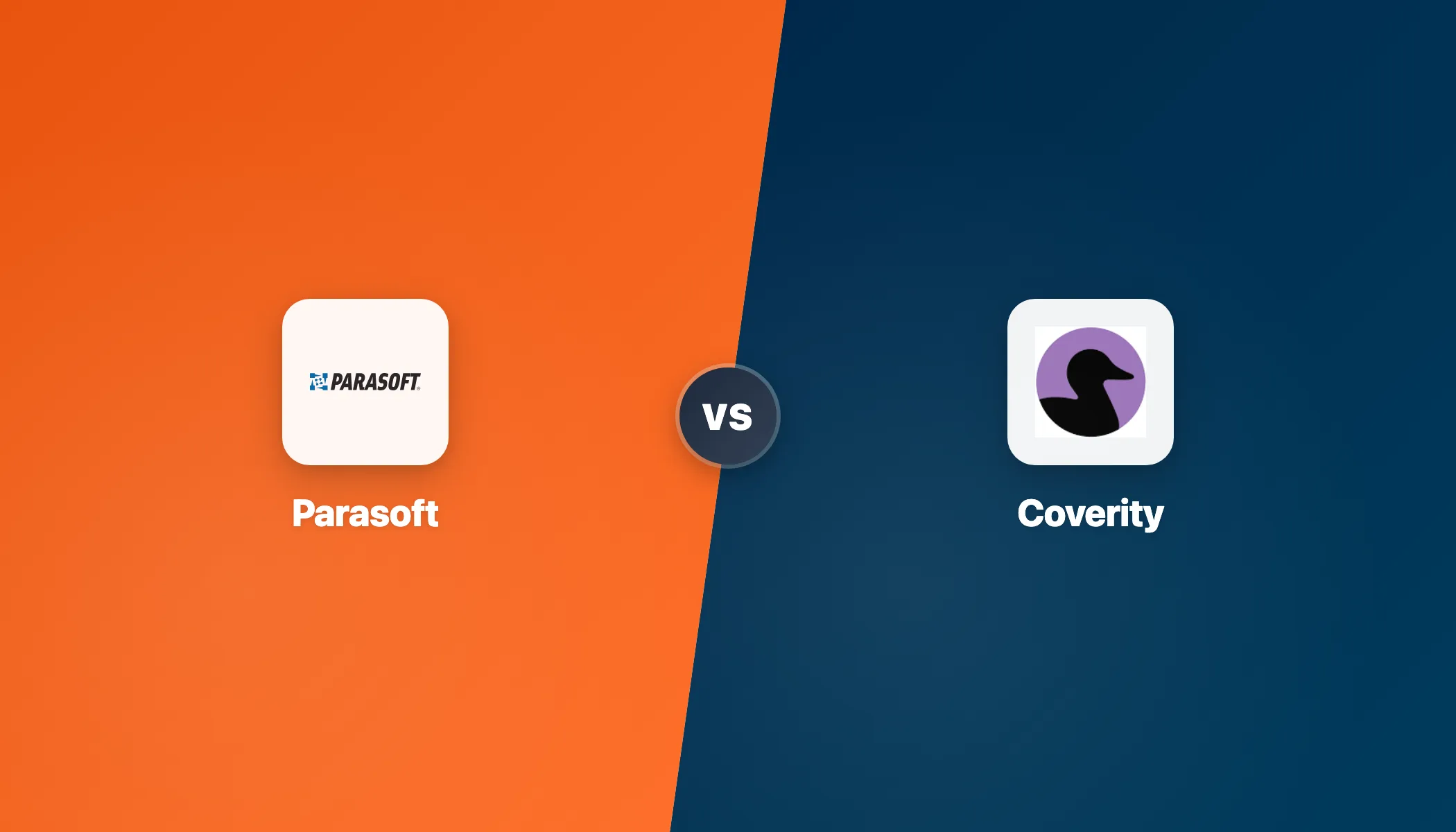
- Parasoft C/C++test is TUV SUD certified for ISO 26262 and IEC 61508 with tool qualification kits for DO-178C, IEC 62304, and EN 50128 — purpose-built for compliance-driven development. Coverity supports these standards through rule packs but lacks independent third-party tool certification.
- Coverity analyzes 22 languages and 200+ frameworks with deep interprocedural dataflow analysis. Parasoft splits coverage across three products: C/C++test (C/C++), Jtest (Java), and dotTEST (C#/.NET) — each bundling static analysis, unit testing, and code coverage.
- Coverity is used by 51% of the Fortune 100 and is the default SAST in many large C/C++ programs. Parasoft holds stronger recognition in automotive, aerospace, and medical device verticals where certified tooling is a regulatory requirement.
- Parasoft bundles static analysis with unit testing, code coverage, and compliance documentation in a single product per language. Coverity focuses purely on static analysis and pairs with Black Duck SCA for software composition analysis.
- Parasoft C/C++test Individual plan starts at $35/month. Coverity requires contacting Black Duck for enterprise pricing — no public price tiers are listed.
Which Is Better: Parasoft or Coverity?#
Parasoft is the better choice for compliance-certified safety-critical development, while Coverity is better for deep multi-language defect detection.
The core difference: Parasoft is a compliance-first platform with TUV SUD certification that bundles static analysis, unit testing, and code coverage in one product, while Coverity is a deep analysis engine that scans 22 languages and is used by 51% of the Fortune 100.
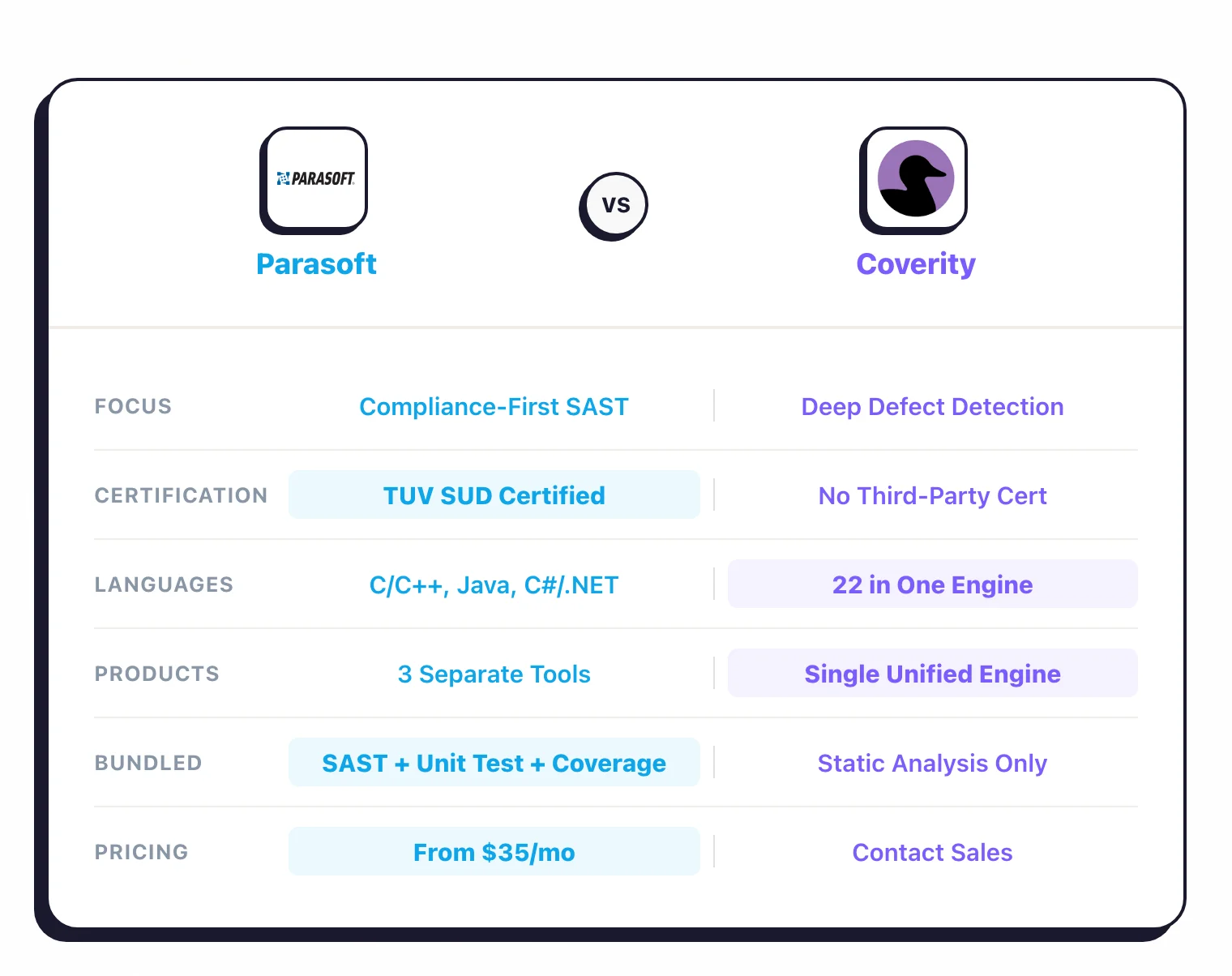
Parasoft C/C++test has been built over 35+ years specifically for safety-critical industries. Parasoft is the only major SAST tool with independent TUV SUD certification for ISO 26262 and IEC 61508.
It also ships tool qualification kits for DO-178C, IEC 62304, and EN 50128, meaning the tool itself has been independently verified as suitable for certified development workflows. Unlike Coverity, Parasoft bundles static analysis with unit testing, structural code coverage, and automated compliance documentation generation in a single product.
Coverity takes a different approach. Its interprocedural, path-sensitive, and context-sensitive dataflow engine traces defects across function boundaries, execution paths, and calling contexts.
Coverity analyzes 22 languages in a single product, compared to Parasoft’s three separate products for different language families. This depth is what makes Coverity effective at catching complex bugs (buffer overflows, use-after-free, race conditions, multi-step security vulnerabilities) that surface-level pattern matching tools miss.
Coverity is deployed by 51% of the Fortune 100, and major open-source projects including the Linux kernel, Firefox, and FreeBSD have used Coverity Scan for years.
If your primary driver is compliance certification and you need your static analysis tool to come with auditor-ready documentation for functional safety standards, Parasoft is the stronger choice. If your primary driver is finding the deepest, most complex defects across a large multi-language codebase, Coverity’s analysis engine is hard to beat.
What Are the Key Differences?#
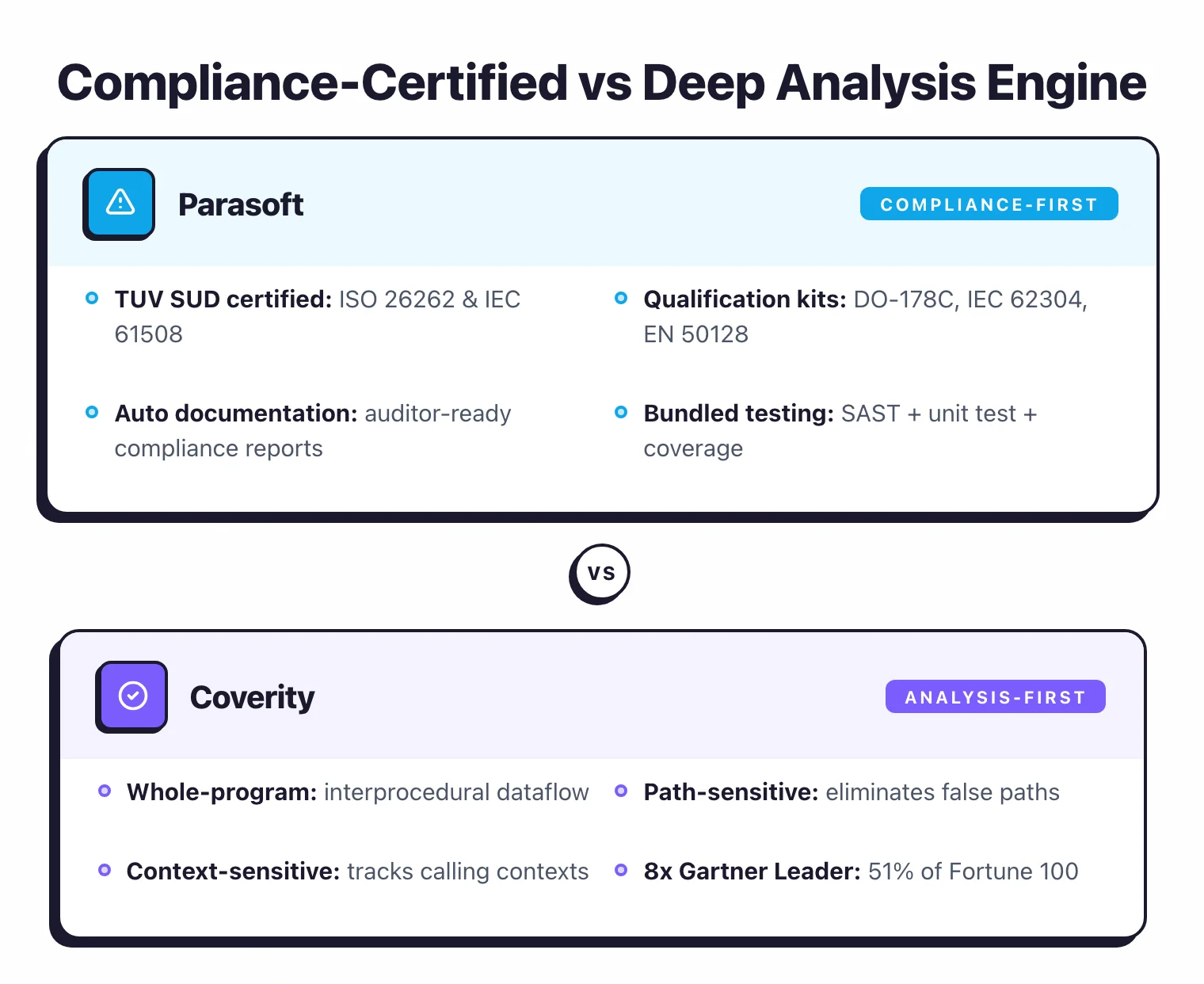
| Feature | Parasoft | Coverity |
|---|---|---|
| Developer | Parasoft Corporation (est. 1987) | Black Duck Software (formerly Synopsys SIG) |
| License | Commercial (Individual plan from $35/mo) | Commercial (contact sales) |
| Languages (SAST) | C, C++ (C/C++test); Java (Jtest); C#/.NET (dotTEST) | 22 languages in one product (C, C++, Java, JS, Python, Go, etc.) |
| Products | 3 separate products per language family | Single unified analysis engine |
| Analysis Depth | Control flow, data flow, pattern-based; 3 tunable modes | Interprocedural, path-sensitive, context-sensitive dataflow |
| Built-in Rules | 2,500+ rules across products | 1,000+ checkers across languages |
| Custom Rules | RuleWizard (visual editor, no coding) | Custom checkers via Coverity API |
| Compliance Standards | MISRA, AUTOSAR, CERT, CWE, OWASP, JSF, DO-178C, ISO 26262, IEC 62304, EN 50128 | MISRA, AUTOSAR, ISO 26262, CERT, CWE, OWASP, PCI DSS, DISA STIG |
| Third-Party Certification | TUV SUD certified (ISO 26262, IEC 61508) | No independent tool certification |
| Bundled Testing | Unit testing + code coverage included | Static analysis only |
| Compliance Documentation | Automated generation (DTP) | Manual or third-party |
| IDE Support | Eclipse, IntelliJ, Visual Studio, VS Code | VS Code, Visual Studio, IntelliJ, Eclipse (Code Sight) |
| CI/CD Integration | Jenkins, Azure DevOps, GitLab, GitHub | Jenkins, GitHub Actions, GitLab CI, Azure DevOps |
| Deployment | On-premises, IDE | On-premises, Cloud (Polaris Platform), IDE |
| Incremental Analysis | Yes | Yes (changed files + dependencies) |
| Reporting Dashboard | DTP (Development Testing Platform) | Coverity Connect / Polaris Platform |
| Free Tier | No | Coverity Scan (open-source projects only) |
Parasoft vs Coverity: How Do They Compare?#
Analysis Engine and Depth#
The fundamental technical difference is how each tool analyzes code. Coverity performs whole-program interprocedural analysis by default, while Parasoft offers three configurable analysis depths.
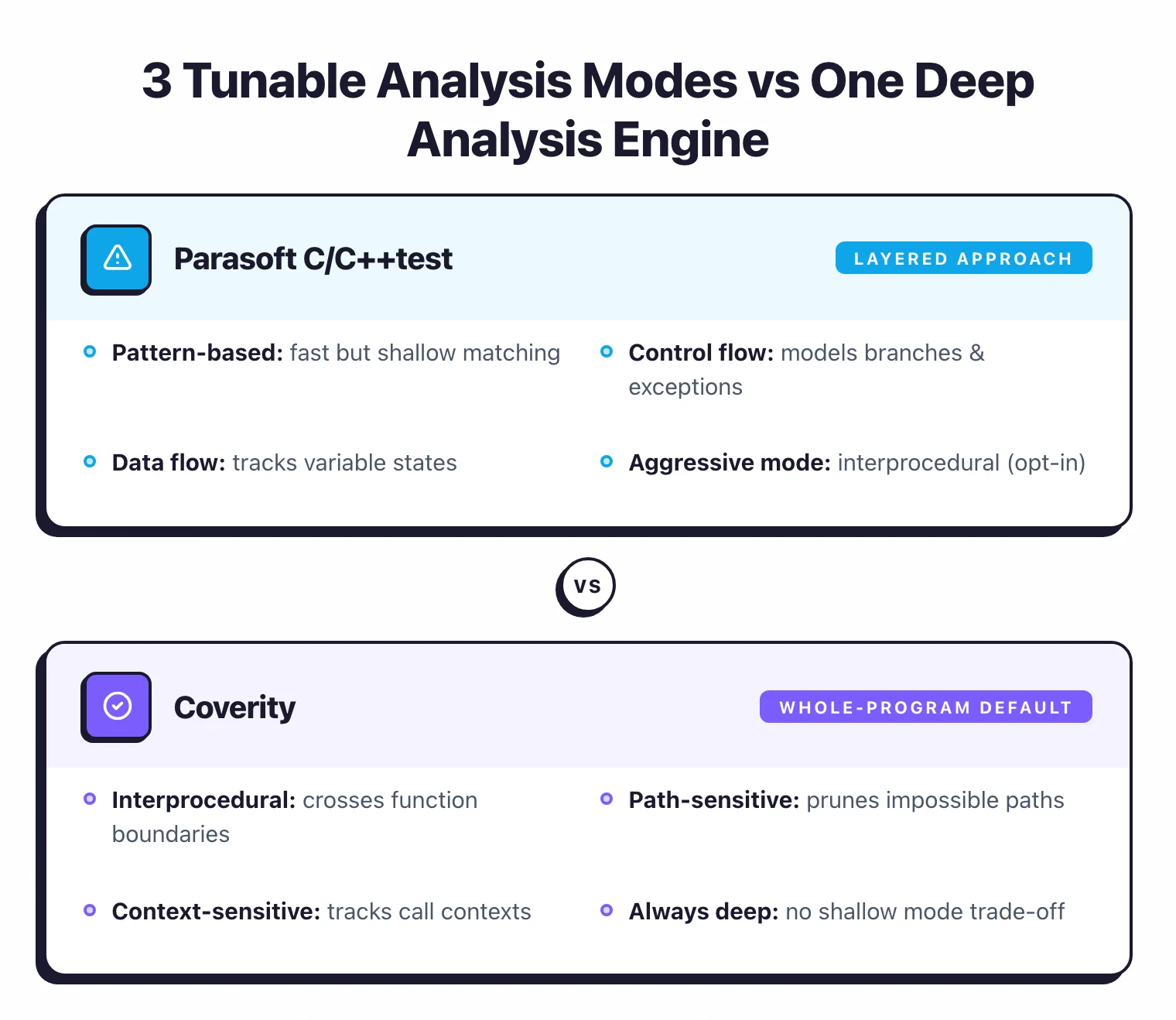
Coverity builds a complete program model and performs whole-program analysis. Its engine traces data flow across function boundaries (interprocedural), understands conditional branches and constraints along execution paths (path-sensitive), and tracks values through different calling contexts (context-sensitive).
This lets Coverity find bugs that span multiple files and hundreds of function calls. A buffer overflow where the overflowing value originates in one module, passes through three intermediate functions, and triggers the overflow in a completely different part of the codebase.
Parasoft C/C++test uses a more layered approach with three distinct analysis modes. Pattern-based analysis matches code against known bug patterns and coding standard violations — fast but shallow. Control flow analysis models all possible execution paths including branches, loops, and exception handling.
Data flow analysis tracks variable states along execution paths to detect null pointers, division by zero, memory leaks, and uninitialized variables. Unlike Coverity’s default deep analysis, Parasoft’s Aggressive mode performs interprocedural analysis comparable to Coverity’s depth, but it is one configuration option among three rather than the default.
In practice, Coverity’s analysis depth is its main selling point. The engine is optimized for finding the complex, multi-step defects that cause the most damage: use-after-free, double-free, race conditions, and intricate injection paths. Parasoft’s strength is not in out-analyzing Coverity on raw defect depth, but in wrapping analysis results into a compliance-ready workflow with unit testing and coverage data alongside the static analysis findings.
Compliance and Safety Certification#
This is where Parasoft and Coverity differ most. Parasoft holds independent third-party tool certification, while Coverity does not.
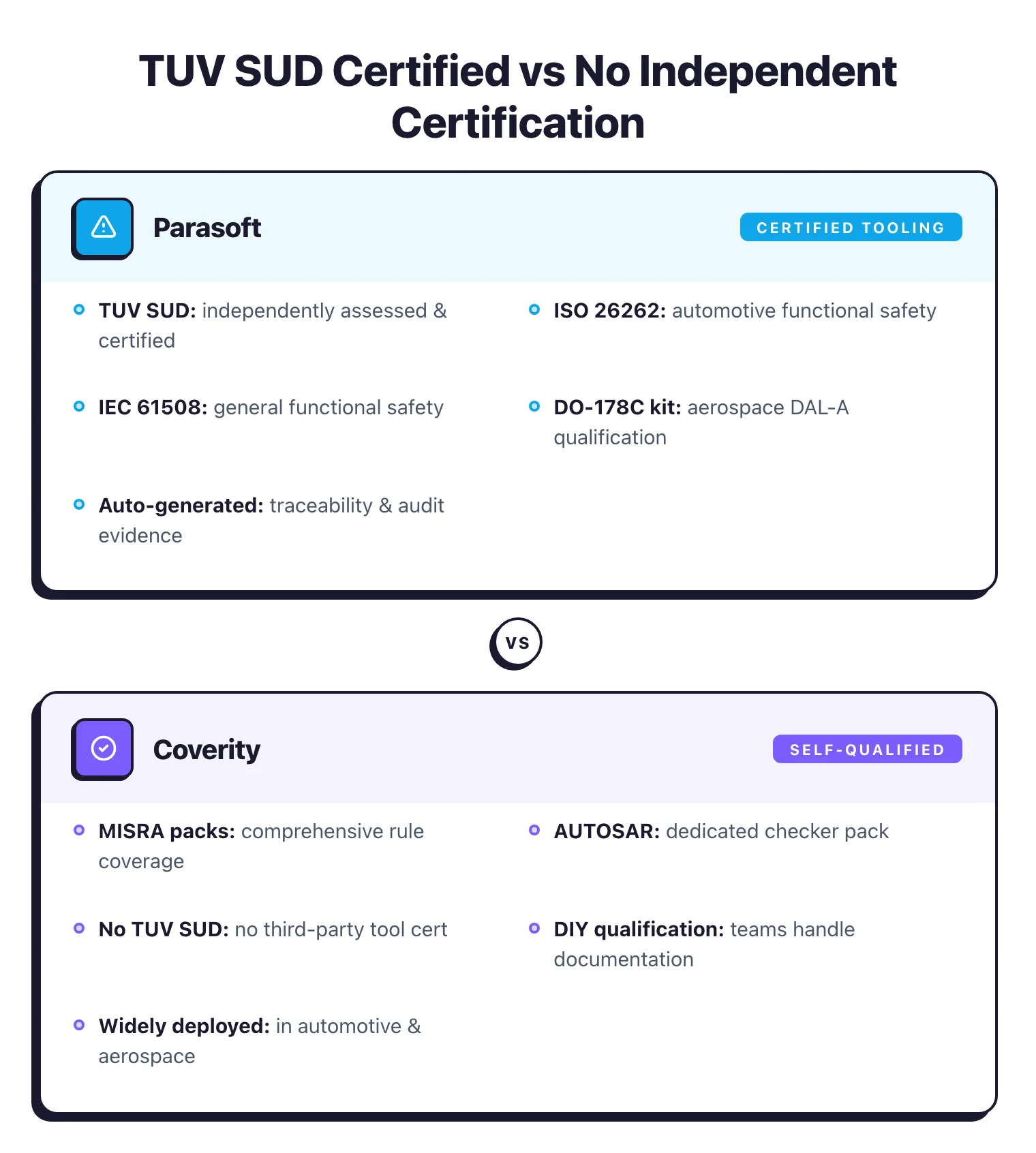
Parasoft C/C++test is TUV SUD certified for ISO 26262 (automotive functional safety) and IEC 61508 (general functional safety). It ships with tool qualification kits for DO-178C DAL-A (aerospace), IEC 62304 (medical devices), EN 50128 (rail), and ISO 21434 (automotive cybersecurity).
The certification means an independent third party has assessed that C/C++test meets the requirements to be used as a verification tool in safety-critical development processes.
This matters in regulated industries. When an auditor asks whether your static analysis tool has been qualified for use under DO-178C or ISO 26262, Parasoft can present TUV SUD certification documentation. The tool qualification kits automate the generation of traceability matrices and verification evidence that auditors require.
Coverity supports MISRA, AUTOSAR, ISO 26262, CERT, CWE, OWASP, PCI DSS, and DISA STIG through dedicated checker packs. It is widely deployed in automotive, aerospace, and embedded teams — companies like Thales Alenia Space, for example, have publicly cited Coverity for code quality and coding standard enforcement.
However, Coverity does not carry an independent third-party tool certification like TUV SUD. Organizations using Coverity in certified workflows typically handle tool qualification documentation themselves or through consulting partners.
Both tools cover MISRA and AUTOSAR rules comprehensively. The practical difference is whether you need the tool certification and automated compliance documentation (Parasoft’s advantage) or whether your organization handles tool qualification independently and prioritizes analysis depth (Coverity’s advantage).
Language Support and Product Structure#
Coverity covers 22 languages within a single analysis engine: C, C++, Java, JavaScript, TypeScript, C#, Python, Go, Ruby, PHP, Swift, Kotlin, Scala, Dart, Fortran, CUDA, Objective-C, VB.NET, Apex, and more. It also supports over 200 frameworks including Angular, React, Spring, Vue.js, Express, and Next.js. One installation, one configuration, one reporting pipeline.
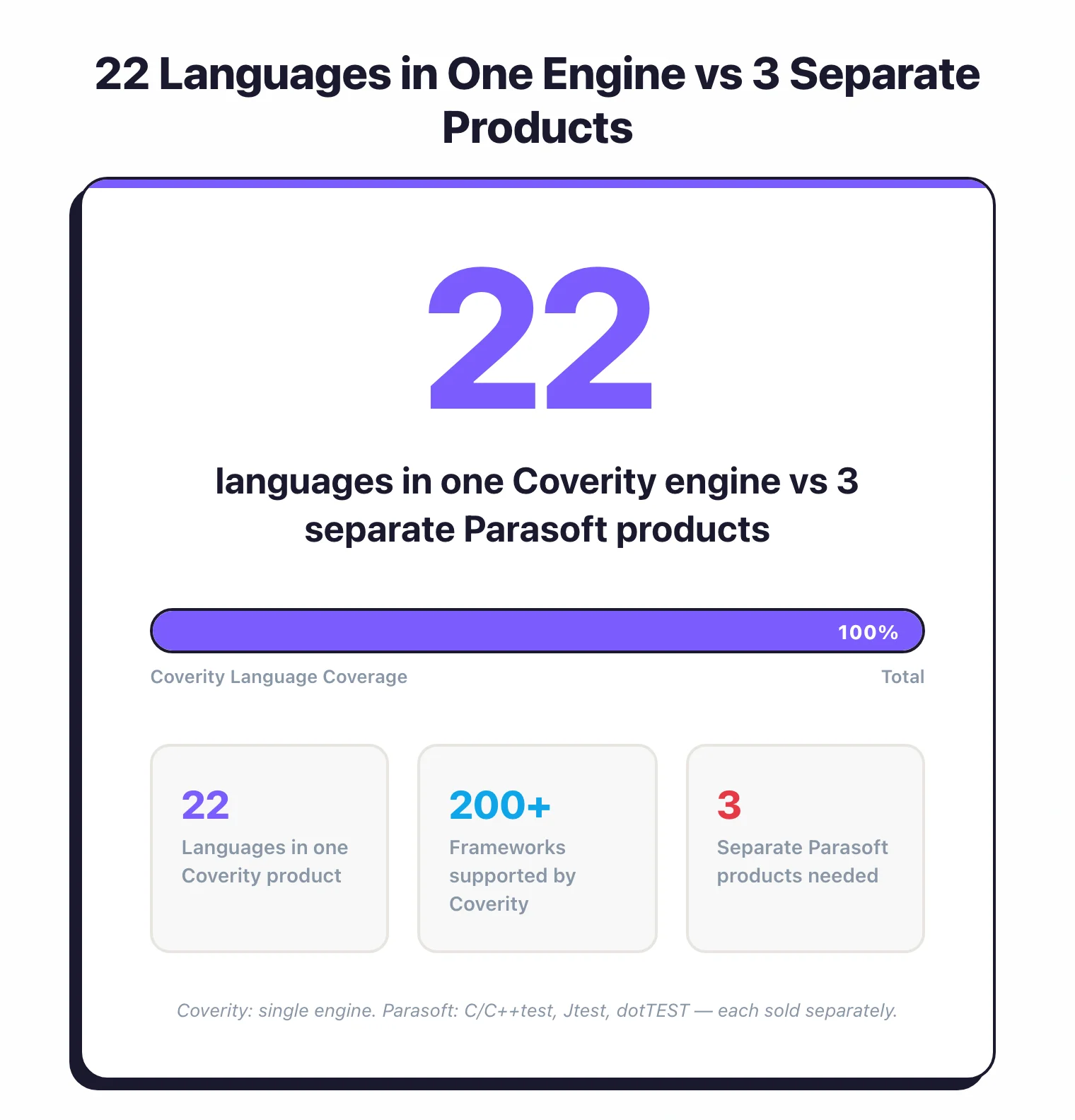
Compared to Coverity’s unified approach, Parasoft splits language support across three separate products: C/C++test for C and C++, Jtest for Java, and dotTEST for C# and .NET. Each product is a standalone tool with its own installation, configuration, and licensing.
The upside is that each product is deeply specialized for its target language and bundles static analysis with unit testing and code coverage. The downside is that a mixed-language team (e.g., C++ backend with a Java middleware layer) needs multiple Parasoft products and potentially separate configurations.
For teams working exclusively in C or C++ (common in automotive, aerospace, and embedded), this is not a practical limitation. C/C++test covers the entire workflow. For organizations with polyglot codebases, Coverity’s single-engine approach is significantly simpler to operate.
Bundled Testing Capabilities#
Parasoft’s key structural advantage is that each product bundles static analysis, unit testing, and code coverage in a single tool. C/C++test does not just find bugs in your code. It also generates and runs unit tests, measures structural code coverage (statement, branch, MC/DC), and reports all of this through the DTP dashboard.
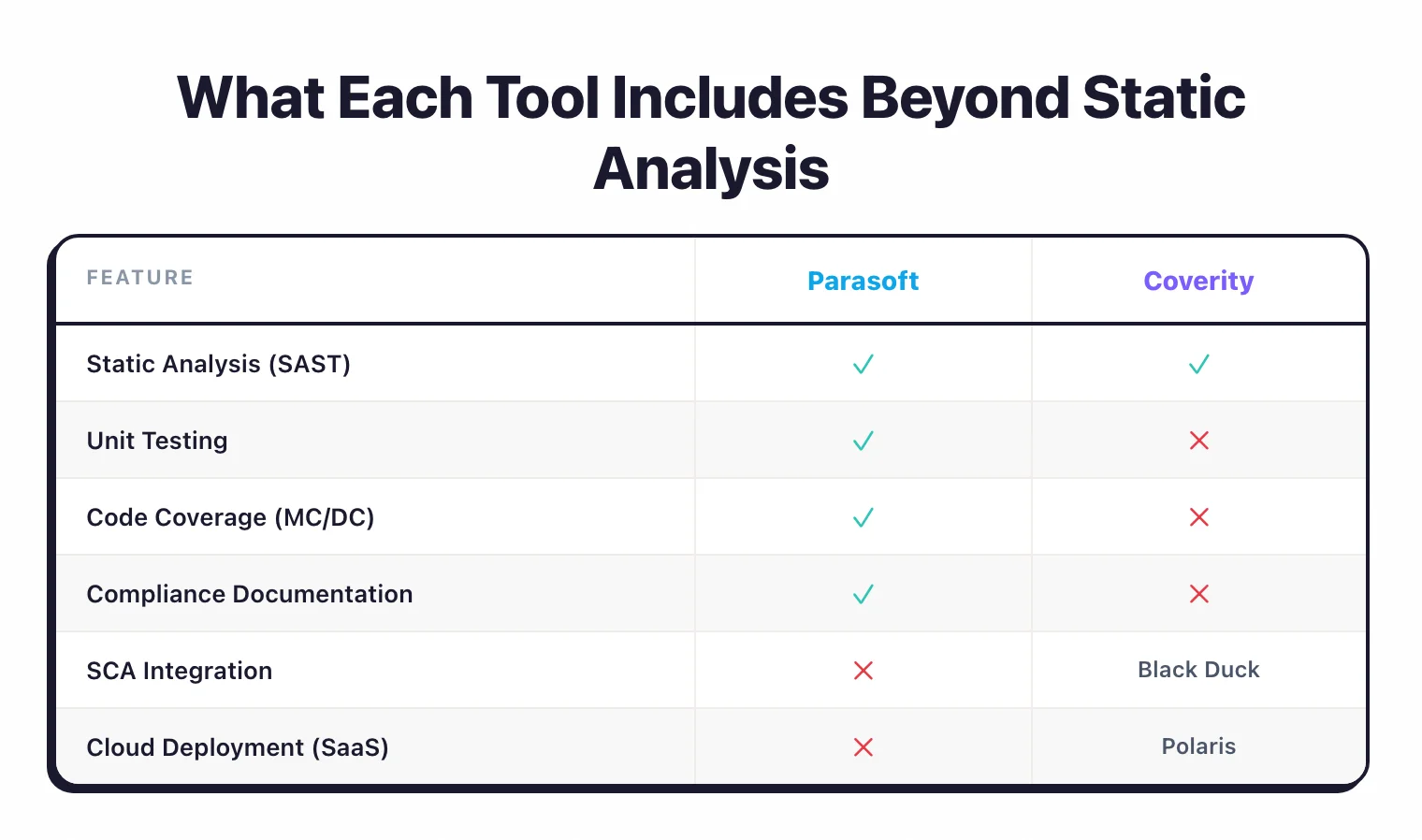
For safety-critical projects, this matters because compliance standards like DO-178C and ISO 26262 require evidence of both static analysis and structural coverage testing. With Parasoft, this evidence comes from a single tool chain. With Coverity, static analysis results come from Coverity, but unit testing and code coverage require separate tools (e.g., VectorCAST, Google Test, or LDRA for MC/DC coverage).
Coverity focuses exclusively on static analysis. It does one thing (find defects) and does it with exceptional depth. The Code Sight IDE plugin gives you real-time scanning during development and also surfaces Black Duck SCA results, but it does not perform unit testing or coverage measurement.
The choice here depends on whether you want an integrated testing platform (Parasoft) or a best-in-class point solution for static analysis (Coverity) that you combine with other specialized tools.
Deployment and CI/CD Integration#
Coverity offers more deployment flexibility compared to Parasoft. Organizations can run Coverity on-premises with the traditional Coverity Connect server, or in the cloud via the Black Duck Polaris Platform (SaaS). Polaris has prebuilt integrations for GitHub, GitLab, Bitbucket, and Azure DevOps, and handles infrastructure scaling automatically.
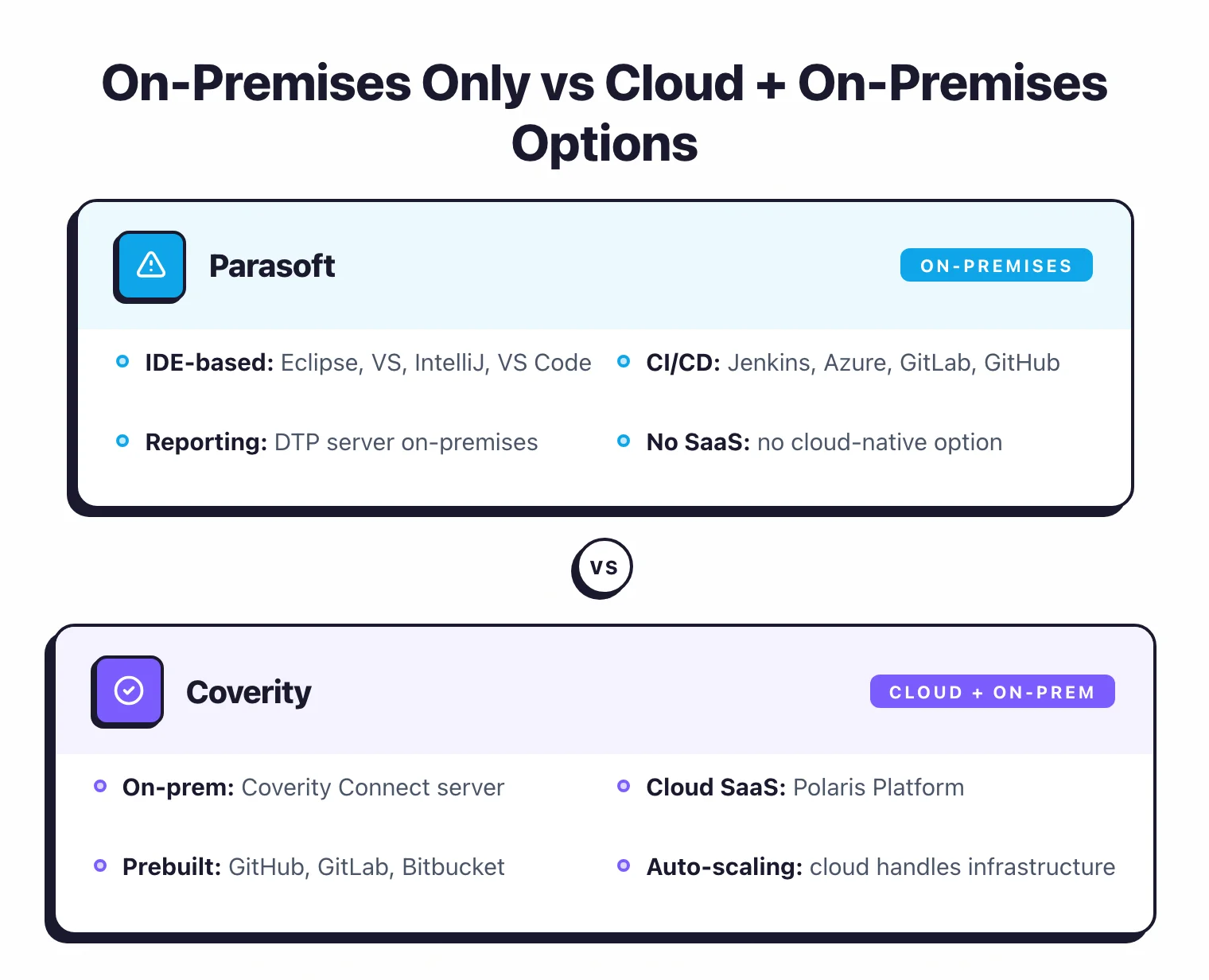
Parasoft C/C++test, unlike Coverity, is primarily an on-premises and IDE-based tool. Analysis runs locally or in CI/CD pipelines, with results sent to the DTP server for centralized reporting. Parasoft does not offer a cloud-native SaaS deployment comparable to Polaris.
Both tools support incremental analysis for CI/CD workflows. Coverity’s incremental mode scans only changed files and their dependencies, keeping build times manageable on large codebases. Parasoft similarly supports differential analysis to limit scans to modified code.
CI/CD integration is comparable: both work with Jenkins, GitHub Actions, GitLab CI, and Azure DevOps. Coverity has a slight edge in cloud-native CI workflows due to the Polaris Platform’s built-in pipeline integrations, while Parasoft’s DTP dashboard provides stronger compliance-oriented reporting across multiple projects.
Reporting and Dashboards#
Parasoft’s DTP (Development Testing Platform) is a centralized analytics and reporting server with over 50 drag-and-drop dashboard widgets. It aggregates results from static analysis, unit testing, and code coverage across all Parasoft products.
DTP’s strongest area is compliance reporting. It automatically generates documentation for ISO 26262, DO-178C, IEC 62304, and other standards, mapping findings to specific compliance requirements.
Coverity Connect (on-premises) and the Polaris Platform (cloud) give you defect management dashboards with severity ranking, trend analysis, and issue assignment. The focus is on triaging and resolving static analysis findings rather than generating compliance documentation. Polaris also integrates with Black Duck SCA for a combined view of SAST and SCA results.
For teams that need compliance reporting and multi-dimensional quality metrics (static analysis + testing + coverage), DTP is more capable. For teams that need a defect management workflow with enterprise-scale triage and remediation tracking, Coverity Connect and Polaris are more mature.
Custom Rules#
Parasoft offers RuleWizard, a visual editor that lets teams create custom static analysis rules without writing code. Teams define patterns graphically and RuleWizard generates the rule implementation. This makes it easier to create organization-specific coding standards or project-specific checks beyond the 2,500+ built-in rules.
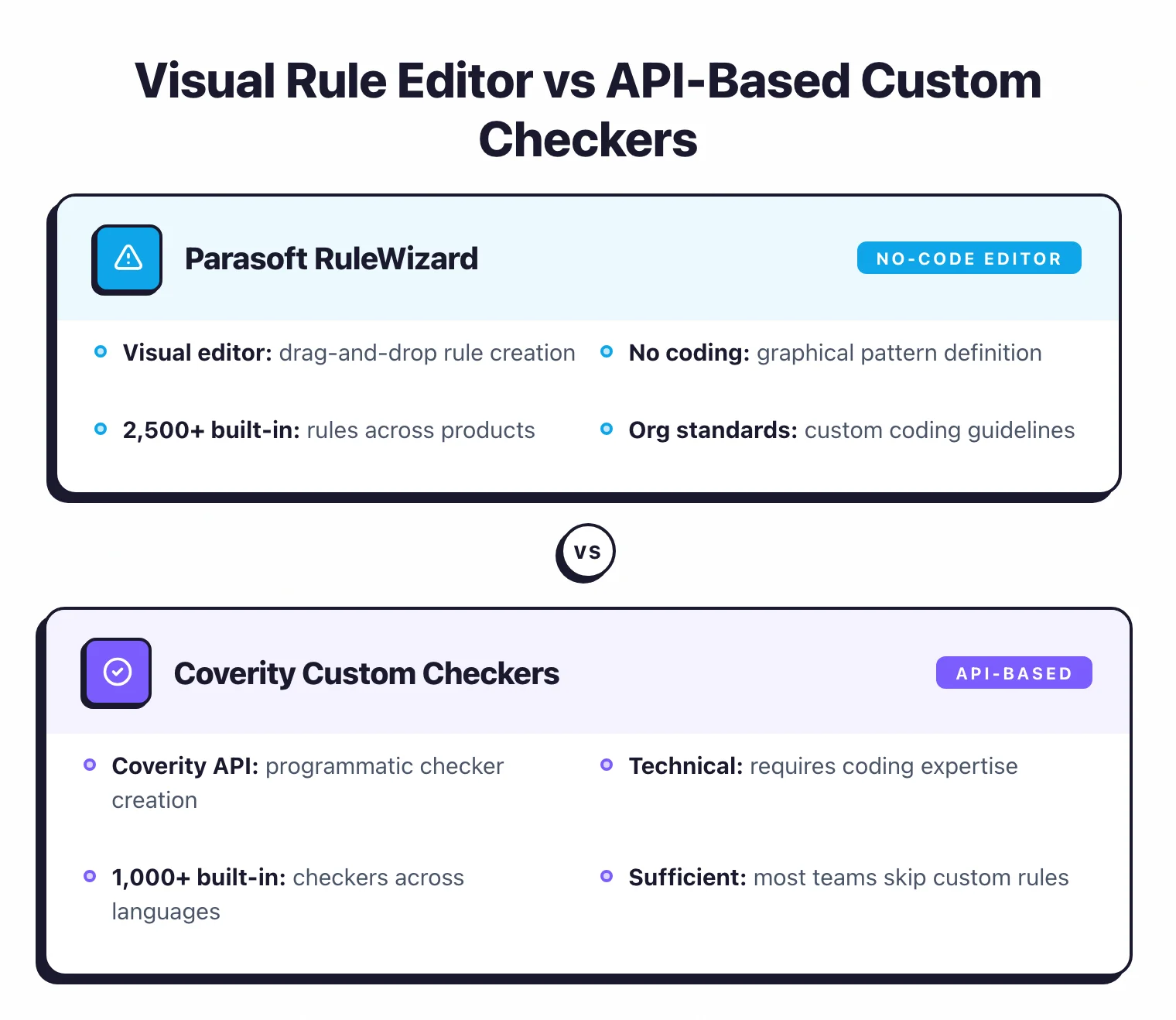
Coverity supports custom checkers through its API, but creating custom rules requires more technical effort than Parasoft’s visual approach. For most teams, Coverity’s 1,000+ built-in checkers cover the necessary security and quality patterns without needing custom rules.
Cost and Licensing#
Parasoft C/C++test publicly lists its Individual plan at $35/month billed annually, which includes control flow analysis, data flow analysis, pattern-based analysis, and custom rule creation via RuleWizard. The Essentials plan adds compliance standard verification (MISRA, CERT, CWE, AUTOSAR) and the Enterprise plan adds safety-certified toolchains, automated testing, and DTP analytics. Both require contacting Parasoft for pricing.
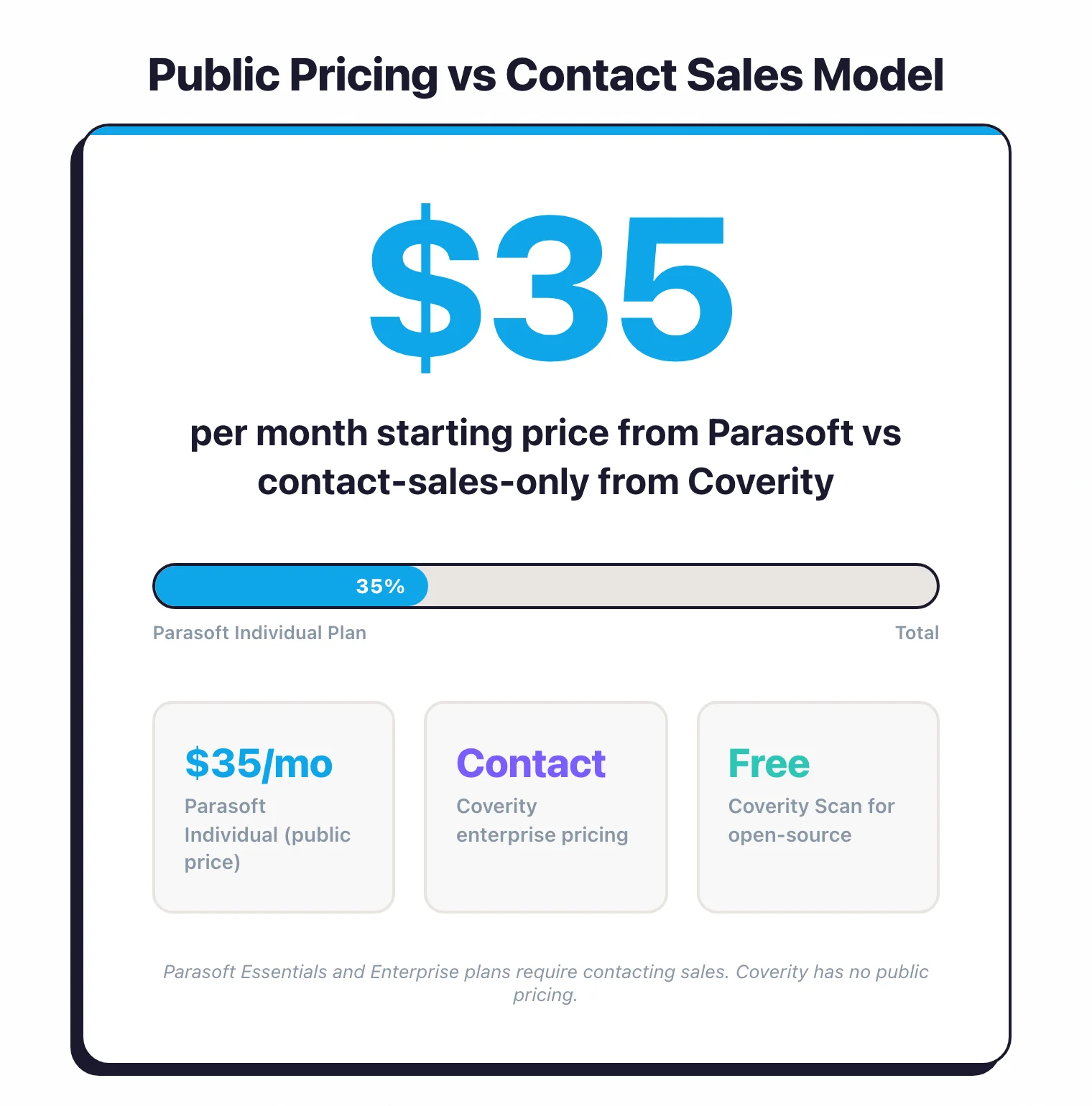
Coverity does not publish pricing. Contact Black Duck for a quote. Coverity is an enterprise-grade product and pricing typically reflects that positioning.
For open-source projects, Coverity Scan provides free static analysis. Major projects including Linux kernel, Firefox, Apache, and FreeBSD have used this service.
Pricing comparison#
Both vendors gate enterprise pricing behind sales calls, and the shape of each ladder reflects how the products are sold. Parasoft offers a self-serve Individual tier for C/C++test plus contact-sales Essentials and Enterprise tiers; the deal scope depends on the product split (C/C++test, Jtest, dotTEST), seat count, and whether the contract includes the tool qualification kits required for DO-178C, ISO 26262, or IEC 62304. For a buyer-side view of typical safety-critical SAST contract sizes, see the AppSec tools pricing guide .
Coverity (Synopsys, now Black Duck) is contact-sales only — Black Duck does not publish a per-developer rate card. Pricing scales with analyzed lines of code or developer seats, plus add-ons for desktop checkers, the policy server, and any AppSec Bundle modules (SCA, DAST, IAST). Coverity does ship one self-serve option: Coverity Scan, a free static analysis service for open-source projects that has been used by Linux, Firefox, FreeBSD, and many others.
Neither commercial tier ships self-serve list pricing for the full safety-certified bundle. Free trials are available through both vendor sites for technical evaluation. The practical implication: expect a multi-month procurement cycle and a meaningful upfront commitment for either product. The deciding factor is rarely sticker price — it’s whether the qualification kits and certified-tool documentation fit your audit workflow.
When Should You Choose Parasoft?#
Choose Parasoft if:
- Your development process requires TUV SUD certified tooling for ISO 26262, IEC 61508, or related functional safety standards
- You need automated compliance documentation for DO-178C, IEC 62304, EN 50128, or ISO 21434 audits
- You want static analysis, unit testing, and code coverage in a single product per language rather than assembling separate tools
- Your codebase is primarily C/C++ and compliance certification is a harder requirement than raw analysis depth
- RuleWizard visual rule creation is valuable for enforcing organization-specific coding standards without writing code
- You need a centralized compliance dashboard (DTP) that aggregates quality metrics across static analysis, testing, and coverage
When Should You Choose Coverity?#
Choose Coverity if:
- Your priority is finding the deepest, most complex defects: buffer overflows, use-after-free, race conditions, and multi-step injection paths
- Your codebase spans multiple languages and you need a single analysis engine covering 22 languages and 200+ frameworks
- You need cloud-native deployment through the Polaris Platform with prebuilt CI/CD integrations
- Your organization handles tool qualification internally and does not need the tool itself to carry third-party certification
- Low false positive rates on large, complex codebases are critical for developer adoption
- You want a SAST platform with decades of deployment history in Fortune 100 companies and major open-source projects
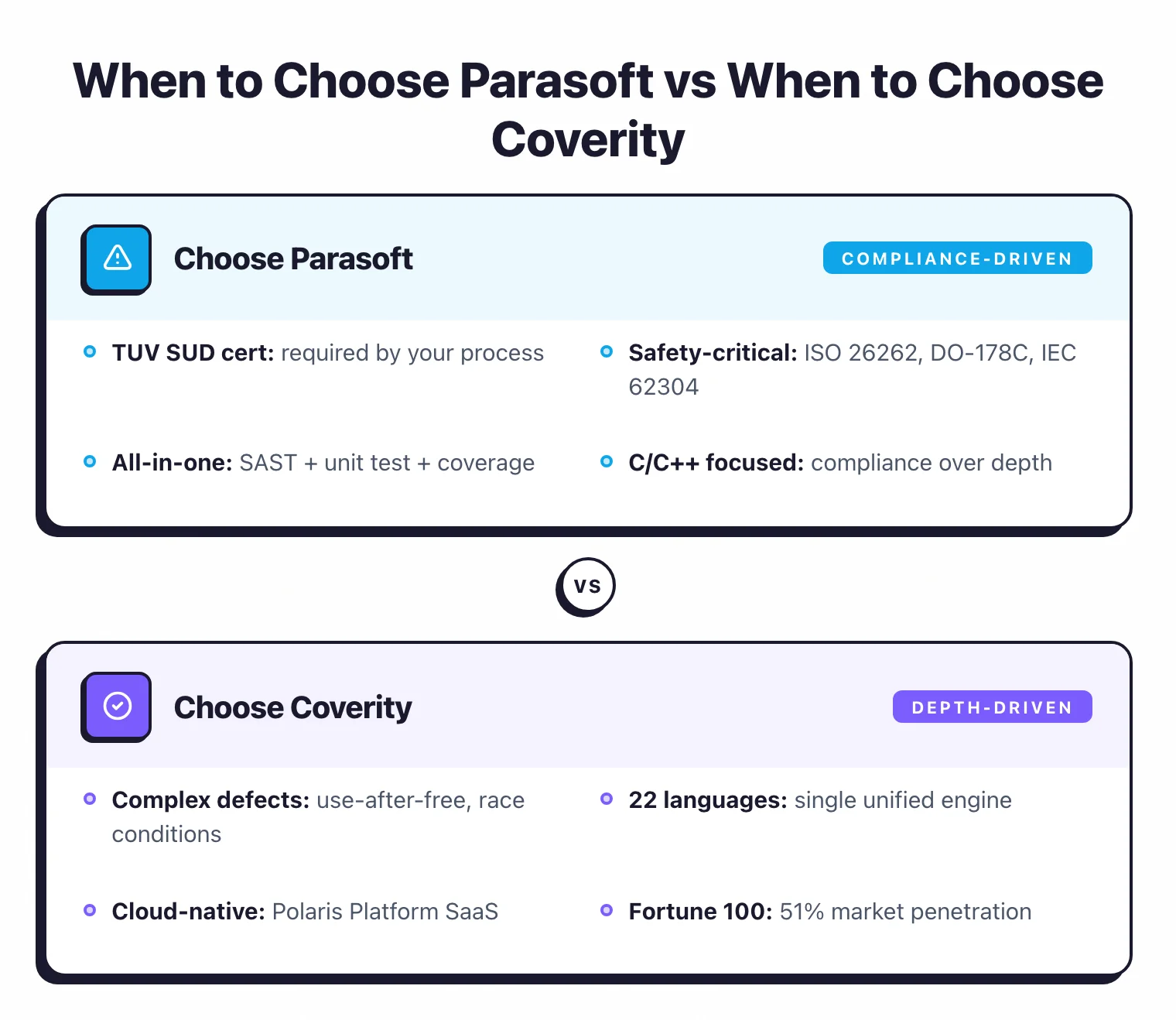
For teams building safety-critical C/C++ software, both tools are legitimate choices, and some organizations run both — Coverity as the deep defect-finding engine, Parasoft C/C++test as the compliance, unit testing, and coverage platform.
The overlap in static analysis is less of a problem than it sounds, because each tool catches issues the other may not flag. Parasoft’s 2,500+ rules and Coverity’s 1,000+ checkers have different detection philosophies, and running both provides broader coverage than either tool alone.
For the full list of static analysis options, see the SAST tools comparison on AppSec Santa.
Frequently Asked Questions
What is the main difference between Parasoft and Coverity?
Which tool is better for MISRA and AUTOSAR compliance?
Does Coverity support more languages than Parasoft?
Can I use Parasoft and Coverity together?
Which tool has a lower false positive rate?
How much do Parasoft and Coverity cost?

Written & maintained by
Suphi CankurtEight years on the vendor side of application-security sales — thousands of evaluations and demos. I started AppSec Santa in 2022 to put that insider view to work for buyers. Independent of any vendor, paid by none, and honest about what fits whom.