


SafeLine is a self-hosted, open-source WAF that runs as a reverse proxy in front of your web applications. It carries roughly 21.8k GitHub stars under GPL-3.0.
The project comes from Chaitin, a Chinese security vendor, which describes it as the No.1 WAF project on GitHub.
SafeLine’s distinguishing idea, as I read it, is semantic HTTP parsing rather than regex matching.
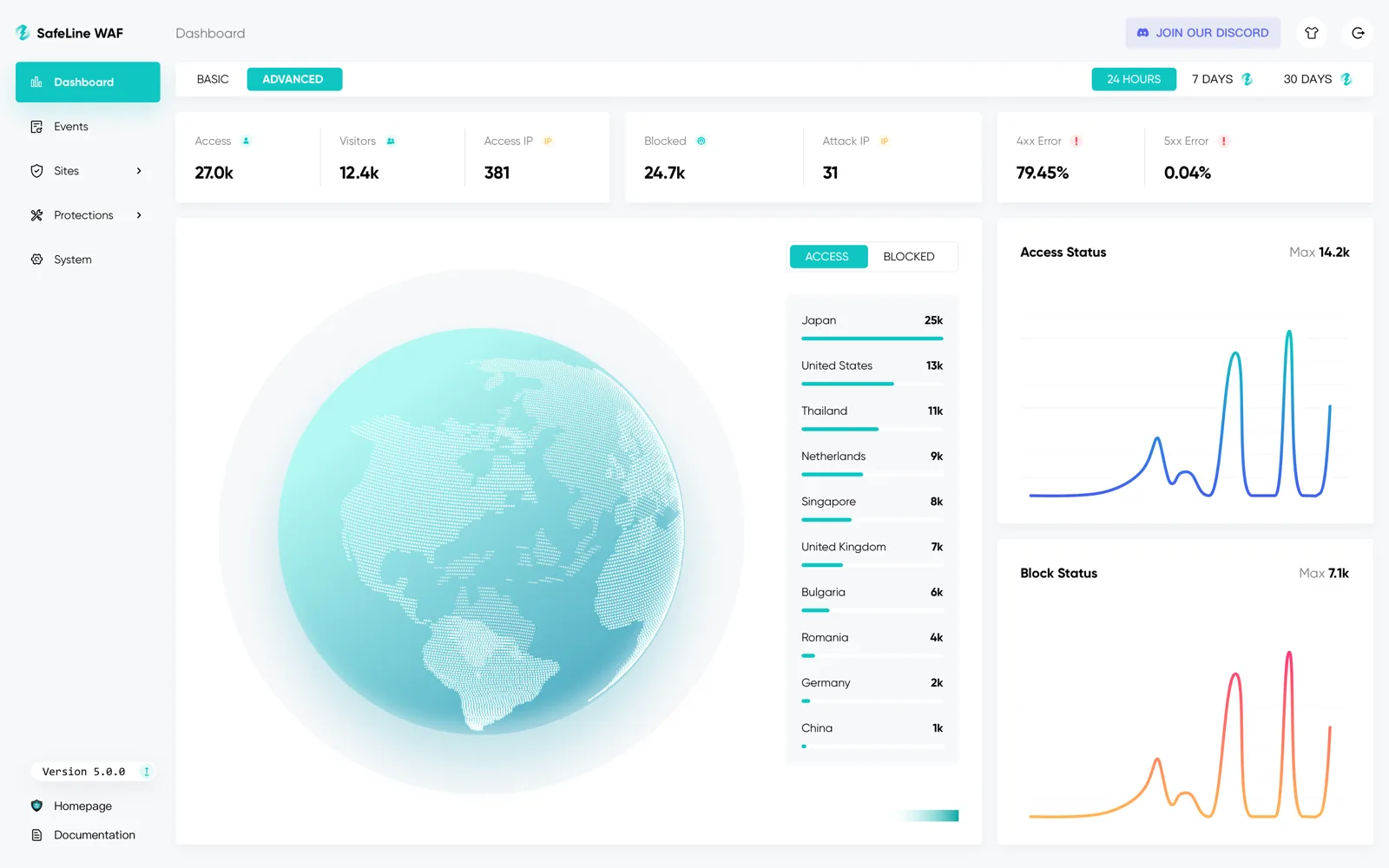
What is SafeLine?
A WAF sits between the internet and your application, filtering HTTP traffic before it reaches your server. SafeLine implements that as an Nginx-based reverse proxy you run yourself, on your own infrastructure.
The attack classes it covers are the familiar ones: SQL injection, XSS, code injection, OS command injection, CRLF injection, LDAP and XPath injection, RCE, XXE, SSRF, path traversal, backdoors, brute force, and HTTP flood.
| Feature | Details |
|---|---|
| Architecture | Nginx-based reverse proxy, self-hosted |
| Detection engine | Semantic analysis of HTTP traffic — no regex rule tuning |
| License | GPL-3.0 |
| GitHub stars | ~21.8k — Chaitin claims the No.1 WAF project on GitHub |
| Free tier | Personal — $0 forever, up to 10 applications |
| Paid tiers | Lite $10/mo ($100/yr), Pro $100/mo ($1,000/yr), Ultimate custom |
| Bot defense | CAPTCHA challenge, dynamic HTML/JS encryption, anti-replay |
| Identity | Authentication challenge per site |
| Rate limiting | IP-based throttling and HTTP flood defense |
| Current release | v9.3.10 (July 2026) |
Three things set the shape of a SafeLine deployment. The detection engine parses what a request means rather than matching patterns against it. Nothing leaves your infrastructure, and there is no per-request billing.
And the pricing is published in full, which is rare enough in this market to be worth naming.
What are SafeLine’s key features?
Semantic detection
This is the whole argument for SafeLine over the incumbent open-source option. Regex-based WAFs need constant tuning because a pattern broad enough to catch attacks also catches legitimate traffic.
SafeLine’s published benchmark, run on 33,669 samples, is the clearest statement of what that buys:
| Metric | ModSecurity, Level 1 | Cloudflare, Free | SafeLine, Balance | SafeLine, Strict |
|---|---|---|---|---|
| Detection | 69.74% | 10.70% | 71.65% | 76.17% |
| False positive | 17.58% | 0.07% | 0.07% | 0.22% |
| Accuracy | 82.20% | 98.40% | 99.45% | 99.38% |
Detection rates are close. The false-positive column is where the engines separate.
False positives are what actually kill a WAF deployment: they train the team to loosen rules until the thing stops protecting anything.
SafeLine ran this test, chose the sample set, and picked the comparison settings.
That does not make the numbers wrong. But a vendor-run benchmark is evidence, not proof.
There is also an unresolved gap in SafeLine’s own published figures. This table reports 71.65% detection for Balance mode; the product landing page advertises a “99.995% detection rate”.
The two cannot describe the same measurement, and neither page explains the other’s methodology.
The install-base numbers diverge too. The README says 180,000+ installations; the website says 600k+ active users.
Reproduce anything that matters to you on your own traffic.
Site management and run modes
Each protected site gets a port, a run mode, and a set of optional challenges you toggle independently.
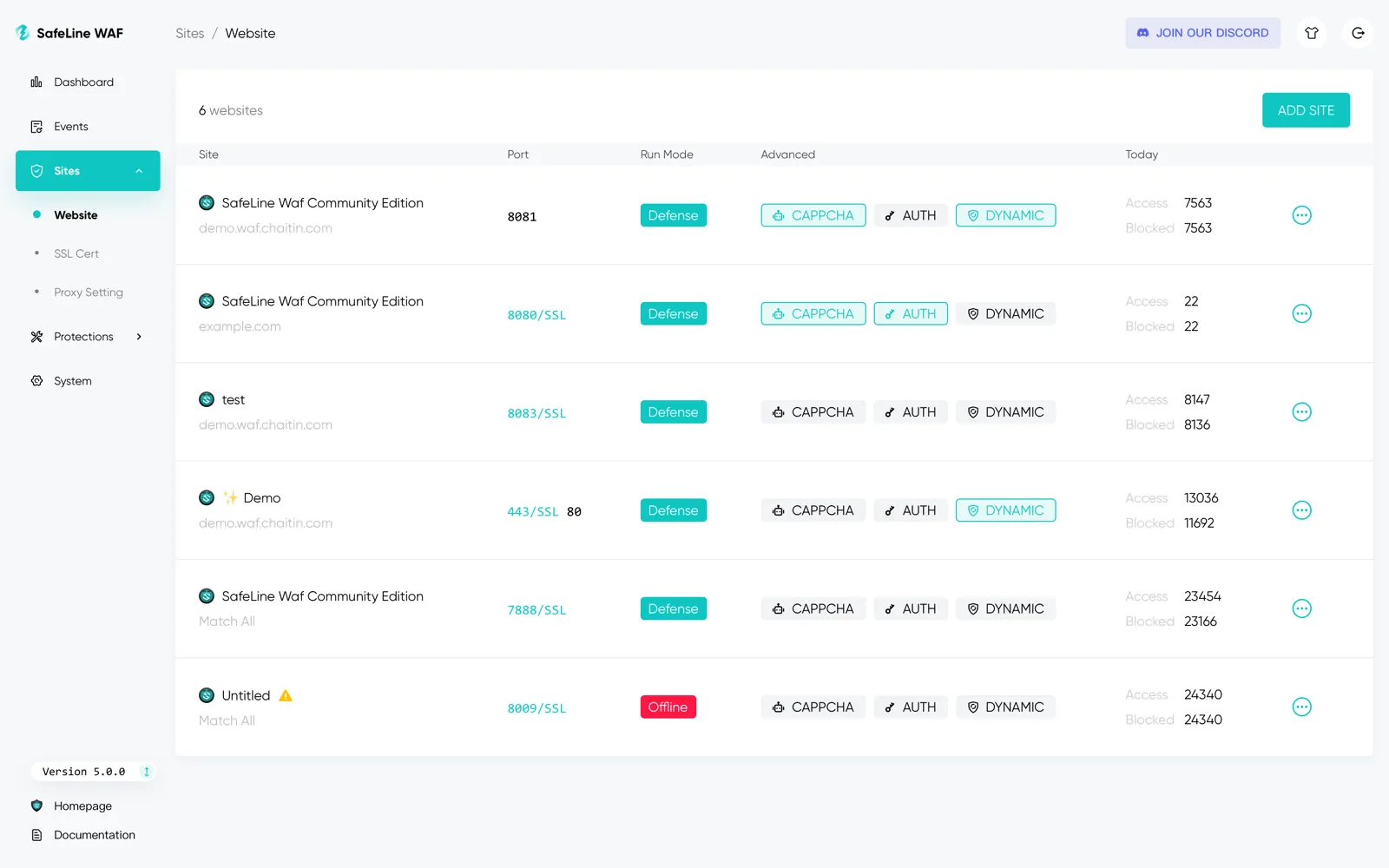
The three toggles are the interesting part. CAPTCHA challenges suspected bots, and AUTH puts a password gate in front of the site.
DYNAMIC turns on per-visit encryption of returned HTML and JavaScript, which breaks scrapers that rely on stable markup.
Attack event inspection
When SafeLine blocks something, the event view shows the payload, the module that caught it, the attacking IP, and the raw HTTP request.
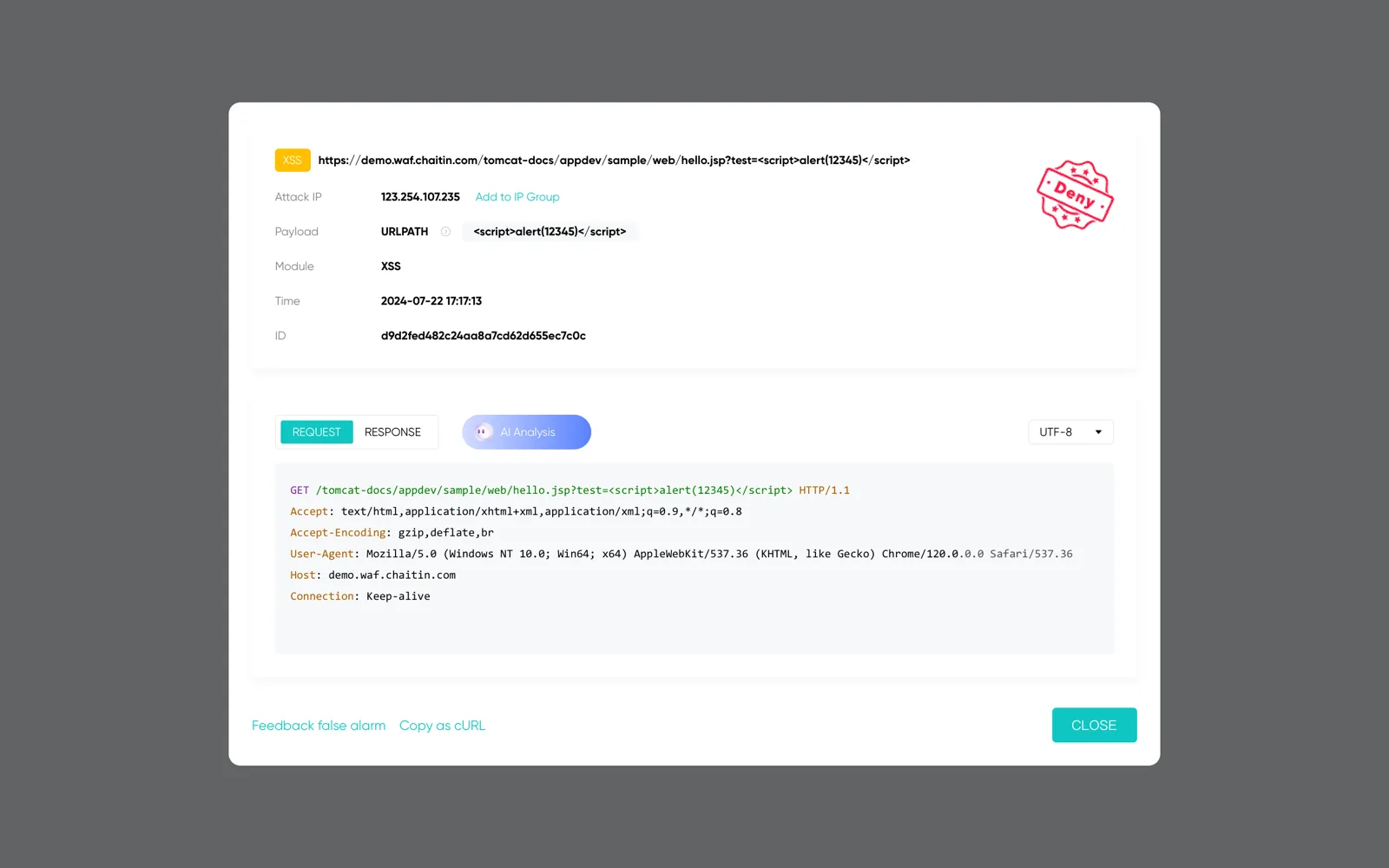
Two details here matter more than they look. “Copy as cURL” turns a blocked request into something you can replay against staging.
“Feedback false alarm” is a one-click path to report a false positive, rather than editing rules yourself.
Traffic analytics
The dashboard breaks traffic down by client OS and browser, response status, queries per second, and referring and popular pages.
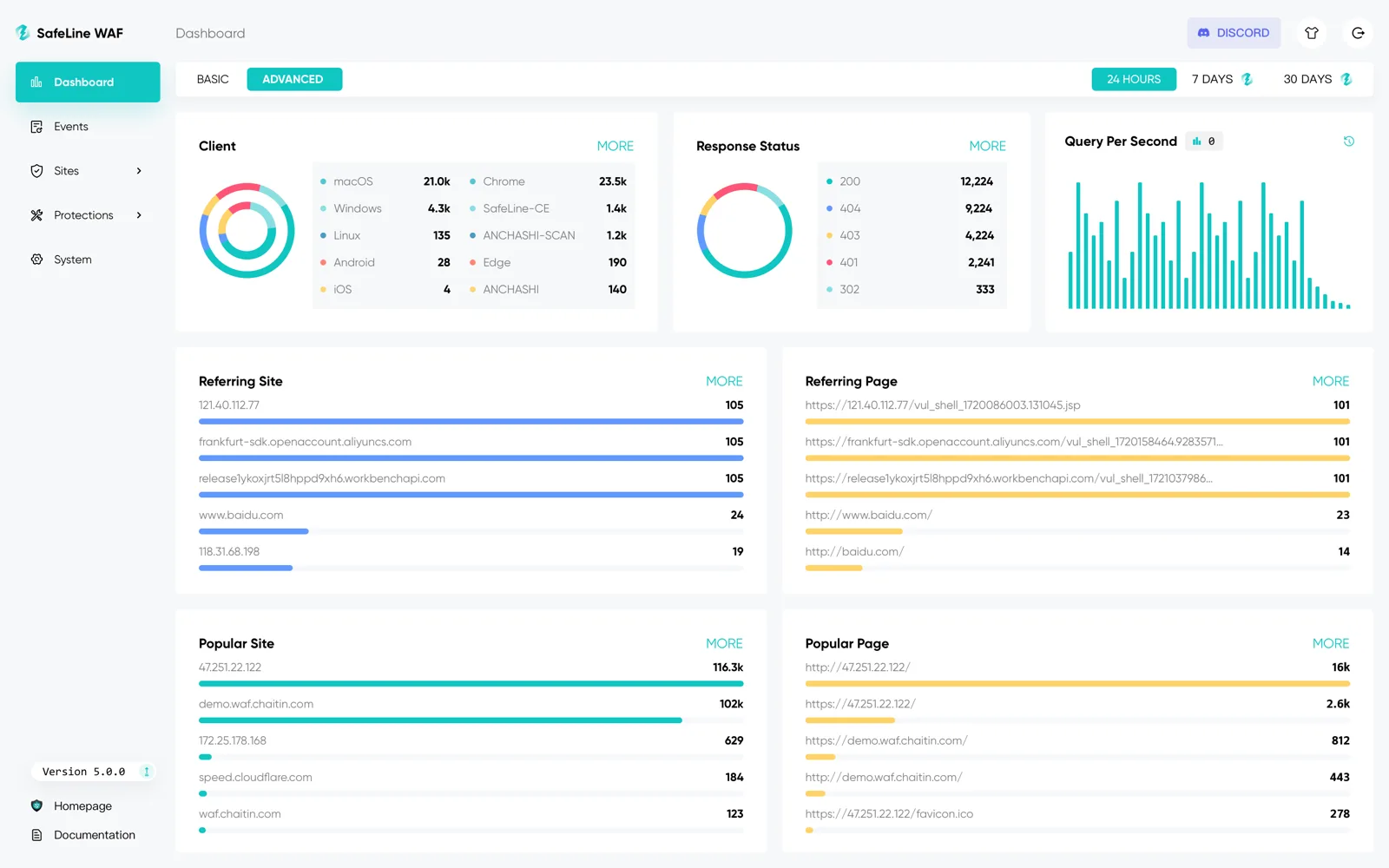
This is operational visibility rather than security analytics, closer to what you’d get from an Nginx log dashboard than from a SIEM. SafeLine publishes no SIEM connector; log export arrives at the Lite tier.
How SafeLine works
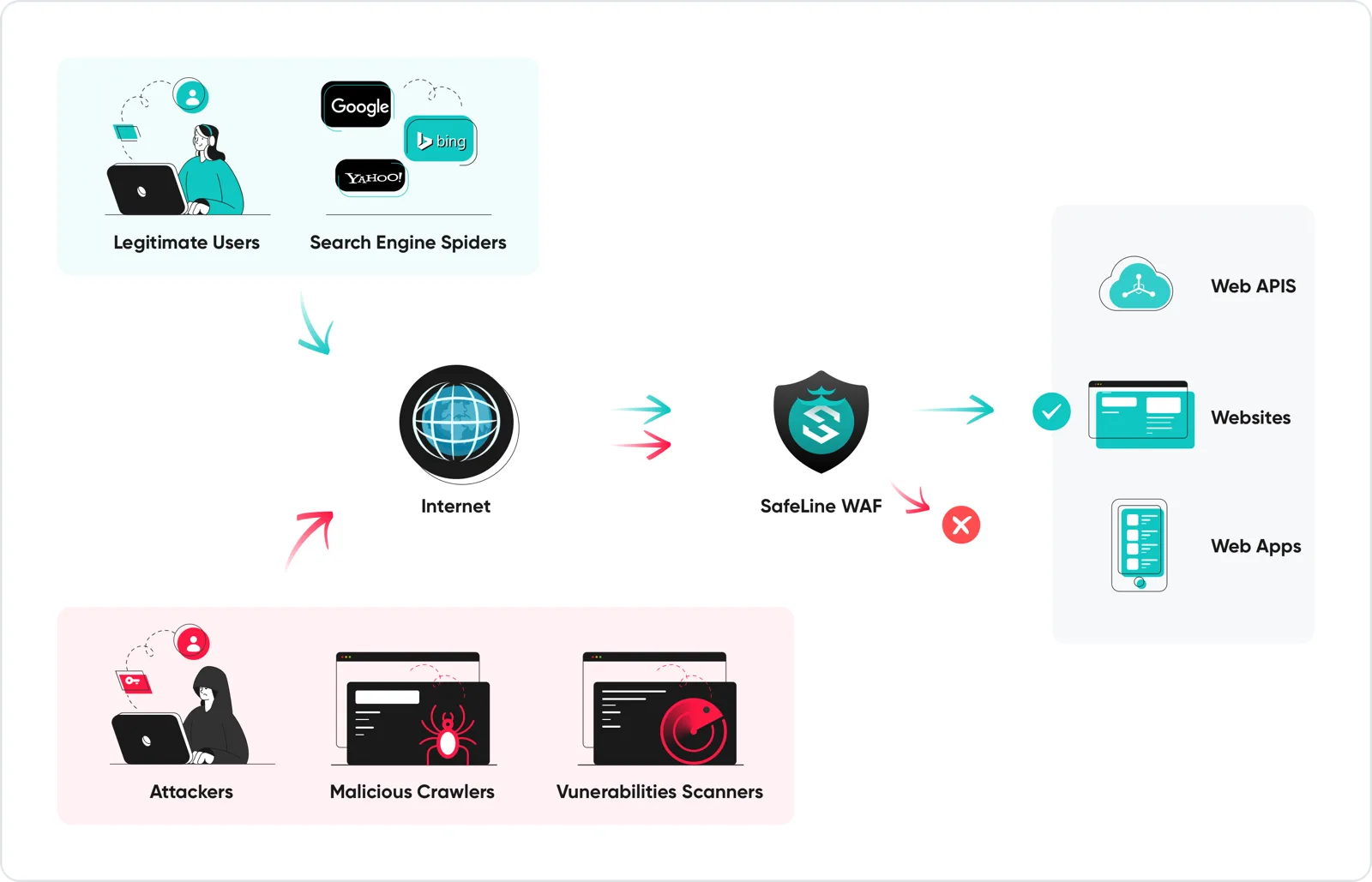
Clients reach SafeLine, not your server. SafeLine inspects the request, drops what it judges malicious, and forwards the rest upstream. That is the standard reverse-proxy WAF shape.
This is also its boundary. SafeLine sees HTTP traffic; it does not see what your code does with that traffic.
A tool like Oligo Security watches function execution inside the workload, catching exploitation that never looks unusual at the HTTP layer. They address different halves of the same problem.
Getting started
Installation is a single command (install guide , configuration docs ), and a public demo instance lets you try the console first. Two settings are worth deciding deliberately.
Start in Balance mode: Strict buys roughly 4.5 points of detection for triple the false positives, by SafeLine’s own numbers.
Then add the CAPTCHA, AUTH, and DYNAMIC challenges per site rather than globally. Dynamic encryption in particular can break legitimate clients that parse your markup.
When to use SafeLine
SafeLine fits teams that want a self-hosted WAF they can run without maintaining a rule set, and who can put a reverse proxy in front of their traffic.
The free tier makes it a low-risk evaluation: no expiry, no sales conversation. If it works, $100/year covers most small deployments.
It is a weaker fit in a few situations. If you need a WAF at the edge across many points of presence, a CDN-integrated service solves a different problem.
If your organization needs deep SIEM integration and formal compliance mappings, SafeLine publishes neither.
And if you are specifically after RASP, meaning protection that sees inside the running application, SafeLine is not it. The other RASP and runtime tools cover that need.
One licensing note before you commit: SafeLine is GPL-3.0, a stricter obligation than the permissive licenses common elsewhere in this category.