


PHPStan is a free, open-source PHP static analysis tool that finds bugs in PHP code without running it. As a SAST tool created by Ondrej Mirtes and licensed under MIT, PHPStan has 13,900+ GitHub stars and is the most widely adopted static analyzer in the PHP ecosystem.
Releases — 2.1.48 / 2.1.49 / 2.1.50 (April 15–17, 2026): Three patches shipped in three consecutive days. They fix regressions introduced in the 2.1 series: type narrowing with large union types, promoted property read handling, and scope typing on enum cases. The new
phpstan bisectcommand from 2.1.47 is in active use — the fast patch cadence is a direct result. If you pin PHPStan and saw a regression between 2.1.40 and 2.1.47, 2.1.50 is the fix.
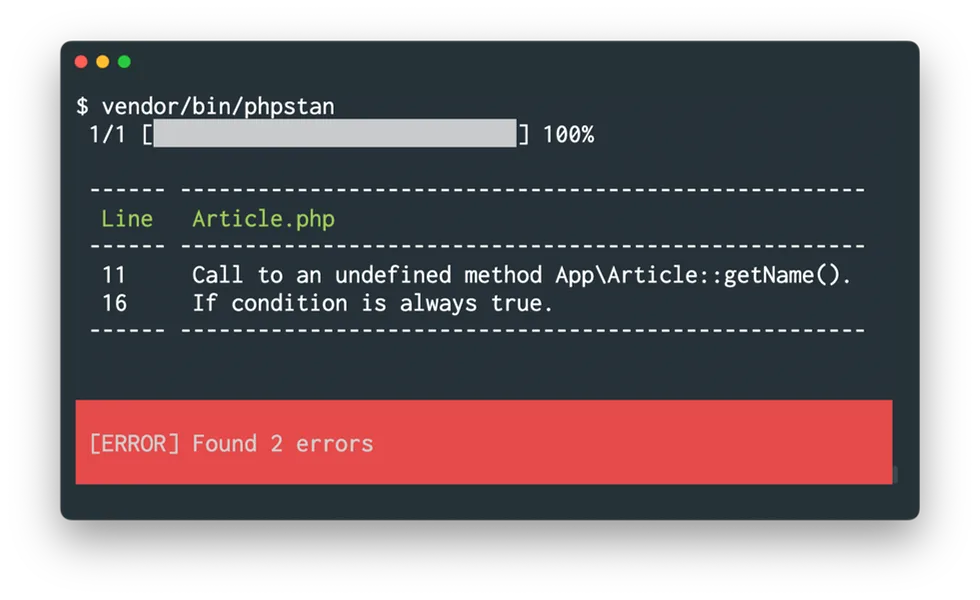
PHPStan reads your PHP source code and PHPDoc annotations, infers types throughout your application, and reports errors where the types don’t match up — undefined methods, wrong argument types, missing return values, and more.
The reason PHPStan actually gets adopted is its 11 progressive analysis levels (0-10). Instead of dumping thousands of errors on you the first time you run it, PHPStan lets you start at Level 0 (basic checks) and gradually increase strictness as your codebase improves.
Teams can adopt it incrementally, which is why it sticks where other static analysis tools get abandoned after the first run.
| Feature | Details |
|---|---|
| Creator | Ondrej Mirtes |
| License | MIT (free, open-source) |
| Language | PHP only |
| Analysis levels | 11 (Level 0 through Level 10) |
| Latest version | PHPStan 2.0 (50-70% memory reduction, up to 3x faster) |
| PHPStan Pro | 7 EUR/month individual, 70 EUR/month team (up to 25 members) |
| Config format | NEON (phpstan.neon) |
| Framework support | Laravel (Larastan), Symfony, Doctrine, PHPUnit, Nette |
| Plugin ecosystem | 200+ community extensions |
| GitHub stars | 13,900+ |
Overview
PHPStan performs static type analysis on PHP code. It doesn’t execute your application — it reads the source files, builds a type model, and checks for inconsistencies. The analysis covers everything from basic errors (calling undefined methods, accessing properties that don’t exist) to advanced type safety issues (mixed type leaks, generic type violations, nullable mishandling).
PHPStan 2.0, released in November 2024, brought significant improvements: a new Level 10 for stricter mixed type checking, dedicated list type support, and a 50-70% reduction in memory consumption on large projects. PHPStan 2.0 analysis runs up to 3x faster on large codebases — for example, PrestaShop analysis dropped from 9 minutes to 3 minutes.
It integrates with every major PHP framework through official and community extensions, backed by a large plugin ecosystem.
| Capability | Details |
|---|---|
| 11 Analysis Levels | Start at Level 0 (basic checks) and work your way up to Level 10 (strict mixed type analysis). Each level adds more checks without changing previous ones. Adopt at your own pace. |
| Framework Extensions | Extensions for Laravel (Larastan), Symfony, Doctrine, PHPUnit, and Nette provide framework-aware type inference. PHPStan understands Eloquent models, DI containers, and query builders. |
| PHPStan 2.0 | 50-70% memory reduction, up to 3x faster analysis on large codebases, list type support, and Level 10. The biggest update since the initial release. |
What are PHPStan’s key features?
Progressive analysis levels
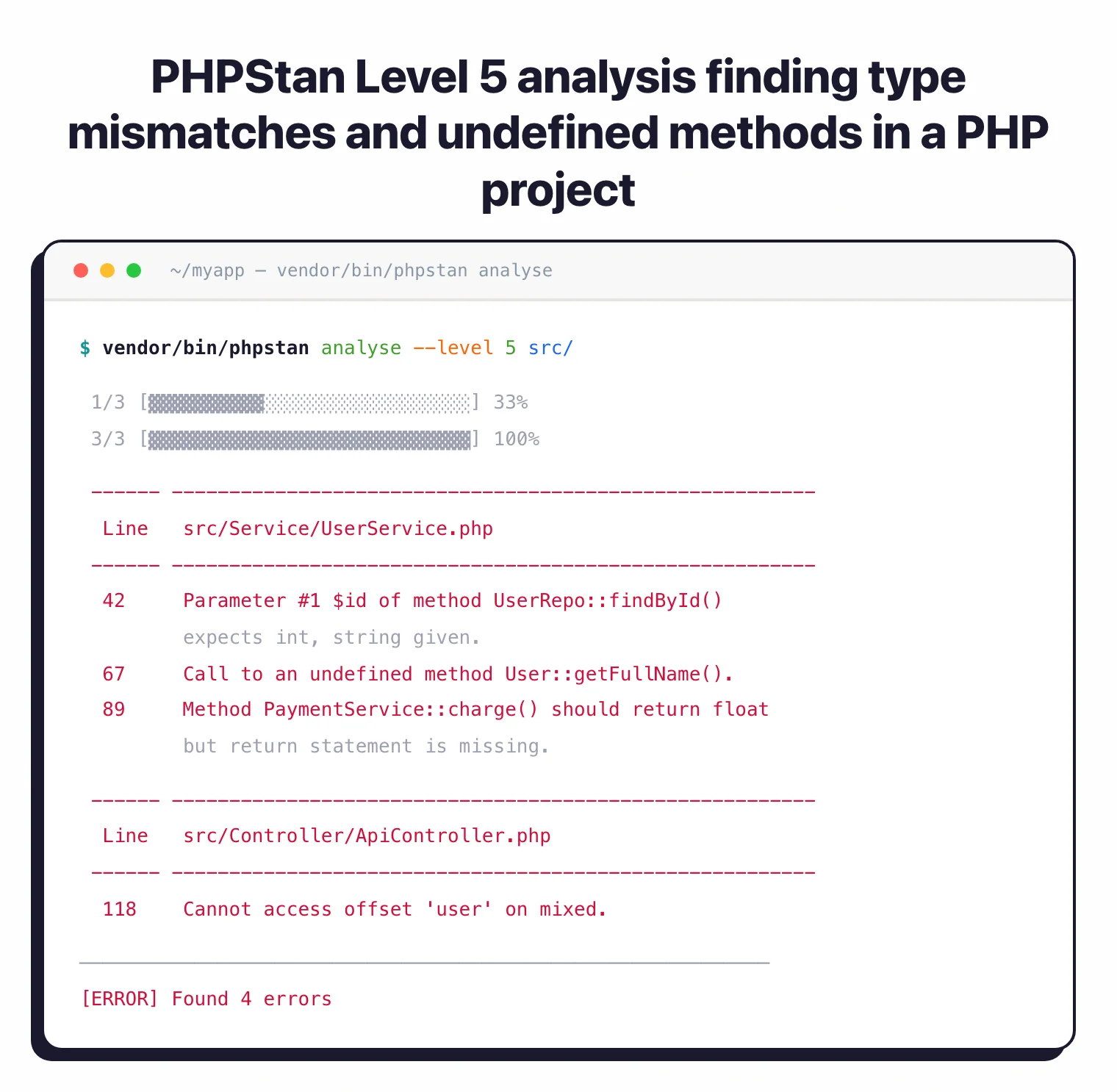
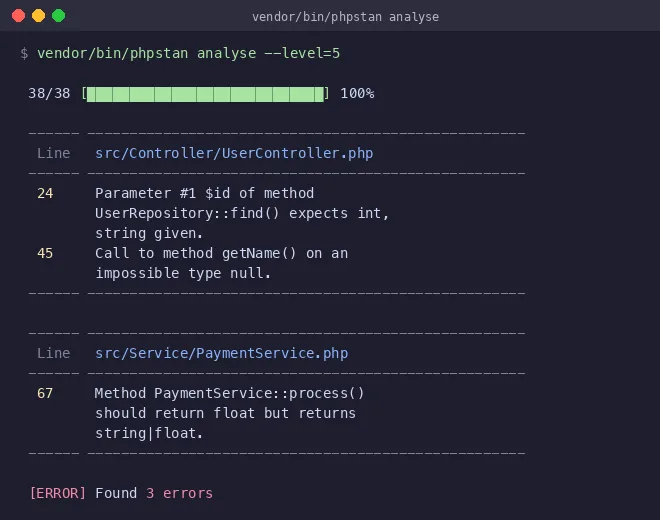
PHPStan’s level system is what makes adoption realistic in existing projects. Here’s what each level adds:
| Level | What It Checks |
|---|---|
| 0 | Basic checks — unknown classes, functions, methods called with wrong number of arguments |
| 1 | Possibly undefined variables, unknown magic methods and properties |
| 2 | Unknown methods checked on all expressions (not just $this), validating PHPDocs |
| 3 | Return types, types assigned to properties |
| 4 | Basic dead code checking — always-true/always-false type checks |
| 5 | Argument types passed to methods and functions |
| 6 | Report missing typehints |
| 7 | Report partially wrong union types |
| 8 | Report issues with nullable types |
| 9 | Strict checking of the mixed type |
| 10 | Detect implicitly-typed mixed values (new in PHPStan 2.0) |
I’ve found that most established projects can start at Level 3-4 without too much friction, then work toward Level 6+ over a few sprints. Level 10 is aspirational for most codebases — it catches every implicit mixed type, which is thorough but demanding.
Baseline file
The baseline feature matters a lot for existing projects. PHPStan can generate a baseline file that records all current errors, then only report new errors going forward. You can adopt PHPStan at a high level immediately without fixing every legacy issue first.
# Generate a baseline (ignores all current errors)
vendor/bin/phpstan analyse --generate-baseline

# Future runs only report new errors
vendor/bin/phpstan analyse
The baseline file is committed to version control. As developers touch old code, they fix the baseline errors in those files naturally over time.
Framework extensions
PHPStan has official extensions for several frameworks, plus a popular community extension for Laravel:
Laravel (larastan/larastan) — Community-maintained extension providing type inference for Eloquent models, relationships, facades, request/response objects, route helpers, and service container bindings. Without this extension, PHPStan would flag false positives on Laravel’s magic methods.
Symfony (phpstan/phpstan-symfony) — Official extension with support for dependency injection containers, console commands, form types, messenger handlers, and other Symfony components.
Doctrine (phpstan/phpstan-doctrine) — Official extension for analysis of entities, repositories, query builders, and DQL queries. Understands Doctrine’s annotation-based type system.
PHPUnit (phpstan/phpstan-phpunit) — Official extension that recognizes PHPUnit assertion methods and data providers, reducing false positives in test files.
Type inference engine
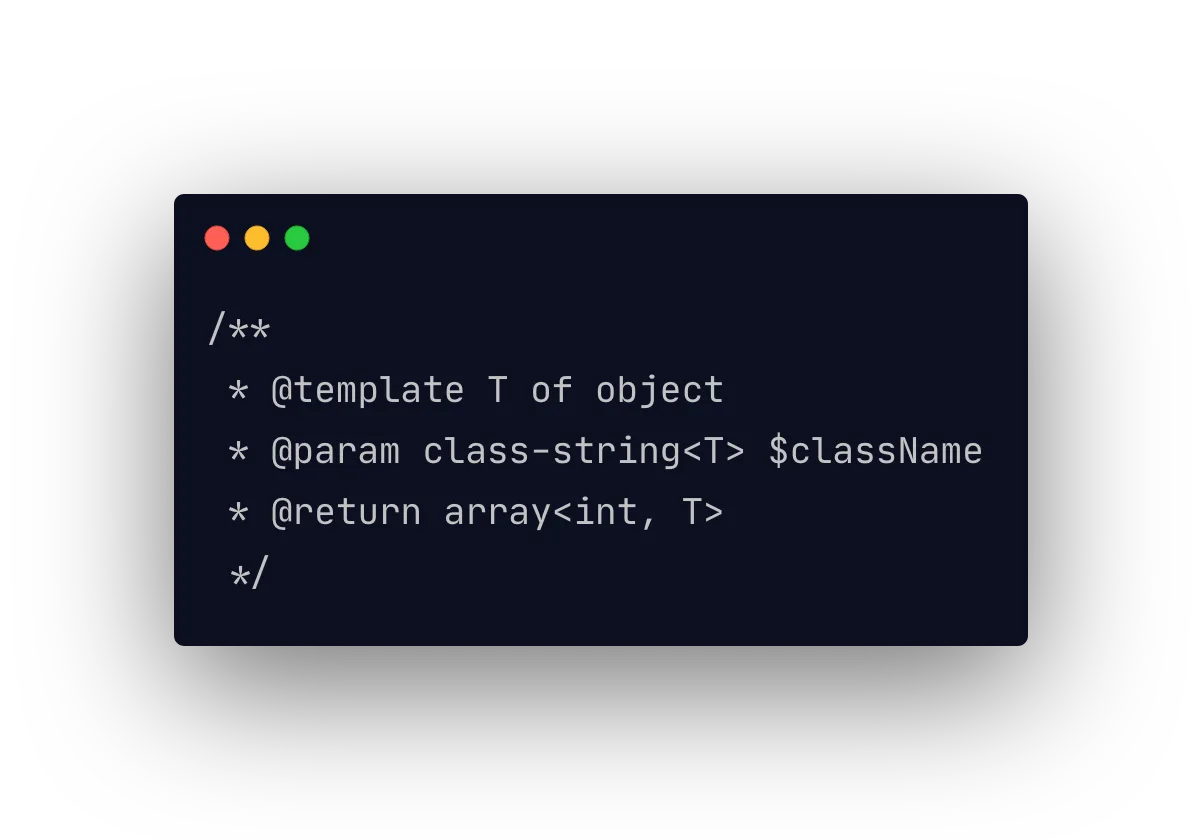
PHPStan’s type inference handles advanced PHP type features:
- Generics —
@template Tand@extends Collection<T>annotations - Union and intersection types —
string|int,Countable&Iterator - Conditional return types —
@return ($flag is true ? string : int) - List types — Dedicated
list<T>type (new in PHPStan 2.0) for arrays with sequential integer keys - Literal types —
'active'|'inactive',0|1 - Callables with parameter types —
callable(string, int): bool
With this level of type inference, PHPStan catches errors that PHP itself wouldn’t report until runtime: wrong argument orders, type mismatches in array operations, nullable values used without null checks.
Custom rules
PHPStan lets you write custom rules in PHP. Unlike tools that require learning a separate query language, PHPStan rules use the same PHP you already know:
class NoEchoRule implements Rule
{
    public function getNodeType(): string
    {
        return Echo_::class;
    }

    public function processNode(Node $node, Scope $scope): array
    {
        return ['Using echo is not allowed, use a templating engine.'];
    }
}
Custom rules can enforce architectural decisions, coding standards, or any project-specific pattern you care about.
When should you use PHPStan?
Legacy PHP modernization — Start at Level 0, generate a baseline, and gradually increase strictness. PHPStan makes legacy codebases safer without requiring a big-bang rewrite.
Laravel and Symfony applications — Framework extensions provide accurate type inference for framework-specific magic. False positive rates are low enough for CI enforcement.
API development — Strict type checking catches type mismatches in request/response handling, serialization, and data transformation that would otherwise surface as runtime errors in production.
Team code quality — Enforcing a minimum PHPStan level in CI prevents type-related regressions. The baseline file means the bar only goes up, never down.
How much does PHPStan cost?
PHPStan’s core is free and open-source (MIT). The optional PHPStan Pro add-on provides premium features:
| Tier | Price | Features |
|---|---|---|
| Core (OSS) | Free | All analysis levels, CLI, CI/CD integration, custom rules, extensions |
| Pro Individual | 7 EUR/month | Web UI, watch mode, migration wizards, 30-day free trial |
| Pro Team | 70 EUR/month | Up to 25 team members, all Pro features |
Annual billing is available at 10 months’ price (70 EUR/year individual, 700 EUR/year team).
Strengths & Limitations
Strengths:
- Progressive levels make adoption realistic for existing projects of any size
- Baseline file lets you enforce high standards on new code immediately
- Framework extensions (Larastan for Laravel, official for Symfony, Doctrine) reduce false positives
- PHPStan 2.0 brought major performance gains — up to 3x faster, 50-70% less memory
- Largest community and plugin ecosystem among PHP static analysis tools
- Custom rules written in PHP, not a separate query language
Limitations:
- PHP-only — if you need multi-language support, tools like Semgrep or SonarQube are better suited
- No built-in security-specific analysis (no taint tracking for SQL injection, XSS, etc.) — for security analysis, Psalm adds taint tracking or pair PHPStan with a dedicated security scanner
- PHPDoc annotations are sometimes needed to help the type inference engine with dynamic code patterns
- Level 10 can be noisy on codebases that haven’t explicitly typed all variables
- PHPStan Pro’s web UI is useful but adds cost for teams
How do I get started with PHPStan?
- Install via Composer — Run
composer require --dev phpstan/phpstan. For framework extensions, install the relevant package:composer require --dev larastan/larastanfor Laravel,phpstan/phpstan-symfonyfor Symfony, orphpstan/phpstan-doctrinefor Doctrine. - Create a configuration file — Create
phpstan.neonin your project root. Specify the paths to analyze, the analysis level, and any extensions. Start withlevel: 3or lower for existing projects. - Run your first analysis — Execute
vendor/bin/phpstan analysefrom your project root. Review the errors and either fix them or generate a baseline withvendor/bin/phpstan analyse --generate-baseline. - Add to CI — Add PHPStan to your GitHub Actions workflow or GitLab CI pipeline. Enforce a minimum level and commit the baseline file so only new errors block the build. A popular GitHub Action is available at
php-actions/phpstan.
PHPStan vs Psalm
PHPStan and Psalm are both strong PHP static analysis tools, and many teams run both in CI since they catch different issues. For a detailed breakdown, see the full PHPStan vs Psalm comparison .
PHPStan’s advantages: Larger community, more extensive plugin ecosystem with 200+ packages, framework extensions for Symfony, Doctrine, and Laravel (via Larastan), 11 progressive analysis levels (0-10), and faster release cadence. PHPStan Pro adds a web UI and watch mode.
Psalm’s advantages: Built-in taint analysis for detecting security vulnerabilities (SQL injection, XSS, command injection), more conservative type inference that catches edge cases PHPStan may miss, and type-safe generics enforcement.
PHPStan is better for general code quality and framework-aware type checking. Psalm is better for security vulnerability detection through taint analysis.
If I had to choose one, I’d start with PHPStan for type safety and add Psalm for its taint tracking if security analysis is a priority.
Best for: PHP development teams that want to improve code quality incrementally. The progressive analysis levels and baseline file make PHPStan adoptable in any existing codebase without requiring all legacy issues to be fixed upfront. Particularly strong for Laravel and Symfony projects with dedicated framework extensions.
When to use PHPStan (and when not)
PHPStan is the right choice when you need a fast, opinionated type checker for any modern PHP codebase. Greenfield projects benefit most: starting at level 8 or 9 from day one keeps the type story tight and surfaces nullability and array-shape bugs before they ship. Legacy projects that adopt PHPStan with a baseline file get the same benefit on new code while quarantining historical errors.
Where PHPStan does not fit: it is not a security SAST. PHPStan does not perform taint analysis on proprietary code, does not run rule-based pattern matching for CWEs, and does not detect SQL injection, XSS, command injection, or unsafe deserialization. For application security coverage, pair PHPStan with Semgrep (security-focused rule engine) or Snyk Code (developer-first SAST) so type correctness and security analysis run side by side rather than overlapping.