


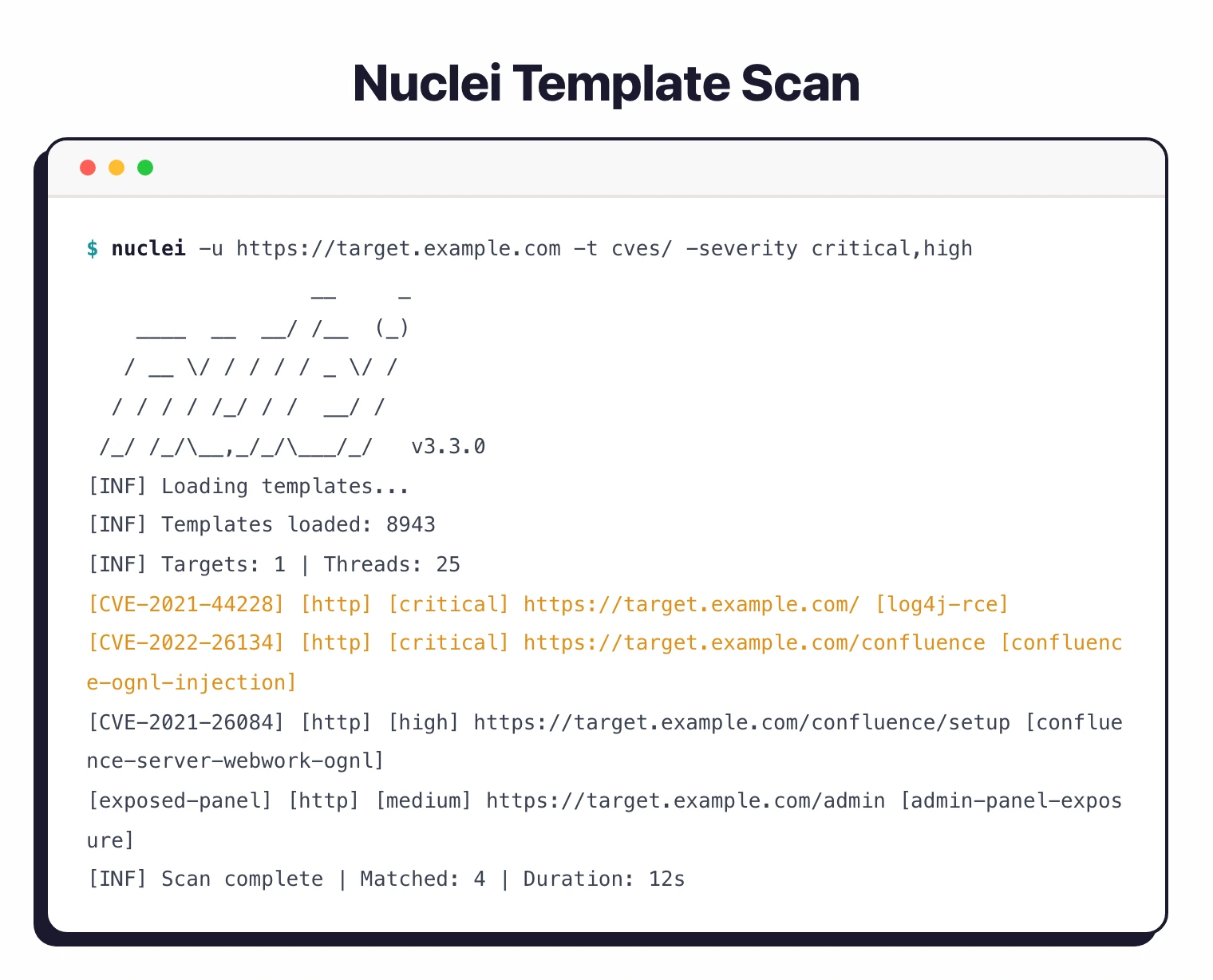
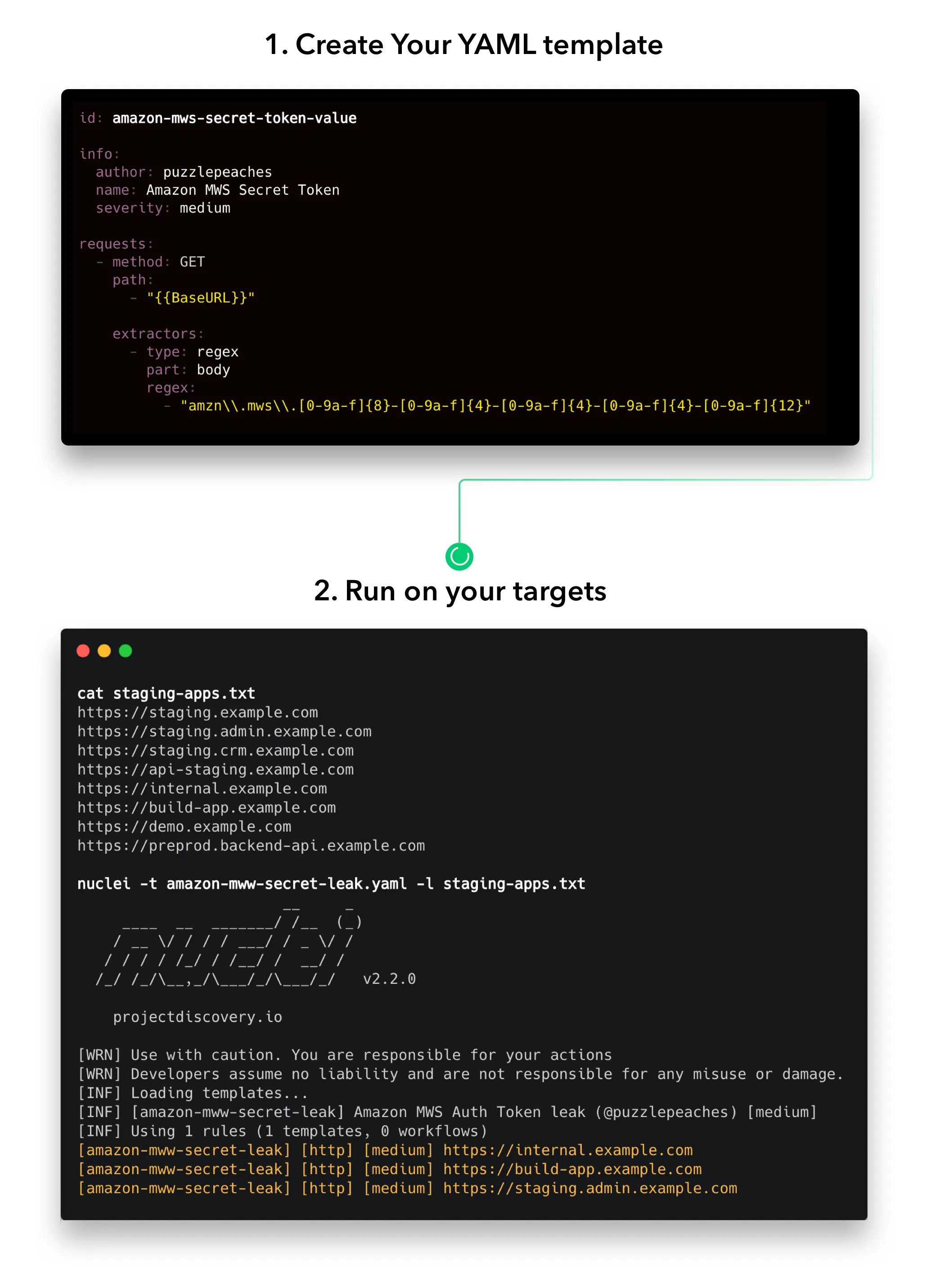
Nuclei is a template-based vulnerability scanner built by ProjectDiscovery. You write (or download) YAML templates that describe what to check, point Nuclei at your targets, and it fires off the requests.
If the response matches the template conditions, it reports a finding.
Security advisory — upgrade to v3.8.0 (April 18, 2026): Nuclei v3.8.0 patches GHSA-29rg-wmcw-hpf4 (a JavaScript-protocol template could read local files outside the sandbox, ignoring
allow-local-file-access) and GHSA-jm34-66cf-qpvr (expressions could be evaluated from non-template sources, opening an RCE vector from malicious templates). Anyone running Nuclei against untrusted template collections should upgrade today. The same release adds PDF export for scan results, an XSS reflection-context analyzer that distinguishes HTML / attribute / JS context, and a honeypot detector that deprioritizes honeypot-shaped targets.
The project has 29,300+ GitHub stars, 3,100+ forks, and 210+ contributors. Written in Go (96% of the codebase), MIT licensed.
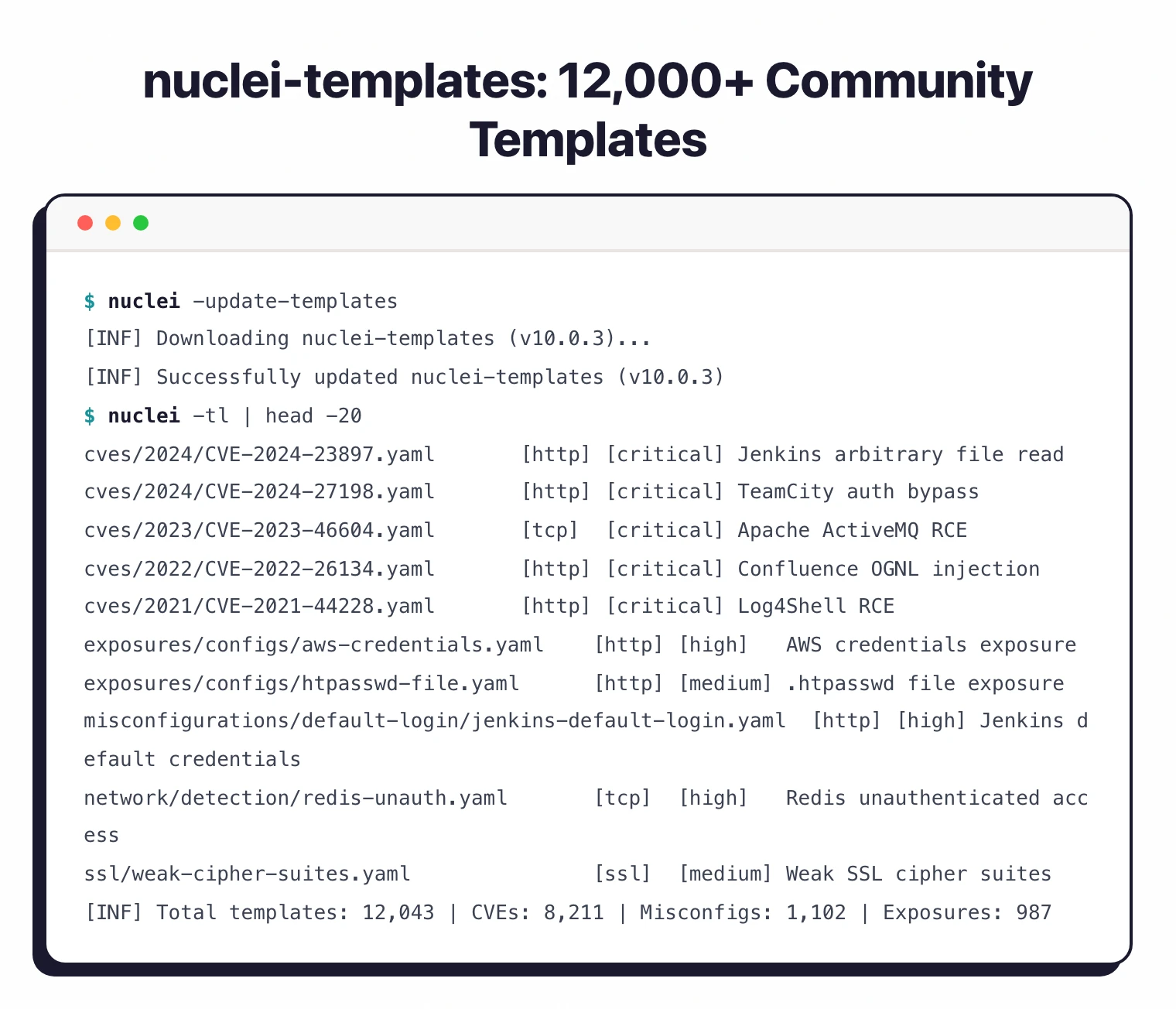
The community maintains 12,000+ templates covering CVEs, misconfigurations, exposures, and default credentials.
| Feature | Details |
|---|---|
| Language | Go (96%) |
| License | MIT |
| Templates | 12,000+ community-maintained |
| Protocols | HTTP, DNS, TCP, SSL, File, Whois, Websocket, Headless |
| Default rate limit | 150 requests/second |
| Concurrency | 25 parallel hosts, 25 parallel templates |
| Request timeout | 10 seconds (configurable) |
| Output formats | JSON, JSONL, SARIF, Markdown, plain text |
| Docker image | projectdiscovery/nuclei |
| Go requirement | 1.24.2+ |
What is Nuclei?
Nuclei takes a different approach from traditional DAST tools . Instead of crawling an application and probing for vulnerabilities automatically, it runs specific checks defined in YAML templates.
Each template describes exactly what request to send and what response pattern indicates a problem.
This template-driven design means two things. First, false positives drop to near zero because you are matching against specific, known conditions.
Second, the community can contribute templates for new CVEs within hours of disclosure.
The NIST National Vulnerability Database tracks over 200,000 CVEs, and Nuclei’s template library covers a growing subset of them.
The 12,000+ templates in the official repository cover:
- Known CVEs with specific version checks
- Server misconfigurations and default credentials
- Exposed admin panels and debug endpoints
- SSL/TLS issues and weak configurations
- DNS misconfigurations and zone transfer vulnerabilities
- Technology detection and fingerprinting
Nuclei does not crawl your application looking for forms to inject. It runs predefined checks.
This makes it fast and precise for known issues but means it will not find custom application logic flaws. For unknown vulnerability discovery, pair Nuclei with a crawling DAST tool like ZAP or Nikto for server-level checks.
See our DAST overview for more on dynamic testing approaches.
What are Nuclei’s key features?
| Capability | Details |
|---|---|
| YAML Template DSL | Each template defines the protocol, request, matchers, and extractors in plain YAML. Easy to read, easy to version-control. Supports dynamic variables and conditional logic. |
| Multi-Protocol Support | Scans across HTTP, DNS, TCP, SSL/TLS, File, Whois, Websocket, and headless browser. Test web apps, APIs, network services, and DNS configurations with the same tool. |
| 12,000+ Community Templates | Maintained by 210+ security researchers. New CVE templates often appear within hours of public disclosure. Filter by tags, severity, author, or custom conditions. |
| AI Template Generation | Generate templates from natural language descriptions using the -ai flag. Describe what you want to check and Nuclei creates the YAML template for you. |
| Performance Tuning | Default 150 req/sec rate limit with configurable concurrency (25 parallel hosts, 25 parallel templates). Request clustering groups similar requests to reduce total traffic. |
| Reporting Integrations | Push results to Jira, GitHub, GitLab, Elasticsearch, Splunk, and MongoDB. Built-in deduplication via report database prevents duplicate tickets. |
Installation
# Go (requires 1.24.2+)
go install -v github.com/projectdiscovery/nuclei/v3/cmd/nuclei@latest

# Homebrew (macOS)
brew install nuclei

# Docker
docker pull projectdiscovery/nuclei:latest

# From source
git clone https://github.com/projectdiscovery/nuclei.git
cd nuclei/cmd/nuclei
go build
mv nuclei /usr/local/bin/
nuclei -version
Templates download automatically on first run to ~/.config/nuclei/.
Usage
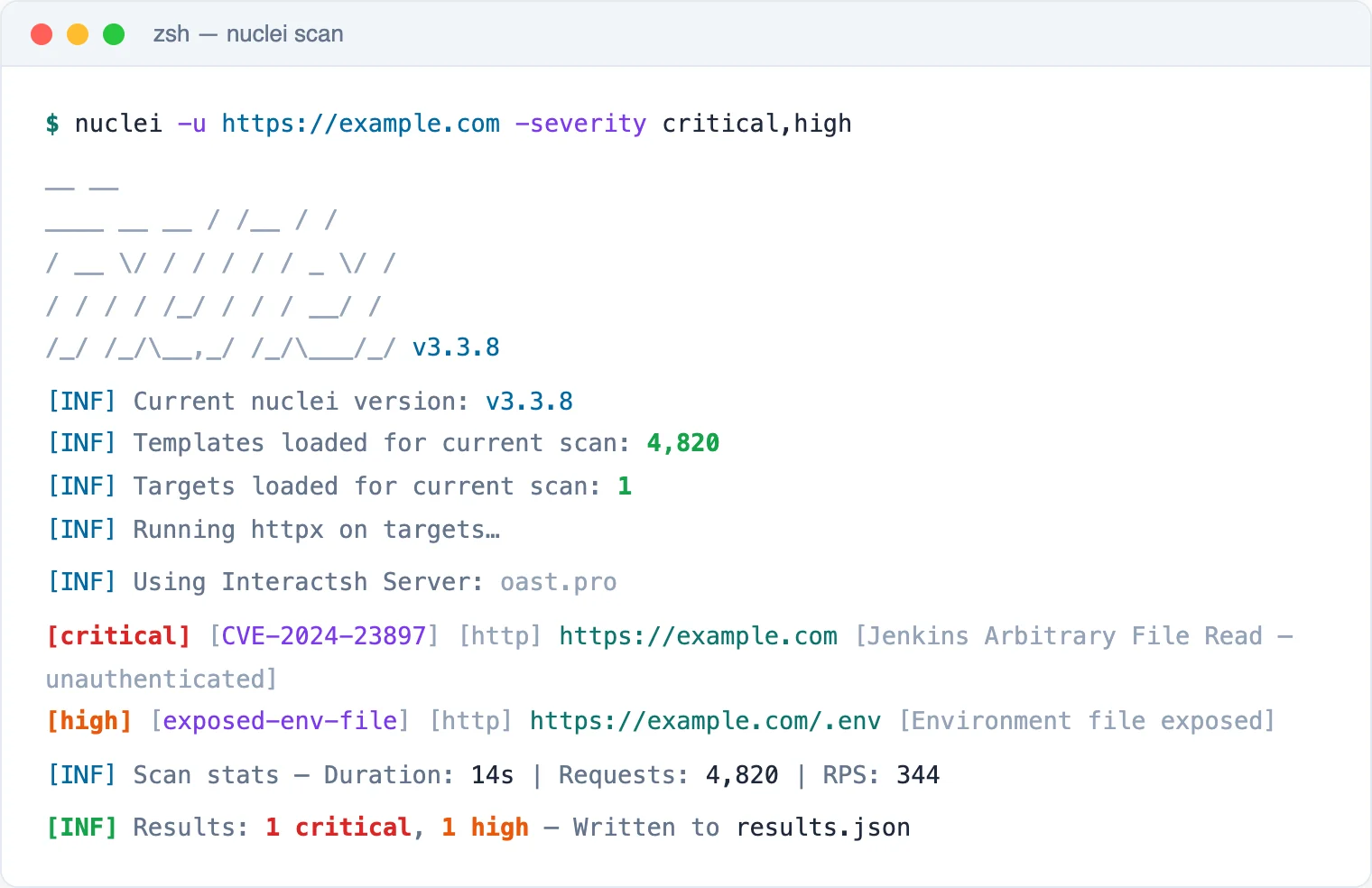
Basic scanning
# Scan a single target with all templates
nuclei -u https://example.com

# Scan a list of targets
nuclei -l urls.txt

# Filter by severity
nuclei -u https://example.com -severity high,critical

# Filter by tags
nuclei -u https://example.com -tags cve,exposure

# Use specific templates
nuclei -u https://example.com -t cves/ -t misconfigurations/
Output options
# JSON output
nuclei -u https://example.com -j -o results.json

# SARIF for GitHub Security
nuclei -u https://example.com -se results.sarif

# Markdown report
nuclei -u https://example.com -me report/

# Upload to ProjectDiscovery Cloud
nuclei -u https://example.com -pd
Advanced filtering
# Template condition expressions
nuclei -tc "contains(id,'xss') || contains(tags,'ssrf')"

# Exclude specific templates
nuclei -u https://example.com -exclude-tags dos

# Rate limiting
nuclei -u https://example.com -rl 50 -bs 10 -c 10
-tags cve,critical and widen the scope as needed. Use -rl to stay within acceptable rate limits.What does Nuclei integrate with?
 Jira
Jira GitHub Issues
 GitLab Issues
 Elasticsearch
 Splunk
 MongoDB
 ProjectDiscovery Cloud
 AWS
AWS GCP
GCP Azure
Azure Cloudflare
Nuclei pricing and licensing
Nuclei is MIT licensed and free. The CLI binary, all 12,000+ community templates in nuclei-templates, and the Go source code are open-source on github.com/projectdiscovery/nuclei. There are no usage caps, no scan-target limits, and no feature gates.
ProjectDiscovery offers a paid commercial product called ProjectDiscovery Cloud that bundles Nuclei with a managed scanner, asset inventory, scheduled scanning, team collaboration, and reporting. Pricing is published on cloud.projectdiscovery.io with a free tier and paid plans for teams that want hosted scanning rather than running the CLI themselves.
The split is clean: free if you run it yourself; paid only if you want managed infrastructure plus enterprise-grade UI on top.
How do I get started with Nuclei?
- Install Nuclei — Use
go install,brew install nuclei, or Docker. Templates download automatically on first run. - Run your first scan —
nuclei -u https://your-target.com -tags cvechecks for known CVEs. Results print to terminal with severity and template ID. - Filter and tune — Use
-severity,-tags, and-exclude-tagsto control what runs. Set-rlfor rate limiting if needed. - Export results — Output as JSON, SARIF, or Markdown. Push to Jira or GitHub Issues with a reporting config file.
Writing custom templates
id: custom-admin-panel
info:
  name: Custom Admin Panel Detection
  author: your-name
  severity: info
  tags: exposure,admin

http:
  - method: GET
    path:
      - "{{BaseURL}}/admin"
      - "{{BaseURL}}/admin/login"
    matchers-condition: or
    matchers:
      - type: word
        words:
          - "Admin Login"
          - "Administration Panel"
      - type: status
        status:
          - 200
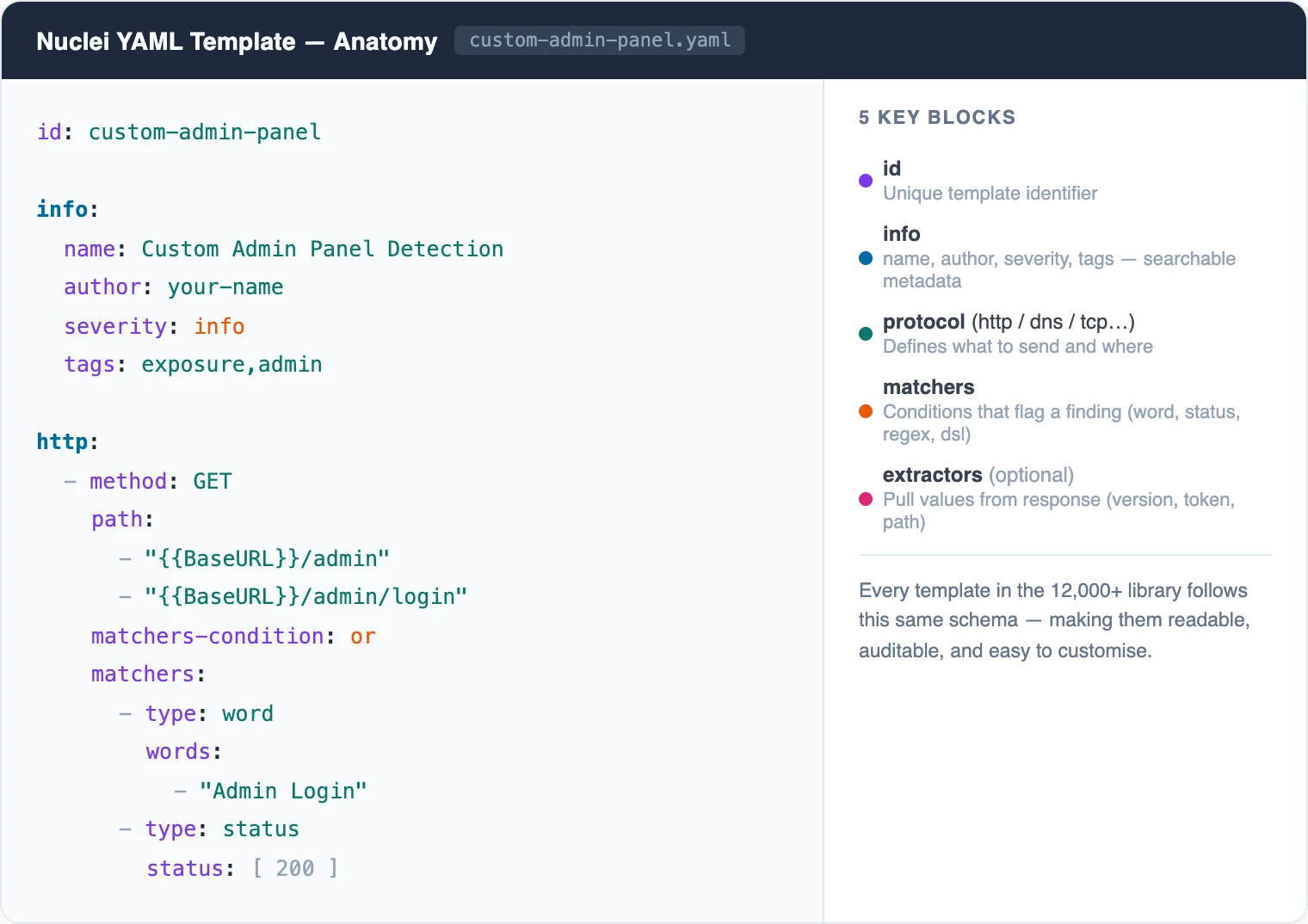
Save as .yaml in your templates directory and run with -t path/to/template.yaml.
When to use Nuclei
Nuclei is the right pick when you need to check a large number of targets for known vulnerabilities quickly.
Its template system means you are not relying on a scanner’s built-in detection logic — you can see exactly what each check does and modify it.
It fills a different role than crawling DAST tools. Nuclei tells you “this target has CVE-2024-XXXX” or “this server exposes a default admin panel.” It does not discover new, unknown vulnerabilities in your application code.
For a complete testing workflow, run Nuclei alongside a crawling scanner. Nuclei handles known issues fast; the crawling tool finds application-specific flaws.
What are alternatives to Nuclei?
If template-driven scanning is the wrong fit, four alternatives cover most adjacent jobs:
- Burp Suite Professional — manual web pentesting toolkit with intercepting proxy, Repeater, Intruder, and 500+ BApp Store extensions. Good when human exploration drives the workflow rather than automated CVE matching. See the Nuclei vs Burp Suite comparison.
- OWASP ZAP — free, open-source DAST proxy that crawls applications and runs an active scanner. Better than Nuclei when you need application-aware crawling and authenticated session handling out of the box.
- Nikto — legacy Perl-based web server scanner with 7,000+ checks for misconfigurations and outdated server software. Useful as a quick reconnaissance pass; not multi-protocol and slower than Nuclei. See the Nuclei vs Nikto comparison.
- Wapiti — Python web vulnerability scanner with active fuzzing of HTTP requests. Smaller community than Nuclei but a reasonable free alternative for application-layer scanning.
For more options, browse the free DAST tools guide and the broader DAST tools directory on AppSec Santa.