


Mobile Security Framework (MobSF) is an open-source, automated mobile security testing tool built by Ajin Abraham and 104 contributors.
It handles static analysis, dynamic analysis, and malware detection for Android, iOS, and Windows mobile applications.
GitHub: MobSF/Mobile-Security-Framework-MobSF | Stars: 21.2k | Latest Release: v4.4.6 (March 2026) | License: GPL-3.0
v4.4.6 security fix: MobSF v4.4.6 (March 2026) patched an SQL injection vulnerability in the SQLite DB viewer component and includes additional security hardening. Upgrade if you're running an earlier version.
The project started in 2015 and has been featured at Black Hat Arsenal (Asia 2015, Asia 2018, Europe 2023).
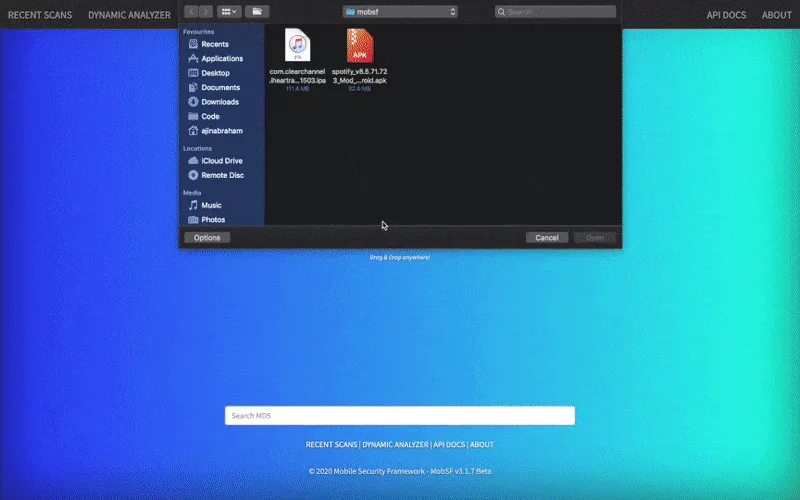
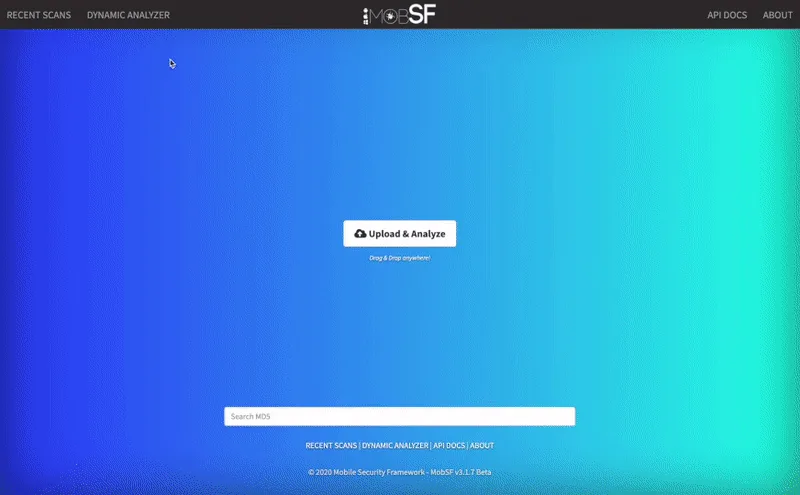
It ships as a web application — upload a binary, and MobSF decompiles it, runs security checks, and presents findings in a dashboard.
Results can be exported as PDF reports or pulled through the REST API.
MobSF is bundled with security-focused Linux distributions including BlackArch and Pentoo. A hosted demo is available at mobsf.live .
MobSF is the typical first pick for one dashboard covering static and dynamic Android or iOS analysis. The static scan extracts the manifest, permissions, certificates, and hardcoded secrets in one pass; the dynamic analyzer runs the app inside a rooted emulator and records HTTPS traffic. It is the free tool most often recommended to teams starting a mobile security program.
What are MobSF’s key features?
| Feature | Details |
|---|---|
| Static Analysis | Decompiles and analyzes APK, AAB, IPA, APPX binaries and source code |
| Dynamic Analysis | Runtime testing with Frida instrumentation for Android and iOS |
| Malware Analysis | Pattern matching for known malicious behaviors and indicators of compromise |
| REST API | Full API access for uploading, scanning, and retrieving reports programmatically |
| Web Dashboard | Browser-based interface for uploading apps and reviewing findings |
| PDF Reports | Exportable security assessment reports |
| OWASP Mapping | Findings mapped to OWASP MASVS and MASTG standards |
| Network Analysis | Captures and analyzes network traffic during dynamic testing |
| mobsfscan | Separate CLI tool for source code scanning in CI/CD pipelines |
| Docker Support | One-command deployment via Docker |
| Capability | Details |
|---|---|
| Static Analysis | Decompiles Android APK/AAB, iOS IPA, and Windows APPX files. Checks for hardcoded secrets, insecure storage, weak crypto, dangerous permissions, exported components, and SSL/TLS misconfigurations. |
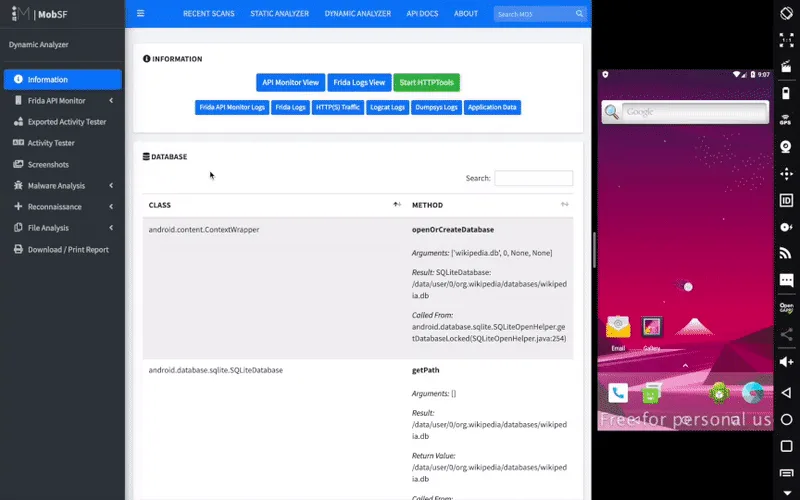
| Dynamic Analysis | Runs apps in a controlled environment using Frida for instrumentation. Monitors network traffic, file system operations, crypto function calls, and runtime behavior on Android and iOS. |
| Malware Detection | Identifies known malicious patterns, suspicious behaviors, and indicators of compromise. Useful for analyzing apps from third-party sources or app stores. |
Static Analysis
MobSF’s static analyzer works on compiled binaries — no source code access needed.
For Android, it decompiles APK files to inspect Java/Kotlin code, AndroidManifest.xml, and embedded resources. For iOS, it analyzes the binary structure, Info.plist, and bundled frameworks.
Checks include:
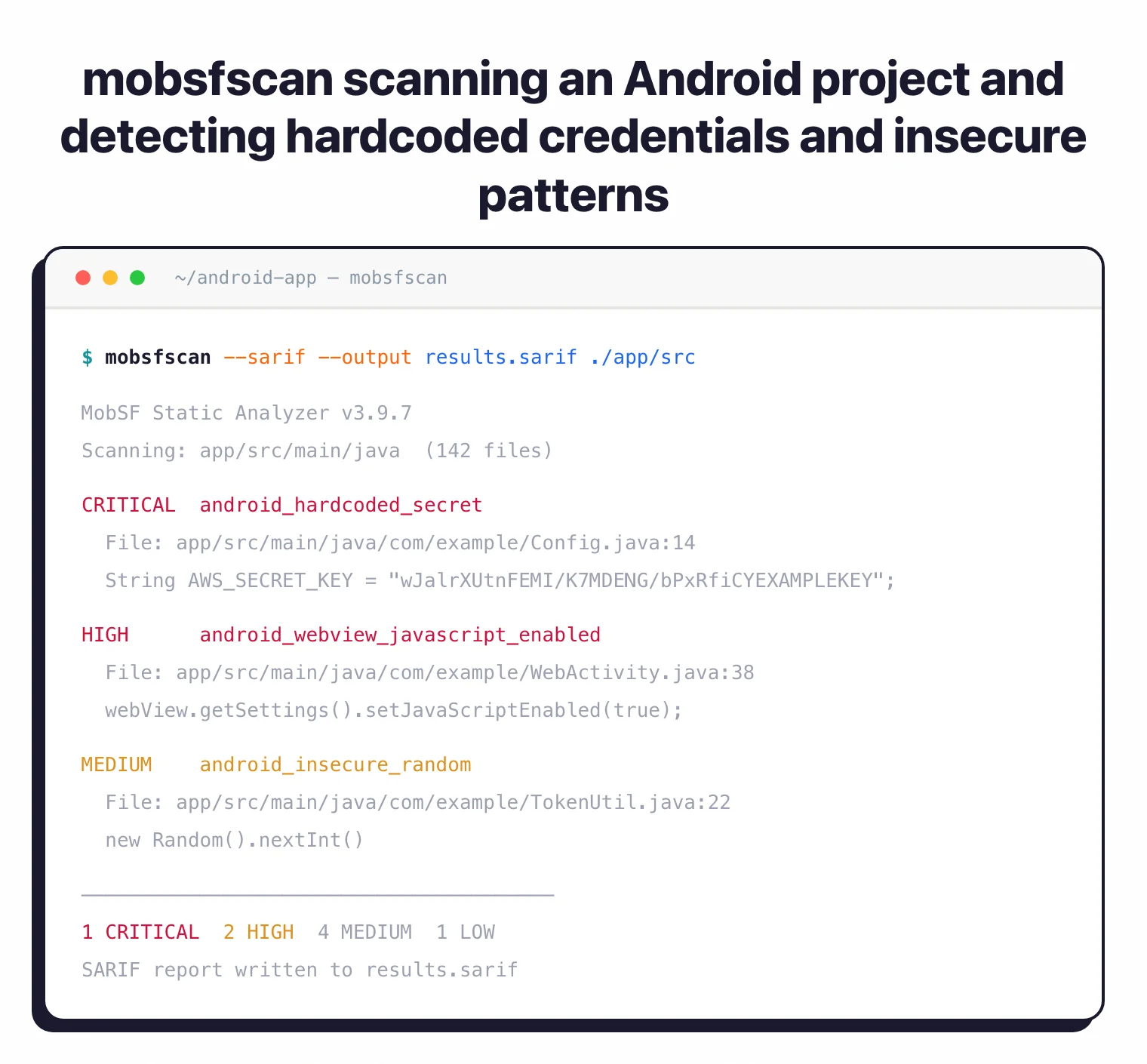
- Hardcoded credentials and API keys
- Insecure data storage patterns
- Weak cryptographic implementations
- Dangerous permission requests
- Exported components without proper protection
- SSL/TLS configuration problems
- Code signing and obfuscation analysis
OWASP Standards: MobSF maps its findings to the OWASP Mobile Application Security Verification Standard (MASVS) and Mobile Application Security Testing Guide (MASTG), making results directly usable for compliance work.
Dynamic Analysis
Dynamic analysis executes the application in a controlled environment. MobSF uses Frida for runtime instrumentation, hooking into application functions to observe:
- Network traffic and API calls
- File system read/write operations
- Cryptographic function usage
- Sensitive data handling at runtime
- Runtime permission checks
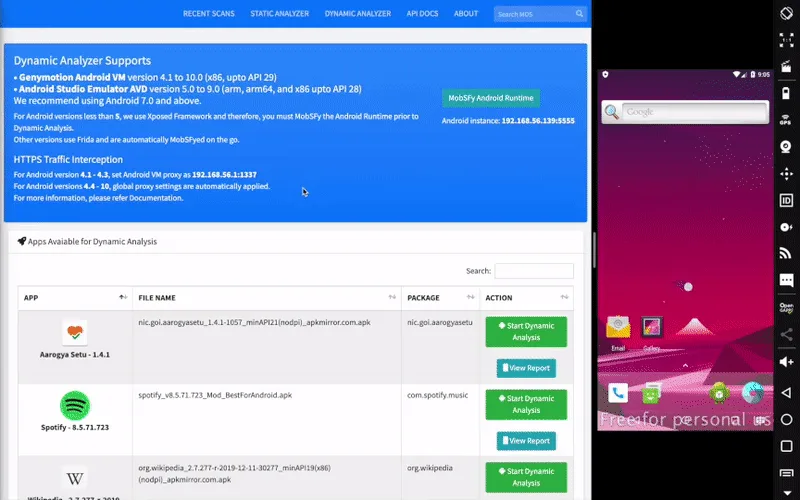
Dynamic analysis requires an emulator or physical device. For Android, you’ll need an Android emulator with a writable system image. iOS dynamic analysis requires a jailbroken device or corellium setup.
SBOM and SDK auditing
MobSF surfaces every third-party SDK it identifies in the binary — analytics, ad networks, crash reporters, payment SDKs, and embedded native libraries — and lists them with their detected version where available. That output is the closest thing the OSS ecosystem ships to a mobile-app SBOM. I export it as JSON via the REST API and feed it into a CVE lookup so I know which transitive SDK has a known issue before signing off on a release.
REST API
Every feature in the web interface is available through the REST API. This makes it possible to build automated scanning workflows and feed results into other tools.
CI/CD Integration: For source code scanning in pipelines, use mobsfscan instead of the full MobSF server. It's a lightweight CLI that scans Java, Kotlin, Swift, and Objective-C code using semgrep and regex rules. Outputs SARIF for GitHub code scanning, plus JSON, SonarQube, and HTML formats.
How do I get started with MobSF?
- Install via Docker — Pull and run the official image. Default login is
mobsf/mobsf.docker pull opensecurity/mobile-security-framework-mobsf:latest docker run -it --rm -p 8000:8000 opensecurity/mobile-security-framework-mobsf:latest - Open the dashboard — Go to
http://localhost:8000in your browser. You’ll see the upload interface. - Upload a binary — Drag and drop an APK, IPA, or APPX file. MobSF starts static analysis automatically.
- Review findings — Browse the security score, identified vulnerabilities, and code-level details. Export as PDF or pull via the REST API.
Manual Installation
For development or customization, install from source (requires Python 3.12+):
git clone https://github.com/MobSF/Mobile-Security-Framework-MobSF.git
cd Mobile-Security-Framework-MobSF
./setup.sh
./run.sh
CI/CD Integration
GitHub Actions with mobsfscan
name: Mobile Security Scan
on: [push]
jobs:
  mobsfscan:
    runs-on: ubuntu-latest
    steps:
      - uses: actions/checkout@v4
      - name: mobsfscan
        uses: MobSF/mobsfscan@main
        with:
          args: '. --sarif --output results.sarif'
      - uses: github/codeql-action/upload-sarif@v3
        with:
          sarif_file: results.sarif
GitHub Actions with Full MobSF Server
For binary analysis in CI/CD, run the full MobSF Docker container:
name: MobSF Binary Scan
on:
  push:
    branches: [main]
jobs:
  mobsf-scan:
    runs-on: ubuntu-latest
    services:
      mobsf:
        image: opensecurity/mobile-security-framework-mobsf:latest
        ports:
          - 8000:8000
    steps:
      - uses: actions/checkout@v4
      - name: Build APK
        run: ./gradlew assembleDebug
      - name: Wait for MobSF
        run: |
          until curl -s http://localhost:8000 > /dev/null; do
            sleep 2
          done
      - name: Upload and Scan
        run: |
          HASH=$(curl -F "file=@app/build/outputs/apk/debug/app-debug.apk" \
            http://localhost:8000/api/v1/upload \
            -H "Authorization: ${{ secrets.MOBSF_API_KEY }}" | jq -r '.hash')
          curl -X POST http://localhost:8000/api/v1/scan \
            -H "Authorization: ${{ secrets.MOBSF_API_KEY }}" \
            -d "hash=$HASH"
          curl -X POST http://localhost:8000/api/v1/report_json \
            -H "Authorization: ${{ secrets.MOBSF_API_KEY }}" \
            -d "hash=$HASH" > mobsf-report.json
      - uses: actions/upload-artifact@v4
        with:
          name: mobsf-report
          path: mobsf-report.json
MobSF vs NowSecure
MobSF is free and open-source under GPL v3.0 with self-hosted SAST + DAST for Android, iOS, and Windows. NowSecure is a commercial mobile AppSec platform with managed device farms, compliance reporting, and SLA-backed support.
Pick MobSF when budget is the constraint and you have the security expertise to triage findings. Pick NowSecure when you need OWASP MASVS attestation reports, real-device testing at scale, or vendor support for procurement requirements.
Both map findings to MASVS/MASTG. NowSecure adds IAST runtime instrumentation and managed cloud scanning that MobSF’s self-hosted footprint cannot replicate.
For the full feature breakdown, see NowSecure vs MobSF .
MobSF vs Drozer
MobSF performs static + dynamic analysis automatically — upload a binary and it produces a findings report. Drozer is a manual Android attack surface tool for hands-on IPC and content provider exploitation.
The two solve different problems. MobSF gives the baseline scan; Drozer lets me actively probe exported activities, broadcast receivers, and content providers with crafted intents.
I run MobSF first to get the static report, then load the APK into Drozer to test the components MobSF flagged.
MobSF vs Frida
MobSF uses Frida under the hood for its dynamic analysis component — they are not competing tools. Frida is the runtime instrumentation engine; MobSF wraps it into an automated workflow with a dashboard.
Use MobSF when you want a one-click “run all the dynamic checks” report. Use Frida directly when you need precise method hooks, custom JavaScript instrumentation, or runtime behavior outside MobSF’s pre-built scripts.
For SSL pinning bypass, custom argument inspection, and dynamic API tracing beyond MobSF’s defaults, Frida is the lower-level tool that MobSF abstracts.
When to Use MobSF
MobSF is a strong choice when you need a free, self-hosted mobile security testing setup. It’s particularly useful for:
- Penetration testers who need a single tool covering static and dynamic analysis
- Teams with limited budgets that can’t justify commercial tool licensing
- Privacy-sensitive organizations that need on-premises analysis (nothing leaves your network)
- CI/CD pipelines where you want automated security checks using mobsfscan or the REST API
- Malware analysts examining suspicious apps from third-party sources
For teams that need vendor support, SLAs, or managed cloud scanning, commercial alternatives like NowSecure or Oversecured may be a better fit.
For targeted Android attack surface testing, Drozer complements MobSF’s automated scanning with manual IPC and content provider exploitation. Apktool is useful for deeper resource analysis and APK modification. For a side-by-side feature breakdown, see MobSF alternatives and the head-to-head NowSecure vs MobSF comparison. The full hub at mobile security tools covers the rest of the category.
Best for: Security researchers and development teams who want a self-hosted, zero-cost mobile security testing platform with both static and dynamic analysis capabilities.
MobSF is fully free and open source under GNU GPL v3.0
. There is no paid edition, no hosted SaaS sold by the maintainers, and no per-seat license. Both the full MobSF server and the lightweight mobsfscan CLI ship under the same GPL-3.0 terms. The lead maintainer (Ajin Abraham
) accepts donations via GitHub Sponsors to fund development, but sponsoring is optional and unlocks no extra features.
A few third parties offer paid hosted MobSF — they are not affiliated with the upstream project. For production use, self-host the official Docker image instead.