


mitmproxy is a free, MIT-licensed interactive HTTPS proxy for security testing, mobile app auditing, and API debugging. The project sits at 44,000+ GitHub stars, shipped v12.2.2 in April 2026, and speaks HTTP/1, HTTP/2, HTTP/3, and WebSockets out of the box.
Written in Python and maintained by Aldo Cortesi and Maximilian Hils, mitmproxy is the default choice for security engineers who need to see inside encrypted traffic without paying for a commercial proxy like Burp Suite.
mitmproxy ships three interfaces in one package: the interactive terminal UI (mitmproxy), the browser-based UI (mitmweb), and the scriptable CLI (mitmdump). All three share the same core engine, the same addon system, and the same Python API.
I run mitmproxy in front of mobile apps when I want to see what their backends actually receive.
The interactive TUI is faster than a full browser proxy for quick inspection, and the Python addon hook lets me rewrite requests on the fly without stopping the session. It is the first tool I install on every fresh laptop.
mitmproxy at a glance
- License: MIT (fully open source, no paid tier)
- Language: Python 3.12+
- Latest version: 12.2.2 (April 2026)
- Maintainers: Aldo Cortesi, Maximilian Hils
- Repository: github.com/mitmproxy/mitmproxy (44,000+ stars)
- Protocols: HTTP/1, HTTP/2, HTTP/3, WebSockets, raw TCP
What is mitmproxy?
mitmproxy is a free, open-source SSL/TLS-capable intercepting proxy that sits between a client and a server, decrypts HTTPS traffic in real time, and lets you inspect or modify every request and response before it is re-encrypted and forwarded. It supports HTTP/1, HTTP/2, HTTP/3, and WebSockets, and ships under the MIT license with no paid tier.
The basic idea is to pretend to be the server to the client, and pretend to be the client to the server, while sitting in the middle decoding traffic from both sides.
To achieve HTTPS interception, mitmproxy generates a Certificate Authority (CA) certificate which you install on your device.
This CA certificate is used to sign other certificates on-the-fly, making the intercepted traffic appear trusted to your browser or application.
Once configured, all HTTP and HTTPS requests and responses flow through mitmproxy where you can inspect headers, bodies, and timing information.
The tool supports HTTP/2, HTTP/3 (QUIC), and WebSockets, so it keeps up with modern mobile apps and web services.
It handles TLS 1.2 and 1.3, certificate pinning scenarios (when combined with bypass tools), and common authentication schemes.
| Capability | Details |
|---|---|
| Traffic Interception | Capture and decrypt HTTPS traffic with automatic certificate generation |
| Multiple Interfaces | Console UI, web interface, and command-line tool for different workflows |
| Real-Time Inspection | View requests and responses as they happen with full header and body details |
| Request Modification | Edit and replay requests to test API endpoints and security controls |
| Python Scripting | Programmatic access to modify, filter, or log traffic with Python API |
| Protocol Support | HTTP/1, HTTP/2, HTTP/3, WebSockets, and SSL/TLS interception |
What are mitmproxy’s key features?
Mobile App Traffic Analysis
Point an Android or iOS device at mitmproxy as its HTTP proxy, and every app request becomes visible. That exposes API endpoints, auth tokens, payload formats, and whether the client bothers to encrypt anything sensitive.
There is one caveat on modern phones. Since Android 7.0 (API 24) and recent iOS releases, apps only trust system-level CAs by default, so the user-installed mitmproxy cert gets ignored. Three workarounds:
- Make apps debuggable and patch network security config (Android)
- Use Objection or Frida to disable certificate validation
- Install mitmproxy’s certificate as a system certificate (requires root/jailbreak)
Once the cert is trusted, I use the captured API calls to find hardcoded credentials, spot endpoints with no auth, probe for injection, and map the actual data flow instead of guessing from the UI.
Three Interface Options
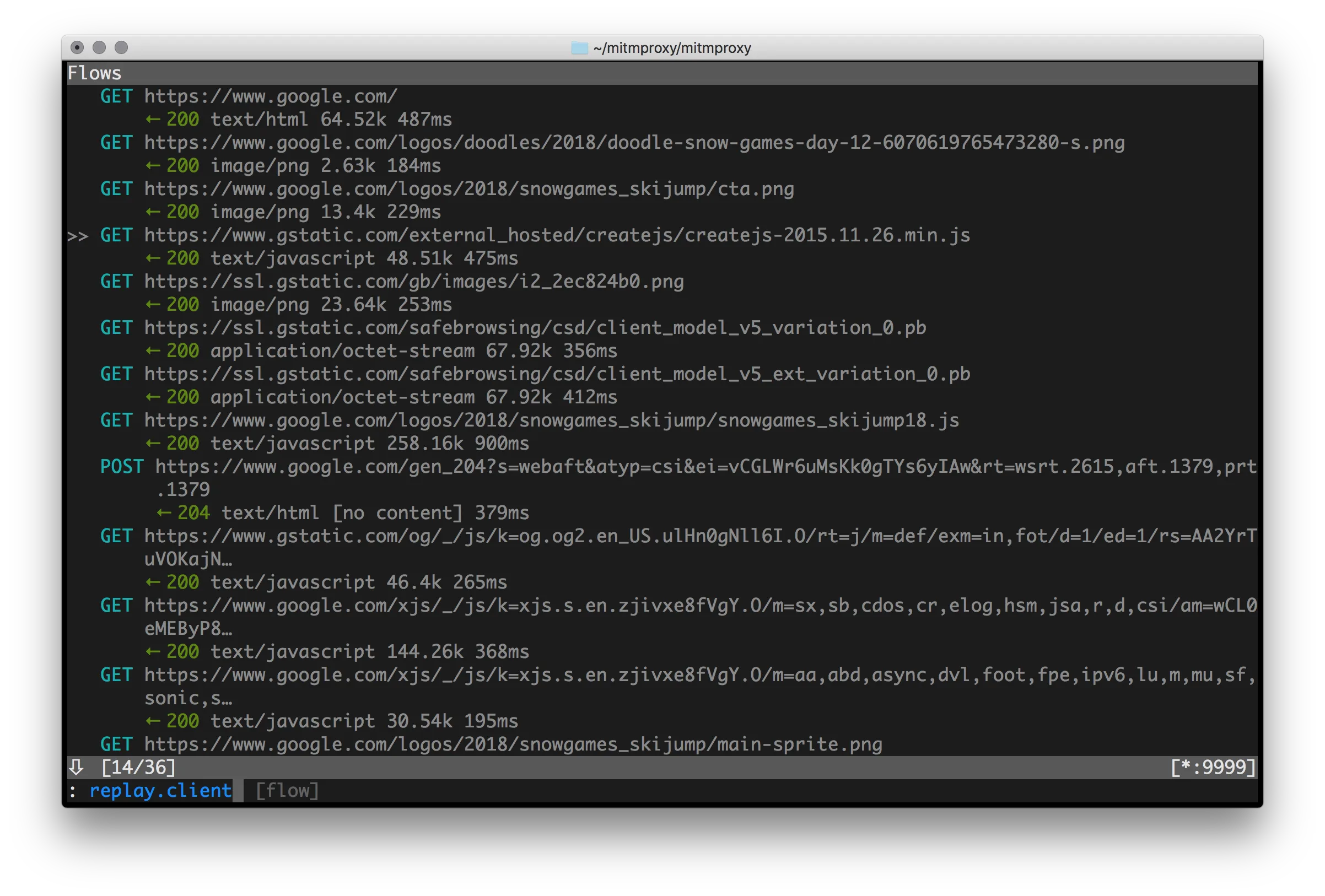
mitmproxy (console): A terminal UI with keyboard-driven navigation. It is the fastest option once you know the shortcuts, and it runs fine over SSH on a remote box or a small VM with no GUI.
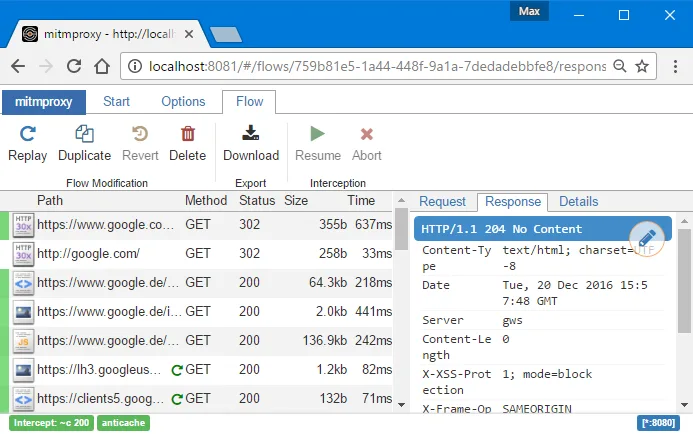
mitmweb: A browser UI that looks like Chrome DevTools. Point your browser at mitmproxy’s web UI port and you get a graphical view of every flow.
I hand it to teammates who do not live in a terminal, and I use it myself when I need to screenshot a request for a report.
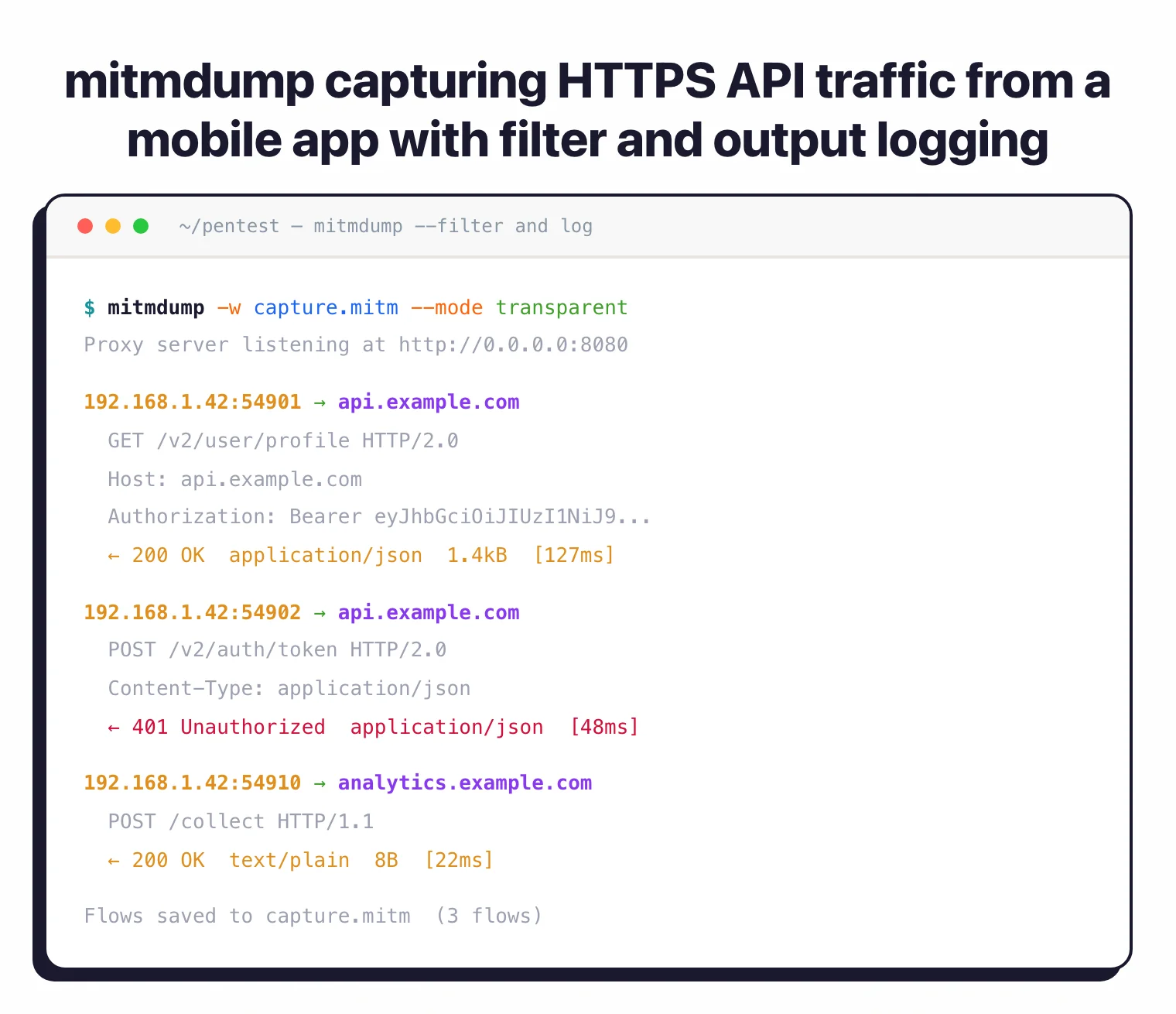
mitmdump: A headless CLI that prints traffic to stdout or writes it to files. This is the standard pick for CI jobs and for overnight captures that nobody is watching.
Scripting and Automation
The Python API is where mitmproxy pulls ahead of clickier proxies. I write small scripts, called addons, that react to events like request, response, or error. Common uses:
- Modify requests in flight (inject headers, tweak parameters)
- Log specific traffic patterns to a database
- Fire an alert when a response contains a JWT or API key
- Implement custom auth or session handling
- Dump a captured session to a CSV for a writeup
Load any script with --scripts, and reuse the same file across engagements.
Integration with Mobile Testing Tools
mitmproxy plays well with the rest of the mobile security tools stack. A typical audit day looks like:
- Decompile the APK with Jadx to see how the client is wired up
- Use Objection or Frida to kill SSL pinning
- Route traffic through mitmproxy to read the API calls in the clear
- Pick out interesting endpoints and parameters
- Replay and mutate requests to probe the backend
Static code, runtime instrumentation, and live traffic end up in the same working folder, which is where most real findings come from.
Transparent Proxy Mode
When you cannot set an explicit proxy (some apps ignore system proxy settings, some devices hide them), transparent mode is the fallback.
With iptables on Linux or pf on macOS, you redirect traffic into mitmproxy without the app ever knowing. I use this to capture the noisy apps that route around Wi-Fi proxy settings, and to grab every flow from a device in one shot.
How to install mitmproxy
mitmproxy ships on every major platform through a single Python package, with native installers available for macOS, Linux, Windows, and Docker.
macOS (Homebrew): brew install mitmproxy is the fastest path on Apple Silicon and Intel Macs. Homebrew pulls in the correct Python runtime and puts mitmproxy, mitmweb, and mitmdump on your $PATH.
Debian / Ubuntu: sudo apt install mitmproxy works on recent releases, though the packaged version often lags behind upstream. For the current v12.2.2 release, install via pip into a virtual environment instead.
pip (any OS with Python 3.12+): pip install mitmproxy installs the latest release from PyPI. I prefer pipx install mitmproxy so the install stays isolated from system Python.
Windows: Download the signed installer from mitmproxy.org, or use pip install mitmproxy inside a standard Python 3.12+ environment. WSL2 also works well and matches the Linux instructions.
Docker: docker run --rm -it -p 8080:8080 mitmproxy/mitmproxy starts the console UI. Add -p 8081:8081 and swap the command for mitmweb --web-host 0.0.0.0 if you want the browser UI reachable from another device on the LAN.
After install, run mitmproxy --version to confirm the binary resolves and to check the bundled OpenSSL build.
How to use mitmproxy for mobile app traffic analysis
Mobile app traffic analysis is the single most common reason engineers reach for mitmproxy, and the workflow is roughly the same on iOS and Android.
- Start mitmproxy on your laptop — Run
mitmweb(browser UI) ormitmproxy(TUI). The proxy listens on port 8080 by default, the web UI on 8081. Make sure your laptop and phone are on the same Wi-Fi network. - Point the phone’s Wi-Fi proxy at your laptop — On iOS, go to Settings > Wi-Fi > your network > Configure Proxy > Manual. On Android, long-press the Wi-Fi network > Modify > Advanced > Proxy > Manual. Use your laptop’s LAN IP and port 8080.
- Install the mitmproxy CA certificate — Open http://mitm.it in the phone’s browser. The page serves the correct CA bundle for your OS. Download and install it, then flip the trust toggle (iOS: Settings > General > About > Certificate Trust Settings; Android 7+: Settings > Security > Encryption & credentials > Install a certificate > CA certificate).
- Defeat SSL pinning if the target app uses it — Production apps on Android 7+ ignore user-installed CAs by default. Run Objection
(
objection -g com.target.app explorethenandroid sslpinning disable) or drop a Frida SSL-unpinning script. For rooted Android, push the mitmproxy CA into/system/etc/security/cacertsinstead. - Launch the app and inspect the traffic — In mitmweb or the console UI every request shows headers, body, timing, and response. Filter by domain (
~d api.example.com) to focus. Useein the TUI to edit a request, thenrto replay it.
A typical audit finds hardcoded API keys, insecure auth tokens in query strings, unsanitized user input sent to backend analytics, and endpoints that skip authorization checks. See the mobile security tools hub for the full toolkit.
Addon architecture and event hooks
The reason senior pentesters stay with mitmproxy is the addon system. Every feature the UI exposes, from request filtering to content-view plugins, is itself an addon written against the same Python API I write my own code against.
An addon is a Python module that defines functions matching mitmproxy’s event hooks. The core hooks most addons use are request, response, tls_clienthello, server_connect, client_connected, websocket_message, and tcp_message. There are also connection-lifecycle hooks (server_connected, tls_established_client, tls_failed_server) and per-protocol events for DNS, UDP, and QUIC flows.
Each hook gets a flow object I can mutate in place. Rewriting an Authorization header, stripping a CSRF check, or diffing two runs of the same API is a five-line function plus mitmdump -s my_addon.py.
The pattern I use most for fuzzing is hooking request and mutating the body on every call. For long-running scripts that do CPU-heavy work — hashing, protobuf decoding, calling out to an oracle — the @concurrent decorator moves that handler off the main event loop so the proxy keeps serving other flows. Without it, a slow hook blocks the entire pipeline.
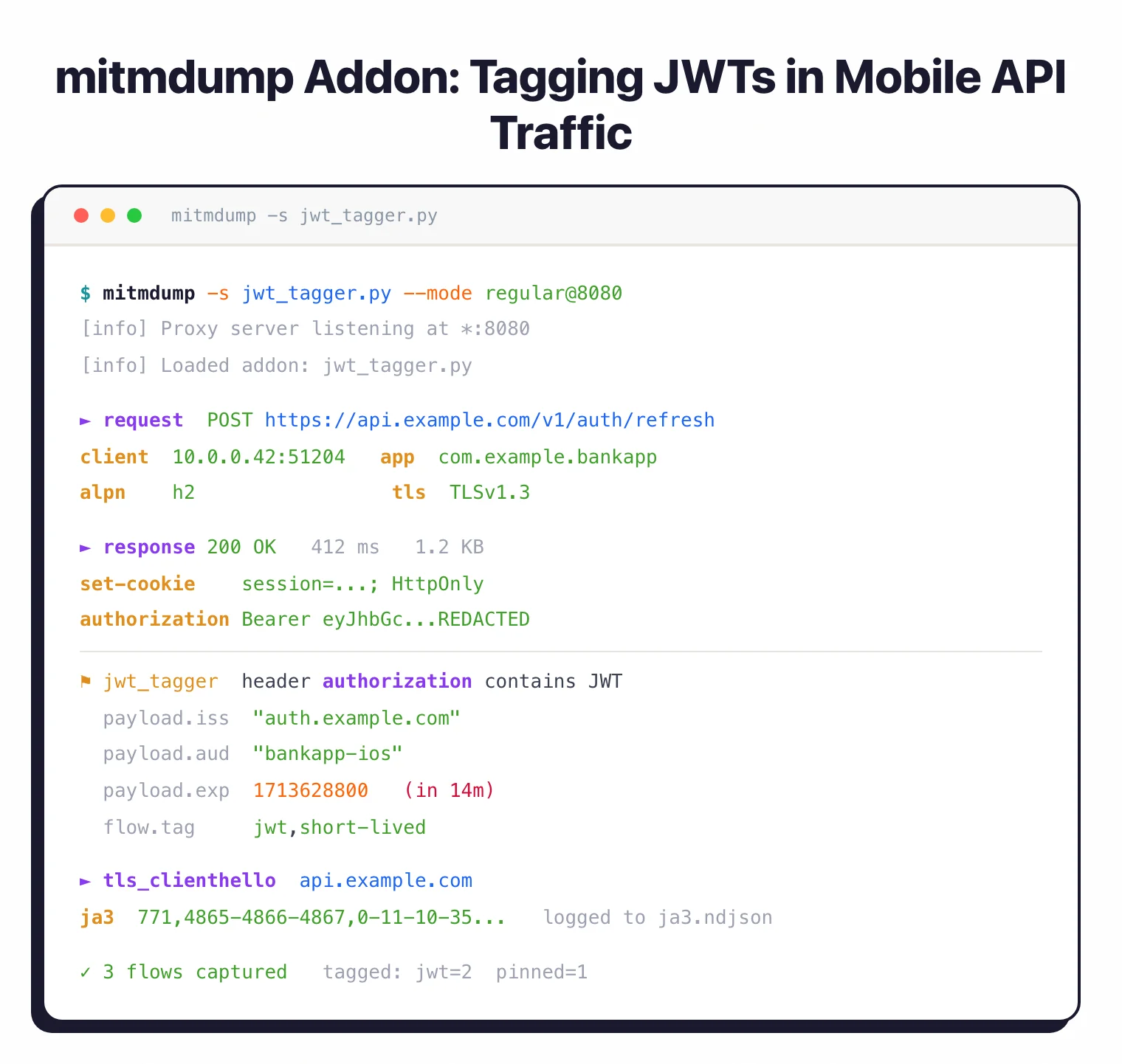
I ship one addon that tags any response containing JWTs or API keys, another that replays a captured flow against a candidate fix, and a third that logs every tls_clienthello so I can audit which hostnames a mobile app actually reaches. None of that requires a fork or a plugin framework — it is all normal Python inside the same process as the proxy.
For automation, mitmdump -s addon.py --set confdir=~/.mitmproxy -r capture.mitm -w replay.mitm gives me scripted record-and-replay with zero UI. That is how I wire mitmproxy into CI runs that need deterministic backend traffic for regression tests.
Mobile app pentesting: pinning bypass and TLS internals
Mobile app audits are where mitmproxy earns its keep, and the hardest part is never the proxy itself. It is getting the app to trust mitmproxy’s CA.
mitmproxy ships a local root CA (mitmproxy-ca.pem) on first run, then generates per-host leaf certificates on demand with matching Subject Alternative Names. That is enough for a browser. It is not enough for a production mobile app, because Android 7+ ignores user-installed CAs for app traffic by default, and most banking, ride-share, or crypto apps also pin their certificate or public key inside the binary.
Certificate pinning is widespread but inconsistently implemented. A 2022 ACM IMC measurement study of the top Android and iOS apps found pinning is common in high-security verticals yet frequently bypassable due to incomplete implementations (Pradeep et al., IMC 2022 ). In practice this means the fastest path through pinning is almost always runtime instrumentation, not static patching.
My working playbook on Android is: install Objection
, attach with objection -g com.target.app explore, then android sslpinning disable. That hooks the common TrustManager and OkHttp pinner implementations at runtime. When Objection’s built-in hooks miss a custom pinner, I fall back to a targeted Frida
script that replaces the pin verification method with a no-op. On iOS I do the same thing with ios sslpinning disable against a jailbroken device or a resigned IPA running on a developer-provisioned device.
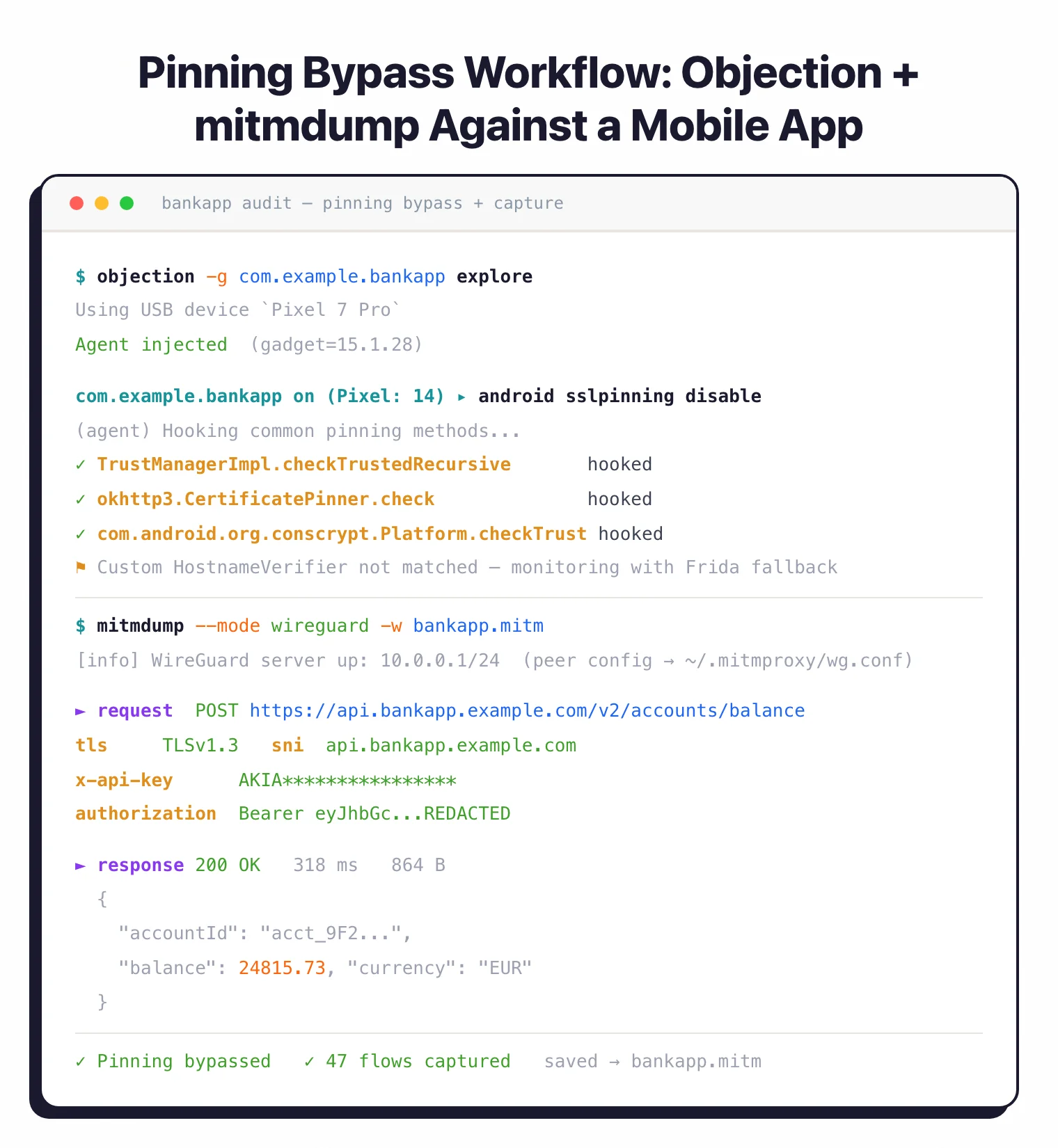
The TLS layer itself is worth understanding because it limits what mitmproxy can see. mitmproxy speaks TLS 1.2 and 1.3, re-negotiates ALPN cleanly (so HTTP/2 stays HTTP/2 end-to-end), and exposes the client’s TLS ClientHello via the tls_clienthello hook for JA3 fingerprinting work. Encrypted Client Hello (ECH) is the current frontier: when a server advertises ECH, mitmproxy either downgrades to the outer SNI or fails cleanly, and there is no way to “decrypt” ECH without being the origin. For HTTP/3, mitmproxy’s QUIC support is limited and works best in reverse-proxy or WireGuard transparent modes against cURL-style clients; real mobile HTTP/3 traffic often needs to be forced back to HTTP/2 via ALPN manipulation in an addon.
Researchers have documented the broader security cost of HTTPS interception at scale, including downgraded cipher suites and weakened validation in commercial middleboxes (Durumeric et al., NDSS 2017 ). The practical takeaway for a pentester is to use a dedicated test device, a dedicated CA, and to uninstall the mitmproxy CA when the engagement ends. Leaving a sideloaded CA on a daily-driver phone turns the phone into the exact kind of MITM target the research describes.
When to use mitmproxy
Strengths:
- 44k+ GitHub stars, thorough docs, responsive maintainers
- Free and MIT-licensed, no paid tier lurking later
- Speaks HTTP/2, HTTP/3, and WebSockets, not just HTTP/1
- Three interfaces (console, web, CLI) share one engine
- Python addon API for scripting and automation
- Regular releases; v12.2.2 shipped April 2026
- Runs on Windows, macOS, Linux, and Docker
- Light on memory compared to Burp Suite on big captures
Limitations:
- You have to install the CA cert on every test device
- Android 7+ and modern iOS need extra work to trust user certs
- Does not bypass SSL pinning by itself; pair with Frida or Objection
- The TUI has a learning curve if you live in GUI tools
- Limited HTTP/3 support for real mobile clients compared to HTTP/2
Best for: mobile app audits, API security testing, and day-to-day HTTP/HTTPS debugging. If I had to pick one proxy to set up on a new laptop before anything else, this is it.
How do I get started with mitmproxy?
- Install mitmproxy — Use
brew install mitmproxyon macOS,apt install mitmproxyon Debian/Ubuntu, orpip install mitmproxyon any platform. Windows, macOS, and Linux are all supported. - Start the web interface — Run
mitmwebto launch the browser-based UI, ormitmproxyfor the console interface. The proxy listens on port 8080 by default. - Configure your device — Set your mobile device’s Wi-Fi proxy to your computer’s IP on port 8080. Browse to mitm.it on the device to download and install the CA certificate.
- Bypass certificate restrictions — For Android 7+ or modern iOS, use Objection or Frida to disable certificate pinning, or install mitmproxy’s cert as a system certificate on rooted/jailbroken devices.
- Inspect traffic — Open the mitmweb interface in your browser and launch the target app. Click any request to view headers, body, and timing. Use filters to focus on specific domains.
For advanced usage, combine with Frida scripts for SSL unpinning, Objection for automated app patching, and Burp Suite for web application testing beyond simple interception.