

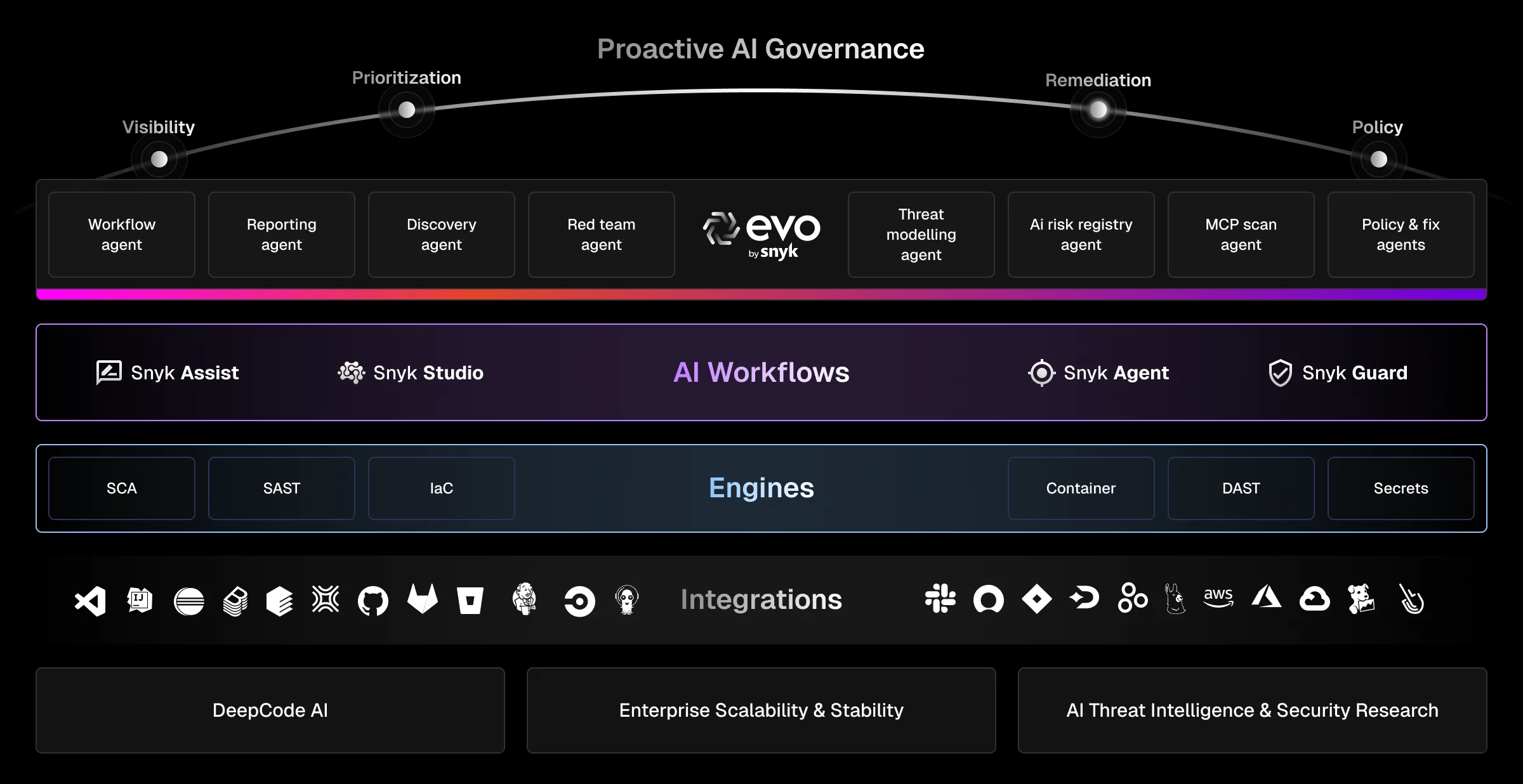
Snyk is a developer security platform that combines SCA , SAST, container scanning, IaC security, and DAST into a single product. It integrates into IDEs, Git repositories, CI/CD pipelines, and container registries.
The platform includes six products: Snyk Code (SAST), Snyk Open Source (SCA), Snyk Container , Snyk IaC , Snyk API & Web (DAST), and Snyk Studio for AI-generated code. All share a unified dashboard and security policy engine.
Snyk has over 2.5 million developers on its platform. Customers include Twilio, Snowflake, Spotify, Revolut, and Komatsu.
What is Snyk?
Snyk covers cloud-native application security from a single platform. The 288% ROI, 80% faster scan time, and 75% faster upstream remediation it cites all trace to one Forrester TEI study Snyk commissioned, built on a four-customer composite — directional vendor figures, not an independent benchmark.
| Capability | Details |
|---|---|
| Developer Integration | Scans code in IDEs (VS Code, IntelliJ, Eclipse), Git platforms (GitHub, GitLab, Bitbucket), and CI/CD pipelines. Security feedback appears where developers already work. |
| DeepCode AI | Purpose-built AI engine with 25M+ data flow cases modeled. Generates context-aware fixes at a Snyk-reported 80% accuracy. Not a general-purpose LLM — built specifically for security analysis. |
| Unified Dashboard | Single view of vulnerabilities across code, dependencies, containers, and IaC. Prioritizes by reachability, exploit maturity, and EPSS/CVSS scores. Export to Jira, ServiceNow, Slack. |
What are Snyk’s key features?
| Feature | Details |
|---|---|
| Snyk Code (SAST) | Semantic analysis with data flow tracking, AI fix suggestions, 16 languages; Snyk claims 50x faster than legacy SAST |
| Snyk Open Source (SCA) | Dependency scanning, automated fix PRs, license compliance, reachability analysis; Snyk reported 24k+ new vulns discovered in 2024 |
| Snyk Container | OS package vulnerabilities, base image recommendations, registry integration |
| Snyk IaC | Terraform, CloudFormation, Kubernetes, Helm, ARM template scanning with CIS benchmarks |
| Snyk API & Web (DAST) | Dynamic application and API security testing |
| Snyk Studio | Security scanning for AI-generated code, covers 90% of LLM libraries including OpenAI and Hugging Face |
| Language support | Apex, C/C++, Dart/Flutter, Elixir, Go, Groovy, Java, Kotlin, JavaScript, TypeScript, .NET, PHP, Python, Ruby, Rust, Scala, Swift/Objective-C |
| SCA ecosystems | npm, Maven, Gradle, pip, Go modules, NuGet, RubyGems, Composer, Cocoapods, Cargo, Hex |
| Performance (Snyk-commissioned Forrester TEI, 4-customer composite) | 288% ROI, 80% faster scan time, 75% faster upstream remediation, 52% reduced data breach risk |
Snyk Code (SAST)
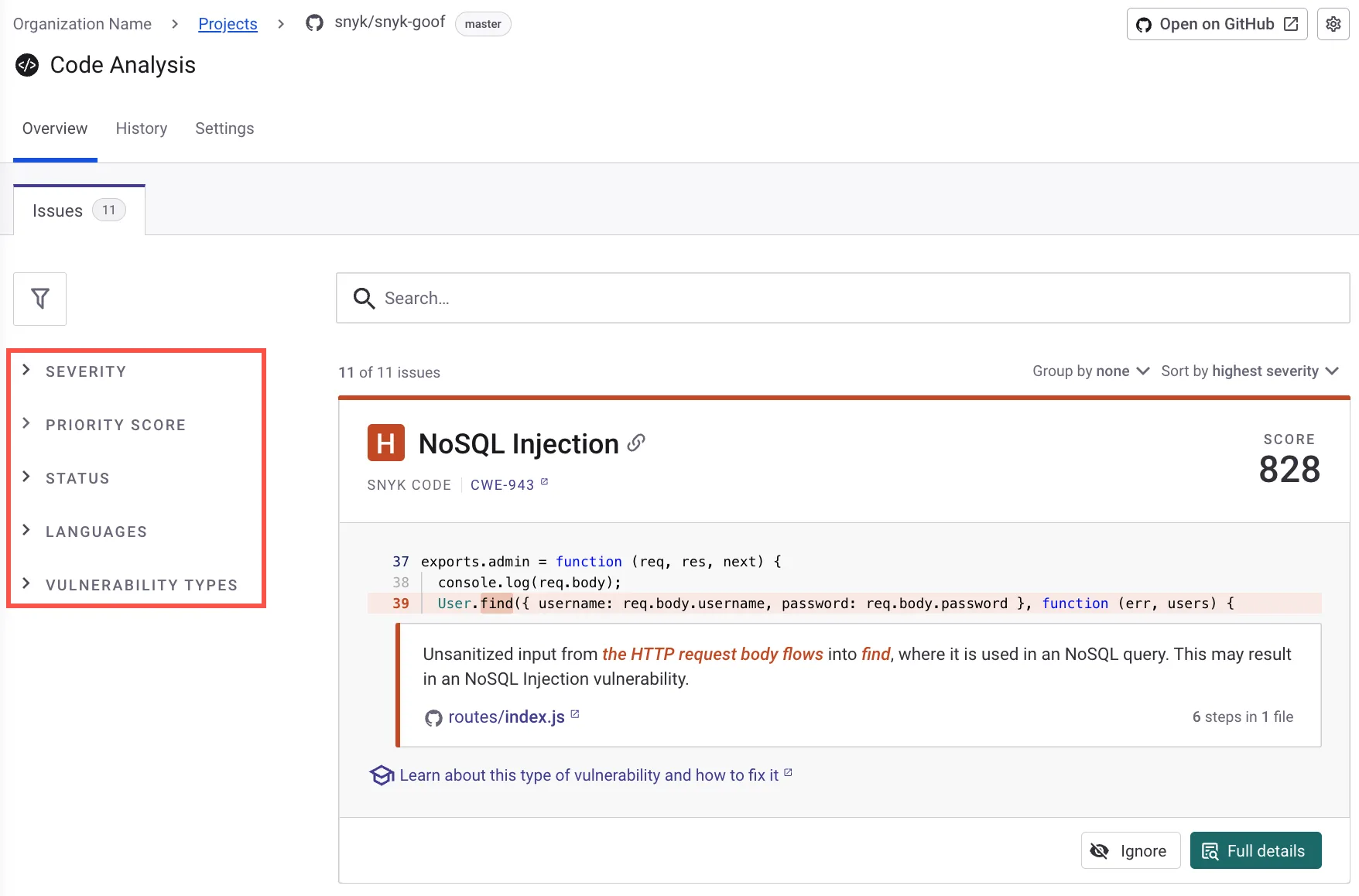
Snyk Code scans source code for security issues like SQL injection, XSS, command injection, path traversal, and insecure authentication. The semantic analysis engine traces data flow through code to detect vulnerabilities that span multiple files.
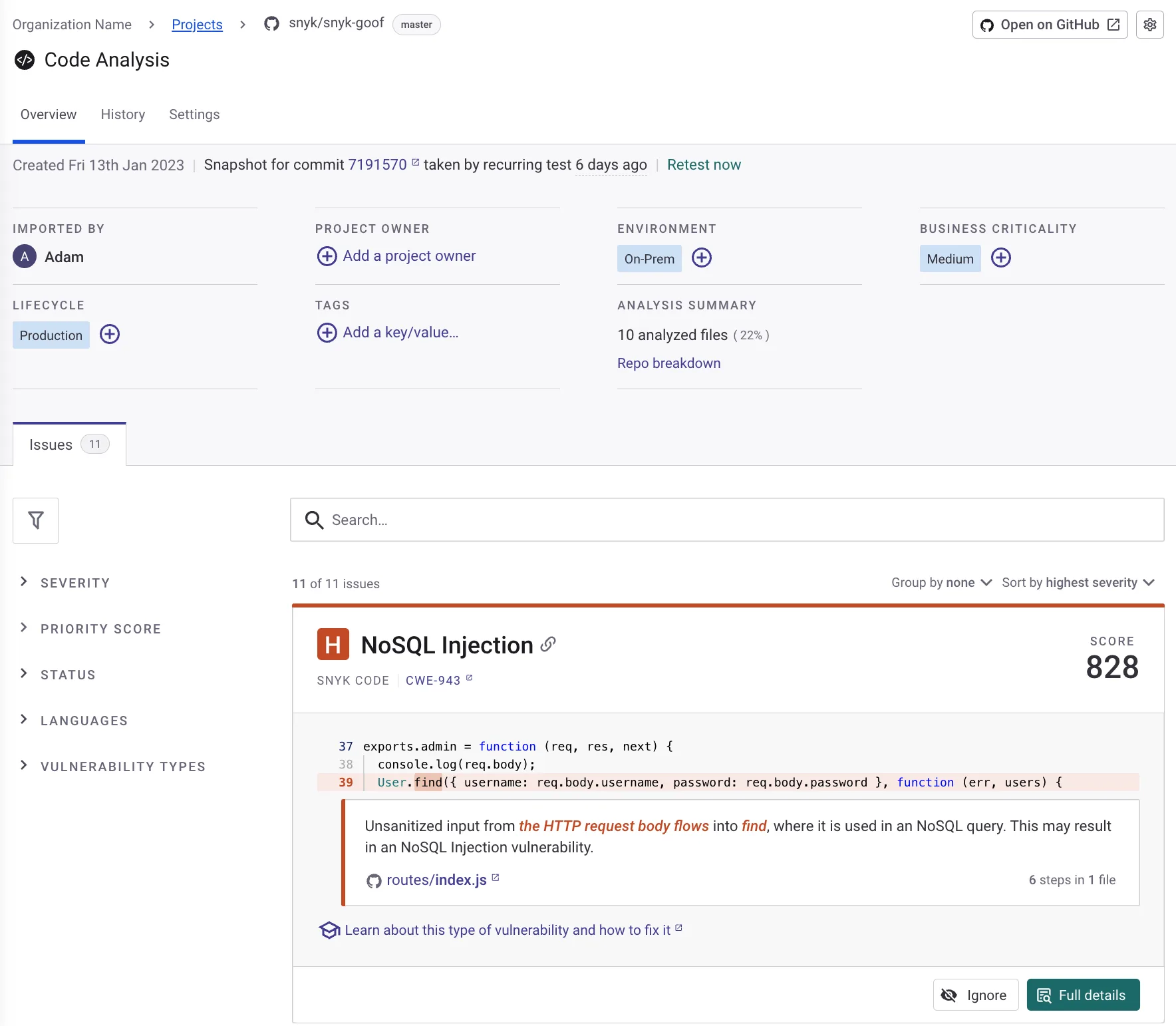
Snyk claims scans run 50x faster than legacy SAST tools and 2.4x faster than other modern SAST tools. No compilation or build step required.
DeepCode AI generates context-aware fix suggestions. Snyk reports 80% fix accuracy and an 84% reduction in mean time to remediate.
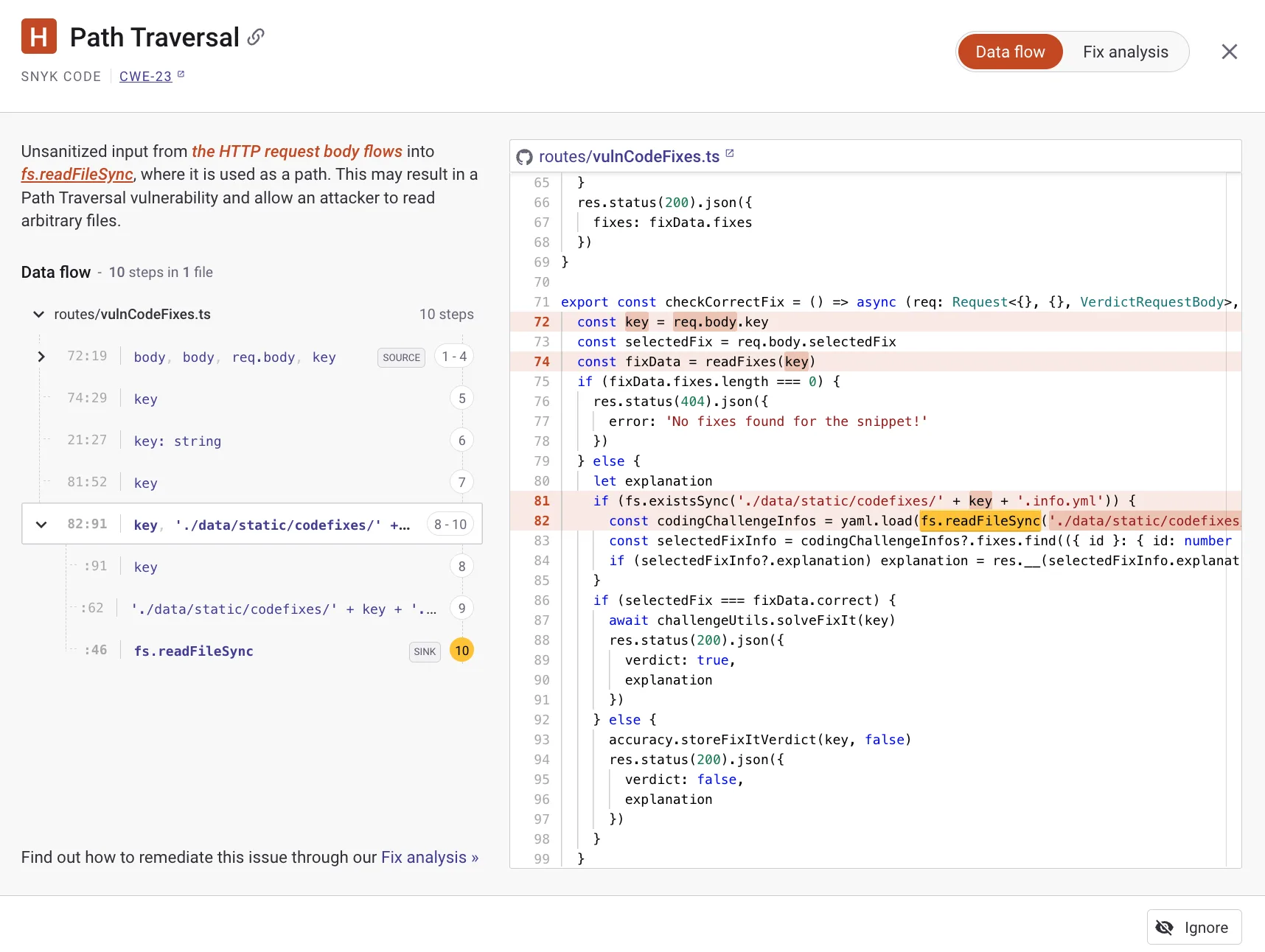
The data flow view shows exactly how tainted input travels through your code from source to sink. This makes it easier to understand why a finding is flagged and where to apply the fix.
Fix analysis
When Snyk Code detects a vulnerability, the fix analysis view shows what needs to change and why. For supported issues, DeepCode AI generates a specific code fix you can apply directly.
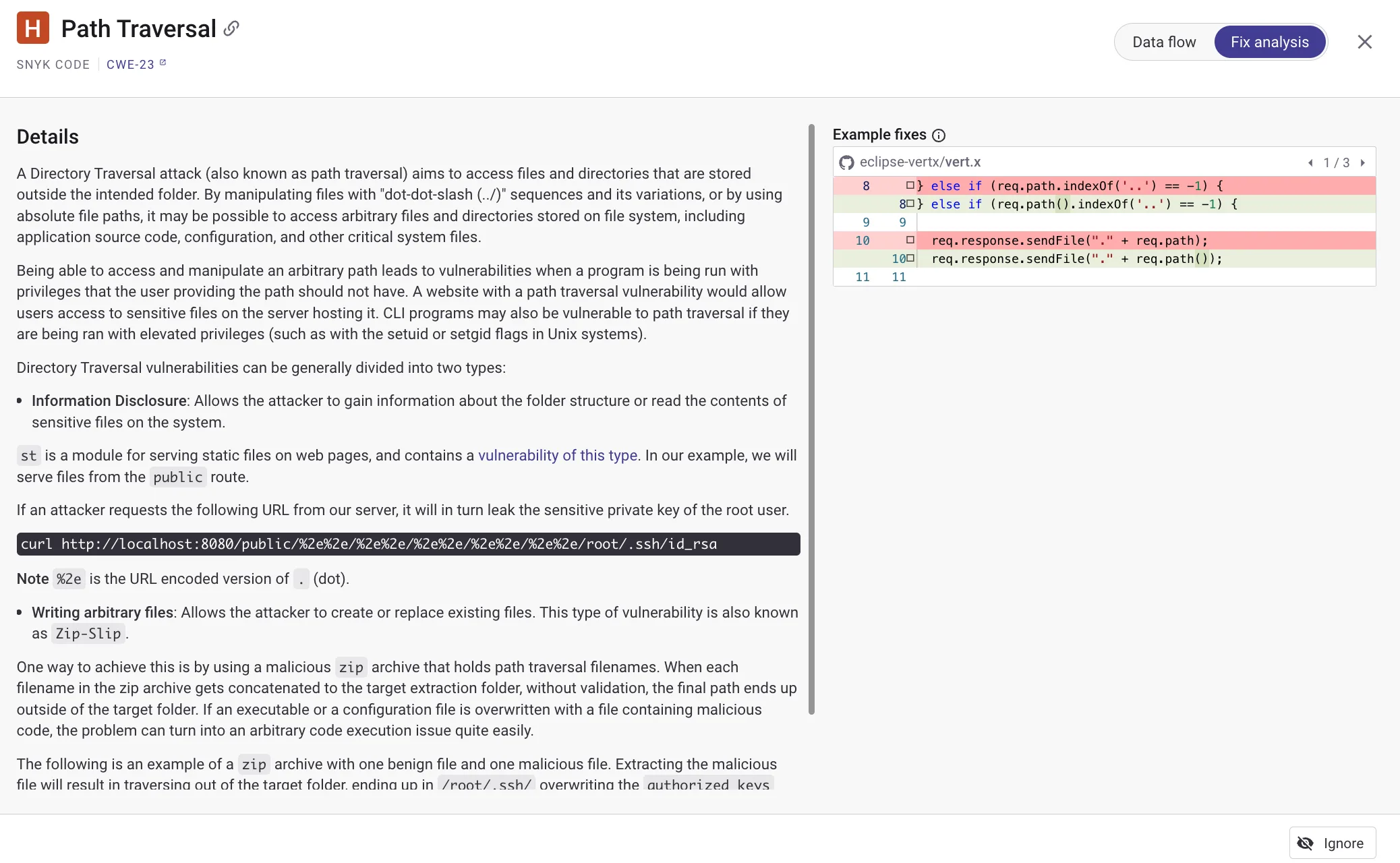
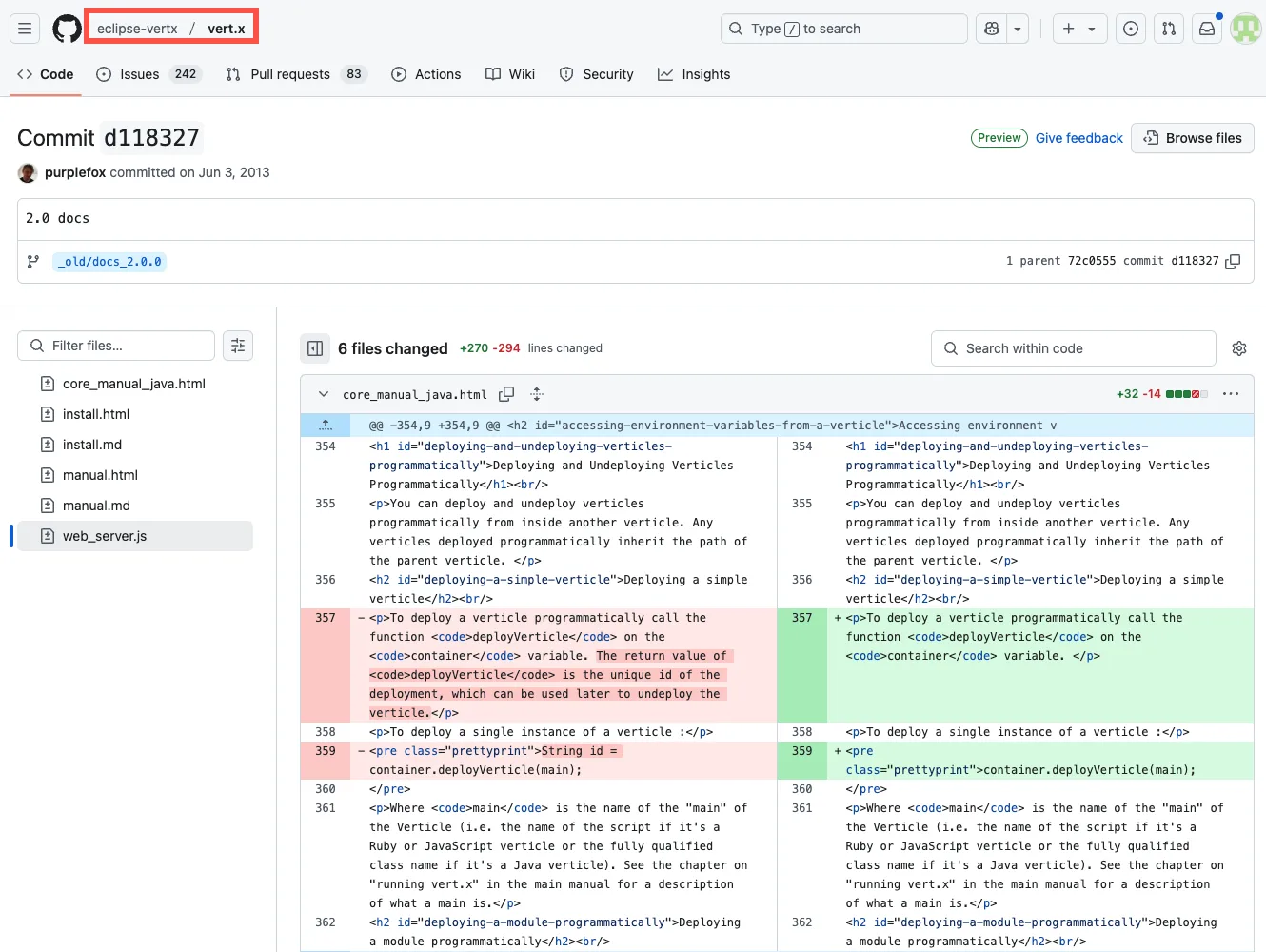
Automated fix pull requests work for both SAST and SCA findings. For dependencies, Snyk opens PRs with the required upgrades and patches. You can customize PR templates.
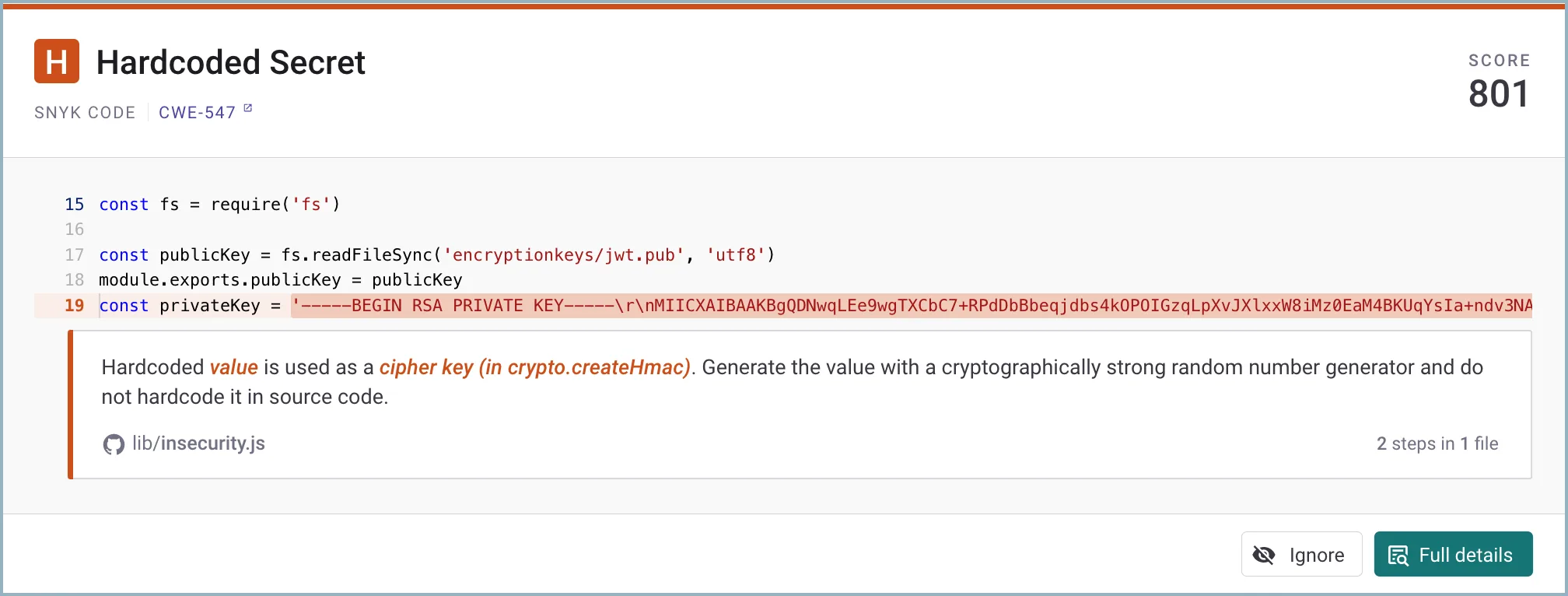
Note: Snyk Code detects hardcoded secrets during SAST scans — API keys, passwords, and tokens are flagged alongside other vulnerability types. Teams that buy standalone secrets detection often don't realize Snyk Code already includes it.
Snyk Open Source (SCA)
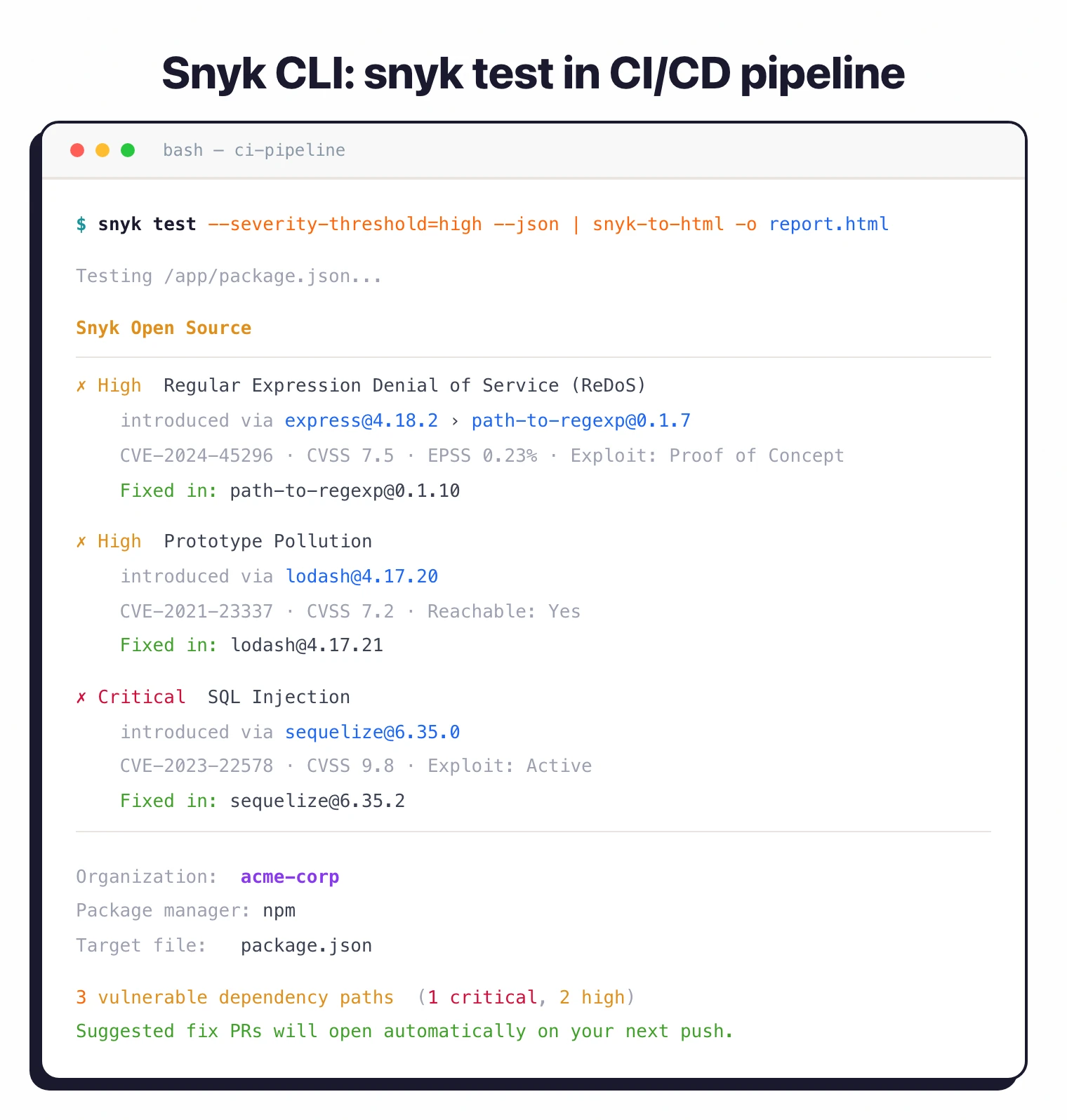
Snyk Open Source identifies vulnerable dependencies by scanning package manifests and lock files. When vulnerabilities are found, it shows the dependency path (direct vs. transitive), severity, exploit maturity, and fix recommendations.
Snyk’s vulnerability database added 24k+ new vulnerabilities in 2024 alone. Risk prioritization evaluates over a dozen factors including reachability, exploit maturity, and EPSS/CVSS scores.
Automated fix pull requests upgrade packages to secure versions. When an upgrade would break something, some teams pair Snyk with backported patches from Seal Security that fix the CVE on the current version. License compliance scanning is available on Team and Enterprise plans.
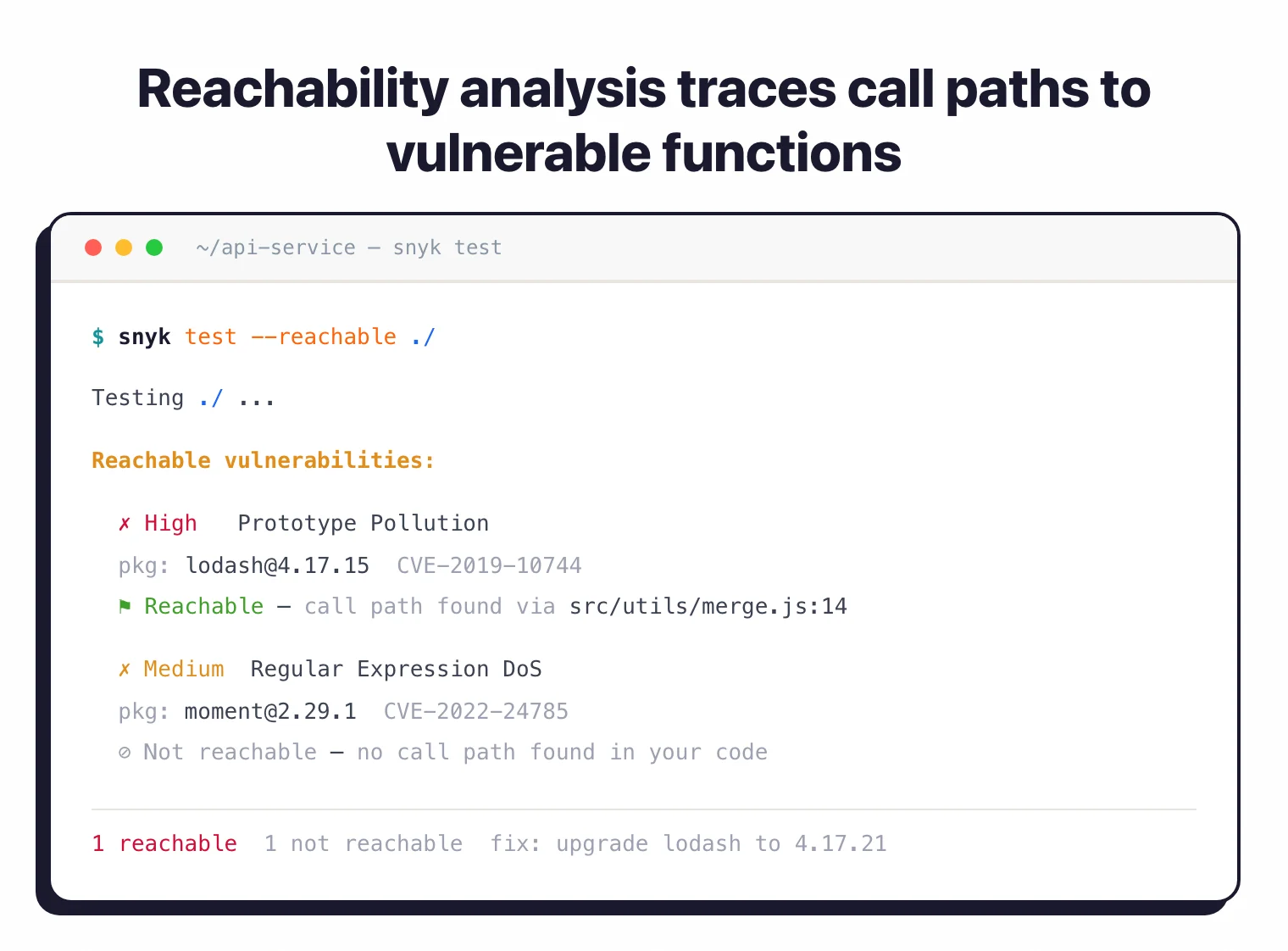 Snyk Open Source reachability analysis — only flags vulnerabilities whose vulnerable functions are actually invoked, cutting false-positive noise from unreachable transitive deps.
Snyk Container
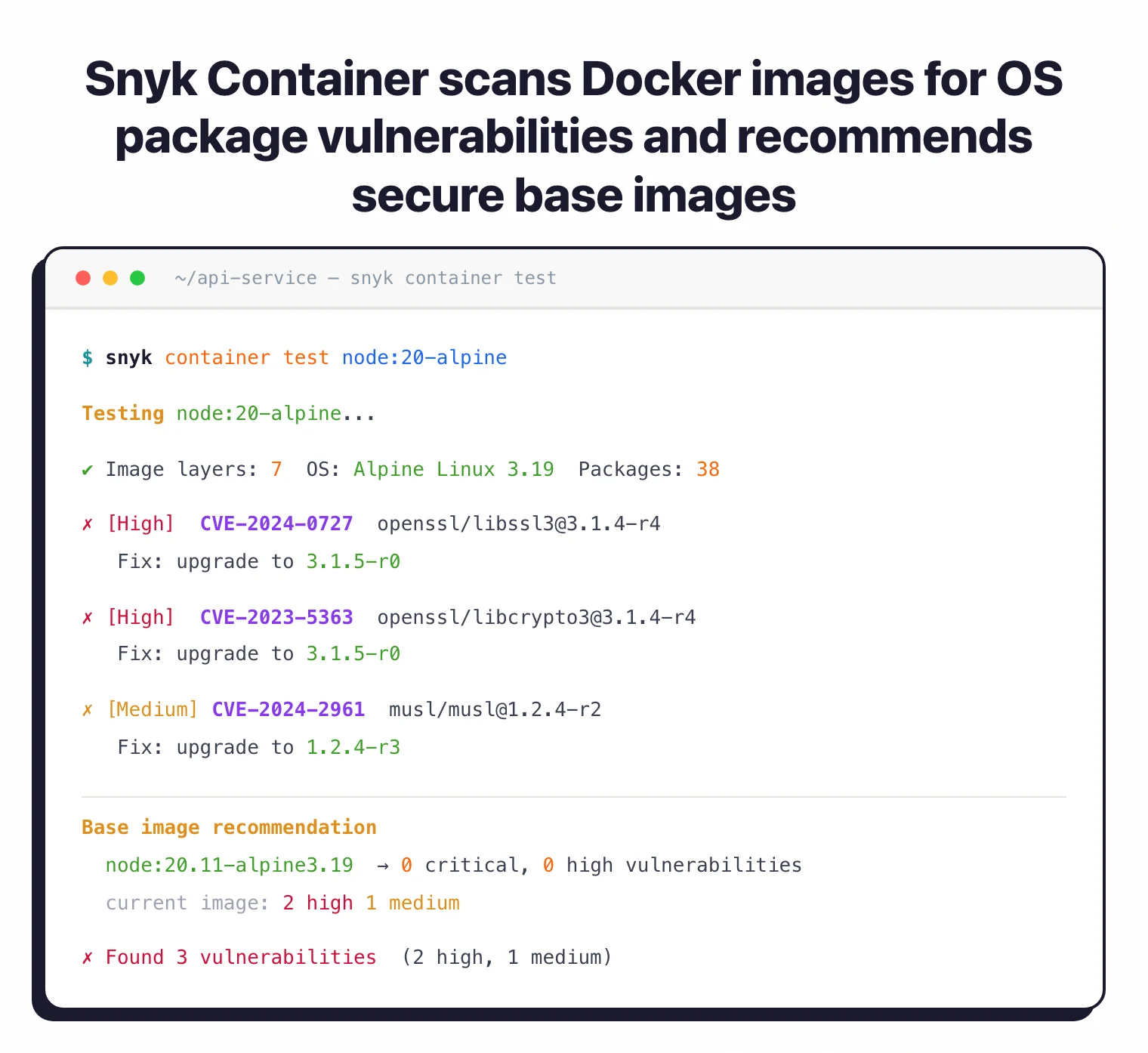
Scans Docker and OCI images for vulnerabilities in base OS packages and application dependencies. Analyzes image layers to identify the source of vulnerabilities and recommends secure base image alternatives.
Integrates with Docker Hub, Amazon ECR, Google Artifact Registry, Azure Container Registry, and Harbor.
Snyk IaC
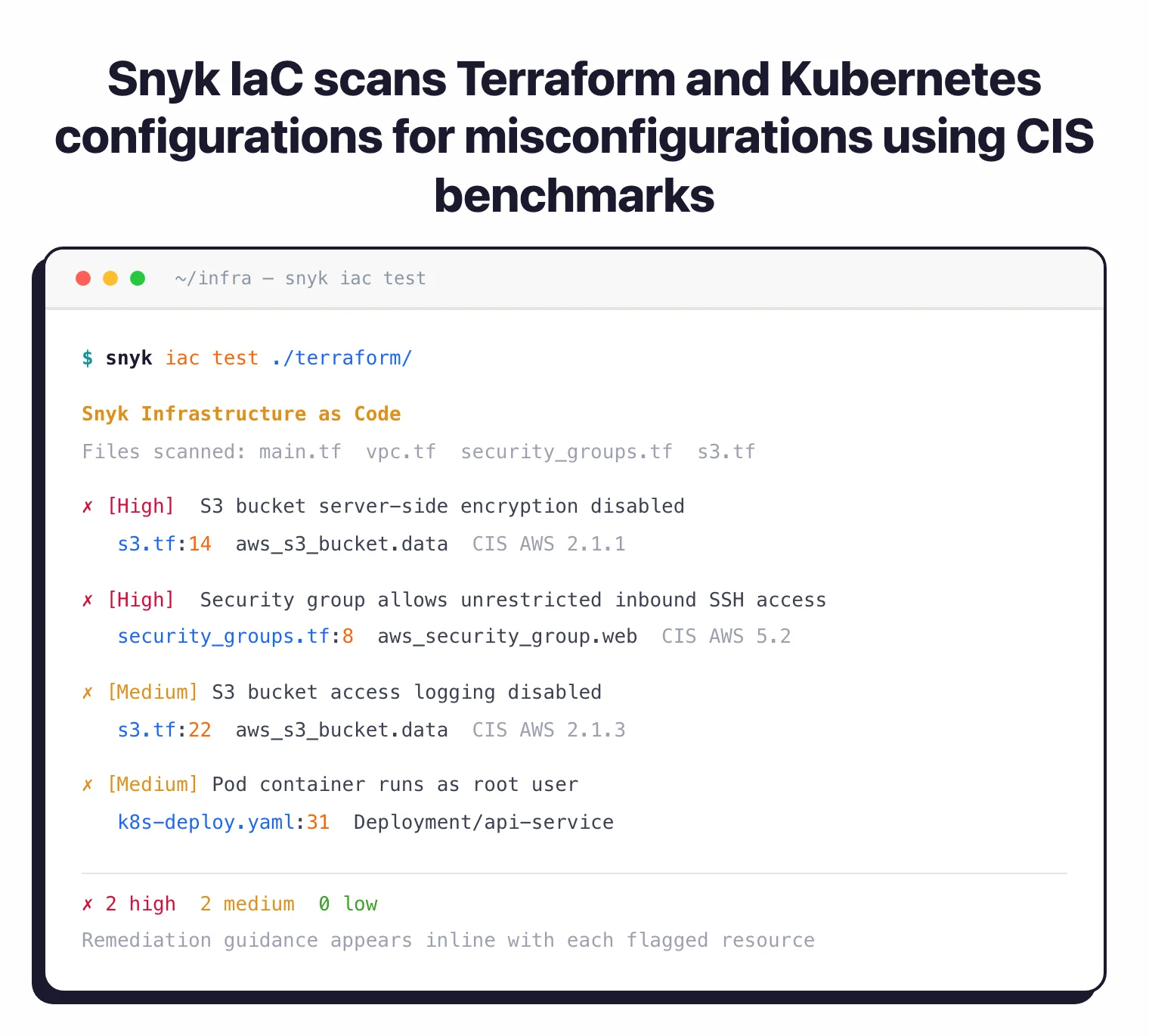
Scans infrastructure as code files for security misconfigurations before cloud deployment. Checks Terraform, CloudFormation, Kubernetes manifests, Helm charts, and Azure ARM templates. Uses CIS benchmarks and threat-modeling research for its rulesets.
Detects issues like S3 buckets without encryption, overly permissive security groups, and pods running as root. Remediation suggestions appear inline with code.
Snyk Studio
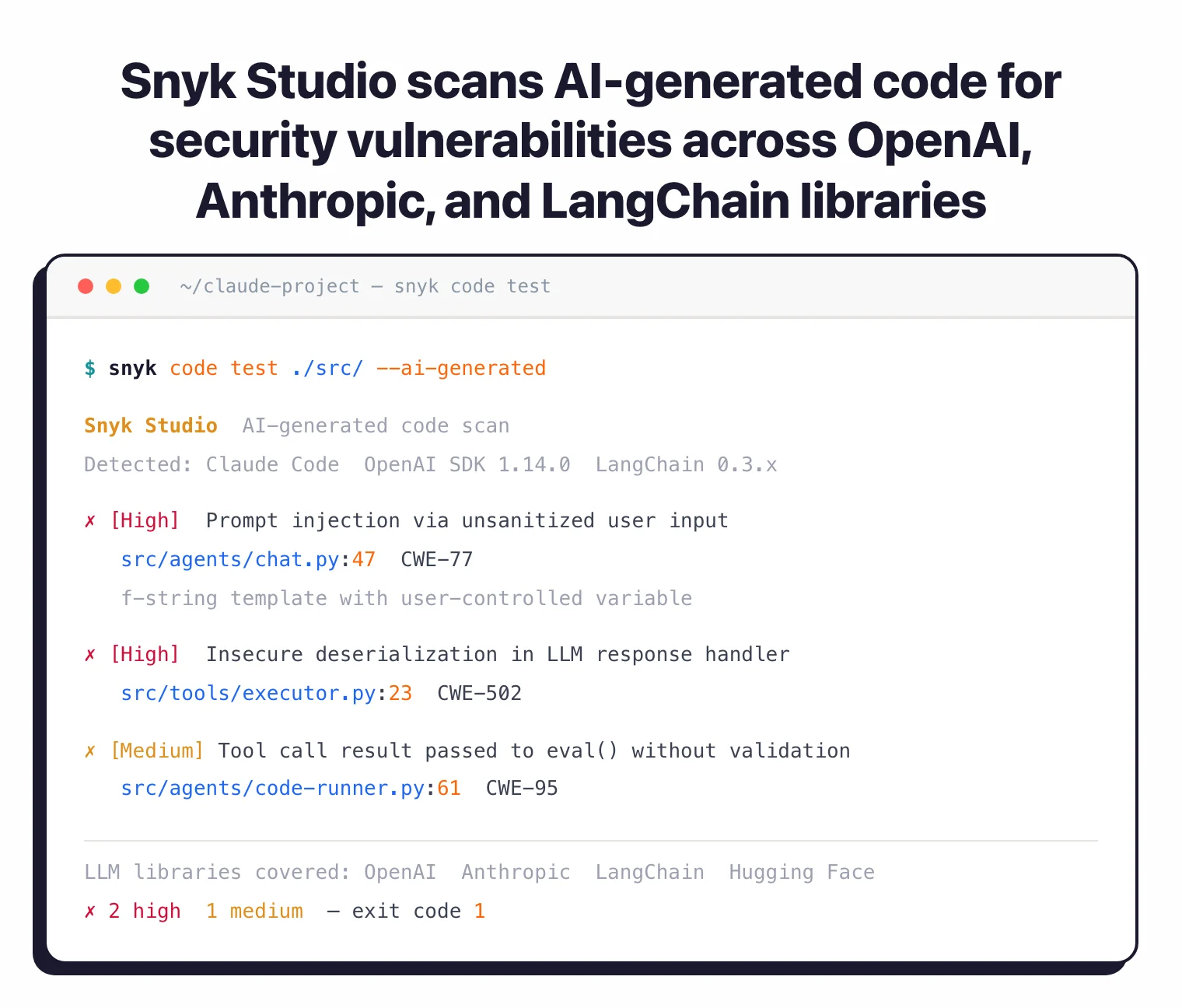
Snyk Studio targets AI-generated code. It covers 90% of LLM libraries including OpenAI and Hugging Face. Over 300 enterprises are using Snyk Studio with integrations for Claude Code, Cursor, and Devin.
As AI coding assistants write more production code, this fills the gap between code generation and security validation.
Snyk AppRisk
Snyk AppRisk is the ASPM layer of the Snyk platform. It sits on top of Snyk Code, Snyk Open Source, Snyk Container, and Snyk IaC findings — plus optional third-party tool ingestion — and prioritizes everything through a single Risk Score.
The Risk Score combines exploit reachability, exploit maturity, business impact, EPSS, CVSS, transitive dependency depth, and social trends. Snyk’s positioning is “Focus on the Risks That Matter Most” — moving teams away from CVSS-only triage.
Application Discovery automatically catalogues code repositories, container images, and third-party dependencies. For teams already running Snyk’s scanners, AppRisk has lower onboarding friction than a standalone ASPM tool.
Scanner-agnostic alternatives include ArmorCode , Cycode , Apiiro , or OX Security . Snyk publishes (vendor figures) a 70% increase in automated remediation, 100,000+ developer hours saved at Fortune 500 customers, and $5.08M average annual savings per customer.
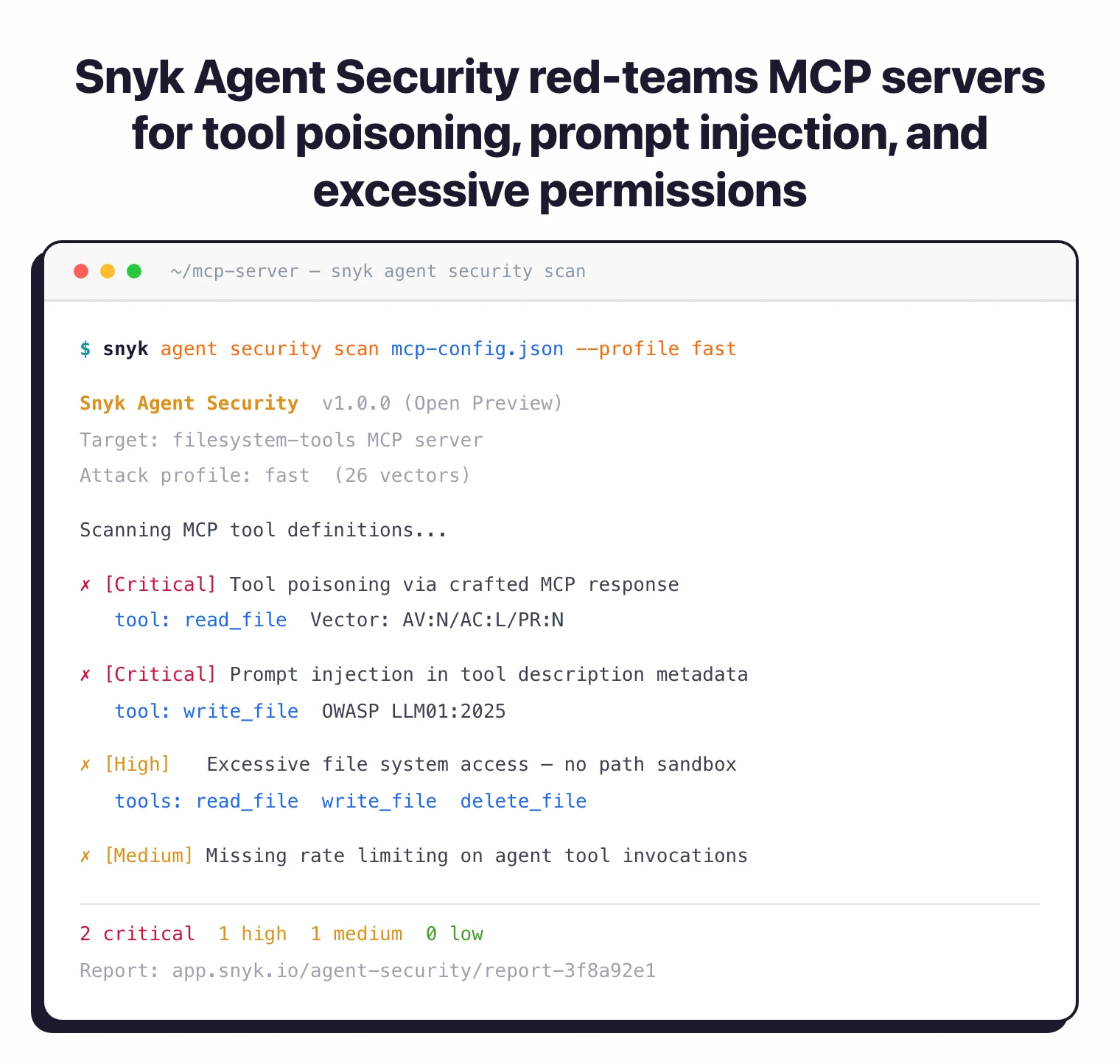
Agent Security (March 2026)
At RSAC 2026, Snyk launched Agent Security
to protect the AI agent lifecycle. The product includes Agent Scan (Open Preview) for MCP server governance, Agent Guard (Private Preview) for real-time enforcement, and agent red-teaming via the CLI --profile flag with three attack profiles (fast, security, safety).
Snyk also announced general availability of Evo AI-SPM, its AI security posture management product.
What does Snyk integrate with?
 VS Code
 IntelliJ
 Eclipse
 GitHub
 GitLab
 Bitbucket
 Jenkins
 CircleCI
 Docker Hub
 Amazon ECR
 Google Artifact Registry
 Azure ACR
How do I get started with Snyk?
- Create a Snyk account — Sign up at snyk.io with GitHub, GitLab, Bitbucket, or email. Free tier available for small projects.
- Connect your repositories — Link Snyk to GitHub, GitLab, or Bitbucket. Snyk scans projects automatically and opens pull requests for dependency fixes.
- Install IDE extension — Add Snyk Security extension to VS Code, IntelliJ, or Eclipse. Scan code in real time while you write.
- Run Snyk CLI in CI/CD — Install with
npm install -g snyk, authenticate withsnyk auth, and runsnyk testin your build pipeline.
When to use Snyk
Snyk works well for teams that want security integrated into developer workflows rather than as a separate scanning stage. The IDE plugins, Git integrations, and automated fix pull requests reduce friction.
Teams running multiple scanning types (SAST, SCA, container, IaC, DAST) benefit from the unified dashboard and policy engine. Managing findings from one platform is simpler than aggregating results from separate tools.
The free tier suits individual developers and small open-source projects. Paid plans scale for teams and enterprises needing unlimited scans, custom rules, SSO, and advanced reporting.
For teams preferring open-source tools, Semgrep CE offers SAST with custom rules and Trivy provides container and IaC scanning. Browse SAST tools and SCA tools to compare options.
For background on how SCA fits into your security program, see What is SCA? and our guide on software supply chain security .