

kube-bench is an open-source tool by Aqua Security that checks whether Kubernetes clusters are deployed according to the CIS Kubernetes Benchmark. It automates compliance validation for control plane, worker node, etcd, and policy configurations across 12+ Kubernetes distributions. 8.1k GitHub stars, 1.3k forks.
What is kube-bench?
kube-bench is a Go-based CLI tool that automates CIS Kubernetes Benchmark compliance checks. The CIS Kubernetes Benchmark is an industry-standard set of recommendations for configuring Kubernetes securely. kube-bench runs through each CIS recommendation, tests the cluster configuration, and reports what passes, what fails, and how to fix the failures.
The tool covers five areas from the CIS Benchmark: control plane components, etcd, control plane configuration, worker nodes, and Kubernetes policies.
kube-bench earns its place for me through direct CIS Benchmark mapping: each check reports pass, fail, or warning with remediation.
What Kubernetes distributions does kube-bench support?
kube-bench auto-detects the Kubernetes version and selects the correct benchmark. It supports 12+ CIS Benchmark versions for vanilla Kubernetes (1.15 through 1.34) and distribution-specific benchmarks for managed and specialized platforms:
| Platform | Benchmark versions |
|---|---|
| Kubernetes | CIS 1.5, 1.6, 1.7, 1.8, 1.9, 1.10, 1.11, 1.12, 1.20, 1.23, 1.24 (plus a MicroK8s 1.24 set) |
| Amazon EKS | CIS 1.0.1, 1.1.0, 1.2.0, 1.5.0, 1.7.0, 1.8.0 |
| Google GKE | CIS 1.0, 1.2.0, 1.6.0, 1.8.0, 1.9.0 |
| Azure AKS | CIS 1.0, 1.7, 1.8 |
| Alibaba ACK | CIS 1.0 |
| Red Hat OpenShift | OCP 3.10–3.11 (rh-0.7), OCP4 (rh-1.0 through rh-1.8) |
| k3s | CIS 1.7, 1.8, 1.9, 1.23, 1.24 |
| RKE | CIS 1.7, 1.23, 1.24 |
| RKE2 | CIS 1.7, 1.8, 1.23, 1.24 |
| TKGI | CIS 1.2.53 |
The distribution mapping matters more than it looks: the CIS Benchmark version that ships with kube-bench tracks the version of Kubernetes you’re running, not the kube-bench release. Kubernetes 1.28 aligns with CIS 1.10 on vanilla clusters, and 1.32–1.34 map to CIS 1.12; EKS ships its own benchmarks up to CIS 1.8.0. The CIS Center publishes new benchmarks periodically, and kube-bench releases (v0.15.6, June 2026) ship updated YAML definitions soon after.
For managed services like EKS, GKE, and AKS, kube-bench skips control plane checks since those nodes are not accessible — it focuses on worker node and policy configurations instead.
How does kube-bench work?
kube-bench uses YAML-based test definitions where each CIS recommendation maps to a file specifying what command to run, what output to expect, and the remediation steps if the check fails. This YAML-driven approach makes it straightforward to customize checks or add organization-specific policies on top of the CIS baseline.
kube-bench can run three ways:
- Kubernetes Job — the recommended approach for most clusters. Deploy a Job that runs kube-bench against the node it lands on, then collect results from the pod logs.
- DaemonSet — runs kube-bench on every node in the cluster. Useful when you need compliance results for all nodes at once.
- Standalone binary — run directly on a host. Useful for local testing or environments where deploying into the cluster is not an option.
The --targets flag (master, node, etcd, policies, controlplane) lets you scope the run to one cluster role at a time, which matters on managed services where you can only validate worker nodes. The --benchmark flag pins a specific CIS version (e.g., cis-1.10, eks-1.5.0), overriding kube-bench’s auto-detection — useful in CI pipelines where you want deterministic output across cluster versions. --check 5.1.1,5.1.2 runs only specific check IDs.
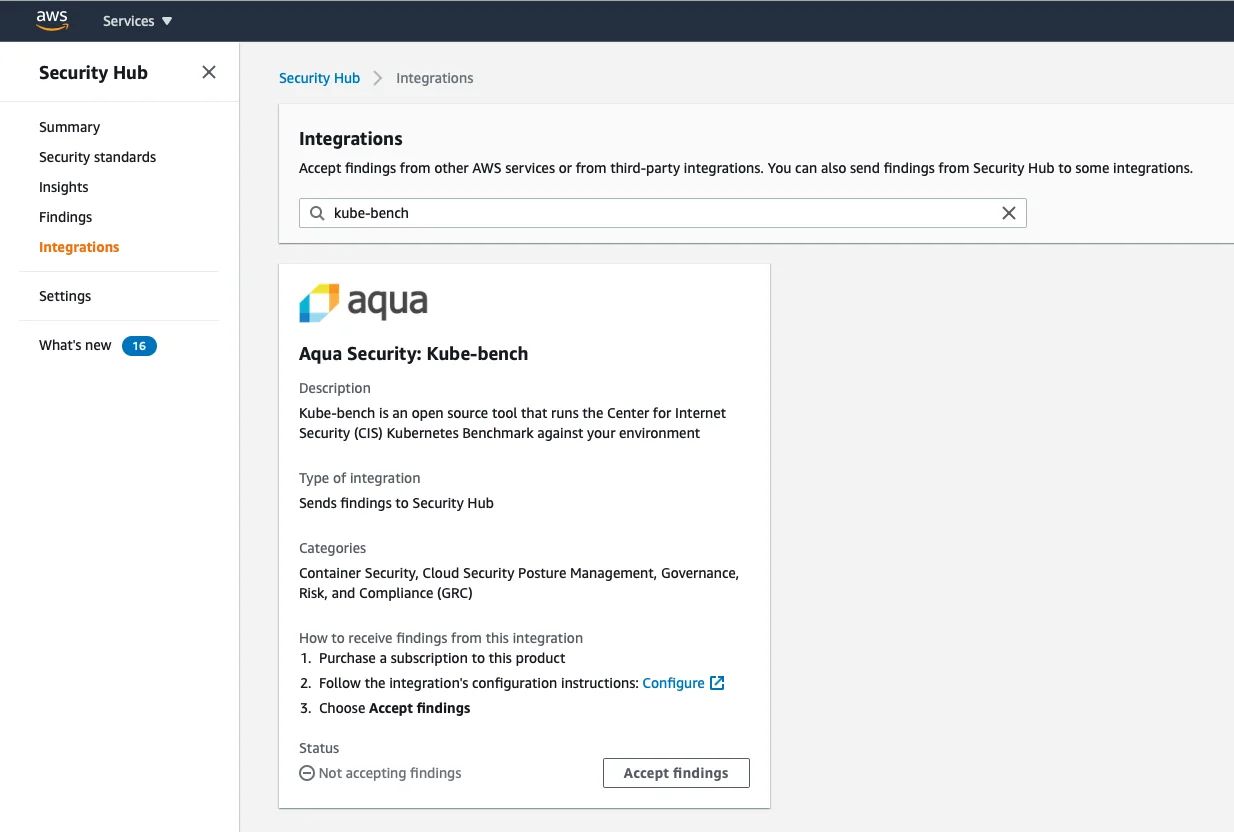
Output formats: default text for human review, --json for machine-readable output, --junit for test runners (failure reports plug into CI dashboards), and --asff to send findings directly to AWS Security Hub. Exit codes follow Unix convention — 0 for pass, non-zero for fail — so a CI step can set -e and break the pipeline on a failed control.
Who should use kube-bench?
kube-bench is designed for platform teams and security engineers who need to validate CIS Benchmark compliance across Kubernetes clusters. It fits compliance workflows where CIS adherence is a requirement: audit preparation, regulatory checks, or internal security baselines.
Organizations subject to PCI DSS, HIPAA, or SOC 2 often use CIS Kubernetes Benchmark results as evidence of cluster hardening.
If CIS compliance checking is all you need, kube-bench does it with minimal overhead. For broader Kubernetes security coverage (image scanning, runtime detection, multiple compliance frameworks), look at Kubescape or Falco for runtime monitoring.
What are kube-bench’s limitations?
kube-bench is single-purpose. It only checks cluster configuration against the CIS Kubernetes Benchmark — it does not scan container images, monitor runtime behavior, audit RBAC posture, scan secrets, or detect active threats. For full coverage, pair it with Kubescape (broader frameworks + image scanning), Falco for runtime threat detection, and kube-hunter for active penetration testing.
Results are point-in-time snapshots. Configuration drift is the rule on long-lived clusters, so run kube-bench on a schedule (a CronJob is the typical pattern) or wire it into CI/CD as a gate on cluster bootstrap.
Managed Kubernetes services (EKS, GKE, AKS) hide the control plane, which means many of the CIS items kube-bench tries to check are not visible. Worse, some items are auto-managed by the cloud provider and may surface as failures simply because kube-bench cannot inspect them — review the noisy-on-managed output before alerting on it.
Fully managed serverless tiers (EKS Fargate, GKE Autopilot) prevent kube-bench from running as a DaemonSet at all, since you do not control the node. The Job pattern works, but the surface area you can validate shrinks.
Finally, kube-bench reports findings — it does not remediate. Plan to feed its output into a remediation workflow or platform that can act on the failures.