


Jit is an AI agent ASPM platform for product security teams. It bundles its own SAST, SCA, secrets detection, IaC, CSPM, DAST, and container scanning with AI agents that automate triage, remediation, and compliance work.
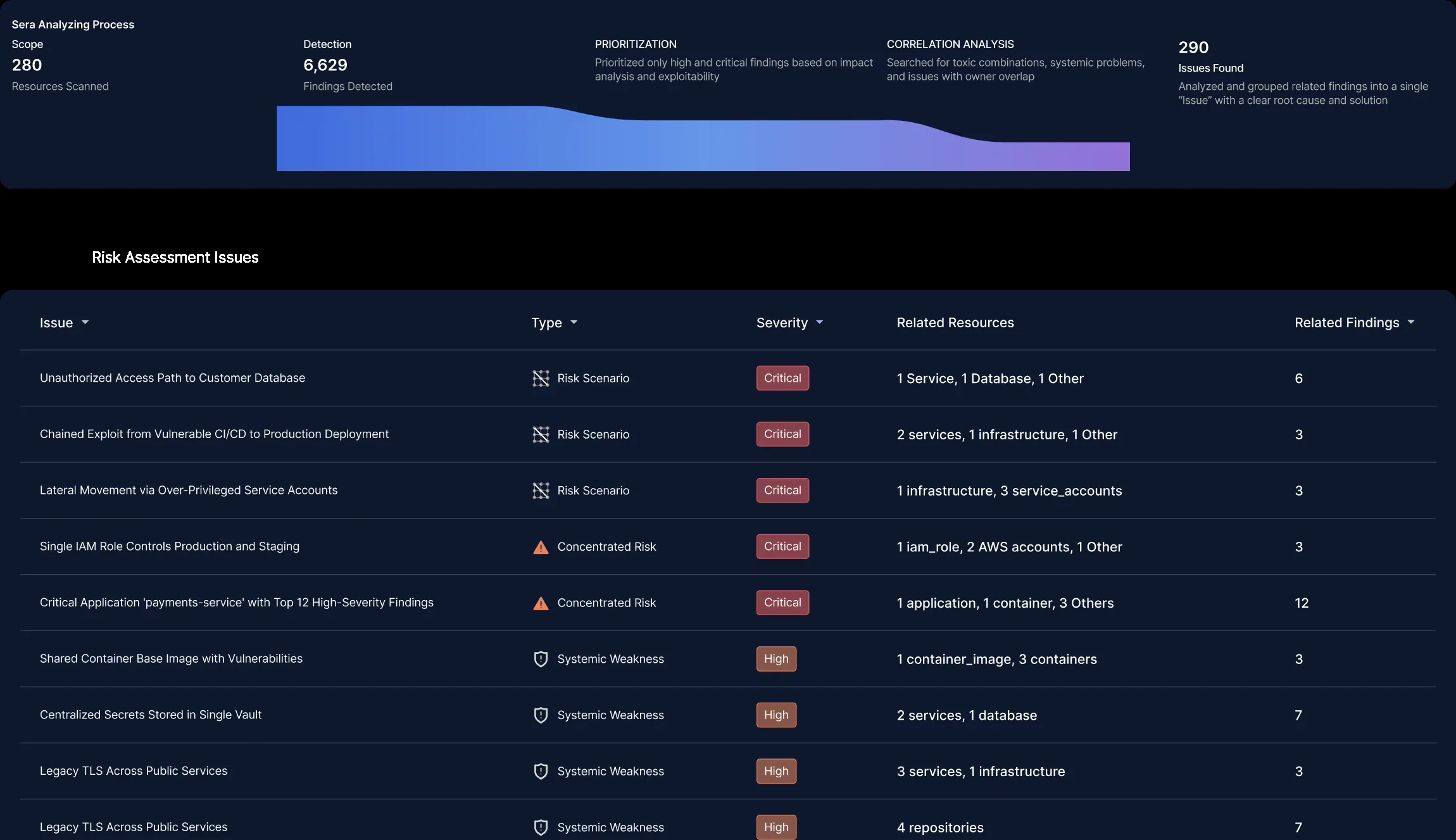
Everything runs through what Jit calls the Company Context Graph, a knowledge graph that maps code repositories to cloud infrastructure, team ownership, and business context. Agents use this graph when analyzing and prioritizing findings.
The company is headquartered in Boston, backed by Tiger Global, Insight Partners, Boldstart Ventures, FXP, and TechAviv. SOC 2 Type 2 certified and an AWS Partner.
What is Jit?
Jit started as a developer-first ASPM platform and has since repositioned around AI agents. Unlike aggregation-focused ASPM tools that expect you to bring your own scanners, Jit ships its own scanning engines and puts AI agents on top to handle analysis, triage, and remediation.
Three ideas hold the platform together:
| Capability | Details |
|---|---|
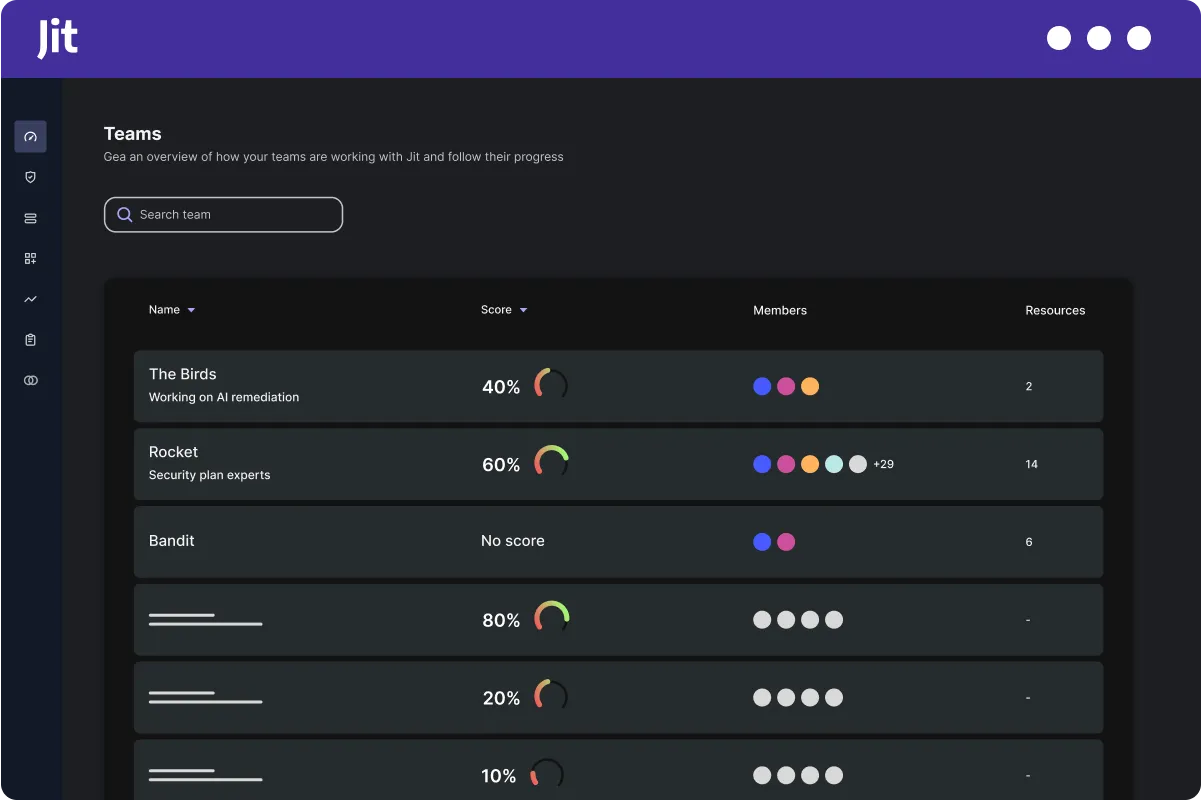
| Company Context Graph | Maps your codebase, cloud resources, team structure, and business priorities into a single graph. Agents see where affected code sits in your architecture, who owns it, and whether it’s reachable in production. |
| AI Agents | Three types — Core Agents for security analysis, Pre-Built Agents for triage and fix generation, and Custom Agents for your own workflows. All follow a four-step loop: Plan, Execute, Reflect, Respond. |
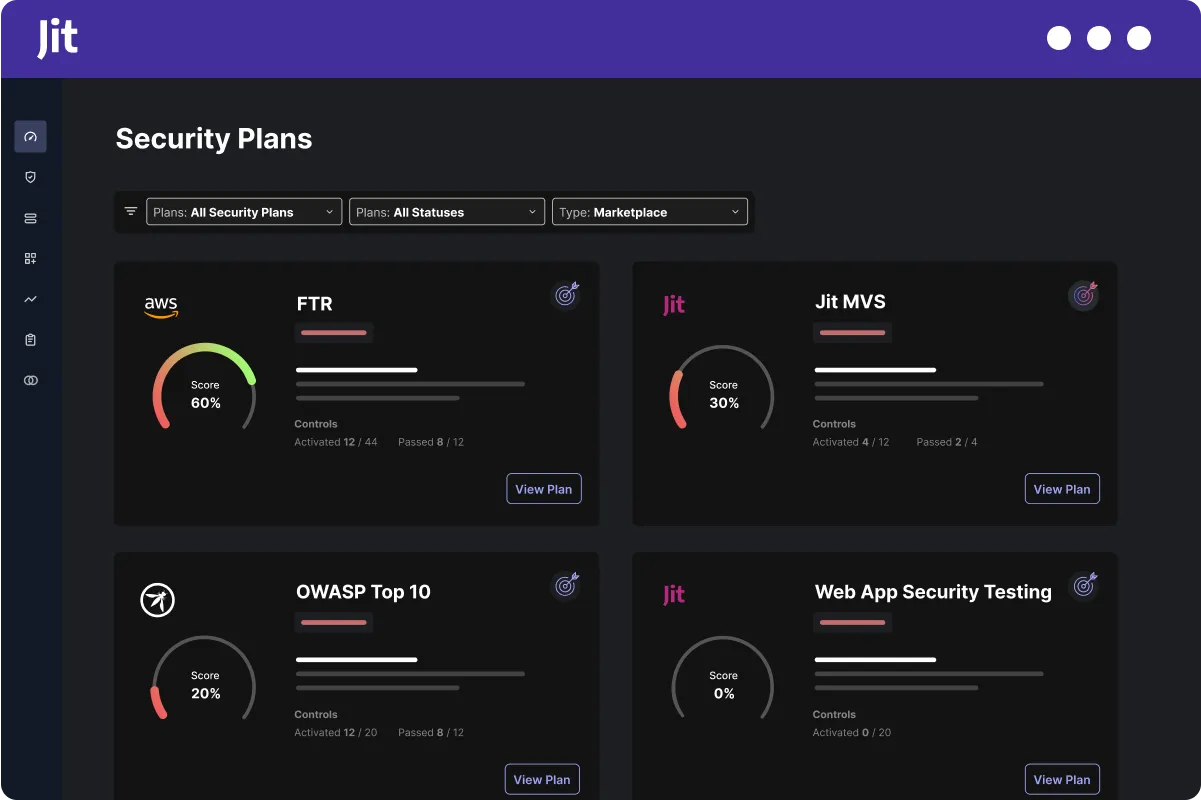
| Security Plans | Packages of scanning controls and policies tied to a specific goal. Pick a plan (say, SOC 2) and Jit turns on the right scanners and checks for you. |
What are Jit’s key features?
AI security agents
Jit’s agent system is the main differentiator from traditional ASPM tools:
- Core Agents analyze findings, prioritize by context, and correlate issues across code and cloud using the Company Context Graph
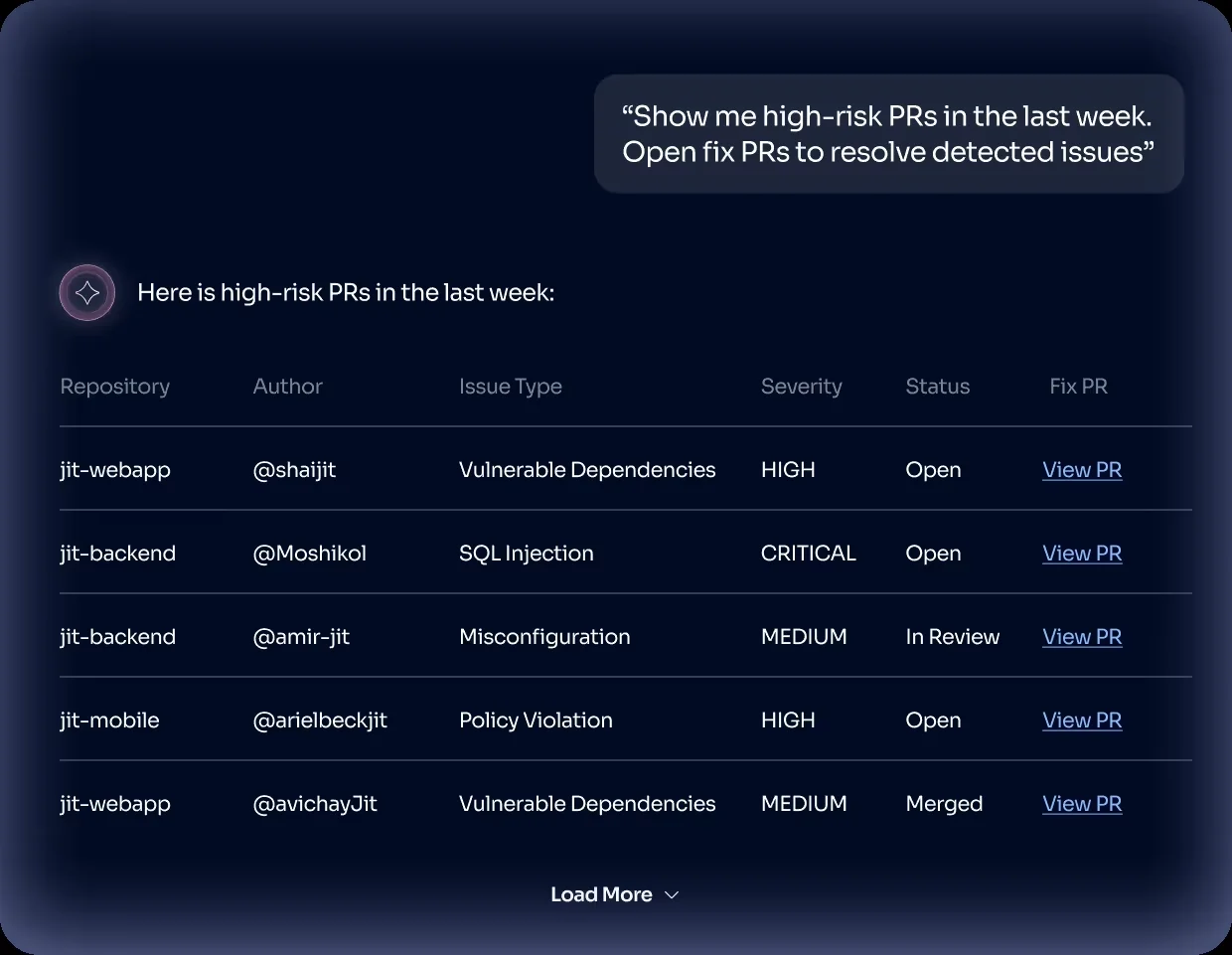
- Pre-Built Agents handle common jobs: triaging vulnerabilities, opening fix PRs, collecting compliance evidence
- Custom Agents let teams build their own agents for organization-specific security workflows
- All agents follow a four-step loop: Plan (break the task down), Execute (take actions), Reflect (check the results), Respond (deliver output)
Built-in security scanning
Jit runs its own scanners rather than wrapping third-party tools. All scans execute in Jit’s managed infrastructure, not in your CI/CD pipelines.
- SAST - Static analysis of source code for security vulnerabilities
- SCA - Dependency vulnerability detection and analysis
- Secrets Detection - Scanning for exposed credentials and API keys
- IaC Security - Infrastructure-as-code misconfiguration detection (Terraform, CloudFormation, Kubernetes)
- CSPM - Cloud security posture management for AWS, Azure, and GCP
- DAST - Dynamic application security testing
- Container Scanning - Vulnerability detection in container images
- SBOM Generation - Software bill of materials creation
- License Detection - Open source license compliance checking
Security Plans
Each plan bundles the scanners and policies you need for a particular goal:
- MVS for AppSec - A starter set of scanning and controls for teams that want baseline coverage without configuration overhead
- AWS Foundational Technical Review - Controls aligned to AWS FTR requirements
- GitHub Security Best Practices - Security configuration tuned for GitHub-based workflows
- SOC 2 Compliance - Controls mapped to SOC 2 certification requirements
- Maximum Security - Turns on everything Jit offers
IDE plugins
Jit has plugins for three IDEs:
- VS Code
- IntelliJ
- Cursor
What does Jit integrate with?
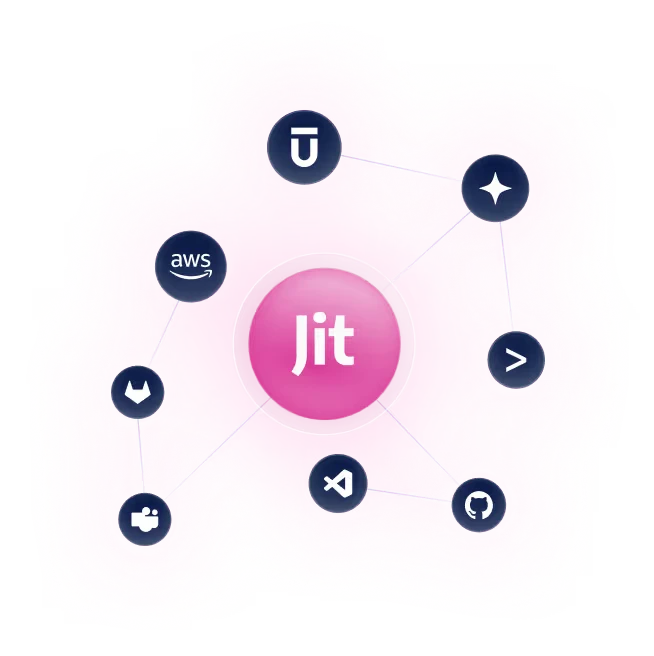
Jit integrates across 12 categories. Here are the main ones:
 GitHub
 GitLab
 Bitbucket
 Azure DevOps
 AWS
AWS Azure
Azure GCP
GCP Wiz
Wiz Slack
Slack Microsoft Teams
 Jira
Jira Linear
GitHub Actions
GitLab CI
Linear
GitHub Actions
GitLab CI Jenkins
 CircleCI
 Drata
Drata Vanta
VantaHow much does Jit cost?
Jit ships three public tiers on jit.io .
- Free — Open-source-friendly tier covering core SAST, SCA, secrets, and IaC scanning for small teams and personal projects. No agent layer.
- Team — The mid-tier for engineering teams that want the full scanner stack plus the Company Context Graph and Pre-Built Agents (triage and fix generation). Sold per developer or per workspace.
- Enterprise — Adds Custom Agents, SSO, RBAC, advanced compliance plans (SOC 2, AWS FTR), enterprise support, and the Velocity Engineers onboarding programme.
Tier rates and per-seat dollar amounts are listed on jit.io at the time you evaluate; verify before signing because the vendor refreshes them periodically. Note that scans run on Jit’s managed infrastructure, so there is no separate CI/CD compute cost on your side.
What are alternatives to Jit?
If Jit does not fit your stack, four platforms cover overlapping ground from different angles.
- Snyk — Scanner stack (SAST, SCA, IaC, container) with an ASPM module on top. Better fit if your stack already runs on Snyk and you want correlation glued onto Snyk’s own scanners. Larger third-party integration footprint than Jit; weaker agent layer.
- Aikido — All-in-one SaaS scanner stack for SMBs with broader coverage (DAST, cloud, container, malware) and public per-developer pricing. Not an ASPM platform in the same sense as Jit — competes on scanner breadth and developer experience.
- Semgrep AppSec Platform — SAST and supply-chain scanning anchored on Semgrep’s rule-writing community, with a thin ASPM layer on top. Better fit if rule customisation matters more than agentic automation.
- Legit Security — True ASPM platform: code-to-cloud SDLC visibility, third-party scanner orchestration, and AI-developed-code guardrails (VibeGuard). Better fit for enterprise buyers that need governance across the full SDLC rather than developer-first agents.
For a wider sweep, the ASPM hub lists every active platform alongside Jit.
How do I get started with Jit?
- Connect your SCM — Link GitHub, GitLab, Bitbucket, or Azure DevOps to give Jit access to your repositories.
- Pick a Security Plan — Choose from MVS for AppSec, SOC 2, AWS FTR, or Maximum Security. Each plan activates the right scanners and policies.
- Jit scans on its infrastructure — Scans run in Jit’s managed environment, not in your CI/CD pipelines. No build minutes consumed.
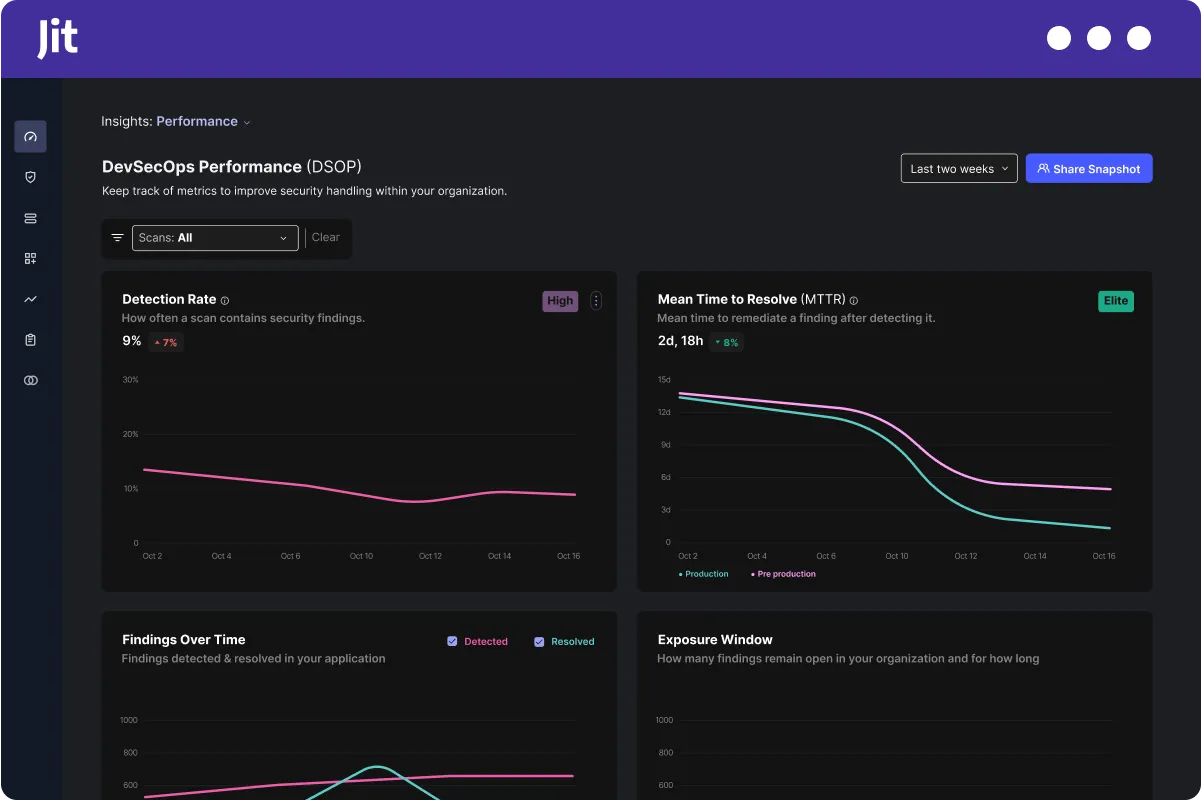
- Review findings — See results in the Jit dashboard, your IDE (VS Code, IntelliJ, Cursor), or directly in pull request comments.
Jit also offers what it calls Velocity Engineers, staff who help with onboarding and initial configuration.
When to use Jit
Jit makes sense when you’d rather have one platform with its own scanners than stitch together separate SAST, SCA, secrets, and IaC tools yourself.
It’s a good fit if:
- You don’t have a large existing security toolchain and want scanning built in from day one
- You want AI agents doing triage and remediation instead of manual review cycles
- Compliance (SOC 2, AWS FTR) is driving your security program and you’d rather pick a plan than configure controls one by one
- Your developers are expected to own security outcomes, not hand them off to a separate AppSec team
- You’d rather scans run on Jit’s infrastructure than eat into your CI/CD minutes
It’s probably not the right pick if:
- You already have security tools you like and just need something to aggregate their findings
- You need fine-grained control over individual scanning engines
- All your tooling must run on-premises or in your own cloud accounts
The founding team includes CEO Shai Horovitz, CTO David Melamed (PhD), and Co-Founder Aviram Shmueli.
Jit acquired by Torq (May 2026)
Torq completed the acquisition of Jit on May 19, 2026, announced via a BusinessWire press release. The deal was estimated at approximately $70 million, and Jit’s team of roughly 30 joined Torq.
Torq is a SOC hyperautomation vendor, and Jit’s AI agents and Company Context Graph extend its platform into application security posture management. Buyers evaluating Jit in mid-2026 onwards are evaluating the combined Torq + Jit platform rather than standalone Jit.
Jit FAQ
Is Jit the same as JIT (just-in-time) access? No. Jit is an AI-native AppSec / ASPM platform from jit.io built around AI agents and a Company Context Graph for application security. JIT (just-in-time) access is a privileged-access management pattern owned by vendors like CyberArk, Delinea, and CrowdStrike. The shared three-letter token is a coincidence — the products solve different problems.
What scanners does Jit bundle? SAST, SCA, secrets detection, IaC misconfiguration, CSPM (AWS, Azure, GCP), DAST, container scanning, SBOM generation, and license detection. All scans run on Jit’s managed infrastructure rather than in your CI/CD pipelines.
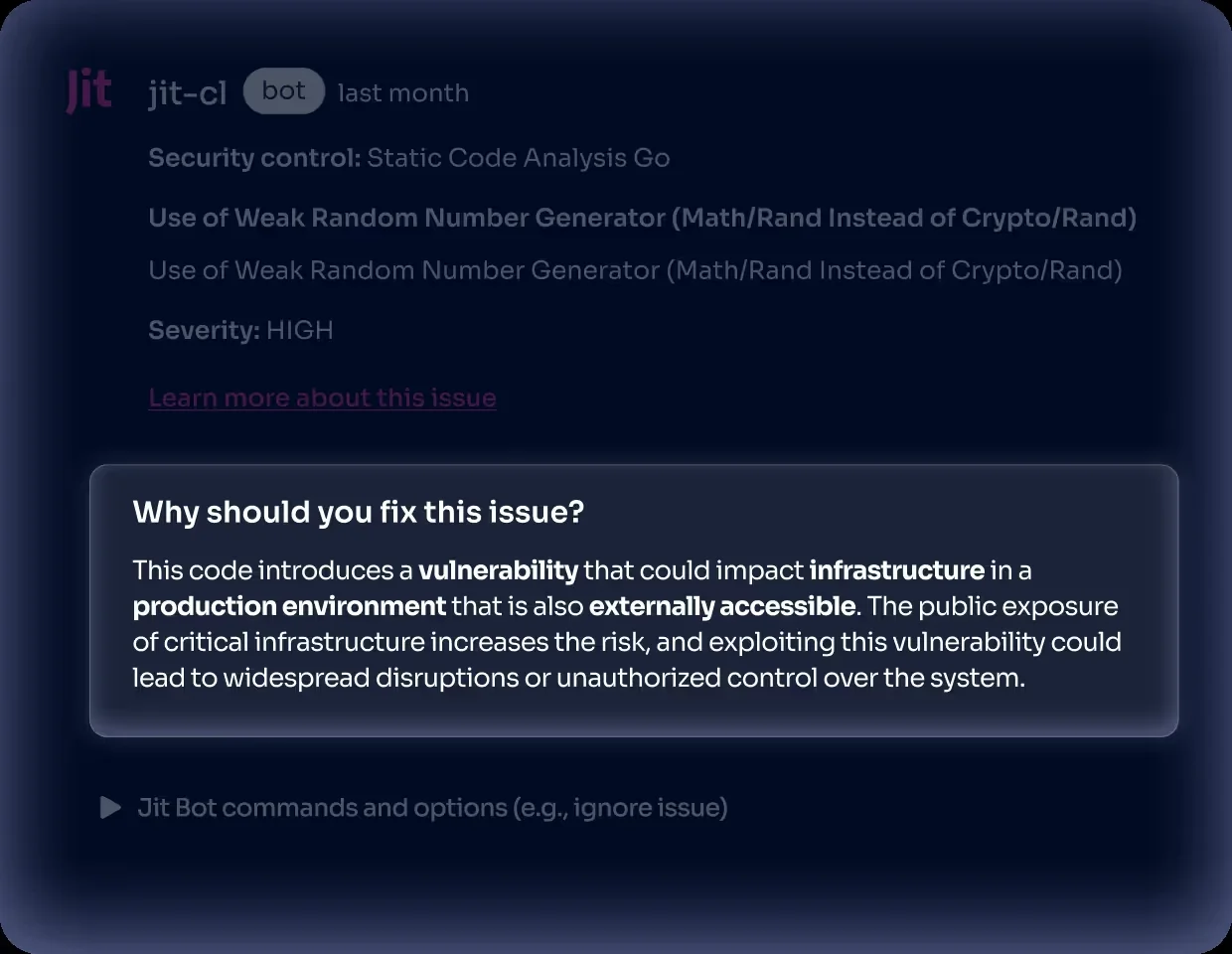
Does Jit run on my CI/CD pipelines or its own infrastructure? Its own infrastructure. Jit triggers scans from your repository connection (GitHub, GitLab, Bitbucket, Azure DevOps) and runs them in its managed environment, so you do not consume CI minutes. The PR bot writes findings back as comments on the same pull request.
What data leaves my organisation? Source code metadata, scanner output (findings, severities, file paths), and any cloud telemetry needed for the Company Context Graph. Jit publishes its data-handling posture on jit.io; review it during procurement.
Is the Free tier limited to open-source projects? The Free tier covers core scanners for small teams and personal projects without the agent layer. The Team tier adds the Company Context Graph and Pre-Built Agents; Enterprise adds Custom Agents and SSO. Tier scope is public on jit.io .
Does Jit have an IDE-only flow? Yes — VS Code, IntelliJ, and Cursor plugins surface findings directly in the editor before code reaches the PR. The CI flow runs in Jit’s infrastructure when a PR opens against a connected branch.