


Jadx is a widely used Android APK decompiler with over 49,115 GitHub stars.
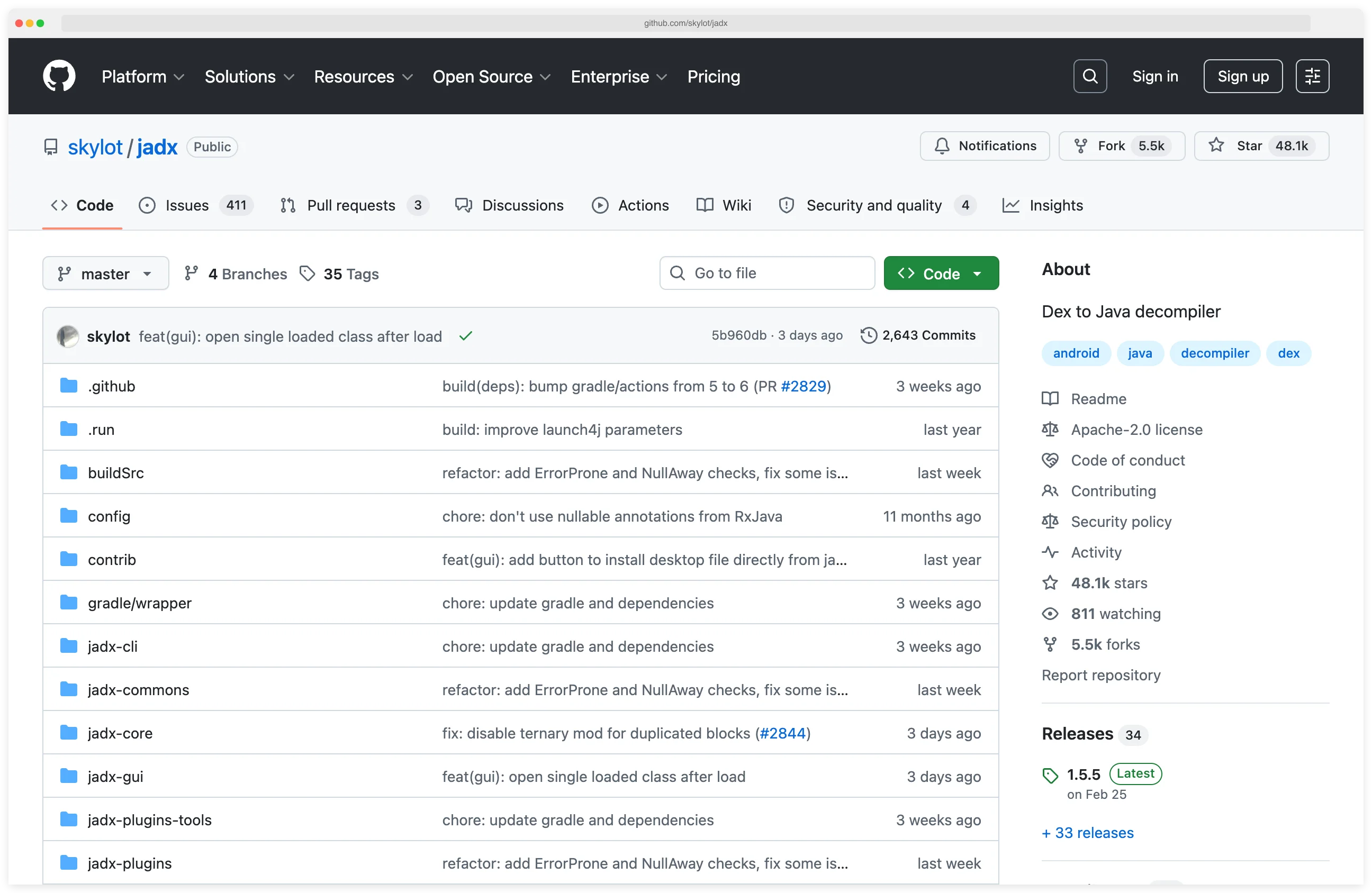
Developed by skylot, it is a go-to tool for Android security researchers, developers, and reverse engineers who need to examine compiled Android applications.
The tool converts Dalvik bytecode (DEX format) back into readable Java source code with high accuracy.
Unlike traditional workflows that required multiple tools chained together, Jadx provides an integrated solution with both graphical and command-line interfaces.
Its fast multi-threaded decompilation engine handles modern Android apps efficiently, making it invaluable for security assessments and code analysis.
jadx is the standard pick for auditing an Android APK without its source. The CLI decompiles DEX bytecode to readable Java in seconds and exports to an importable Gradle project, so the result loads straight into Android Studio for cross-referencing. When ProGuard strips class names, pointing jadx at the mapping file restores them.
Using JADX for Android APK Security Analysis
JADX is the standard starting point for Android security testing when you need to inspect an APK without its source code. Load the APK into jadx-gui and it decompiles the Dalvik bytecode to readable Java in seconds. From there you can browse activities, services, and broadcast receivers in the AndroidManifest, search for hardcoded API keys and URLs, trace data flows from user input to network calls, and spot insecure storage patterns in SharedPreferences and SQLite.
For assessments mapped to OWASP MASVS, JADX covers the static analysis layer — MASVS-STORAGE (insecure data storage), MASVS-CRYPTO (weak algorithms), and MASVS-RESILIENCE (reverse engineering protection). When an APK bundles native .so libraries, pair JADX with Ghidra
: JADX handles the Kotlin/Java layer, Ghidra handles the native code. For runtime behavior — certificate pinning bypass, method hooking, dynamic API tracing — Frida
or Objection
picks up where static decompilation ends.
What is Jadx?
Jadx is a Dex to Java decompiler that processes Android APK files and produces readable Java source code.
The decompilation process reverses the compilation that happens when Android apps are built, transforming the optimized bytecode back into human-readable Java that closely resembles the original source.
The tool excels at handling complex Android code patterns including lambda expressions, try-with-resources, and other modern Java features.
This makes the decompiled output significantly more readable than older decompilers that struggled with these constructs.
Jadx-GUI provides a complete IDE-like interface for browsing decompiled code, navigating between classes, searching for strings and methods, and examining AndroidManifest.xml and resource files.
The command-line tool (jadx) enables batch processing and integration into automated workflows, making it suitable for CI/CD pipelines and large-scale analysis.
| Capability | Details |
|---|---|
| APK to Java | Direct decompilation from APK files to readable Java source without intermediate steps |
| Modern GUI | Intuitive interface with code navigation, search, and cross-references |
| Fast Processing | Multi-threaded decompilation handles large apps efficiently |
| Resource Decoding | Extracts and decodes AndroidManifest, resources, and assets |
| Gradle Export | Convert decompiled output to importable Gradle project structure |
| Plugin Support | Extensible architecture allows custom processing and analysis plugins |
Pick your next step
Pair with Ghidra
Jadx covers the Java/Kotlin layer; Ghidra reverses the native .so libraries that ship inside most APKs.
→Hook at runtime
After decompiling, use Objection to attach to the running app and verify behavior with one-line Frida hooks.
→Browse the category
All mobile security tools I've reviewed — decompilers, runtime instrumentation, proxies, and SAST scanners.
→What are Jadx’s key features?
Decompilation Quality
Jadx produces high-quality Java source code that is often compilable or very close to it.
The decompiler handles complex control flow, reconstructs variable names where possible, and properly represents Android-specific patterns like ContentProvider implementations and BroadcastReceivers.
The tool includes sophisticated algorithms for handling obfuscated code.
While it cannot reverse obfuscation completely, it produces the most readable output possible and supports loading ProGuard/R8 mapping files to restore original names when available. Jadx is the canonical static-analysis tool referenced in the OWASP Mobile Application Security Testing Guide (MASTG). It is the recommended Java-source extractor for the reverse-engineering and source-code-review test families — MASTG-TEST-0024 (cross-references and string analysis), MASTG-TEST-0025 (bytecode disassembly), and MASTG-TEST-0026 (manual code review of decompiled output). Pairing jadx with the MASTG checklist gives me a defensible audit trail when reporting findings against MASVS controls.
User Interface
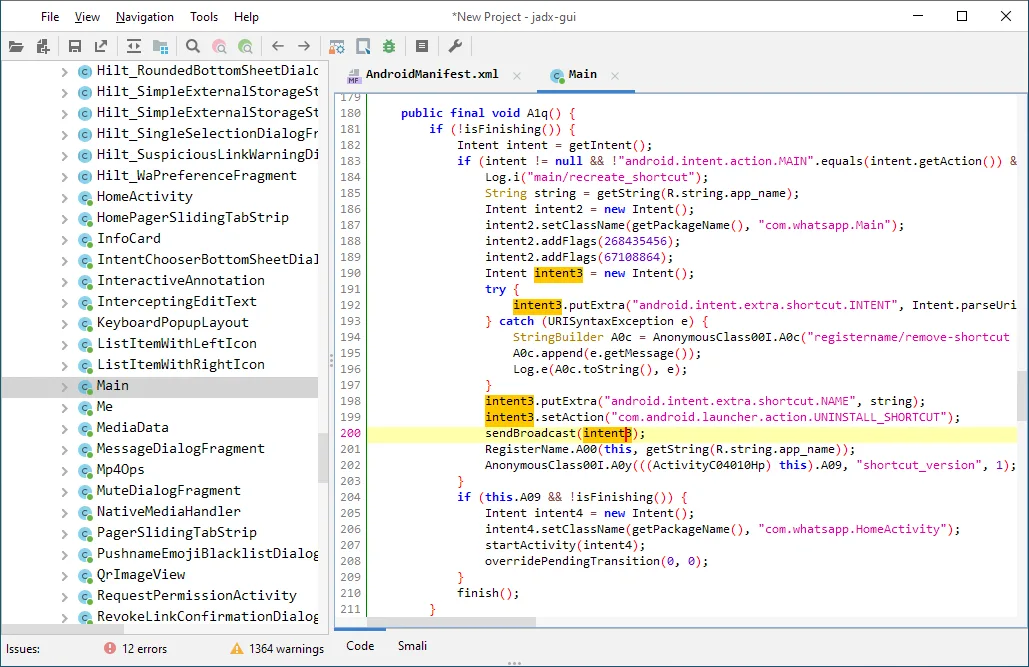
Jadx-GUI provides a comprehensive environment for analyzing decompiled code.
You can browse the class hierarchy, view decompiled Java alongside smali bytecode, search for strings and identifiers across the entire codebase, and navigate through cross-references to understand code relationships.
The interface includes syntax highlighting, code folding, and find/replace functionality.
You can bookmark important classes, export individual files or entire projects, and manage multiple APKs simultaneously in tabbed windows.
Integration with Mobile Security Tools
Security researchers combine Jadx with other mobile security tools to cover the runtime and traffic layers Jadx itself does not touch.
After decompiling with Jadx, you might use Frida for runtime instrumentation, mitmproxy for traffic analysis, Ghidra or radare2 for deeper binary analysis of native libraries, or Apktool for resource decoding and APK modification.
The tool works seamlessly in security testing workflows.
Decompile the APK with Jadx to understand authentication logic, then use that knowledge to craft Frida hooks that bypass security controls or intercept sensitive API calls.
Command-Line Automation
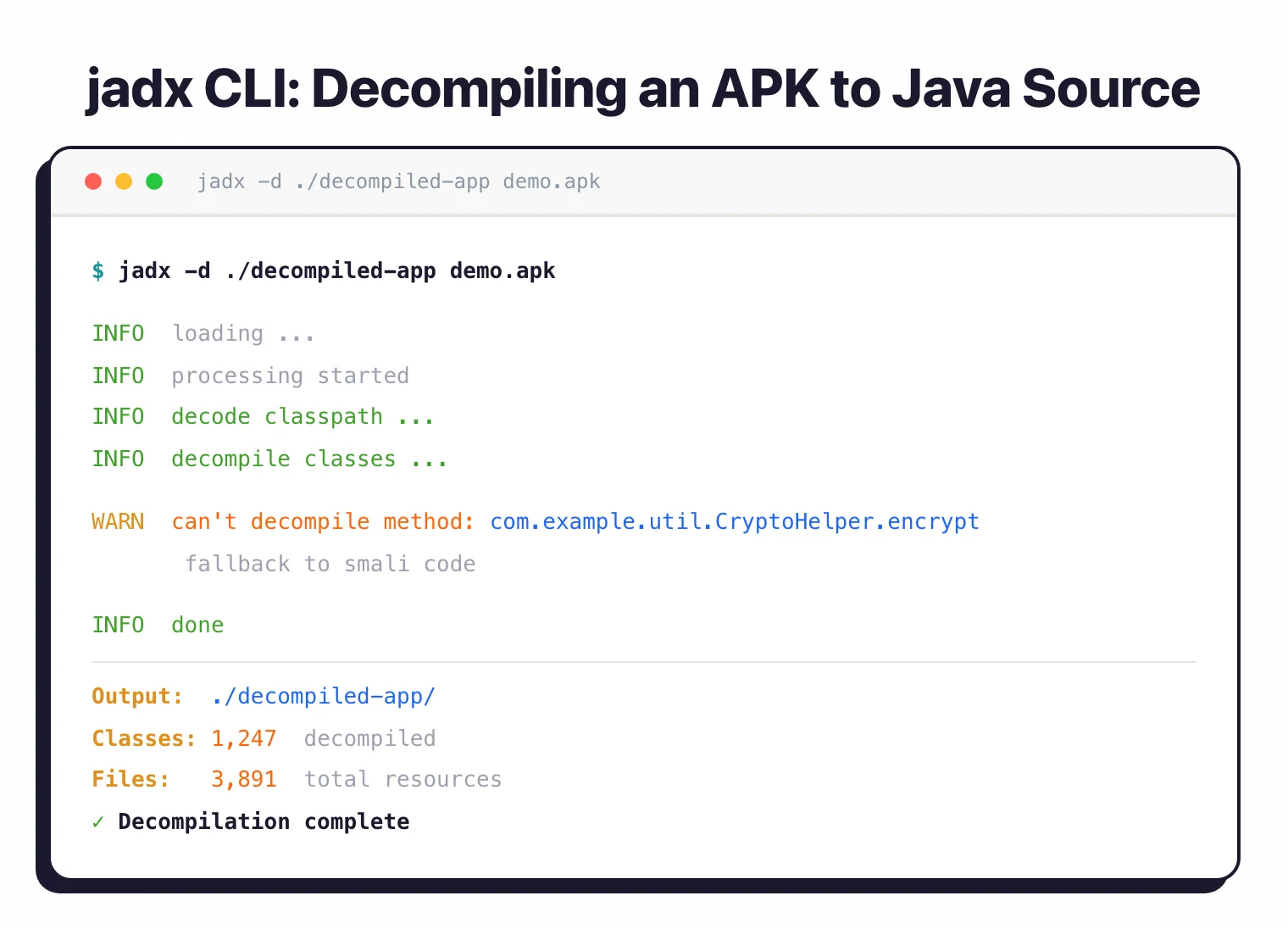
The jadx command-line tool enables scripting and automation.
You can batch-process multiple APKs, integrate decompilation into continuous security scanning pipelines, or export specific classes for focused analysis. Options control output format, resource processing, and deobfuscation behavior.
When to use Jadx
Strengths:
- Most actively maintained Android decompiler with regular updates
- Highest quality decompilation output available for Android apps
- User-friendly GUI requires minimal learning curve
- Handles modern Android code patterns and Java language features
- Fast decompilation even for large enterprise applications
- Completely free and open source with permissive licensing
- Strong community support and extensive documentation
- Cross-platform (Windows, macOS, Linux)
Limitations:
- Cannot decompile native code (use Ghidra for .so libraries)
- Heavily obfuscated or protected apps may produce unclear output
- Decompiled code may not be 100% identical to original source
- Some compile-time optimizations are not reversible
- Resource-intensive for extremely large APKs (500MB+)
Jadx vs Apktool
Jadx decompiles Android DEX bytecode to readable Java source. Apktool operates at a lower level: it disassembles smali bytecode and reconstructs APK resources for rebuilding.
The two are complementary, not competitive. I use Jadx when I want to read the Java logic of an APK; I use Apktool when I need to repack an APK after editing AndroidManifest.xml, strings, or smali assembly.
Both are Apache 2.0 and ship in Kali Linux’s reverse-engineering metapackage (sudo apt install jadx apktool). A typical mobile audit workflow runs Jadx first for code comprehension, then Apktool for any patching the audit calls for.
For full DEX-to-Java vs smali-disassembly breakdown, see Apktool vs Jadx .
Jadx vs JEB Decompiler
Jadx is free Apache 2.0 with regular updates from skylot and 100+ contributors. JEB Decompiler is a commercial alternative from PNF Software with a built-in debugger, native code support, and scripting API.
JEB justifies its license cost for full-time reverse engineers, since the debugger and native ARM/x86 decompilation are not features Jadx covers. For one-off APK audits and CI-driven decompilation, Jadx covers the same Java decompilation surface for free.
Pick JEB if reverse engineering is the day job and the script API matters; pick Jadx for everyone else doing periodic security work.
What are alternatives to Jadx?
For a different angle on the same APK, common alternatives include:
- Apktool — works at the resource and smali bytecode layer instead of decompiling to Java. Use it when I need to repack an APK after editing AndroidManifest.xml, strings, or smali assembly. Apktool and jadx solve different problems and pair well.
- JEB Decompiler — commercial alternative from PNF Software with deeper analysis features, including a debugger, native code support, and API for scripting. Worth the license if I do reverse engineering full-time.
- Bytecode Viewer — a multi-decompiler aggregator that runs CFR, Procyon, FernFlower, and others side by side. Useful when jadx produces unclear output on a specific class and I want a second opinion.
- CFR / Procyon — general-purpose Java decompilers. They do not read DEX directly, so I extract
classes.dexwith dex2jar first, then point them at the resulting.jar. - Ghidra
— Android loader plugins (Ghidra-Android-Loader, Ghidra2DexCl) let it parse DEX. I use it when I want one tool that covers both the Java layer and native
.solibraries.
For head-to-head detail on the closest substitute, see Jadx vs Apktool .
How do I get started with Jadx?
- Download and install — Get Jadx from the official GitHub releases page as a standalone executable for Windows, macOS, or Linux. No installation required — just extract and run
jadx-guifor the graphical interface orjadxfrom the command line. - Open an APK file — Launch jadx-gui and open your target APK. Jadx automatically decompiles the Dalvik bytecode into readable Java source code. Browse the class hierarchy in the left panel.
- Analyze decompiled code — Double-click any class to view its decompiled Java code. Use the search function to find strings, class names, or method signatures across the entire app. Switch between Code and Smali views as needed.
- Export results — Use
jadx -d output_directory app.apkfrom the command line to save decompiled sources. Add--export-gradleto create an importable Gradle project structure, or use--deobfto apply deobfuscation heuristics.
Combine Jadx with Objection for rapid security testing: decompile with Jadx to identify interesting methods, then hook them at runtime with Objection to observe and manipulate behavior.
Jadx pricing and licensing
Jadx is fully free and open source under Apache License 2.0
. There is no paid tier, no commercial fork, and no per-seat or per-APK fee — both jadx (CLI) and jadx-gui ship from the same repository under the same license. I can use it inside commercial penetration tests, sell reports based on output, and embed it in internal CI pipelines without separate licensing.
This is worth flagging because some Android reverse-engineering tools — JEB Decompiler, for example — are commercial. Quark Engine and Apktool stay open source, but the licensing models differ. If I need an unambiguously OSS Android decompiler with no paid SKU to track, jadx is the safest choice.