Terraform is the dominant IaC tool for cloud infrastructure, and scanning Terraform configurations for misconfigurations before deployment is one of the highest-value security practices in a cloud-native stack.
This guide compares 8 IaC security tools for Terraform: Checkov , Trivy (which absorbed tfsec), Terrascan , KICS , Snyk IaC , Wiz Code, Prisma Cloud (formerly Bridgecrew), and OPA Gatekeeper .
Terraform-specific scanning#
Terraform IaC security scanning operates at two levels — and the tools you choose should ideally support both.
Static .tf file scanning happens during development and in CI/CD before terraform plan. The scanner reads your .tf files and checks resource configurations against a ruleset.
This is fast (seconds), works without AWS/Azure/GCP credentials, and catches the most common misconfiguration patterns: S3 buckets with public access enabled, security groups with 0.0.0.0/0 on port 22, IAM roles with *:* permissions, unencrypted RDS instances.
Terraform plan JSON scanning happens after terraform plan and before terraform apply. You generate the plan with terraform plan -out tfplan.bin && terraform show -json tfplan.bin > tfplan.json, then scan the JSON.
The plan includes computed values — module outputs, data source lookups, variable evaluations — that are not visible in the static .tf files. Plan scanning catches a different and overlapping set of issues.
The recommended approach is to run static scanning in development (fast feedback) and plan scanning in the deployment pipeline (complete coverage). Checkov and KICS support both modes.
Top IaC security tools for Terraform#
1. Checkov#
Checkov is the most widely adopted open-source IaC security scanner. Built by Bridgecrew (now part of Palo Alto Networks following Palo Alto’s 2021 Bridgecrew acquisition ), it ships with 1,000+ built-in checks for Terraform, CloudFormation, Kubernetes manifests, ARM templates, Helm charts, Dockerfile, and GitHub Actions.
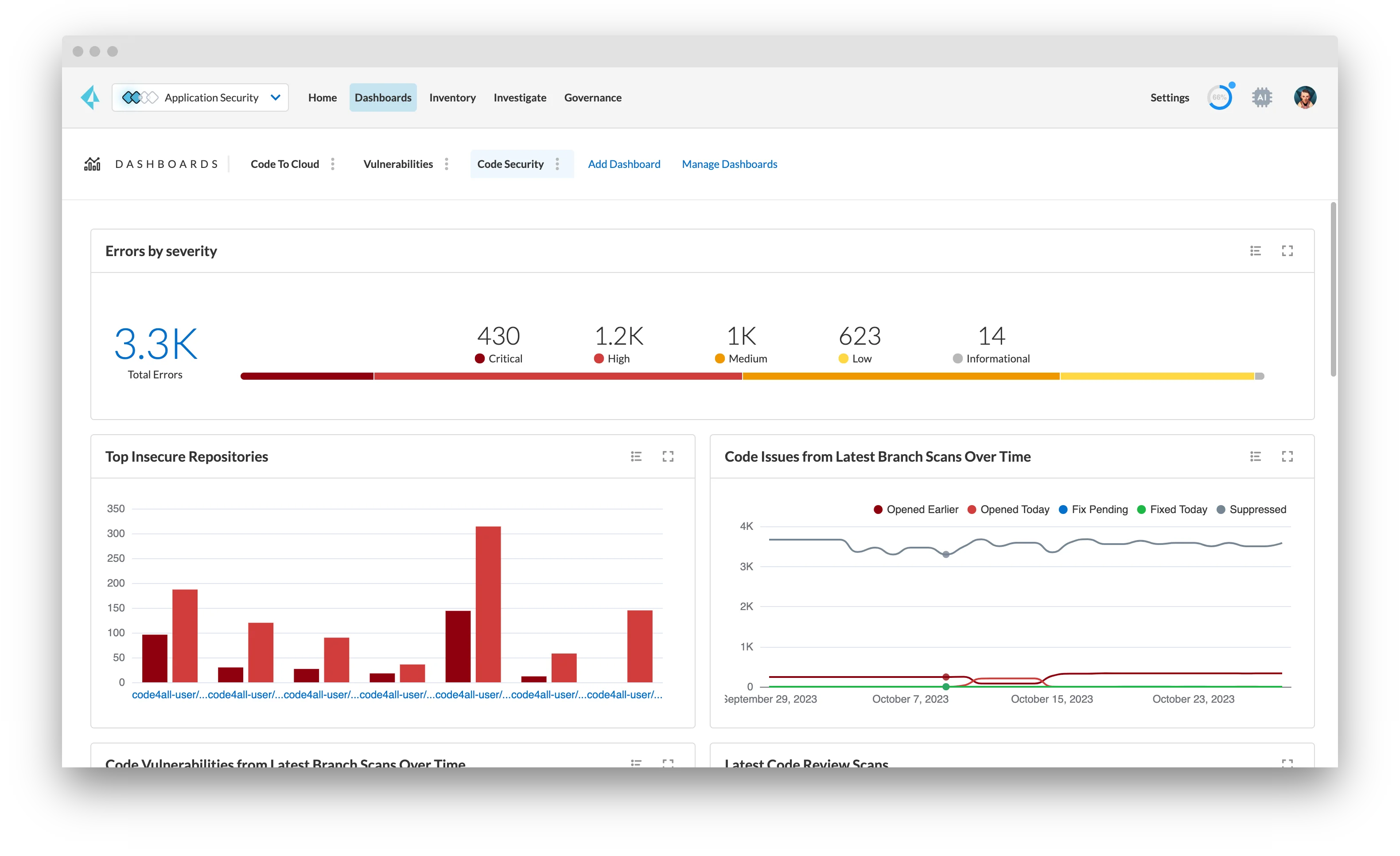
What Checkov does well: The Terraform ruleset is the most comprehensive available in open source. AWS, Azure, GCP, Oracle Cloud, and Alibaba Cloud providers are all covered. Custom policies can be written in Python (using Checkov’s check framework) or as Rego policies. Output formats include JSON, JUnit XML, SARIF, and GitHub Actions annotations. checkov -d . scans a directory of .tf files; checkov -f tfplan.json scans a Terraform plan.
Where Checkov falls short: The default output for a medium-sized Terraform repo can be noisy — many findings require tuning to suppress irrelevant checks. False positive suppression via .checkov.yaml or inline #checkov:skip comments requires initial setup effort.
Best fit: The default choice for Terraform IaC security. Use it as the primary CI/CD scanner and tune suppressions over the first few weeks to reach a manageable baseline. See Checkov alternatives if its Python-based custom policy format does not fit your team.
2. Trivy (absorbing tfsec)#
Trivy
is Aqua Security’s open-source all-in-one security scanner. It scans container images, filesystems, git repos, and IaC files — including Terraform. The IaC scanning functionality was expanded when Aqua absorbed tfsec’s rule engine into Trivy
. Running trivy config .
on a directory of .tf files produces equivalent results to what tfsec provided.
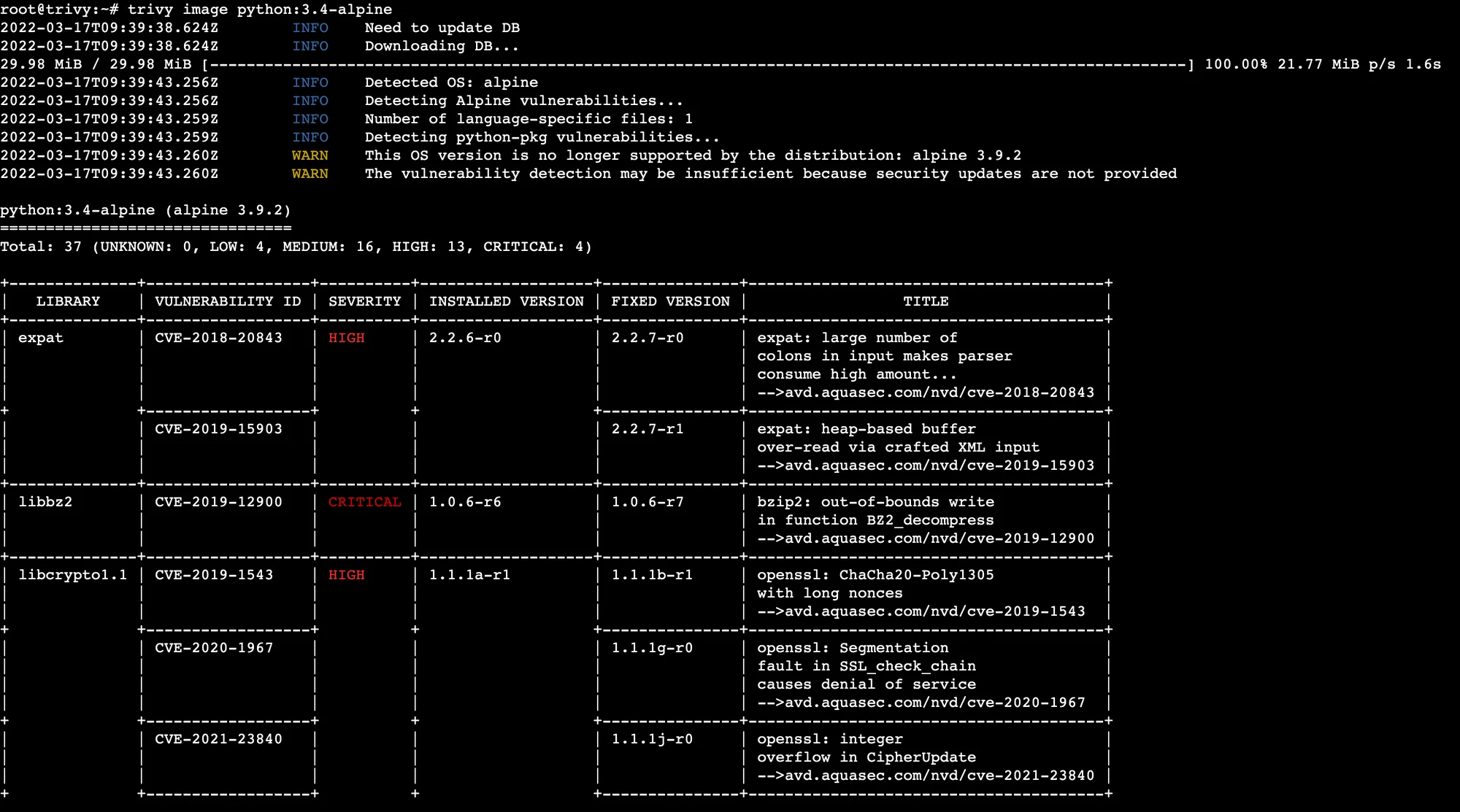
What Trivy does well: Single binary for IaC, container images, SBOMs, and OS/language package vulnerability scanning. For teams that scan both Terraform and container images, Trivy eliminates a separate tool. The tfsec rules are available and maintained within Trivy’s config scanning module.
Where Trivy falls short: The IaC ruleset is smaller than Checkov’s — Trivy’s strength is breadth (all scanning types in one tool) rather than depth (maximum Terraform rule coverage). The transition from standalone tfsec means some documentation still refers to the old tfsec format.
Best fit: Teams that want a single scanner binary for both IaC and container security. If Terraform is your only IaC concern, Checkov has more rules. If you also scan container images, Trivy wins on operational simplicity. See Checkov vs Trivy for a direct comparison.
3. Terrascan#
Terrascan is an open-source IaC security scanner from Tenable (acquired from Accurics). It supports Terraform, Kubernetes, Helm, Kustomize, and Dockerfiles. Critically, Terrascan uses Rego (Open Policy Agent’s policy language) for both its built-in rules and custom policies.
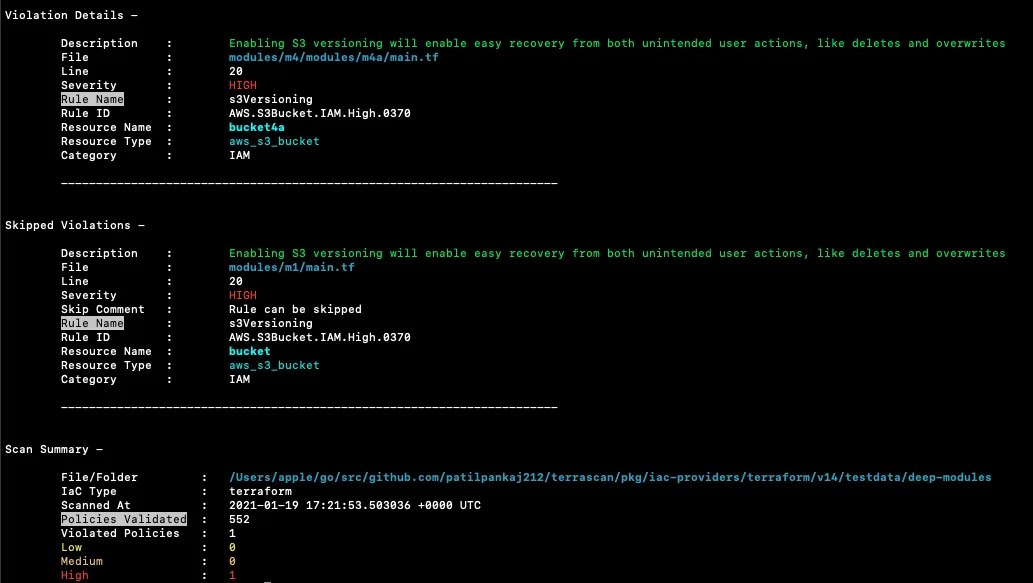
What Terrascan does well: Rego-based custom policies are the key differentiator. Teams already using OPA for Kubernetes admission control or AWS service control policies get a consistent policy language across their entire infrastructure security stack. Terrascan’s built-in rule coverage across AWS, Azure, and GCP is solid.
Where Terrascan falls short: Smaller built-in ruleset than Checkov. Rego has a steeper learning curve than Checkov’s Python check framework for teams not already using OPA. Less active community development than Checkov.
Best fit: Teams already using OPA or Rego across their policy stack who want consistent policy language from IaC scanning through to admission control.
4. KICS#
KICS (Keeping Infrastructure as Code Secure) is Checkmarx’s open-source IaC scanner . It supports Terraform, CloudFormation, Ansible, Docker, Kubernetes, Azure Resource Manager, and several other formats. KICS is notable for supporting Terraform plan JSON scanning alongside static .tf file scanning.
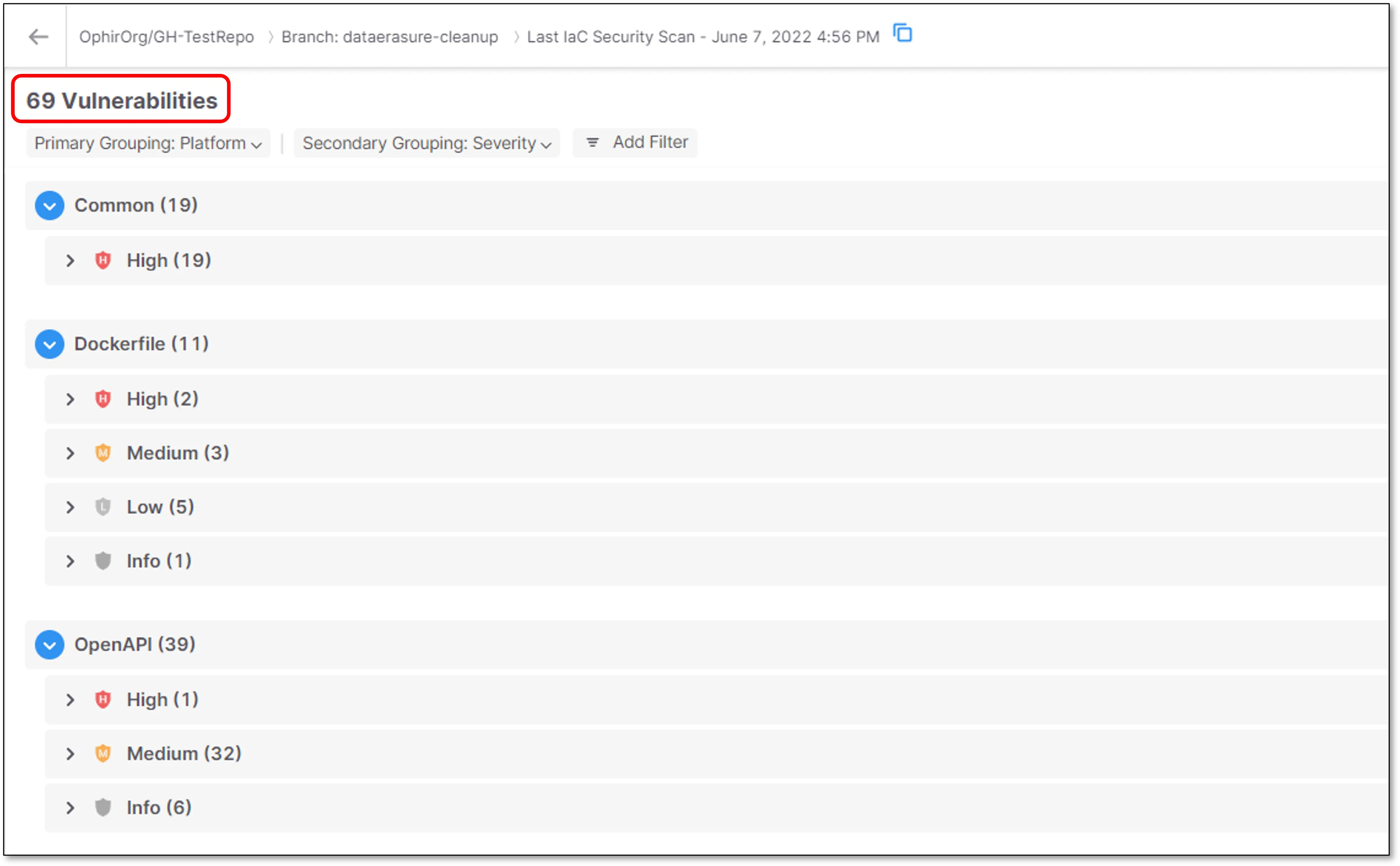
What KICS does well: Broad IaC format support — KICS covers more infrastructure file types than most other scanners. The Terraform plan scanning support is well-implemented. KICS integrates with the Checkmarx One platform for enterprise-grade workflow if you outgrow the open-source version. Rules are written in Rego.
Where KICS falls short: Rego-based rules require OPA knowledge for customization. The built-in Terraform ruleset is smaller than Checkov’s. Less common as a first choice, meaning fewer community examples and integrations.
Best fit: Teams scanning multiple IaC formats (Terraform + Ansible + CloudFormation + Dockerfiles) who want one scanner that covers all of them. See Checkov vs KICS for a direct comparison.
5. Snyk IaC#
Snyk IaC is the IaC security module in the Snyk platform. It scans Terraform, CloudFormation, Kubernetes manifests, and ARM templates. Snyk IaC is notable for its developer experience — findings surface in the IDE via Snyk’s VS Code and IntelliJ plugins, and fix guidance is specific and actionable.
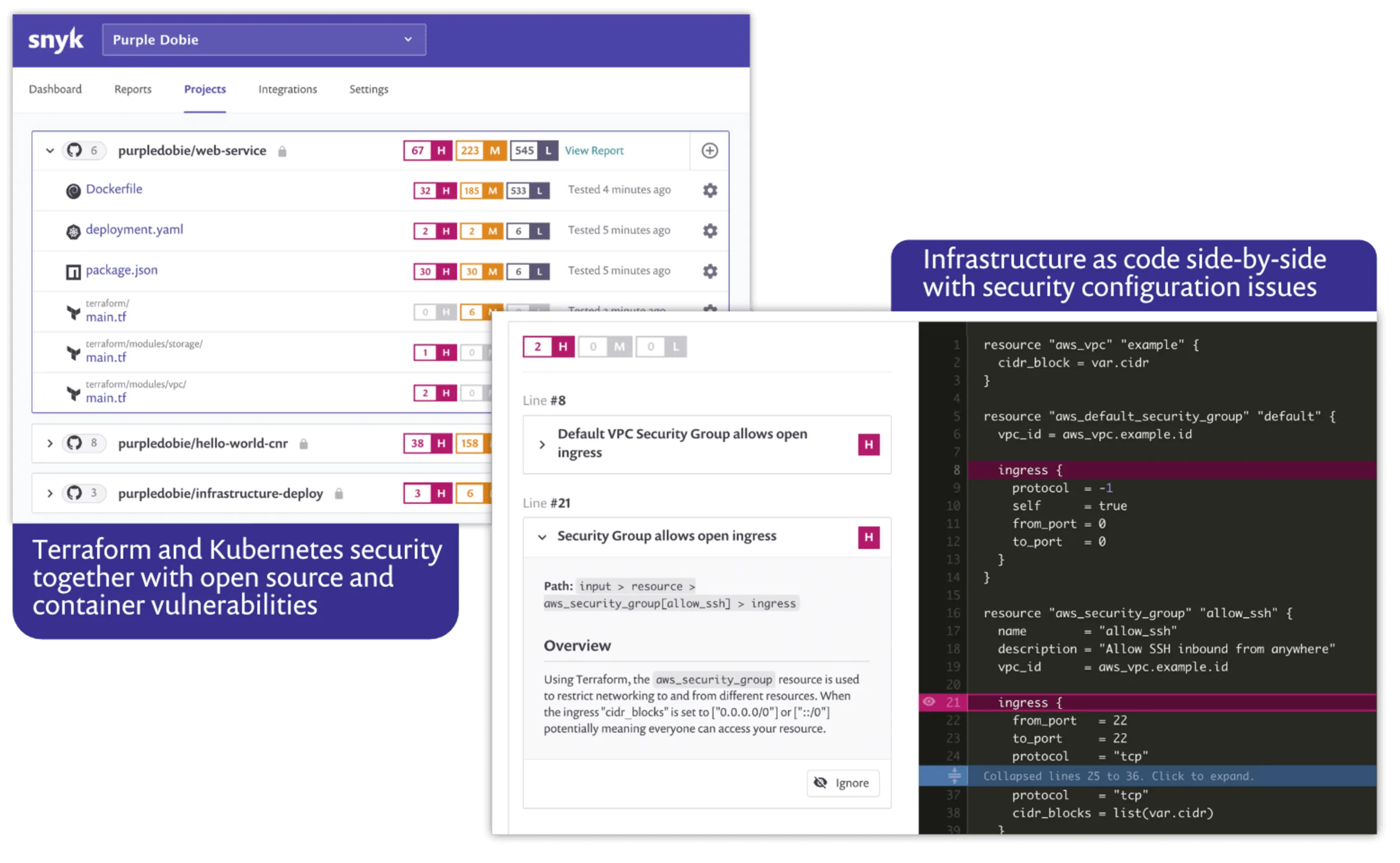
What Snyk IaC does well: Developer workflow integration. Snyk IaC gives engineers inline IDE feedback on Terraform misconfigurations before they commit — the same way Snyk Code flags application vulnerabilities. PR decoration on GitHub and GitLab surfaces findings in code review. Snyk’s unified platform covers IaC, SAST (Snyk Code ), and SCA (Snyk Open Source ) in one product.
Where Snyk IaC falls short: Full IaC scanning capability requires a paid plan. The free tier is limited. SaaS-based — Terraform configs are analyzed in Snyk’s infrastructure.
Best fit: Teams already using Snyk for application security (SAST/SCA) who want unified Snyk coverage for IaC without adding another tool. The developer-first IDE workflow is Snyk IaC’s main advantage over open-source alternatives.
6. Wiz Code#
Wiz ’s Code Security module (Wiz Code) extends Wiz’s CNAPP platform to scan IaC files — including Terraform — in CI/CD pipelines. The key differentiation is that Wiz can correlate IaC findings with runtime cloud context: if your Terraform is about to create an IAM role that matches a pattern already creating risk in your live AWS environment, Wiz Code can surface that connection.
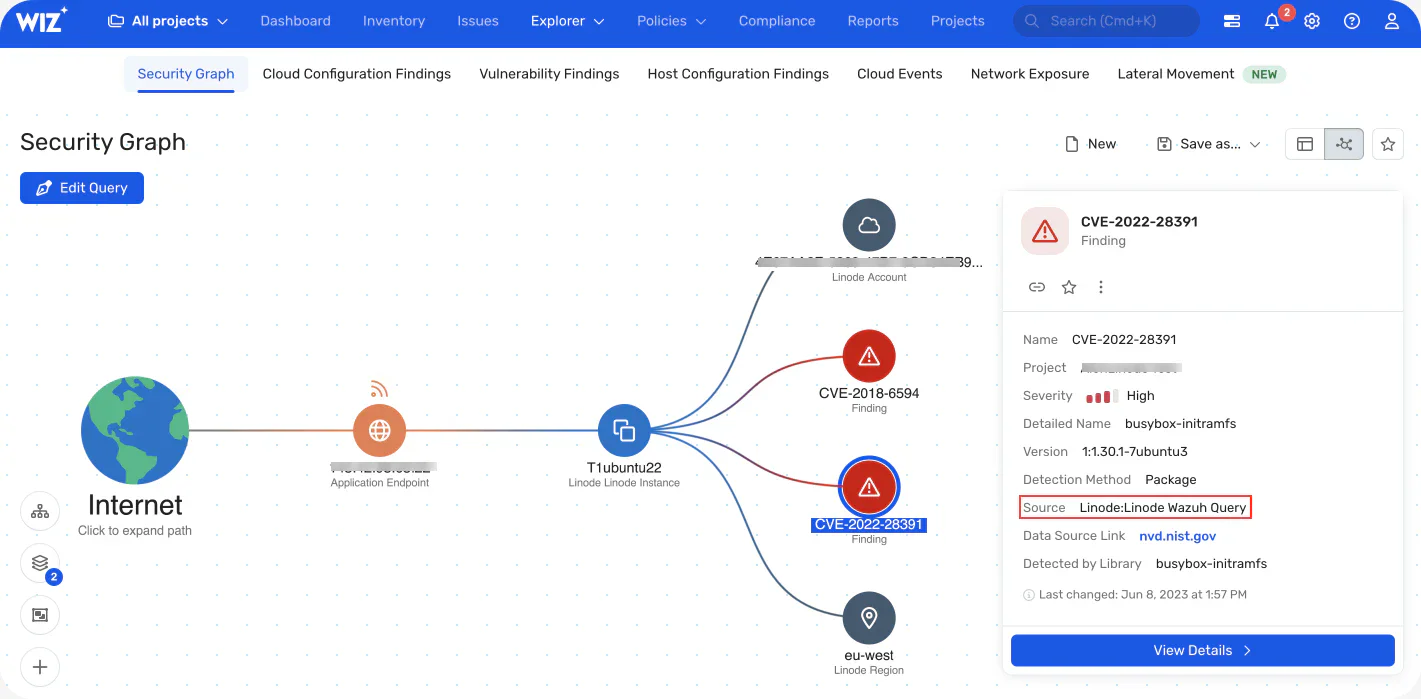
What Wiz Code does well: Cross-layer correlation between IaC misconfigurations and runtime cloud risk. Wiz Code can show that a Terraform change would create a new attack path in the live cloud environment, not just that a check rule would fire. For teams already on Wiz, the unified platform is the obvious IaC scanning path.
Where Wiz Code falls short: Commercial pricing, requires a Wiz subscription. Overkill for teams without an existing Wiz deployment.
Best fit: Teams already using Wiz for cloud security who want IaC scanning integrated with their runtime Security Graph.
7. Prisma Cloud Code Security (Bridgecrew)#
Prisma Cloud Code Security is the commercial product built on Checkov’s open-source engine, acquired from Bridgecrew by Palo Alto Networks. It adds a developer experience layer — IDE plugins, PR comments, fix suggestions — plus enterprise features: RBAC, audit trails, historical drift tracking, and policy management across teams.
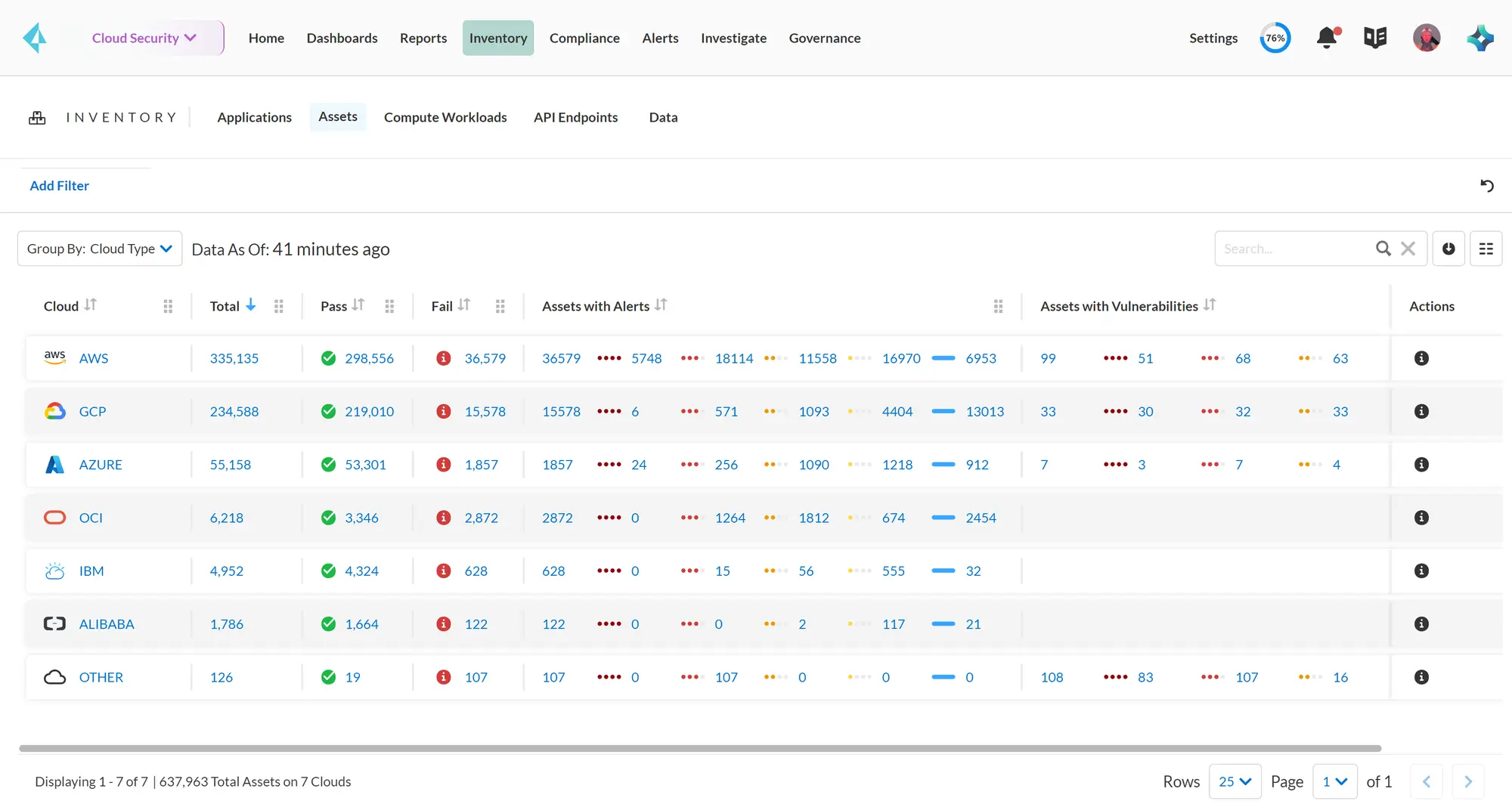
What Prisma Cloud does well: The most feature-complete commercial Terraform IaC security product based on an open-source engine that teams can evaluate first. It inherits Checkov’s ruleset and extends it with commercial threat intelligence and cross-cloud correlation.
Where Prisma Cloud falls short: Contact-sales pricing in the enterprise Prisma Cloud suite. Teams that only need IaC scanning may find the full Prisma Cloud product overkill.
Best fit: Organizations already in the Palo Alto Networks ecosystem, or those who want to graduate from open-source Checkov to a supported commercial product with the same rule base.
8. Open Policy Agent (OPA)#
OPA Gatekeeper is the policy-as-code engine most commonly used for Kubernetes admission control, but OPA’s Rego policy language is also the foundation for Terraform policy enforcement via tools like Conftest (an OPA-based test runner for config files) and as the native policy format in Terrascan and KICS.
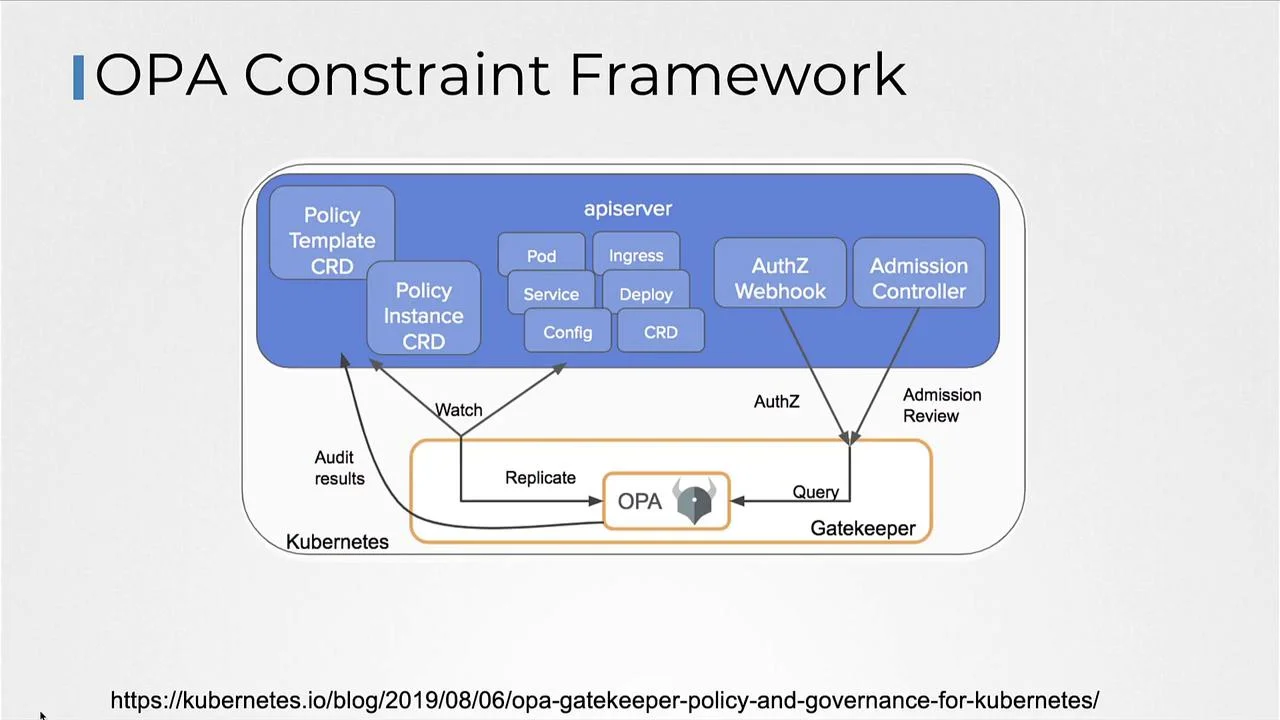
What OPA does well: Unified policy language across your entire infrastructure stack — Terraform, Kubernetes, API authorization, AWS SCPs. Teams that invest in Rego get consistent policy expression from IaC scanning through to runtime admission control.
Where OPA falls short: OPA itself is not a Terraform scanner — you need a framework like Conftest or Terrascan to run OPA policies against Terraform files. Rego has a learning curve.
Best fit: Platform engineering teams building a consistent policy-as-code framework across multiple enforcement points (Terraform scanning + Kubernetes admission + API authorization).
Comparison table#
| Tool | Terraform Support | Plan JSON | Custom Policy Format | License | Best For |
|---|---|---|---|---|---|
| Checkov | Deep (1,000+ rules) | Yes | Python or Rego | Open source | Default Terraform scanner |
| Trivy | Good (tfsec rules) | Limited | YAML | Open source | IaC + container in one tool |
| Terrascan | Good | Yes | Rego (OPA) | Open source | OPA-aligned teams |
| KICS | Good | Yes | Rego (OPA) | Open source | Multi-format IaC |
| Snyk IaC | Good | No | Snyk rules | Free / Commercial | IDE-first developer workflow |
| Wiz Code | Good | No | Wiz policies | Commercial | Runtime-correlated IaC |
| Prisma Cloud | Deep (Checkov base) | Yes | Python or Rego | Commercial | Enterprise Checkov |
| OPA/Conftest | Via Conftest | Yes | Rego | Open source | Unified OPA policy stack |
How to choose for your use case#
Getting started: Start with Checkov
. It has the largest ruleset, the most documentation, and integrates with every CI/CD system with a single pip install checkov. Add it to your pipeline before terraform apply and tune the suppressions list over a few weeks.
Already using Trivy for containers: Switch to trivy config . for IaC scanning instead of adding a separate Checkov installation. You lose some Terraform rule depth but gain operational simplicity.
Already using OPA for Kubernetes: Use Terrascan or KICS — both use Rego natively, so your existing OPA knowledge transfers. This is the path to consistent policy expression from Terraform scanning to admission control.
Developer-first workflow needed: Snyk IaC is the best option if inline IDE feedback and PR-level commentary matter more than raw rule coverage. Developers get Terraform security feedback at the point of editing.
Large team or enterprise: Prisma Cloud Code Security or Wiz Code for audit trails, RBAC, historical drift tracking, and management across hundreds of Terraform repositories.
For workflow guidance — CI/CD integration, plan scanning setup, custom policies, and false positive management — see the Terraform Security Scanning guide . For the full IaC security tool landscape, see the IaC security tools list .
Open source vs commercial#
The open-source Terraform security stack — Checkov , Trivy , Terrascan , KICS — covers the large majority of common Terraform misconfiguration patterns at zero cost. For most teams, open-source tooling is sufficient for the IaC layer.
The gaps that commercial tools (Snyk IaC , Prisma Cloud , Wiz Code) address are:
- Developer experience — IDE feedback loops and PR comments that catch issues before they reach CI
- Drift detection — continuous monitoring of live cloud state vs. what Terraform says it should be
- Cross-layer correlation — connecting an IaC finding to a runtime risk in the live cloud account
- Enterprise management — RBAC, audit trails, policy management across large teams
For teams running Terraform at scale, the drift detection capability is the most meaningful commercial advantage — open-source tools are point-in-time scanners, while commercial platforms can alert when the deployed infrastructure diverges from the IaC source of truth.
For the broader IaC security landscape including Kubernetes, Helm, and Ansible scanning, see the what is IaC security guide.