


GitHub CodeQL is a semantic code analysis engine that treats code as queryable data. It is a SAST tool that builds a database representation of your codebase, enabling queries that track data flow across functions, files, and modules.
Natively integrated into GitHub Advanced Security, CodeQL powers code scanning for millions of repositories.
According to GitHub’s Octoverse reports, code scanning has identified and helped fix millions of vulnerabilities across public repositories since CodeQL’s launch. It is free for public repositories on GitHub.
What is CodeQL?
CodeQL works differently from pattern-matching SAST tools.
Rather than searching for text patterns, CodeQL compiles source code into a relational database that captures the semantic structure: variables, functions, control flow, data flow, and type information.
Security researchers write queries in the CodeQL query language to find vulnerabilities by describing the characteristics of insecure code. The query language resembles SQL with object-oriented extensions.
For example, CodeQL can trace user input from an HTTP request through multiple transformation functions to a SQL query, identifying injection vulnerabilities that pattern-based tools miss.
| Capability | Details |
|---|---|
| 12 Languages | Supports C, C++, C#, Go, Java, Kotlin, JavaScript, TypeScript, Python, Ruby, Swift, and Rust. Each language has a dedicated extractor that builds the database. |
| Semantic Queries | Queries describe vulnerability characteristics rather than matching text patterns. The database captures ASTs, control flow graphs, data flow graphs, type hierarchies, and call graphs. |
| GitHub Native | Runs automatically through GitHub Actions on push and pull request events. Results appear as inline annotations and security alerts in pull requests. |
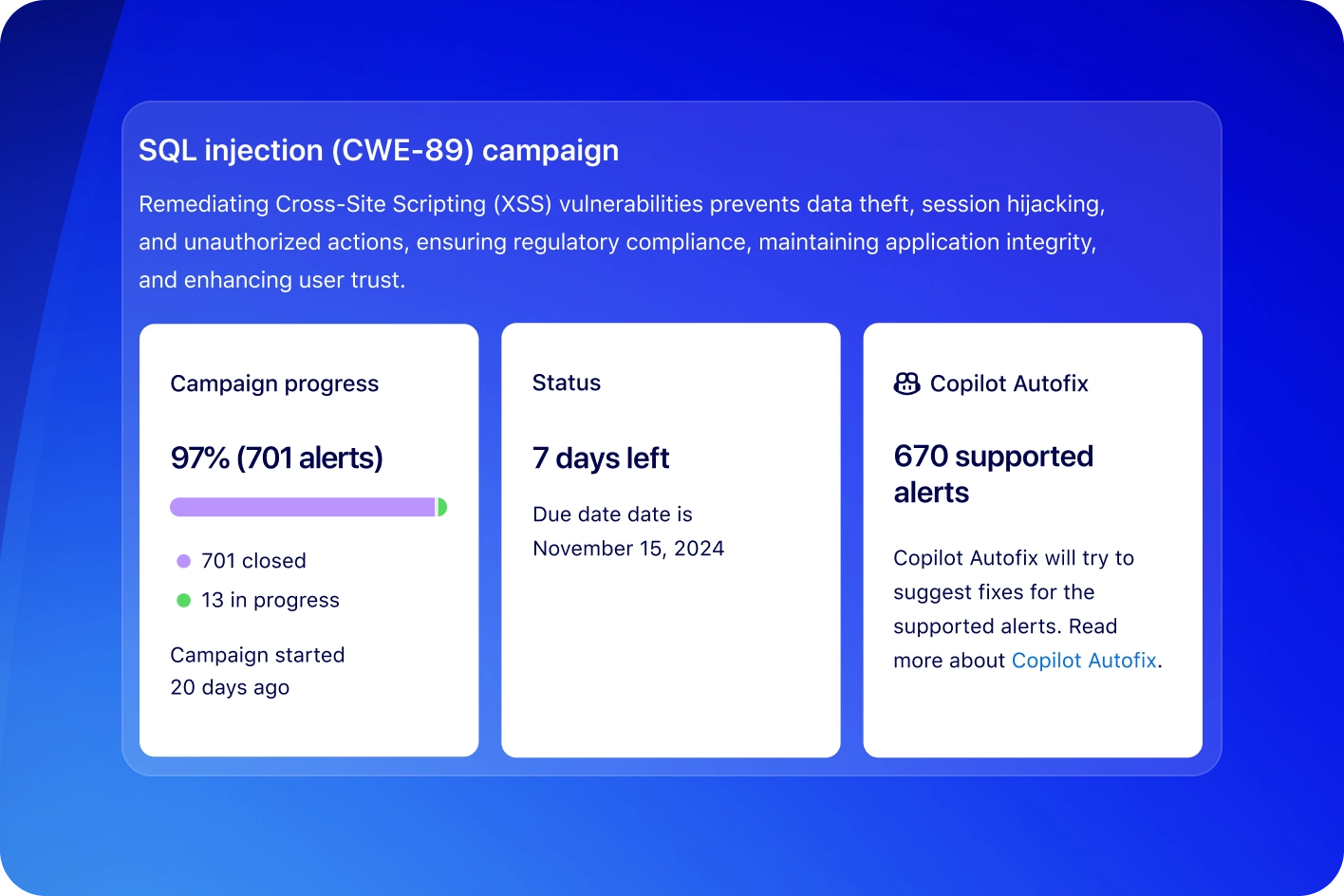
What are GitHub CodeQL’s key features?
Data flow and taint tracking
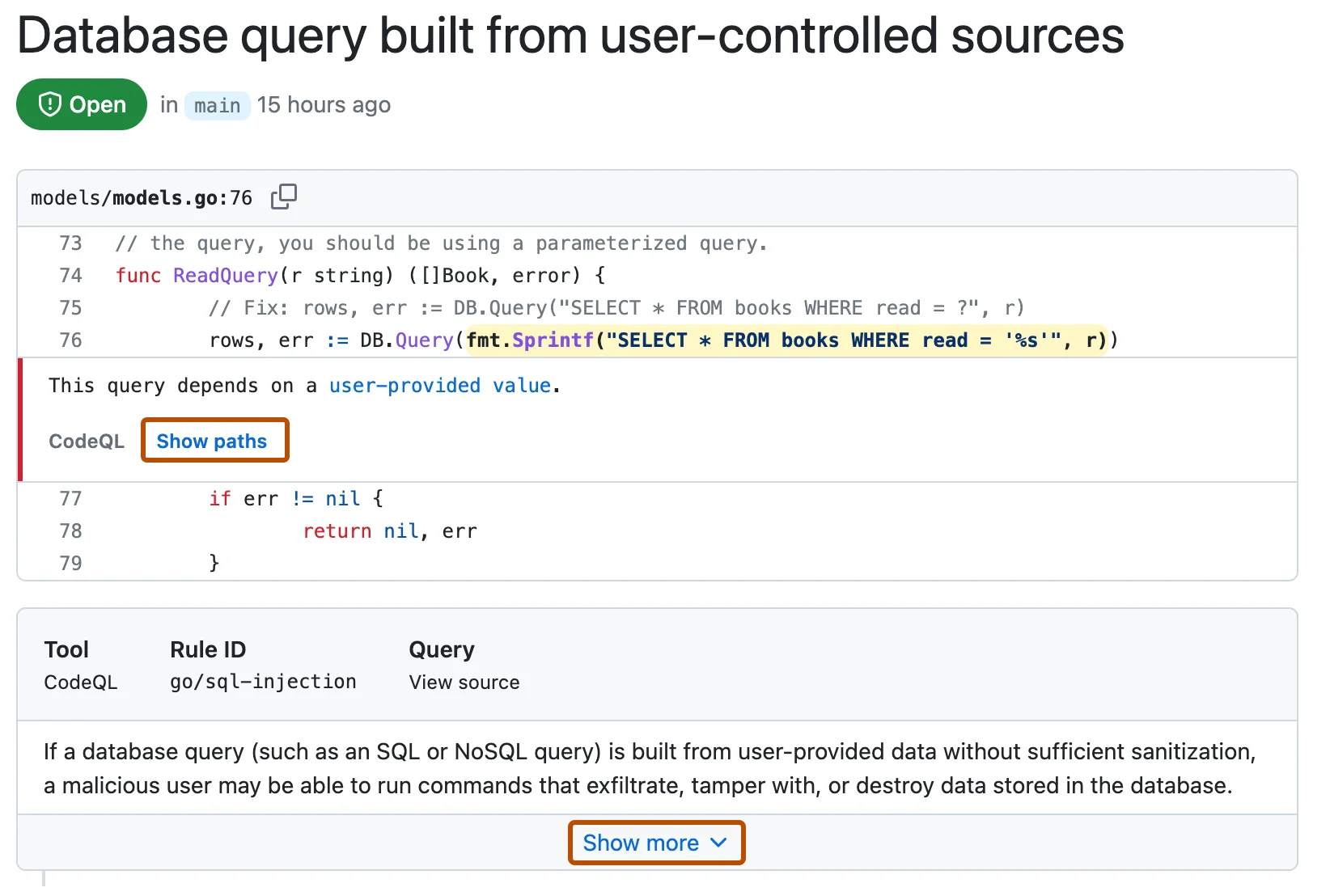
The taint tracking engine follows potentially dangerous data through your codebase.
Starting from sources (user input, file reads, network data) and ending at sinks (database queries, command execution, file writes), CodeQL identifies paths where untrusted data reaches sensitive operations without sanitization.
Custom query development
Security teams can write custom CodeQL queries for organization-specific requirements:
- Detecting use of banned functions or deprecated APIs
- Enforcing authentication checks on sensitive endpoints
- Finding missing input validation patterns
- Identifying violations of internal security standards
GitHub integration
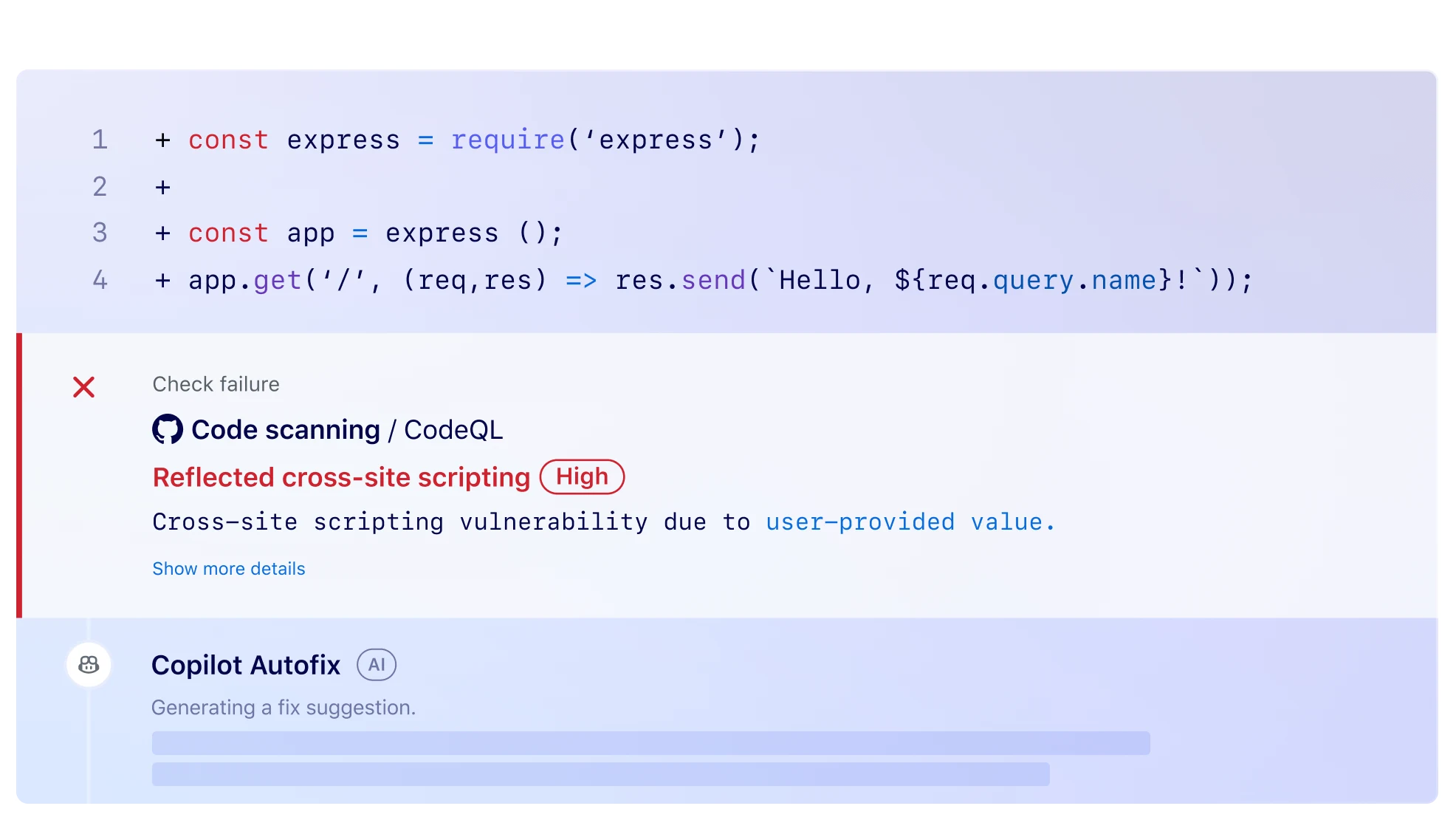
On GitHub repositories, CodeQL runs automatically through GitHub Actions. Results appear directly in pull requests as security alerts.
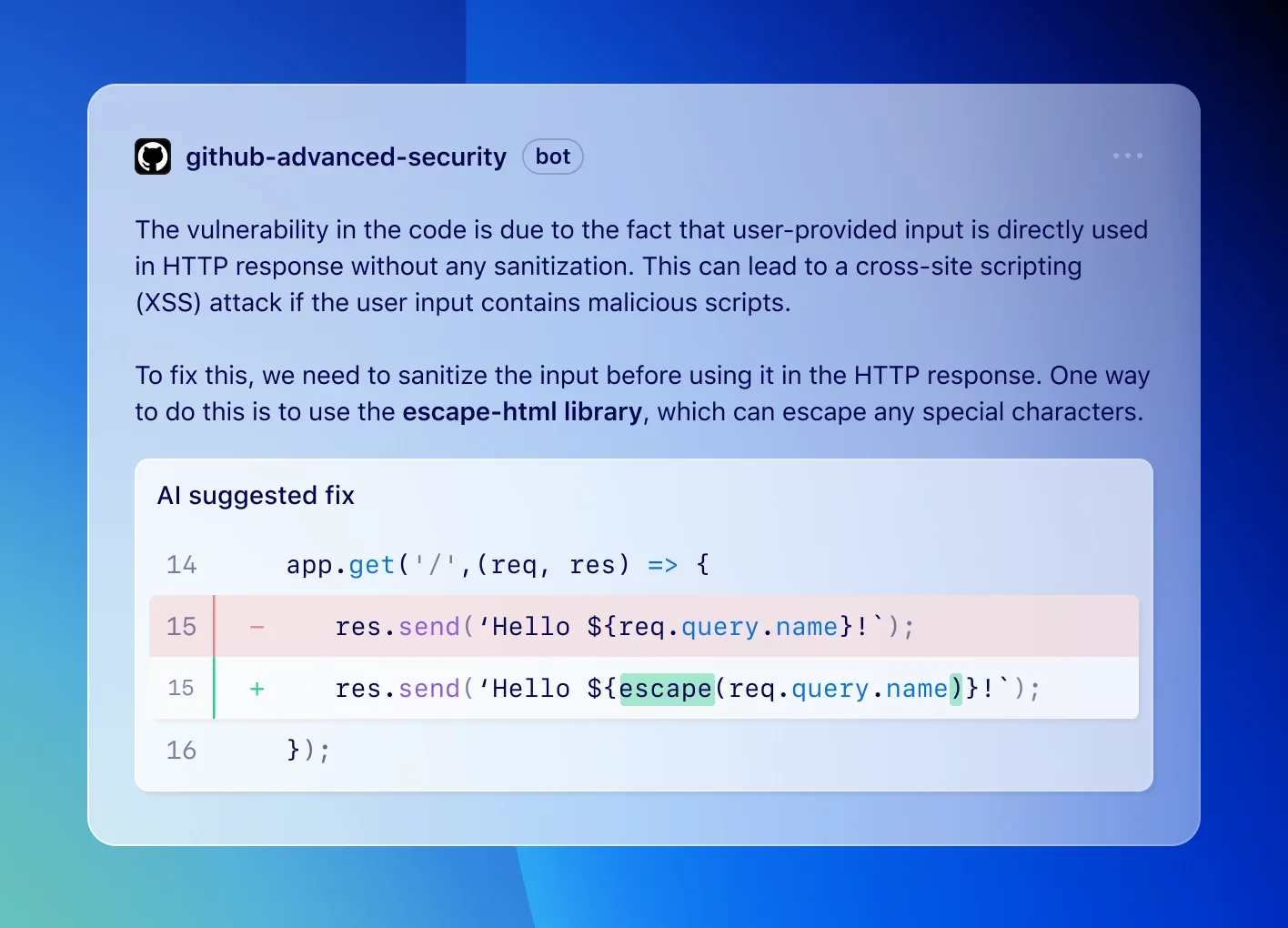
The integration includes automatic analysis on push and PR events, inline annotations showing vulnerability locations, suggested fixes, and security overview dashboards for organizations.
Note: CodeQL ships with two security query suites. The security-and-quality suite covers common vulnerabilities and code quality issues. The security-extended suite adds lower-confidence queries that catch more issues with a higher false-positive rate — useful for thorough audits, noisy for day-to-day CI.
How do I get started with GitHub CodeQL?
- Enable code scanning — In your GitHub repository, go to Settings > Code security and analysis > Code scanning, or add a
.github/workflows/codeql.ymlworkflow file. - Configure languages — Specify which languages to analyze in the workflow matrix. CodeQL auto-detects languages but you can override this.
- Review findings — Security alerts appear in the Security tab and as inline annotations on pull requests. Each finding includes the vulnerability type, data flow path, and remediation guidance.
- Write custom queries — Install the CodeQL CLI locally, create a database with
codeql database create, and develop queries using the VS Code CodeQL extension.
CodeQL pricing
CodeQL has a split licensing model. The CodeQL CLI and standard query packs are free for open-source analysis on public repositories and for academic research, under the CodeQL Terms and Conditions . Public-repo code scanning on GitHub.com is also free.
For private repositories on GitHub, CodeQL ships as part of GitHub Advanced Security (GHAS), which is licensed per active committer and sold through GitHub Enterprise plans. GHAS bundles code scanning, secret scanning, and dependency review. There is no public per-developer rate card on this page; check github.com/pricing for current GHAS pricing and seat-based commercial terms.
When to use CodeQL
CodeQL is the natural choice for teams already on GitHub that want deep semantic analysis without additional vendor relationships.
The data flow analysis catches injection vulnerabilities, authentication bypasses, and security logic flaws that pattern-based tools miss.
The query language has a learning curve, though the standard query packs cover most common vulnerability types.
CodeQL alternatives
For teams comparing query-based SAST options, the closest substitutes for CodeQL are:
- Semgrep — rule-driven SAST with a public ruleset and YAML-based rule syntax; preferred when teams want a lower learning curve than CodeQL’s QL language and need cross-language consistency.
- Snyk Code — developer-first SAST built on a symbolic-AI engine; chosen when the rest of Snyk’s product family (SCA, container, IaC) is already in use.
- Checkmarx One — enterprise SAST with deep policy and governance features; a fit when compliance reporting and SLAs matter more than raw query power.
- Veracode Static Analysis — binary-analysis SAST with strong enterprise compliance posture; usually picked when air-gapped scans of compiled artifacts are mandatory.
- SonarQube — multi-language quality and security platform; chosen when quality gates and code review integration matter more than security depth.
For a feature-by-feature view, the Semgrep vs CodeQL guide and the SAST tools hub cover the full landscape.