


git-secrets is AWS Labs’ open-source tool that prevents you from committing secrets and credentials into git repositories. It works by installing git hooks that scan your changes against prohibited patterns before each commit goes through.
The tool ships with AWS credential patterns out of the box and lets you register your own patterns for any secret format. It is intentionally small: pure regex matching wired into git hooks, with no machine learning, entropy analysis, or hosted dashboard.
I reach for git-secrets on AWS-heavy repositories where blocking access keys at commit time covers the highest-risk leak. It does less than newer scanners, but the narrow scope is also why it is trivial to install and reason about.
What is git-secrets?
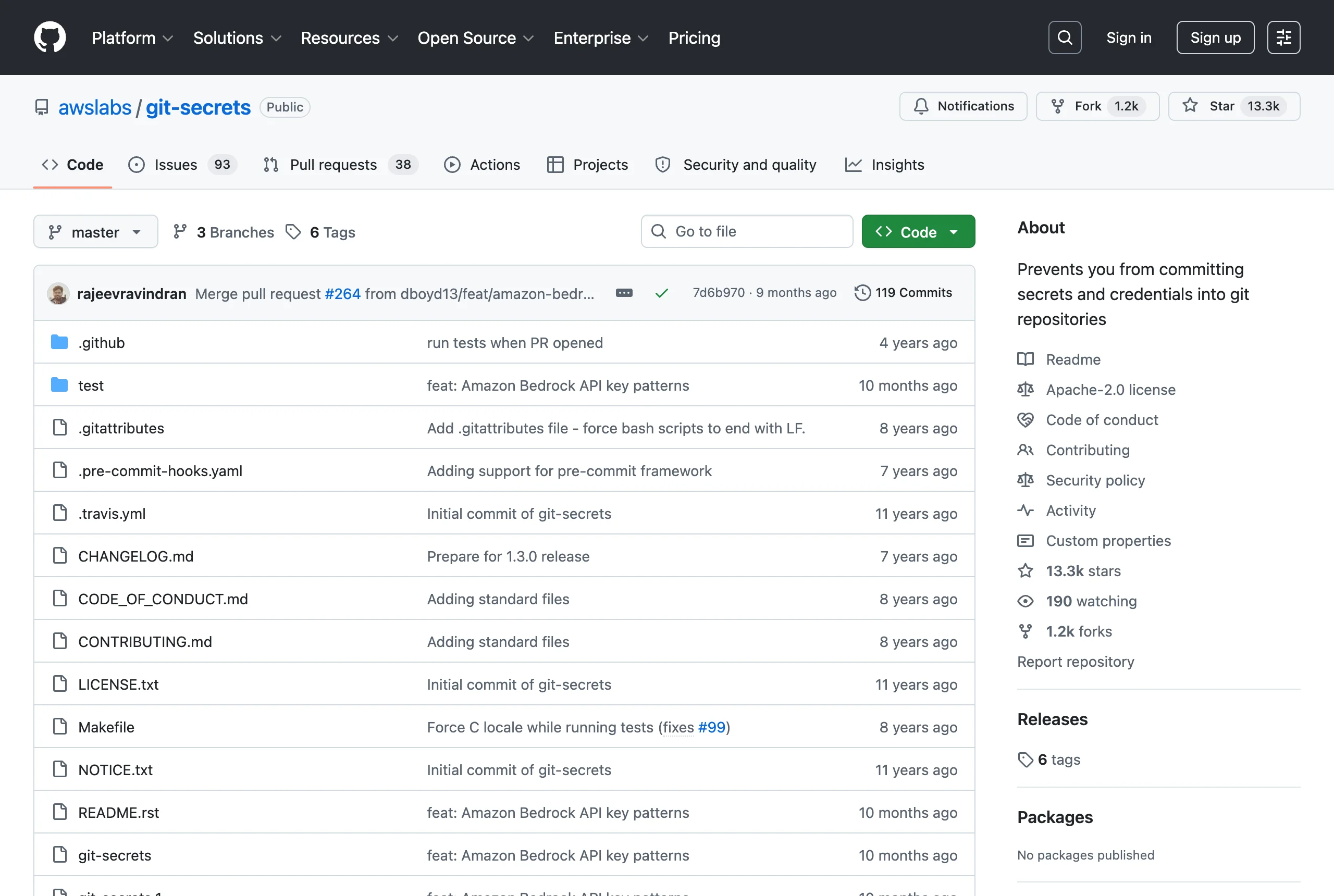
git-secrets is a command-line tool from AWS Labs that blocks secrets from entering version control. According to the project, it “prevents you from committing passwords and other sensitive information to a git repository.”
It is licensed under Apache-2.0, has roughly 13,300 GitHub stars, and remains actively maintained. The tool runs entirely locally — there is no account, no API, and no network call to a vendor service.
The detection model is deliberately narrow. git-secrets matches egrep-compatible regular expressions against your changes, then filters the matches through an allowlist. If anything survives that filter, the commit fails.
How does git-secrets work?
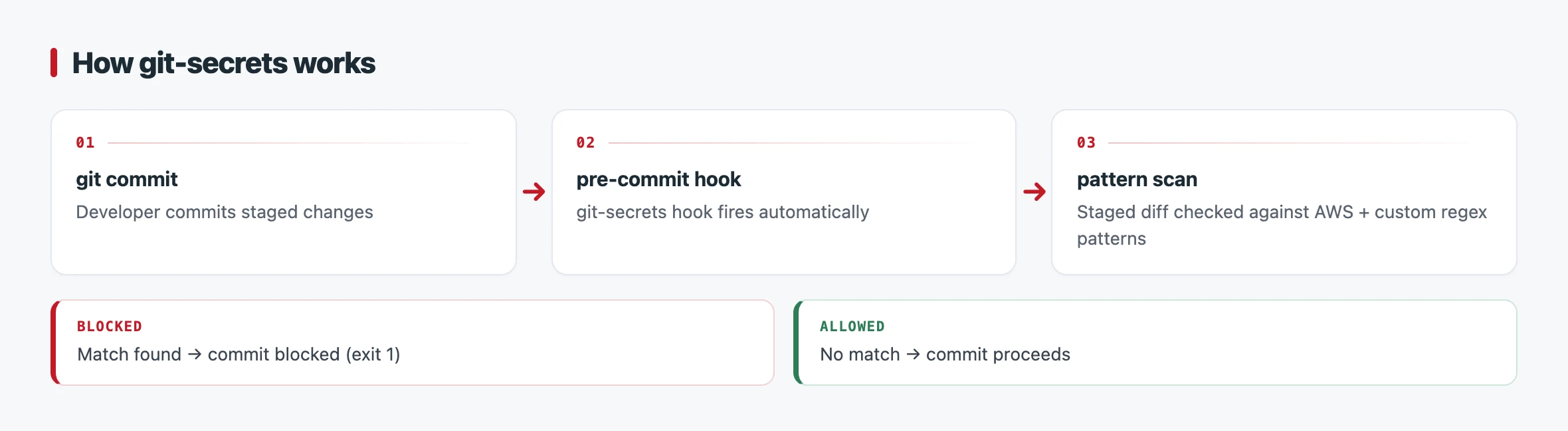
You wire git-secrets into a repository with git secrets --install, which adds three hooks. The pre-commit hook checks files changed in the commit, commit-msg checks the commit message text, and prepare-commit-msg checks that a merge will not introduce a prohibited pattern anywhere in its history.
![git secrets --scan terminal output flagging a hardcoded AWS access key in config.py with an [ERROR] Matched one or more prohibited patterns message and mitigation suggestions](/images/tools/git-secrets/git-secrets-scan.webp)
On each commit, the relevant hook scans the staged changeset against the registered prohibited patterns. A match that is not covered by an allowlist pattern causes the hook to exit non-zero, which aborts the commit and prints the filename, line number, and matching line.
AWS detection is opt-in through git secrets --register-aws. That command registers patterns for AWS access key IDs, secret access key assignments, and account IDs, and it also pulls in credentials from your local ~/.aws/credentials file.
AWS Labs is explicit about the limits of this approach. The documentation notes that the registered patterns “should catch most instances of AWS credentials” but are “not guaranteed to catch them all.”
Beyond commit-time hooks, you can scan on demand. git secrets --scan checks files directly, with --cached, --untracked, and --no-index flags to widen what gets inspected, and git secrets --scan-history walks every revision in the repository.
Key features
git-secrets keeps a small, focused surface. The table below summarizes its main commands and mechanisms.
| Feature | Details |
|---|---|
| Hook installation | git secrets --install adds pre-commit, commit-msg, prepare-commit-msg |
| AWS patterns | git secrets --register-aws for access keys, secret keys, account IDs |
| Custom patterns | git secrets --add 'pattern' registers prohibited regexes |
| Custom providers | git secrets --add-provider groups reusable pattern sets |
| On-demand scan | git secrets --scan with --cached, --untracked, --no-index |
| History scan | git secrets --scan-history walks all revisions |
| Allowlisting | --allowed patterns or a .gitallowed file in the repo root |
| License | Apache-2.0 |
Prohibited patterns and providers
You register a prohibited pattern with git secrets --add 'pattern', where the pattern is an egrep-compatible regular expression. This lets you describe internal token formats, private key headers, or any other string shape you never want committed.
For reusable pattern sets, git secrets --add-provider registers a custom provider — a command that outputs a list of patterns. Providers make it practical to share a standard rule set across many repositories without copying patterns by hand.
Allowlisting false positives
git-secrets filters scan results through allowed patterns before deciding whether to fail. You add an exception with git secrets --add --allowed 'pattern', or list exceptions in a .gitallowed file committed to the repository root.
The .gitallowed file supports comments with #, and allowlist patterns can include filename and line-number context. This is how teams suppress recurring false positives such as documented example keys like AKIAIOSFODNN7EXAMPLE.
When to use git-secrets
git-secrets fits teams that work heavily in the AWS ecosystem and want a lightweight, local guard against committing access keys. Its narrow scope and zero runtime dependencies make it easy to roll out across many repositories.
The trade-off is breadth. git-secrets is pattern-only: it has no entropy analysis to catch random-looking high-entropy strings, and no live verification to confirm whether a found credential is still active.
For wider provider coverage or git-history-first auditing, Gitleaks offers regex plus entropy detection with SARIF output. TruffleHog adds active credential verification across hundreds of detectors, and detect-secrets brings a baseline workflow for brownfield codebases with existing secrets.
git-secrets is the right pick when AWS credentials are your primary concern and you value a tool you can read, audit, and install in minutes over a broader feature set.