


Fortify Static Code Analyzer is OpenText’s enterprise SAST solution. It detects 1,700+ categories of vulnerabilities across 33+ programming languages and covers over one million individual APIs.
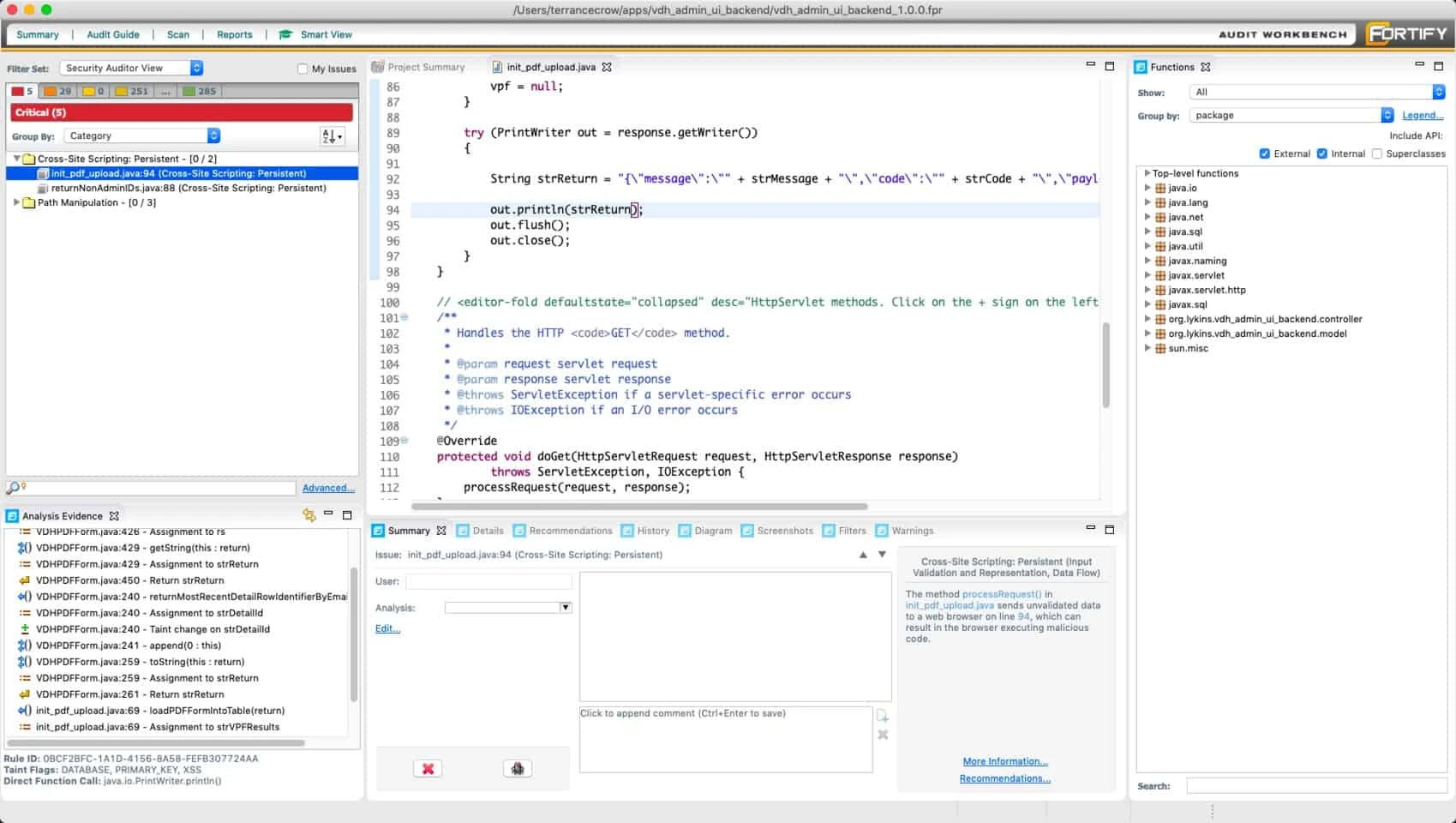
Fortify is one of the longest-running commercial SAST tools on the market, with a two-decade track record in government, defense, and financial services. OpenText acquired Micro Focus (the previous Fortify owner) in 2023.
I see Fortify SCA in enterprise environments where procurement decided years ago. It supports a wide language list including COBOL and ABAP, and the rule packs cover compliance frameworks like PCI-DSS and FedRAMP. Scans are slow compared to newer tools, and the output typically goes through Fortify SSC for triage rather than straight to a developer.
What is Fortify SCA?
Fortify SCA is a static code analysis tool that performs source code static analysis to find security vulnerabilities before code reaches production. As a static code analyzer, it covers a broad range of languages — from modern (Java, Go, Kotlin, Swift) to legacy (COBOL, ABAP, Visual Basic) — and extends source code static analysis to infrastructure as code scanning for Terraform, Docker, Kubernetes, and serverless configurations. The category sometimes goes by “tool for static code analysis” or simply “static analysis tool”, but the canonical name in compliance frameworks is static code analysis, and Fortify is one of the longest-running commercial implementations of it.
The tool includes Fortify Aviator, an AI-powered feature for automated code fix suggestions.
| Capability | Details |
|---|---|
| 33+ Languages | Covers ABAP, C/C++, C#, COBOL, Go, Java, JavaScript, Kotlin, PHP, Python, Ruby, Swift, and more. 350+ frameworks supported with 1M+ API coverage. |
| 1,700+ Vulnerability Categories | Broad vulnerability detection covering injection, XSS, authentication, cryptography, and many more security issue types. |
| Fortify Aviator | AI-powered automated code fix suggestions for detected vulnerabilities, reducing remediation time for developers. |
How Fortify static code analysis works
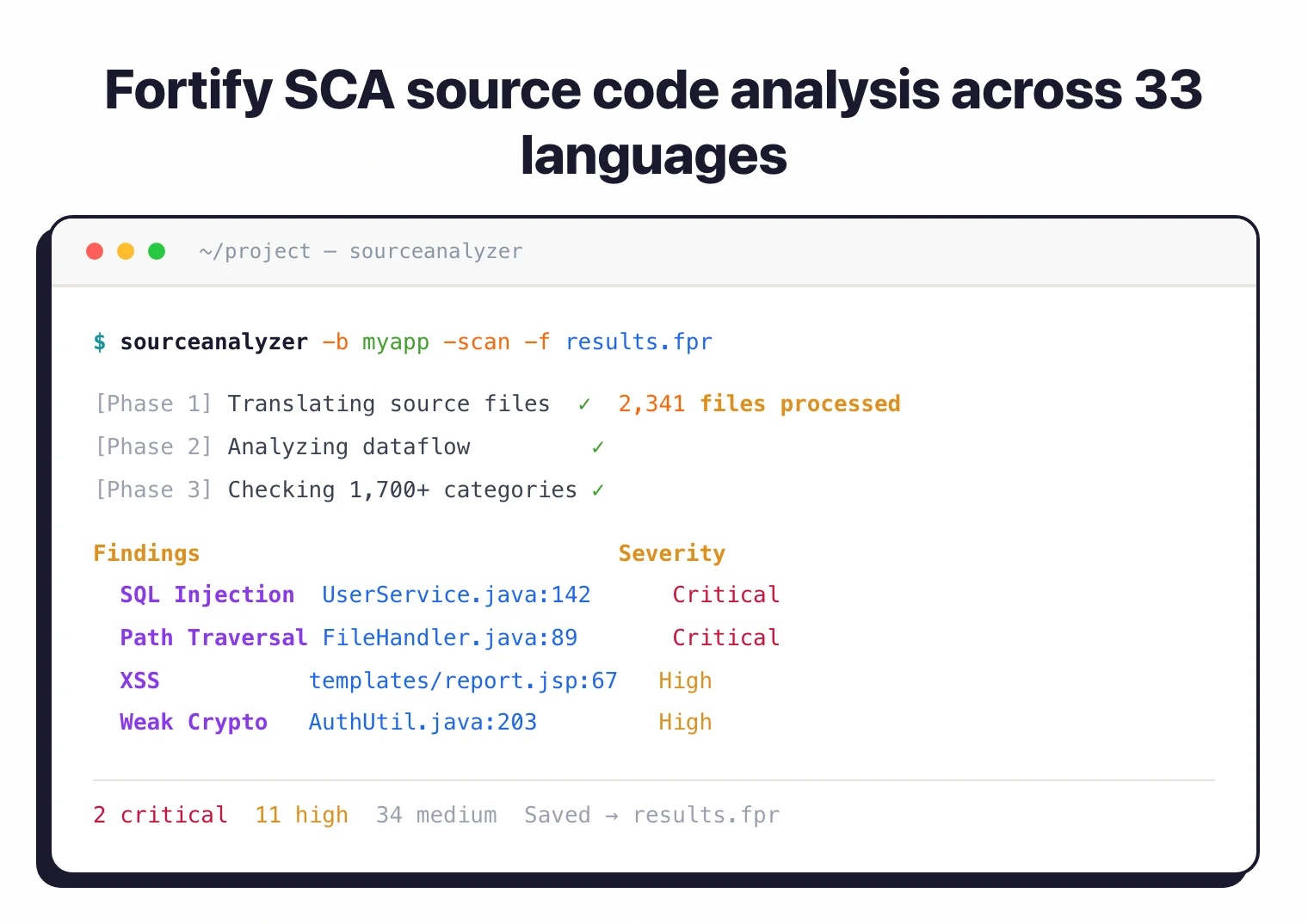
A Fortify static code analysis run is a two-step pipeline rather than a single command. First, the translation step converts source code into Fortify’s internal intermediate representation:
sourceanalyzer -b MyProject -translate src/main/java/**/*.java
The -b flag names the build session — every translation invocation that targets the same name accumulates into one logical project. Translation handles language-specific compilation context: Java needs the classpath, C/C++ needs preprocessor flags, .NET needs assembly references. Without an accurate translation step the analyzer cannot resolve cross-file dataflow in source code, which is one reason Fortify scans require build integration rather than working off raw filesystem reads.
Second, the analysis step runs the actual static code analysis against the translated build session:
sourceanalyzer -b MyProject -scan -f findings.fpr
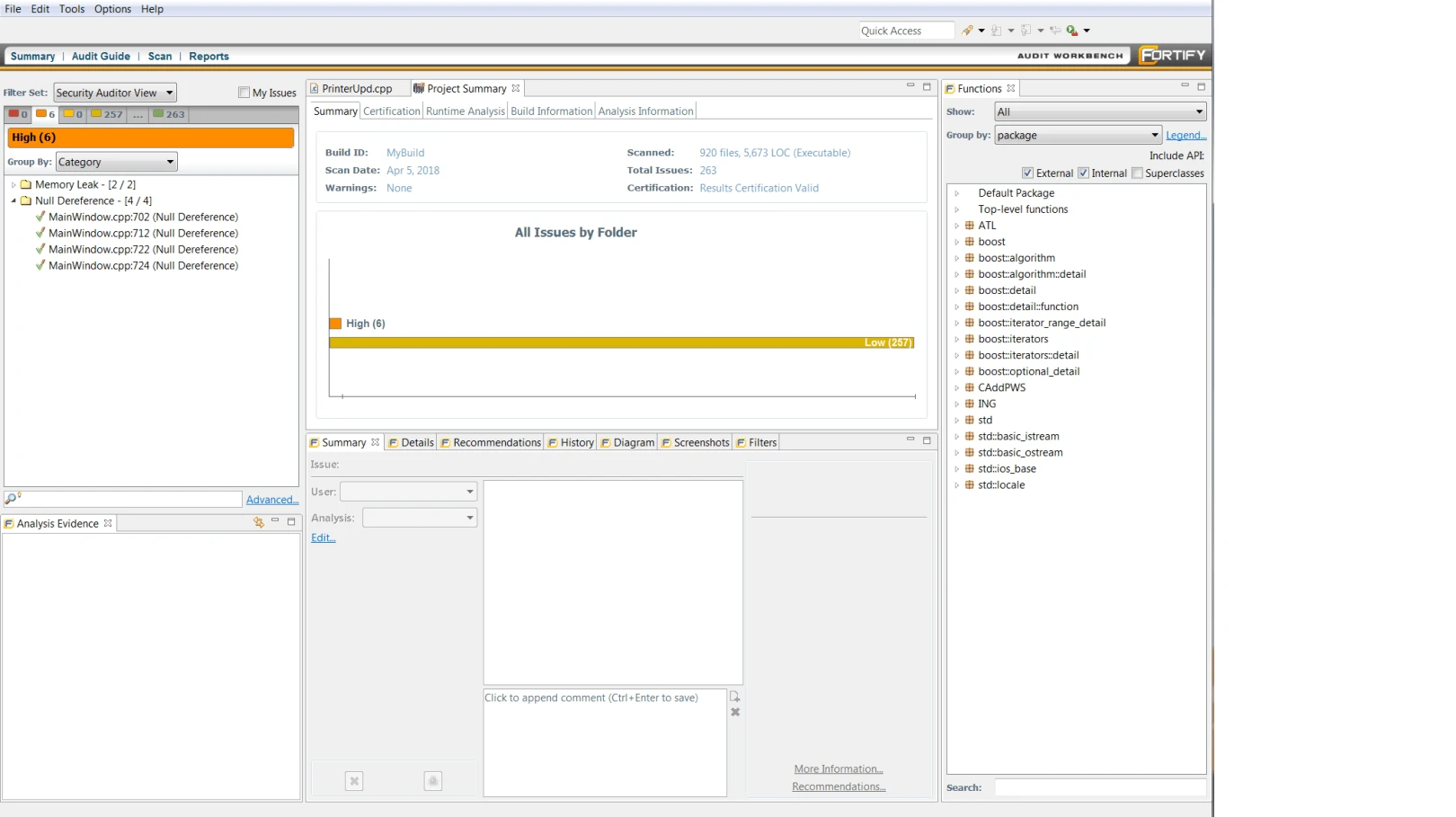
The output is an .fpr (Fortify Project Results) artifact. Engineers triage findings in Fortify Audit Workbench — the desktop client that opens an .fpr file and shows each issue with its taint-analysis trace, CWE mapping, and remediation guidance. From Audit Workbench, results upload to Fortify Software Security Center (SSC) for organization-wide governance. Most enterprise CI/CD pipelines run translate + scan as separate Jenkins or GitHub Actions steps and post the .fpr to SSC automatically.
What are OpenText Fortify’s key features?
Deployment options
Fortify is available in three deployment models:
| Deployment | Description |
|---|---|
| On-premises | Fortify SCA installed locally with full control |
| SaaS | Fortify on Demand (managed cloud service) |
| Hybrid | Combination of on-premises and cloud |
How the engine detects vulnerabilities
The Fortify engine combines several analysis techniques. Its core is rule-based pattern matching for CWEs — Fortify ships a Secure Coding Rulepack with rules tied to CWE identifiers, OWASP Top 10 categories, and compliance frameworks (PCI DSS, HIPAA, FedRAMP). Each rule encodes the source-sink-sanitizer model: where untrusted input enters the program (a source), where it becomes dangerous (a sink), and which functions neutralize the threat (a sanitizer).
On top of pattern matching, Fortify performs taint analysis on proprietary code — it traces tainted data from sources through the program until it reaches sinks, which is how the analyzer flags second-order SQL injection, deserialization chains, and unsafe reflection. Taint propagation requires whole-program visibility, so Fortify analyzes the entire translated build session at once rather than file-by-file. That whole-program view is also what enables cross-file dataflow in source code: a sink in OrderController.java can be linked to a source in RequestParser.java even when they sit in different packages and modules, which is exactly the class of finding that single-file scanners miss.
Language support
Fortify supports a wide range of languages including ABAP/BSP, ActionScript, Apex, ASP.NET, C/C++, C#, Classic ASP, COBOL, ColdFusion, Go, HTML, Java (including Android), JavaScript, JSP, Kotlin, Objective-C, PHP, PL/SQL, Python, Ruby, Swift, T-SQL, VB.NET, VBScript, Visual Basic, and XML.
Note: Beyond source code, Fortify scans infrastructure as code (Terraform, CloudFormation), Docker images, Kubernetes manifests, and serverless function configurations for security misconfigurations.
How do I get started with OpenText Fortify?
- Choose deployment: select between on-premises Fortify SCA, cloud-based Fortify on Demand, or a hybrid approach. Contact OpenText for pricing.
- Configure scanning: integrate Fortify with your build system and IDE. Plugins are available for major IDEs and CI/CD platforms.
- Run analysis: scan your codebase. Fortify analyzes source code and reports findings with severity ratings, CWE mapping, and remediation guidance.
- Review in Fortify Audit Workbench: use the desktop client or web interface to review, triage, and track findings across your projects.
CI/CD and IDE integration
Fortify plugs into most major CI/CD platforms and IDEs. The integration model is scan-as-a-step: developers trigger analysis through the IDE plugin (Visual Studio, Eclipse, IntelliJ) or a build-system hook (Maven, Gradle, MSBuild), and findings route to Fortify Software Security Center (SSC) for triage.
Supported CI/CD surfaces include Jenkins, GitHub Actions, GitLab CI, Azure DevOps, Bamboo, CircleCI, and TeamCity. The Fortify CLI produces FPR (Fortify Project Results) output, and FortifyToSARIF converts it for code-scanning platforms that expect SARIF input. Scans are notably slower than Semgrep or Snyk Code, which is the trade-off for depth: large codebases take hours rather than seconds.
IDE plugins show findings inline with severity, CWE mapping, and remediation guidance. Fortify Aviator’s AI fixes show up in the IDE as suggested edits rather than separate PRs.
Pricing and licensing reality
OpenText does not publish Fortify pricing. Expect an enterprise sales cycle with quotes tied to developer seats, scan volume, and the specific module set (on-premises SCA, Fortify on Demand, Aviator, Software Security Center). Pricing is commonly structured per scanning seat rather than per repository, and public benchmarking against Checkmarx is mostly anecdotal.
Fortify on Demand is the SaaS offering and is the faster deployment path for organizations without the appetite to stand up an on-prem SSC instance. The Fortify Aviator add-on (AI-assisted fixes) is a separate SKU in OpenText’s current catalog.
For a buyer-side view of typical enterprise SAST contract sizes across vendors, see the AppSec tools pricing guide .
Where Fortify fits vs alternatives
Fortify is the right tool when your portfolio has one of these characteristics:
- Legacy enterprise languages. COBOL, ABAP, PL/SQL, Classic ASP, VB6. Most modern SAST (Semgrep, Snyk Code, GitHub CodeQL) doesn’t scan these. Fortify and Checkmarx are the two serious options.
- Compliance-gated regulated industries. Banking, healthcare, government contracting. Fortify’s FedRAMP Moderate authorization and long paper trail of audit acceptance are the reason it’s still bought.
- Air-gapped deployment is required. On-premises Fortify SCA runs in environments disconnected from SaaS, a hard filter that eliminates many modern SAST tools. Offensive360 also runs offline, as a SAST and DAST appliance, but does not document COBOL or ABAP support.
Fortify is not the right tool when:
- Developer adoption is the bottleneck and you want fast PR-gate feedback. Snyk Code or Semgrep return results in seconds; Fortify scans routinely take hours.
- Your stack is 100% modern cloud-native (Go, TypeScript, Python, Rust). CodeQL and Semgrep cover these better with lower TCO.
- You’re a small-to-midsize engineering org without a security team to run SSC. The operational weight of Fortify’s console assumes dedicated AppSec staff.
When to use Fortify
Fortify is built for enterprises that need broad language coverage, including legacy languages like COBOL and ABAP that many modern SAST tools don’t support. Its two-decade track record and deep vulnerability category coverage make it a common choice for regulated industries.
For teams that want lighter-weight or open-source SAST, Semgrep CE or SonarQube offer faster time-to-value. Fortify’s strength is comprehensive enterprise coverage.
For a head-to-head comparison, see the Checkmarx vs Fortify guide.