

Fortify Alternatives: 8 SAST Tools That Replace It in 2026
I tested 8 Fortify alternatives — Checkmarx, Semgrep, Snyk Code, Veracode, Coverity, SonarQube, CodeQL and HCL AppScan — and ranked them by DevEx, language coverage and audit workflow fit.
Top OpenText Fortify Alternatives
View all 36 alternatives →


- Fortify has been in the enterprise SAST market for over a decade, covering 33+ languages with 1,700+ vulnerability categories and COBOL/ABAP support most alternatives lack.
- Semgrep scans in 10-second median CI time with custom rules that look like code; Fortify scans take minutes to hours for deep interprocedural analysis.
- Coverity is TUV SUD certified for safety-critical development (ISO 26262, IEC 61508) and produces fewer false positives than most SAST tools on C/C++ codebases.
- Snyk Code scans in real time inside IDEs with AI fix suggestions from the DeepCode engine — a developer-first approach opposite to Fortify's audit-centric workflow.
- Checkmarx One bundles SAST, SCA, DAST, IaC, containers, API, secrets, and ASPM; Fortify is primarily a SAST tool with IaC scanning under the broader OpenText portfolio.
The best Fortify alternatives in 2026 are Checkmarx, Semgrep, Veracode, SonarQube, and CodeQL. Each offers modern CI/CD integration, faster scan times than Fortify, and flexible deployment options.
Why Look for Fortify Alternatives?
Fortify Static Code Analyzer (SCA) is a commercial SAST tool from OpenText that analyzes source code for security vulnerabilities across 33+ languages and 1,700+ vulnerability categories. It was acquired by OpenText in January 2023 as part of the Micro Focus deal.
Over a decade as a fixture in enterprise AppSec programs made it the default SAST choice for large organizations, especially in government, finance, and defense.
But defaults get questioned, and teams are evaluating alternatives for several practical reasons.
Note: Fortify Static Code Analyzer (SCA) is not the same product as Fortify WebInspect. SCA is SAST; WebInspect is DAST. If you are replacing both, you need two tools — most alternatives here (Semgrep, CodeQL, SonarQube) do not include DAST.
Cost sits at the top of most lists. Fortify is enterprise software priced accordingly, and the licensing model is not transparent.
Organizations paying six figures annually often wonder whether newer tools could deliver comparable coverage for less. The OpenText acquisition of Micro Focus in 2023 made things murkier.
Vendor acquisitions tend to mean pricing changes, product consolidation, and shifting roadmap priorities. Some Fortify customers report slower support response times and worry about the product’s direction under new ownership.
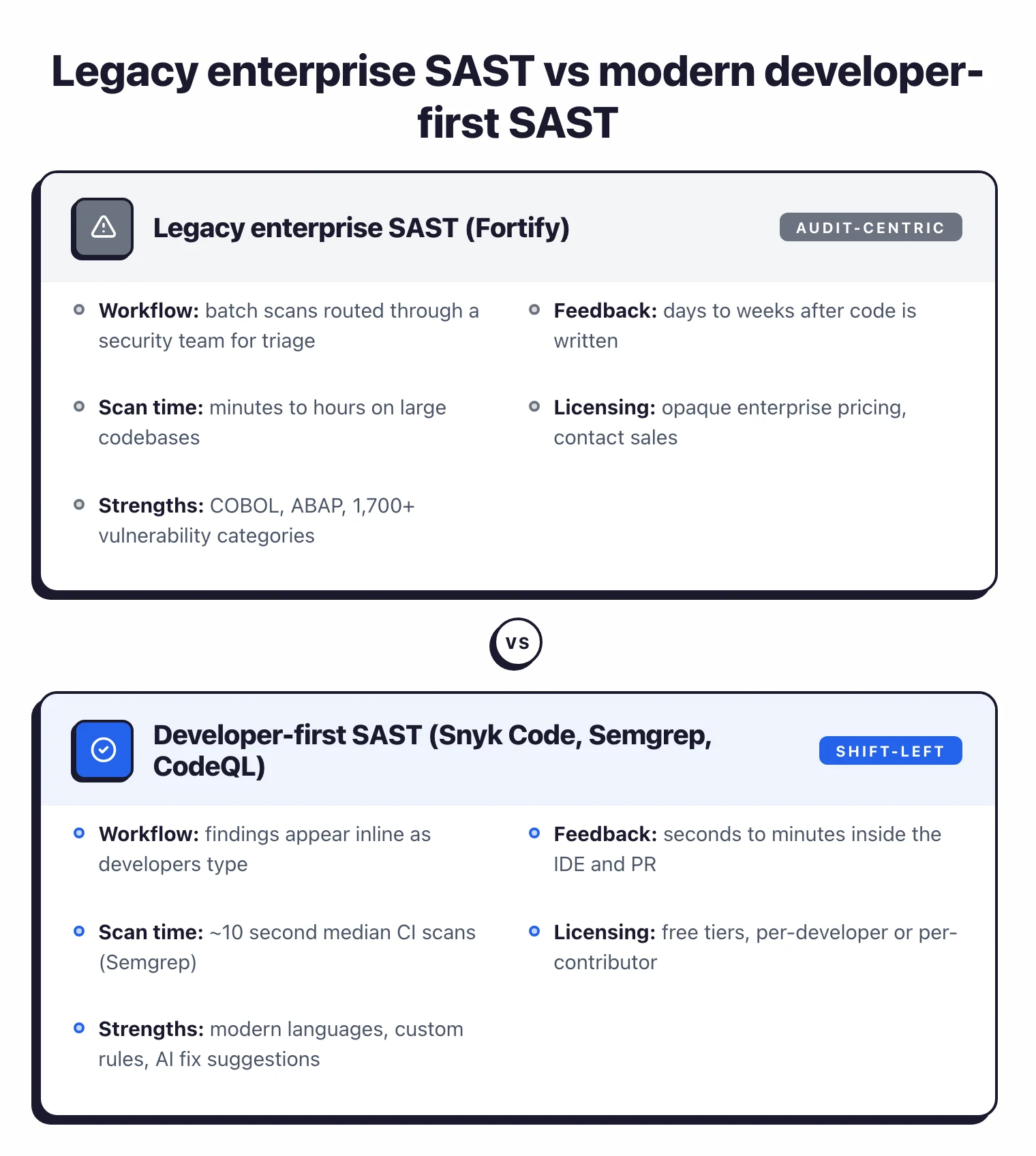
On the technical side, Fortify scans are thorough but slow. Deep interprocedural analysis across large codebases can take hours, which creates friction in CI/CD pipelines where developers expect feedback on pull requests within minutes.
The audit-centric workflow, built around Fortify Audit Workbench, assumes a security team will triage findings before developers see them. That model works in some organizations but clashes with shift-left workflows where developers own their own security findings.
Teams that have moved to modern SAST tools with fast IDE feedback and developer-friendly interfaces often find Fortify’s workflow feels dated.
Key Insight
Fortify alternatives fall into three camps — enterprise-equal (Checkmarx, Veracode, Coverity, HCL AppScan), developer-first (Snyk Code, Semgrep, CodeQL), and quality-plus-security (SonarQube). Pick based on who you are selling the migration to internally.
Top Fortify Alternatives
1. Checkmarx
Checkmarx One is the most direct competitor to Fortify in the enterprise SAST market.
Both target large organizations in regulated industries and both provide deep source code analysis with taint tracking. Where Checkmarx pulls ahead is platform breadth.
Checkmarx One bundles SAST, SCA, DAST, IaC security, container scanning, API security, and secrets detection, with an ASPM layer that correlates findings across all scanners.
The ASPM prioritization is worth calling out. Fortify generates thousands of findings on large codebases, and teams spend real time triaging what matters.
Checkmarx’s ASPM layer uses business context and exploitability data to surface the findings that actually pose risk, which helps with the noise problem Fortify users know well. Checkmarx supports 35+ languages, slightly broader than Fortify’s coverage.
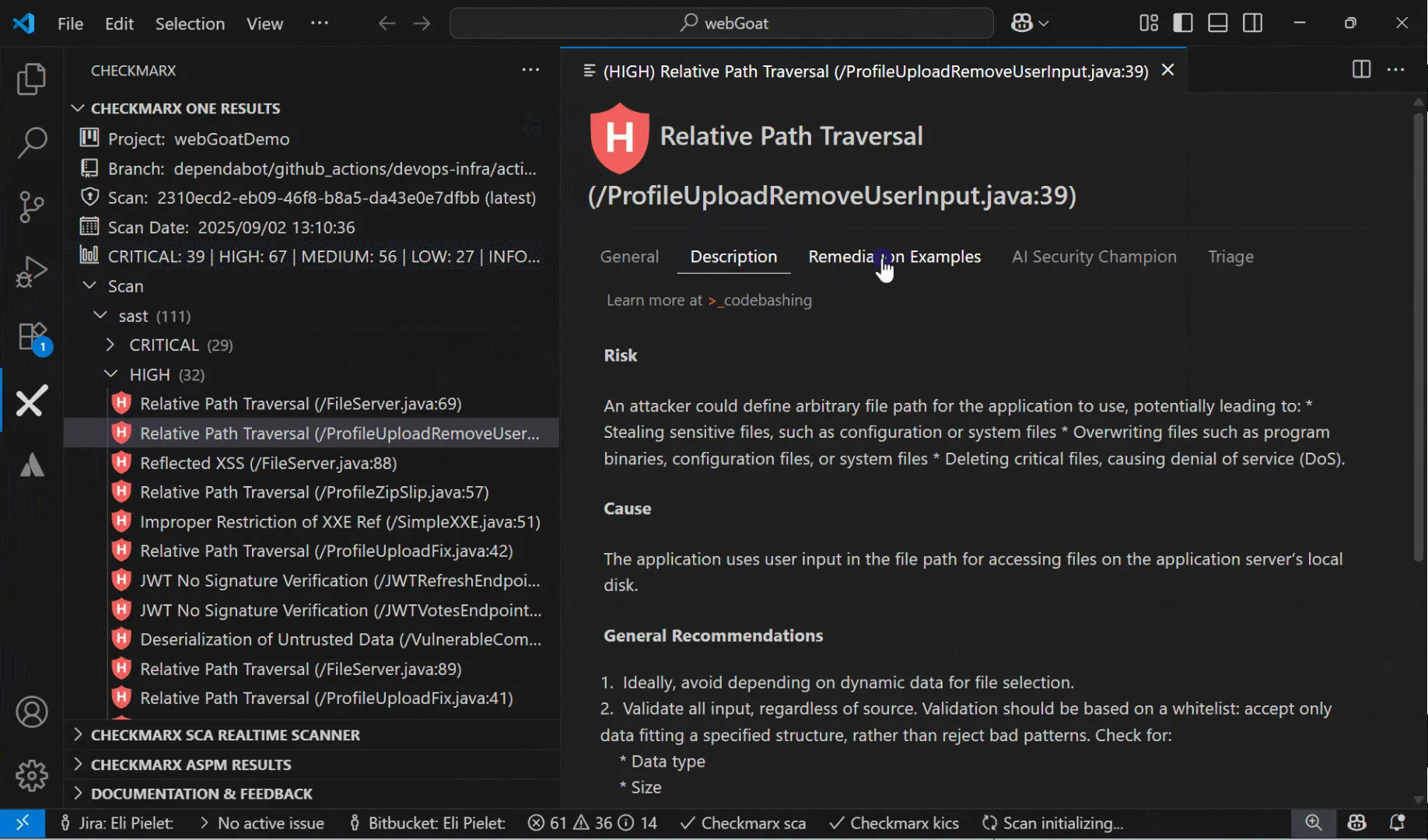
Best for: Enterprise teams that want a unified AppSec platform covering SAST, SCA, DAST, and more. License: Commercial Key difference: Full application security suite with ASPM prioritization. Similar enterprise positioning to Fortify but with broader scanning coverage.
Pro tip: If your migration case rests on Fortify SSC reporting, Checkmarx One is the closest functional replacement — its ASPM layer fills the same security-team triage role as Fortify Audit Workbench.
2. Semgrep
Semgrep reset expectations for what a SAST scanner should feel like. Its rule syntax mirrors the code you are scanning for, so writing a custom detection takes minutes rather than the days required with Fortify’s custom rule framework.
Semgrep Community Edition (CE) covers 30+ languages and completes scans in seconds. The median CI scan time for Semgrep on a mid-sized repository is around 10 seconds, a different order of magnitude from Fortify’s interprocedural scans.
Semgrep Code adds cross-file dataflow analysis, taint tracking, and a managed rule registry with rules maintained by Semgrep’s security research team. Semgrep Supply Chain handles SCA, and Semgrep Secrets detects hardcoded credentials.
The CLI-first workflow fits naturally into CI/CD pipelines, and the web dashboard gives security teams visibility without requiring a heavyweight server deployment.
The trade-off is clear: Semgrep does not support legacy languages like COBOL or ABAP, and Semgrep CE is limited to single-file analysis. For organizations running modern language stacks where speed and customization matter more than legacy language support, Semgrep is the strongest alternative to Fortify.
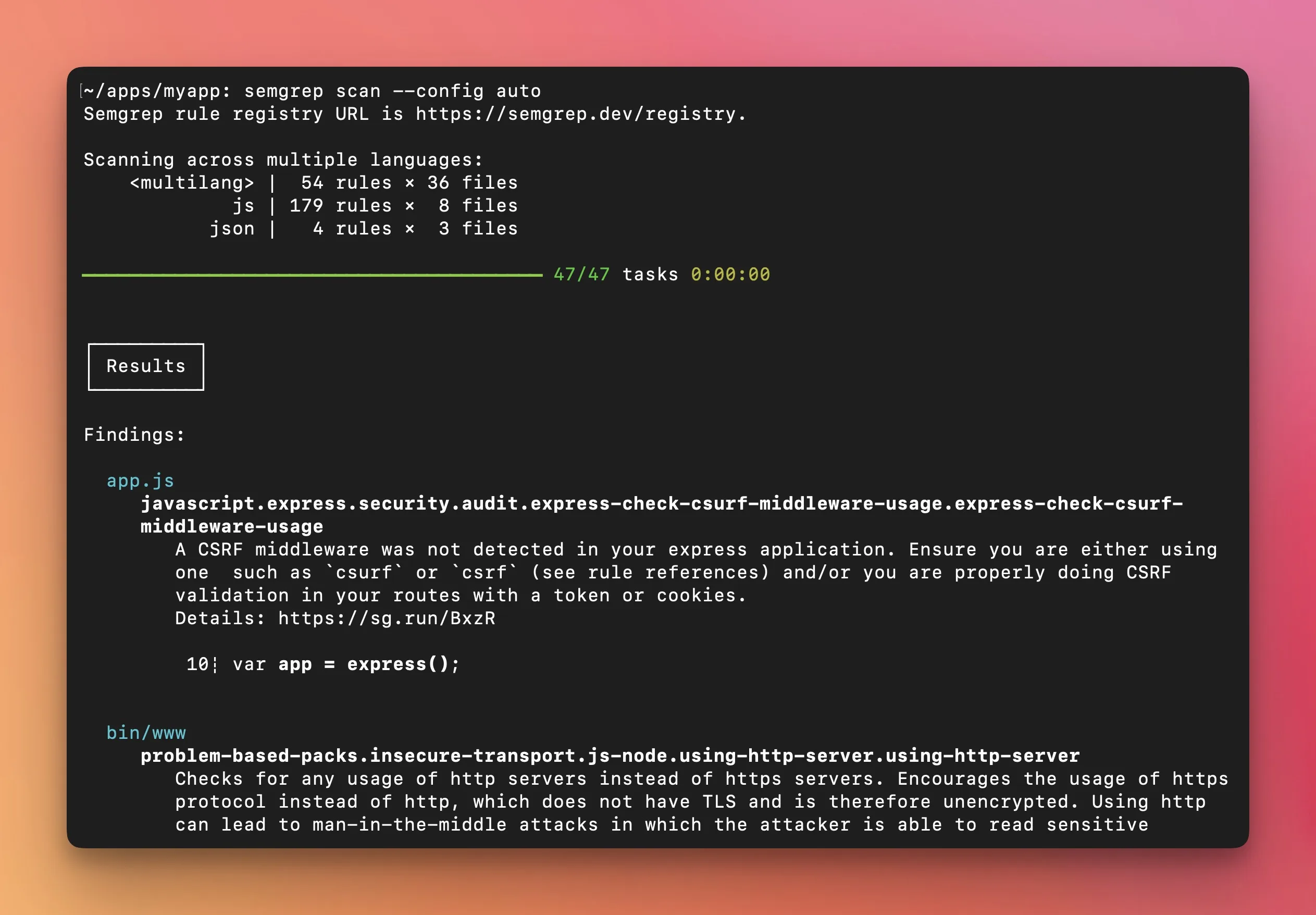
Best for: Security-focused teams that want fast scans, easy custom rules, and a modern CLI-first workflow. License: Open-source (LGPL-2.1) with commercial Semgrep Code tier Key difference: Pattern-matching rules that look like code. 10-second median CI scans versus Fortify’s longer analysis times.
Pro tip: For developer-first teams, Semgrep Pro covers most modern-language rules with custom syntax that looks like the code being scanned — write new detections in minutes instead of days.
3. Coverity
Coverity is a commercial SAST tool from Black Duck Software (formerly Synopsys Software Integrity) that performs deep interprocedural dataflow analysis across 22 languages and 200+ frameworks. It has particular strength in C/C++ and Java, at a depth that rivals Fortify’s own engine.
The tool is TUV SUD certified for safety-critical development under ISO 26262 and IEC 61508, which is why it became the standard in automotive, aerospace, and industrial applications.
Where Coverity differs from Fortify is precision. Coverity consistently produces fewer false positives than most SAST tools, and on large codebases that matters a lot.
If you spend half your triage time dismissing false positives in Fortify, you will notice the difference.
Coverity is now part of Black Duck Software (formerly Synopsys Software Integrity), which also offers SCA through Black Duck SCA.
For teams where C/C++ is a significant part of the codebase, Coverity is often the first alternative evaluated. Fortify handles C/C++ adequately, but Coverity’s analysis depth in these languages is hard to match.
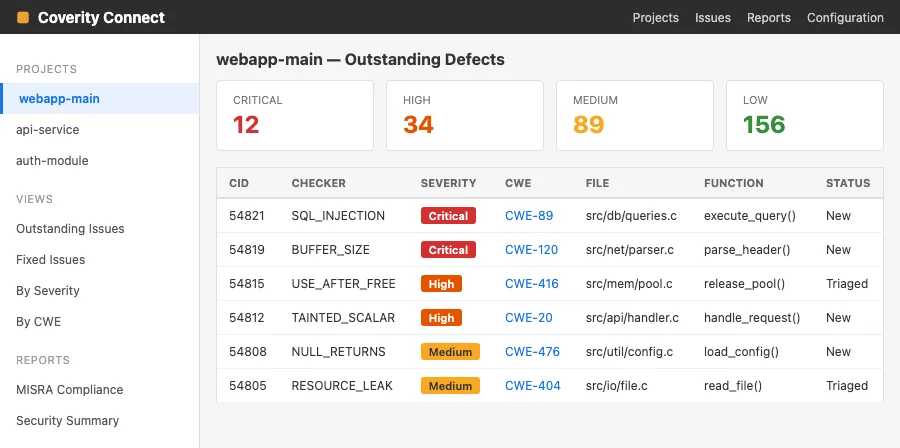
Best for: Enterprise teams with large C/C++ or Java codebases that need precise, low-false-positive analysis. License: Commercial Key difference: Deepest interprocedural analysis available. Safety-certified for automotive and industrial use.
4. Snyk Code
Snyk Code takes the opposite approach to Fortify’s audit-centric model. Instead of running batch scans and routing findings through a security team, Snyk Code scans in real time inside the developer’s IDE.
Findings appear as developers type, and the DeepCode AI engine generates fix suggestions trained on millions of real-world code patches.
This developer-first workflow reduces the feedback loop from days to seconds. Fortify’s model assumes developers will receive a list of findings after the security team has triaged them.
Snyk Code assumes developers should see and fix issues during development, before code is even committed. For organizations trying to shift security left, that is a different operating model.
Snyk Code supports 20+ languages and integrates with VS Code, IntelliJ, and other popular IDEs. As part of the broader Snyk platform, it connects to Snyk Open Source (SCA), Snyk Container, and Snyk IaC.
A free tier exists for individual developers and small teams.
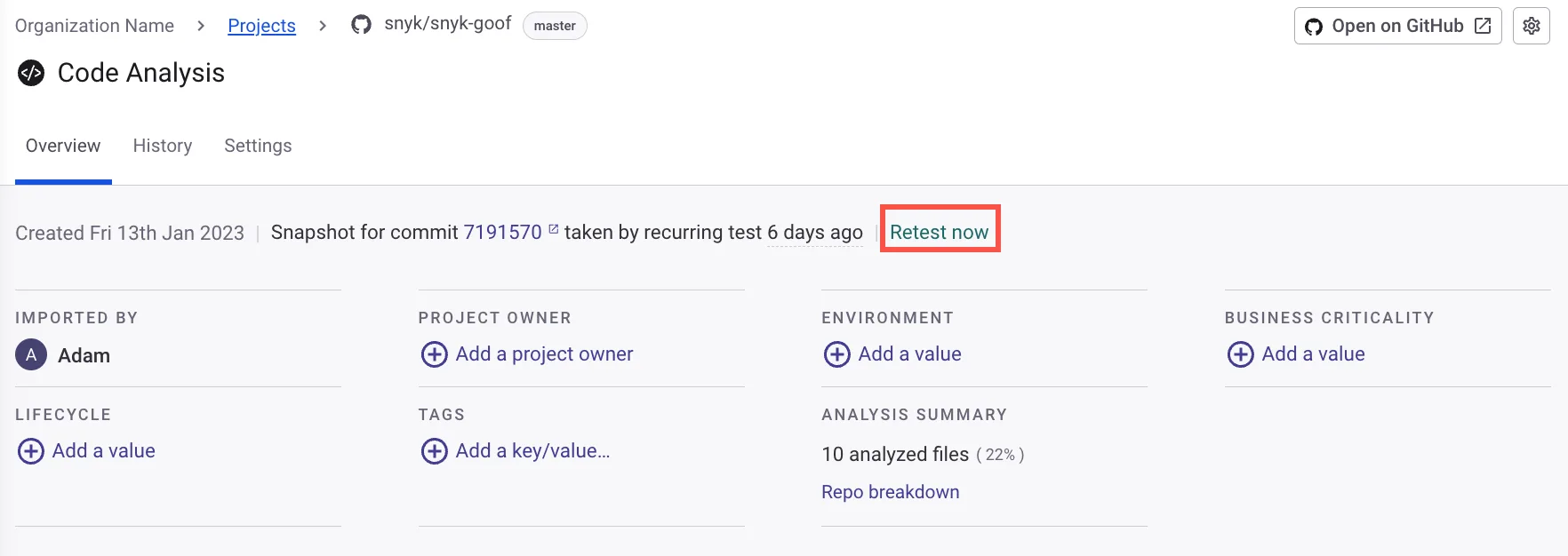
Best for: Developer teams that want inline IDE feedback with AI-generated fix suggestions. License: Commercial (free tier available) Key difference: Real-time IDE scanning with AI fix suggestions. Developer-first approach versus Fortify’s security-team-first model.
5. SonarQube
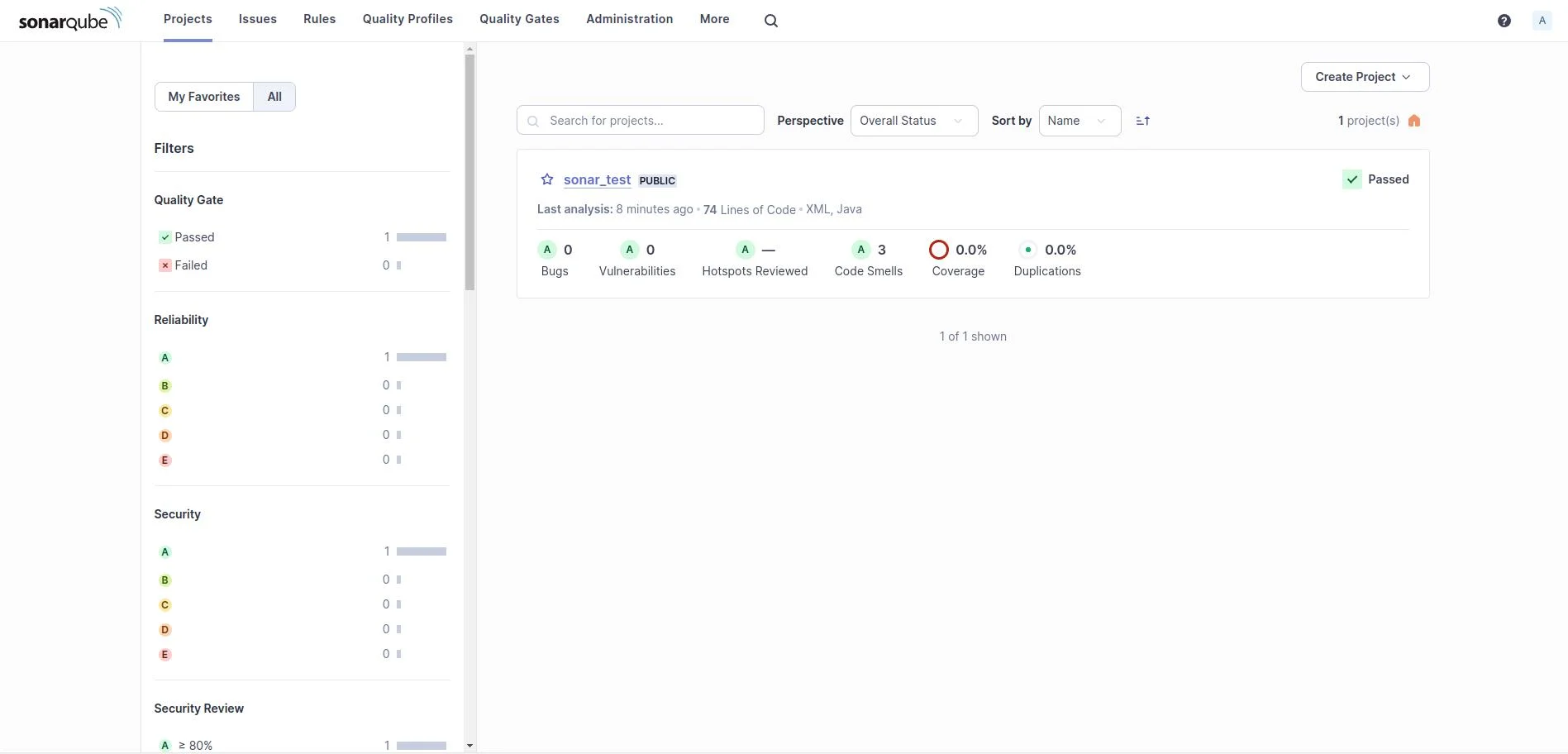
SonarQube occupies a different niche than Fortify. Where Fortify focuses exclusively on security vulnerabilities, SonarQube combines code quality analysis (bugs, code smells, duplication, complexity) with security scanning across 35+ languages and 6,000+ rules.
The free Community Edition covers basic security rules for 19 languages. Paid tiers unlock taint analysis, branch analysis, and PR decoration.
The quality gate system is SonarQube’s strongest feature for CI/CD integration. You define pass/fail criteria for code quality and security metrics, and the pipeline blocks merges that do not meet the bar.
Fortify does not have an equivalent code quality dimension. For teams that want a single tool covering both quality and security, SonarQube removes the need for two separate tools.
SonarQube is not as deep on security as Fortify. The Community Edition lacks taint analysis entirely, and even the paid tiers do not match Fortify’s 1,700+ vulnerability categories.
But for many teams, SonarQube’s combination of quality and security at a lower price point is a better fit than Fortify’s security-only depth.
Best for: Teams that want code quality and security analysis together with quality gates. License: Free Community Edition / Commercial Key difference: Combines code quality metrics with security scanning. Free Community Edition covers basic needs.
6. Veracode SAST
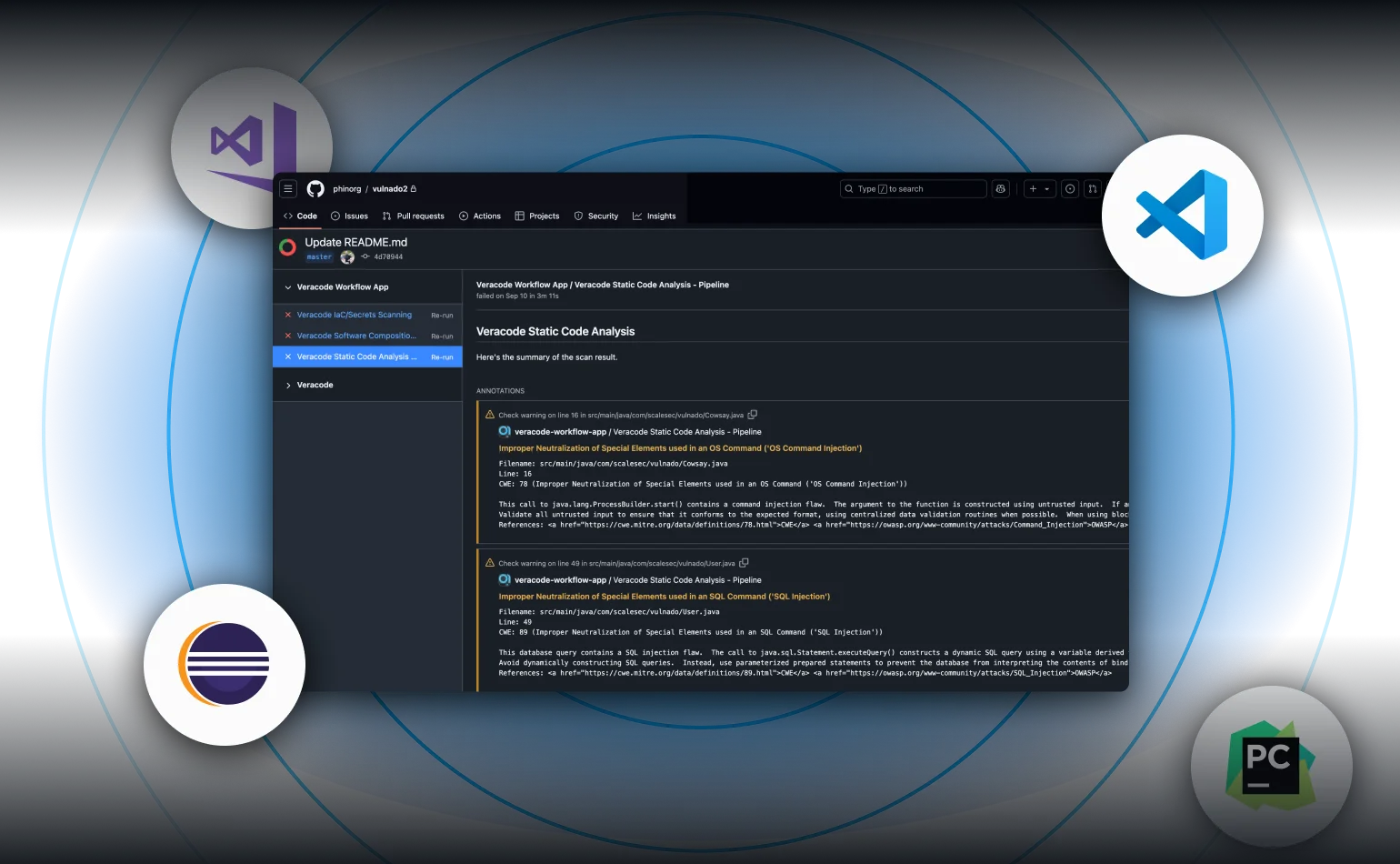
Veracode is Fortify’s longest-standing enterprise rival. Both serve regulated industries and both offer deep analysis across broad language sets.
The differentiator is Veracode’s binary analysis approach. You upload compiled bytecode rather than source code, which means the vendor never sees your source.
For organizations where source code confidentiality is a compliance requirement, this matters.
Veracode Pipeline Scan returns results in under 90 seconds for CI/CD integration, which is faster than Fortify’s full scan times on comparable codebases. The full platform scan provides deeper analysis for release gates.
Veracode supports 100+ languages and frameworks, tripling Fortify’s language count.
Veracode also bundles DAST, SCA, and manual penetration testing under one platform. Fortify pairs with WebInspect for DAST, but the integration is looser than Veracode’s unified approach.
Teams looking for a single vendor covering multiple testing types may find Veracode’s platform more cohesive.
Best for: Enterprise teams wanting cloud-based SAST without managing scanning infrastructure. License: Commercial Key difference: Binary analysis that does not require source code access. Unified SAST+DAST+SCA platform.
7. GitHub CodeQL
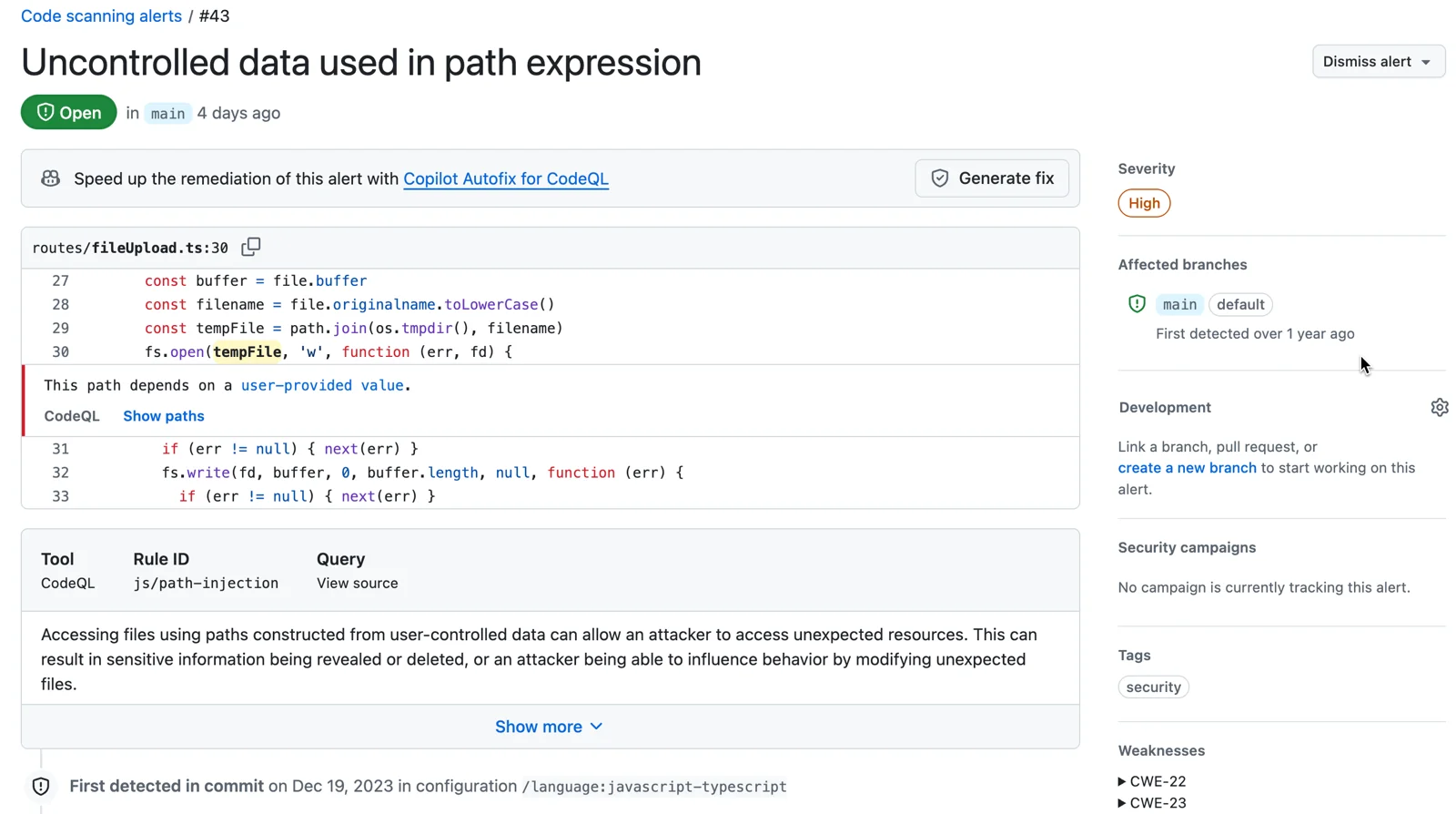
CodeQL works differently from most SAST tools. It builds a database representation of your codebase and lets you write queries against it using a purpose-built query language called QL.
This enables deep dataflow and taint tracking across 12 supported languages, with enough precision to detect complex vulnerability patterns that simpler pattern-matching tools miss.
For teams already on GitHub, CodeQL is the path of least resistance. It runs as a GitHub Action, stores results in the Security tab, and requires zero additional infrastructure.
Public repositories get CodeQL for free. Private repositories need GitHub Advanced Security, which is a per-committer license.
The limitation is language coverage. CodeQL supports 12 languages compared to Fortify’s 33+.
If your stack is covered, CodeQL’s detection quality is excellent. If you need COBOL, ABAP, or other legacy languages, CodeQL is not an option.
Custom queries are powerful but require learning the QL language, which has a steeper learning curve than Semgrep’s pattern syntax.
Best for: Teams on GitHub that want deep semantic analysis with native platform integration. License: Free (public repos), commercial (private repos via GitHub Advanced Security) Key difference: Semantic query language for custom vulnerability patterns. Free for open-source projects.
8. HCL AppScan
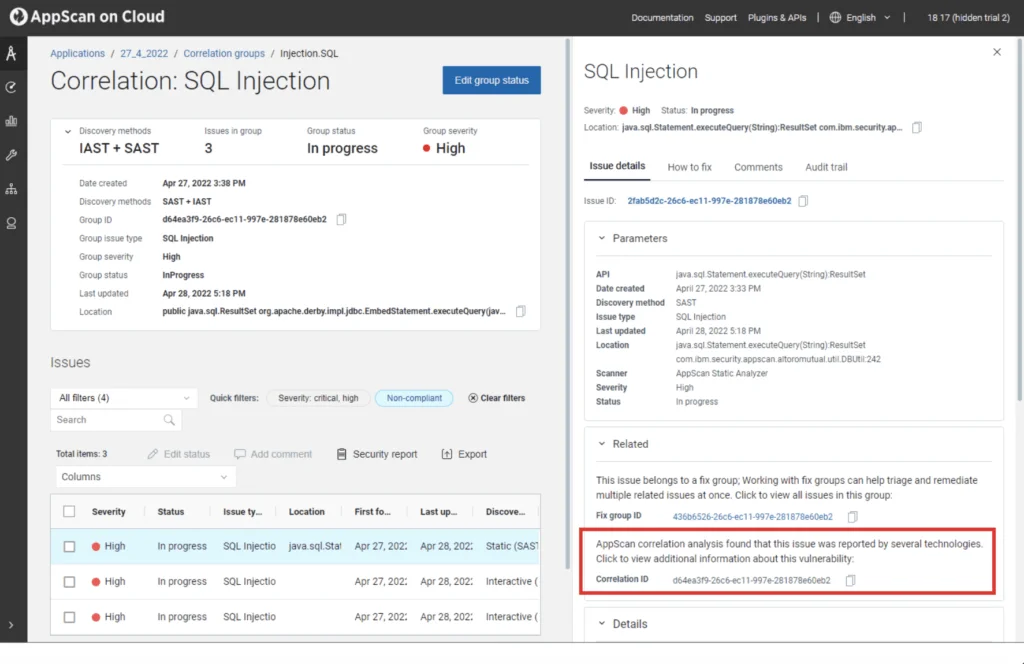
HCL AppScan carries forward IBM AppScan, which HCL acquired in 2019. It combines SAST, DAST, IAST, and SCA in the AppScan 360 platform.
The free CodeSweep IDE extension provides basic SAST scanning at no cost, which is unusual for a commercial vendor.
AppScan supports 30+ languages with RapidFix AI for automated remediation suggestions. The platform offers both cloud and on-premises deployment, matching Fortify’s flexibility.
For organizations in federal government and defense, AppScan holds relevant compliance certifications including FIPS 140-2.
Teams migrating from IBM AppScan will find a familiar interface and workflow. For Fortify users, AppScan represents a comparable enterprise offering at what is typically a lower price point, though with less depth in legacy language support.
Best for: Enterprise teams migrating from IBM AppScan or needing FIPS 140-2 compliance. License: Commercial (CodeSweep free IDE extension) Key difference: Full AppSec platform with on-premises deployment and federal compliance certifications.
Feature Comparison
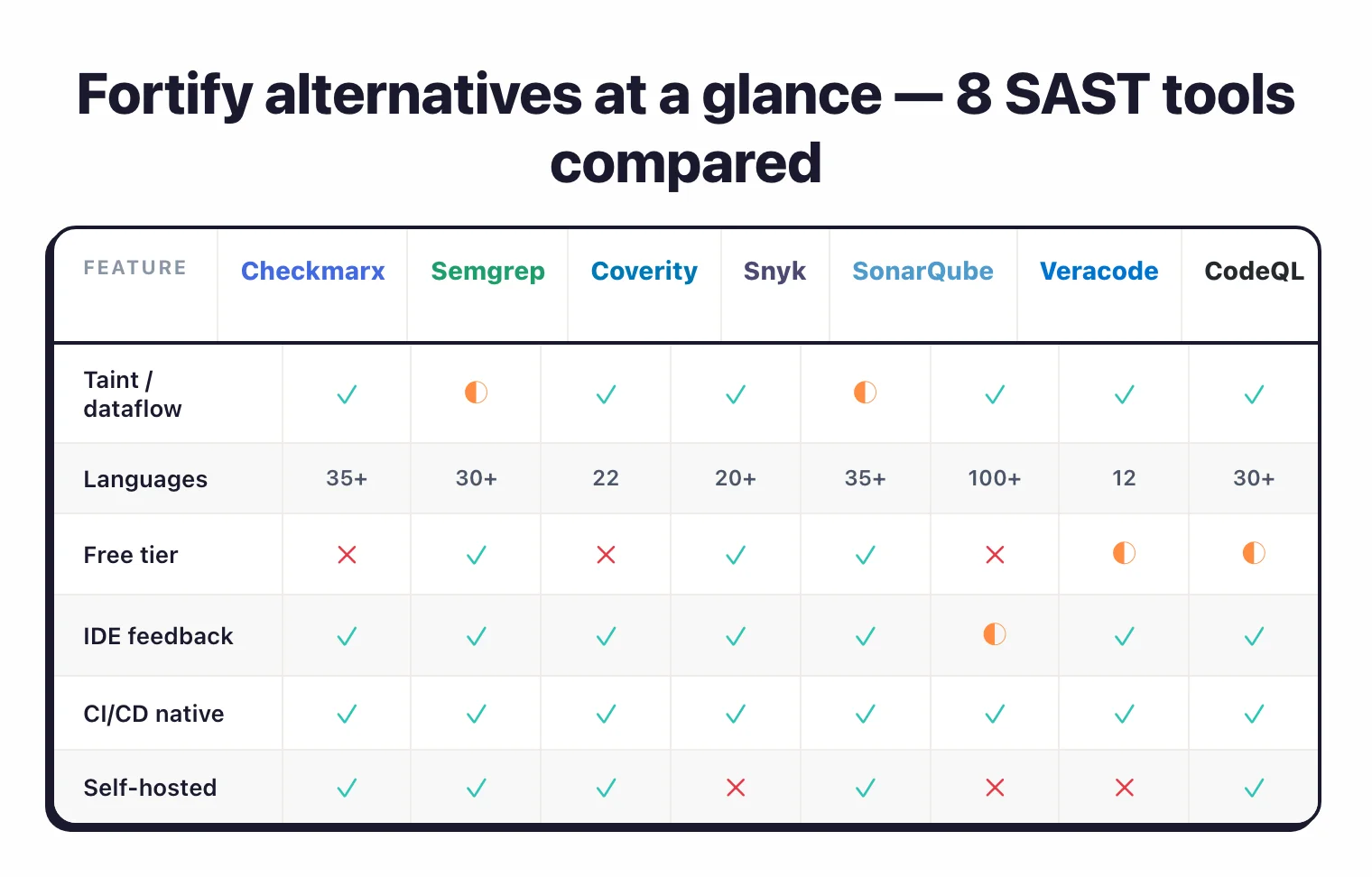
| Feature | Fortify SCA | Checkmarx | Semgrep | Coverity | Snyk Code | SonarQube | Veracode | CodeQL |
|---|---|---|---|---|---|---|---|---|
| License | Commercial | Commercial | CE/Commercial | Commercial | Commercial (free tier) | Free CE/Commercial | Commercial | Free (public)/Commercial |
| Languages | 33+ | 35+ | 30+ | 22 | 20+ | 35+ | 100+ | 12 |
| Taint analysis | Yes | Yes | Semgrep Code | Yes | Yes | Paid tiers | Yes | Yes |
| Custom rules | Yes | Yes | Core feature | Yes | No | Limited | No | Yes (QL) |
| AI fix suggestions | Aviator | Yes (Assist) | No | No | Yes (DeepCode) | AI CodeFix | Veracode Fix | No |
| Self-hosted | Yes | Yes | Yes | Yes | No | Yes | No (cloud) | No |
| Legacy languages | COBOL, ABAP | Limited | No | Limited | No | No | COBOL, VB6 | No |
| IaC scanning | Yes | Yes | Yes | No | Via Snyk IaC | Limited | No | No |
When to Stay with Fortify
Fortify still makes sense in several scenarios:
- You have legacy language codebases. Fortify’s COBOL, ABAP, and Visual Basic support is unmatched by most modern SAST tools. If these languages are in production, your alternatives are limited.
- You need flexible deployment. The combination of on-premises, SaaS (Fortify on Demand), and hybrid deployment gives regulated organizations options that cloud-only tools cannot match.
- Compliance requires a proven track record. Over a decade of enterprise deployments in government, defense, and financial services carries weight with auditors and procurement teams in regulated industries.
- You rely on deep vulnerability categorization. Fortify’s 1,700+ vulnerability categories and detailed CWE mapping provide the depth that compliance-driven security programs need.
- Your team has invested in Fortify customization. Custom rules, tuned scan configurations, and integration with Fortify Audit Workbench represent significant institutional knowledge.
Browse AppSec Santa’s full SAST tools category for more reviews and comparisons.
Frequently Asked Questions
What is the best free Fortify alternative?
Can Semgrep replace Fortify?
Which Fortify alternative is best for C/C++ code?
Do Fortify and its alternatives publish pricing?
What happened to Fortify after the OpenText acquisition?

Founder, AppSec Santa
Years in application security. Reviews and compares 209 AppSec tools across 11 categories to help teams pick the right solution. More about me →