
Best Secret Scanning Tools 2026: 11 Reviewed Picks
Independent ranking — no vendor pays to appear here. See methodology.
Compare 11 secret scanning tools — Gitleaks, TruffleHog, GitGuardian, Cycode, Kingfisher and more. Pre-commit setup, CI/CD integration, and how to pick.
At a glance
The best secret scanning tools in 2026: Gitleaks, TruffleHog, GitGuardian, Cycode, Detect-Secrets, and Kingfisher. I compared 11 reviewed picks on detection coverage, credential verification, scan targets beyond git, and pre-commit and CI/CD fit. No vendor paid to appear on this page.
- Best for pre-commit and CI: Gitleaks — single Go binary, 150+ secret types, scans staged changes in milliseconds
- Best credential verification: TruffleHog — 800+ detectors that call the issuing API to confirm a secret is still active
- Best managed platform: GitGuardian — real-time monitoring of 500+ secret types across GitHub, GitLab, Bitbucket, Slack, and Jira
- Best ASPM-integrated option: Cycode — public and private repo monitoring plus IDE, pull request, ticketing, documentation, and messaging coverage
- Best incremental adoption: Detect-Secrets — baseline file blocks only new secrets in legacy codebases
- Best validation and revocation in one binary: Kingfisher — 942 rules, live API validation, and
kingfisher revokefrom the CLI
Secret scanning tools detect hardcoded credentials, API keys, passwords, and tokens in source code and git history. They form one layer of a broader application security program .
The top open-source picks for 2026 are Gitleaks for fast pre-commit blocking, TruffleHog for live credential verification, and detect-secrets for legacy codebases. GitGuardian leads the managed platform tier, while Cycode puts secrets detection inside a wider ASPM platform.
Why Secret Scanning Matters
Once an AWS key, database password, or API token lands in a commit, it stays in git history permanently. Anyone who clones the repo gets the secret — including every fork, every CI runner, and every backup of every fork.
Deleting the file in a later commit does not remove it. Anyone with read access to the repository can extract that secret from the commit log.
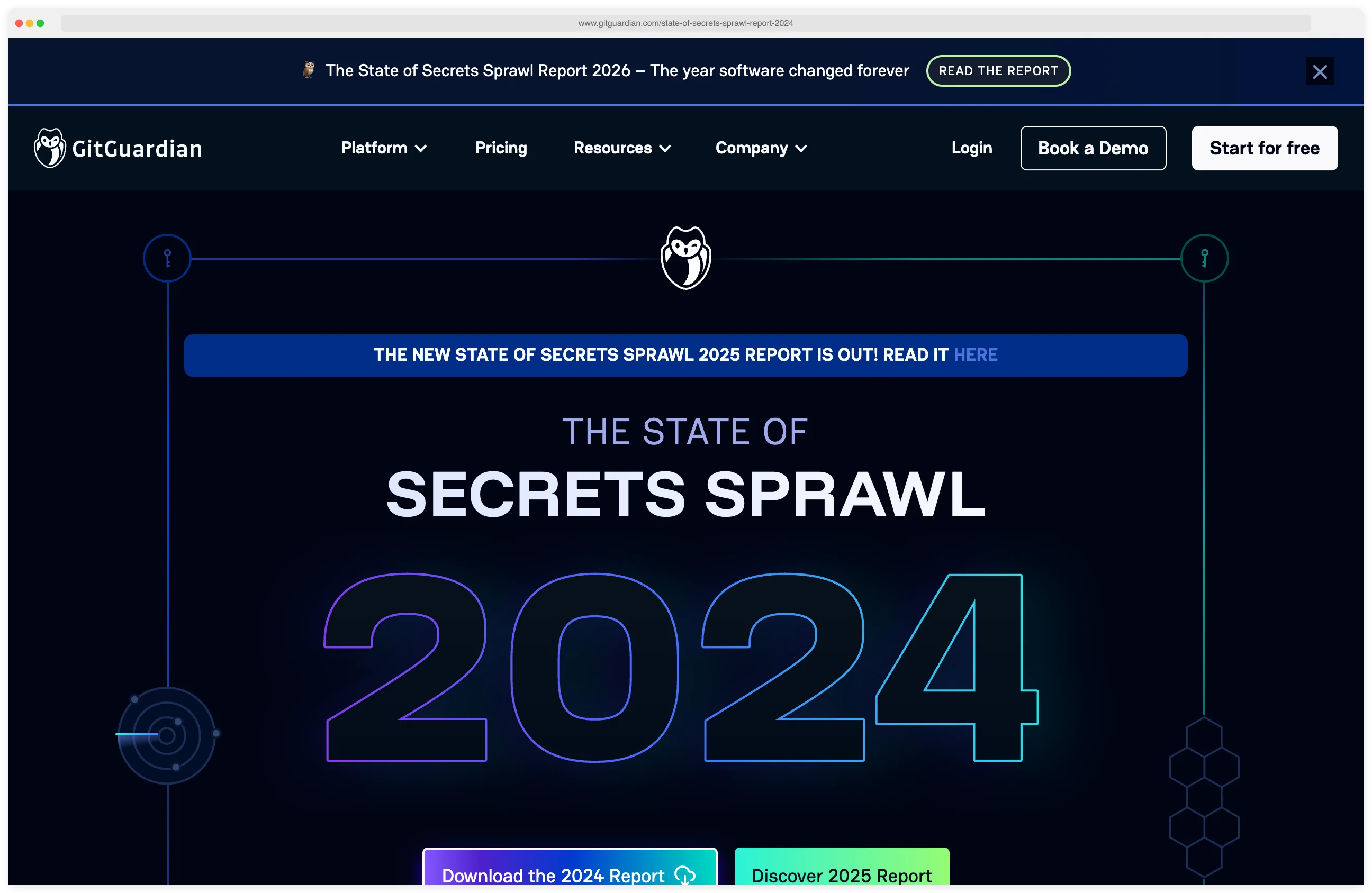
According to GitGuardian’s 2024 State of Secrets Sprawl report, 12.8 million new secrets were exposed in public GitHub commits in 2023 — a 28% jump over the prior year — and more than 1 in 10 commit authors leaked at least one credential.
That is roughly 8 million commits in a single year that pushed at least one secret into a public repository. Each leaked credential is a potential entry point for attackers.
The trend has since accelerated: the 2026 edition of the same report counts 28.65 million new secrets in 2025. Full breakdown in my Secrets Sprawl Statistics .
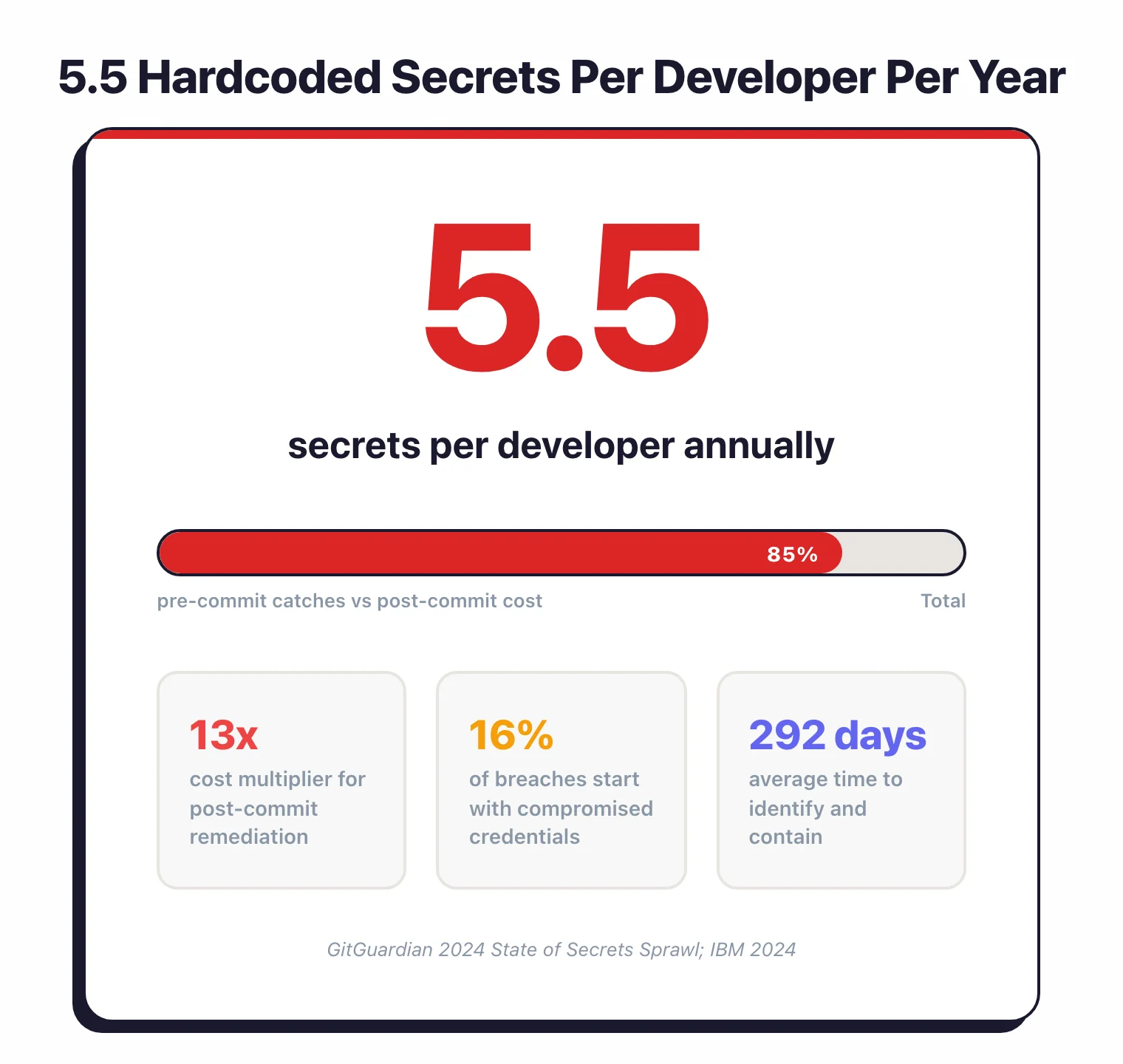
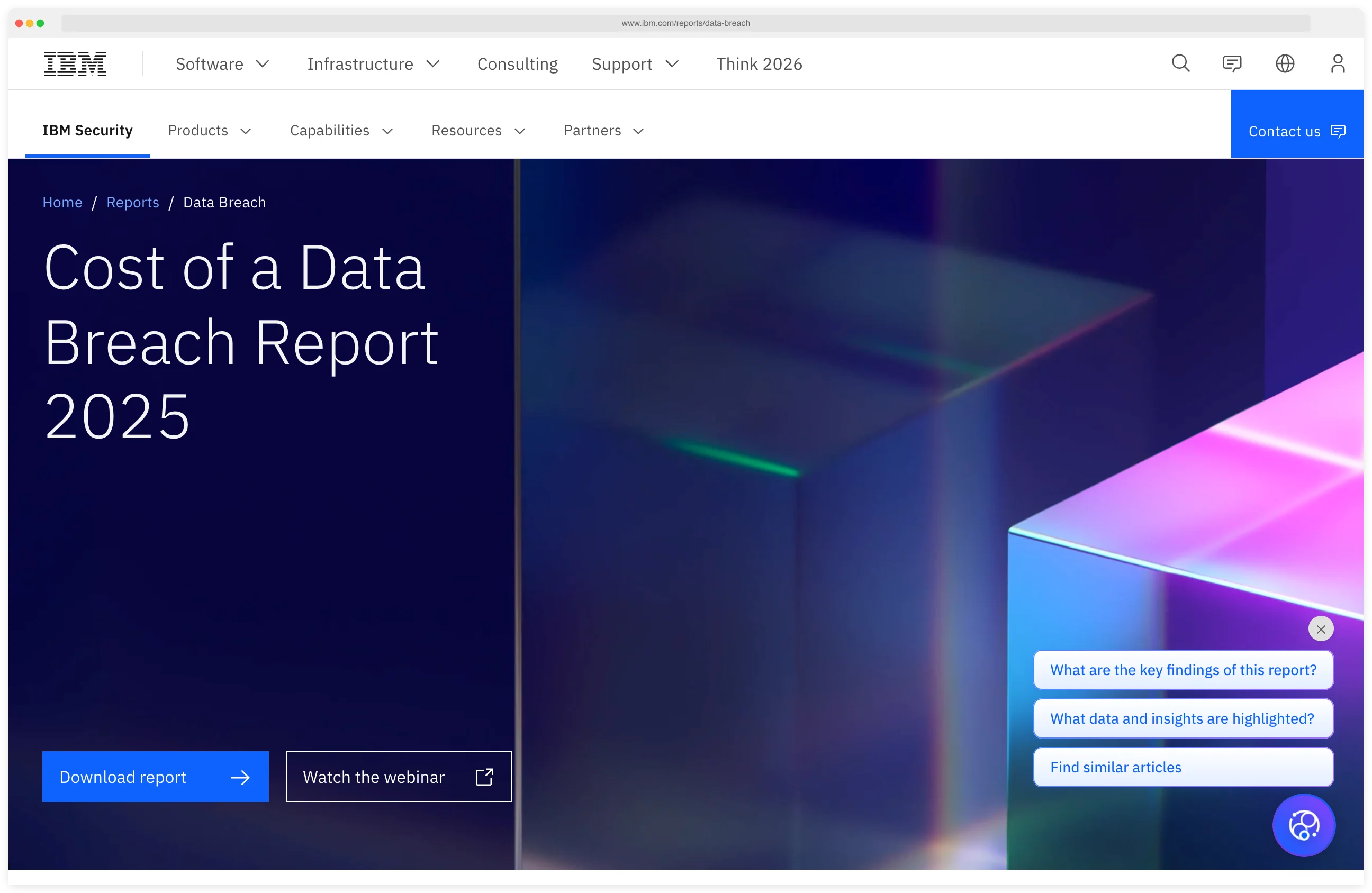
The financial impact is severe. IBM’s Cost of a Data Breach reports have consistently identified compromised credentials as a top initial attack vector, with the 2024 edition finding them in 16% of breaches — and those credential-initiated breaches took an average of 292 days to identify and contain, longer than any other vector.
The 2025 edition puts the global average breach cost at $4.44 million (down 9% from $4.88 million the year before), and stolen credentials remain a top initial access vector in the 2025 Verizon DBIR as well.
Note: Git history cannot be "unwound" by deleting the file in a later commit — the secret still lives in every clone and fork. If a credential reaches the repository, treat it as compromised and rotate it at its source (AWS IAM, GitHub, database, etc.). Tools like git filter-repo can rewrite history, but every collaborator must re-clone and every cached copy on CI runners is still exposed.
Remediation timing matters more than most teams realize. Catching a secret in a pre-commit hook costs minutes of developer time.
Catching the same secret after it reaches a public repository costs incident response, credential rotation, access log auditing, and potentially customer notification.
Industry estimates put post-commit remediation at 13x the cost of pre-commit detection.
The bottom line: secret scanning belongs at two points in your workflow. First, as a pre-commit hook that blocks secrets before they enter git history.
Pre-commit hook: a git hook that runs locally before each commit is recorded, letting a scanner inspect staged changes and reject the commit if it contains detected secrets.
Second, as a CI/CD pipeline step that catches anything the pre-commit hook missed.
Pick your next step
Gitleaks vs TruffleHog head-to-head
Pre-commit speed vs live credential verification — see which one fits your CI/CD shape and which to run together.
→Evaluate the managed option
GitGuardian review — 500+ secret types, public-leak monitoring, and a dashboard your security team can audit.
→Pair secret scanning with SAST
9 free SAST scanners that catch the bugs your secret tool can't — Semgrep, SonarQube CE, Bandit, Brakeman, more.
→Top Secret Scanning Tools
1. Gitleaks
Gitleaks is the most widely adopted open-source secret scanner with ~27,700 GitHub stars. Written in Go, it runs as a single binary with no external dependencies.
Gitleaks uses regex patterns defined in a TOML configuration file to detect 150+ secret types including AWS keys, GitHub tokens, Slack webhooks, and database credentials. Some detectors also apply entropy analysis, a statistical measure of randomness that flags high-entropy strings matching the profile of a real credential.
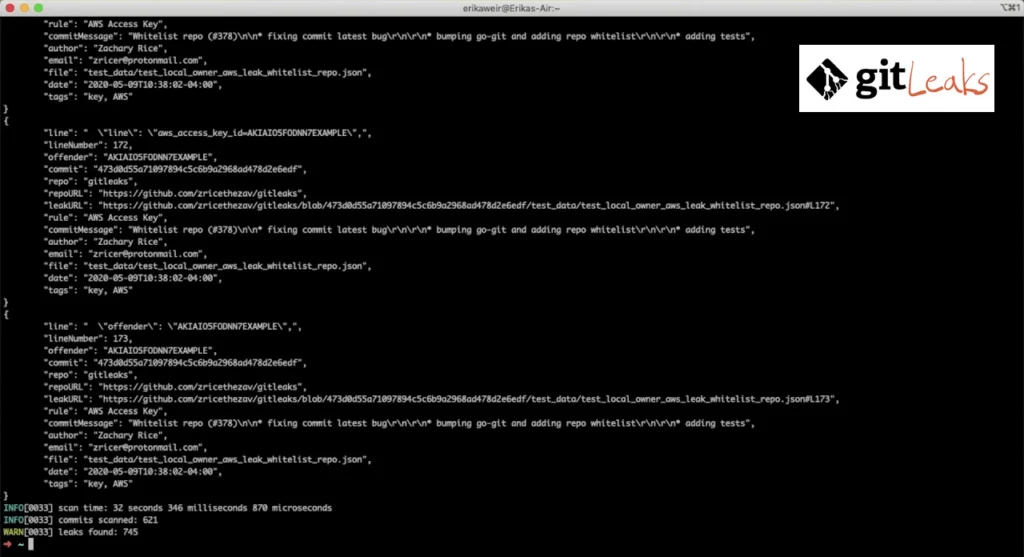
Most teams run Gitleaks as a pre-commit hook. It scans staged changes in milliseconds, blocking secrets before they reach the repository.
The tool also scans entire git history, directories, and files. Output formats include JSON, CSV, JUnit, and SARIF — the Static Analysis Results Interchange Format, an OASIS standard for reporting scanner findings that GitHub Advanced Security ingests natively.
Since v8.28.0, composite rules let you combine primary and auxiliary detection patterns with proximity constraints. This reduces false positives by flagging secrets only when they appear near related identifiers.
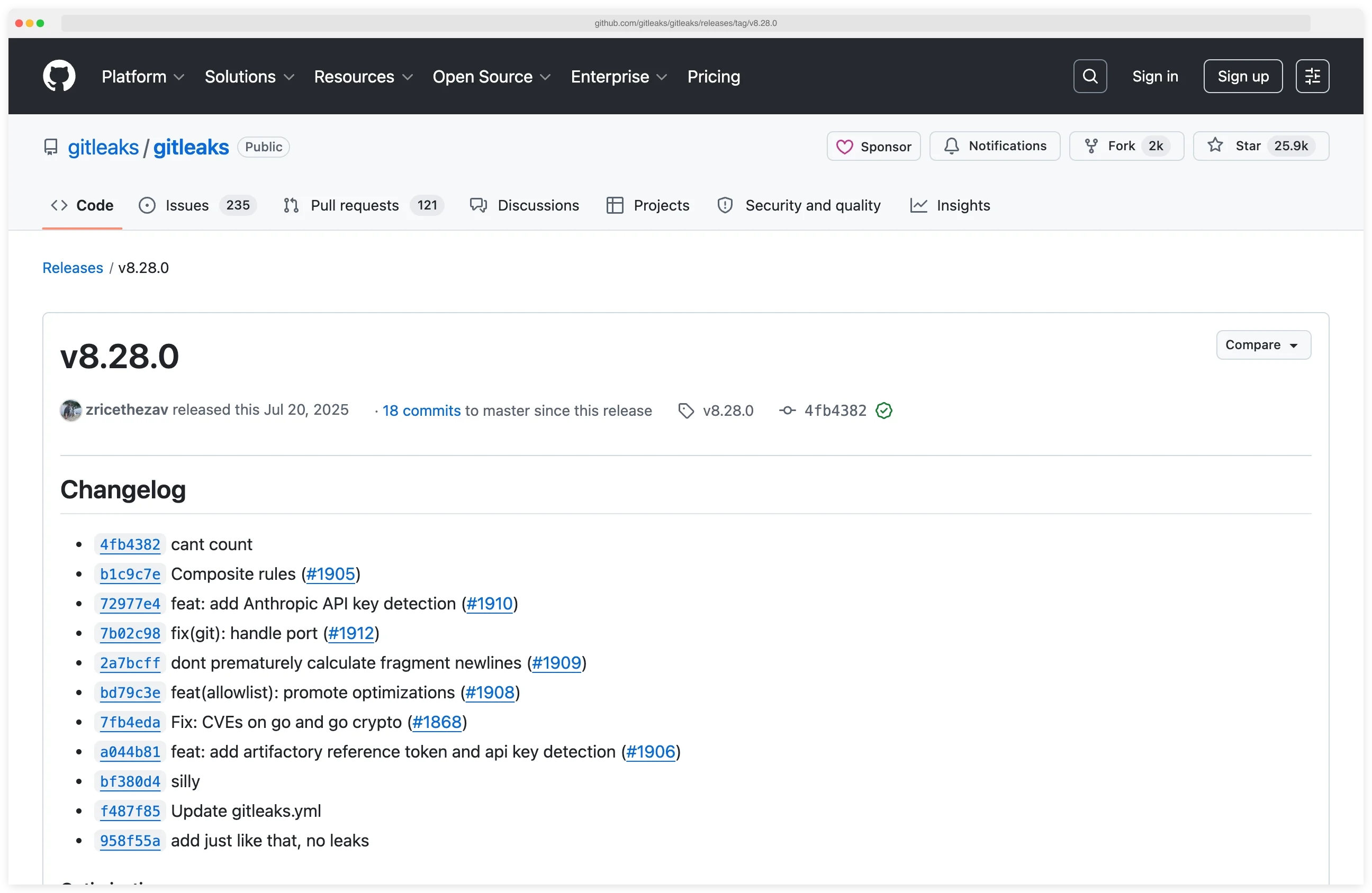
License: MIT (fully free) Best for: Fast pre-commit scanning and GitHub Actions integration.
2. TruffleHog
TruffleHog is the secret scanner that verifies what it finds. Developed by Truffle Security with 26,000+ GitHub stars, it detects and classifies 800+ secret types.
What sets it apart is credential verification — calling each secret’s issuing API to confirm it is still active, so teams triage live credentials and skip the dead ones. When TruffleHog finds an AWS key, it calls STS GetCallerIdentity to confirm the key still works.
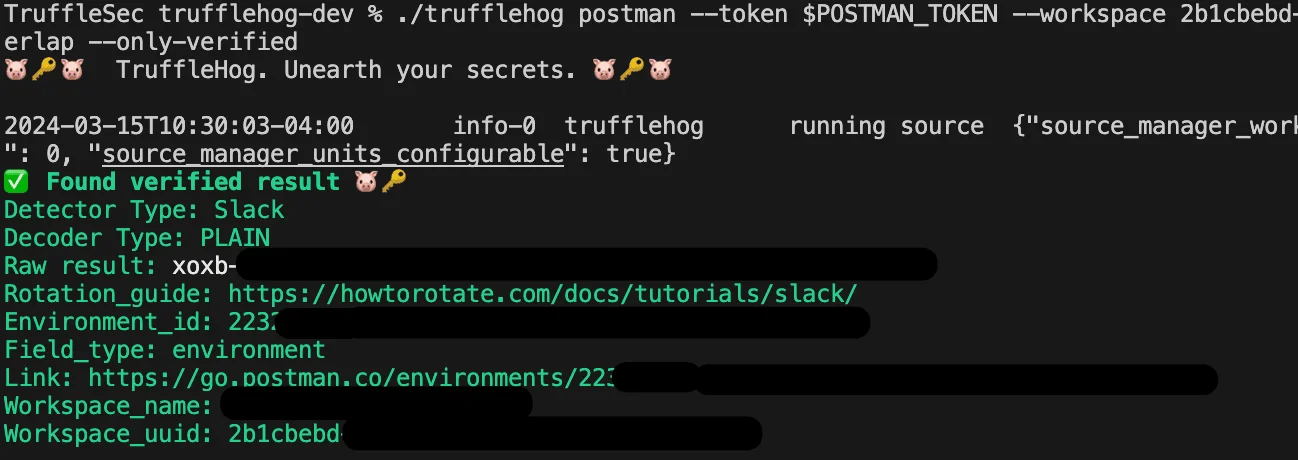
TruffleHog scans far beyond git. It covers S3 buckets, GCS, Docker images, Slack workspaces, Jenkins servers, Elasticsearch clusters, Postman workspaces, CircleCI, and Travis CI.
For each discovered secret, TruffleHog maps the credential to a specific identity and analyzes permissions for 20+ common credential types.
The --results=verified flag filters output to only confirmed active credentials. This separates emergency incidents (working credentials) from historical noise (revoked credentials) and cuts triage time.
License: AGPL-3.0 (open-source), commercial plans available Best for: Multi-source scanning with credential verification.
3. GitGuardian
GitGuardian is a managed secrets detection platform widely adopted on the GitHub Marketplace. It monitors repositories in real-time, detecting 500+ secret types across GitHub, GitLab, Bitbucket, and collaboration tools like Slack, Jira, and Confluence.
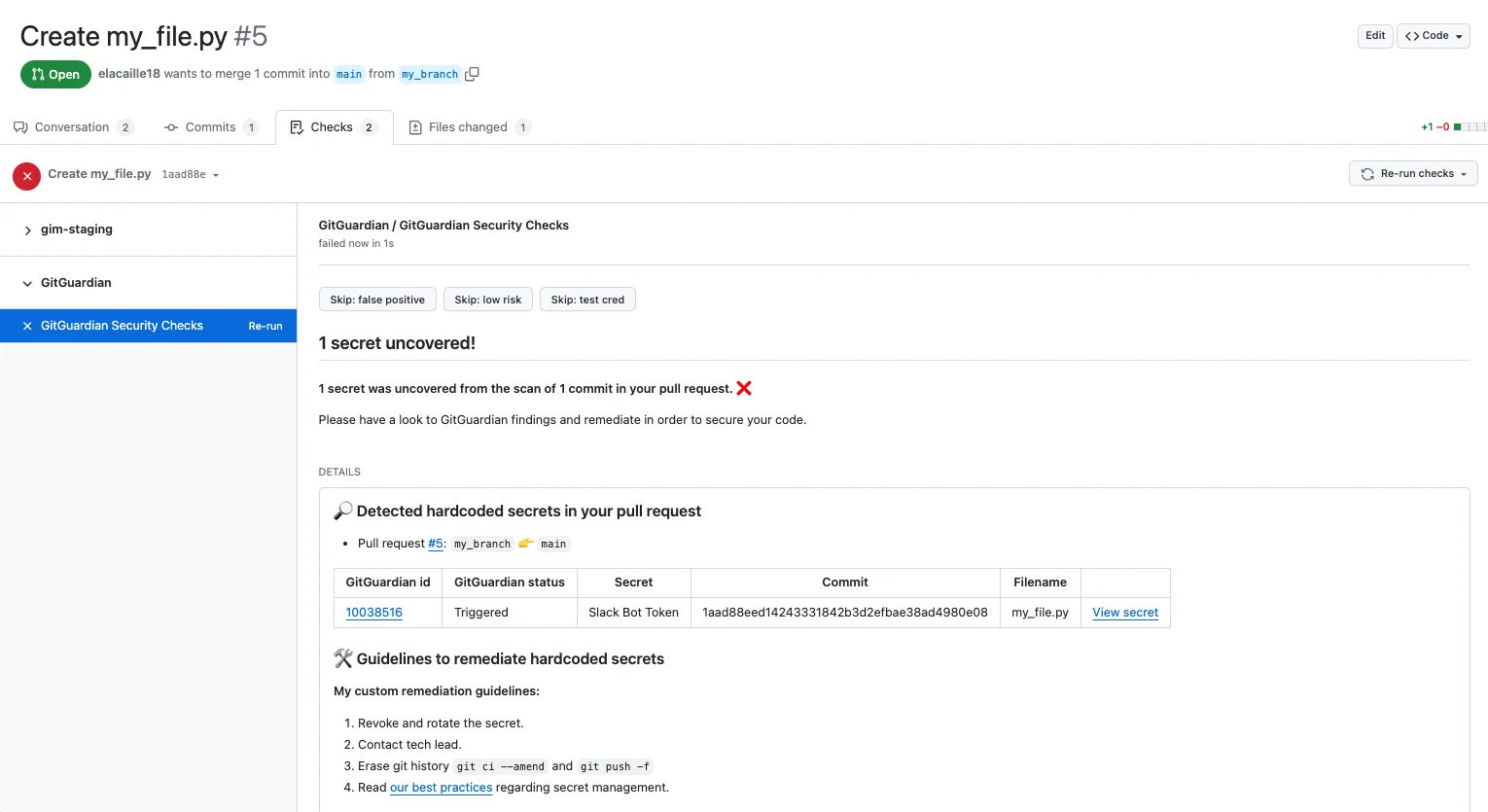
GitGuardian validates whether detected secrets are still active, so teams can prioritize live credentials over expired ones. The ggshield CLI tool runs as a pre-commit hook and CI/CD gate.
Beyond detection, GitGuardian offers Non-Human Identity (NHI) governance to track machine credentials across the organization, plus honeytoken intrusion detection.
A free plan is available for individual developers. Team and enterprise plans add dashboards, incident management, and policy controls.
License: Freemium (free tier for individuals, commercial for teams) Best for: Teams that want a managed platform with dashboards, collaboration tool scanning, and NHI governance.
4. Cycode
Cycode is a commercial ASPM platform with a built-in secrets scanner. It monitors public and private repositories and extends detection into ticketing, documentation, messaging, and other developer tools.
Cycode validates the status of detected secrets and scores them by potential impact and exposure.
Developers can work in the IDE, route findings through ticketing, run the Cycode CLI, and block or monitor secrets in pull requests.
Cycode does not publish a detector count or list pricing. It fits enterprises that want secrets detection alongside SAST, SCA, IaC, container scanning, and ASPM rather than a standalone open-source scanner.
License: Commercial Best for: Enterprise teams that want secrets detection inside a broader ASPM platform.
5. Detect-Secrets (Yelp)
Detect-Secrets takes a different approach to secret scanning. Instead of flagging every secret in a repository, it maintains a baseline file of known secrets and only blocks new ones.
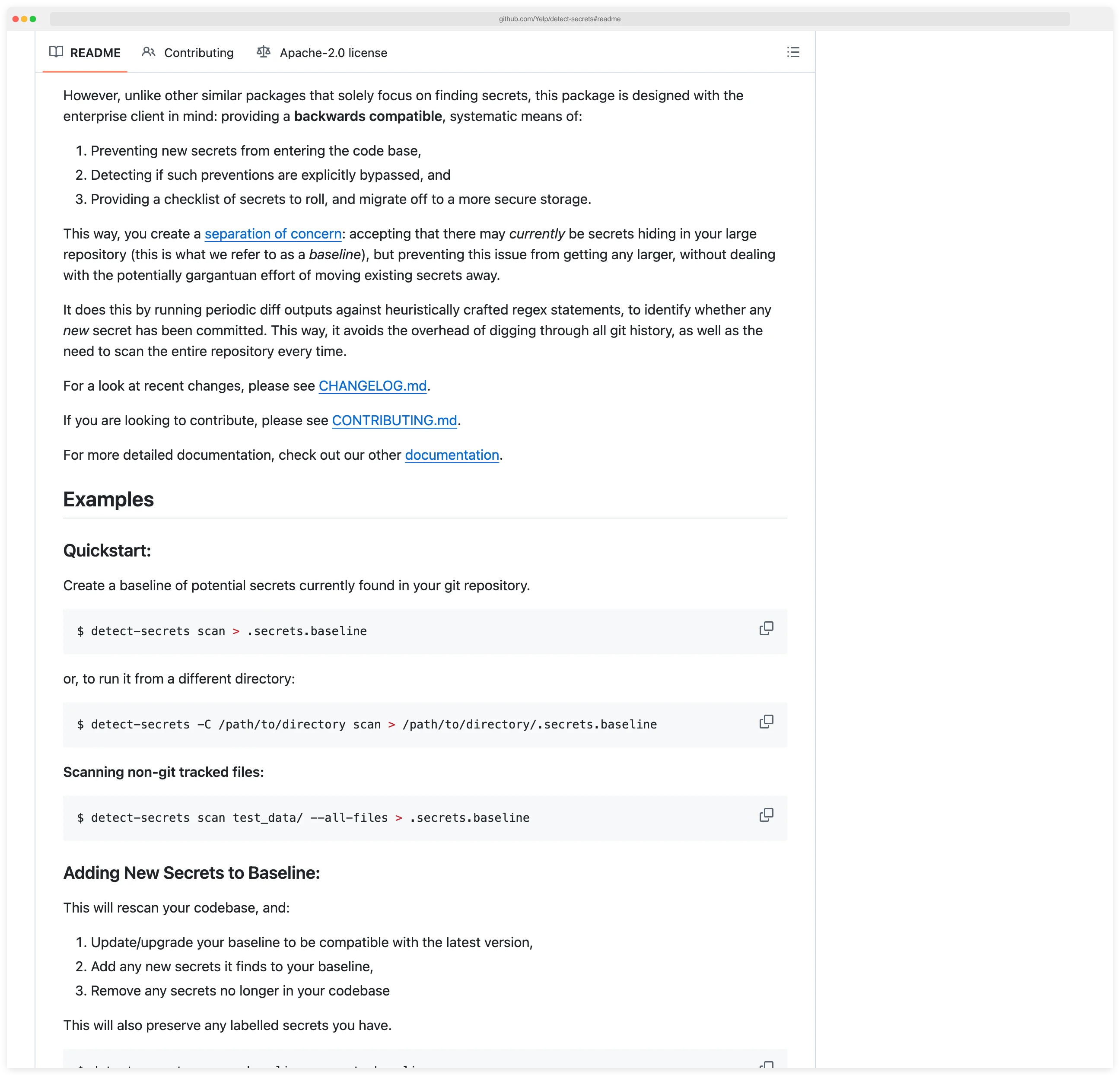
This makes it ideal for enterprise codebases with hundreds of existing secrets where remediating everything upfront is not feasible.
The tool uses a plugin architecture with 27 built-in detectors. It scans git diffs rather than full repositories, keeping overhead minimal for monorepos and large codebases.
An audit mode lets you review and label each finding in the baseline.
License: Apache 2.0 (fully free) Best for: Enterprise teams with legacy codebases that need incremental adoption.
6. Kingfisher (MongoDB)
Kingfisher is MongoDB’s open-source secret scanner, written in Rust and released in June 2025. It ships 942 detection rules, and 484 of them perform live API validation against the issuing provider to confirm a credential is still active.
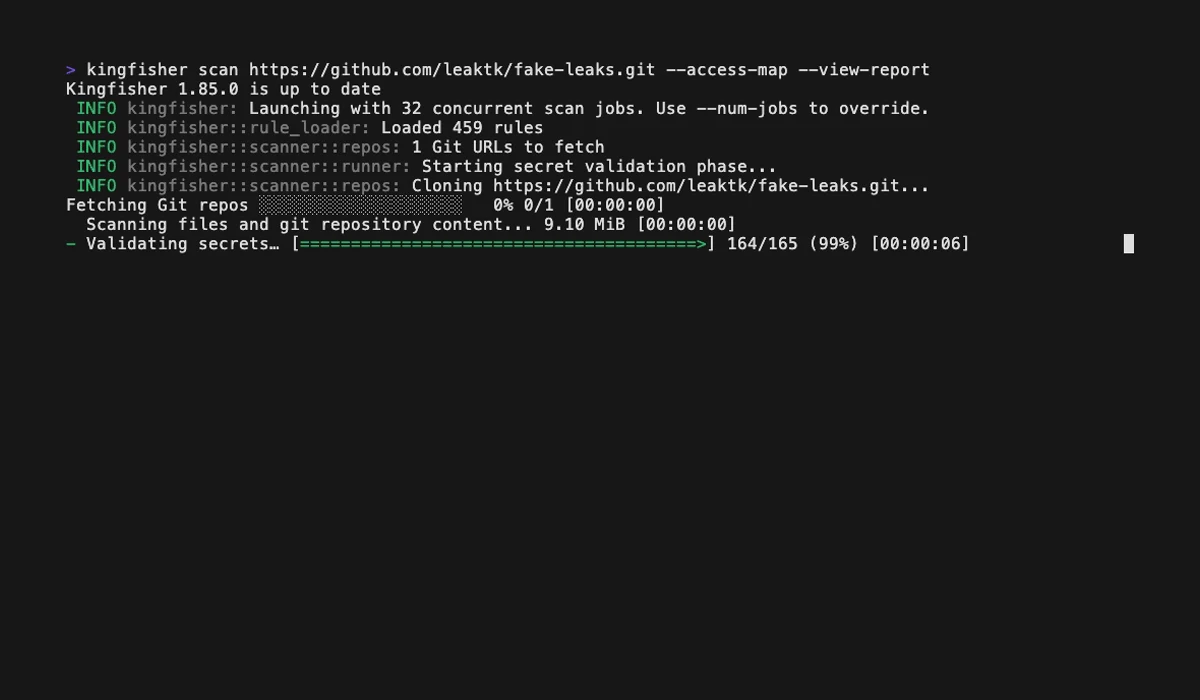
Two capabilities are unique among the open-source scanners here. Access Map enumerates the identity, resources, and permission scopes behind each validated credential across 42 providers, and kingfisher revoke invalidates leaked tokens directly from the CLI.
Kingfisher also scans 18+ targets beyond git — Docker images, S3, GCS, Jira, Confluence, Slack, and Teams. MongoDB’s published benchmarks show it outpacing TruffleHog and Gitleaks, including a full Linux kernel scan in 205 seconds.
License: Apache 2.0 (fully free) Best for: Teams that want validation, blast-radius mapping, and revocation in a single binary.
7. Betterleaks
Betterleaks
is an open-source secrets scanner by Zachary Rice, the original creator of Gitleaks. It works as a drop-in Gitleaks replacement — existing .gitleaks.toml configs and CLI flags carry over unchanged.
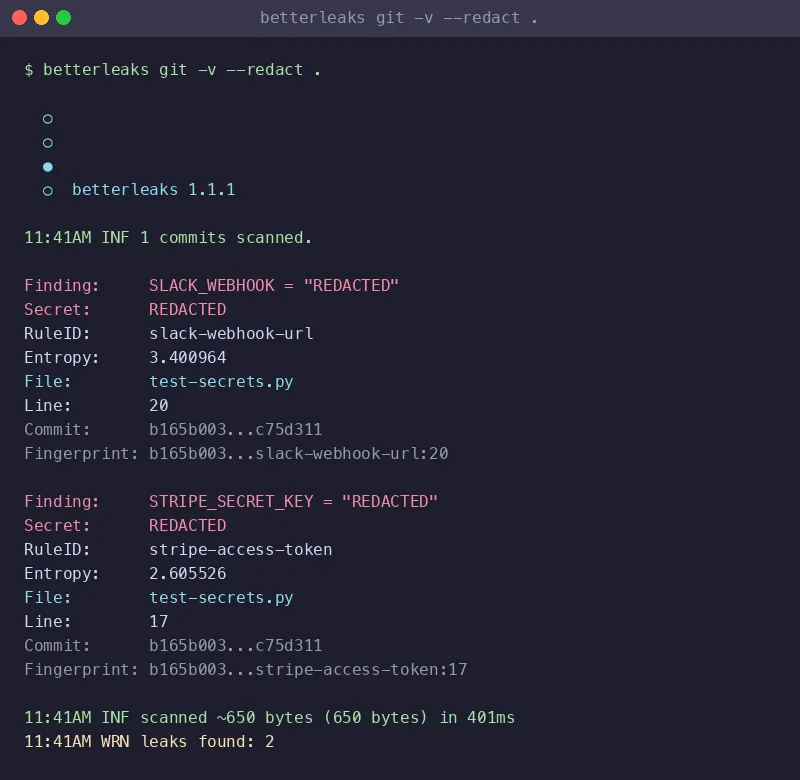
The detection engine replaces Shannon entropy with BPE tokenization, reaching 98.6% recall on the CredData benchmark versus 70.4% for entropy-based filtering. CEL-based validation fires HTTP requests against findings to check whether a credential is still live.
Parallelized git scanning makes it 4-5x faster than Gitleaks on large repositories, per the project’s published benchmarks.
License: MIT (fully free) Best for: Gitleaks users who want higher recall and live validation without config changes.
8. GitHub Secret Scanning
GitHub Secret Scanning is built into GitHub and requires no separate tool installation. It partners with hundreds of service providers (AWS, Google Cloud, Stripe, Twilio) who register their token patterns.
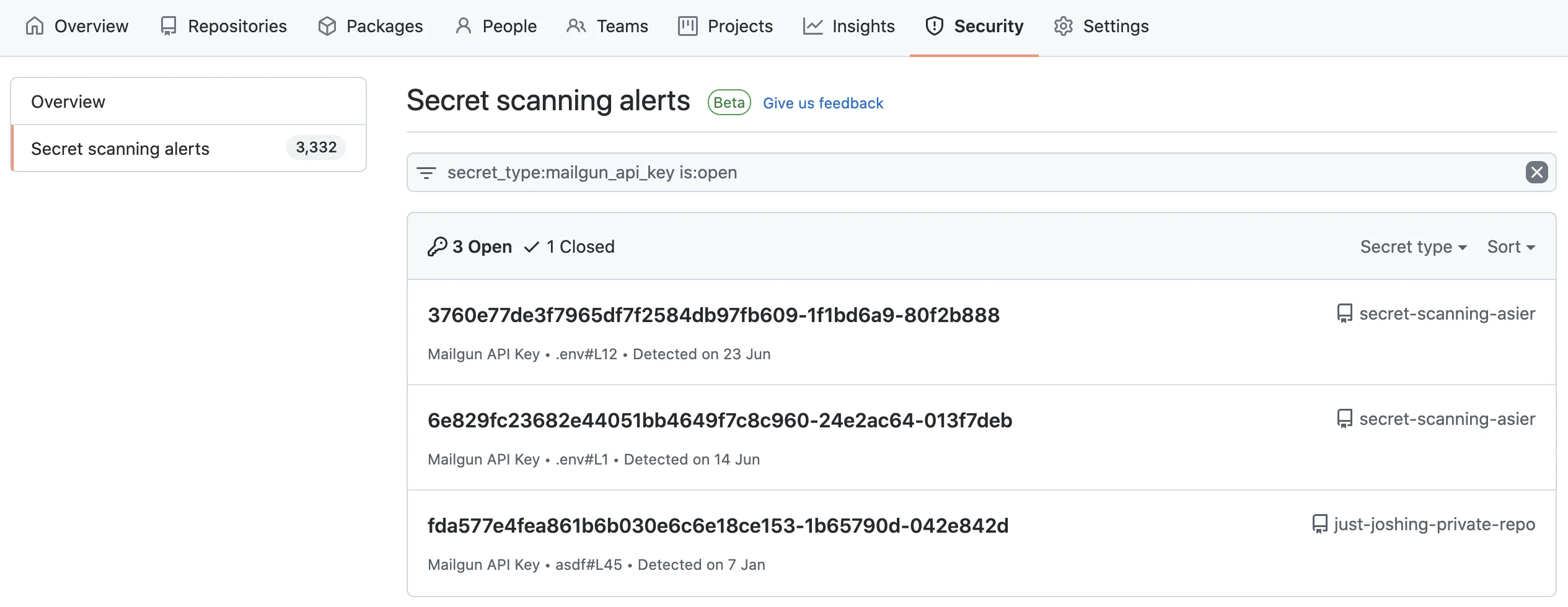
When a matching pattern is pushed to a public repository, GitHub can notify the provider to revoke the credential automatically.
Push protection blocks commits containing detected secrets before they reach the repository.
The feature is free for public repositories. Private repository scanning requires the paid GitHub Secret Protection product (split out of GitHub Advanced Security in 2025).
License: Free (public repos), GitHub Secret Protection (private repos) Best for: GitHub-native teams wanting zero-configuration detection with automatic credential revocation.
9. AWS git-secrets
AWS git-secrets is a lightweight tool focused specifically on preventing AWS credentials from being committed to git repositories. It installs as a git hook and scans commits, commit messages, and merges for AWS access keys, secret keys, and credential file patterns.
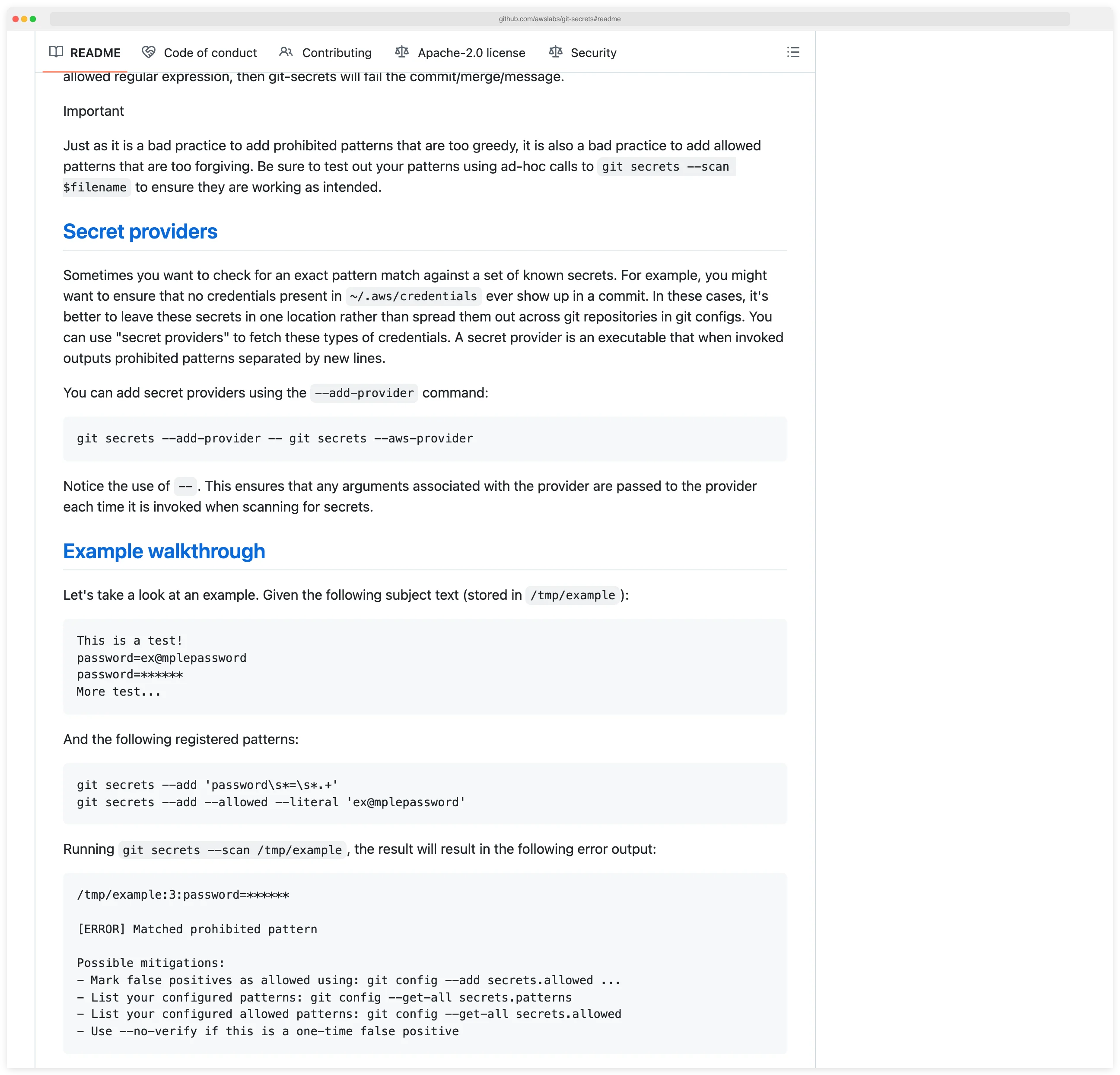
The tool is narrower in scope than Gitleaks or TruffleHog. It detects AWS-specific patterns and not much else.
For teams running exclusively on AWS that want a minimal pre-commit check, it fills the gap. Most teams pair it with a broader scanner.
License: Apache 2.0 (fully free) Best for: AWS-focused teams wanting a minimal, targeted pre-commit check.
10. Talisman
Talisman is a git hook tool developed by ThoughtWorks that prevents secrets and sensitive information from being pushed to repositories. It inspects outgoing changesets for suspicious content including credentials, SSH keys, authorization tokens, and large binary files.
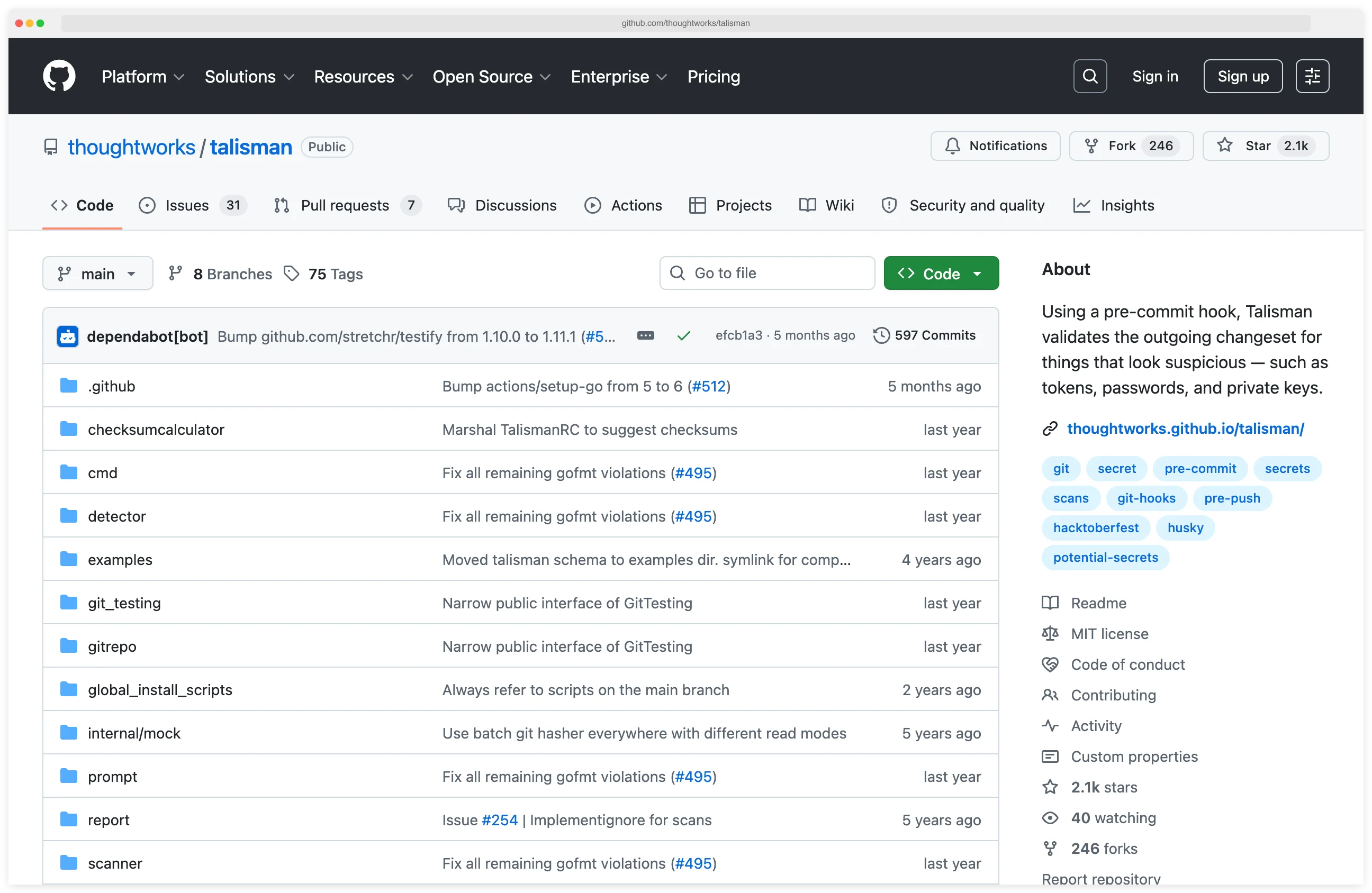
Talisman supports both pre-commit and pre-push hooks. It can be installed globally across all git repositories on a machine, which simplifies rollout for organizations. A checksum-based ignore mechanism handles false positives.
License: MIT (fully free) Best for: Organizations using ThoughtWorks tooling that want global pre-push hooks across all developer machines.
11. SpectralOps (Check Point)
SpectralOps , acquired by Check Point in February 2022, combines secrets detection with Infrastructure-as-Code misconfiguration scanning. The tool ships as a single binary and scans source code, CI/CD pipelines, and build logs for hardcoded credentials and IaC policy violations.
SpectralOps supports custom detectors and integrates with GitHub, GitLab, Bitbucket, and Azure DevOps. After the Check Point acquisition, it has been integrated into the broader Check Point CloudGuard platform.
License: Commercial Best for: Teams that want combined secrets and IaC scanning from a single vendor.
Feature Comparison
| Feature | Gitleaks | TruffleHog | GitGuardian | Cycode | Detect-Secrets | Kingfisher | Betterleaks | GitHub Secret Scanning | git-secrets | Talisman | SpectralOps |
|---|---|---|---|---|---|---|---|---|---|---|---|
| License | MIT | AGPL-3.0 / Commercial | Freemium | Commercial | Apache 2.0 | Apache 2.0 | MIT | Free (public) / GHAS | Apache 2.0 | MIT | Commercial |
| Secret patterns | 150+ | 800+ | 500+ | Known + proprietary services | 27 detectors | 942 rules | Gitleaks-compatible | 300+ partners | AWS-focused | Generic patterns | Custom + built-in |
| Credential verification | No | Yes | Yes | Status validation | Optional | Yes (484 rules) | Yes (CEL) | Partner revocation | No | No | Yes |
| Pre-commit hook | Yes | Yes | Yes (ggshield) | Not documented | Yes | Yes | Yes | Push protection | Yes | Yes (+ pre-push) | No |
| Git history scan | Yes | Yes | Yes | Not documented | Baseline diffs | Yes | Yes | No | No | No | Yes |
| Non-git sources | No | S3, Docker, Slack, CI | Slack, Jira, Confluence | Tickets, docs, messaging | No | Docker, S3, GCS, Jira, Slack | Dirs, stdin, archives | No | No | No | CI/CD logs |
| SARIF output | Yes | No | No | Not documented | No | Yes | Yes | Native GitHub | No | No | No |
| GitHub Action | Yes | Yes | Yes | Not documented | Community | No (CLI in CI) | Not yet | Native | No | Community | Yes |
| Custom rules | TOML | Regex + keywords | Yes | Not documented | Plugin-based | YAML | TOML (Gitleaks-compatible) | Limited | Regex | Regex | Yes |
Other cross-category tools also cover secret detection. Trivy
bundles a secrets engine alongside its vulnerability and IaC scanners (trivy fs --scanners secret), and Aikido Security
includes secrets detection next to SAST, SCA, and IaC scanning.
Pre-Commit Hook Setup
A pre-commit hook is the single most effective control for secret prevention. It runs locally on every developer’s machine and blocks commits that contain detected secrets.
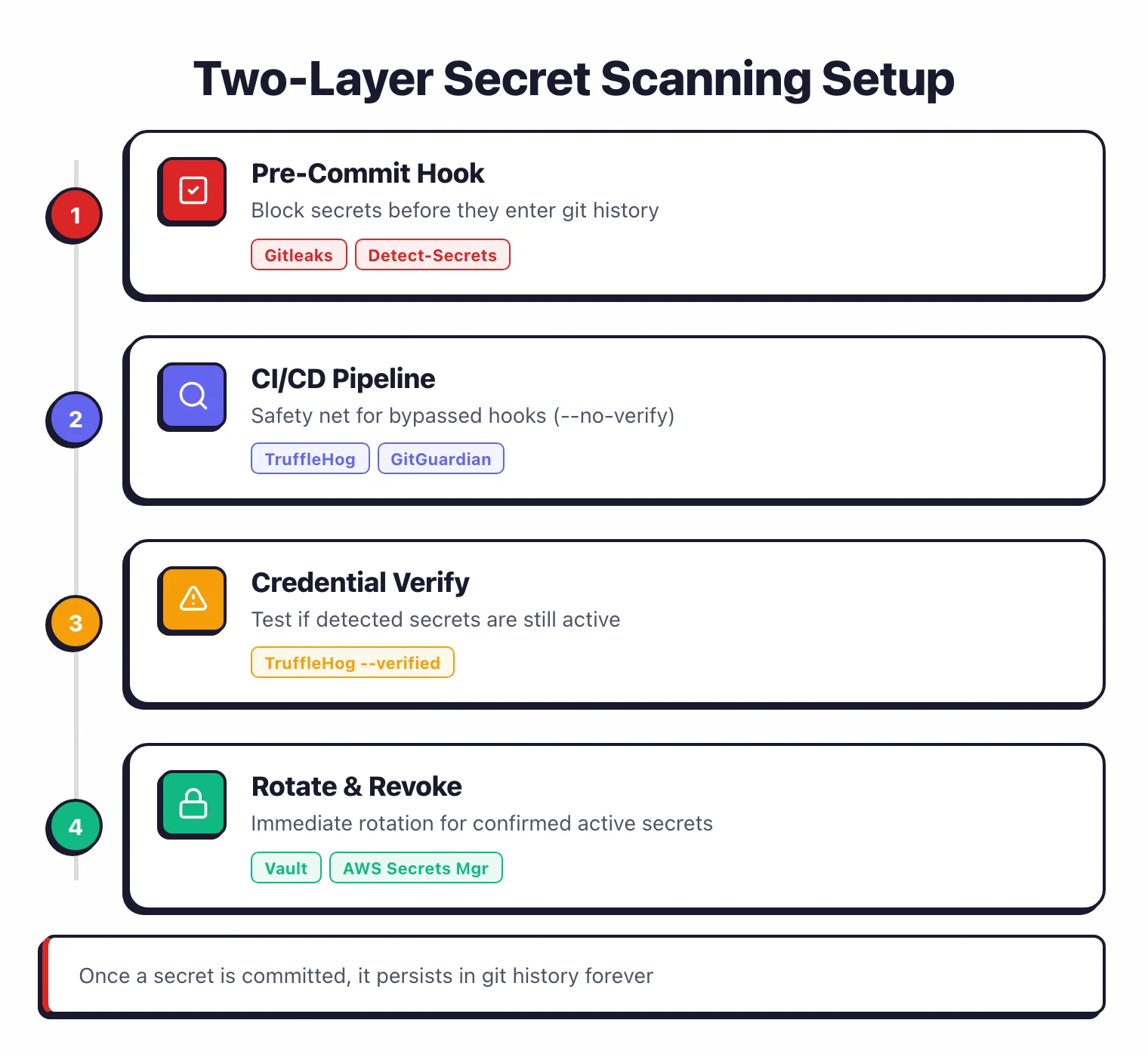
The secret never reaches the repository, which means it never enters git history and never needs rotation.
Gitleaks pre-commit configuration
Add Gitleaks to your .pre-commit-config.yaml:
repos:
  - repo: https://github.com/gitleaks/gitleaks
    rev: v8.28.0
    hooks:
      - id: gitleaks
Run pre-commit install to activate the hook. Every commit is now scanned.
If a secret is detected, the commit is blocked and Gitleaks prints the offending line.
Developers can skip the hook for a specific commit with SKIP=gitleaks git commit when they have verified a finding is a false positive.
Detect-Secrets pre-commit configuration
For teams using the baseline approach:
repos:
  - repo: https://github.com/Yelp/detect-secrets
    rev: v1.5.0
    hooks:
      - id: detect-secrets
        args: ["--baseline", ".secrets.baseline"]
This scans only staged changes against the baseline. New secrets are blocked. Existing secrets recorded in the baseline are allowed through.
CI/CD Integration
Pre-commit hooks run locally and can be bypassed. A CI/CD scanning step acts as a safety net, catching secrets that slip past local hooks.
GitHub Actions with Gitleaks
name: Secret Scanning
on: [push, pull_request]

jobs:
  gitleaks:
    runs-on: ubuntu-latest
    steps:
      - uses: actions/checkout@v4
        with:
          fetch-depth: 0
      - uses: gitleaks/gitleaks-action@v2
        env:
          GITHUB_TOKEN: ${{ secrets.GITHUB_TOKEN }}
The action scans the full git diff for each push or pull request. Findings appear as annotations directly on the pull request.
GitHub Actions with TruffleHog
name: Secret Scanning
on: [push, pull_request]

jobs:
  trufflehog:
    runs-on: ubuntu-latest
    steps:
      - uses: actions/checkout@v4
        with:
          fetch-depth: 0
      - name: TruffleHog scan
        uses: trufflesecurity/trufflehog@main
        with:
          extra_args: --results=verified --fail
The --results=verified flag reports only confirmed active credentials. The --fail flag exits with code 183 when secrets are found, failing the CI job.
Pro tip: Install Gitleaks locally via pre-commit install for sub-second feedback, then add TruffleHog to .github/workflows/secrets.yml with --results=verified --fail. You get instant local blocking plus verified-only CI findings — and neither tool needs tuning on day one.
GitLab CI with GitGuardian
ggshield-scan:
  image: gitguardian/ggshield:latest
  script:
    - ggshield secret scan ci
  variables:
    GITGUARDIAN_API_KEY: $GITGUARDIAN_API_KEY
  rules:
    - if: $CI_PIPELINE_SOURCE == "merge_request_event"
    - if: $CI_COMMIT_BRANCH == $CI_DEFAULT_BRANCH
NHI vs secret detection: where the category is heading
The 2026 narrative shift in secret scanning is non-human identity (NHI) management — and it changes how to evaluate the tools above. Conventional secret scanning answers “is there a credential in my source code?”. NHI extends that to “do I know about every machine identity my services use, where they live, what they can do, and whether anyone has rotated them in the last year?”. GitGuardian’s product roadmap, the Astrix and Entro positioning around service accounts and OAuth tokens, and Oasis Security’s focus on workload identities are all instances of the same pivot.
Two implications matter for tool selection. First, the secret detector that “wins” your shortlist in 2026 may not be the one with the most regex patterns — it’s the one that pairs detection with identity inventory: lifecycle tracking for the credential after it’s found, ownership assignment, last-used telemetry, and rotation workflow. GitGuardian’s NHI Security capability is the most developed example among the platforms in this list, and it’s where the category is converging.
Second, scanning needs to spread beyond Git. NHI lives in Slack, Jira, Confluence, Notion, Postman collections, and CI/CD logs as much as in source repositories. The platforms that scan collaboration tools (GitGuardian, Spectral, Aikido ) capture more of the surface than git-only tools (Gitleaks, TruffleHog), even though the git-only tools are still excellent at the core detection job.
The honest framing: I picked the eleven tools above for the secret-detection job each does today. If you’re standardizing for the next three years rather than the next quarter, evaluate at least one of GitGuardian, Astrix, Entro, or Oasis Security alongside the conventional scanners — the NHI dimension will only get more important.
How to Choose a Secret Scanner
The right scanner depends on where your code lives, how your team ships, and whether you need governance on top of detection.
Start with the basics. If you have a git repository and no secret scanning today, install Gitleaks as a pre-commit hook.
It takes five minutes, catches the most common secret patterns, and runs fast enough that developers will not notice it. This single step prevents the majority of accidental credential commits.
Add depth in CI/CD. Once pre-commit scanning is in place, add TruffleHog to your CI/CD pipeline.
Its credential verification capability confirms which detected secrets are still active, so your security team spends time on real incidents rather than triaging expired credentials.
The combination of Gitleaks pre-commit and TruffleHog in CI is the most popular open-source pattern.
Consider a managed platform if you need dashboards and governance. GitGuardian adds incident management, remediation workflows, NHI governance, and collaboration tool scanning. If your security team manages secrets across dozens of repositories and needs centralized visibility, a platform saves operational overhead compared to running CLI tools.
Handle legacy codebases with a baseline approach. If your repository already contains hundreds of secrets and remediating all of them before adopting scanning is not feasible, Detect-Secrets lets you accept existing secrets while blocking new ones. This is the pragmatic choice for brownfield projects.
Use GitHub Secret Scanning if you are all-in on GitHub. For teams that use GitHub exclusively and want zero-configuration scanning, GitHub’s built-in secret scanning with push protection covers the baseline. Pair it with a dedicated tool for broader coverage.
Key Insight
The scanner matters, but placement matters just as much. Pre-commit blocks leaks before they happen; CI/CD catches what slipped through; a managed platform gives you visibility across every repo. Pick tools by placement, not by feature list.
Decision summary
| Scenario | Recommended tool |
|---|---|
| Fast pre-commit blocking | Gitleaks |
| Credential verification in CI/CD | TruffleHog |
| Managed platform with dashboards | GitGuardian |
| Legacy codebase with existing secrets | Detect-Secrets |
| GitHub-only, zero configuration | GitHub Secret Scanning |
| Combined pre-commit + CI/CD | Gitleaks (pre-commit) + TruffleHog (CI) |
Where to go next
A newer entrant worth watching: Trestle parses files with language-aware parsers instead of matching raw text with regex, so it can tell a hardcoded credential apart from a build argument or a placeholder. It is early — a 2026 project with a small public mirror repository — but the MCP server that scans AI-proposed code before it hits disk is a genuinely new shape for this category.
For a side-by-side on the two dominant open-source scanners, see Gitleaks vs TruffleHog .
For the broader DevSecOps tooling space, see DevSecOps Tools or Shift-Left Security .
Visit these projects
- Gitleaks on GitHub — fastest OSS pre-commit scanner
- TruffleHog on GitHub · Truffle Security — verification + Enterprise dashboards
- GitGuardian — managed platform with incident workflows
- Detect-Secrets on GitHub — Yelp-built baseline-aware OSS
- Kingfisher on GitHub — MongoDB’s Rust scanner with validation, Access Map, and revocation
- Betterleaks on GitHub — Gitleaks successor with BPE detection and CEL validation
- GitHub Secret Scanning — native GitHub feature
- git-secrets (AWS) · Talisman (ThoughtWorks) · SpectralOps (Check Point)
Frequently Asked Questions
What is the best free secret scanning tool?
Which secret scanner should I pick for a legacy codebase?
Can GitHub's built-in secret scanning replace dedicated tools?
How do I prevent secrets from being committed to git?
Which secret scanner should I run in CI/CD?
--results=verified) filters output to only confirmed-live secrets and cuts triage time. Gitleaks remains useful in CI when you need SARIF output for GitHub Advanced Security. A common pattern is Gitleaks pre-commit for speed and TruffleHog in CI for depth.Does Gitleaks scan git history or only new commits?
gitleaks detect for full history (including deleted files still present in git objects) or gitleaks protect --staged for a fast pre-commit check on staged changes only. Since v8.28.0 Gitleaks supports composite rules that combine primary and auxiliary patterns with proximity constraints to cut false positives.If a secret is already committed, is deleting the file enough?
Related Secrets Resources
Explore Other Categories
Secrets covers one aspect of application security tools. Browse other categories below.

Written & maintained by
Suphi CankurtEight years on the vendor side of application-security sales — thousands of evaluations and demos. I started AppSec Santa in 2022 to put that insider view to work for buyers. Independent of any vendor, paid by none, and honest about what fits whom.