
Skip to content
Home SAST Tools Contrast Scan
Contrast Scan

Contrast Scan

Category: SAST
License: Commercial
Suphi Cankurt
Suphi Cankurt
AppSec Enthusiast
Updated February 6, 2026
3 min read
Key Takeaways
  • SAST component of Contrast AST platform scanning 30+ languages including C/C++, COBOL, SAP ABAP, Java, .NET, Python, Go, and Swift.
  • Risk-based analysis traces exploitable data paths from user-controlled sources to dangerous operations, reducing false positives vs. pattern-matching-only tools.
  • Part of the broader Contrast ecosystem alongside Assess (IAST), SCA, and ADR (RASP) — findings integrate through the Contrast Graph for unified risk context.
  • IDE plugins for VS Code, Visual Studio, IntelliJ, and Eclipse; CI/CD integration with Jenkins, Azure DevOps, Maven, Gradle, and GitHub.

Contrast Scan is the SAST component of the Contrast AST (Application and API Security Testing) platform. It scans 30+ languages for security vulnerabilities by focusing on exploitable data paths rather than flagging every theoretical issue.

Part of Contrast Security’s broader platform alongside Contrast Assess (IAST) and Contrast SCA, Contrast Scan is designed to complement runtime security products with static code analysis. According to Gartner’s Magic Quadrant for Application Security Testing, Contrast Security is recognized for its integrated approach combining static and runtime analysis.

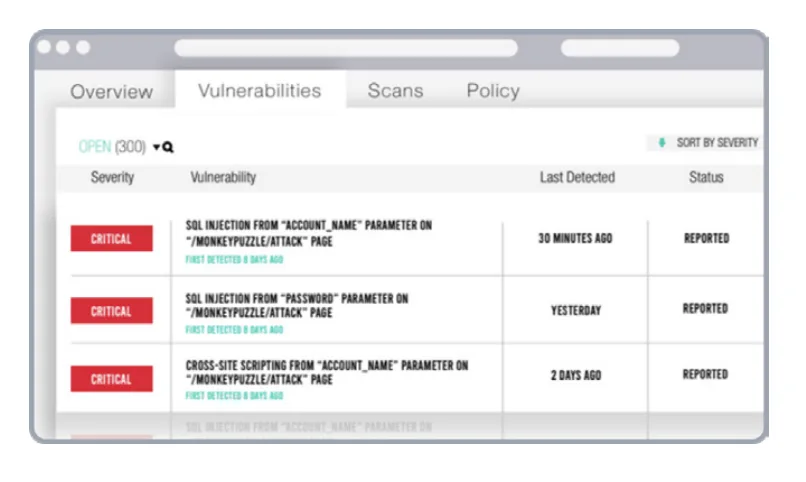
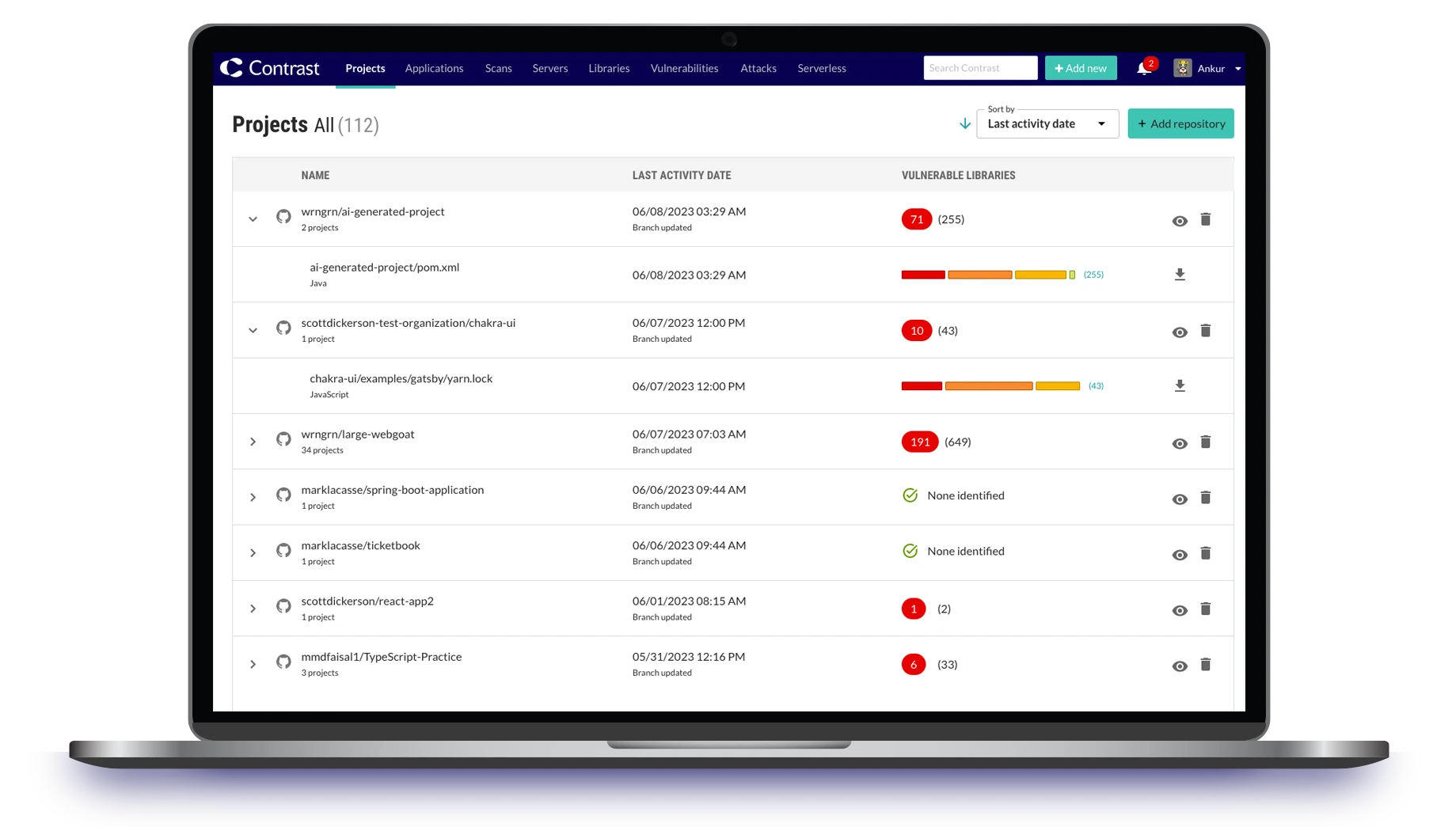
Contrast Scan risk-based scanning engine showing exploitable vulnerability detection

What is Contrast Scan?

Contrast Scan analyzes source code to find security vulnerabilities before deployment. The tool uses a risk-based analysis engine that focuses on exploitable data paths — tracing how data moves through the application to identify where attacks like SQL injection and command injection could succeed.

Users upload binary packages to Contrast’s secure environment for analysis. Scan results are delivered in seconds according to the product page. The tool does not scan open-source code or libraries; that is handled separately by Contrast SCA.
30+ Languages
Primary support for Java, .NET, Node.js, Python, Go, PHP, and Ruby with full agent support. SAST-only support extends to C/C++, Swift, COBOL, SAP ABAP, and more.
Exploitable Path Focus
Analyzes data flows to focus on vulnerabilities that are actually exploitable, reducing false positives compared to tools that flag every theoretical issue.
Platform Integration
Works alongside Contrast Assess (IAST) and Contrast SCA for coverage from code to runtime. Part of the Contrast ADR (Application Detection and Response) ecosystem.

Key features

Risk-based analysis

Contrast Scan traces data flows to identify vulnerabilities that could allow attacks. Rather than flagging all code that matches a pattern, it focuses on paths where data can flow from a user-controlled source to a dangerous operation without sanitization.

The analysis covers injection vulnerabilities (SQL, command, server-side), among other vulnerability categories.
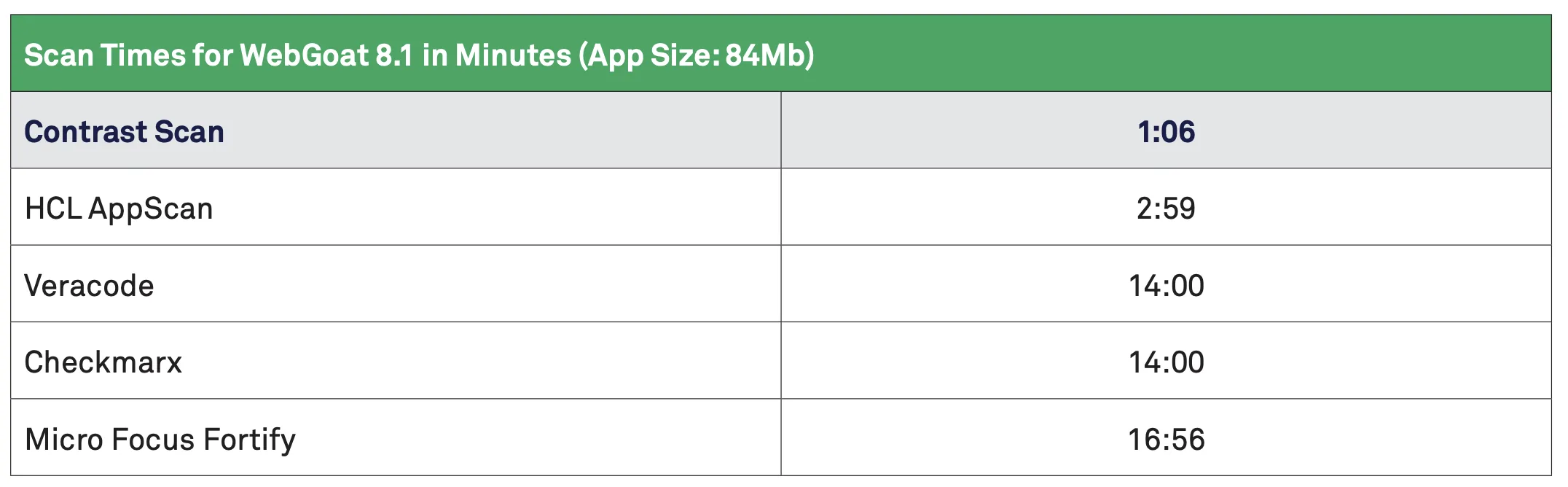
Contrast Scan speed benchmark showing scan completion times

Multi-language support

CategoryLanguages
JVMJava, Kotlin, Scala
.NETC#, VB.NET, .NET Core, .NET Framework, ASP.NET
WebJavaScript, TypeScript, Node.js, PHP, Ruby, Python
SystemsC, C++, Go, Swift, Objective-C
EnterpriseCOBOL, SAP ABAP, RPG IV, PL/SQL, Transact-SQL
Part of a broader platform
Contrast Scan is one piece of the Contrast AST platform. Contrast Assess provides IAST (runtime testing), Contrast SCA handles dependency vulnerabilities, and Contrast ADR provides application detection and response. The platform uses the “Contrast Graph” to combine threat sensors, risk scoring, and analytics.

Remediation guidance

Contrast Scan provides code-level remediation guidance in multiple languages, showing developers how to fix each vulnerability rather than just flagging it.

Integrations

CI/CD & Build
Jenkins Jenkins
Azure DevOps Azure DevOps
Maven Maven
Gradle Gradle
GitHub GitHub
IDEs
VS Code VS Code
Visual Studio Visual Studio
IntelliJ IntelliJ
Eclipse Eclipse
SIEM/SOAR
Microsoft Sentinel Microsoft Sentinel
Splunk Splunk
Sumo Logic Sumo Logic
PagerDuty PagerDuty

Getting started

1
Request access — Contact Contrast Security for pricing or use the “Try Contrast” option on contrastsecurity.com. Contrast AST is priced per application.
2
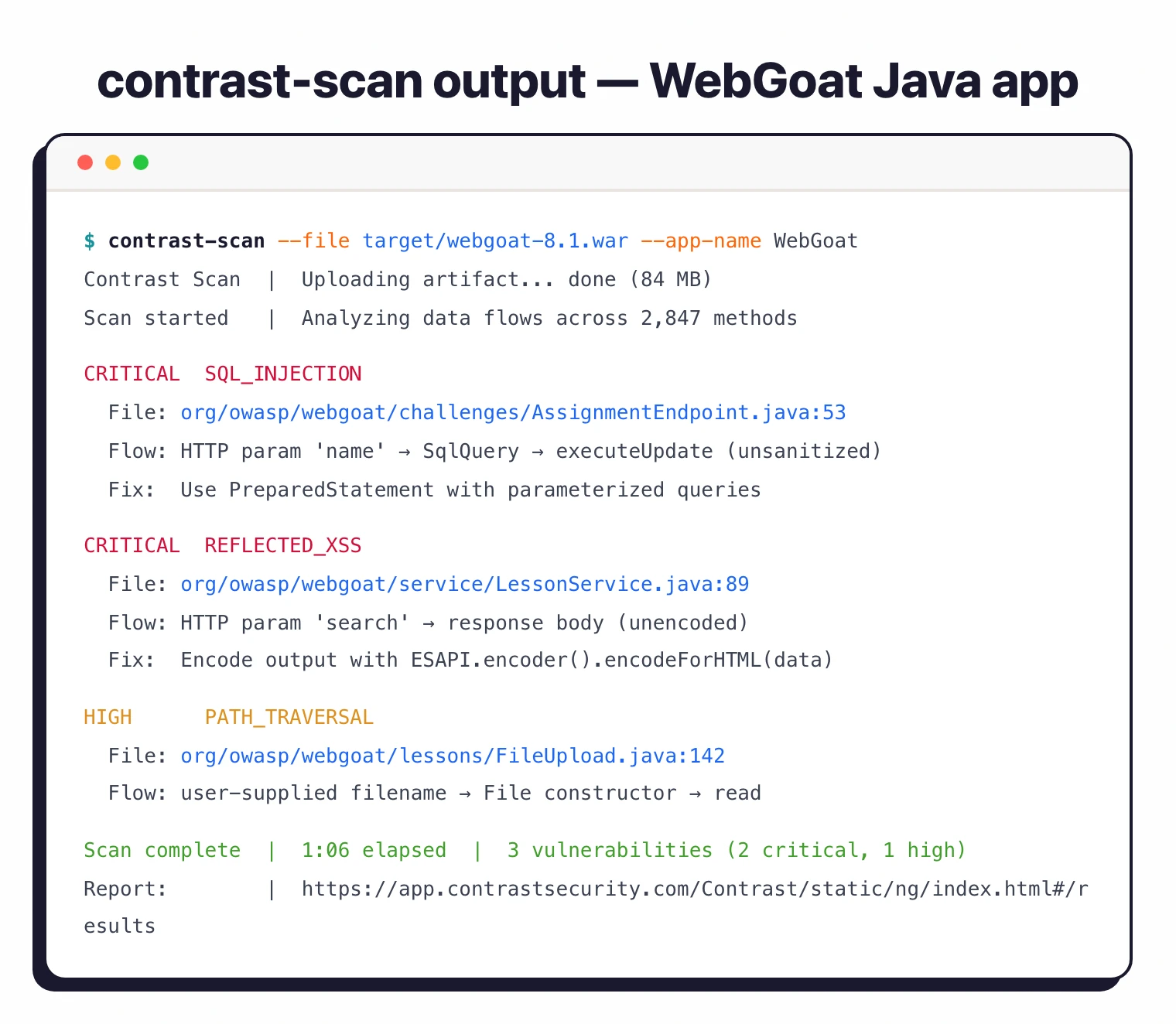
Upload code for scanning — Upload binary packages to Contrast’s secure environment. Initiate a scan that analyzes data flows in the source code.
3
Review findings — View vulnerability details with risk information and remediation guidance. Assign status to vulnerability records and track progress.
4
Integrate into CI/CD — Add Contrast Scan to Jenkins, Azure DevOps, or GitHub pipelines for automated scanning on commits and pull requests.

When to use Contrast Scan

Contrast Scan is a good fit for organizations that already use or plan to use Contrast’s runtime security products (Assess and ADR). The platform provides coverage from static analysis through to runtime protection under one roof.
Teams focused exclusively on SAST may find more flexibility with standalone tools like Semgrep or Checkmarx. Contrast Scan’s strength is its integration with runtime context rather than standing alone as a SAST tool. See our Contrast alternatives guide for more options.

Best for
Teams using the Contrast Security platform that want SAST integrated alongside IAST and runtime protection, with a focus on exploitable vulnerabilities.

Customers include Unit4, Snap Finance, AARP, and Citizens Bank.

Frequently Asked Questions

What is Contrast Scan?
Contrast Scan is the static application security testing (SAST) component of the Contrast AST platform. It scans 30+ languages for security vulnerabilities by focusing on exploitable data paths rather than flagging every theoretical issue. It is part of the broader Contrast Security suite alongside Contrast Assess (IAST) and Contrast SCA.
Is Contrast Scan free?
Contrast Scan is a commercial product. Contrast AST (which includes Scan) is priced per application. No specific pricing is published — contact Contrast Security for a quote. A ‘Try Contrast’ option is available on the website.
What languages does Contrast Scan support?
Primary languages with full agent support include Java (including Kotlin and Scala), .NET Framework and .NET Core, Node.js, Python, Go, PHP, and Ruby. SAST-only support extends to C/C++, Swift, Objective-C, COBOL, SAP ABAP, and more, totaling 30+ languages.
How does Contrast Scan work?
Users upload binary packages to Contrast’s secure environment. The tool analyzes data flows in the source code to identify vulnerabilities that could allow attacks like SQL injection and command injection. It focuses specifically on exploitable data paths to reduce false positives.
What integrations does Contrast Scan support?
Contrast integrates with Jenkins, Azure DevOps, Maven, Gradle, and GitHub for CI/CD. IDE plugins are available for VS Code, Visual Studio, IntelliJ, and Eclipse. It also integrates with Microsoft Sentinel, Splunk, Sumo Logic, and PagerDuty for SIEM/SOAR.