

Contrast Assess is an IAST tool that instruments applications with sensors to detect vulnerabilities from inside the running application. It supports Java, .NET, Node.js, Python, Go, and Ruby.
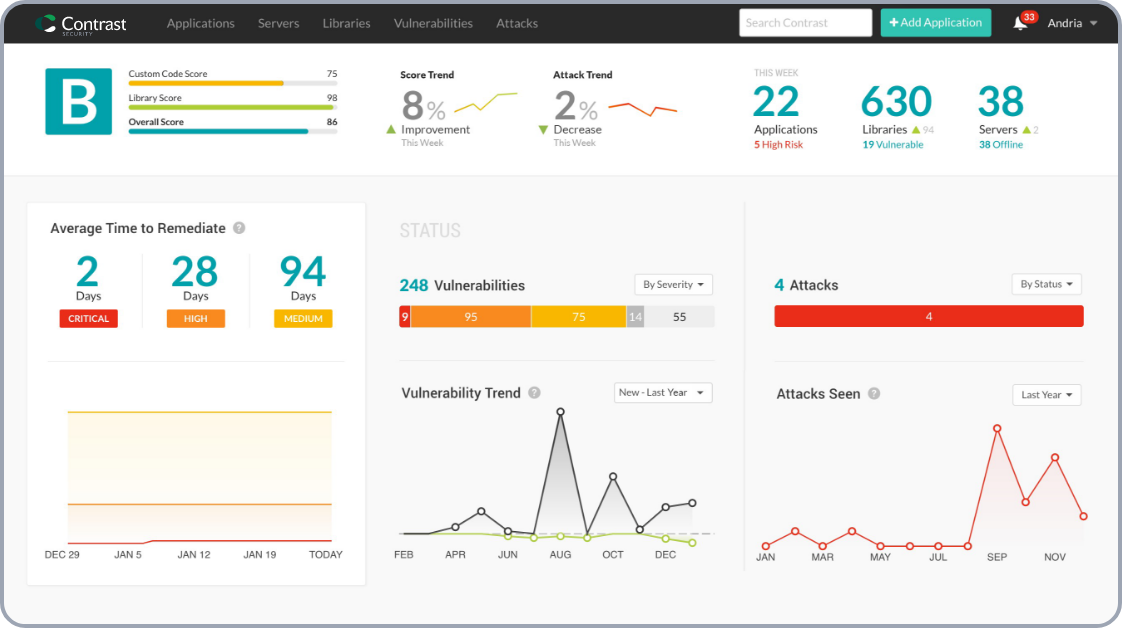
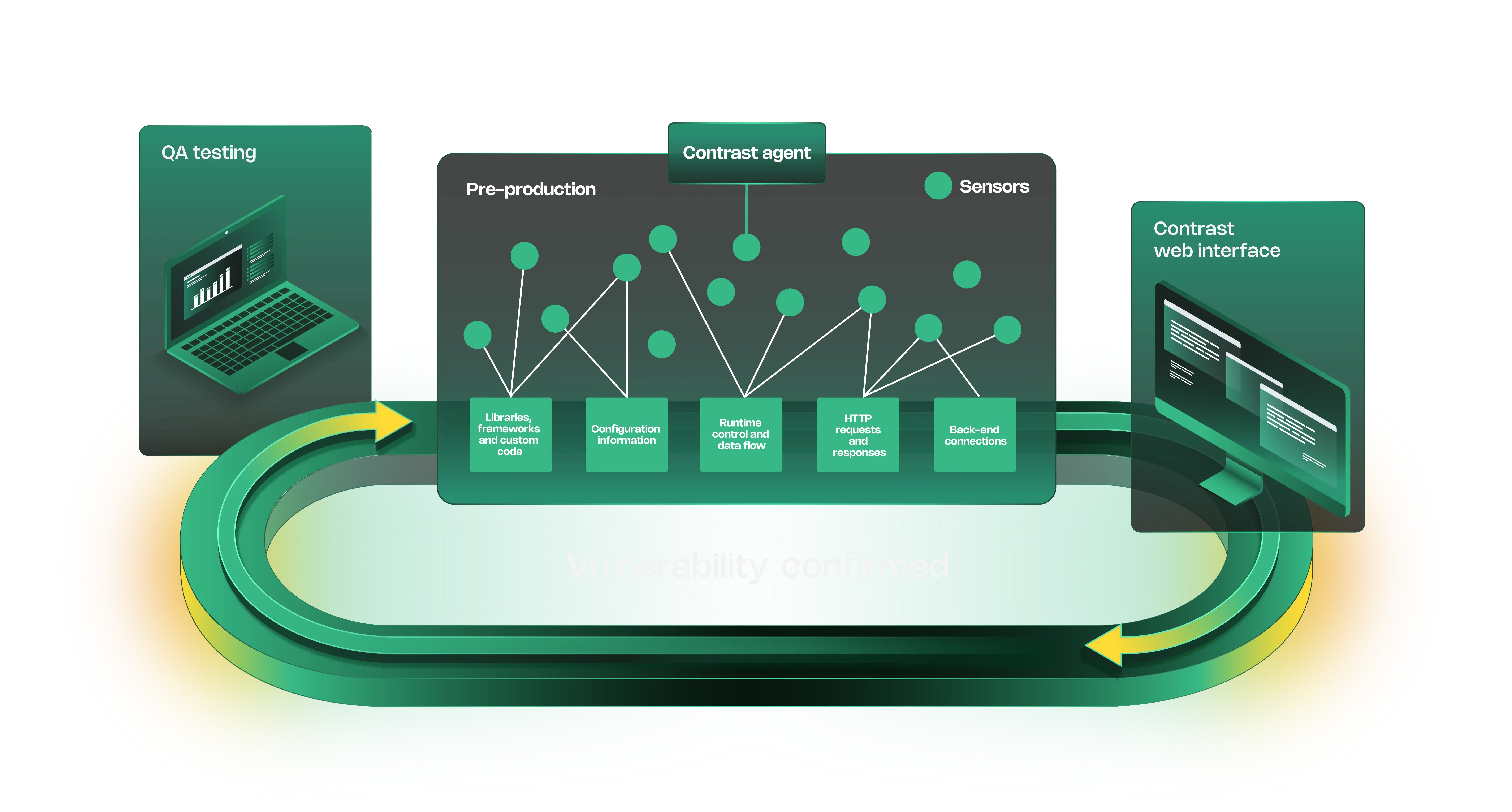
The sensors monitor code execution, data flow, and configuration in real time.
When tainted data reaches a dangerous operation without proper validation, Contrast flags it with the exact code location.
The same agent technology also powers Contrast Protect (RASP) and Contrast SCA, so you can move from testing to production protection without swapping tools.
Contrast previously offered a free Community Edition, but it was discontinued on June 30, 2025.
What is Contrast Assess?
Contrast Assess works differently from DAST scanners. Instead of attacking your application from the outside, it places sensors inside the runtime that observe how requests get processed.
The sensors watch libraries, frameworks, custom code, configuration, control and data flow, HTTP requests and responses, and back-end connections.
Key Features
| Feature | Details |
|---|---|
| Supported Languages | Java, .NET, Node.js, Python, Go, Ruby |
| Platform Coverage | 30+ languages and frameworks |
| Accuracy | Low false positive rate via runtime data flow observation |
| Free Tier | Community Edition discontinued (June 2025) |
| Testing Approach | Passive runtime instrumentation with sensors |
| Vulnerability Types | SQL injection, XSS, insecure configurations, and more |
| Related Products | Contrast Protect (RASP), Contrast SCA |
| Deployment | Test servers, QA, staging, developer workstations |
Live Architecture Visualization
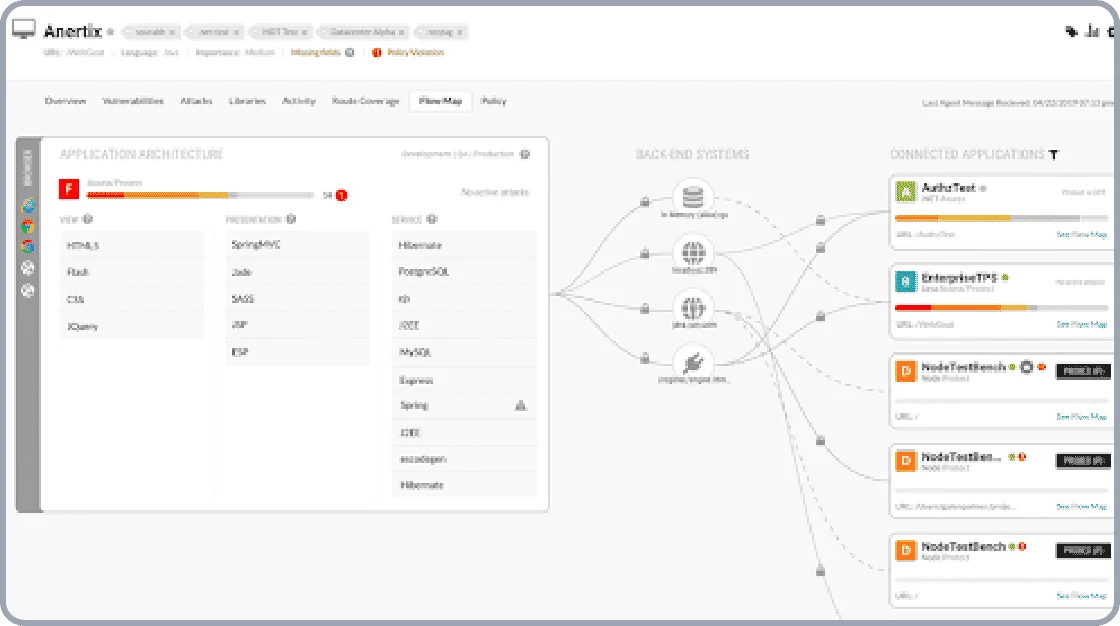
Contrast maps how your application processes data at runtime, showing the paths from HTTP request through business logic to back-end connections.
This visualization helps both security teams and developers understand the application’s real attack surface.
IDE Integration
Contrast integrates with development tools like Visual Studio, letting developers see and fix vulnerabilities without leaving their IDE. Findings include the specific code location, data flow trace, and remediation guidance.
Community Edition (Discontinued)
Getting Started
Instrument your application — Add the agent to your application startup. For Java, add it as a -javaagent JVM argument.
The agent embeds sensors during startup with no source code changes.
When to Use Contrast Assess
Contrast Assess works well for teams that want always-on security testing during their normal QA workflow.
The runtime approach catches issues that static analysis misses, particularly data flow vulnerabilities and configuration problems that only manifest at runtime.
The upgrade path to Contrast Protect (RASP) is a strong draw if you want the same agent technology in production for attack blocking.
If you need a tool that integrates with an existing observability stack, consider Datadog IAST. For broader language support with active verification, look at Seeker IAST.
Frequently Asked Questions
What is Contrast Assess?
Is Contrast Assess free or commercial?
What languages does Contrast Assess support?
What is Contrast Assess's accuracy rate?
Does Contrast Assess integrate with Contrast Protect?
* Pricing data from Vendr — anonymized contract values from real buyer transactions.