
- Checkov has 1,000+ policies with 800 graph-based checks for cross-resource relationships; KICS has 2,400+ Rego queries but no graph-based analysis.
- KICS covers 22+ IaC platforms (including OpenAPI, gRPC, Pulumi, Crossplane, GitHub Workflows); Checkov covers about 12 frameworks.
- Checkov uses Python or YAML for custom policies; KICS uses Rego exclusively — teams in the OPA ecosystem will prefer KICS.
- KICS (written in Go) is faster on large codebases; Checkov (Python) can be slower especially when running graph-based analysis on monorepos.
- Checkov maps policies to CIS, SOC 2, HIPAA, and PCI DSS; KICS maps to CWE with severity-mapped exit codes (60/50/40/30/20) for cleaner CI/CD gating.
Which Is Better: Checkov or KICS?
Checkov is an open-source IaC security scanner by Palo Alto Networks with 1,000+ Python-based policies and graph-based cross-resource checks. KICS is an open-source IaC scanner by Checkmarx with 2,400+ Rego queries across 22+ platforms.
Checkov and KICS are both open-source, Apache 2.0 licensed IaC security scanners backed by major application security companies. They solve the same core problem — catching infrastructure misconfigurations before deployment — but differ in depth, breadth, and policy approach.
Checkov goes deep. It has 1,000+ built-in policies including graph-based checks that verify relationships between resources, not just individual attributes.
Its compliance mapping covers CIS, SOC 2, HIPAA, and PCI DSS. Custom policies are written in Python or YAML.
If you want the most thorough Terraform and CloudFormation scanning with cross-resource analysis, Checkov is the specialist.
KICS goes wide. It covers 22+ IaC platforms — more than any other open-source scanner — including Ansible, OpenAPI, gRPC, Pulumi, Crossplane, and GitHub Workflows alongside the usual Terraform, Kubernetes, and CloudFormation.
Its 2,400+ queries are written in Rego, the same language behind Open Policy Agent. If your infrastructure spans many different frameworks, KICS covers more ground in a single tool.
What Are the Key Differences?
| Feature | Checkov | KICS |
|---|---|---|
| License | Apache 2.0 | Apache 2.0 |
| Built-in checks | 1,000+ (attribute + graph-based) | 2,400+ Rego queries |
| Graph-based checks | Yes (cross-resource relationships) | No |
| Terraform | Full support | Full support |
| CloudFormation | Yes | Yes |
| Kubernetes manifests | Yes | Yes |
| Helm charts | Yes | Yes |
| Dockerfiles | Yes | Yes |
| ARM / Bicep | Yes | Yes |
| Ansible | Yes | Yes |
| OpenAPI / gRPC | No | Yes |
| Docker Compose | No | Yes |
| Pulumi / Crossplane | No | Yes |
| GitHub Workflows | No | Yes |
| Google Deployment Manager | No | Yes |
| Kustomize | Yes | No |
| OpenTofu | Yes | Yes |
| Serverless Framework | Yes | Yes |
| Custom policy language | Python or YAML | Rego (OPA) |
| Compliance frameworks | CIS, SOC 2, HIPAA, PCI DSS | CIS |
| Secrets detection | Yes (with live API verification) | Limited |
| Auto-remediation | No | Yes (select queries) |
| Remote source scanning | No | Yes (S3, Git, GCS) |
| VS Code extension | Via Prisma Cloud | Yes (standalone) |
| Output formats | JSON, SARIF, JUnit XML, CycloneDX, CSV | JSON, SARIF, HTML, PDF, JUnit XML, CycloneDX, GitLab SAST, ASFF |
| Severity exit codes | Non-zero on failure | Mapped per severity (60/50/40/30/20) |
| GitHub stars | 8,500+ | 2,600+ |
| Written in | Python | Go |
| Backed by | Palo Alto Networks (Prisma Cloud) | Checkmarx |
Checkov vs KICS: How Do They Compare?
Policy Depth vs Platform Breadth
This is the defining tradeoff. Checkov has more checks and they go deeper. KICS covers more platforms.
Checkov’s 1,000+ policies include 800 graph-based checks that analyze connections between resources.
A graph-based check can verify that an EC2 instance connects to a network interface attached to a private subnet inside a VPC.
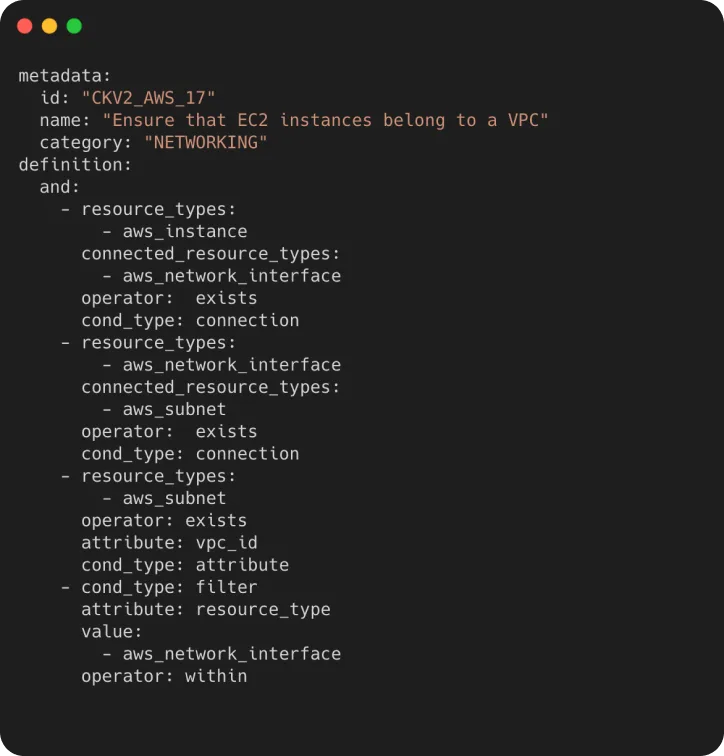
Standard attribute-only scanners — including KICS — cannot catch these cross-resource misconfigurations because they inspect resources one at a time.
KICS covers 22+ IaC platforms with 2,400+ queries. For teams that manage Ansible playbooks, OpenAPI specifications, gRPC definitions, Pulumi programs, Crossplane compositions, or GitHub Workflows alongside Terraform, KICS scans all of it.
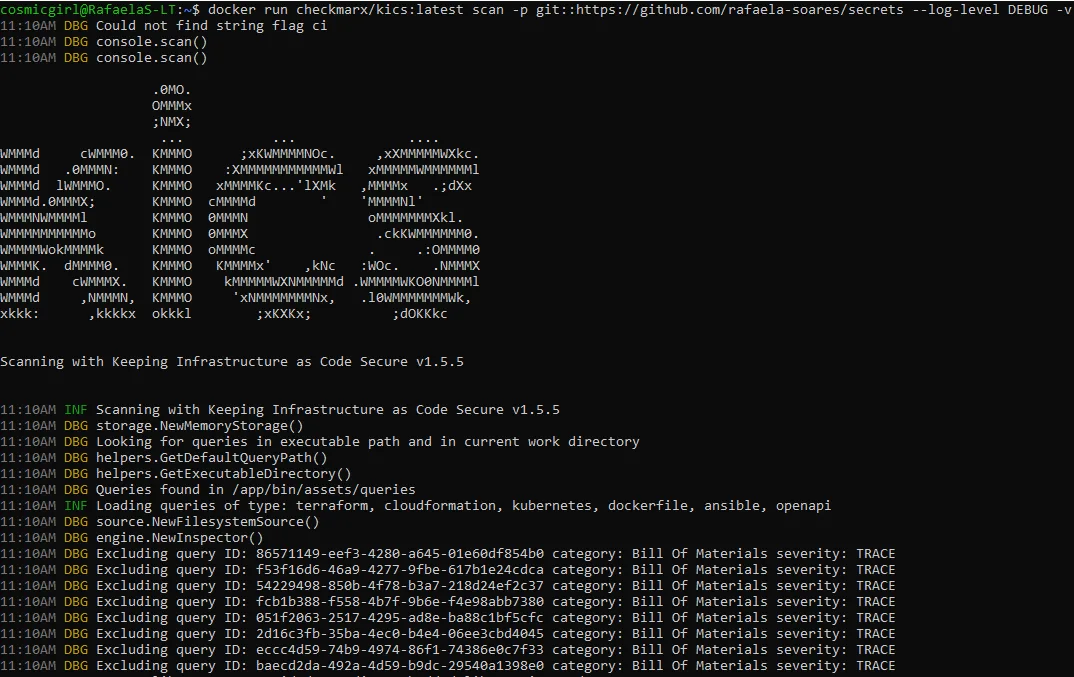
Checkov covers around 12 frameworks. The platforms KICS adds — OpenAPI, gRPC, Docker Compose, Pulumi, Crossplane, GitHub Workflows, Google Deployment Manager, Azure Blueprints, Knative, and Databricks — are real gaps in Checkov’s coverage.
For Terraform and CloudFormation specifically, Checkov provides stronger coverage thanks to the combination of attribute checks and graph-based analysis. For infrastructure that spans many different tools and platforms, KICS handles the full stack.
Custom Policies: Python/YAML vs Rego
The choice of custom policy language affects who can write and maintain your internal checks.
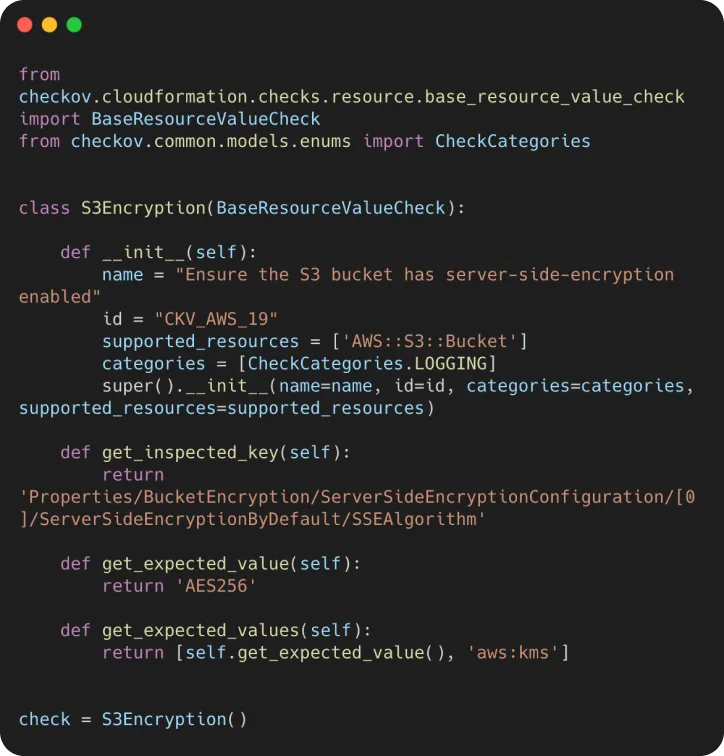
Checkov offers two options. YAML policies use a declarative syntax with operators like equals, not_equals, contains, and exists.
They require no programming experience and handle straightforward attribute checks well. Python policies inherit from base check classes and offer full programmatic control — conditions, loops, external data lookups, anything Python can do.
Version 3.0 added 36 new YAML operators and JSON path support, narrowing the gap between what YAML and Python policies can express.
KICS uses Rego exclusively. Every query — built-in and custom — is a Rego policy.
Rego is a purpose-built policy language from the Open Policy Agent project. It handles set operations, object traversal, and policy logic cleanly, but the syntax takes getting used to.
Teams already running OPA for Kubernetes admission control, Conftest for config testing, or Gatekeeper for cluster policy will write KICS queries without friction.
Teams that don’t use OPA anywhere else face a steeper onboarding curve.
The practical question: who on your team will write and review custom policies? If the answer is DevOps engineers who know Python, Checkov is easier.
If the answer is platform engineers already in the OPA ecosystem, KICS is the natural fit.
Compliance and Reporting
Checkov maps its policies to CIS Benchmarks, SOC 2, HIPAA, PCI DSS, and AWS Foundations Benchmark. Running a compliance scan generates a report showing which controls pass and fail against a specific standard.
For teams that need to demonstrate compliance during audits, this built-in mapping saves significant manual effort.
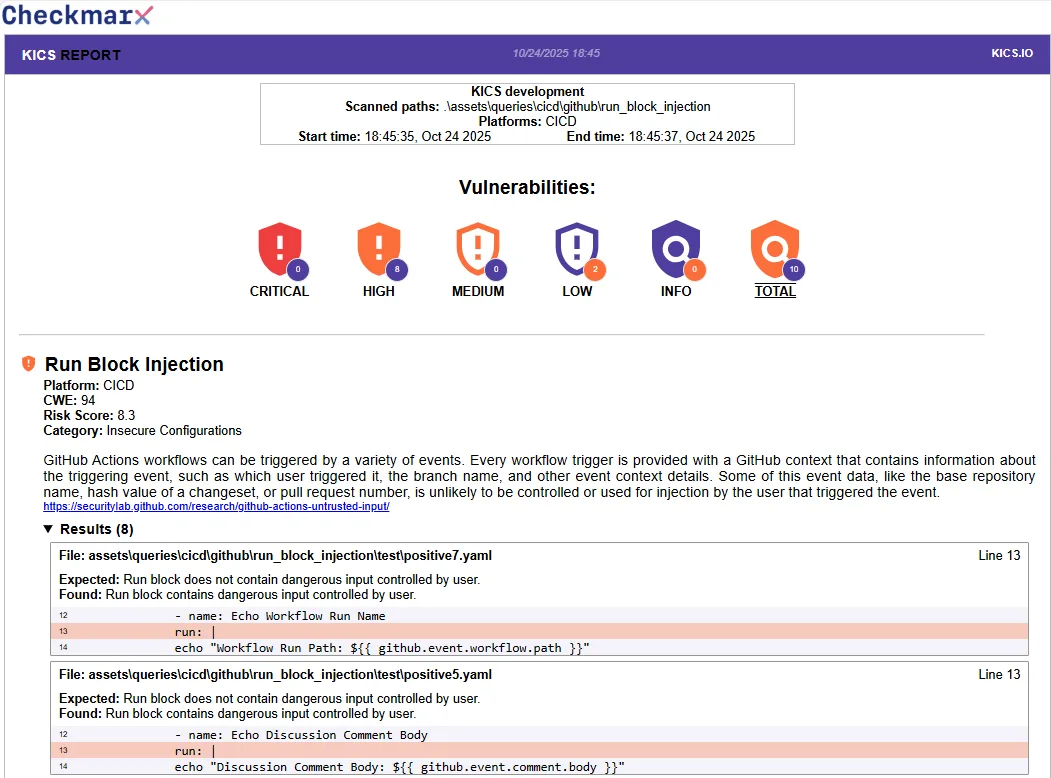
KICS maps queries to CWE identifiers, severity levels, and risk scores. Each finding includes expected vs actual values and remediation guidance.
However, KICS does not provide the same level of compliance framework mapping as Checkov.
If you need a report that says “here are your SOC 2 or HIPAA gaps,” Checkov delivers that out of the box.
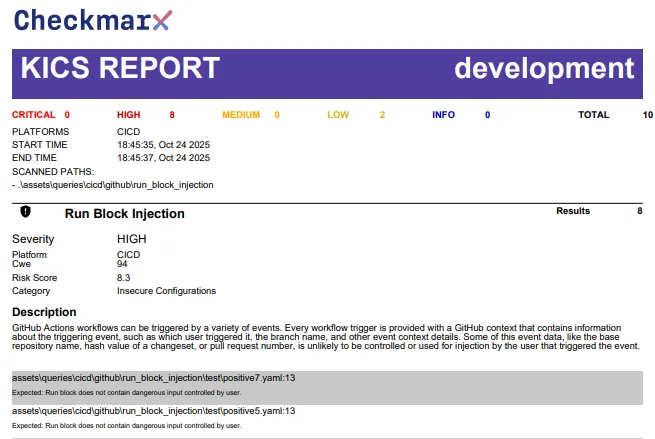
Where KICS wins on reporting is format flexibility. It outputs to 10+ formats including HTML, PDF, GitLab SAST, SonarQube, Code Climate, and AWS ASFF.
The HTML and PDF reports are polished enough for non-technical stakeholders. Checkov’s output formats are more developer-focused (JSON, SARIF, JUnit XML, CycloneDX, CSV).
CI/CD Integration and Scan Speed
Both tools integrate cleanly into CI/CD pipelines. Checkov has the bridgecrewio/checkov-action for GitHub Actions and Docker images for other platforms.
KICS has the checkmarx/kics-github-action and equivalent Docker-based integrations. Both support SARIF output for GitHub code scanning alerts.
KICS has a notable advantage in exit code design. Its severity-mapped exit codes (60 for Critical, 50 for High, 40 for Medium, 30 for Low, 20 for Info) make it straightforward to fail pipelines at exactly the severity threshold you want.
The --fail-on flag controls which severities trigger failure. Checkov uses a binary non-zero exit on any failure, with --soft-fail and --check/--skip-check flags for more granular control.
On scan speed, KICS has an edge. It is written in Go and compiles to a single binary with no runtime dependencies.
Checkov is Python-based, which means a heavier install footprint and slower execution on large repositories.
The difference is negligible for small projects but noticeable on monorepos with thousands of files, particularly when Checkov runs its graph-based analysis pass.
KICS also supports remote source scanning directly from S3 buckets, Git repositories, and Google Cloud Storage. Checkov requires the files to be local or checked out in your pipeline first.
Secrets Detection and Auto-Remediation
Checkov handles secrets detection as a built-in feature. It recognizes known credential formats (AWS keys, Azure storage keys, GitHub tokens), uses entropy analysis for randomized secrets, and can verify detected keys against live APIs to confirm whether they are active.
The live verification feature cuts down on false positives significantly.
KICS has limited secrets detection. Its queries can flag hardcoded credentials in IaC files, but it does not have a dedicated secrets engine with entropy analysis or live verification.
KICS has a feature Checkov lacks: auto-remediation. For supported queries, KICS can generate remediated versions of the offending code.
This is limited to a subset of queries and platforms, but it saves time for straightforward fixes like enabling encryption or restricting public access.
When Should You Choose Checkov?
Choose Checkov if:
- Graph-based cross-resource checks are important for catching complex misconfigurations
- You need compliance reporting mapped to SOC 2, HIPAA, PCI DSS, or CIS Benchmarks
- Your team prefers writing custom policies in Python or YAML rather than Rego
- Terraform and CloudFormation are your primary IaC frameworks and you want the deepest policy coverage for them
- Secrets detection with live API key verification is part of your scanning requirements
- Your team already uses or plans to adopt Prisma Cloud
See also: Checkov vs Trivy for a comparison with the other major open-source IaC scanner.
When Should You Choose KICS?
Choose KICS if:
- Your infrastructure spans many platforms beyond Terraform and Kubernetes (Ansible, OpenAPI, gRPC, Pulumi, Crossplane, GitHub Workflows)
- Your team already works with Rego through OPA, Conftest, or Gatekeeper
- Scan speed matters on large codebases and you want a Go-compiled binary
- Severity-mapped exit codes make your CI/CD gating logic cleaner
- HTML and PDF reports for non-technical stakeholders or auditors are needed
- Remote scanning of S3, Git repos, or GCS buckets without local checkout is valuable
- Auto-remediation for common findings saves your team time
For teams that want maximum coverage, running both tools is a practical option. Checkov catches cross-resource relationship issues that KICS cannot detect.
KICS covers platforms that Checkov does not reach. The overlap in Terraform and Kubernetes checks provides redundancy on the most critical frameworks.
Both are IaC security tools. Browse the full AppSec Santa category for more options.
Frequently Asked Questions
Which has more built-in checks, Checkov or KICS?
Are both Checkov and KICS free?
Can I use Checkov and KICS together?
Which custom policy language is easier, Python/YAML or Rego?
Which tool is faster for large codebases?

+7 Years in AppSec
10+ years in application security. Reviews and compares 208 AppSec tools across 11 categories to help teams pick the right solution. More about me →