
- Checkmarx One bundles SAST, SCA, DAST, IaC, container, API, secrets, and ASPM in one platform; Fortify is a SAST-focused tool with IaC scanning capabilities.
- Fortify covers COBOL, ABAP, Visual Basic, and Classic ASP that Checkmarx has limited support for — critical for organizations with mainframe or legacy enterprise code.
- Fortify supports on-premises, SaaS (Fortify on Demand), and hybrid deployment; Checkmarx also offers cloud and on-premises but Fortify's three-model approach has a longer track record.
- Both are Gartner Magic Quadrant Leaders; Fortify has held the position for 11 consecutive years while Checkmarx offers broader platform coverage with ASPM prioritization.
- Fortify tracks 1,700+ vulnerability categories across 1M+ APIs; Checkmarx supports 35+ languages and 100+ frameworks with ASPM cross-scanner correlation.
Which Is Better: Checkmarx or Fortify?
Checkmarx One is a unified application security platform that bundles SAST, SCA, DAST, and ASPM for enterprise development teams. Fortify Static Code Analyzer is an enterprise SAST tool by OpenText with the deepest legacy language coverage in the market.
Both Checkmarx and Fortify are Gartner Magic Quadrant Leaders for application security testing.
Checkmarx One is the better pick for teams that want SAST, SCA, DAST, and API security unified in one platform with ASPM-level prioritization.
Fortify is the better pick for organizations running legacy languages like COBOL, ABAP, and Visual Basic, or those that need flexible on-premises and hybrid deployment options.
What Are the Key Differences?
| Feature | Checkmarx | Fortify |
|---|---|---|
| License | Commercial | Commercial |
| Languages Supported | 35+ languages, 100+ frameworks | 33+ languages, 350+ frameworks |
| Legacy Language Support | Limited | COBOL, ABAP, Visual Basic, Classic ASP |
| Vulnerability Categories | Broad (not publicly quantified) | 1,700+ categories, 1M+ APIs |
| Platform Scope | SAST, SCA, DAST, IaC, Container, API, Secrets, ASPM | SAST with IaC scanning |
| AI Features | Checkmarx One Assist, Developer Assist | Fortify Aviator |
| IDE Plugins | VS Code, IntelliJ, Eclipse, Visual Studio, Cursor, Windsurf | Major IDEs supported |
| CI/CD Integrations | SDLC integrations | Jenkins, GitHub Actions, GitLab CI, Azure DevOps |
| Deployment Options | Cloud, on-premises | On-premises, SaaS (Fortify on Demand), hybrid |
| ASPM | Built-in | Not included (separate tools needed) |
| Gartner Recognition | Magic Quadrant Leader | Magic Quadrant Leader (11 consecutive years) |
| Owner | Checkmarx (Israel) | OpenText (acquired Micro Focus, 2023) |
Checkmarx vs Fortify: How Do They Compare?
Language and Framework Support
Checkmarx supports 35+ programming languages and 100+ frameworks. That covers most modern development stacks well.
Fortify lists 33+ languages and 350+ frameworks, but its real differentiator is deep coverage of legacy languages. COBOL, ABAP, Visual Basic, Classic ASP, ColdFusion, and PL/SQL are all first-class targets.
If your organization maintains mainframe code or older enterprise applications, Fortify covers ground that most modern SAST tools skip entirely.
Fortify also tracks over one million individual APIs across its supported languages, giving it granular detection capability for framework-specific vulnerabilities. Checkmarx does not publicly quantify its API coverage in the same way but covers a wide range of frameworks across its supported languages.
Developer Experience
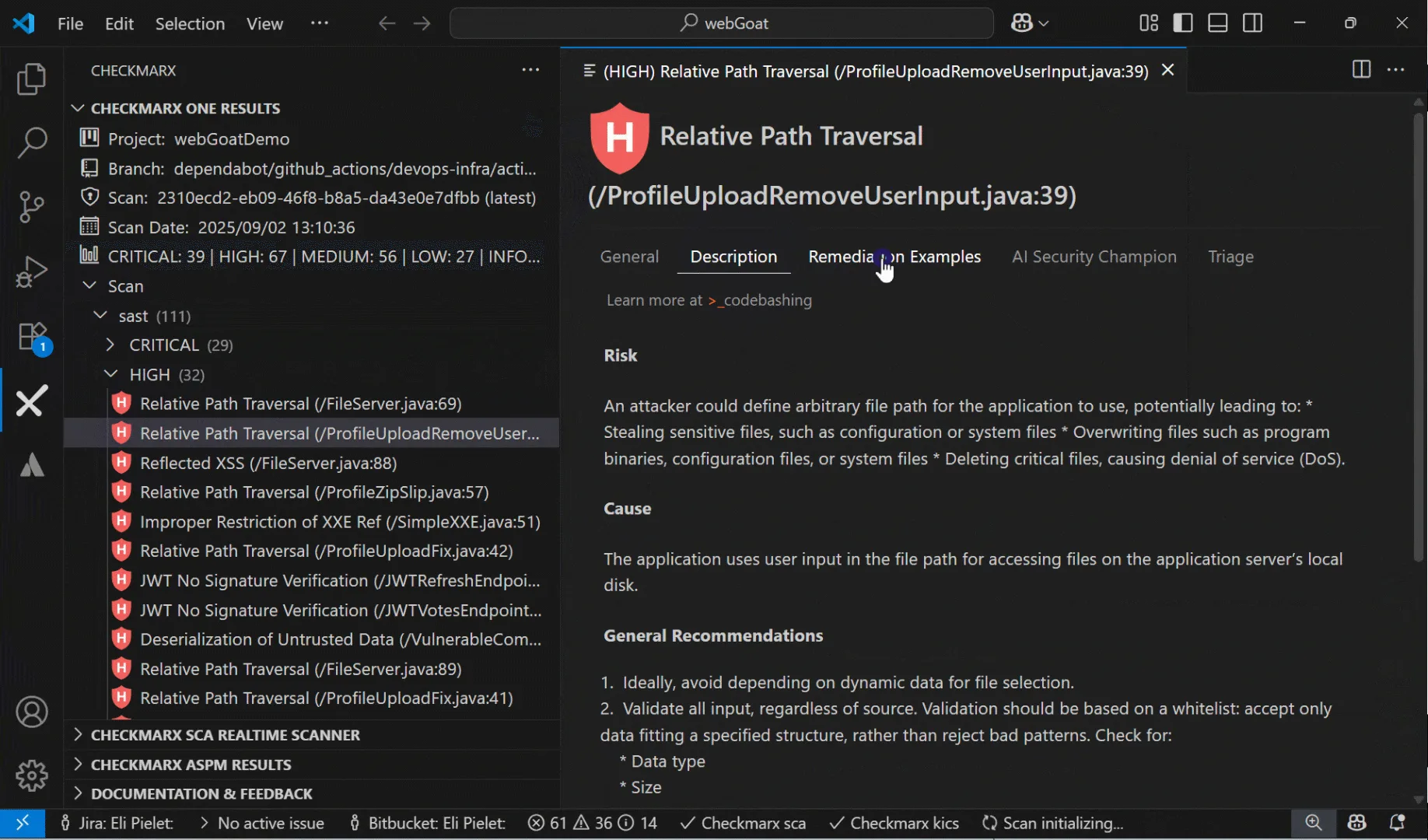
Checkmarx has invested heavily in IDE integration. Plugins are available for VS Code, IntelliJ, Eclipse, Visual Studio, Cursor, and Windsurf.
Developer Assist works preventatively, catching security issues as code is written rather than after a full scan completes. The platform has SDLC integrations covering SCM, CI/CD, ticketing, and communication tools.
Fortify provides IDE plugins and CI/CD integrations for major platforms, though the integration count is smaller. Fortify Audit Workbench is the primary interface for reviewing and triaging findings.
The desktop client is functional but has a steeper learning curve compared to web-based dashboards.
Security Coverage
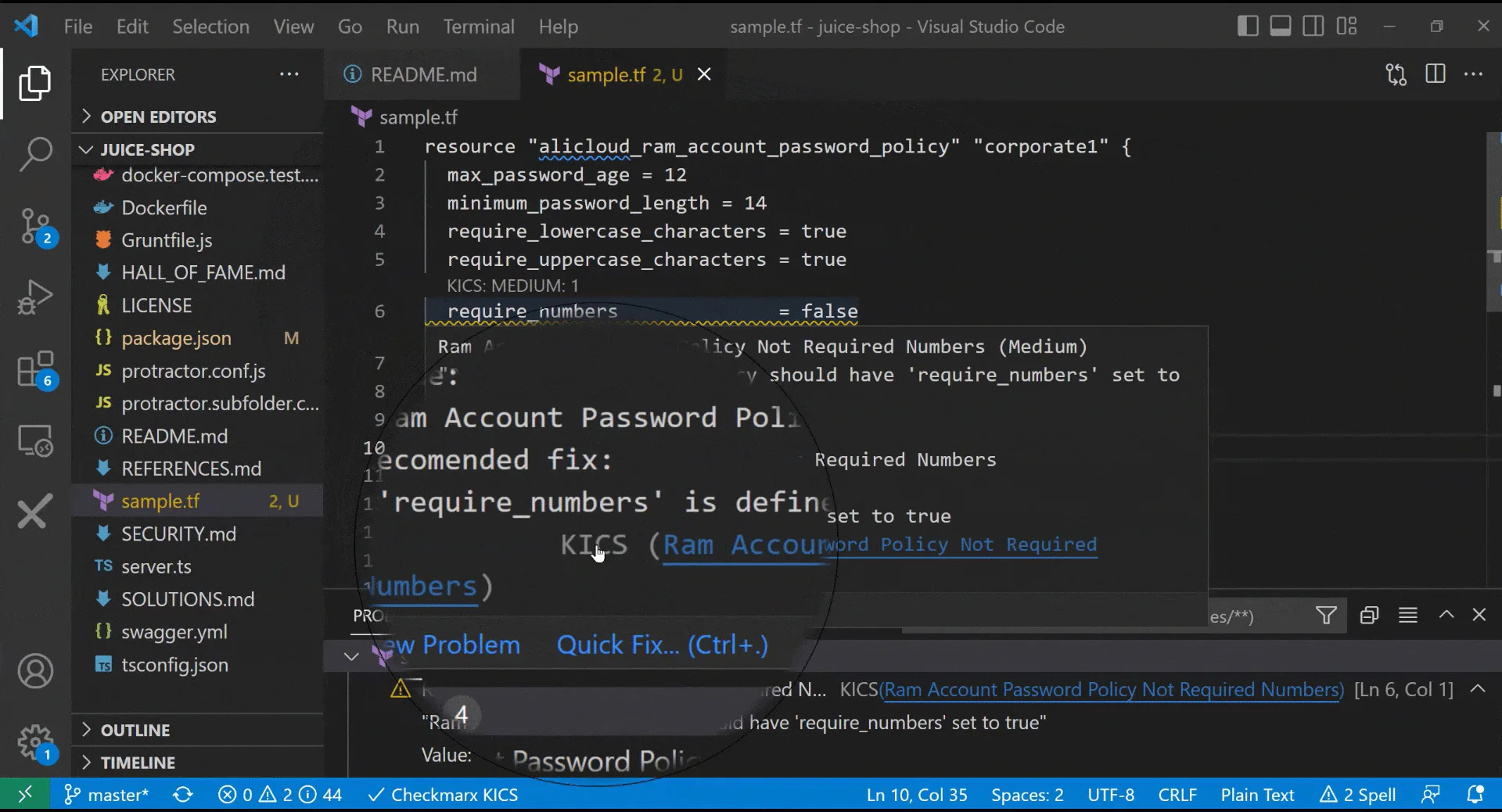
This is where the scope difference matters most. Checkmarx One is a full application security platform: SAST, SCA, DAST, IaC security, container security, API security, secrets detection, and malicious package protection.
ASPM sits on top and prioritizes findings across all scanning engines based on application context. Organizations that would otherwise buy five or six separate tools can consolidate under Checkmarx One.
Fortify is a SAST tool with IaC scanning capabilities. It does one thing with serious depth — 1,700+ vulnerability categories — but if you need SCA, DAST, or API security, you will need to bring in additional tools.
OpenText offers some complementary products, but they are not as tightly integrated as Checkmarx One’s unified platform.
Enterprise Features
Both tools serve regulated industries and offer compliance reporting, role-based access control, and audit trails. Checkmarx’s ASPM provides cross-scanner correlation and business-context prioritization, which is a significant advantage for large security programs managing thousands of findings.
Fortify’s flexible deployment model is its enterprise differentiator. On-premises deployment satisfies organizations that cannot send source code to the cloud.
Fortify on Demand offers a managed SaaS option for teams that prefer not to maintain scanning infrastructure. Hybrid deployments combine both.
Checkmarx also supports cloud and on-premises, but Fortify’s three-model approach has a longer track record.
Pricing
Neither tool publishes pricing. Both require contacting sales for a custom quote.
Checkmarx One is sold as a platform subscription that covers all scanning engines, which can represent good value if you need multiple testing types. Fortify pricing depends on deployment model, scan volume, and language coverage.
On-premises licenses have a different cost structure than Fortify on Demand subscriptions. Expect enterprise-level pricing from both vendors.
When Should You Choose Checkmarx?
Choose Checkmarx if:
- You want SAST, SCA, DAST, and API security in a single platform instead of managing separate tools
- ASPM-level prioritization across multiple scanning engines matters to your security program
- Your development stack is primarily modern languages (Java, JavaScript, Python, Go, C#, etc.)
- You want broad IDE coverage including AI-powered coding assistants like Cursor and Windsurf
- Consolidating AppSec vendors and reducing tool sprawl is a goal
When Should You Choose Fortify?
Choose Fortify if:
- You maintain legacy codebases in COBOL, ABAP, Visual Basic, Classic ASP, or ColdFusion
- On-premises deployment is a hard requirement (no source code in the cloud)
- You want the flexibility of on-premises, SaaS, or hybrid deployment
- Deep vulnerability category coverage (1,700+) across a wide API surface matters more than platform breadth
- Your organization already uses OpenText products and wants vendor alignment
Both tools are strong choices in the AppSec Santa SAST category. The decision typically comes down to whether you need a unified AppSec platform (Checkmarx) or deep standalone SAST with legacy language support and flexible deployment (Fortify).
Frequently Asked Questions
Is Checkmarx better than Fortify?
How do Checkmarx and Fortify compare on pricing?
Can Checkmarx or Fortify scan infrastructure as code?
Which tool has better AI features?
Do I need both Checkmarx and Fortify?

+7 Years in AppSec
10+ years in application security. Reviews and compares 208 AppSec tools across 11 categories to help teams pick the right solution. More about me →