

Checkmarx DAST is the dynamic application security testing engine inside Checkmarx One. It scans running web applications and APIs using an engine built on ZAP, the most widely used open-source DAST tool.
In September 2024, ZAP’s core team — Simon Bennetts (ZAP’s creator), Rick Mitchell, and Ricardo Pereira — joined Checkmarx as employees. ZAP itself stays free and open-source under Apache v2.
Checkmarx DAST wraps the same engine with enterprise features: managed cloud infrastructure, SSO/MFA authentication, tunneling for internal apps, and cross-scanner correlation through ASPM.
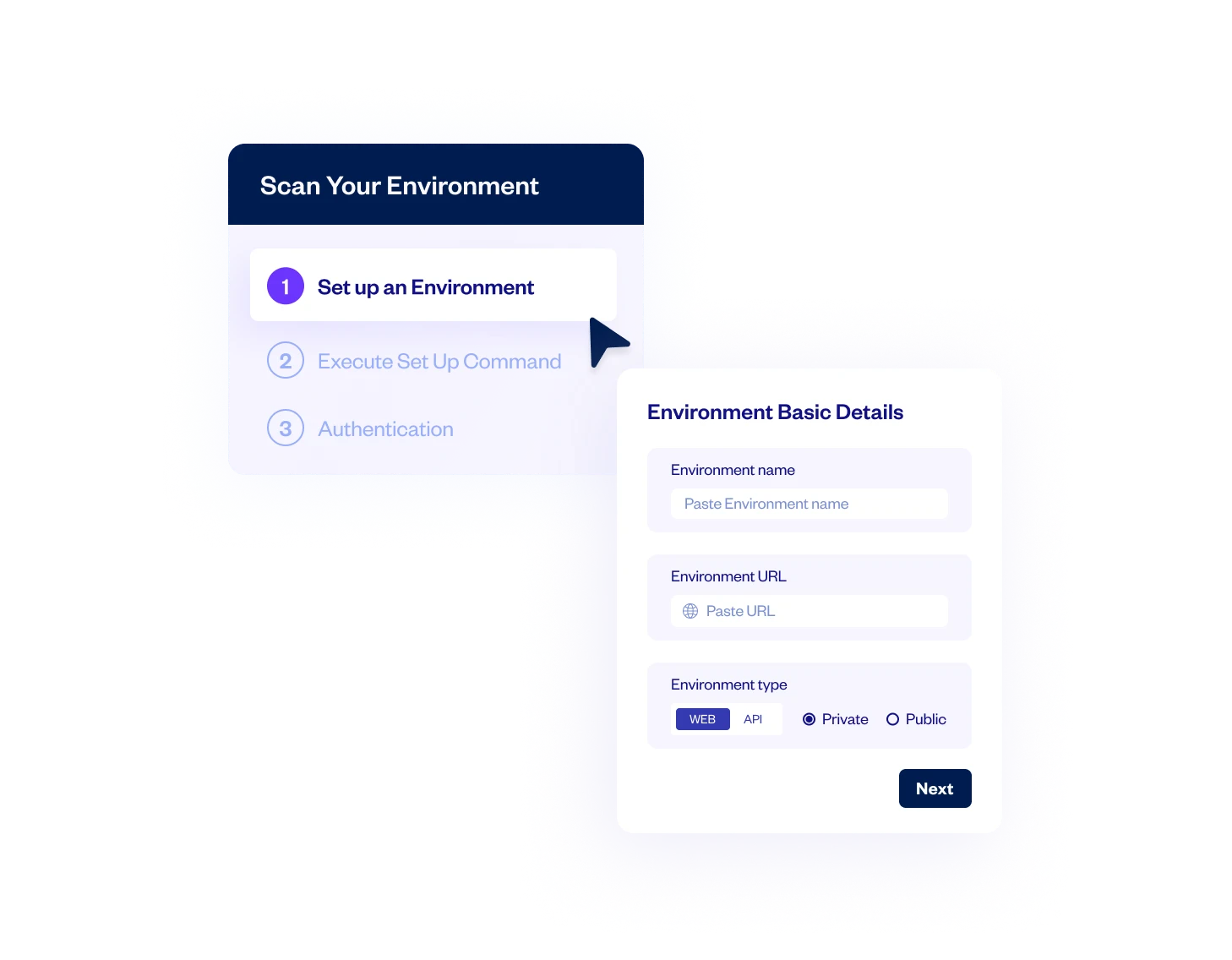
What is Checkmarx DAST?
Checkmarx DAST is a commercial dynamic application security testing tool that scans running web applications and APIs for security vulnerabilities.
It is built on ZAP’s open-source scanning engine and sold as part of the Checkmarx One unified application security platform.
The scanner performs black-box testing — it crawls your web app, discovers pages and APIs, then attacks them with active and passive scan rules covering the OWASP Top 10 and beyond.
If you’re already on Checkmarx One, the real draw here is correlation. DAST findings get merged with SAST, SCA, and IAST results through the ASPM layer.
So when the same SQL injection shows up in source code (SAST) and is confirmed exploitable at runtime (DAST), it becomes one issue — not duplicate tickets across separate dashboards.
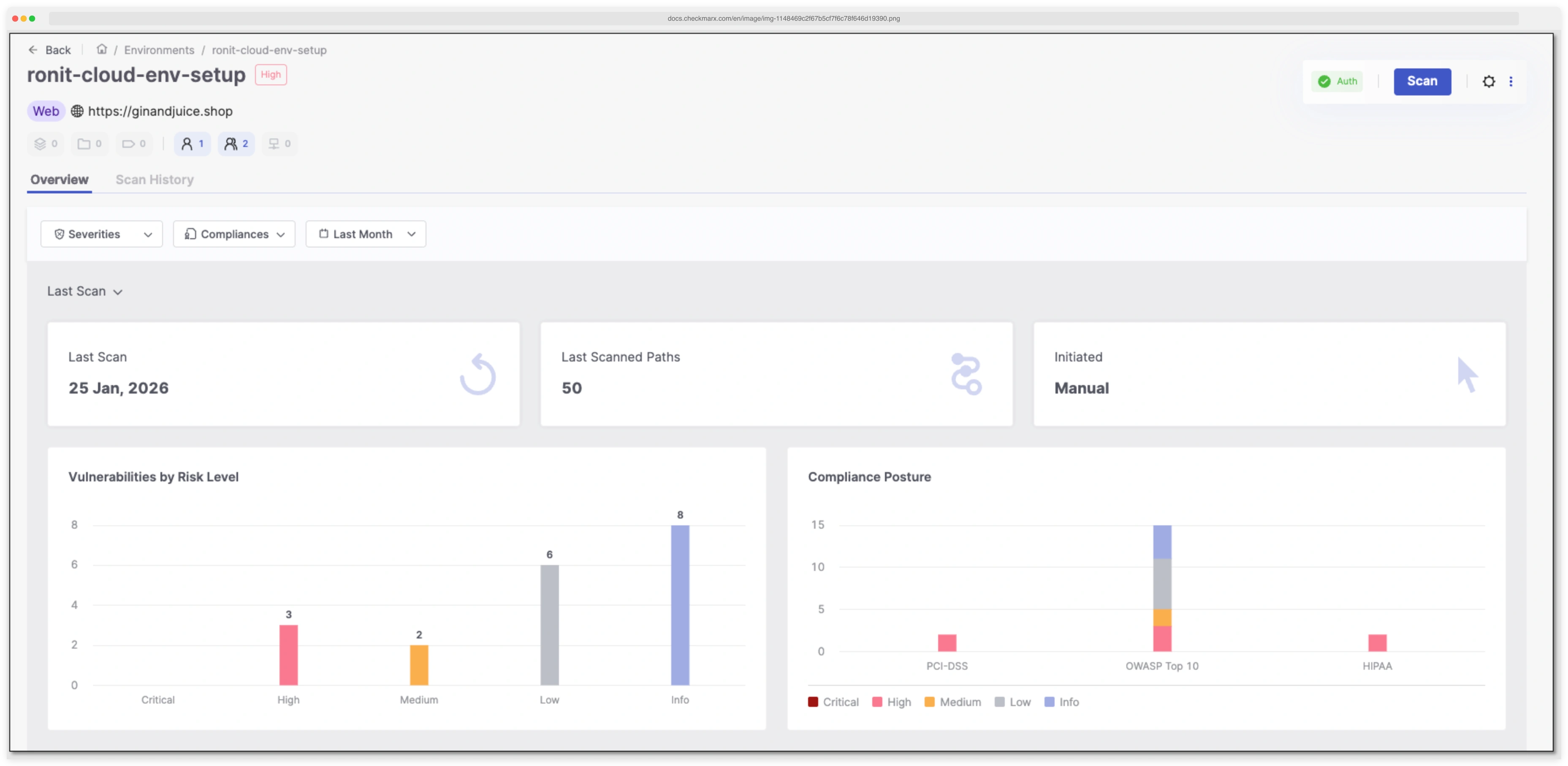
Key features
| Feature | Details |
|---|---|
| Scanning engine | ZAP-based (active + passive scan rules) |
| Web crawling | Standard spider + AJAX Spider (headless Chrome) |
| SPA support | React, Angular, Vue via browser-based crawling |
| API testing | REST, SOAP, GraphQL, gRPC |
| API import | OpenAPI/Swagger specs, Postman Collections |
| Shadow API discovery | Automatic detection of undocumented endpoints |
| Authentication | Browser recording, TOTP/2FA, SSO (SAML/OAuth/OIDC), MFA |
| Internal scanning | DAST Tunneling (encrypted, no inbound ports) |
| Cloud scan limit | 2 hours 45 minutes (no limit via Docker/CLI) |
| Deployment | Cloud (SaaS), Docker, Kubernetes, CI/CD CLI |
| Platform | Part of Checkmarx One (Professional and Enterprise tiers) |
| Compliance | PCI DSS, OWASP mapping with PDF/JSON reports |
I run authenticated dynamic scans against logged-in user sessions, with browser-recorded login flows handling SSO (SAML, OAuth, OIDC), TOTP/2FA, or scripted multi-step auth. The platform does API security testing (black-box) against REST, SOAP, GraphQL, and gRPC endpoints by ingesting OpenAPI specs or Postman Collections. SQL injection / XSS probing fires payload mutation across discovered parameters, and ASPM dedupes the findings against SAST and SCA results in the Checkmarx One dashboard.
How does Checkmarx DAST scan web applications?
Two crawling modes. The standard spider follows links and submits forms to map the application.
For JavaScript-heavy SPAs built with React, Angular, or Vue, the AJAX Spider launches headless Chrome.
It renders dynamic content, follows client-side routes, triggers AJAX requests, and finds pages that traditional crawlers miss entirely.
Once crawling finishes, active scanning attacks discovered endpoints with injection payloads. This covers SQL injection, XSS, out-of-band flaws, server misconfigurations, broken access controls, insecure JWT handling, and authentication weaknesses.
What APIs can Checkmarx DAST test?
Checkmarx DAST scans REST, SOAP, GraphQL, and gRPC endpoints.
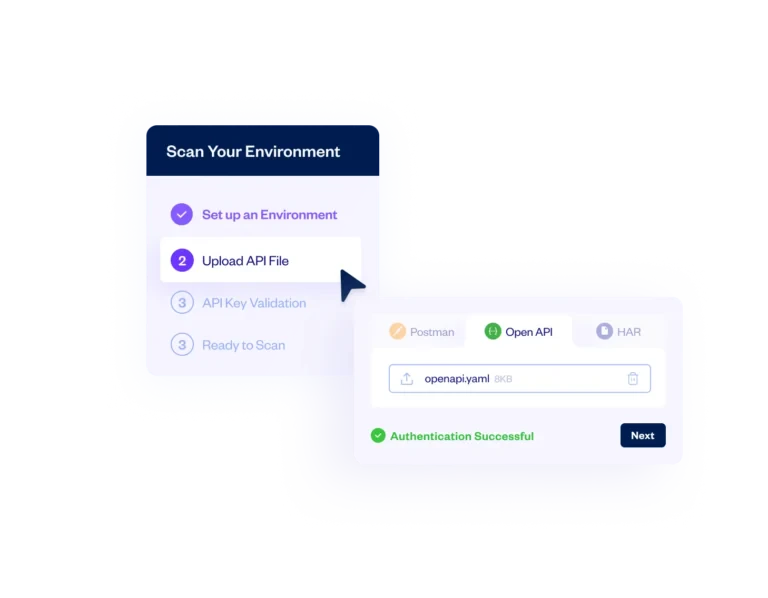
Import an OpenAPI/Swagger spec or Postman Collection to define your API surface, or let the scanner discover endpoints on its own during crawling.
Shadow API discovery is worth calling out — it catches undocumented endpoints that aren’t in your spec. These get cataloged in the Checkmarx One dashboard alongside API discoveries from SAST scans.
How does DAST Tunneling work?
DAST Tunneling lets you scan applications that aren’t publicly accessible. It creates an encrypted connection between the Checkmarx cloud and your internal network.
Staging environments, pre-production apps, anything behind a corporate firewall — all covered.
No inbound firewall rules needed. The agent initiates an outbound connection, and scans run through that tunnel. Simpler than a VPN.
docker pull checkmarx/dast:latest) or the DAST CLI in your pipeline — both have no timeout limit.How does Checkmarx DAST handle authentication?
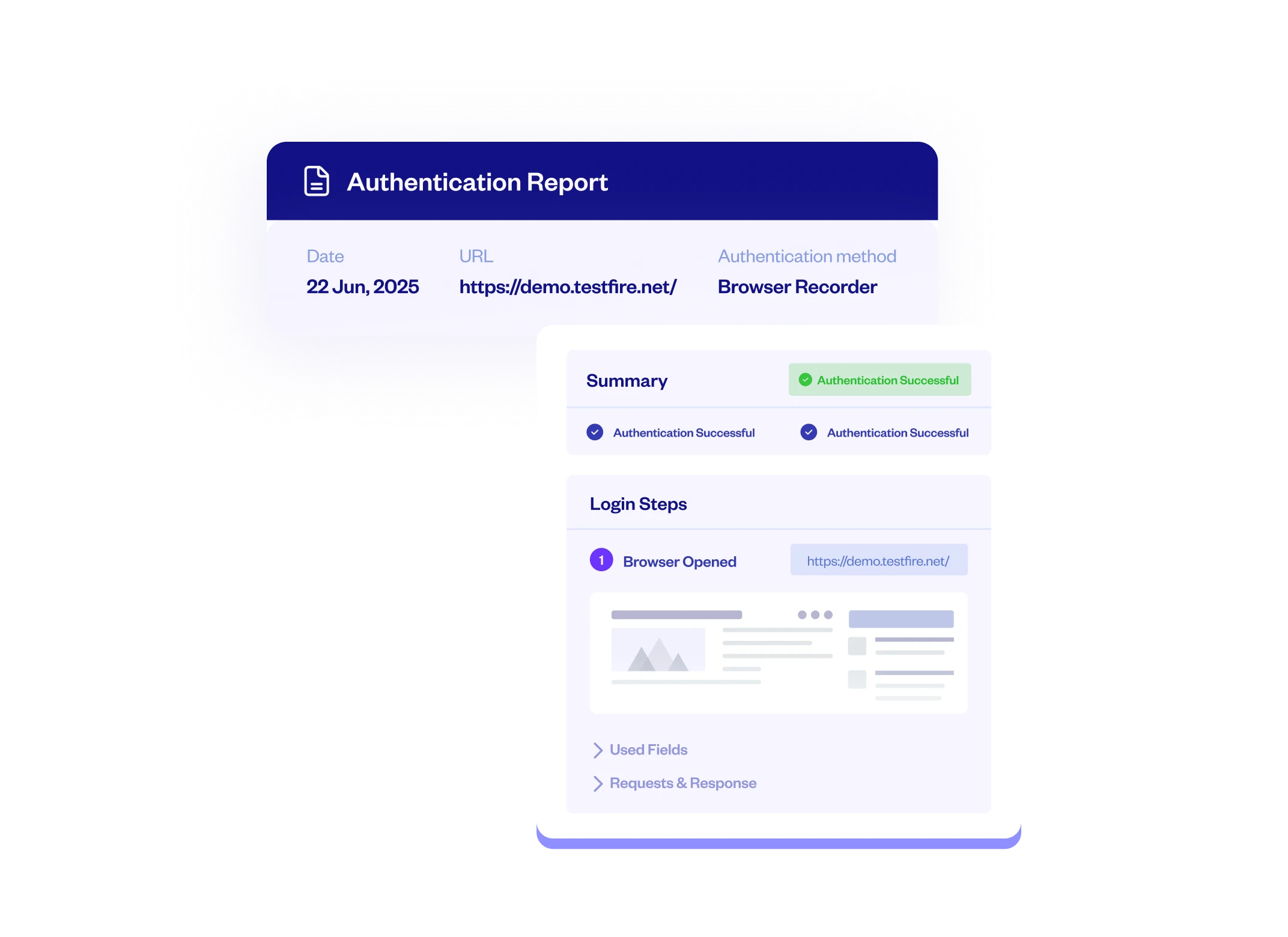
Authenticated scanning works through several methods. The ZAP by Checkmarx browser extension (Chrome and Firefox) can record your login flow for replay during scans.
Enterprise SSO is covered: SAML, OAuth 2.0, and OpenID Connect. TOTP and MFA with push notifications are also supported.
Before kicking off a full scan, you can run a pre-scan verification to confirm authentication actually works. An Environment Setup Wizard walks through the configuration if your team hasn’t set up DAST auth before.
How does cross-scanner correlation work?
This is where Checkmarx DAST differs most from standalone tools.
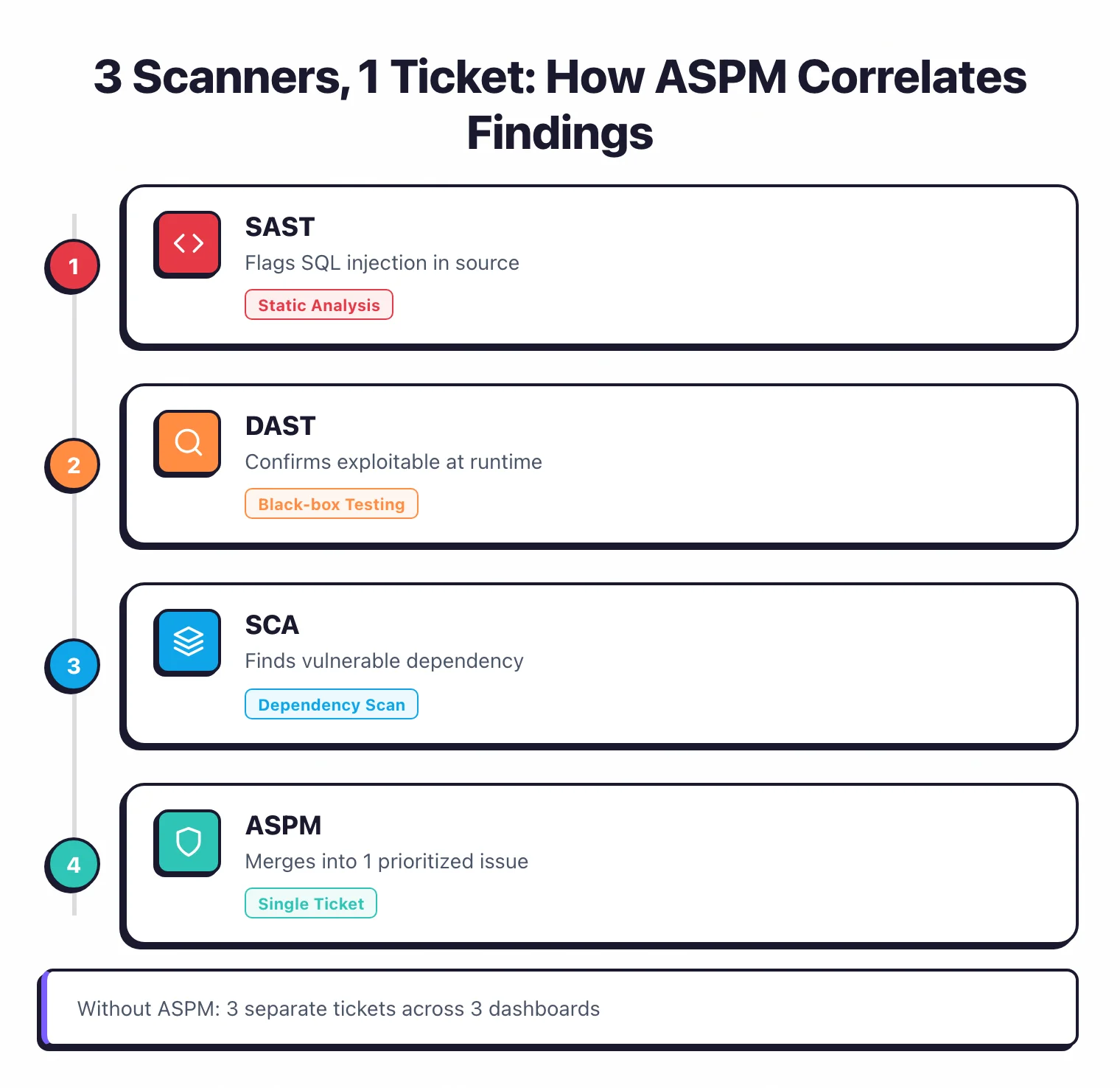
After the scan, Checkmarx One’s ASPM layer matches DAST findings against results from SAST, SCA, IAST, and other scanners.
Say SAST flags a SQL injection in source code, DAST confirms it’s exploitable at runtime, and SCA finds a related vulnerable dependency. Instead of three tickets across three dashboards, you get one.
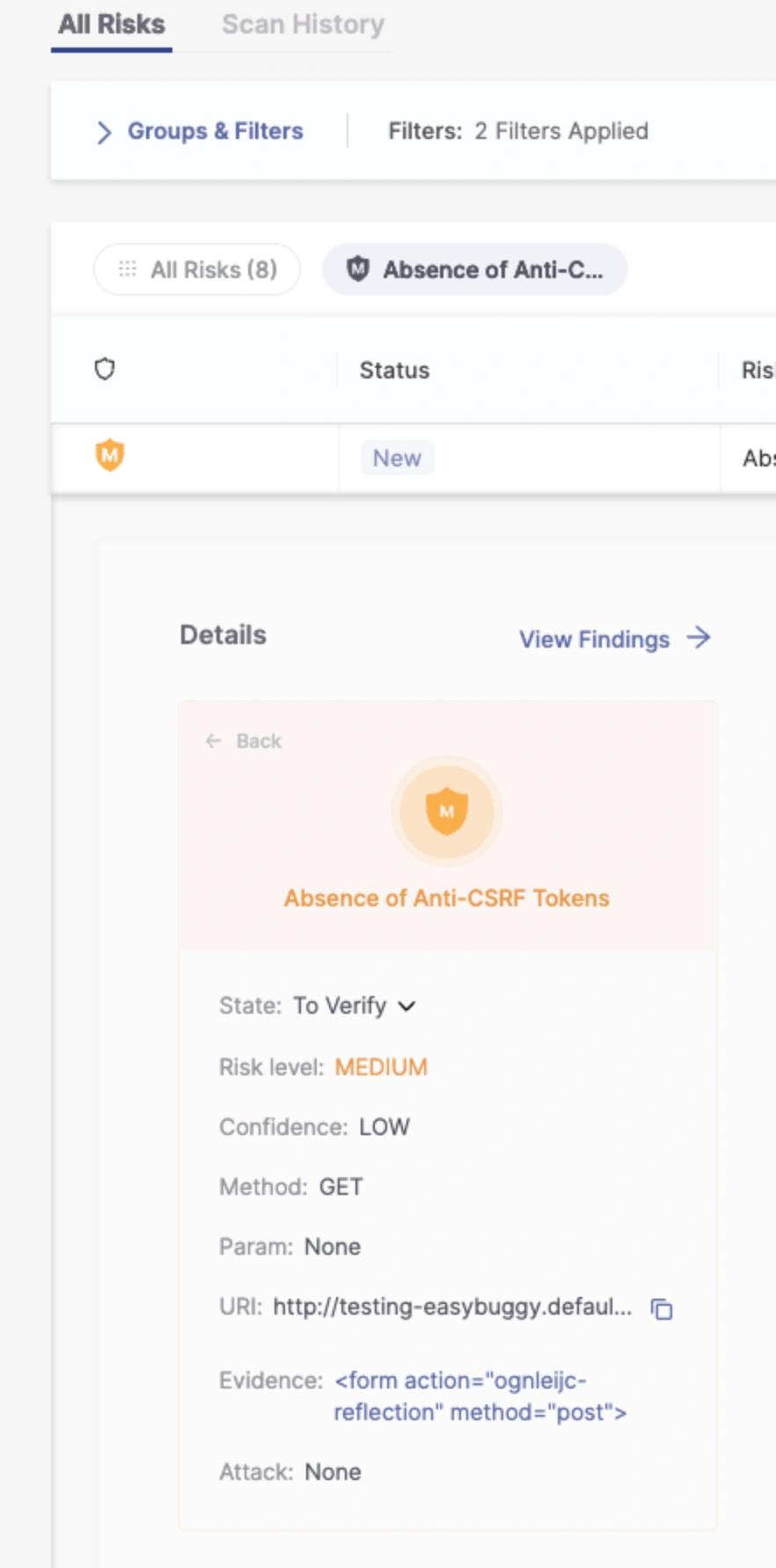
Prioritization is context-aware too. A critical vulnerability in a payment service ranks higher than the same issue in an internal admin tool.
Compliance reporting
The DAST results viewer includes a compliance column that maps each finding to relevant standards. You can filter by framework and export reports in PDF or JSON.
PCI DSS and OWASP Top 10 are currently supported.
CI/CD integration
GitHub Actions
Checkmarx provides an official GitHub Action (Checkmarx/dast-github-action) for running DAST scans directly in your CI/CD pipeline. Check the action’s README for current input parameters and configuration options.
Docker
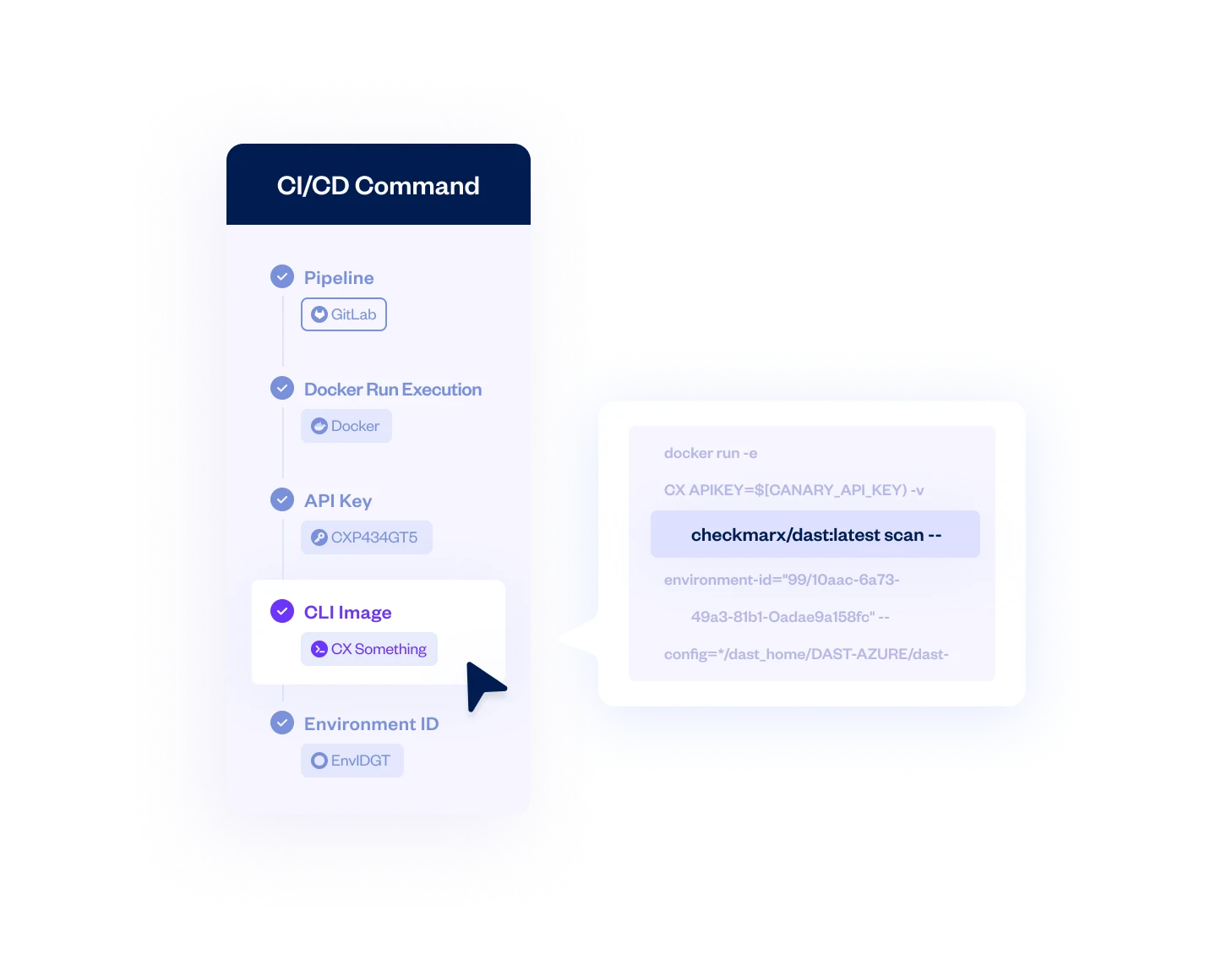
For pipelines without native Checkmarx integration, run DAST scans via the official Docker image (checkmarx/dast). Docker-based scans have no timeout limit, making them suitable for large applications that exceed the cloud platform’s 2 hour 45 minute limit.
See the Checkmarx DAST CLI documentation for setup instructions.
Integrations
 Checkmarx SAST
Checkmarx SCA
Checkmarx IAST
ASPM
Checkmarx SAST
Checkmarx SCA
Checkmarx IAST
ASPM GitHub Actions
 Jenkins
 Azure DevOps
 TeamCity
 CircleCI
 GitLab CI
 Bamboo
 AWS CodeBuild
GitHub
GitLab
AWS CodeBuild
GitHub
GitLab Bitbucket
Azure DevOps
Jira
GitHub Issues
Azure Boards
Bitbucket
Azure DevOps
Jira
GitHub Issues
Azure BoardsGetting started
Checkmarx DAST vs ZAP
Since Checkmarx DAST is built on ZAP’s engine, this is the most common comparison. Both use the same scanning core, but they target different users.
| Checkmarx DAST | ZAP by Checkmarx | |
|---|---|---|
| Price | Commercial (part of Checkmarx One) | Free, open-source (Apache v2) |
| Target user | Enterprise security teams | Developers, pentesters |
| Platform | Integrated into Checkmarx One | Standalone tool |
| Cross-scanner correlation | Yes (ASPM with SAST, SCA, IAST) | No |
| Internal app scanning | DAST Tunneling (cloud-to-internal) | Manual setup required |
| Authentication wizard | GUI with SSO/MFA/TOTP support | Manual configuration |
| Compliance reporting | PCI DSS, OWASP mapping, PDF/JSON export | Community add-ons |
| Cloud hosting | Managed SaaS | Self-hosted only |
| Docker image | checkmarx/dast (no timeout) | ghcr.io/zaproxy/zaproxy |
If you need a free scanner or prefer full control, ZAP gives you the same engine at no cost. If you’re already paying for Checkmarx One and want DAST findings correlated with your SAST and SCA results, Checkmarx DAST is the more practical choice.
When to use Checkmarx DAST
Checkmarx DAST makes the most sense if you’re already on Checkmarx One or planning to adopt it.
The cross-scanner correlation is the real selling point.
Consolidating DAST with SAST, SCA, and IAST findings in one prioritized view cuts down on duplicate tickets and triage time.
Good fit for:
- Organizations already using Checkmarx One for SAST or SCA
- Teams scanning internal/staging apps behind firewalls (DAST Tunneling)
- Enterprises needing compliance reporting mapped to PCI DSS and OWASP
- Teams testing JavaScript SPAs and modern APIs (REST, GraphQL, gRPC)
- Security programs wanting one dashboard for all application security testing types
Not the best fit if:
- You want a standalone DAST tool — Invicti or Acunetix are purpose-built
- Budget is a concern — ZAP is free and uses the same underlying engine
- You need manual penetration testing workflows — Burp Suite is the industry standard
- You have a handful of apps and don’t need platform-level correlation
Browse DAST tools to compare options, or see how Checkmarx DAST compares to ZAP and other scanners in the category.