


Checkmarx One is an application security platform that bundles SAST , SCA, DAST, IaC security, container security, API security, secrets detection, and ASPM into a single product. Checkmarx reports the platform scans over 800 billion lines of code per month across its customer base.
Founded in 2006 by Maty Siman, Checkmarx is headquartered in Israel. Checkmarx says 60% of the Fortune 100 are customers — a vendor figure from its own materials. Publicly named enterprise customers, visible on the Checkmarx customers page , include Citigroup, Salesforce, and Adidas.
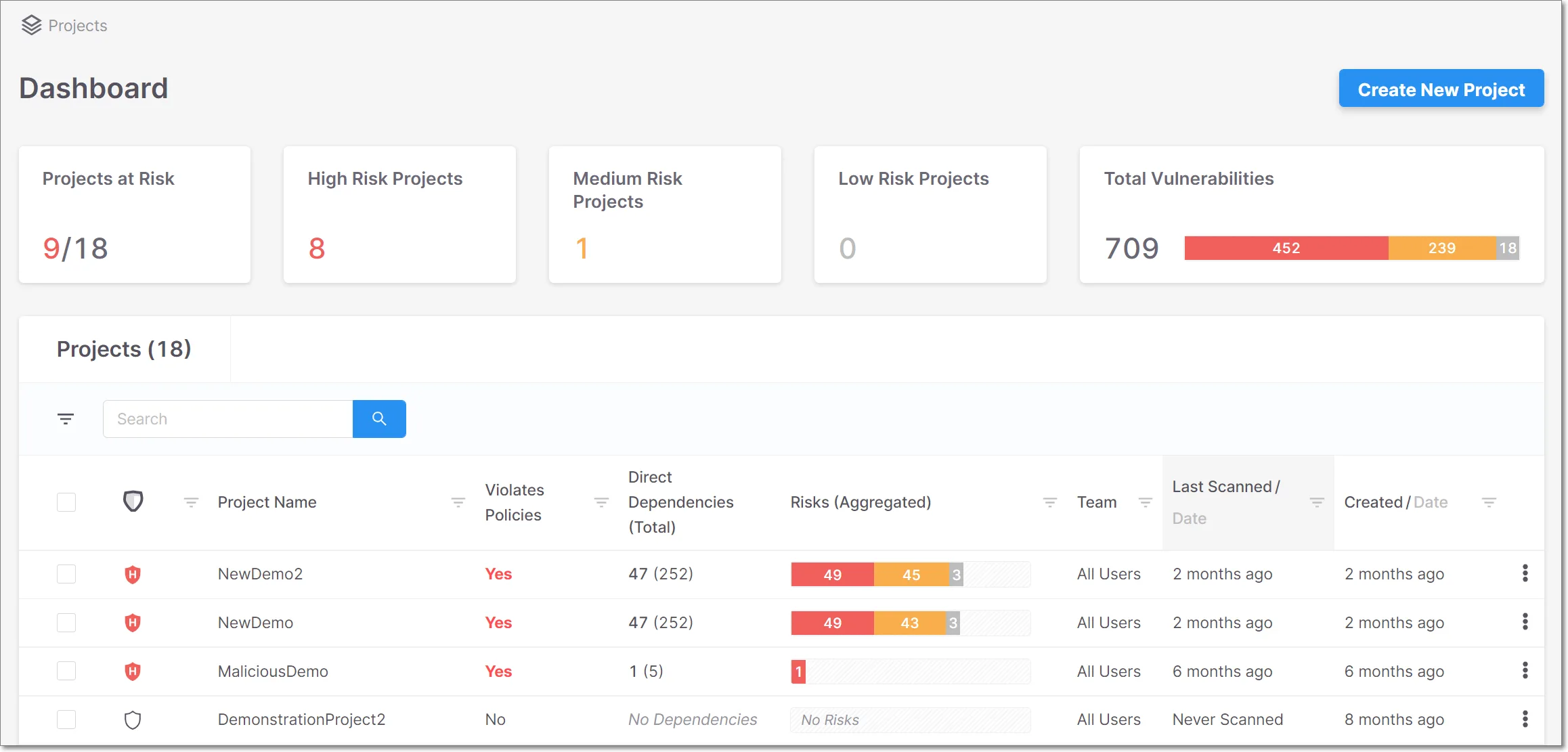
What is Checkmarx?
Instead of buying separate SAST, SCA, and DAST tools, teams get nine scanning engines in one platform with ASPM on top to correlate and prioritize findings.
The platform supports 150+ technologies and languages. Checkmarx reports 89% noise reduction through its correlation engine and a 43% developer-productivity gain versus separate tools — vendor figures, not an independent benchmark.
Its commissioned Forrester Total Economic Impact study, which modeled eight interviewed customers into a single composite organization, puts that productivity improvement in a broader 40-50% range.
| Capability | Details |
|---|---|
| 150+ Technologies | Scans source code across 150+ technologies and languages, including legacy, open-source, and AI-generated code. |
| ASPM Prioritization | Application Security Posture Management correlates findings across all nine scanners. Ranks vulnerabilities by application context, so a critical issue in a payment service gets flagged before the same issue in an internal admin tool. |
| AI Remediation Agents | Checkmarx One Assist and Developer Assist are AI agents. One Assist remediates issues autonomously. Developer Assist catches problems preventatively as code is written in the IDE. |
What are Checkmarx’s key features?
| Feature | Details |
|---|---|
| SAST | Static analysis with incremental scanning, data flow analysis, custom queries |
| SCA | Open-source dependency vulnerability, license risk, SBOM generation |
| DAST | Dynamic testing of running applications |
| IaC Security | Terraform, CloudFormation, Kubernetes misconfiguration scanning |
| Container Security | Docker image vulnerability detection |
| API Security | API-specific vulnerability analysis |
| Secrets Detection | Exposed credentials and API keys in code |
| Malicious Package Protection | Compromised third-party package detection |
| Repository Health | Source code repository security posture analysis |
| ASPM | Cross-scanner correlation, prioritization, and remediation workflows |
SAST engine
The SAST engine performs static analysis with data flow tracking across source code. It supports incremental scanning, so only new or changed code gets analyzed on subsequent runs.
This cuts scan times on large codebases.
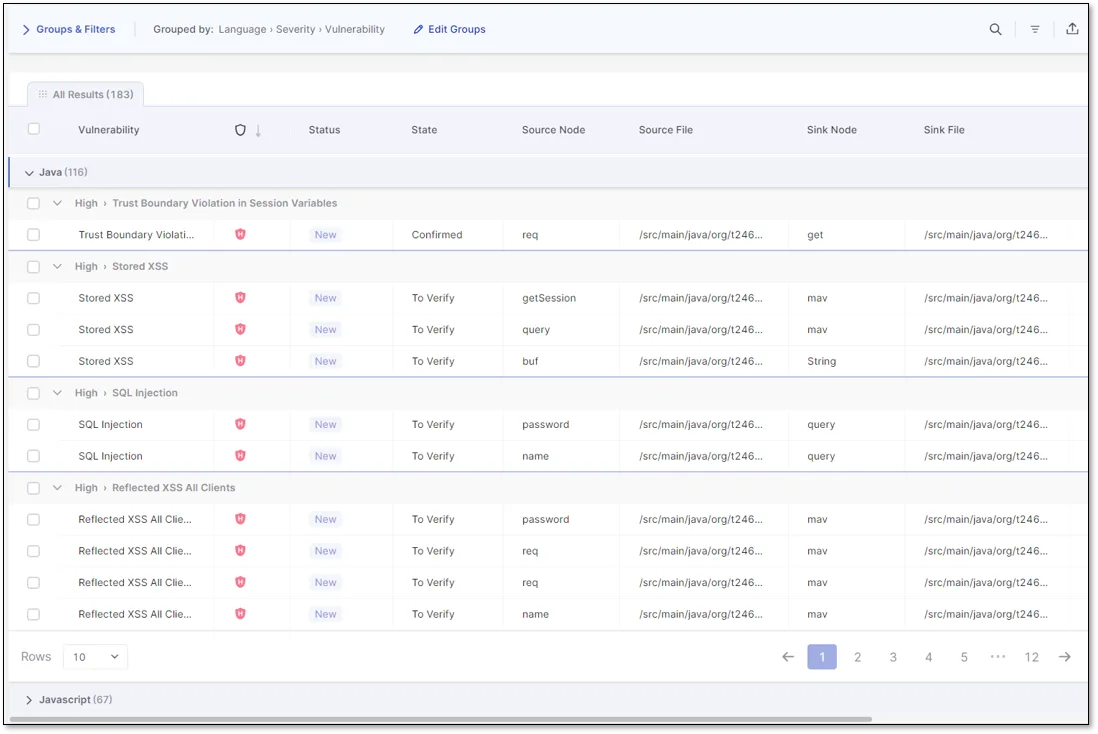
Custom queries let security teams write detection rules specific to their application patterns. The engine traces data flow through function calls and file boundaries to detect injection vulnerabilities, authentication flaws, and cryptographic issues.
The IDE plugins scan code in real time. Developer Assist, the preventative AI agent, catches issues before code leaves the editor.
SCA and supply chain
Checkmarx SCA scans open-source dependencies for known vulnerabilities and license compliance issues. It generates SBOMs (Software Bill of Materials) and tracks transitive dependencies.
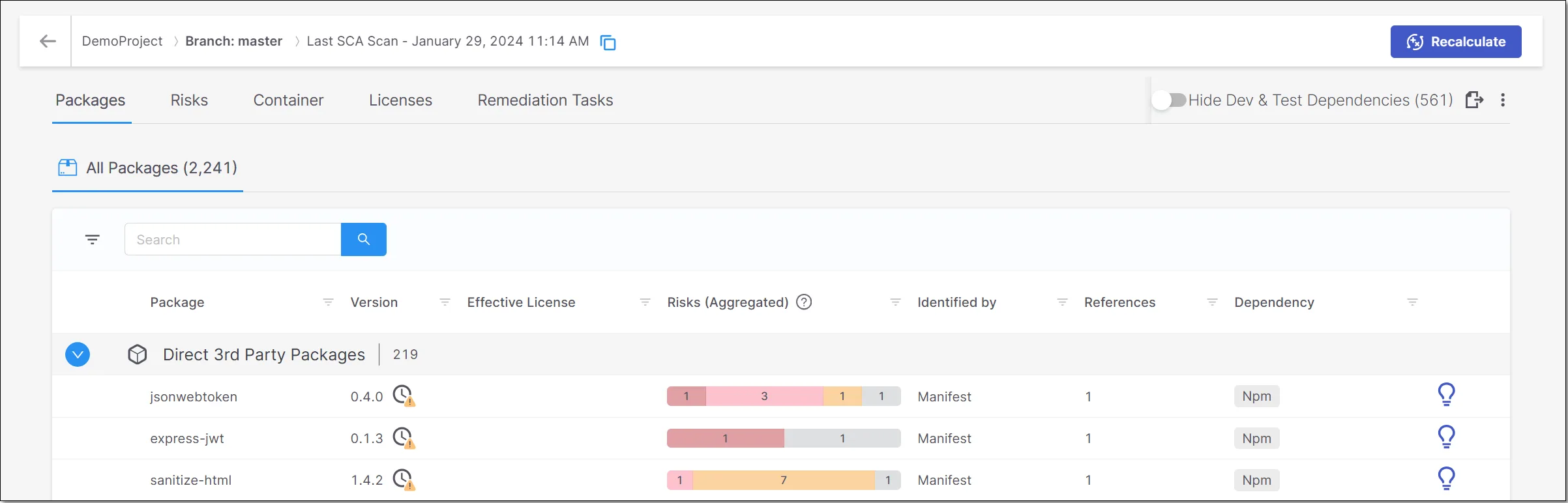
Malicious Package Protection detects compromised packages before they enter your codebase. Repository Health is a newer addition that checks source code repository configurations for security weaknesses and supply chain risks.
DAST
Checkmarx DAST is built on the open-source ZAP engine. ZAP’s core team (Simon Bennetts, Rick Mitchell, Ricardo Pereira) joined Checkmarx in September 2024, with ZAP itself remaining free under Apache v2.
Enterprise additions include a headless-Chrome AJAX Spider for JavaScript SPAs and DAST Tunneling for internal/firewalled apps without inbound port exposure. API scanning covers REST, SOAP, GraphQL, and gRPC via OpenAPI spec or Postman Collection import.
Authentication handles browser-recorded login flows, TOTP/2FA, and SSO (SAML, OAuth, OIDC). DAST findings flow into ASPM correlation alongside SAST, SCA, and IAST results.
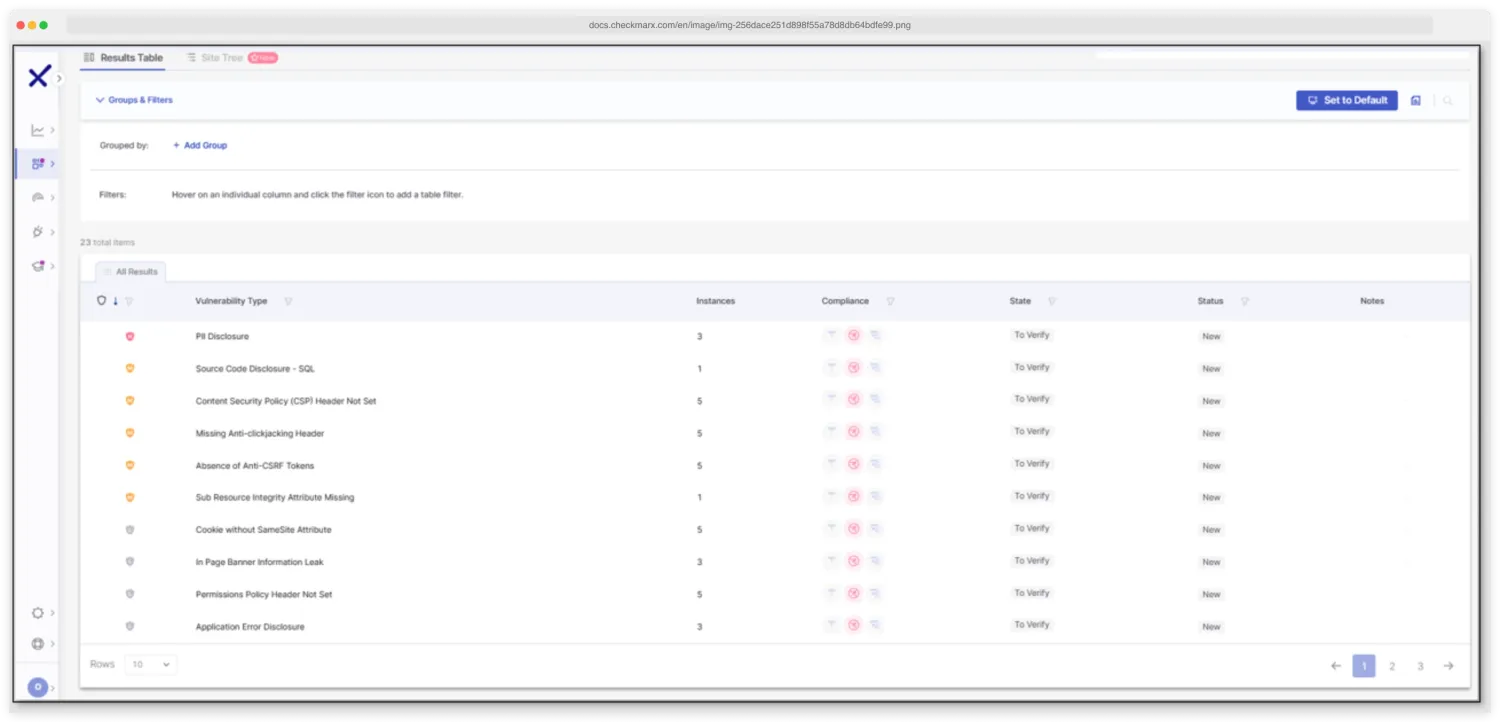 Checkmarx DAST results table — vulnerabilities grouped by severity with affected endpoints and remediation guidance.
IAST
Checkmarx IAST is a passive runtime agent that monitors application execution during normal functional testing. When QA tests finish, security results are ready — no separate scan window required.
Supported runtimes are Java (JVM argument), .NET (config setting), and Node.js (npm package). Deployment is non-intrusive with no source code changes needed.
Findings automatically correlate with SAST, DAST, and SCA results in Checkmarx One, deduplicating duplicate vulnerabilities into single issues. The agent also catalogs all APIs exercised during testing, including undocumented endpoints.
 Checkmarx IAST runtime detection — passive agent traces data flow from user input to vulnerable sink as functional tests execute.
ASPM
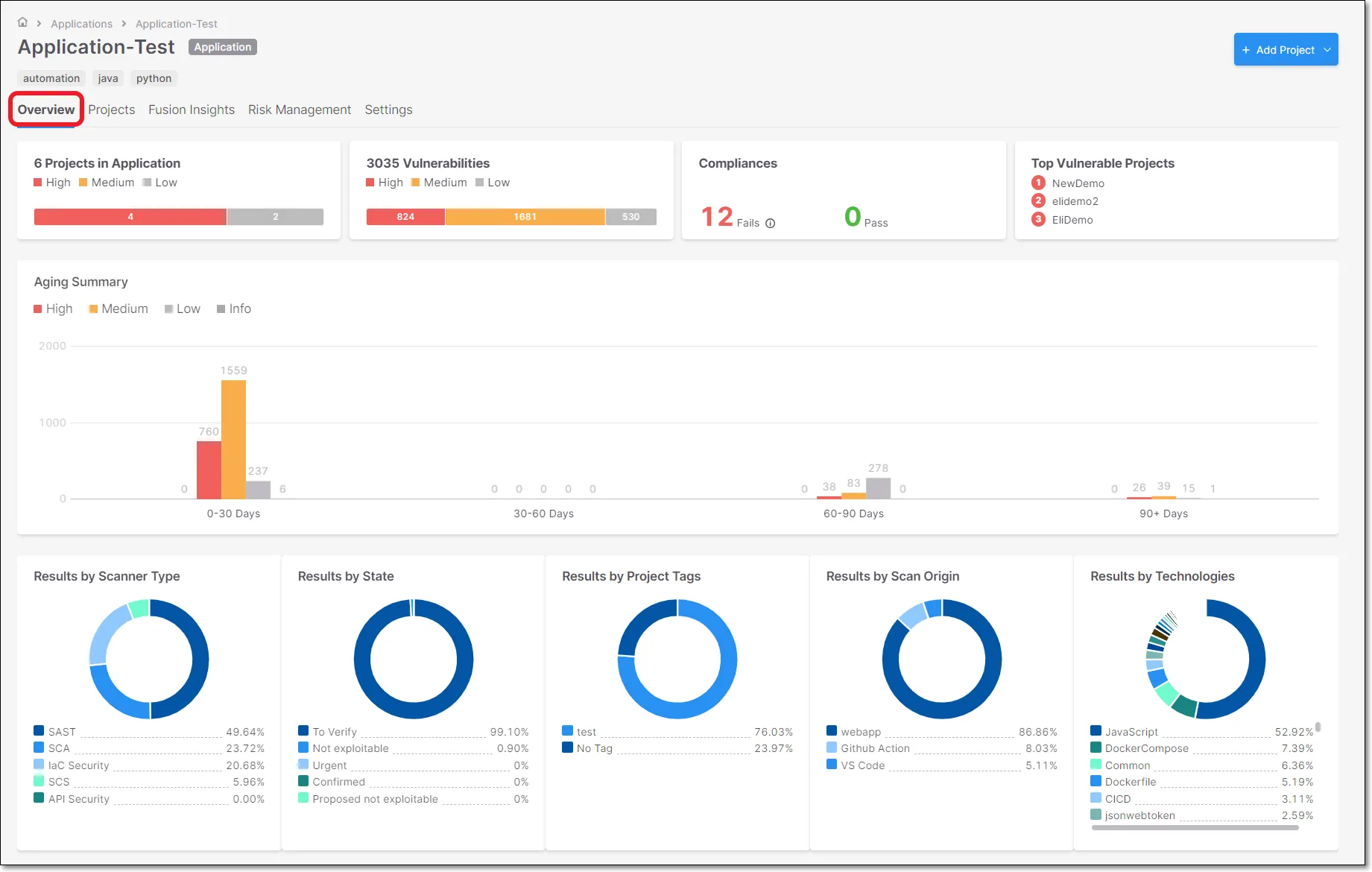
ASPM sits on top of all scanning engines and correlates findings using application context. It deduplicates results across SAST, SCA, DAST, and other scanners so teams aren’t drowning in unranked alerts.
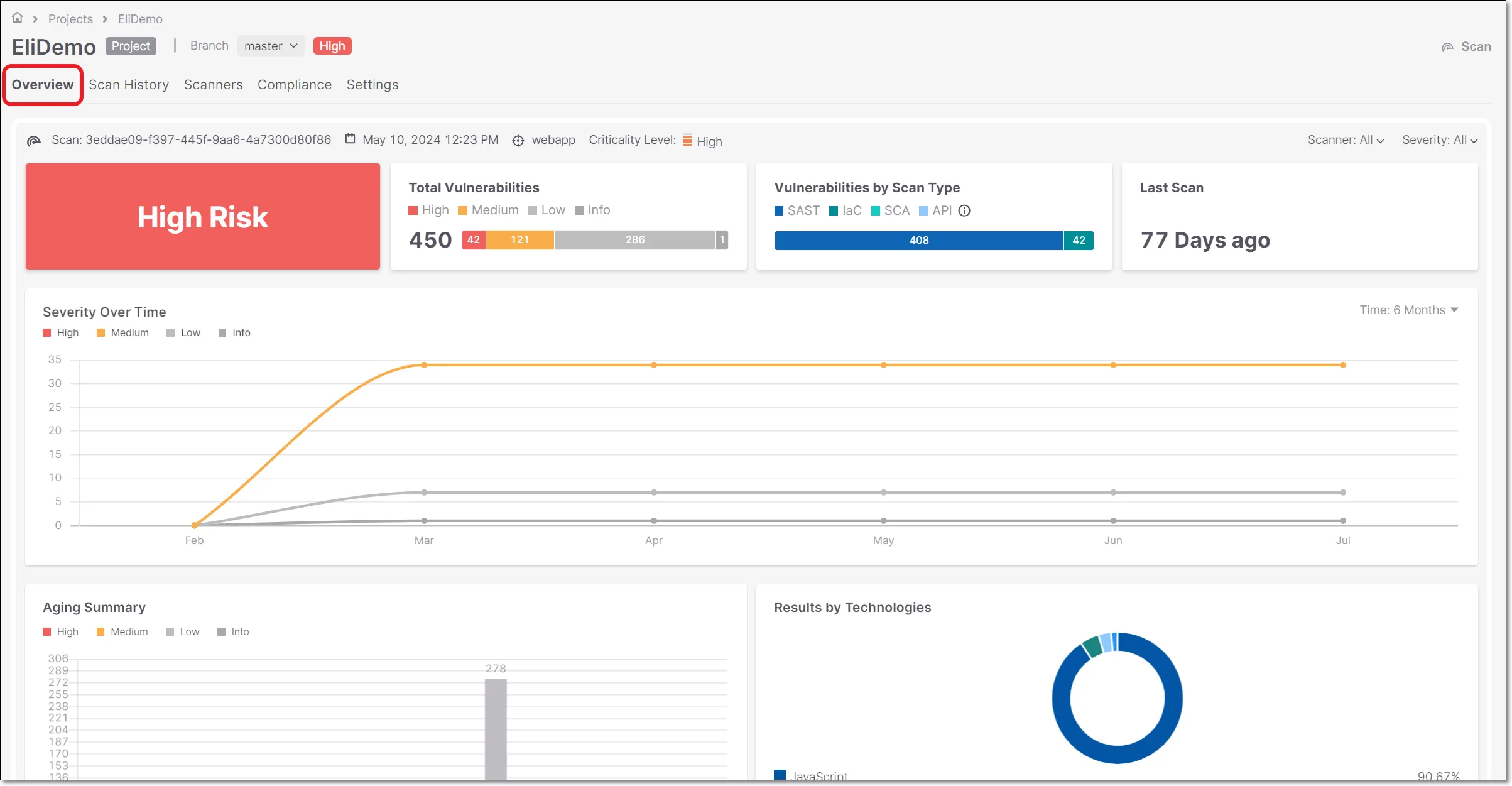
The application view groups findings by business application rather than by repository or scan type. A vulnerability in a payment-processing service gets ranked higher than the same vulnerability in an internal documentation tool.
AI agents
Checkmarx One Assist is an AI agent that provides remediation guidance in the IDE and can fix issues autonomously. Developer Assist works preventatively, catching problems as code is written before it gets committed.
Both agents suggest actual code fixes, not just vulnerability descriptions. One Assist can generate remediation pull requests for certain vulnerability types.
Vulnerability management
The vulnerability detail view shows the full context of each finding: affected file, line number, data flow path, CWE classification, and remediation guidance.
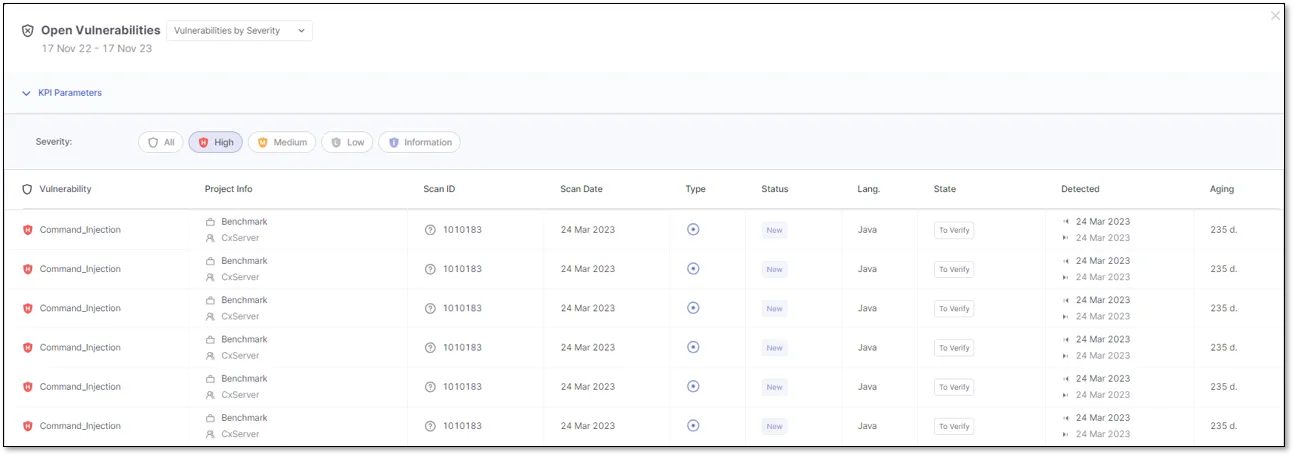
Scan reports can be exported for compliance documentation. The reporting system supports scheduled and on-demand generation.
SAST engine internals
Checkmarx SAST runs taint analysis on proprietary code, tracing untrusted input from source to sink across function boundaries and files. This cross-file dataflow in source code is what separates it from simpler scanners that only flag pattern matches inside a single file.
The engine ships with rule-based pattern matching for CWEs covering injection, broken access control, cryptographic misuse, and the rest of the OWASP Top 10. Custom queries written in Checkmarx’s query language extend the rule pack with org-specific patterns.
Combined with Checkmarx One Assist, this delivers AI-powered code security analysis: the agent reads each finding’s context and proposes a fix rather than just listing the affected line.
What does Checkmarx integrate with?
 GitHub
 GitLab
 Bitbucket
 Azure DevOps
 Jenkins
 TeamCity
GitHub Actions
Azure DevOps
TeamCity
GitHub Actions
Azure DevOps CircleCI
GitLab CI
CircleCI
GitLab CI Bamboo
 AWS CodeBuild
 VS Code
IntelliJ
VS Code
IntelliJ Eclipse
 Visual Studio
 Cursor
 Windsurf
Jira
Windsurf
Jira Slack
Slack Microsoft Teams
GitHub Actions
Checkmarx results appear directly in GitHub as PR annotations. Developers see findings in the same interface where they review code.
How do I get started with Checkmarx?
- Contact sales — Checkmarx is enterprise software with custom pricing; no list price is published. Request a demo through checkmarx.com.
- Connect your repositories — Link GitHub, GitLab, Bitbucket, or Azure DevOps to give Checkmarx access to your codebase.
- Choose your scanners — Enable SAST, SCA, DAST, IaC, container, API, or secrets scanning based on what your team needs.
- Review findings in ASPM — Use the ASPM dashboard to see prioritized results across all scanners. Set up IDE plugins for developer-level feedback.
How much does Checkmarx cost?
Checkmarx One uses contact-sales licensing — there is no public price list, no free tier, and no published per-developer rate card.
The platform is sold as a unified subscription that bundles the scanner mix you enable (SAST, SCA, DAST, IaC, container, API, secrets, malicious-package, repository health) plus ASPM. Both SaaS and self-hosted deployment are available under the same commercial agreement.
Actual quotes vary with developer count, scanner selection, and on-prem requirements. Free trials are available through checkmarx.com for evaluation; production licensing requires a sales conversation. For a buyer-side view of typical AppSec contract sizes, see the AppSec tools pricing guide .
How to use Checkmarx
A typical Checkmarx One workflow runs in four stages. First, kick off a scan: trigger it from the web console after connecting a repository, or invoke the Checkmarx CLI inside a CI/CD job — Checkmarx ships native steps for GitHub Actions, GitLab CI, Jenkins, Azure Pipelines, CircleCI, TeamCity, Bamboo, and AWS CodeBuild. Second, configure presets and policies: Checkmarx One groups rule packs into named presets, and policies decide which severities break the build.
Third, triage findings in the ASPM dashboard rather than the raw SAST or SCA viewer — application-context grouping cuts duplicate alerts and ranks issues by where the affected service sits in your architecture. Fourth, route remediation: open a Jira ticket from the finding, push a Slack notification, or let Checkmarx One Assist generate a remediation pull request directly. IDE plugins (VS Code, IntelliJ, Eclipse, Visual Studio, Cursor, Windsurf) keep the loop tight by surfacing findings before code is committed.
When to use Checkmarx
Checkmarx is built for organizations where application security is a compliance or business requirement. If you’re shipping software to regulated industries or handling sensitive customer data, it covers every major testing type in a single platform.
The ASPM layer matters most for teams running multiple scan types simultaneously. Correlating SAST, SCA, and DAST findings in a single prioritized view is more useful than managing three separate dashboards.
Checkmarx supports both cloud and on-premises deployment.
For teams looking at open-source alternatives, Semgrep CE provides fast SAST with custom rules, and Trivy covers container and IaC scanning.
Browse SAST tools to compare options, or read the Checkmarx alternatives guide.
What are alternatives to Checkmarx?
For teams comparing the enterprise SAST landscape, the closest substitutes for Checkmarx One are:
- Veracode Static Analysis — binary-analysis SAST plus SCA and DAST in one platform; usually picked when compliance reporting and policy governance matter more than raw scan speed.
- Fortify Static Code Analyzer (OpenText) — long-running enterprise SAST with deep on-prem support; a fit when self-hosted is mandatory and procurement already runs on OpenText.
- Snyk Code — developer-first SAST built on Snyk’s symbolic-AI engine; preferred when Snyk’s SCA, container, and IaC products are already in use.
- Semgrep Pro / AppSec Platform — rule-driven SAST with public open-source roots; chosen when teams want custom queries without the multi-year commit Checkmarx asks for.
- GitHub CodeQL — query-based SAST bundled with GitHub Advanced Security; a fit when the codebase already lives on GitHub and a single vendor is preferred.
For a deeper feature-by-feature view, the Checkmarx alternatives guide compares these against Checkmarx One on coverage, deployment, and AI remediation. The SAST tools hub lists the full active set.