
- Burp Suite Pro costs $499/year per user; ZAP is completely free under Apache 2.0 with no feature restrictions or usage limits.
- Burp Suite’s manual testing tools (Repeater, Intruder with 4 attack modes, Comparer, Sequencer) remain unmatched for professional penetration testing.
- ZAP has stronger CI/CD support with official GitHub Actions, Docker images, YAML automation framework, and SARIF output for GitHub/GitLab code scanning.
- Burp Suite’s BApp Store has 500+ extensions; ZAP’s marketplace has hundreds of add-ons — both ecosystems are mature but Burp’s tend to be more polished.
- Many security teams use both: Burp Suite Pro for manual penetration testing engagements and ZAP for automated scanning in CI/CD pipelines.
Which Is Better: Burp Suite or ZAP?#
Burp Suite Pro wins for professional penetration testing. ZAP wins for CI/CD pipeline scanning. Most teams use both.
Burp Suite is PortSwigger’s commercial web application security testing toolkit and the standard for manual penetration testing. ZAP (Zed Attack Proxy) is a free, open-source DAST scanner maintained by Checkmarx with 15,500+ GitHub stars.
Pick Burp Suite for manual testing depth, ZAP for free pipeline automation. Burp Pro ($499/year) delivers the Repeater, Intruder, and BApp Store workflow pentesters rely on; ZAP ships official GitHub Actions, Docker images, YAML automation, and SARIF output at zero cost.
What Are the Key Differences?#
| Feature | Burp Suite | ZAP |
|---|---|---|
| License | Freemium (Community free, Pro $499/yr) | Free (Apache 2.0) |
| Pricing | Community: Free; Pro: $499/yr; DAST: Enterprise pricing | Free, no limits |
| Open Source | No | Yes (15,500+ GitHub stars) |
| Intercepting Proxy | Yes | Yes |
| Automated Scanner | Pro and DAST editions only | Yes (all versions) |
| Manual Testing Tools | Repeater, Intruder, Comparer, Decoder, Sequencer | Manual request editor, fuzzer, scripting |
| API Scanning | REST, GraphQL, SOAP | REST, GraphQL, SOAP |
| AI Features | Burp AI (scan analysis, attack suggestions) | No |
| CI/CD Integration | DAST edition (Docker-based) | Official GitHub Actions, Docker images, YAML automation |
| Extension Ecosystem | 500+ BApps (BApp Store) | Hundreds of add-ons (marketplace) |
| Custom Extensions | Java, Python (Jython) | JavaScript, Python (Jython), Zest scripts |
| Output Formats | HTML, XML, Burp XML, JUnit | HTML, JSON, XML, Markdown, SARIF |
| SARIF Support | No (JUnit for CI) | Yes |
| WebSocket Support | Yes | Yes |
| Desktop Platforms | Windows, macOS, Linux | Windows, macOS, Linux |
| Pre-installed in Kali | Yes | Yes |
| Maintained By | PortSwigger | Community, funded by Checkmarx |
Burp Suite vs ZAP: How Do They Compare?#
A note on method: neither PortSwigger nor Checkmarx pays to be included or ranked in this comparison. Both tools are evaluated on detection rate, manual workflow quality, CI/CD depth, extensibility, and pricing transparency; vendor claims I cannot verify against public data are flagged.
Scanning Accuracy#
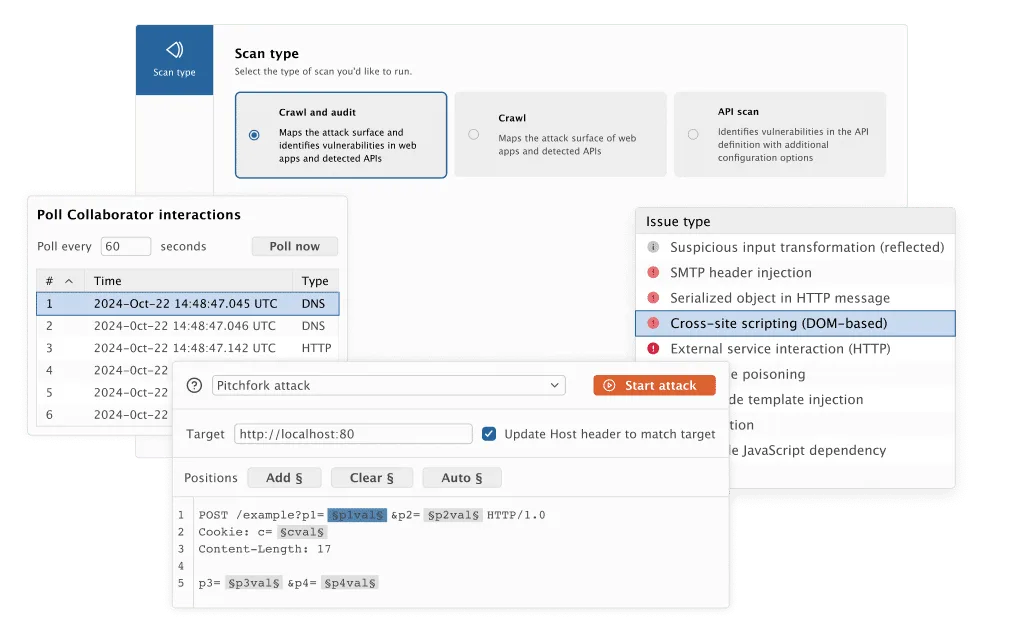
Burp Suite Professional generally outperforms ZAP in detection rate comparisons. PortSwigger’s scanner has been refined over two decades and covers a wider range of vulnerability classes with fewer false positives.
The active scanner is particularly strong at detecting second-order vulnerabilities and logic-based issues that pattern-matching scanners miss.
ZAP’s scanner is capable and has improved steadily. For standard OWASP Top 10 issues — XSS, SQL injection, directory traversal, security misconfigurations — it catches what matters.
The gap between the two tools has narrowed over the years, though Burp still has an edge on complex vulnerability types.
Both tools support REST, GraphQL, and SOAP API scanning. ZAP’s API scanning scripts (zap-api-scan.py) make it easy to import OpenAPI specs and test every endpoint automatically.
Manual Testing#
This is where Burp Suite has its widest lead. Repeater lets you iterate on individual requests with a clean interface.
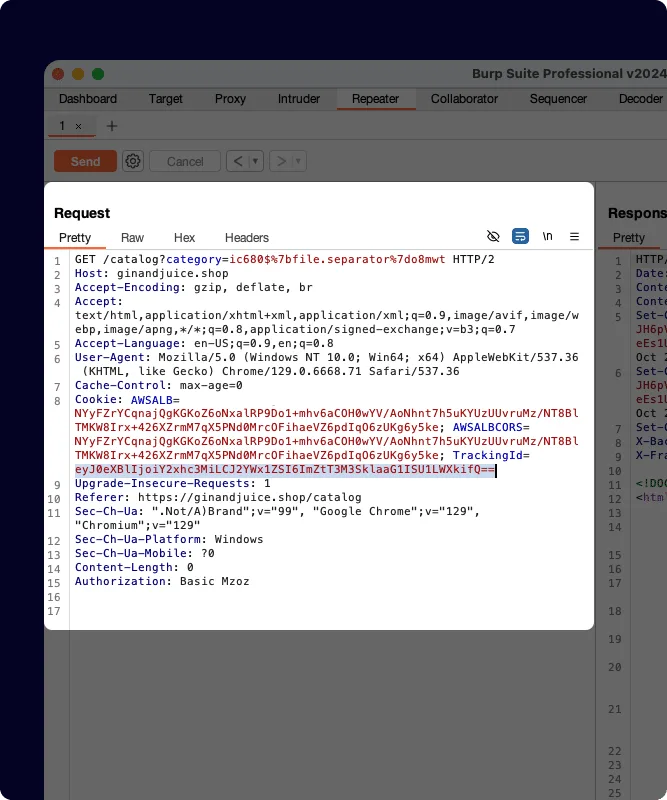
Intruder offers four attack modes — Sniper, Battering Ram, Pitchfork, and Cluster Bomb — for fuzzing and brute-force testing. Comparer highlights subtle response differences.
Sequencer analyzes token randomness. Decoder handles encoding conversions.
Each tool flows naturally into the next during a test.
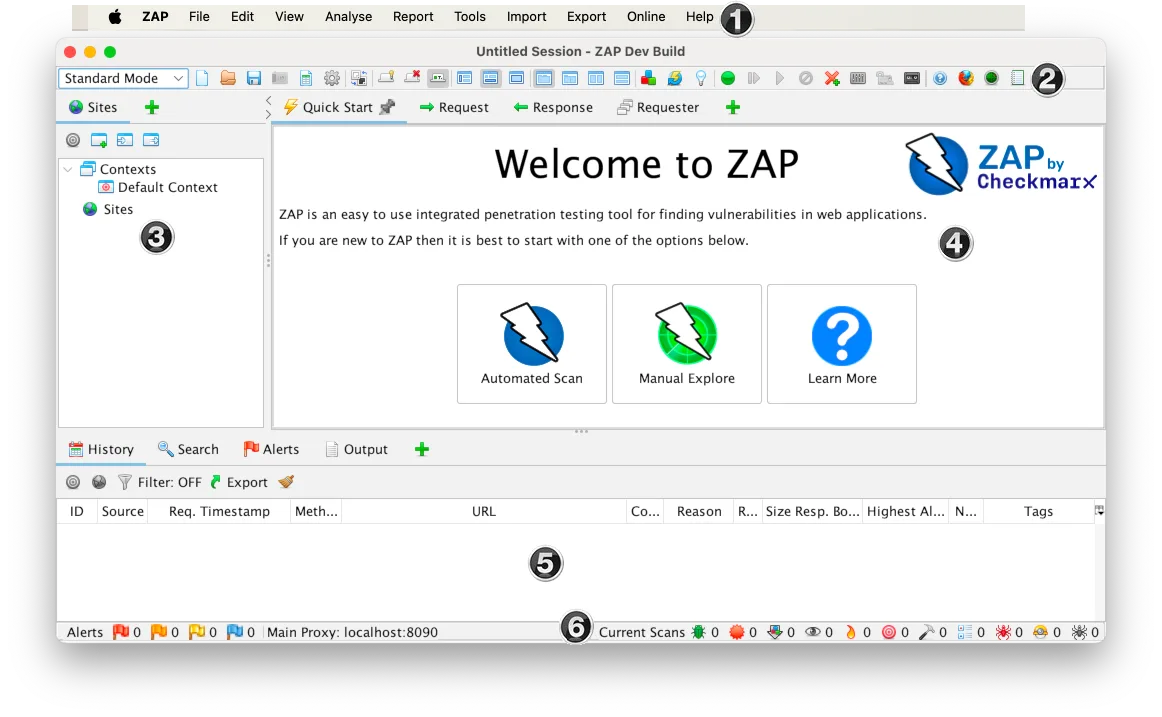
ZAP has manual testing capabilities — you can intercept, modify, and replay requests — but the workflow is not as polished. The fuzzer works but offers fewer attack configuration options than Intruder.
For professional pentesters who spend hours in manual testing tools, the quality-of-life difference adds up.
CI/CD Integration#
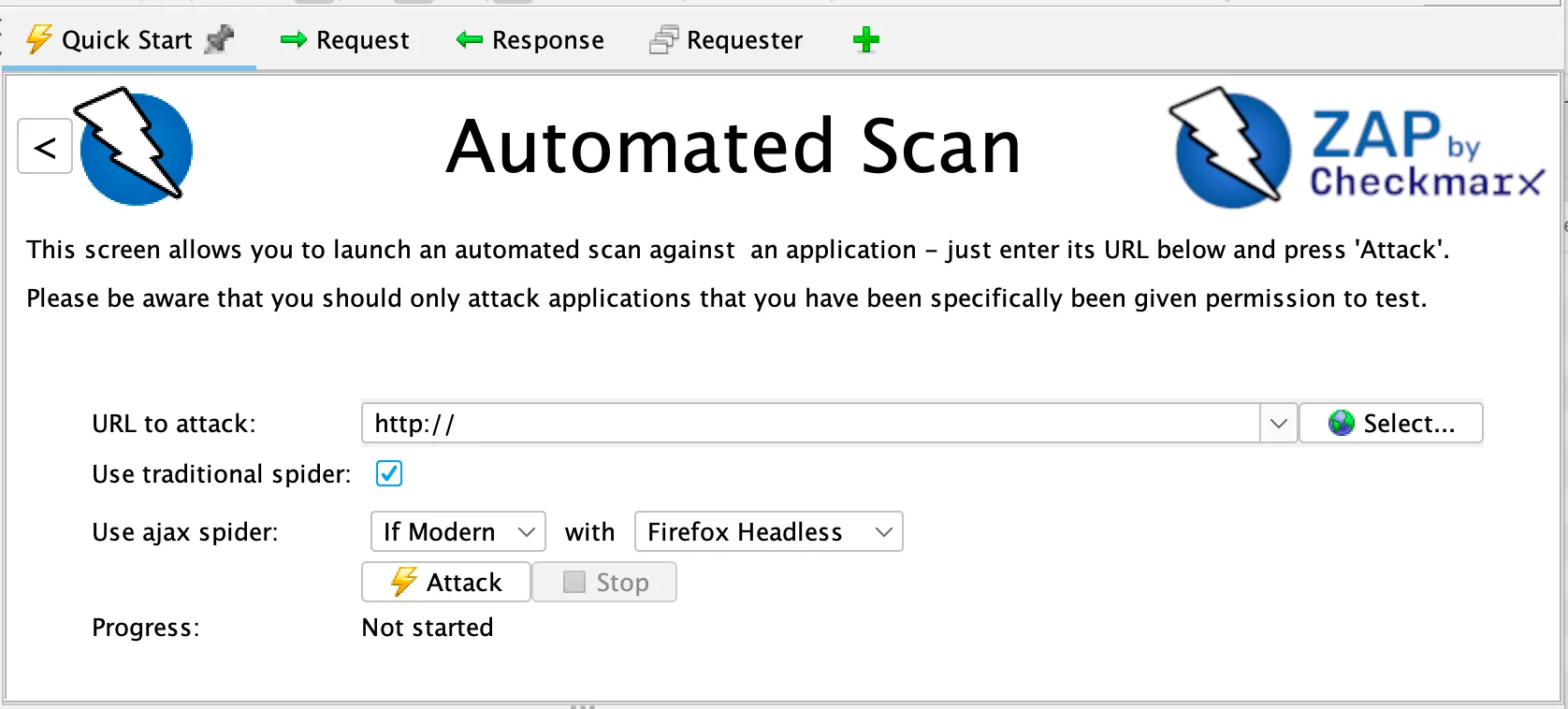
ZAP takes the lead here. Official GitHub Actions
(zaproxy/action-baseline, zaproxy/action-full-scan, zaproxy/action-api-scan), pre-built Docker images, GitLab CI templates, and the YAML automation framework
make ZAP pipeline-ready out of the box.
The automation framework lets you define entire scan workflows — contexts, authentication, spidering, scanning, reporting — as code in version control. SARIF output integrates directly with GitHub and GitLab code scanning.
Burp Suite DAST (formerly Enterprise Edition) runs from Docker containers and integrates with Jenkins, GitHub Actions, GitLab CI, Azure DevOps, and TeamCity. It delivers Burp’s scanner engine in a headless, CI-friendly format.
The catch is that it requires a separate enterprise license on top of Professional.
The Burp Community Edition and Professional Edition are desktop applications designed for interactive use. They are not built for pipeline automation.
Extensibility#
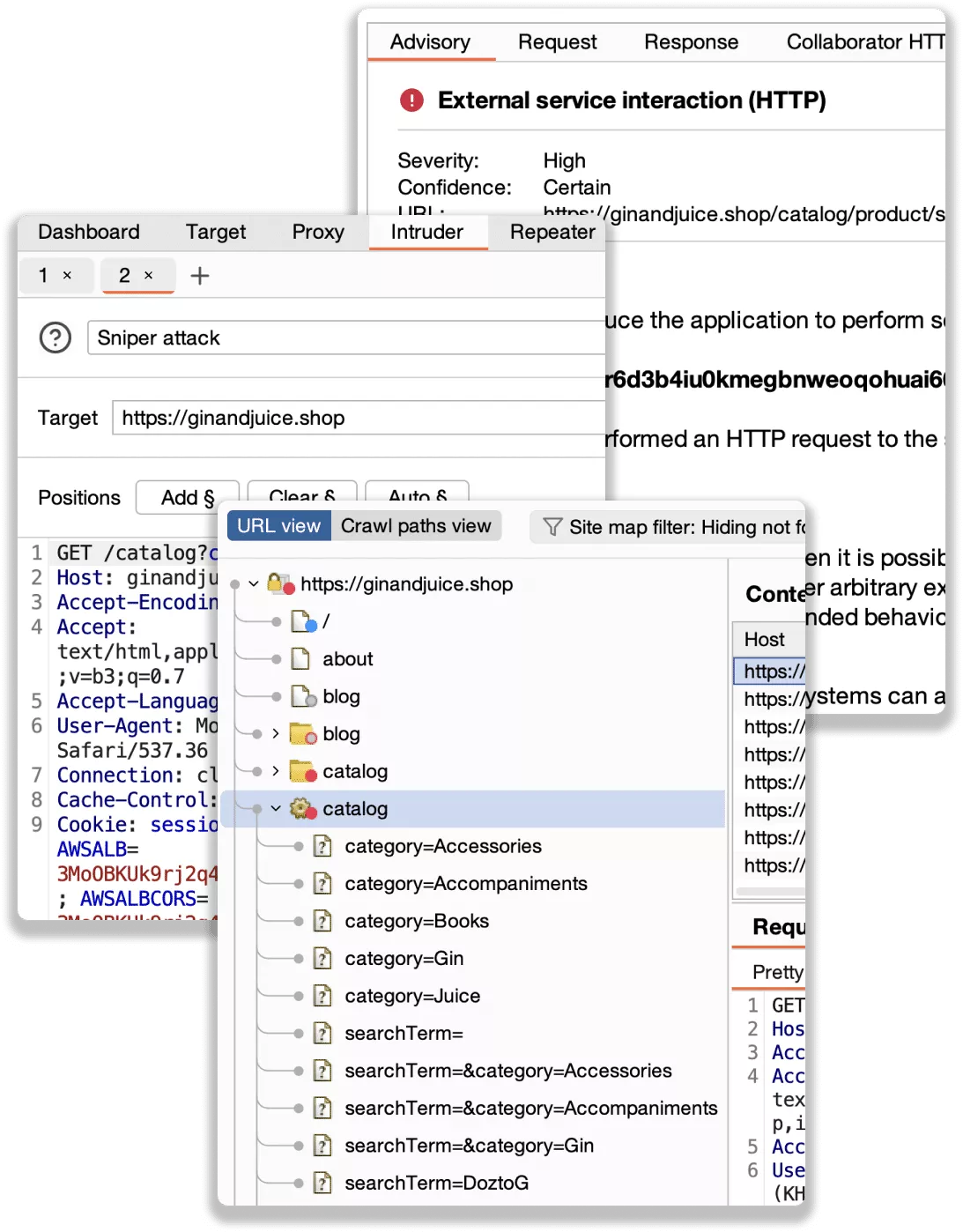
Burp’s BApp Store has 500+ extensions covering active scanning enhancements, JWT manipulation, access control testing, traffic analysis, and more. Custom extensions use Java or Python (Jython). PortSwigger also introduced BChecks for lightweight custom scan checks.
ZAP’s add-on marketplace has hundreds of extensions for additional scan rules, import/export formats, authentication handlers, and reporting templates. Custom scripting supports JavaScript, Python, and Zest (a graphical scripting language designed for security testing). The open-source nature means community contributions flow freely.
Both ecosystems are robust. Burp’s BApps tend to be more polished, while ZAP’s open-source add-ons sometimes move faster on emerging technologies.
Pricing#
Numbers below come from each vendor’s public site as of 2026.
| Tier | Burp Suite | ZAP |
|---|---|---|
| Free | Community Edition (throttled, no scanner) | Full feature set, Apache 2.0 |
| Paid | Professional — $499 per user, per year | Same as Free |
| Enterprise | Burp Suite DAST — contact sales (pricing not published) | Same as Free |
Burp Suite Pro is the only tier with a published list price; the DAST edition (formerly Enterprise) is quoted on request. ZAP is fully free under Apache 2.0 — no feature restrictions, no usage limits, no enterprise tier.
For individual pentesters, $499/year for Burp Professional is a reasonable investment. For organizations adding DAST across dozens of pipelines, ZAP’s zero cost is a significant advantage.
When Should You Choose Burp Suite?#
Choose Burp Suite if:
- You are a professional pentester who needs the best manual testing workflow available
- Scanner accuracy on complex vulnerability types is a top priority
- The BApp Store ecosystem and Burp AI add value to your assessments
- You need polished client-facing reports from a recognized tool
- Budget for $499/year per tester is not a constraint
When Should You Choose ZAP?#
Choose ZAP if:
- You need free DAST with no feature restrictions or usage limits
- Automated CI/CD scanning is your primary use case
- YAML-based scan configuration as code fits your DevSecOps workflow
- SARIF output for GitHub or GitLab code scanning integration is required
- You want an open-source tool you can inspect, modify, and extend without restrictions
- Your team is adding DAST for the first time and wants to start without purchasing decisions
Many security teams use both tools. Burp Suite Professional for manual penetration testing engagements, ZAP for automated scanning in CI/CD pipelines.
The two tools serve different parts of the security testing workflow and complement each other well.
For more options, browse the AppSec Santa DAST tools category or see the Burp Suite alternatives guide.
Official project resources: Burp Suite documentation (PortSwigger), zaproxy.org and the ZAP GitHub repository (Checkmarx-funded, Apache 2.0).
Related Comparisons#
- Burp Suite Alternatives — options if you’ve outgrown or want more than Burp.
- ZAP Alternatives — the full alternatives list for teams moving off ZAP.
- Invicti vs Acunetix — the other major DAST head-to-head if you want an automated-scanner comparison.
- StackHawk vs ZAP — ZAP under the hood, but with CI/CD and API workflows layered on top.
- DAST Tools — every DAST scanner I’ve reviewed, filterable by licensing and deployment model.
Frequently Asked Questions
Is Burp Suite better than ZAP?
Is ZAP really free?
How much does Burp Suite cost?
Can ZAP replace Burp Suite for penetration testing?
Which tool is better for CI/CD integration?

Written & maintained by
Suphi CankurtEight years on the vendor side of application-security sales — thousands of evaluations and demos. I started AppSec Santa in 2022 to put that insider view to work for buyers. Independent of any vendor, paid by none, and honest about what fits whom.