Building a DevSecOps toolchain on a budget means covering OWASP Top 10 vulnerabilities, known CVEs, infrastructure misconfigurations, and leaked secrets using free and open-source tools before investing in commercial alternatives. For the broader landscape of unified application security platforms, see the ASPM tools hub.
The budget reality#
Enterprise application security tools cost real money. I’m talking:
- Checkmarx, Veracode, Fortify: custom enterprise pricing (contact sales)
- Snyk: $25/developer/month for the Team plan (publicly listed)
- Commercial DAST scanners: enterprise pricing varies widely
If you’re at a startup or trying to prove security value before asking for budget, those numbers might as well be made up.
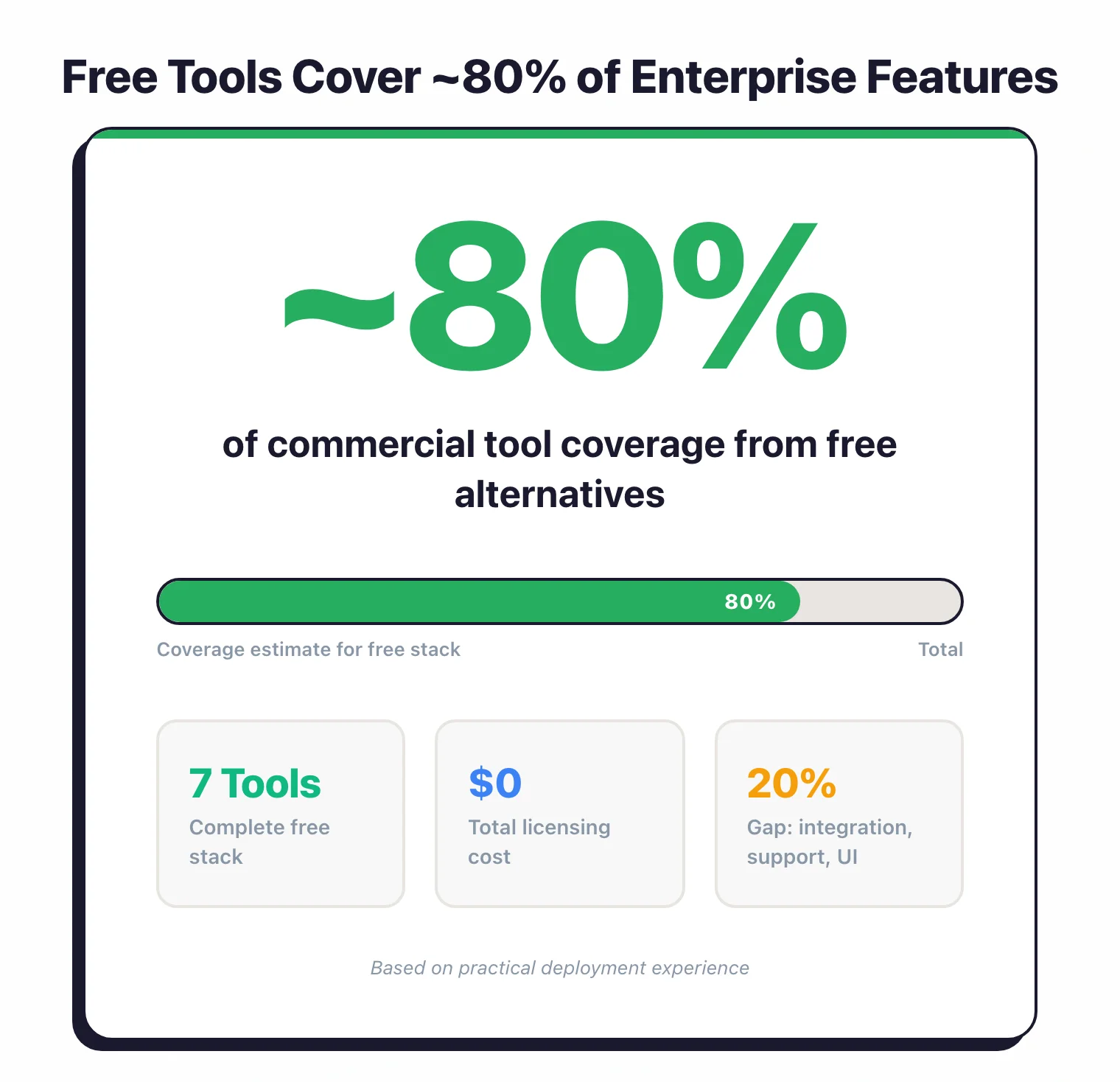
Here’s what took me a while to figure out: you can get maybe 80% of the coverage with free tools.
The remaining 20% is mostly nice-to-have features and someone to call when things break.
The trade-off? Free tools mean more work on your end.
Integration, tuning, triage, all that stuff commercial vendors handle for you. Whether that’s worth it depends on what you’re working with.
What counts as “enough”#
Before you start picking tools, figure out what you actually need right now. A five-person startup doesn’t need the same setup as a bank.
Basics only
- • Dependency scanning
- • Secret detection in commits
- • Basic linting
Foundation
- • Stage 1 stuff
- • SAST in CI pipeline
- • Container image scanning
- • IaC security checks
The works
- • Stage 2 stuff
- • DAST against staging
- • Findings aggregation
- • Developer training
I’ve seen teams buy Stage 3 tools before they’ve figured out how to triage findings. Predictably, adoption tanks. Start where you are.
What to set up first#
The order you add tools matters more than most people think. Some give immediate value, others need process maturity first.
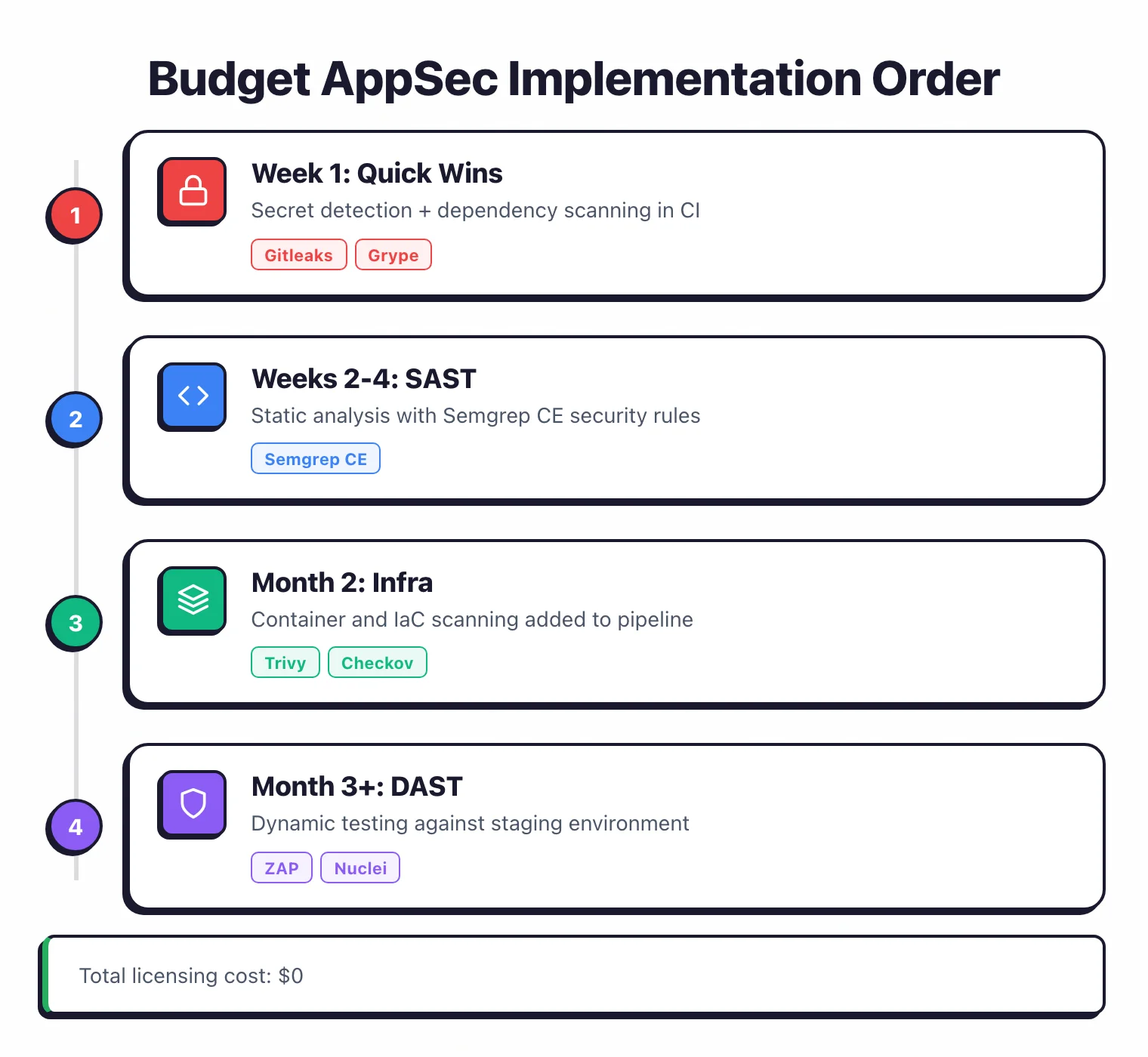
Week 1: Quick wins#
Start with tools that catch real problems without making you fight configuration files.
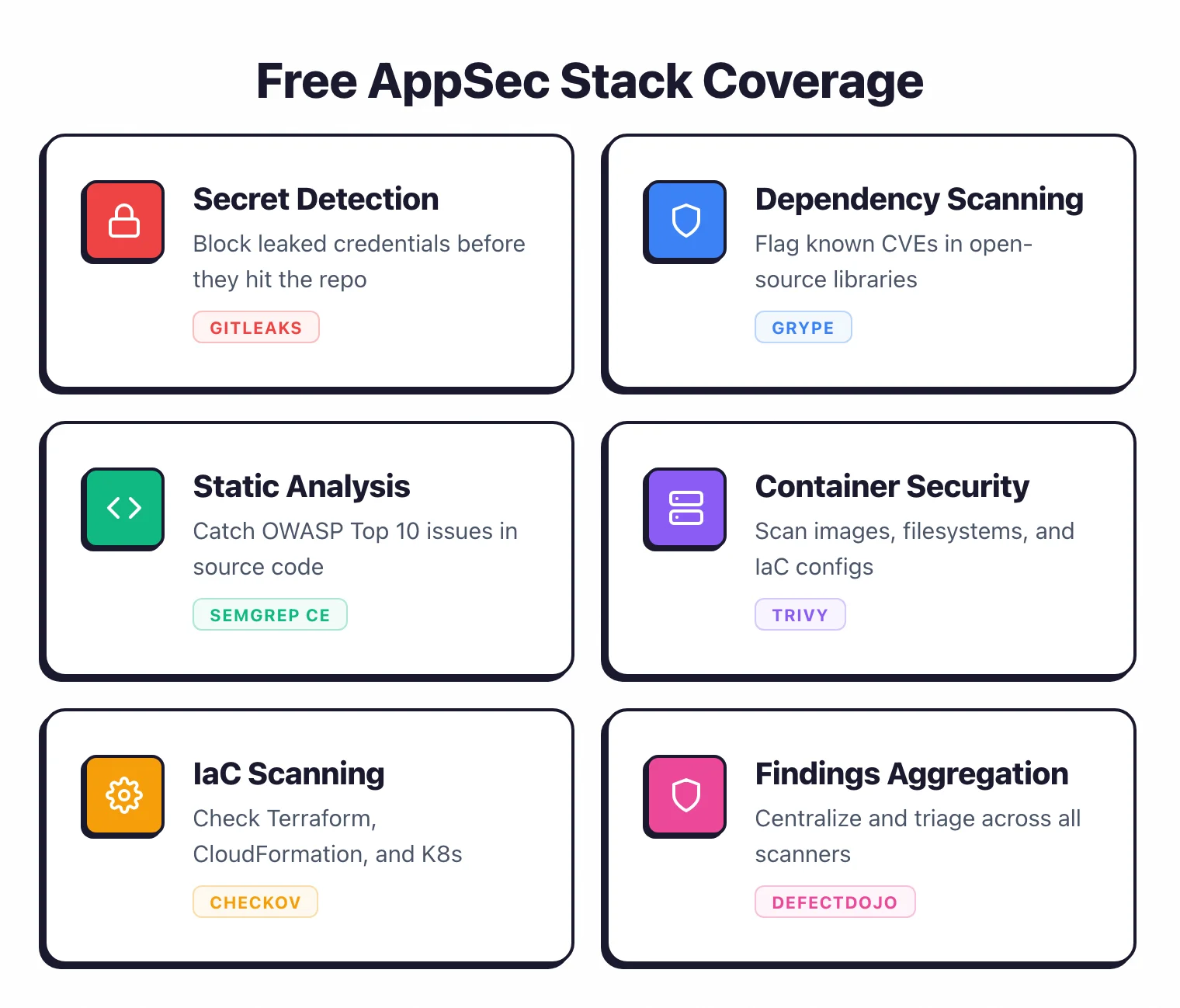
Secret detection
Leaked credentials cause breaches. I don’t have stats handy, but they’re bad. Block secrets before they hit the repo.
GitHub: Enable push protection (free for all GitHub repositories, enabled by default since February 2024) via Settings → Code security → Secret scanning → Push protection.
GitLab: Add to .gitlab-ci.yml:
include:
  - template: Security/Secret-Detection.gitlab-ci.yml
If you’re on something else or want more control, Gitleaks works anywhere:
# Pre-commit hook
gitleaks detect --source . --verbose

# CI pipeline
gitleaks detect --source . --exit-code 1
Dependency scanning
Your dependencies ship more code than you write. I find this mildly terrifying. Scan them.
GitHub: Enable Dependabot (free) via Settings → Code security → Dependabot alerts.
CLI option: Use Grype anywhere:
grype dir:. --fail-on high
Grype works with most package ecosystems and runs fast. Anchore maintains it, so it’s not some abandoned side project.
Weeks 2-4: Code analysis#
After secrets and dependencies, add static analysis.
SAST with Semgrep
Semgrep CE works well for most cases. The community edition is surprisingly generous, and the community rules cover the obvious stuff.
# Install
pip install semgrep

# Run with recommended rules
semgrep --config auto .
In GitHub Actions:
- uses: semgrep/semgrep-action@v1
  with:
    config: p/security-audit p/secrets
The p/security-audit ruleset catches OWASP Top 10 issues. p/secrets adds redundancy for credential detection.
For specific languages, add focused scanners:
Month 2: Infrastructure stuff#
Container scanning
If you ship containers, scan the images before pushing.
# Trivy scans images, filesystems, and K8s configs
trivy image myapp:latest --severity HIGH,CRITICAL --exit-code 1
In GitHub Actions:
- uses: aquasecurity/trivy-action@master
  with:
    image-ref: "myapp:latest"
    severity: "HIGH,CRITICAL"
    exit-code: "1"
Trivy also handles IaC files, so you might not need a separate tool for that. Aqua Security backs it.
IaC security
Terraform and Kubernetes manifests can have misconfigurations that open holes before you deploy anything.
# Checkov
checkov -d ./terraform --framework terraform --check HIGH

# Or KICS
kics scan -p ./infrastructure
KICS ships with 2,400+ built-in queries and Checkov has 750+ built-in policies. Pick based on whether you prefer Python (Checkov) or Rego (KICS) for custom rules.
Month 3+: Dynamic testing#
DAST setup
Dynamic testing needs a running application, which means more setup work.
# ZAP baseline scan (quick, good for CI)
docker run -t ghcr.io/zaproxy/zaproxy:stable zap-baseline.py \
  -t https://staging.yourapp.com -r report.html

# ZAP full scan (thorough, run nightly or weekly)
docker run -t ghcr.io/zaproxy/zaproxy:stable zap-full-scan.py \
  -t https://staging.yourapp.com -r report.html
ZAP (now maintained by Checkmarx) is the most capable free DAST. You’ll get false positives.
I’ve seen anywhere from 10-20% depending on the app. Plan for triage.
For teams with budget, Invicti uses proof-based scanning that confirms vulnerabilities automatically, cutting false positives dramatically.
For known vulnerability checks without crawling, Nuclei runs faster:
nuclei -u https://staging.yourapp.com -severity high,critical
Making CI/CD work#
Tools that developers ignore are useless. Here’s how to integrate without making everyone hate you.
Block only what matters#
Don’t fail builds on every finding. Block on high-confidence issues only.
# GitHub Actions example
security-scan:
  runs-on: ubuntu-latest
  steps:
    - uses: actions/checkout@v4

    # Secrets - fail on anything
    - run: gitleaks detect --exit-code 1

    # SAST - fail on ERROR severity only
    - run: semgrep --config auto --error --severity ERROR

    # Dependencies - fail on critical CVEs
    - run: grype . --fail-on critical

    # Containers - fail on critical
    - run: trivy image $IMAGE --severity CRITICAL --exit-code 1
Report without blocking#
For new tools or noisy ones, collect data without breaking builds.
security-audit:
  runs-on: ubuntu-latest
  continue-on-error: true
  steps:
    - run: semgrep --config auto --json -o semgrep.json || true
    - uses: actions/upload-artifact@v4
      with:
        name: security-findings
        path: semgrep.json
Roll out gradually#
Start permissive, tighten later:
- Week 1-2: Run scans, collect data, block nothing
- Week 3-4: Block on secrets and critical CVEs
- Month 2: Add SAST blocking for high-severity
- Month 3+: Adjust based on false positive rates
When free tools stop working#
At some point, the manual work outweighs the cost savings. Here’s what usually pushes teams toward commercial tools:
| What's hurting | Free tool problem | What helps |
|---|---|---|
| Too many findings | Spreadsheet triage gets old fast | DefectDojo (free) or Invicti ASPM |
| Devs ignoring alerts | CLI output isn't great UX | IDE plugins, PR comments |
| False positive fatigue | Limited tuning options | ML-based prioritization |
| Compliance audits | Manual evidence collection | Automated reporting |
| Need authenticated DAST | ZAP auth is a pain to configure | Invicti, Bright, Probely |
| Want reachability analysis | All CVEs look equally scary | Endor Labs, Snyk |
In my experience, the switch usually happens when:
- The security team grows past two people
- You’re scanning more than 50 repos
- Auditors want formal reports
- Developer experience starts mattering more than saving money
A concrete stack#
Here’s what I’d set up for a typical web application:
This catches OWASP Top 10 stuff, known CVEs in dependencies and containers, infrastructure misconfigurations, and leaked secrets. It won’t catch everything.
No stack does. But it catches the things that actually get exploited.
Browse all AppSec Santa tool reviews in our full catalog.
More reading:
- All 190+ application security tools if you need something specific
- Real scan results from these tools against vulnerable apps
- Category guides: SAST | SCA | DAST | IaC