

GCP security is structurally similar to AWS security. You need tools for infrastructure-as-code scanning before resources are created, posture management for the running project, and workload security for applications running on GKE, Cloud Run, or Compute Engine. The specific tooling has GCP-native alternatives at each layer.
This guide covers the AppSec tools most relevant to GCP environments: Checkov for IaC, Google Cloud Security Command Center for native posture management, Prowler for CIS benchmark assessment, Wiz and Orca Security for CNAPP, Falco for GKE runtime security, and Trivy for container image scanning.
The GCP AppSec landscape#
AppSec tools for GCP are security scanners and monitoring platforms that protect Google Cloud Platform applications across the full stack: from Terraform IaC templates before deployment, to live GCP project posture, to container workloads running on GKE.
Securing a GCP-hosted application involves four distinct layers, each requiring different tools.
**1. IaC scanning (shift-left). ** Before any GCP resource is created via Terraform or Deployment Manager, templates should be scanned for misconfigurations.
Checkov and KICS run in CI/CD and catch Cloud Storage bucket public access, IAM binding issues, GKE cluster misconfiguration, and unencrypted Cloud SQL instances before they reach production.
**2. Cloud posture management (runtime). ** After GCP resources are deployed, the live project state needs ongoing monitoring.
Google Cloud Security Command Center and Prowler assess the running project against CIS Google Cloud Foundation Benchmark. Security Health Analytics within SCC provides automated findings on common misconfigurations.
**3. CNAPP (full-stack visibility). ** Commercial platforms like Wiz and Orca Security connect to GCP via a service account and correlate misconfigurations, GKE workload vulnerabilities, identity issues, and data sensitivity into prioritized attack paths.
They cover layers 1 and 2 plus container images and lateral movement paths.
**4. Application code security. ** Applications running on GKE, Cloud Run, App Engine, or Compute Engine still need SAST , SCA , and secrets scanning — GCP infrastructure does not provide application code security.
Snyk Code , Semgrep , and Gitleaks cover the application layer regardless of which cloud the code runs on.
Most GCP security incidents trace back to IAM misconfigurations, publicly accessible Cloud Storage buckets, or overly permissive service account bindings. IaC and posture tools are where GCP-specific AppSec investment pays off most directly.
Top AppSec tools for GCP#
1. Checkov for GCP IaC#
Checkov is the most widely used open-source IaC security scanner. For GCP specifically, it ships 500+ checks covering Cloud Storage, IAM, GKE, Cloud SQL, Compute Engine, BigQuery, Cloud KMS, Cloud Functions, and Cloud Run configurations in Terraform and Deployment Manager templates.
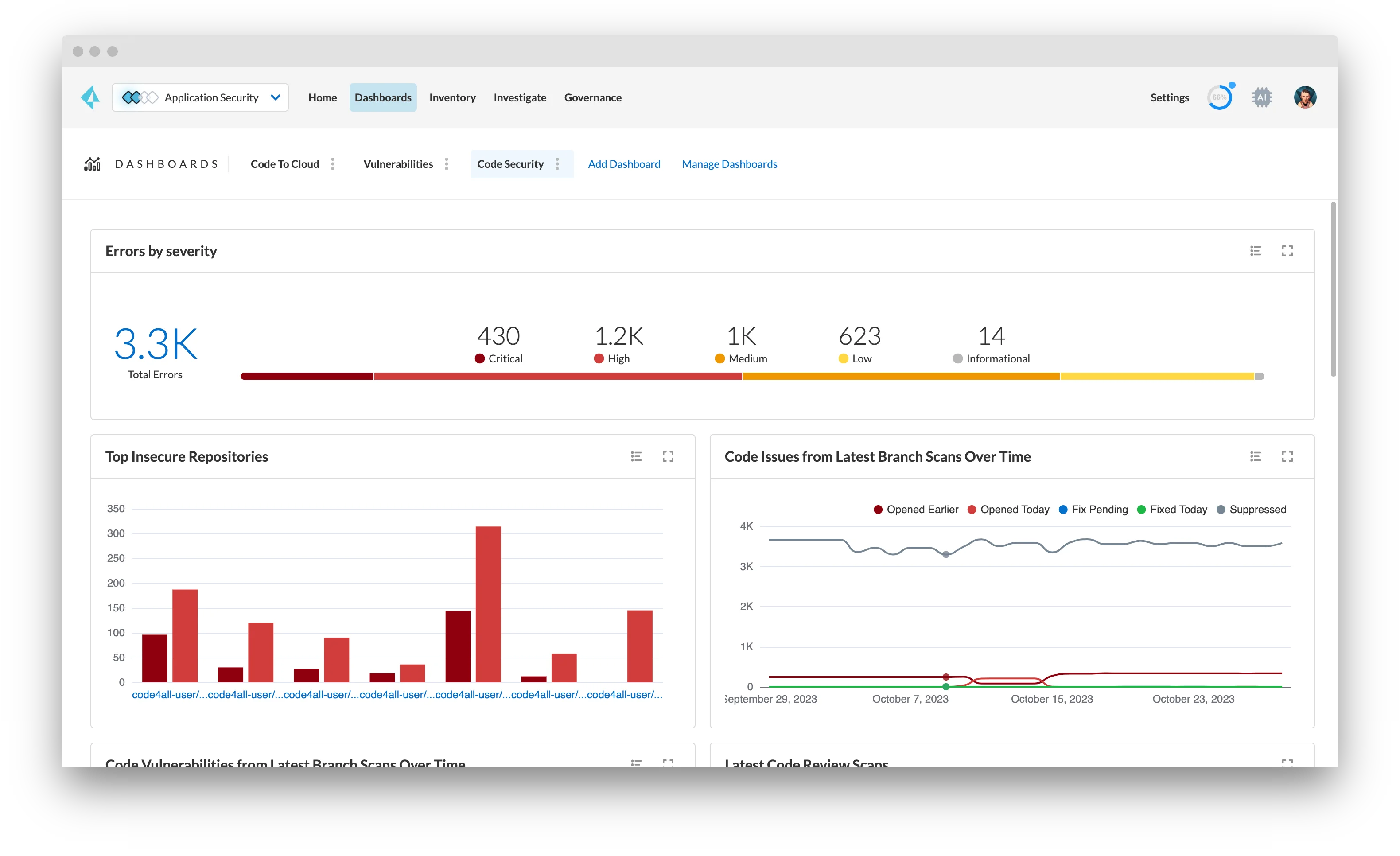
What Checkov does well for GCP: Deep GCP rule coverage — it catches Cloud Storage buckets with uniform_bucket_level_access = false, GKE clusters with legacy ABAC enabled, Cloud SQL instances without SSL enforcement, service accounts with project-level owner bindings, and Compute Engine instances without Shielded VM. Policy-as-code via custom Python checks is supported.
Where Checkov falls short: Static IaC analysis only — it does not assess the runtime state of a live GCP project. Drift between Terraform state and actual GCP resource configuration is not detected.
Best fit: Any team deploying GCP infrastructure via Terraform or Deployment Manager. Checkov belongs in the CI/CD pipeline before terraform apply or Deployment Manager updates. See the IaC security for Terraform guide
for pipeline configuration patterns.
2. GCP Security Command Center#
Google Cloud Security Command Center (SCC) is GCP’s native security posture management service. It aggregates findings from Cloud Asset Inventory, Security Health Analytics, Web Security Scanner, Container Threat Detection, and Event Threat Detection into a unified security dashboard across the GCP organization.
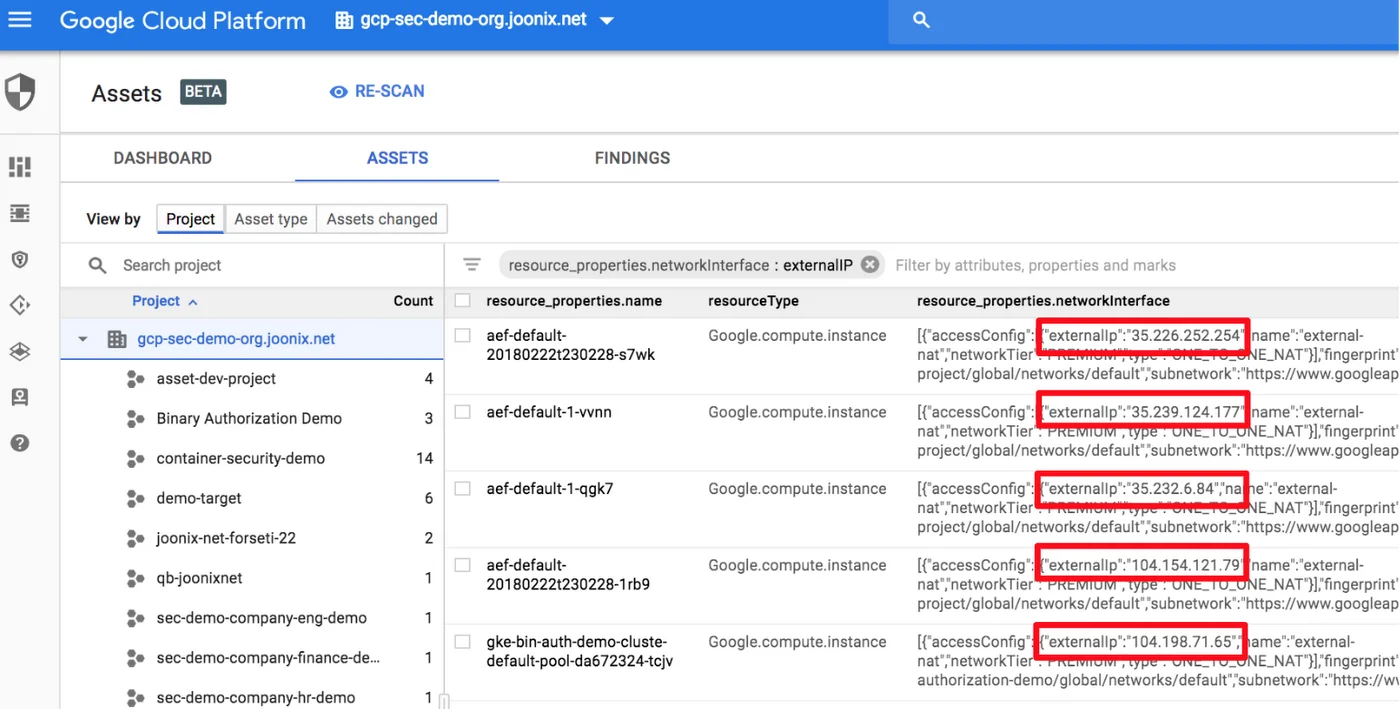
What SCC does well: Native integration with GCP — no service account setup or external agent required. Security Health Analytics (Standard tier) checks Cloud Storage, IAM, GKE, Cloud SQL, Cloud DNS, and other services against CIS GCP Foundation Benchmark. Container Threat Detection (Premium) monitors GKE clusters for crypto mining processes and reverse shells. Event Threat Detection (Premium) uses Google threat intelligence to flag suspicious admin activity, data exfiltration patterns, and IAM anomalies.
Where SCC falls short: SCC is a posture management and threat detection tool. It does not scan IaC before deployment, does not analyze application code, and does not provide the attack path correlation that commercial CNAPP platforms offer. Container and event threat detection both require the Premium tier, which adds cost on top of existing GCP spend.
Best fit: All GCP organizations as a baseline. SCC Standard tier is free and covers Security Health Analytics; SCC Premium is appropriate for organizations that need runtime threat detection and compliance reporting.
3. Prowler for GCP#
Prowler is an open-source cloud security assessment tool that added GCP support alongside its original AWS capabilities. For GCP, Prowler connects via a service account and checks the live project against CIS Google Cloud Foundation Benchmark , ENS (Spanish National Security Scheme), and ISO 27001 controls.
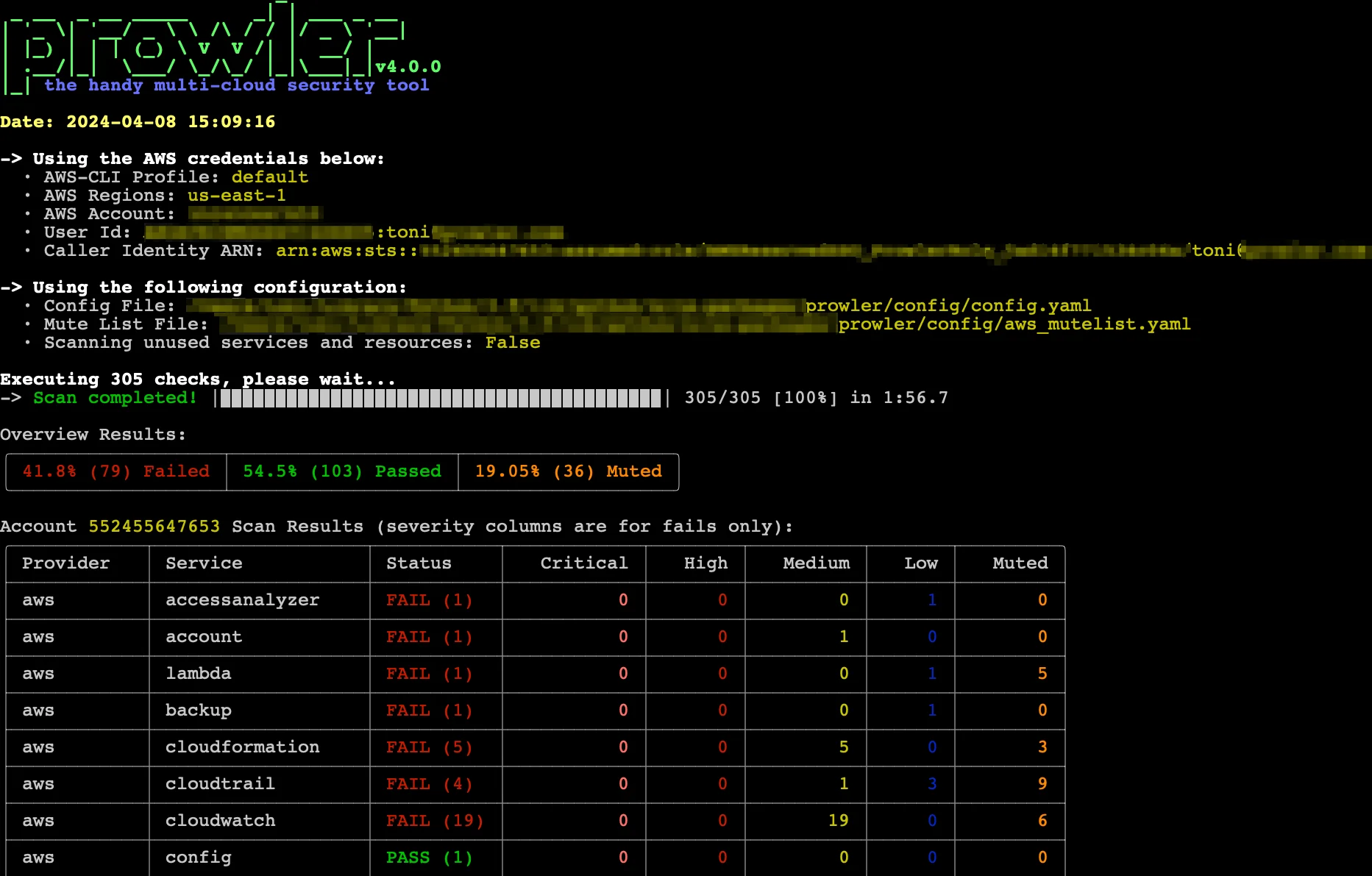
What Prowler does well for GCP: CIS GCP Foundation Benchmark checks across Cloud Storage, IAM, Cloud SQL, Compute Engine, Cloud DNS, Cloud Logging, and Cloud KMS. Output in JSON, CSV, and HTML for compliance reporting. Free and open-source with no GCP-native dependency.
Where Prowler falls short: Point-in-time scanner — continuous monitoring requires scheduling. No IaC scanning, no workload vulnerability scanning, no application code analysis.
Best fit: Teams preparing for GCP compliance assessments or wanting a free, open-source alternative to commercial CSPM tools for their GCP project posture. Particularly useful for generating CIS benchmark reports for audit purposes.
4. Wiz for GCP#
Wiz
is a commercial CNAPP platform with deep GCP integration. It connects via a read-only GCP service account — no agents — and builds a Security Graph that models relationships between GCP resources, GKE workloads, service account permissions, and data in Cloud Storage and BigQuery. The Security Graph enables attack path analysis: showing that a publicly accessible Cloud Run service has a service account attached with storage.admin permissions on a Cloud Storage bucket containing sensitive data.
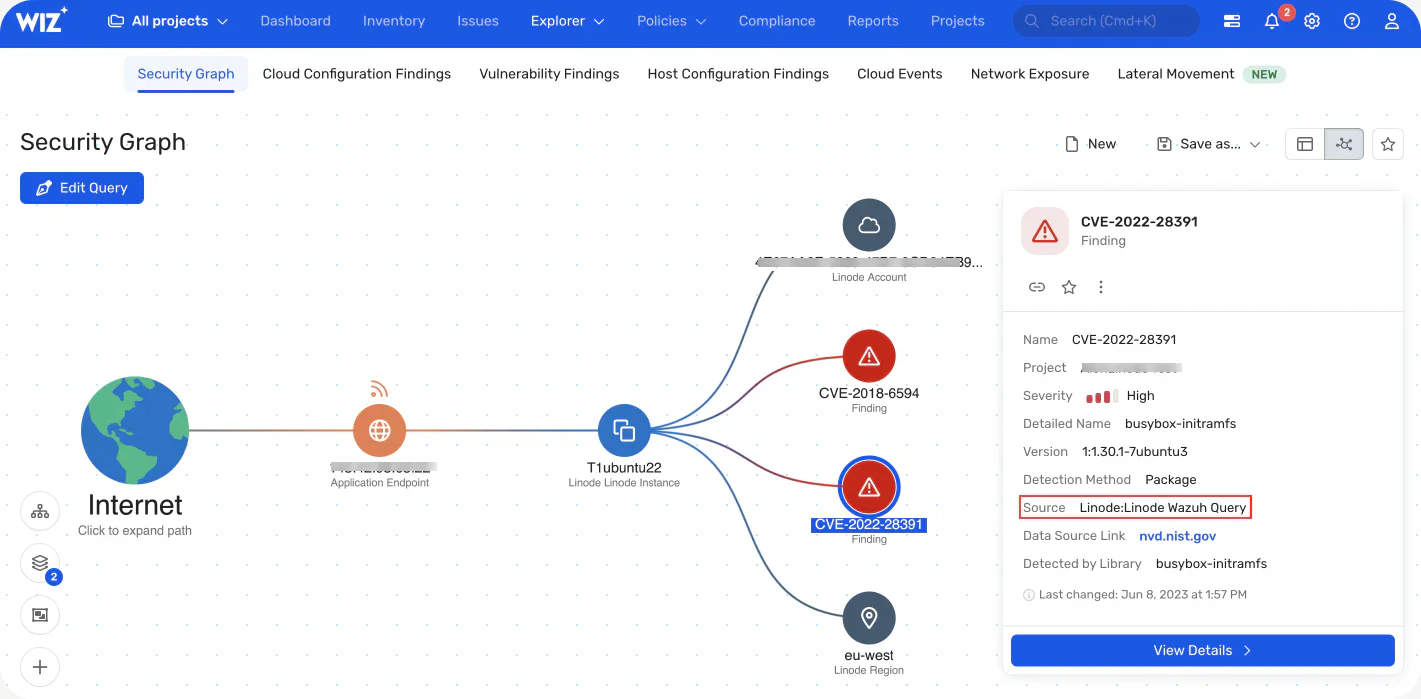
What Wiz does well for GCP: Full-stack GCP visibility — IaC scanning, cloud posture, GKE container image scanning, workload CVEs, service account risk, and data exposure (BigQuery datasets, Cloud Storage). Multi-project and organization-level coverage via a single connection. Attack path view shows which specific combination of misconfigurations creates an exploitable risk.
Where Wiz falls short: Commercial, contact-sales pricing. For GCP environments with simple architectures and small teams, the overhead of a CNAPP platform may not be justified.
Best fit: Mid-size and enterprise teams running multi-project GCP environments who need unified visibility across cloud infrastructure, GKE workloads, and application security. See Wiz and Wiz vs Orca Security for more detail.
5. Orca Security for GCP#
Orca Security connects to GCP agentlessly via a service account and reads cloud resource configurations, GKE workload data, and Compute Engine instance data without installing agents or requiring network traffic routing through Orca infrastructure.
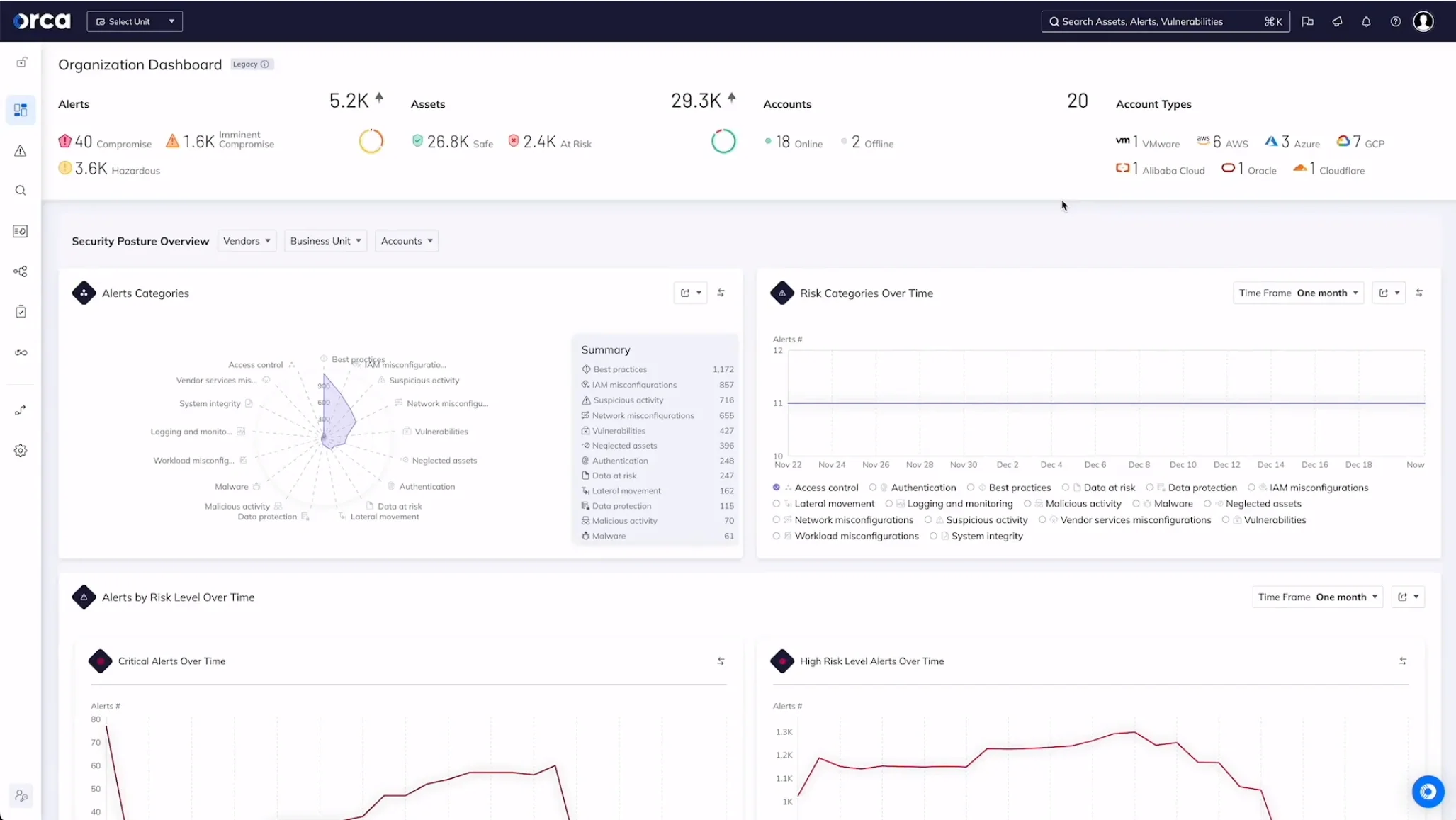
What Orca does well for GCP: Agentless full-stack visibility including running software inventory, open ports, exposed credentials in running workloads, and sensitive data detection. Context-aware risk prioritization correlates misconfigurations, vulnerabilities, and data sensitivity to produce a ranked risk list rather than a flat CVE list.
Where Orca falls short: Commercial, contact-sales pricing. Like Wiz, the full CNAPP scope is better suited to mid-size and larger GCP environments.
Best fit: Teams needing deep workload visibility and sensitive data detection in GCP without agent installation. See the container security tools list for commercial CNAPP alternatives.
6. Trivy and Falco for GKE#
Trivy and Falco are the open-source standard for GKE container security — covering the image scanning and runtime monitoring layers that infrastructure tools miss.
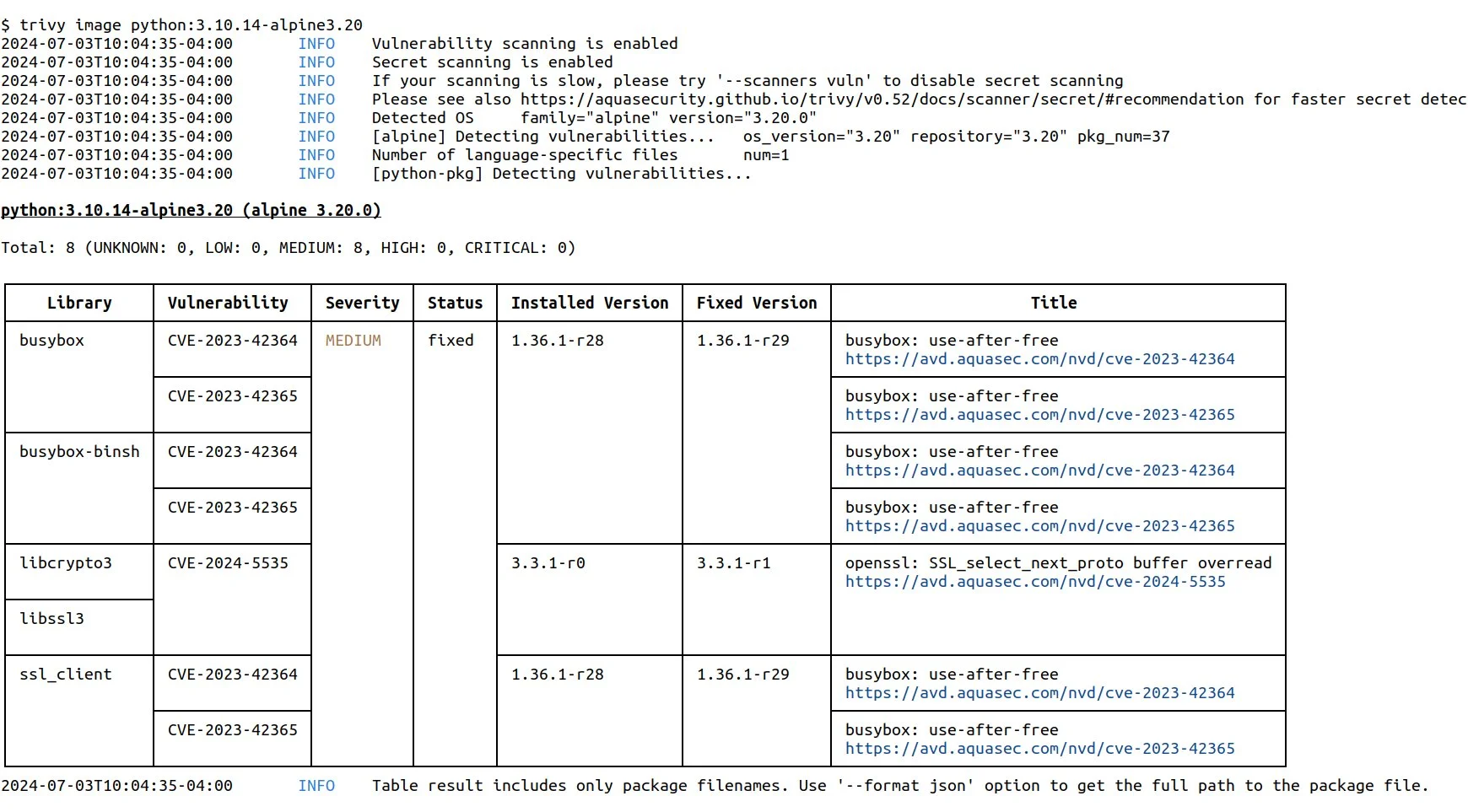
Trivy
scans container images in Google Artifact Registry and Google Container Registry before and after deployment. trivy image gcr.io/project/image:tag pulls and scans an image for OS package CVEs and language runtime vulnerabilities. Trivy’s trivy k8s cluster
command scans all running images in a GKE cluster in a single pass.
Falco runs as a DaemonSet on GKE nodes and monitors kernel-level system calls for anomalous container behavior: process spawning, privilege escalation, unexpected network connections, and file system writes in sensitive paths. GKE Autopilot limits Falco’s eBPF driver mode — on Autopilot, Falco runs in userspace mode with some capability trade-offs.
Best fit: Every GKE cluster needs both layers — Trivy in CI for pre-deploy image scanning, Falco in production for runtime threat detection. See Kubernetes security tools for Kube-bench and Kubescape configuration on GKE.
7. Assured OSS and Gitleaks for supply chain and secrets#
Google Assured OSS provides Google-curated open-source packages for Java and Python with vulnerability scanning, SBOM generation, and build provenance. Available through Artifact Registry, it reduces supply chain risk for organizations that need vetted open-source dependencies. The service does not cover all packages — it curates a specific list of widely used open-source libraries.
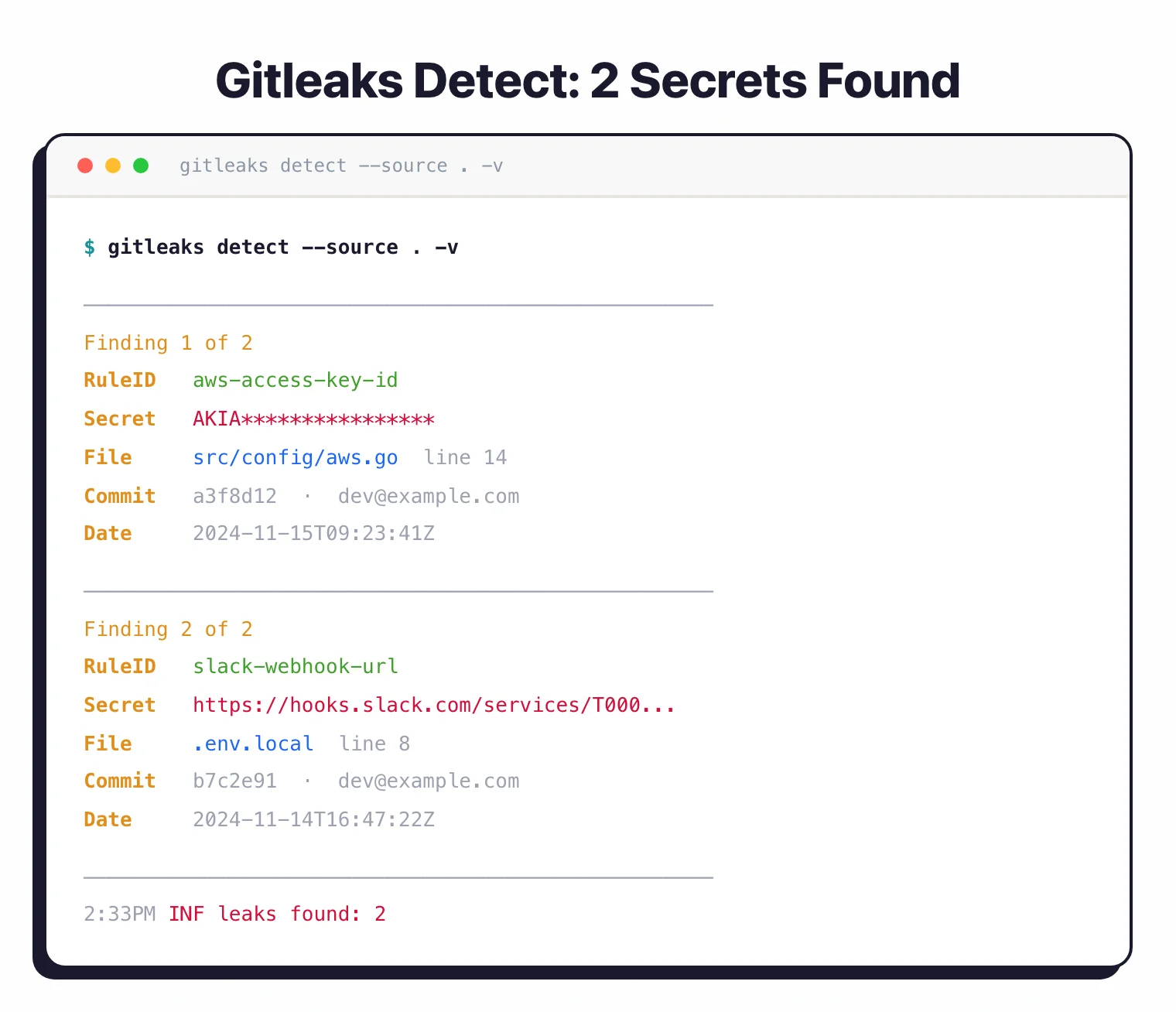
Gitleaks detects hardcoded GCP service account keys, API keys, and OAuth tokens in source code and git history. GCP service account JSON key files hardcoded in application code or CI/CD scripts are a direct path to project-level compromise. Gitleaks’ pre-commit hook integration prevents credential commits before they reach the repository.
Best fit: Assured OSS for GCP-native teams with Java or Python services who want supply chain assurance. Gitleaks for every repository containing GCP application code, CI/CD configuration, or infrastructure scripts.
Comparison table#
| Tool | Layer | GCP Coverage | Runtime Scanning | IaC Scanning | License |
|---|---|---|---|---|---|
| Checkov | IaC | Deep (500+ GCP checks) | No | Yes | Open source |
| GCP SCC | Cloud posture | CIS GCP, threat detection | Yes | No | GCP native (free/paid) |
| Prowler | Cloud posture | CIS GCP, ISO 27001 | Yes | No | Open source |
| Wiz | CNAPP | Full stack | Yes | Yes | Commercial |
| Orca Security | CNAPP | Full stack | Yes | No | Commercial |
| Trivy | Image scanner | GCR/GAR images, GKE | No | No | Open source |
| Falco | Runtime security | GKE runtime | Yes (eBPF) | No | Open source |
| Assured OSS + Gitleaks | Supply chain + secrets | GCP credential detection | No | No | Free / Open source |
How to choose for your use case#
Small team, single GCP project: Checkov in CI/CD for IaC scanning, Prowler monthly for posture assessment, Gitleaks on every commit. Enable SCC Standard (free) for native GCP threat detection. That is a complete free stack covering the highest-impact GCP security categories.
Growing team with GKE: Add Trivy for container image scanning in CI before pushing to GAR. Add Falco as a GKE DaemonSet for runtime threat detection. Run Kube-bench against new clusters for CIS GKE Benchmark compliance. See Kubernetes security tools for the full GKE security toolkit.
Multi-project enterprise: Wiz or Orca Security for full-stack visibility across the GCP organization. Both support GCP Organizations for multi-project coverage. For IaC governance at scale, Checkov or Snyk IaC cover Terraform for GCP. For comparison, see what is CNAPP .
Compliance-driven (SOC 2, ISO 27001, PCI DSS): Prowler’s compliance reporting maps findings to GCP-specific controls. SCC Premium includes compliance posture dashboards. Wiz and Orca both provide compliance reporting across GCP projects.
For the complete IaC security picture, see the IaC security tools list and what is IaC security .
Open source vs commercial for GCP#
The free GCP security stack — Checkov , Prowler, SCC Standard, Trivy , Falco , Gitleaks — covers the most critical GCP security categories without licensing cost.
The gap versus commercial tools like Wiz and Orca Security is in attack path analysis and full-stack correlation. Free tools produce lists of findings across different categories. CNAPP platforms show which specific combination of a public-facing Cloud Run service, a vulnerable GKE workload, and an overly permissive service account creates an actual exploitable attack path to your BigQuery data or Cloud Storage buckets.
For most GCP teams, the free stack is the right starting point. CNAPP platforms become most valuable when the number of findings across multiple tools creates prioritization overhead — typically at mid-size organizations with multiple GCP projects and large GKE deployments.