

AWS is the dominant cloud platform for production applications — and securing an AWS-hosted application means thinking beyond the application code itself. IAM permissions, S3 bucket policies, Lambda execution roles, EKS cluster configurations, and security group rules are all part of the attack surface.
This guide covers the AppSec tools most relevant to AWS environments: Checkov for IaC scanning, AWS Inspector for workload vulnerability scanning, Prowler for account posture assessment, CloudSploit, Wiz , Orca Security , plus context on SAST and secrets tools for the application code running on AWS.
The AWS AppSec landscape#
Securing an application hosted on AWS involves four distinct layers — each requiring different tools.
**1. IaC scanning (shift-left). ** Before any AWS resource is created, Terraform or CloudFormation templates should be scanned for misconfigurations.
Checkov and KICS run in CI/CD pipelines and catch S3 bucket ACL issues, IAM wildcard permissions, and unencrypted resources before they reach production.
**2. Cloud posture management (runtime). ** After resources are deployed, the live account state needs ongoing monitoring.
Prowler and AWS Inspector assess the running account against CIS benchmarks and known CVE databases.
**3. CNAPP (full-stack visibility). ** Commercial platforms like Wiz and Orca Security connect agentlessly to AWS and correlate misconfigurations, vulnerabilities, identity issues, and data exposure into prioritized attack paths.
They cover layers 1 and 2 plus container images, lateral movement paths, and data sensitivity.
**4. Application code security. ** The application code running on Lambda, ECS, EC2, or EKS still needs SAST, SCA, and secrets scanning — AWS infrastructure is not a substitute.
Snyk Code , Semgrep , and Gitleaks cover the application layer.
Most AWS security incidents trace back to misconfigured IAM roles, exposed S3 buckets, or overly permissive security groups — not application code vulnerabilities. The IaC and posture tools are where AWS-specific AppSec investment pays off most directly.
Top AppSec tools for AWS#
1. Checkov#
Checkov is the most widely adopted open-source IaC security scanner. It supports Terraform, CloudFormation, CDK, Kubernetes manifests, ARM templates, and Helm charts. For AWS specifically, it ships 1,000+ checks covering S3, IAM, EC2, RDS, Lambda, EKS, VPC, CloudTrail, KMS, and dozens of other services.
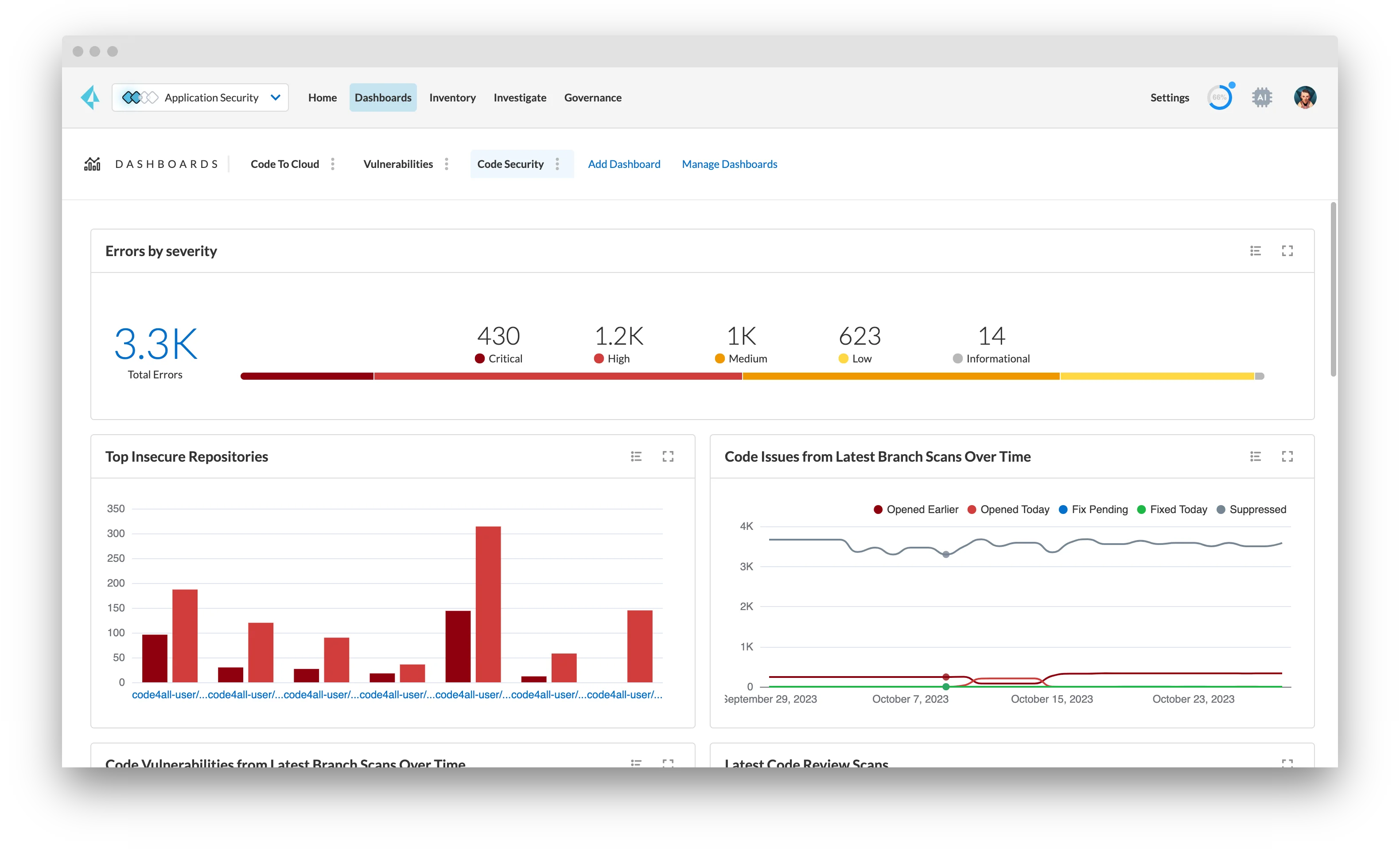
What Checkov does well: AWS rule depth is extensive — it knows that aws_s3_bucket_acl should not be public-read, that aws_iam_policy_document should not contain "*" actions, that Lambda functions should have dead letter queues configured, and that CloudTrail should have log file validation enabled. Policy-as-code via custom Python checks is supported.
Where Checkov falls short: It scans static IaC files — it cannot assess the runtime state of a deployed AWS account. Findings are only as current as the last IaC scan; drift between Terraform state and actual AWS resources is not detected.
Best fit: Any team deploying AWS infrastructure via Terraform or CloudFormation. Checkov belongs in the CI/CD pipeline before terraform apply or CloudFormation stack creation.
2. AWS Inspector#
AWS Inspector is Amazon’s native vulnerability scanning service. It scans EC2 instances, Amazon ECR container images, and Lambda function code for known CVEs and network reachability issues — without requiring a separate agent installation (it uses the SSM agent already on most managed instances).
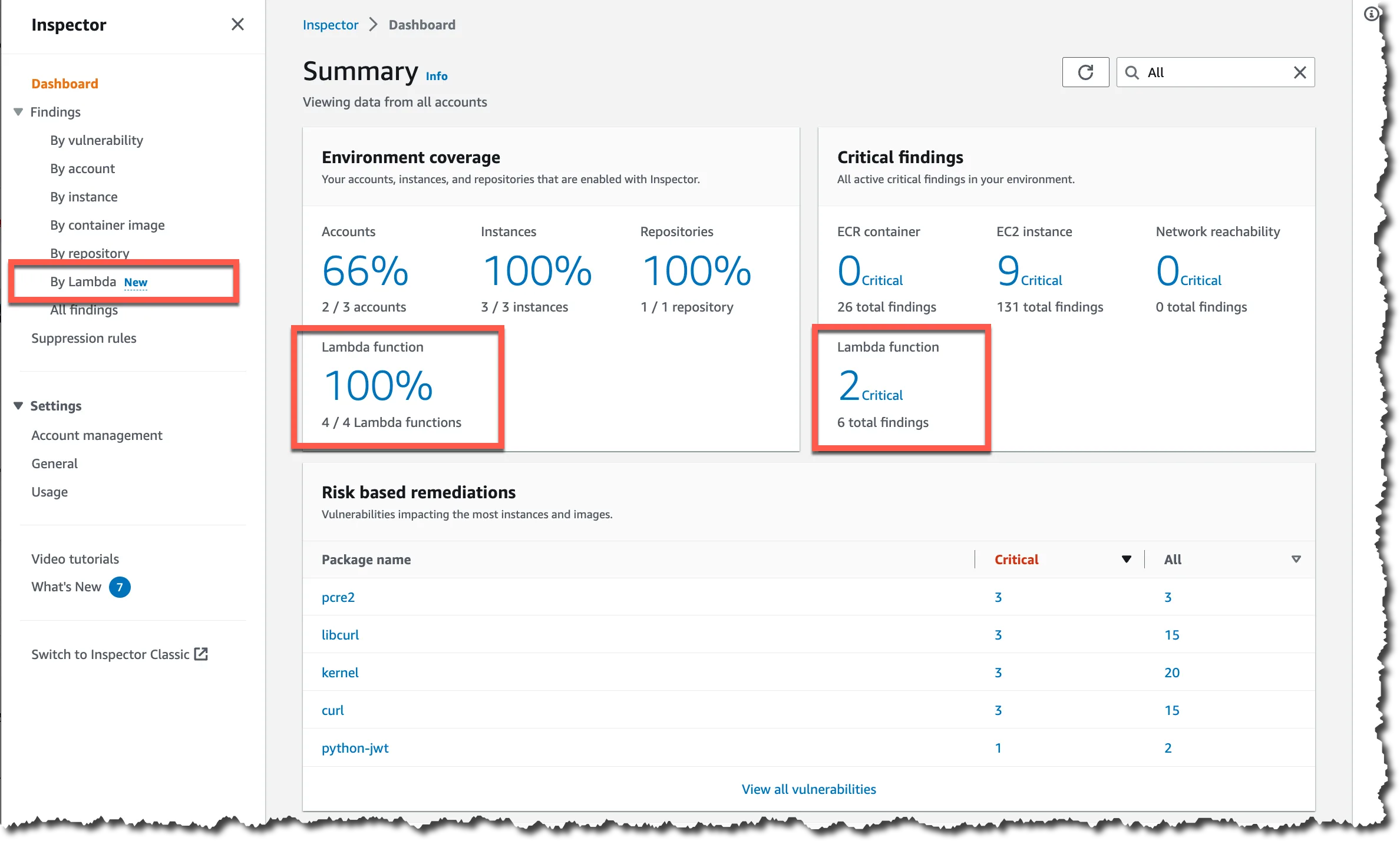
What AWS Inspector does well: Deep integration with the AWS ecosystem — findings feed directly into AWS Security Hub , are available via EventBridge for automated remediation, and are billed on the same AWS invoice. Inspector uses the Inspector2 API and supports scanning across an entire AWS Organization with a single enablement.
Where AWS Inspector falls short: It covers known CVEs in OS packages and language runtimes — it does not scan application code for vulnerabilities, IaC misconfigurations, IAM issues, or S3 bucket policies. It is a workload vulnerability scanner, not a full cloud security posture tool.
Best fit: AWS-native teams that want workload CVE scanning integrated into Security Hub and the AWS Management Console without deploying a third-party agent.
3. Prowler#
Prowler is an open-source AWS security assessment tool that checks a live AWS account against CIS AWS Foundations Benchmark, AWS Foundational Security Best Practices , NIST 800-53, ISO 27001, SOC 2, and GDPR controls. It connects via an IAM role and runs hundreds of checks against the account’s current configuration.
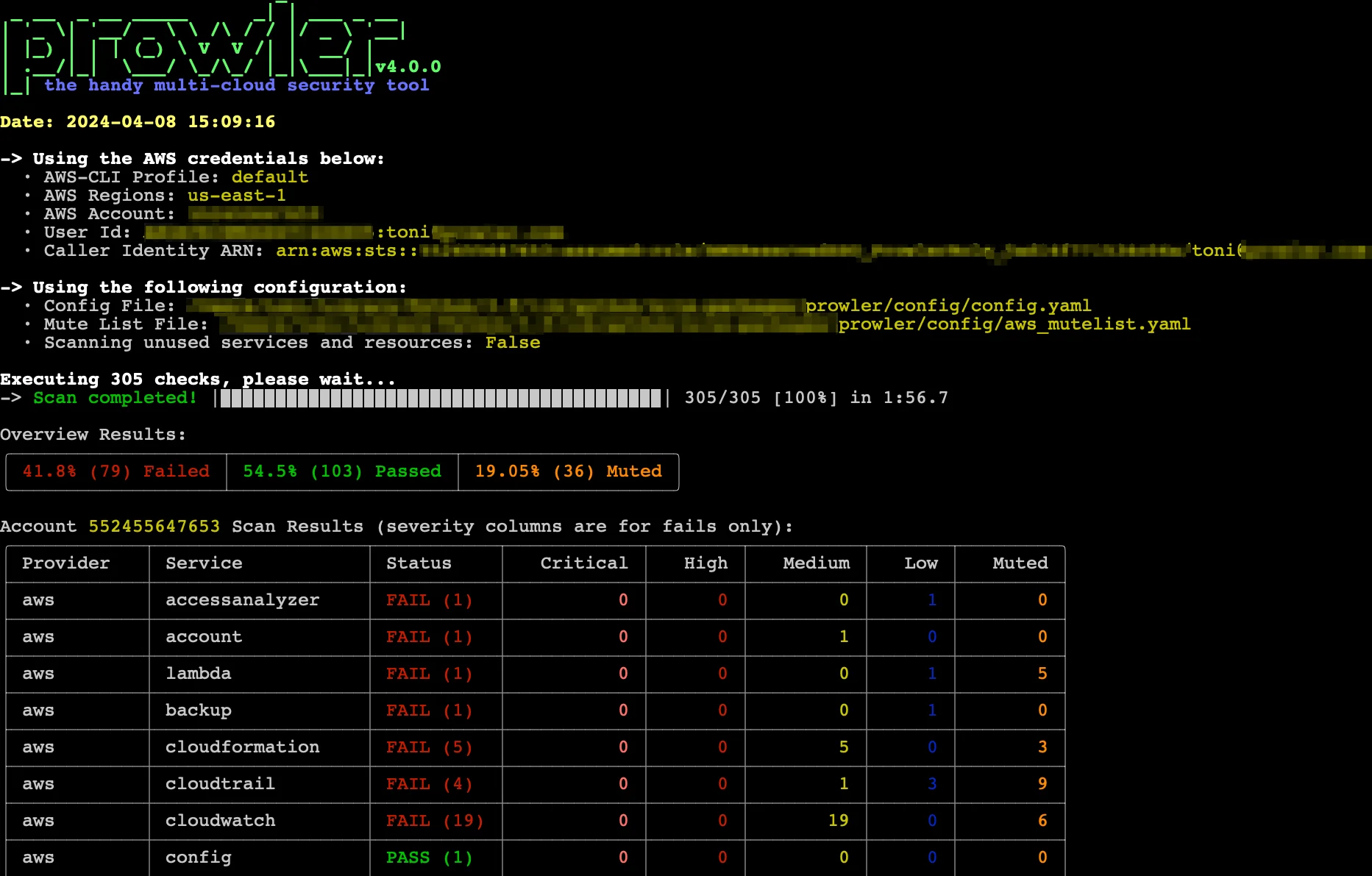
What Prowler does well: Broad coverage of AWS service configurations — IAM policies, CloudTrail settings, S3 bucket policies, VPC configurations, RDS encryption, CloudFront security headers, and much more. Output formats include JSON, CSV, HTML, and SARIF. It is free and open-source with an active community.
Where Prowler falls short: No continuous monitoring — it is a point-in-time scanner unless you schedule it. No workload vulnerability scanning (that is AWS Inspector’s domain). No automated remediation.
Best fit: Teams preparing for compliance assessments (SOC 2, CIS, NIST) or wanting a free, open-source alternative to commercial CSPM tools for their AWS account posture.
4. CloudSploit#
CloudSploit (now part of Aqua Security) is an open-source cloud security scanning tool with AWS, Azure, and GCP support. It checks AWS accounts for misconfigurations across IAM, EC2, RDS, S3, CloudTrail, Lambda, and other services.
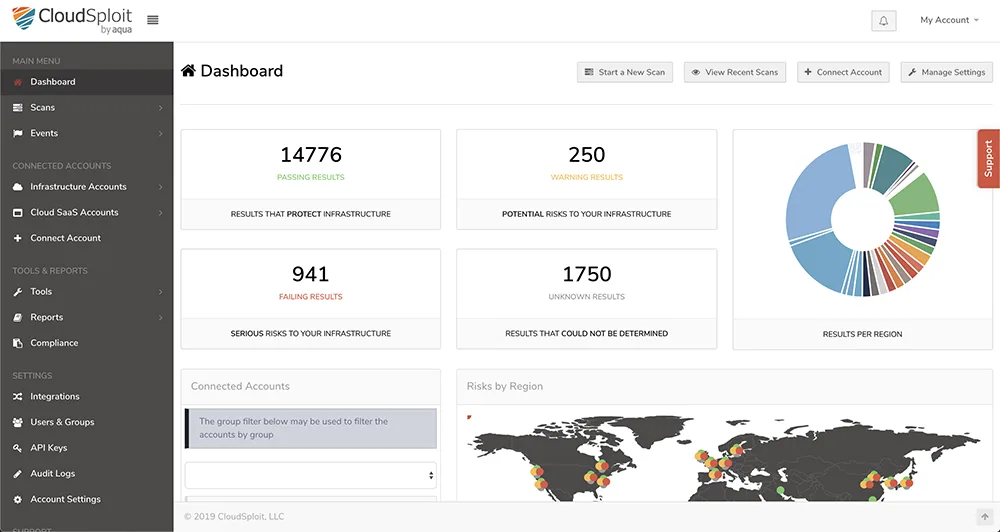
What CloudSploit does well: The open-source version covers 250+ AWS checks and is easy to run locally or in CI/CD. The Aqua-backed commercial version adds continuous monitoring and more advanced scanning. It is a practical alternative to Prowler for teams that prefer its output format or integration options.
Where CloudSploit falls short: The open-source version is less actively updated than Prowler in 2026. No workload scanning, no container image analysis, and no IaC scanning.
Best fit: Teams already using Aqua Security for container security who want consistent tooling across cloud posture and container scanning.
5. Wiz#
Wiz is a commercial CNAPP platform with deep AWS integration. It connects via a read-only IAM role — no agents — and builds a Security Graph that models relationships between AWS resources, identities, workload vulnerabilities, and data sensitivity. The Security Graph enables attack path analysis: showing that a publicly accessible EC2 instance has a vulnerable CVE AND has an IAM role attached that can write to an S3 bucket containing sensitive data.
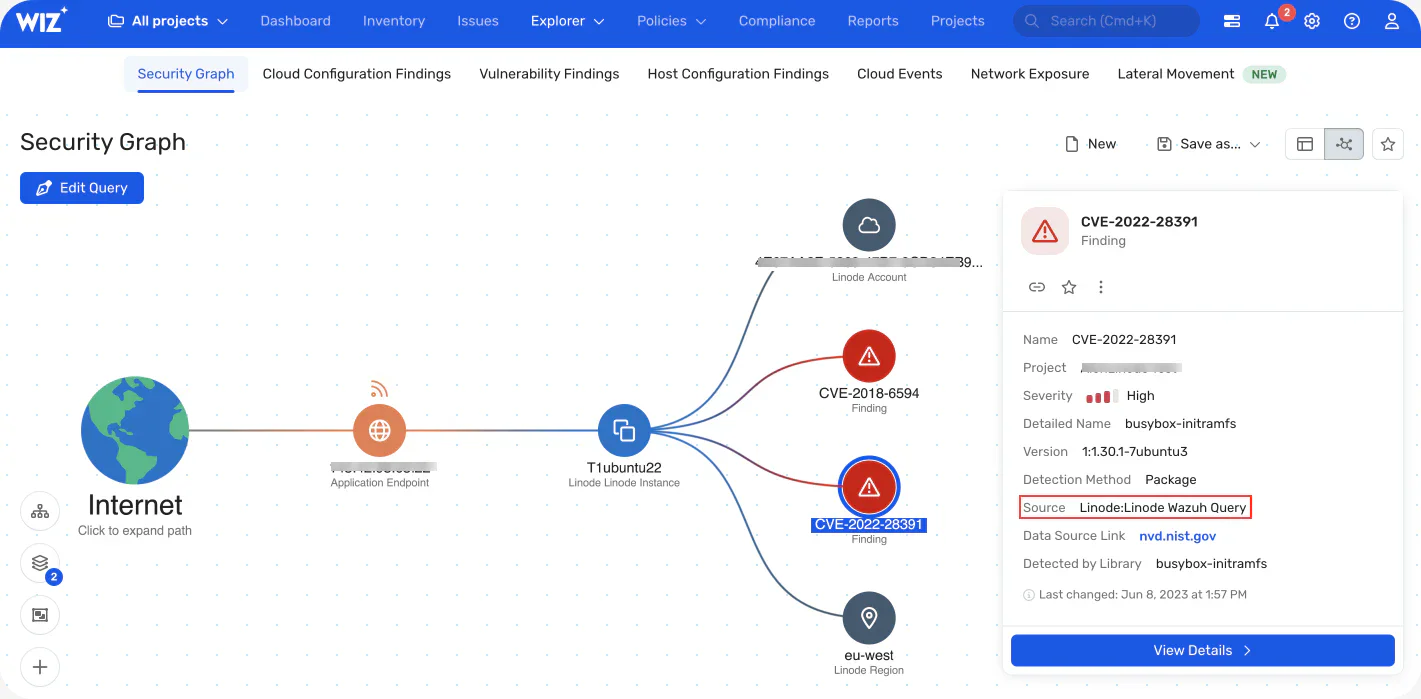
What Wiz does well: Full-stack AWS visibility in one platform — IaC scanning, cloud posture, container image scanning, workload CVEs, identity risk, and data exposure. The attack path view is genuinely useful for prioritizing which misconfigurations actually create exploitable risk. Wiz integrates with AWS Organizations for multi-account coverage.
Where Wiz falls short: Commercial pricing, contact-sales only. For teams with simple AWS environments, the complexity and cost of a CNAPP platform may not be justified versus free tools.
Best fit: Mid-size and enterprise teams running multi-account AWS environments who need unified visibility across cloud infrastructure, workloads, and application security. For comparison, see Wiz vs Orca Security .
6. Orca Security#
Orca Security is a commercial CNAPP platform that uses agentless side-scanning to read cloud workload data directly from cloud provider APIs and volume snapshots — no agent installation, no network traffic impact. For AWS, Orca reads EC2 instance data, ECS and EKS container images, Lambda function code, and RDS configurations.
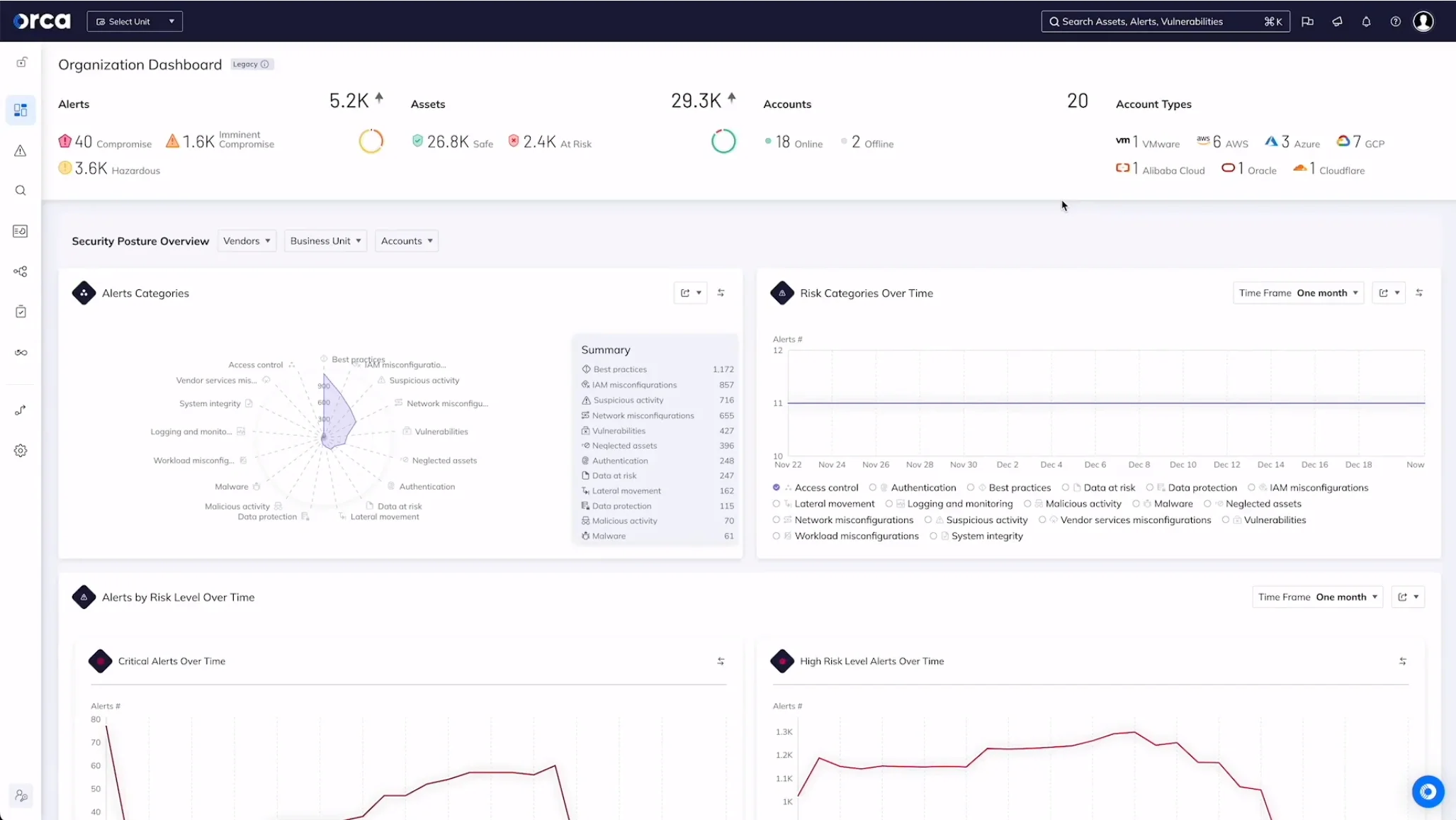
What Orca does well: The breadth of what Orca sees without an agent is impressive — it reads the full stack of running workloads and correlates findings across OS vulnerabilities, application dependencies, misconfigurations, and sensitive data (PII, secrets in running memory or files). Context-aware prioritization reduces alert volume.
Where Orca falls short: Commercial, contact-sales pricing. Like Wiz, the full CNAPP scope is overkill for small or simple AWS environments.
Best fit: Teams needing deep workload visibility (running software, exposed secrets in memory, sensitive data) alongside cloud posture without agent installation overhead.
7. Snyk Code and SCA for application code#
Snyk Code and Snyk Open Source cover the application layer that infrastructure tools miss. A Checkov-clean Terraform deployment still has application vulnerabilities in the Lambda function code, ECS container application, or EC2-hosted API. SAST tools and SCA tools are not AWS-specific — they scan application code regardless of where it runs.
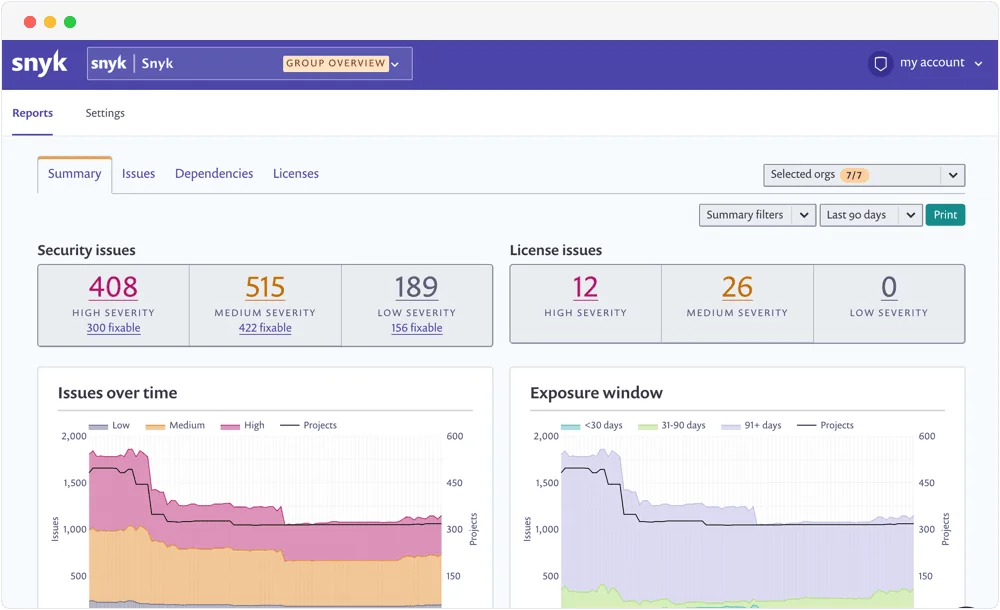
What Snyk does well for AWS apps: Snyk Open Source can scan a Node.js or Python project’s dependencies for CVEs, and Snyk Code performs taint analysis on the application code. Both integrate with GitHub, GitLab, and Bitbucket — the same repositories where the Terraform for your AWS infrastructure lives. Snyk IaC also covers Terraform and CloudFormation directly.
Best fit: Teams that want a single vendor covering application code (SAST + SCA) plus IaC scanning for their AWS Terraform configurations.
8. Gitleaks for secrets in AWS configurations#
Gitleaks detects hardcoded secrets — AWS access keys, IAM credentials, STS tokens, and API keys — in source code and git history. AWS credentials hardcoded in application code or infrastructure scripts are a leading cause of AWS account compromise.
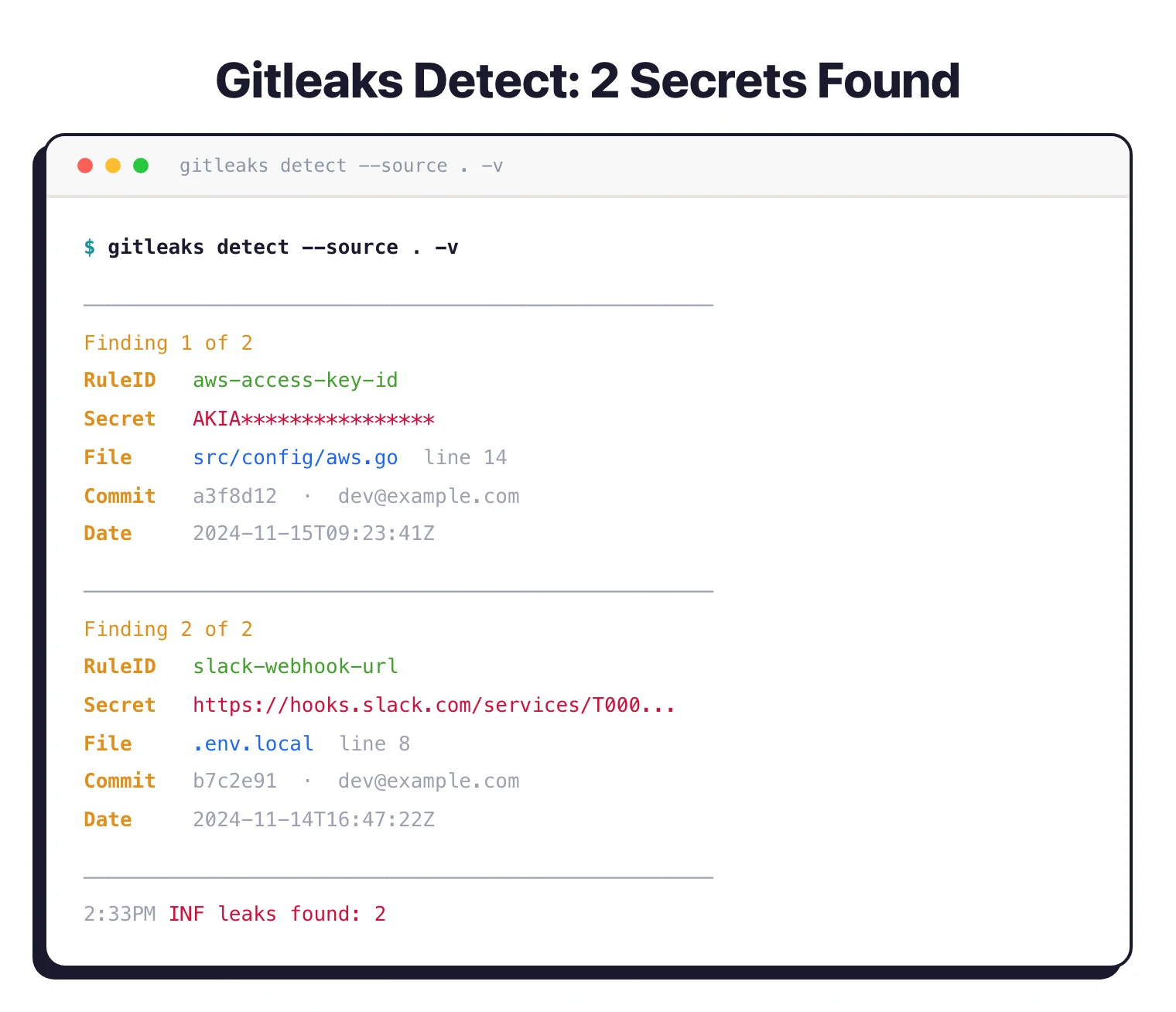
What Gitleaks does well: Detecting AKIA prefixed AWS access keys, AWS Secret Access Keys, and high-entropy strings that match credential patterns. It scans the full git history, not just the current checkout. Pre-commit hook integration prevents credentials from being committed in the first place.
Best fit: Every repository containing AWS configuration, application code, CI/CD scripts, or any code that might accumulate AWS credentials over its history.
Comparison table#
| Tool | Layer | AWS Coverage | Runtime Scanning | IaC Scanning | License |
|---|---|---|---|---|---|
| Checkov | IaC | Deep (1,000+ checks) | No | Yes | Open source |
| AWS Inspector | Workload | EC2, ECR, Lambda CVEs | Yes | No | AWS native (paid) |
| Prowler | Cloud posture | CIS, NIST, SOC 2 checks | Yes | No | Open source |
| CloudSploit | Cloud posture | 250+ checks | Yes | No | Open source / Commercial |
| Wiz | CNAPP | Full stack | Yes | Yes | Commercial |
| Orca Security | CNAPP | Full stack | Yes | No | Commercial |
| Snyk Code + Snyk IaC | App + IaC | App code + Terraform | No | Yes | Free / Commercial |
| Gitleaks | Secrets | AWS credential detection | No | No | Open source |
How to choose for your use case#
Small team, single AWS account: Checkov in CI/CD for IaC scanning, Prowler monthly for posture assessment, Gitleaks on every commit. That is a complete free stack covering the highest-impact AWS security categories.
Growing team with EKS or ECS: Add AWS Inspector for container image CVE scanning. It integrates directly with ECR and requires no setup beyond enabling it in the AWS console. Pair with Trivy for CI-time image scanning before pushing to ECR.
Multi-account enterprise: Wiz or Orca Security for full-stack visibility across the AWS Organization. Both support AWS Organizations natively. For IaC governance at scale, see Checkov alternatives like Snyk IaC which integrates with engineering workflows more directly.
Compliance-driven (SOC 2, ISO 27001, PCI DSS): Prowler’s compliance reporting outputs map findings to specific controls. Wiz and Orca both include compliance dashboards. AWS Security Hub aggregates findings from all native services into compliance framework views.
For the complete IaC security tool landscape, see the IaC security tools list and the Terraform security scanning guide .
Open source vs commercial#
The free AWS security stack — Checkov , Prowler, Gitleaks , AWS Inspector (AWS-native cost), Trivy for containers — covers the most critical AWS security categories.
The gap versus commercial tools like Wiz and Orca Security is in attack path analysis and full-stack correlation. Free tools give you lists of findings. CNAPP platforms show you which specific combination of a public-facing resource, a vulnerable runtime, and an overly permissive IAM role creates an actual exploitable attack path to your most sensitive data.
For most teams, the free stack is the right starting point. CNAPP platforms make the most sense for mid-size and larger environments where the number of findings across multiple tools creates prioritization overhead that a Security Graph resolves. For a broader look at CNAPP platforms, see what is CNAPP .