


Apktool is a free, open-source reverse engineering tool that decodes Android APK resources to near-original form, disassembles DEX bytecode to smali, and rebuilds modified APKs.
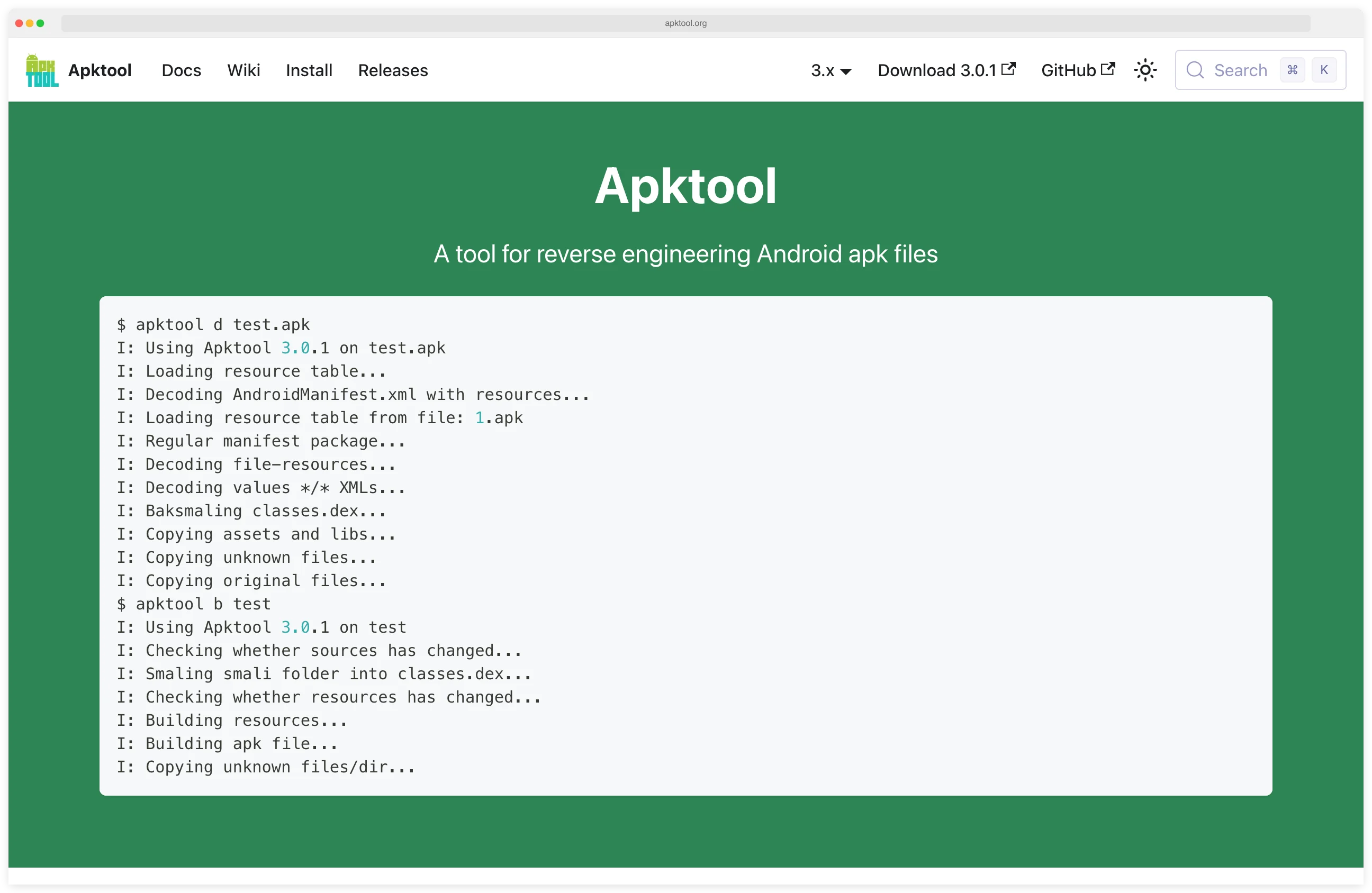
With over 24,100 GitHub stars, it is the most widely used tool for APK modification and repackaging.
Originally created by Brut.all in 2010 and maintained by iBotPeaches since 2012, Apktool occupies a unique position in the Android mobile security toolkit: while tools like Jadx decompile to readable Java, Apktool works at the resource and smali level.
This makes it the go-to choice when you need to actually modify and repackage an APK — something no other mainstream tool can do.
GitHub: iBotPeaches/Apktool | Stars: 24k+ | Latest Release: v3.0.1 (February 2026) | License: Apache 2.0
The tool decodes Android resources (layouts, strings, drawables) back to near-original XML form and disassembles DEX bytecode into smali — a human-readable assembly language for the Dalvik virtual machine.
After making changes, Apktool reassembles everything into a working APK that can be signed and installed. This decode-modify-rebuild cycle is Apktool’s core workflow and the primary reason security researchers, pentesters, and developers rely on it.
| Feature | Details |
|---|---|
| Core function | Decode, modify, and rebuild Android APK files |
| Resource decoding | Binary XML to near-original readable XML (layouts, strings, styles, drawables) |
| Bytecode handling | DEX disassembly to smali, reassembly back to DEX |
| Resource compiler | aapt2 (v3.0+), replacing deprecated aapt1 |
| API detection | Automatic baksmali API version detection (v3.0+) |
| Manifest handling | Full AndroidManifest.xml decoding with permissions, components, intent filters |
| Framework support | Install and manage device framework APKs for system app decoding |
| Platforms | Windows, macOS, Linux (pre-installed on Kali Linux) |
| Requirements | Java 8+ (JRE or JDK) |
| License | Apache 2.0 (fully open source, no restrictions) |
Overview
Apktool reverse engineers APK files into their constituent parts. When you run apktool d app.apk, it extracts and decodes the AndroidManifest.xml, resource files, assets, and DEX bytecode into a project directory.
Resources come out as readable XML rather than the binary format stored in the APK, and DEX files are disassembled into smali code.
The main difference between Apktool and decompilers like Jadx
is the round-trip capability. After modifying decoded resources or smali code, apktool b reassembles everything into a valid APK.
Jadx produces Java source for reading, not for rebuilding — making Apktool the only mainstream tool that supports full APK decode-modify-rebuild workflows.
Apktool v3.0.1 dropped in February 2026 with some notable changes. The project switched from aapt1 to aapt2 for resource handling, since aapt1 is now deprecated in AOSP.
It also added automatic API version detection for baksmali, which fixes a common headache where mismatched API versions caused build failures.
| Capability | Details |
|---|---|
| Resource Decoding | Decodes binary XML resources (layouts, strings, styles) back to near-original readable XML format |
| Smali Disassembly | Converts DEX bytecode to smali — a human-readable assembly language for Dalvik VM |
| APK Rebuilding | Reassembles modified resources and smali code into a valid, installable APK file |
| Manifest Analysis | Decodes AndroidManifest.xml to reveal permissions, components, and intent filters |
| Framework Management | Handles Android framework resources for proper decoding of system-dependent apps |
| aapt2 Integration | Uses modern aapt2 tooling for accurate resource compilation in rebuilt APKs |
What are Apktool’s key features?
Resource Decoding
Resource decoding is where Apktool really shines. Android apps store resources in a compiled binary format (resources.arsc) that is not human-readable.
Apktool reverses this compilation, producing XML files that closely match the original source.
This includes layouts, string tables, color definitions, dimension values, styles, and drawable references.
Version 3.0 improved resource representation — color values now reflect their original format from the APK, hex integers use compact notation (0x20 instead of 0x00000020), and resource types are properly aligned with their correct XML element types.
For security researchers, decoded resources reveal hardcoded API keys, server URLs, debug flags, and configuration parameters that developers sometimes leave in production builds.
Smali Disassembly and Reassembly
Smali is to Dalvik what assembly is to x86 — a low-level, human-readable representation of the bytecode.
Apktool disassembles DEX files into .smali files that can be read and modified.
Smali is harder to read than the Java output from Jadx , but it has one major advantage: you can reassemble modified smali back into working DEX bytecode.
That means you can patch specific behaviors without the original source. Disable certificate pinning, bypass root detection, strip license checks, inject logging into method calls — all doable through smali edits.
Apktool v3.0.1 changed DEX handling — by default, only main DEX classes are disassembled. Use the -a / --all-src flag to include all DEX files, which is useful for multidex apps that split code across multiple DEX files.
APK Modification and Repackaging
The complete workflow for modifying an APK with Apktool follows a predictable pattern:
- Decode:
apktool d target.apk -o decoded/ - Modify resources or smali code in the decoded directory
- Rebuild:
apktool b decoded/ -o modified.apk - Sign: Use
apksignerorjarsignerto sign the rebuilt APK - Install:
adb install modified.apk
Pentesters modify apps to bypass client-side security controls. Malware analysts patch out anti-analysis techniques to dig deeper into how a sample works.
Framework Resource Handling
System apps and apps that depend on manufacturer-specific frameworks require the corresponding framework files to decode properly. Apktool manages these through a framework directory, allowing you to install framework APKs from the target device:
apktool if framework-res.apk
This ensures that resources referencing system themes, styles, and attributes decode correctly rather than producing placeholder values.
OWASP MASTG Coverage
Apktool is one of the canonical tools the OWASP Mobile Application Security Testing Guide (MASTG) cites for Android reverse-engineering controls. It maps directly to MASTG-TEST-0002 (static analysis of Android apps) and supports MSTG-RESILIENCE-0002 checks around root detection and integrity verification.
If you are auditing an Android app against the MASVS (Mobile App Security Verification Standard), Apktool is what most testers reach for to inspect the AndroidManifest, resources, and smali — alongside Jadx for Java decompilation.
When should you use Apktool?
Security Research
I use Apktool primarily for Android security assessments where modification is needed. Decode an APK, patch out certificate pinning in smali, rebuild, and then intercept traffic with mitmproxy . Or disable root detection to run the app alongside Frida on a rooted test device.
Apktool reveals the full AndroidManifest.xml, showing exported components, intent filters, and permissions.
This information is useful for tools like Drozer that enable interactive exploitation of exposed attack surfaces.
Malware Analysis
Malware analysts decode suspicious APKs to examine their resources, permissions, and code structure. Decoded resources often reveal hidden configurations, C2 server addresses in string tables, and payload delivery mechanisms tucked into assets.
For deeper code analysis, researchers typically use Apktool alongside Jadx — Apktool for resource inspection and potential modification, Jadx for reading the Java logic.
SSL Pinning Bypass Workflow
A common Android pentest workflow combines Apktool with Frida
and Objection to bypass SSL pinning on apps that block traffic interception. The flow: decode the APK with apktool d, patch network_security_config.xml (or strip the pinned certificate store), rebuild with apktool b, sign with apksigner, reinstall, and then run Frida hooks at runtime to catch any remaining pinning logic.
This decode-patch-rebuild loop is the bread and butter of mobile API testing — and is the reason Apktool stays installed alongside Frida on every Android pentest box.
App Localization and Accessibility
Beyond security, Apktool enables translation of apps that lack multi-language support. Decode the APK, add translated string resources, rebuild, and distribute.
The Android modding community on XDA Developers has used Apktool for this purpose for over a decade.
How much does Apktool cost?
Apktool is completely free and open source under the Apache License 2.0. There are no paid tiers, commercial licenses, or usage restrictions.
Strengths & Limitations
Strengths:
- Only mainstream tool that supports full decode-modify-rebuild cycle for APKs
- Resource decoding accuracy is the best available for Android
- Active development — v3.0.1 released February 2026 with modern aapt2 support
- Pre-installed in Kali Linux and other security-focused distributions
- Massive community with 24,100+ GitHub stars and extensive documentation
- Cross-platform (Windows, macOS, Linux) with simple Java-based installation
- Pairs naturally with every other Android security tool in a testing workflow
- XDA Developers community with 300+ pages of discussion and troubleshooting
Limitations:
- Smali is harder to read than Java — use Jadx for code comprehension
- Cannot decompile native libraries (.so files) — use Ghidra for GUI-based decompilation or radare2 for CLI-based binary analysis
- Rebuilt APKs require re-signing, which breaks Google Play integrity checks
- Some heavily protected apps use custom packers that resist decoding
- No GUI — command-line only (though third-party tools like APK Easy Tool wrap it)
- Large APKs with many resources can be slow to decode and rebuild
How do I get started with Apktool?
- Install Apktool — Download the latest release from apktool.org
or install via your package manager. On macOS:
brew install apktool. On Kali Linux, it comes pre-installed. Requires Java 8+. - Decode an APK — Run
apktool d target.apk -o decoded/to decode the APK into a project directory. Browse the decoded output — AndroidManifest.xml, res/ for resources, and smali/ for disassembled bytecode. - Modify and rebuild — Edit resources in res/ or patch smali code in smali/. Then run
apktool b decoded/ -o modified.apkto rebuild the APK. Use the-fflag to force rebuild if you encounter caching issues. - Sign and install — Sign the rebuilt APK with
apksigner sign --ks my-key.jks modified.apk(create a debug keystore if needed). Install withadb install modified.apk. Note that the app’s signature will differ from the original, which may trigger integrity checks.
Companion Tools
Apktool is a single-purpose tool that fits into a broader Android security workflow. These are the tools it pairs with most often:
 Jadx
Jadx Frida
Frida MobSF
MobSF Drozer
 Ghidra
 radare2
For a full Android security testing setup, combine Apktool with Jadx for Java code reading and Frida for runtime instrumentation.
Add MobSF for automated scanning and Drozer for interactive attack surface testing.
Picking between disassembler and decompiler? See my Apktool vs Jadx comparison for a side-by-side on smali workflows versus Java decompilation, and when each tool is the right call.